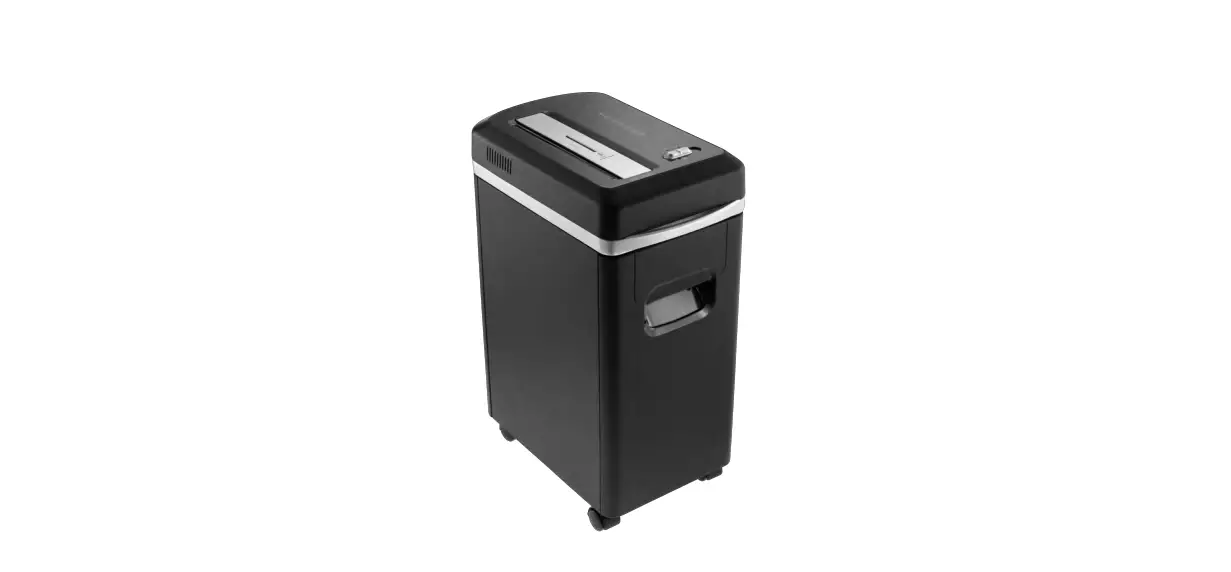
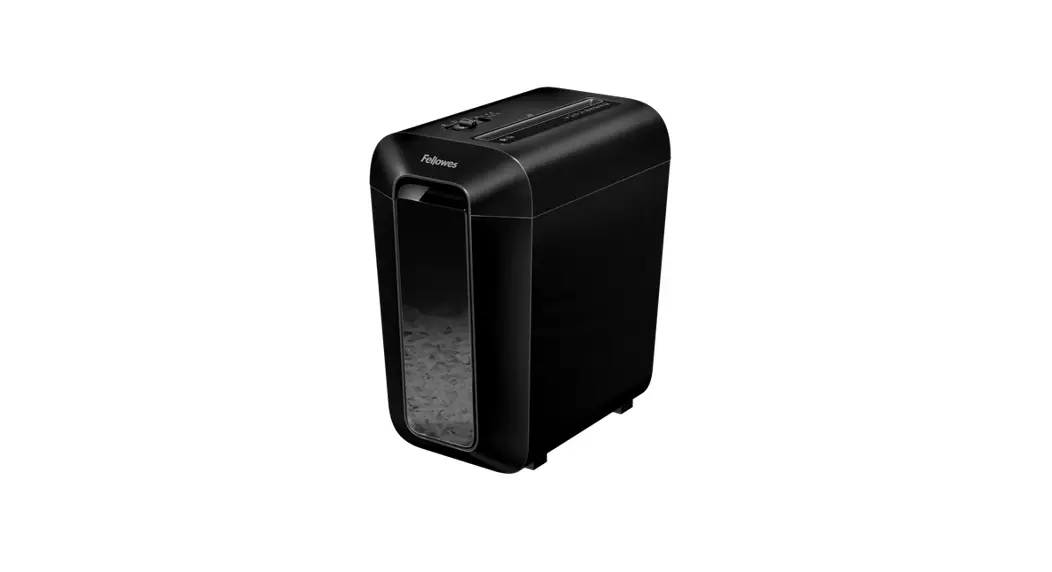
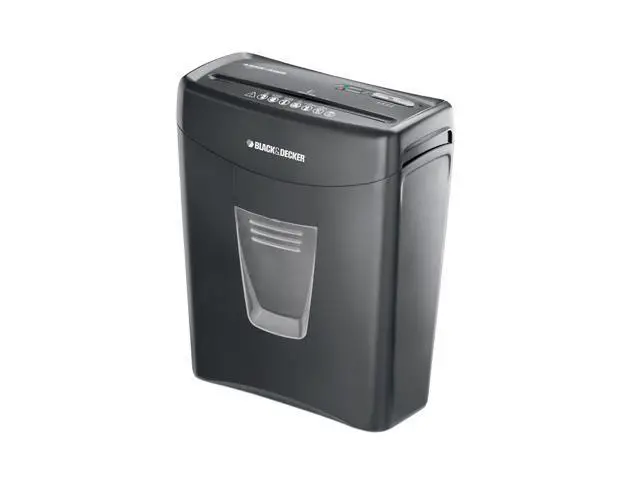
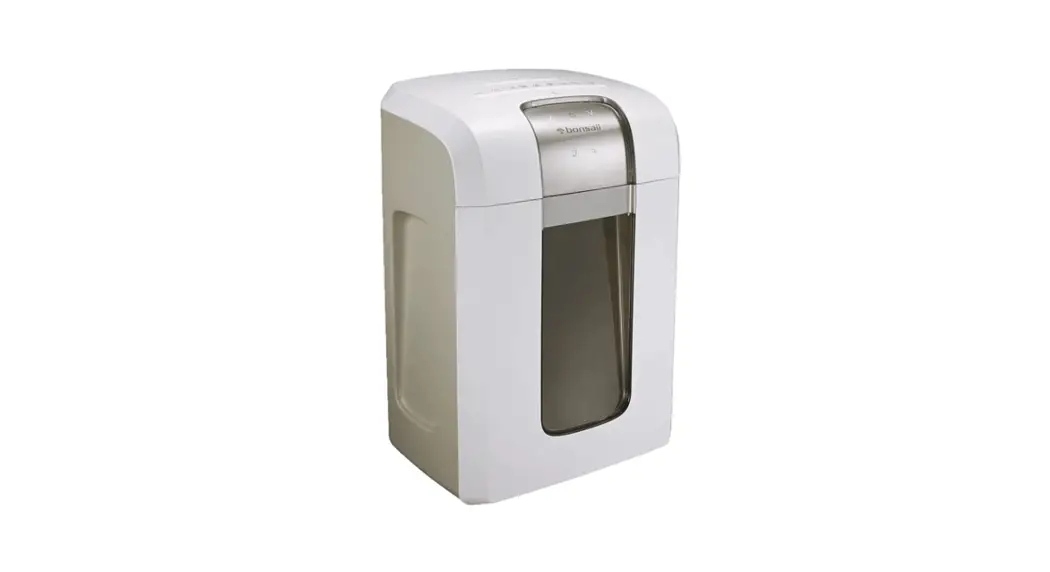
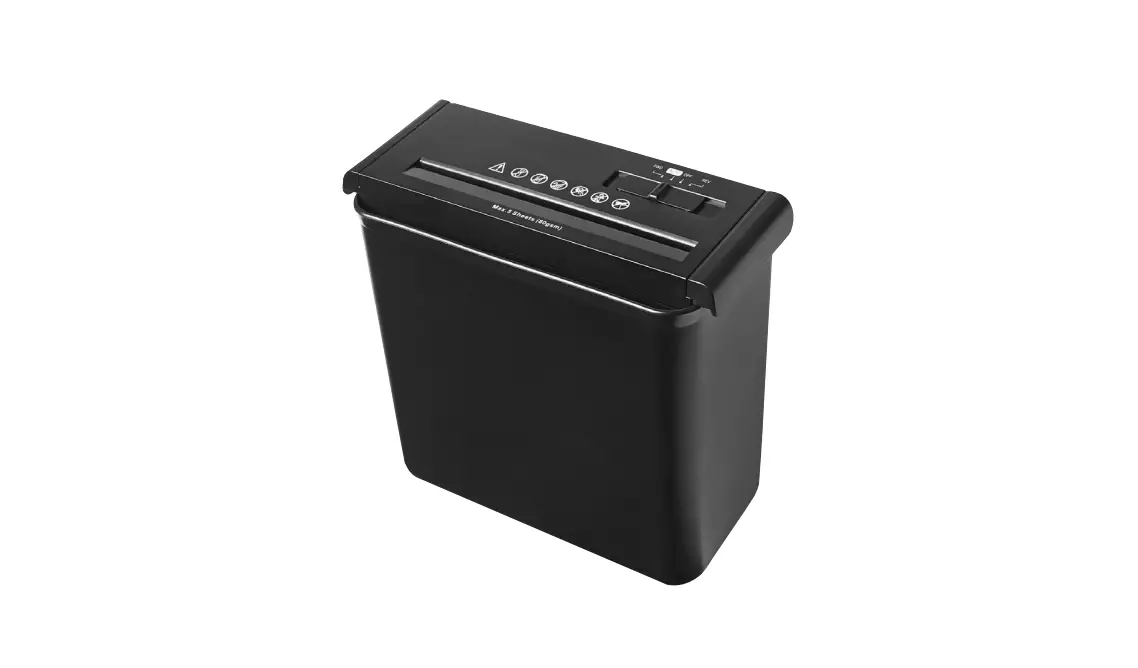
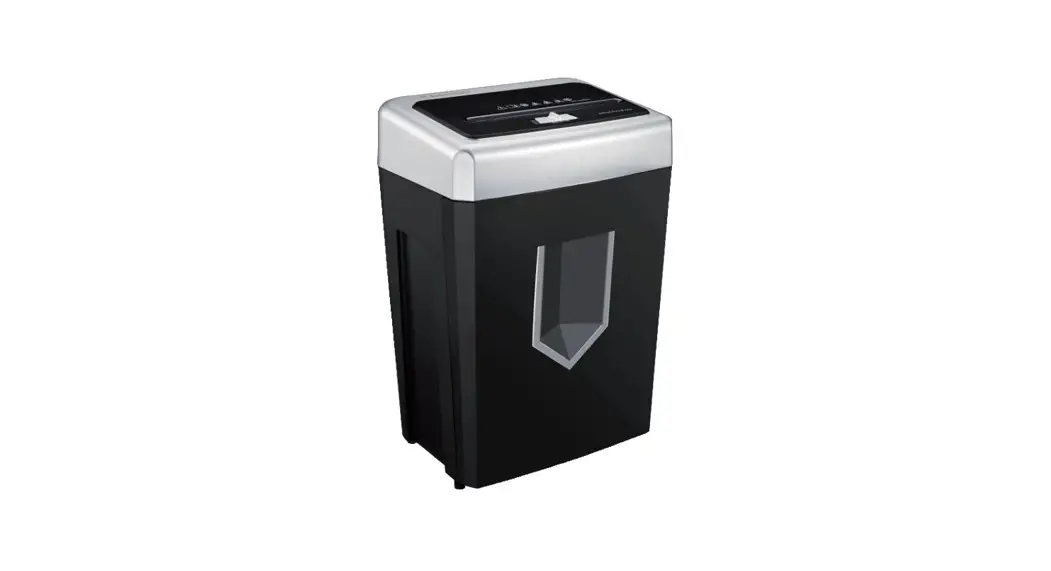
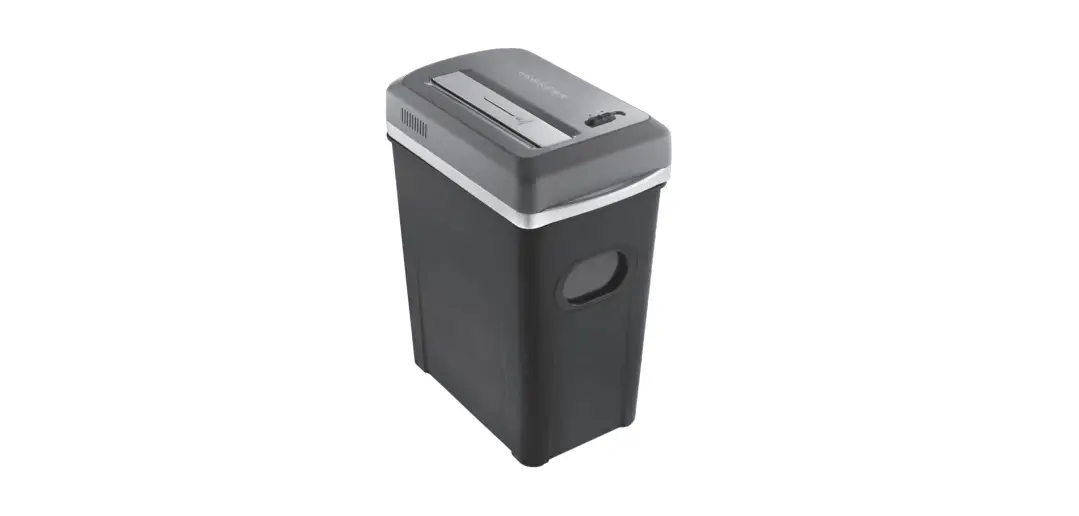
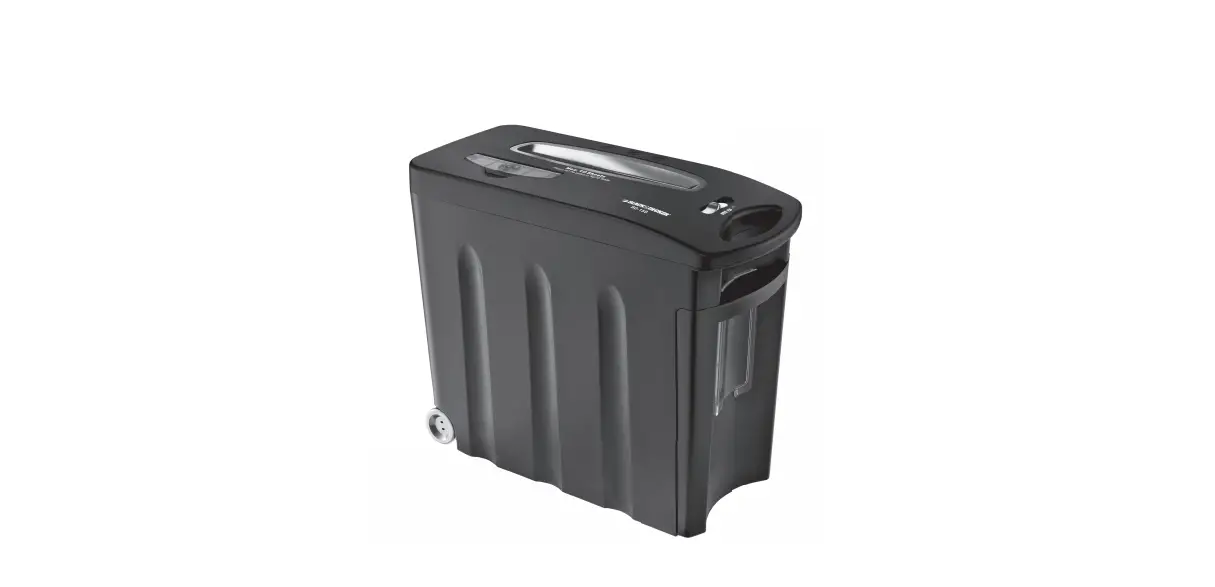
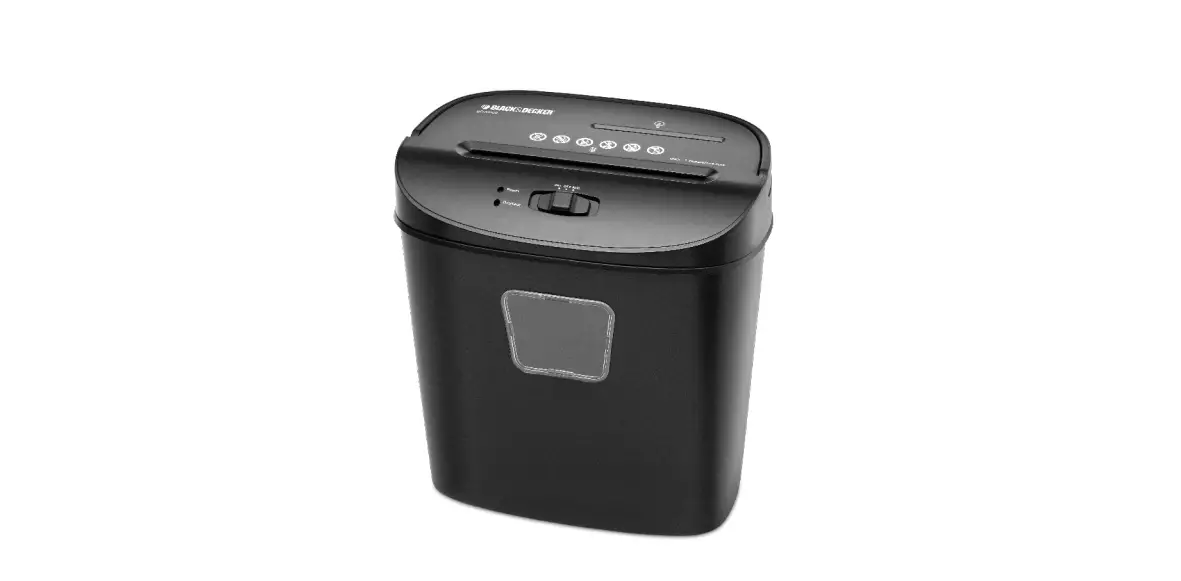
57654 Paper Shredder
User Manual – Paper Shredder
Product Information
Technical Characteristics
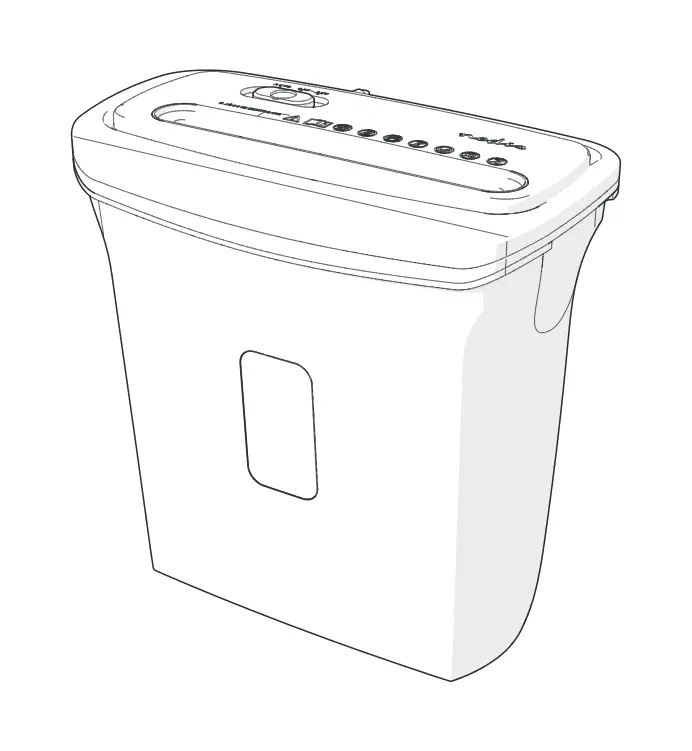
- 3-Position slide switch for AUTO, OFF, and REV.
- Paper entry: Put paper into this entry to shred.
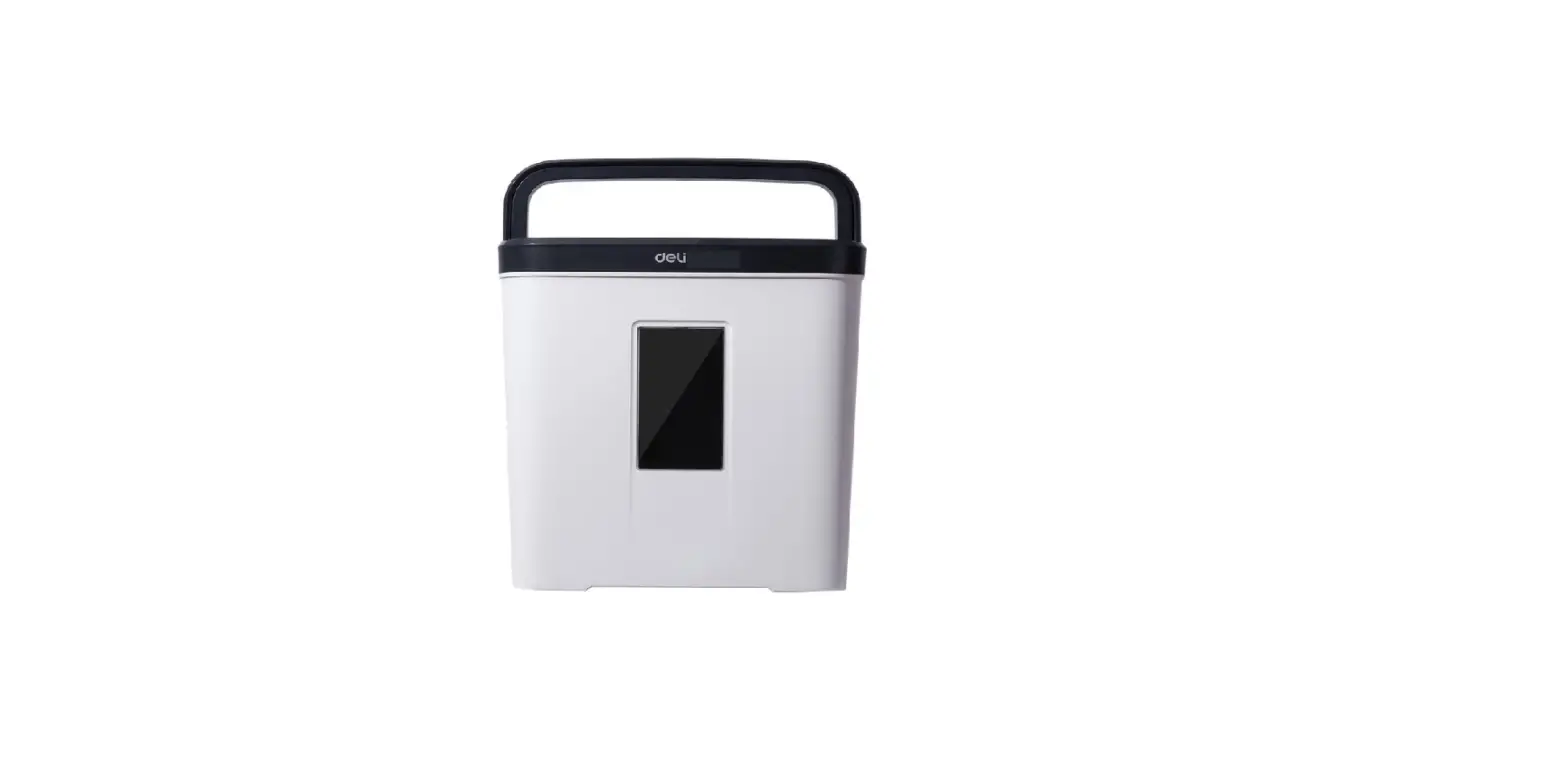
- Handle
Description of the Device
The paper shredder is a device designed to shred paper. It
features a slide switch for different modes, a paper entry for
inserting paper to be shredded, and a handle for easy
transportation.
Product Usage Instructions
Installation
- Place the paper collection tray on a flat, stable surface.
- Place the motor unit on the paper collection tray and ensure it
is securely in place, making sure to hear a slight click. Note: The
unit is equipped with a safety system that prevents operation if
the motor unit is not properly seated on the paper collection
tray. - Plug the device into an easily accessible power outlet.
Usage
Important: This unit is designed for periods of operation that
should not exceed 2 minutes. Do not use the shredder extensively.
After using the device for 2 minutes, wait 40 minutes before using
it again.
Follow these steps to use the paper shredder:
- Ensure the device is properly installed and plugged into a
power outlet. - Set the slide switch to the desired mode (AUTO, OFF, or
REV). - Insert up to 6 sheets of paper into the paper entry. Avoid
inserting paper clips or staples. - Wait for the shredding process to complete.
- If abnormalities occur during use, refer to the troubleshooting
guide in the user manual.
Abnormalities and Elbow Disorders in Use
| Index | Abnormalities | Cause | Countermeasure |
|---|---|---|---|
| 1 | After finishing the normal shredding, it runs ceaselessly yet. | Too much scrapped paper in the wastebasket. |
|
| 2 | The paper feeding or forward rotation is normal, but there is still scrapped paper in the wastebasket. | The slots of the blades hold the scrapped paper. | Set the slide switch to REV (if needed, clean the scrapped paper at the exit). |
| 3 | The paper withdrawal does not work. | Inductive paper device does not function. | Adapt to the position of the feeding paper and make it touch the automatic inductive device. |
| 4 | Paper is stuck in the protection measures. | The rotor is locked. | Remove the paper from the protection measures. |
| 5 | The number of sheets causes automatic protection. | Sheet of paper or automatic feeding does not work. | Remove a sheet of paper or unlock the automatic feeding. |
Special Precautions
- Read the safety instructions carefully before operating the
machine to avoid damage. - The product is not intended for use by children and should not
be treated as a toy. - Avoid hair and hands touching the document feed opening.
- Do not insert paper clips or staples into the infeed slot.
- Avoid clothing, long necklaces, or bracelets touching the
document feed opening. - Keep aerosol products away if the product incorporates a
universal motor.
Waste Electrical and Electronic Equipment Collection
This product falls under the category of Waste Electrical and
Electronic Equipment (WEEE). Please dispose of this product in
accordance with your local regulations for the collection and
recycling of WEEE.
MANUEL D’UTILISATION DESTRUCTEUR DE PAPIER
CONSIGNES DE SECURITE
Veuillez lire attentivement ces instructions avant d’utiliser l’appareil et conservez-les pour pouvoir vous y reporter ultérieurement.
1. Cet appareil a été conçu pour un usage domestique uniquement. Tout autre usage est exclu. 2. Ne pas utiliser à l’extérieur. 3. Cet appareil ne doit pas être utilisé par des enfants sans surveillance. Veillez à ce que les enfants ne jouent pas avec l’appareil. 4. Avant de brancher votre appareil, assurez-vous que la tension électrique de votre domicile correspond à celle indiquée sur la plaque signalétique de l’appareil. 5. Ne laissez pénétrer aucun liquide dans l’appareil et évitez de l’exposer à la pluie, à l’humidité et à des éclaboussures d’eau. 6. Gardez l’appareil à l’écart des sources de chaleur. 7. Ne plongez jamais l’appareil, le câble d’alimentation ou la fiche dans l’eau ou tout autre liquide. 8. Lorsque vous débranchez le câble, tirez-le toujours au niveau de la fiche, ne tirez pas sur le câble lui-même. 9. Ne laissez jamais l’appareil sans surveillance lorsqu’il est branché. 10. N’utilisez pas l’appareil : – si la prise ou le câble d’alimentation est endommagé(e), – en cas de mauvais fonctionnement, – si l’appareil est tombé dans l’eau, – si l’appareil a été endommagé de quelque façon que ce soit. Présentez-le à un centre de service après-vente où il sera inspecté et réparé. Ne tentez jamais de démonter ni de réparer l’appareil vous-même. 11. Si le cordon d’alimentation est endommagé, il doit être remplacé par votre revendeur, son service après-vente ou une personne de qualification similaire afin d’éviter un danger. 12. Veillez à laisser un espace suffisant entre le destructeur et tout objet situé à proximité. 13. Pour le nettoyage de l’appareil, utilisez uniquement un chiffon doux non pelucheux (sec ou légèrement humidifié). N’utilisez pas de nettoyant en aérosol tels que les dépoussiérants. Ne vaporisez rien sur le destructeur de documents.
Précautions particulières
N’approchez pas vos mains ni vos doigts de l’ouverture d’entrée. Vous pourriez vous blesser sérieusement. Tenez-vous à distance des ouvertures : Ne vous laissez pas prendre par une manche, les cheveux, un collier, un bracelet, une cravate ou d’autres objets, vous pourriez être blessé. Avant d’introduire du papier, retirez les trombones et agrafes. Cet appareil n’est pas un jouet. Évitez que des enfants ou des animaux domestiques ne se trouvent à proximité de l’appareil. Quand vous n’utilisez pas le destructeur de documents, placez l’interrupteur sur la position « OFF » (Arrêt). Branchez toujours l’appareil sur une prise secteur facilement accessible. Ne détruisez pas de documents plus de 2 minutes d’affilée. Observer une pause d’au minimum 40 minutes après une longue utilisation continue. Ne déplacez pas l’appareil en cours de fonctionnement. Videz fréquemment le(s) bac(s) récupérateur(s). Dans le cas contraire, l’unité de coupe risque de se boucher. Ne détruisez pas des enveloppes, des étiquettes ou d’autres papiers avec de la colle ou toute autre substance collante car cela risque d’entrainer un bourrage papier. Ne touchez pas les lames de coupe mises à nu situées sous le bloc moteur.
SYMBOLES DE SÉCURITÉ
Avertissement: Veuillez faire plus attention aux instructions de sécurité avant d’utiliser la machine, sinon une mauvaise utilisation risquerait de mettre en danger les utilisateurs.
Le produit n’est pas destiné à être utilisé par des enfants (le produit n’est pas un jouet)
Évitez de toucher l’ ouverture des documents avec les mains.
Évitez que les cheveux ne touchent l’ouverture du chargeur de documents.
Ne pas insérer de trombones ou d’agrafes dans la fente d’ alimentation.
Évitez les vêtements et les longs colliers ou bracelets qui touchent l’ouverture du chargeur de documents.
Éloignez les produits aérosols (pour les produits intégrant un moteur universel (à balais).
CARACTERISTIQUES TECHNIQUES
Référence 57654 Alimentation : AC 230V, 50Hz, 0.9A Largeur de papier : 220 mm Type de coupe : Coupe en bande. Capacité du destructeur de papier : 6 feuilles A4 80g/m² Fonctionnement continu maximum : 2 minutes Pause : 40 minutes. Poids : 1.2 kg
DESCRIPTION DE L’APPAREIL
1. Interrupteur 3 poisition : AUTO, OFF and REV (REV = Retour du document). 2. Entrée papier : Insérer le papier dans cet orifice. 3. Poignée
INSTALLATION
1. Placez le bac récupérateur de papier sur une surface plane et stable.
2. Posez le bloc moteur sur le bac récupérateur de papier et veillez à ce qu’il soit bien en place : vous devez entendre un léger clic. Note : L’appareil est équipé d’un système de sécurité qui empêche le fonctionnement de l’appareil si le bloc moteur n’est pas posé correctement sur le bac récupérateur de papier. 3. Branchez l’appareil sur une prise secteur facilement accessible.
UTILISATION
L’interrupteur marche/arrêt se trouve sur le dessus de l’appareil. Il a trois 3 positions :
1. Position « ON » (Marche) : la destruction démarre automatiquement dès que vous introduisez du papier dans l’entrée correspondante. 2. Position « OFF » (Arrêt) : le destructeur est à l’arrêt. Pour des raisons de sécurité, nous vous recommandons de laisser l’appareil sur cette position lorsqu’il est sans surveillance ou n’est pas utilisé. Retirez également la fiche de la prise. 3. Position « REV » (Retour du document) : utilisez cette position pour que le document revienne vers vous. Le sens de destruction est inversé avant la fin du cycle de travail de façon à libérer les lames de coupe. Si vous constatez que vous avez introduit trop de papier et que la destruction ralentit sensiblement, placez tout de suite l’interrupteur sur cette position. Procédez de même si vous avez introduit du papier par erreur. Dès qu’il a fini de détruire le document, le destructeur s’arrête automatiquement.
IMPORTANT : Cet appareil n’est conçu que pour des périodes de fonctionnement qui ne doivent pas dépasser 2 minutes. N’utilisez pas le destructeur de documents de façon intensive. Après avoir utilisé l’appareil pendant 2 minutes, attendez 40 minutes avant de réutiliser le destructeur.6 feuilles maximum
Anomalies et maux de coude en cours d’utilisation
Indice
Des anomalies
Cause
Contre-mesure
1
Après avoir terminé le dé
Il y a trop de papier mis au 1. Cut off the power, and
chiquetage normal, il
rebut dans la corbeille, de
empty the wastebasket.
fonctionne sans cesse pour sorte que le papier qui vient 2. Cut off the power, and
le moment.
d’être mis au rebut ne
press the scrapped paper
puisse pas tomber et rester down to make them away
dans l’entrée.
from the machine head.
2
L’alimentation du papier ou Les fentes des lames
Set the slide switch to
la rotation positive est
maintiennent le papier mis “REV” (if need, please clean
normale, mais il reste
au rebut.
the scrapped paper at the
encore du papier mis au
exit).
rebut à la sortie après la fin.
3
Cela ne fonctionnera pas si Un dispositif inductif
Set the slide switch to
l’alimentation du papier suit automatique à verrouillage “REV”.
le retrait du papier.
de papier
4
Il y a du papier dans
l’entrée, mais la
déchiqueteuse ne
fonctionne pas.
Une fois le papier chargé, tous les coins sont insérés, mais le reste ne touche pas le dispositif inductif automatique.
Adapt to the position of the feeding paper and make it touch the automatic inductive device.
5
Le papier est coincé et la
1.Le nombre de feuilles
1. Réglez le commutateur à
machine cesse de tourner. insérées est trop grand par glissière sur «REV» et
rapport à la limite
retirez le papier de
Le rotor
déchiquetage.
2.Locked provoque une
2. Débranchez la prise et
surchauffe du moteur, puis laissez la machine s’arrêter
la protection de
un moment.
température prend des
mesures.
6
La machine ne démarre pas Le papier est trop fin, trop 1. Pliez le papier puis
après l’insertion d’une
mou, trop humide ou trop insérez-le.
feuille de papier ou ne s’
froissé pour activer le
2. Réglez le commutateur à
arrête pas lorsque du papier dispositif inductif
glissière sur “REV”.
est inséré.
automatique.
COLLECTE SELECTIVE DES DECHETS
ELECTRIQUES ET ELECTRONIQUES
Les produits électriques ne doivent pas être mis au rebus avec les produits ménagers. Selon la Directive Européenne 2012/19/EU pour le rebus des matériels électriques et électroniques et de son exécution dans le droit national, les produits électriques usagés doivent être collectés séparément et disposés dans les points de collecte prévus à cet effet. Adressez-vous auprès des autorités locales ou de votre revendeur pour obtenir des conseils sur le recyclage.
USER MANUAL PAPER SHREDDER
6 sheets maximum
SAFETY INSTRUCTIONS
Please read these instructions carefully before using the device and keep them for future reference.
1. This appliance has been designed for home use only. Any other use is excluded. 2. Do not use outdoors. 3. This appliance should not be used by unattended children. Make sure that children do not play with the device. 4. Before connecting your appliance, make sure that the voltage of your home matches that indicated on the appliance rating plate. 5. Do not allow liquids to enter the unit or expose it to rain, moisture or splashing water. 6. Keep the unit away from sources of heat. 7. Never immerse the appliance, the power cable or the plug in water or any other liquid. 8. When disconnecting the cable, always pull it at the plug, do not pull on the cable itself. 9. Never leave the appliance unattended while it is plugged in. 10. Do not use the device: – if the plug or power cable is damaged, – in case of malfunction, – if the device fell into the water, – if the device has been damaged in any way. Present it to an after-sales service center where it will be inspected and repaired. Never attempt to disassemble or repair the device yourself. 11. If the power cord is damaged, it must be replaced by your dealer, after-sales service or a similarly qualified person to avoid a hazard. 12. Make sure there is enough space between the shredder and any nearby objects. 13. When cleaning the unit, use only a soft, lint-free cloth (dry or slightly moistened). Do not use aerosol cleaners such as dust removers. Do not spray anything on the shredder.
Special precautions
Do not bring your hands or fingers near the entrance opening. You could hurt yourself seriously. Keep away from openings: Do not get caught by a sleeve, hair, necklace, bracelet, tie or other objects, you may be hurt. Before introducing paper, remove the paper clips and staples. This device is not a toy. Avoid having children or pets near the machine. When not using the shredder, set the switch to the “OFF” position. Always connect the unit to an easily accessible AC outlet. Do not destroy documents more than 2 minutes in a row. Observe a break of at least 40 minutes after a long continuous use. Do not move the device during operation. Empty the container (s) frequently. Otherwise, the cutting unit may become clogged. Do not destroy envelopes, labels, or other papers with glue or other sticky substances as this may cause a paper jam. Do not touch the cutting blades exposed beneath the engine block.
SAFETY SYMBOLS
Warning: Please pay more attention to the safety instruction , before operate the machine otherwise wrong operation will result in danage to users.
Product is not intended for use by children (product is not a toy)
Avoid hair touching the document feed opening.
Avoid touching the document feed opening with hands.
Do not insert paper clips or staples into the infeed slot.
Avoid clothing and long necklaces or bracelets touching the document feed opening
Keep aerosol products away (for products incorporating a universal (brush ) motor.
TECHNICAL CHARACTERISTICS
Reference 57654 Power supply: AC 230V, 50Hz, 0.9A Width of paper: 220 mm Cutting type: Strip cut. Capacity of paper shredder: 6 A4 sheets – 80g / m² Maximum continuous operation: 2 minutes – Pause: 40 minutes. Weight: 1.2 kg
DESCRIPTION OF THE DEVICE
1. 3-Position slide switch for AUTO, OFF and REV.
2. Paper entry:
Put paper into this entry to shred.
3. Handle
INSTALLATION
1. Place the paper collection tray on a flat, stable surface. 2. Place the motor unit on the paper collection tray and make sure it is securely in place: you must hear a slight click. Note: The unit is equipped with a safety system that prevents the unit from operating if the motor unit is not properly seated on the paper collection tray. 3. Plug the device into an easily accessible power outlet.
USE
The on / off switch is located on the top of the unit. It has three 3 positions: 1. “ON” position: Destruction starts automatically as soon as you insert paper into the corresponding entry. 2. “OFF” position: the destroyer is stopped. For safety reasons, we recommend leaving the unit in this position when it is unattended or not in use. Also remove the plug from the outlet. 3. “REV” Position: Use this position to return the document to you. The direction of destruction is reversed before the end of the work cycle to release the cutting blades. If you find that you have introduced too much paper and the destruction slows down significantly, place the switch in this position immediately. Do the same if you entered paper by mistake. As soon as it has finished destroying the document, the destructor stops automatically.
IMPORTANT: This unit is only designed for periods of operation that should not exceed 2 minutes. Do not use the shredder extensively. After using the device for 2 minutes, wait 40 minutes before using the shredder again.6 sheets maximum
Abnormalities and elbow disorders in use
Index
Abnormities
Cause
Countermeasure
1
After finishing the normal Too much scrapped
3. Cut off the power, and
shredding, it runs
paper in the
empty the wastebasket.
ceaselessly yet.
wastebasket, so that the
just scrapped paper
4. Cut off the power, and
cannot fall and leave in
press the scrapped paper
the entry.
down to make them away
from the machine head.
2
Paper feed or positive
The slots of the blades Set the slide switch to “REV”
rotation is normal, but
clamp the scrapped
(if need, please clean the
there are still some
paper.
scrapped paper at the exit).
scrapped paper hanging at
the exit after finishing.
3
It can’t work if feeding
Some scrapped paper
Set the slide switch to “REV”.
paper follows withdrawing lock automatic inductive
paper.
device.
4
Some paper is in the entry, After feeding paper, any Adapt to the position of the
but shredder does not
corner of the paper is
feeding paper and make it
work.
inserted, but the rest
touch the automatic inductive
doesn’t touch automatic device.
inductive device.
5
The paper is jammed, and 1. The number of the
1.Set the slide switch to
the machine stops rotating.
inserted paper is too
“REV” and withdraw the
larger than the
shredding paper.
limitation
2. Unplug the plug and let the
2. Locked rotor makes
machine stop for a while.
the motor overheated
and then temperature
protection set takes
action.
6
The machine doesn’t start The paper is too thin, too 1. Fold the paper and then
after inserting a sheet of
soft, humid, or too
insert it.
paper, or stop running
crinkly to activate
when paper is being
automatic inductive
2.Set the slide switch to
inserted.
device.
“REV”.
SELECTIVE COLLECTION OF ELECTRICAL AND
ELECTRONIC WASTE
Electrical products should not be disposed of with household products. According to European Directive 2012/19 / EU for the disposal of electrical and electronic equipment and its execution under national law, used electrical products must be collected separately and placed in the collection points provided for this purpose. Contact the local authorities or your dealer for recycling advice.
BENUTZERHANDBUCH AKTENVERNICHTER
SICHERHEITSHINWEISE
Bitte lesen Sie diese Anweisungen sorgfältig durch, bevor Sie das Gerät verwenden, und bewahren Sie sie zum späteren Nachschlagen auf.
1. Dieses Gerät ist nur für den Heimgebrauch konzipiert. Jede andere Verwendung ist ausgeschlossen. 2. Verwenden Sie nicht im Freien. 3. Dieses Gerät darf nicht von unbeaufsichtigten Kindern benutzt werden. Stellen Sie sicher, dass Kinder nicht mit dem Gerät spielen. 4. Bevor Sie Ihr Gerät anschließen, stellen Sie sicher, dass die Spannung Ihres Hauses der auf dem Typenschild des Geräts angegebenen entspricht. 5. Lassen Sie keine Flüssigkeiten in das Gerät eindringen oder setzen Sie es Regen, Feuchtigkeit oder Spritzwasser aus. 6. Halten Sie das Gerät von Wärmequellen fern. 7. Tauchen Sie das Gerät, das Stromkabel oder den Stecker niemals in Wasser oder andere Flüssigkeiten. 8. Ziehen Sie beim Abziehen des Kabels immer am Stecker und nicht am Kabel selbst. 9. Lassen Sie das Gerät niemals unbeaufsichtigt, wenn es angeschlossen ist. 10. Verwenden Sie das Gerät nicht: – wenn der Stecker oder das Netzkabel beschädigt ist – im Falle einer Fehlfunktion – wenn das Gerät ins Wasser gefallen ist, – wenn das Gerät in irgendeiner Weise beschädigt wurde. Legen Sie es einem Kundendienstzentrum vor, in dem es inspiziert und repariert wird. Versuchen Sie niemals, das Gerät selbst zu zerlegen oder zu reparieren. 11. Wenn das Netzkabel beschädigt ist, muss es von Ihrem Händler, dem Kundendienst oder einer ähnlich qualifizierten Person ersetzt werden, um eine Gefahr zu vermeiden. 12. Stellen Sie sicher, dass zwischen dem Aktenvernichter und anderen Objekten in der Nähe genügend Platz ist. 13. Verwenden Sie zum Reinigen des Geräts nur ein weiches, fusselfreies Tuch (trocken oder leicht angefeuchtet). Verwenden Sie keine Aerosolreiniger wie Staubentferner. Sprühen Sie nichts auf den Aktenvernichter.
Besondere Vorsichtsmaßnahmen
Bringen Sie Ihre Hände oder Finger nicht in die Nähe der Eingangsöffnung. Sie könnten sich ernsthaft verletzen. Von Öffnungen fernhalten: Lassen Sie sich nicht von Ärmeln, Haaren, Ketten, Armbändern, Krawatten oder anderen Gegenständen erwischen. Entfernen Sie vor dem Einlegen von Papier die Büroklammern und Heftklammern. Dieses Gerät ist kein Spielzeug. Vermeiden Sie Kinder oder Haustiere in der Nähe der Maschine. Wenn Sie den Aktenvernichter nicht verwenden, stellen Sie den Schalter auf die Position “OFF”. Schließen Sie das Gerät immer an eine leicht zugängliche Steckdose an. Vernichten Sie Dokumente nicht länger als 2 Minuten hintereinander. Beachten Sie eine Pause von mindestens 40 Minuten nach langem Dauereinsatz. Bewegen Sie das Gerät nicht während des Betriebs. Leeren Sie die Behälter regelmäßig. Andernfalls kann die Schneideinheit verstopfen. Zerstören Sie keine Umschläge, Etiketten oder anderes Papier mit Klebstoff oder anderen klebrigen Substanzen, da dies einen Papierstau verursachen kann. Berühren Sie nicht die Schneidklingen, die sich unter dem Motorblock befinden.
SICHERHEITSSYMBOLE
Warnung: Bitte beachten Sie die Sicherheitshinweise, bevor Sie die Maschine in Betrieb nehmen, da ansonsten eine falsche Bedienung den Benutzer gefährden kann.
Produkt ist nicht für Kinder bestimmt (Produkt ist kein Spielzeug)
Berühren Sie die Dokumenteneinzugsöffnun g nicht mit den Händen.
Vermeiden Sie, dass Haare die Dokumenteneinzugsöffnung berühren.
Führen Sie keine Büroklammern oder Heftklammern in den Einzugsschlitz ein.
Vermeiden Sie Kleidung und lange Halsketten oder Armbänder, die die Dokumenteneinzugsöffnung berühren
Halten Sie Aerosolprodukte fern (bei Produkten mit Universalmotor (Bürstenmotor).
TECHNISCHE EIGENSCHAFTEN
Referenz 57654 Spannungsversorgung: AC 230 V, 50 Hz, 0,9 A Papierbreite: 220 mm Schneideart: Streifen schneiden. Kapazität des Aktenvernichters: 6 A4-Blätter – 80 g / m² Maximaler Dauerbetrieb: 2 Minuten – Pause: 40 Minuten. Gewicht: 1,2 kg
BESCHREIBUNG DER VORRICHTUNG
1. 3-Positionen-Schiebeschalter für AUTO, OFF und REV. 2. Papiereintrag: Legen Sie Papier in diesen Eintrag, um zu zerkleinern. 3. Griff
INSTALLATION
1. Legen Sie das Papiersammelfach auf eine flache, stabile Oberfläche. 2. Platzieren Sie die Motoreinheit auf dem Papiersammelfach und vergewissern Sie sich, dass sie fest sitzt: Sie müssen ein leichtes Klicken hören. Hinweis: Die Einheit ist mit einem Sicherheitssystem ausgestattet, das den Betrieb der Einheit verhindert, wenn die Motoreinheit nicht ordnungsgemäß im Papiersammelfach sitzt. 3. Schließen Sie das Gerät an eine leicht zugängliche Steckdose an.
BENUTZEN
Der Ein / Aus-Schalter befindet sich oben am Gerät. Es hat drei 3 Positionen: 1. Position “ON”: Die Zerstörung startet automatisch, sobald Sie Papier in den entsprechenden Eintrag einlegen. 2. Position “OFF”: Der Zerstörer wird angehalten. Aus Sicherheitsgründen empfehlen wir, das Gerät in dieser Position zu lassen, wenn es unbeaufsichtigt ist oder nicht verwendet wird. Ziehen Sie auch den Stecker aus der Steckdose. 3. “REV” -Position: Verwenden Sie diese Position, um das Dokument an Sie zurückzugeben. Die Zerstörungsrichtung wird vor dem Ende des Arbeitszyklus umgekehrt, um die Schneidklingen zu lösen. Wenn Sie feststellen, dass Sie zu viel Papier eingelegt haben und sich die Zerstörung erheblich verlangsamt, setzen Sie den Schalter sofort in diese Position. Machen Sie dasselbe, wenn Sie versehentlich Papier eingegeben haben. Sobald das Dokument zerstört wurde, stoppt der Destruktor automatisch.
WICHTIG: Dieses Gerät ist nur für Betriebszeiten ausgelegt, die 2 Minuten nicht überschreiten sollten. Verwenden Sie den Aktenvernichter nicht ausgiebig. Warten Sie nach 2 Minuten des Geräts 40 Minuten, bevor Sie den Aktenvernichter erneut verwenden.
Abnormalitäten und Ellbogenstörungen im Gebrauch
Index
Abnormitäten
Ursache
Gegenmaßnahme
1
Nach dem normalen
Zu viel Altpapier im
5.Cut off the power, and
Schreddern läuft es noch Papierkorb, damit das
empty the wastebasket.
unaufhörlich.
gerade verschrottete
Papier nicht in den
6.Cut off the power, and press
Eingang fallen kann.
the scrapped paper down to
make them away from the
machine head.
2
Ein Papiereinzug oder eine Die Schlitze der Klingen Stellen Sie den
positive Rotation ist
klemmen das Altpapier Schiebeschalter auf “REV”
normal, aber am Ende
fest.
(reinigen Sie das Altpapier
hängen noch einige
ggf. am Ausgang).
Papierabfälle am Ausgang.
3
Es kann nicht
Einige verschrottete
Stellen Sie den
funktionieren, wenn der
automatische induktive Schiebeschalter auf “REV”.
Papiereinzug nach
Vorrichtung für
Papiersperre.
4
Etwas Papier ist im Eintrag, Nach dem Papiereinzug Passen Sie die Position des
aber der Aktenvernichter
wird eine beliebige Ecke Einzugspapiers an und
funktioniert nicht.
des Papiers eingeführt, berühren Sie das
der Rest berührt jedoch automatische
nicht die automatische Induktionsgerät.
5
Das Papier ist gestaut und 3. Die Anzahl des
3.Stellen Sie den
das Gerät stoppt sich zu
eingelegten Papiers ist Schiebeschalter auf ,,REV”
drehen.
zu groß als die
und ziehen Sie das
Begrenzung
Zerkleinerungspapier heraus.
4.Verriegelter Rotor bewirkt, dass der Motor überhitzt ist und der Temperaturschutz aktiviert wird.
4.Stopfen Sie den Stecker aus und lassen Sie die Maschine eine Weile stehen.
6
Das Gerät startet nicht,
Das Papier ist zu dünn, 4.Falten Sie das Papier und
nachdem Sie ein Blatt
zu weich, feucht oder zu legen Sie es ein.
Papier eingelegt haben,
zerknittert, um das
oder stoppt beim Einlegen automatische induktive
von Papier.
Gerät zu aktivieren.
5.Stellen Sie den Schiebeschalter auf ,,REV”.
SELEKTIVE SAMMLUNG VON ELEKTRISCHEN UND
ELEKTRONISCHEN ABFÄLLEN
Elektrische Produkte dürfen nicht zusammen mit Haushaltsprodukten entsorgt werden. Gemäß der EU-Richtlinie 2012/19 / EU zur Entsorgung von Elektro- und Elektronikgeräten und ihrer Ausführung nach nationalem Recht müssen gebrauchte elektrische Produkte getrennt gesammelt und in den dafür vorgesehenen Sammelstellen untergebracht werden. Wenden Sie sich an die örtlichen Behörden oder Ihren Händler, um Informationen zum Recycling zu erhalten.
HANDLEIDING PAPIERVER SNIPPERAAR
VEILIGHEIDSINSTRUCTIES
Lees deze instructies zorgvuldig door voordat u het apparaat gebruikt en bewaar ze voor toekomstig gebruik.
1. Dit apparaat is uitsluitend ontworpen voor thuisgebruik. Elk ander gebruik is uitgesloten. 2. Gebruik het niet buitenshuis. 3. Dit apparaat mag niet worden gebruikt door kinderen zonder toezicht. Zorg ervoor dat kinderen niet met het apparaat spelen. 4. Controleer voordat u uw apparaat aansluit of de spanning van uw huis overeenkomt met die op het typeplaatje van het apparaat. 5. Laat geen vloeistoffen in het apparaat komen en stel het niet bloot aan regen, vocht of opspattend water. 6. Houd het apparaat uit de buurt van warmtebronnen. 7. Dompel het apparaat, het netsnoer of de stekker nooit onder in water of een andere vloeistof. 8. Trek bij het loskoppelen van de kabel altijd aan de stekker, trek niet aan de kabel zelf. 9. Laat het apparaat nooit onbeheerd achter als het is aangesloten. 10. Gebruik het apparaat niet: – als de stekker of het netsnoer beschadigd is, – in geval van storing, – als het apparaat in het water viel, – als het apparaat op enigerlei wijze is beschadigd. Presenteer het aan een after-sales servicecentrum waar het zal worden geïnspecteerd en gerepareerd. Probeer het apparaat nooit zelf te demonteren of te repareren. 11. Als het netsnoer is beschadigd, moet het worden vervangen door uw dealer, klantenservice of een vergelijkbaar gekwalificeerde persoon om gevaar te voorkomen. 12. Zorg dat er voldoende ruimte tussen de papiervernietiger en eventuele objecten in de buurt is. 13. Gebruik alleen een zachte, pluisvrije doek (droog of licht bevochtigd) om het apparaat schoon te maken. Gebruik geen spuitbussen, zoals stofverwijderaars. Spuit niets op de shredder.
Speciale voorzorgsmaatregelen
Breng uw handen of vingers niet in de buurt van de ingangsopening. Je zou jezelf serieus kunnen kwetsen. Blijf uit de buurt van openingen: Laat u niet betrappen door een mouw, haar, ketting, armband, das of andere voorwerpen, want u bent mogelijk gewond. Verwijder de paperclips en nietjes voordat u papier invoert. Dit apparaat is geen speelgoed. Voorkom dat kinderen of huisdieren in de buurt van de machine komen. Wanneer de shredder niet wordt gebruikt, zet u de schakelaar in de “OFF” -stand. Sluit het apparaat altijd aan op een gemakkelijk toegankelijk stopcontact. Vernietig documenten niet langer dan 2 minuten achter elkaar. Neem een pauze van ten minste 40 minuten in acht na langdurig gebruik. Verplaats het apparaat niet tijdens het gebruik. Maak de container (s) regelmatig leeg. Anders kan de snijeenheid verstopt raken. Vernietig geen enveloppen, etiketten of ander papier met lijm of andere plakkerige stoffen, dit kan een papierstoring veroorzaken. Raak de messen onder het motorblok niet aan.
VEILIGHEIDSSYMBOLEN
Waarschuwing: Besteed meer aandacht aan de veiligheidsinstructie voordat u de machine bedient, anders leidt verkeerde bediening tot overlast voor gebruikers.
Product is niet bedoeld voor gebruik door kinderen (product is geen speelgoed)
Raak de documentinvoeropening niet met de handen aan.
Voorkom dat haar de documentinvoeropening aanraakt.
Steek geen paperclips of nietjes in de invoersleuf.
Vermijd kleding en lange kettingen of armbanden die de documentinvoeropening raken
Houd aerosolproducten uit de buurt (voor producten met een universele (borstel) motor.
TECHNISCHE KENMERKEN
Referentie 57654 Voeding: AC 230 V, 50 Hz, 0,9 A. Papierbreedte: 220 mm Snijtype: gesneden stroken. Capaciteit van de shredder: 6 A4-vellen – 80 g / m2 Maximale continue werking: 2 minuten – Pauze: 40 minuten. Gewicht: 1,2 kg
BESCHRIJVING VAN HET APPARAAT
1. Schuifschakelaar met 3 standen voor AUTO, UIT en REV. 2. Papierinvoer:
Plaats papier in dit vak om te vernietigen. 3.Handvat
INSTALLATIE
1. Plaats de papierinvoerlade op een vlak, stabiel oppervlak. 2. Plaats de motorunit op de papierinvoerlade en zorg ervoor dat deze stevig op zijn plaats zit: u moet een lichte klik horen. Opmerking: het apparaat is uitgerust met een veiligheidssysteem dat voorkomt dat het apparaat werkt als de motorunit niet goed op de papierinvoerlade is geplaatst. 3. Sluit het apparaat aan op een eenvoudig toegankelijk stopcontact.
GEBRUIK
De aan / uit-schakelaar bevindt zich aan de bovenkant van het apparaat. Het heeft drie 3 posities: 1. “AAN” -positie: Vernietiging start automatisch zodra u papier in de overeenkomstige invoer invoert. 2. “UIT” positie: de destroyer wordt gestopt. Om veiligheidsredenen raden we aan om het apparaat in deze positie te laten als het niet wordt gebruikt of niet wordt gebruikt. Verwijder ook de stekker uit het stopcontact. 3. “REV” positie: Gebruik deze positie om het document naar u terug te sturen. De richting van vernietiging is vóór het einde van de werkcyclus omgekeerd om de snijbladen los te maken. Als u merkt dat u te veel papier hebt ingevoerd en de vernietiging aanzienlijk vertraagt, plaatst u de schakelaar onmiddellijk in deze positie. Doe hetzelfde als u per ongeluk papier hebt ingevoerd. Zodra het document is vernietigd, stopt de vernietiger automatisch.
BELANGRIJK: dit apparaat is alleen ontworpen voor gebruikstijden die niet langer mogen zijn dan 2 minuten. Gebruik de shredder niet uitgebreid. Nadat u het apparaat 2 minuten hebt gebruikt, wacht u 40 minuten voordat u de shredder opnieuw gebruikt.
Afwijkingen en elleboogaandoeningen in gebruik
Inhoudsop gave
abnormaliteiten
Oorzaak
tegenmaat
1
Na het normale shredden is Te veel gesloopt papier in 7.Schakel de stroom uit en
het nog steeds
de prullenbak, zodat het maak de prullenbak leeg.
onophoudelijk.
net afgedankte papier niet
kan vallen en in de invoer 8.Schakel de stroom uit en druk
kan achterblijven.
het afgedankte papier omlaag
om ze van de kop van de
machine te verwijderen.
2
Papierinvoer of positieve
De sleuven van de bladen Zet de schuifschakelaar op
rotatie is normaal, maar er
klemmen het afgedankte “REV” (reinig het afgedankte
zijn nog steeds wat gesloopt papier vast.
papier indien nodig bij de
papier dat aan de uitgang
uitgang).
hangt nadat het is afgewerkt.
3
Het kan niet werken als het Een gesloopt
Zet de schuifschakelaar op
invoerscherm volgt op het
papiervergrendeling
“REV”.
verwijderen van papier.
automatisch inductief
apparaat.
4
Er staat wat papier in de
Na het invoeren van het
Pas het aan op de positie van
invoer, maar de
papier wordt elke hoek
het voedingspapier en zorg
papiervernietiger werkt niet. van het papier ingevoerd, ervoor dat het het
maar de rest raakt het
automatische inductieve
automatische inductieve apparaat aanraakt.
apparaat niet aan.
5
Het papier is vastgelopen en 5.Het nummer van het
5.Stel de schuifschakelaar op
de machine stopt met
ingebrachte papier is te
“REV” en haal het papier eruit.
draaien.
groot dan de beperking
6. Ontkoppel de stekker en laat
6. Vergrendeld rotor maakt de machine een tijdje stoppen.
de motor oververhit en
vervolgens
temperatuurbeveiliging
set actie.
6
De machine start niet na het Het papier is te dun, te
6.Vouw het papier in en plaats
plaatsen van een vel papier zacht, vochtig of te
het dan.
of stopt met lopen wanneer kreukig om automatisch
er papier wordt ingevoerd. inductief apparaat te
7.Stel de schuifschakelaar op
activeren.
“REV”.
SELECTIEVE INZAMELING VAN ELEKTRISCH EN
ELEKTRONISCH AFVAL
Elektrische producten mogen niet worden weggegooid met huishoudelijke producten. Volgens de Europese Richtlijn 2012/19 / EU voor de verwijdering van elektrische en elektronische apparatuur en de uitvoering daarvan volgens de nationale wetgeving, moeten gebruikte elektrische producten afzonderlijk worden ingezameld en in de daarvoor bestemde inzamelpunten worden geplaatst. Neem contact op met de plaatselijke autoriteiten of uw dealer voor advies over recycling.