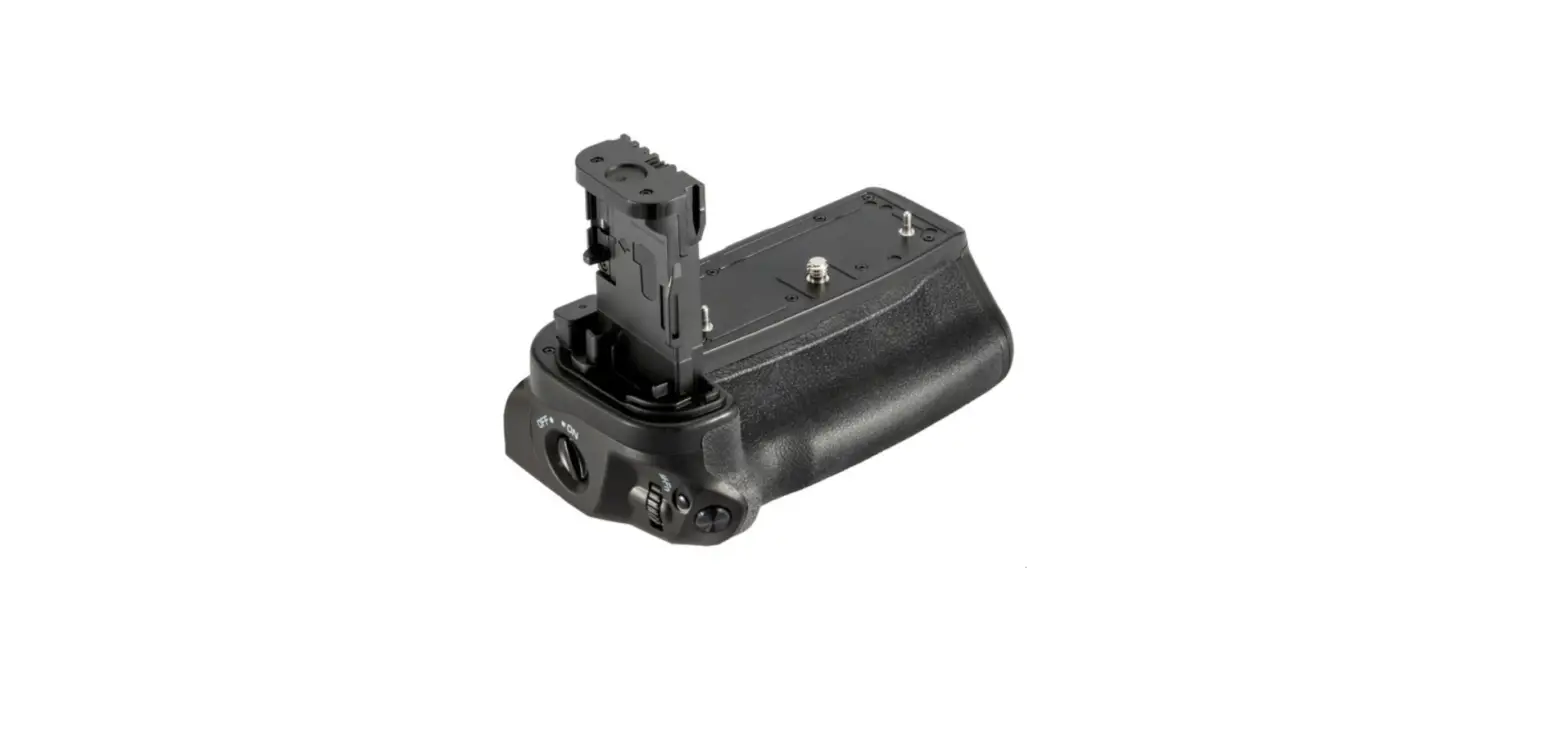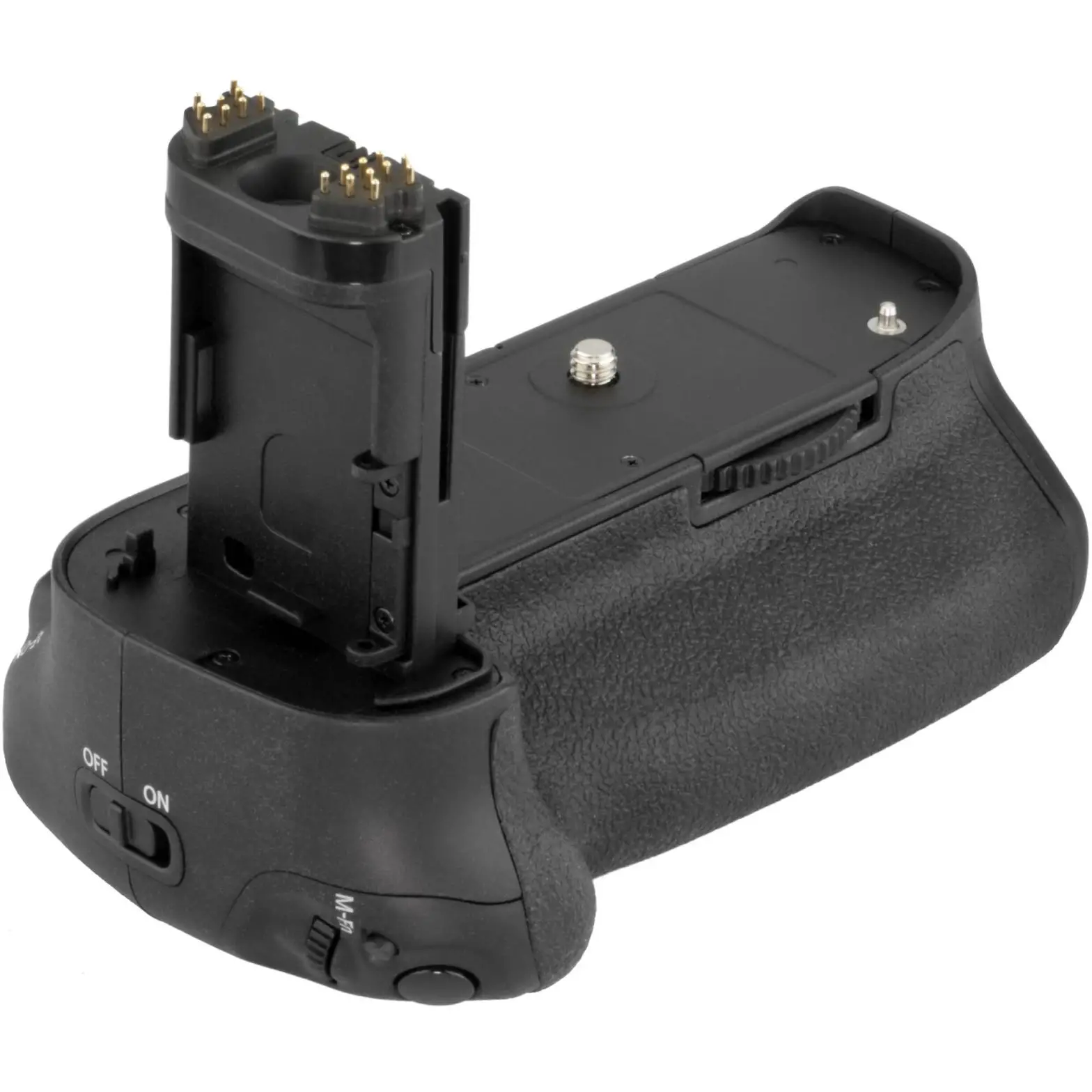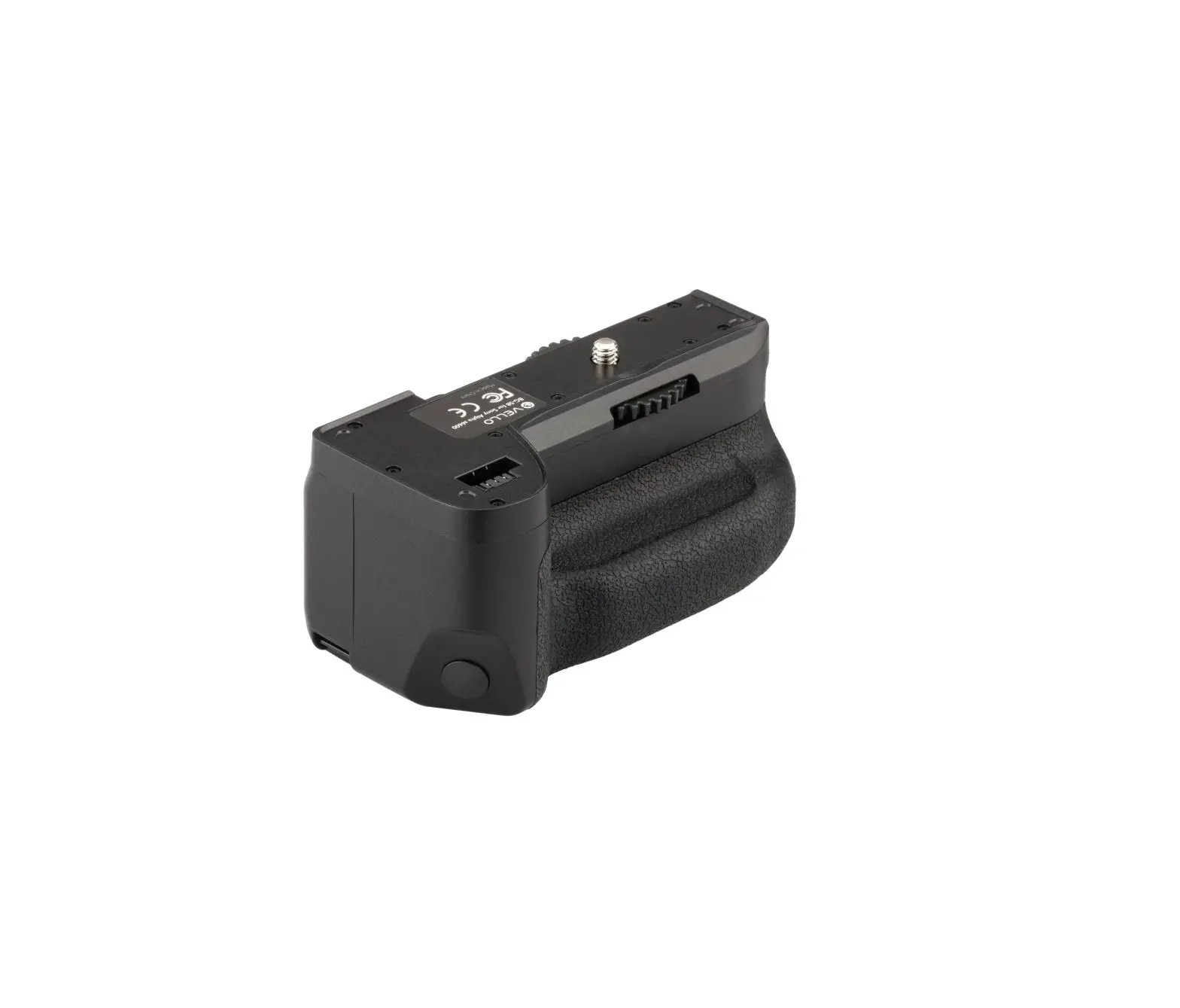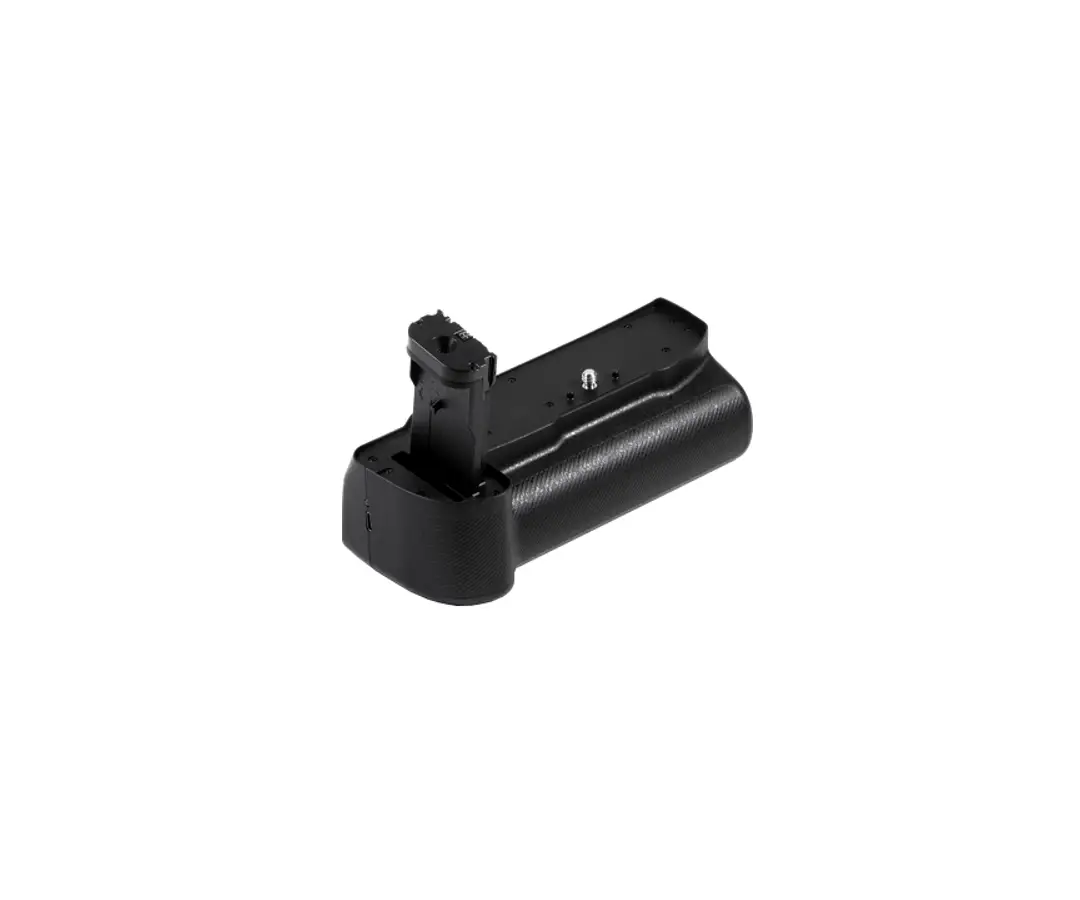
VELLO Battery Grip 
INTRODUCTION
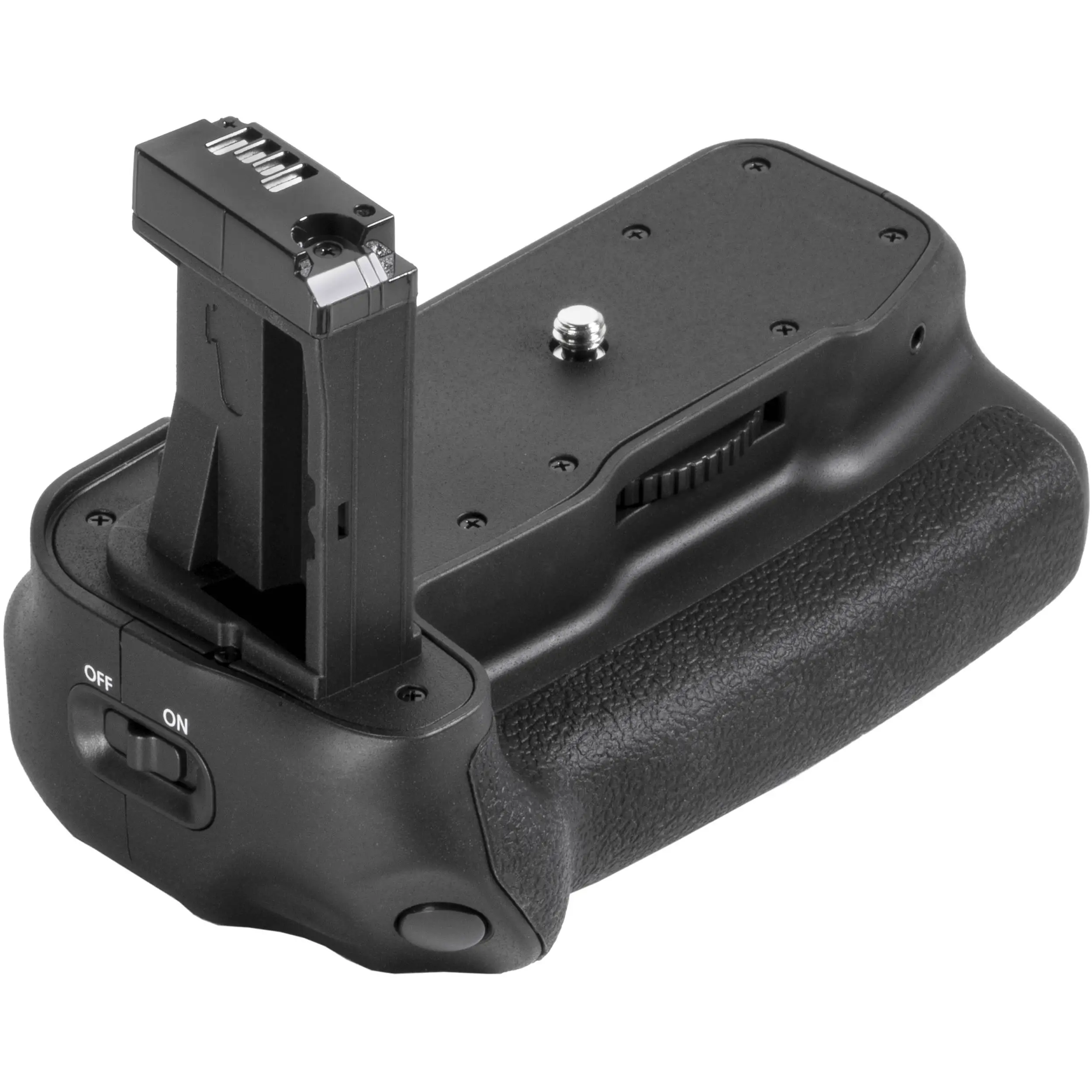
The Vello BG-P2 is compatible with the Panasonic GH5 and GH5s mirrorless cameras. This grip accepts one Panasonic DMW-BLF19 battery, in addition to the camera’s internal battery, effectively doubling your camera’s runtime. The BG-P2 is equipped with an alternate shutter release, white balance, ISO, EV, and Fn buttons, plus an AF/AE Lock, joystick, and a control lock switch. Main and sub-command dials, along with the buttons, make it comfortable to shoot in portrait orientation. Please read through this entire manual before using the BG-P2 battery grip. 2
Precautions
- The BG-P2 should be used with only the compatible devices and batteries specified in this manual.
- Cover the power terminal with the contact cap when the BG-P2 is not in use. This prevents electrical shorts caused by metal objects touching the power terminals.
- If you notice smoke, an unusual smell, or noise coming from the battery pack, discontinue use immediately. Remove the battery and contact the Vello Customer Service Department.
- Keep this product away from water and any flammable gases or liquids.
- Install batteries in the proper orientation. Installing batteries in the reverse orientation can cause them to leak, overheat, or explode
- Do not attempt to disassemble or repair this product.
- Clean this product with only a soft, dry cloth.
- Keep this product away from children.
- Make sure that this product is intact and that there are no missing parts.
- To avoid damage to this product, be careful not to overtighten or improperly thread any of the threaded fittings.
- Remove the battery from the grip before long-term storage.
- All images are for illustrative purposes only.
Overview
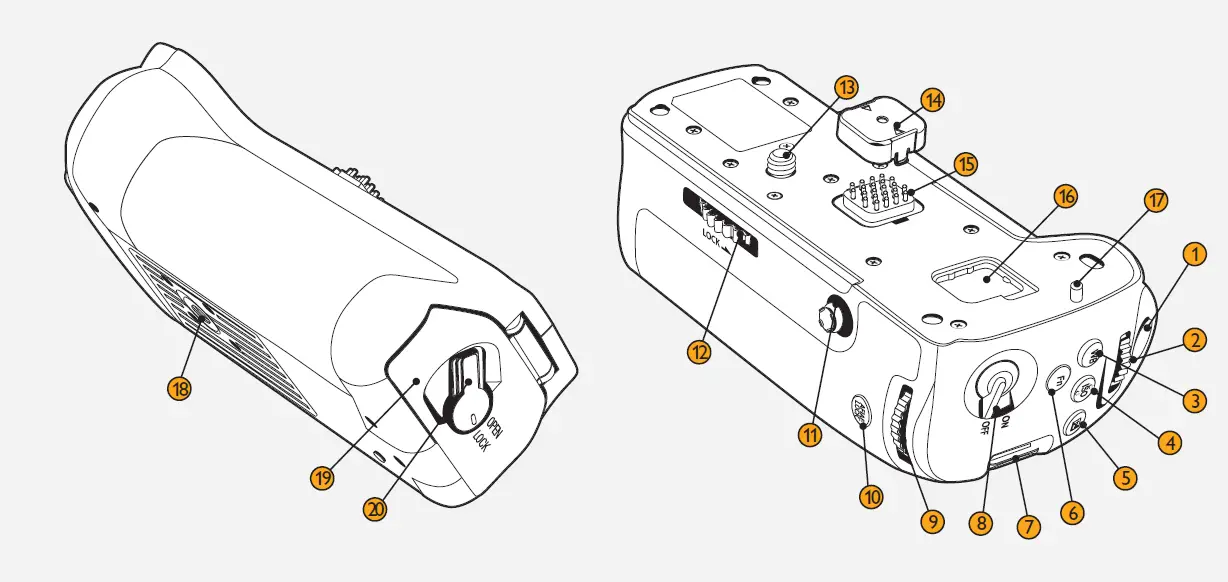
- Shutter release button
- Front command dial
- White-balance button
- ISO button
- EV button
- Fn button
- Strap mount
- Control Lock Switch Activates and locks the BG-P2’s controls. Your camera will continue to draw power from the BG-P2 when the switch is in the off position.
- Rear command dial
- AF/AE lock butto
- Joystick / Fn button
- Locking wheel
- Mounting screw
- Contact cap
- Terminal contacts
- Camera’s contact cap compartment
- Mounting pin
- 1/4-20 tripod socket
- Battery chamber (Accepts one DMW-BLF19 battery).
- Battery chamber latch
These controls perform the same function as their on-camera equivalents and are affected by changes to the Custom Settings menu. See your camera manual for details.
Attaching the Grip
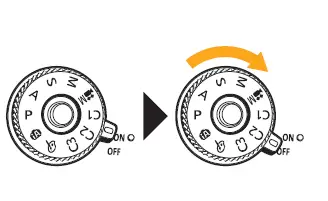
- Make sure your camera is turned off

- Remove the rubber contact cap from the bottom of the camera, and store it in the available contact cap compartment. Remove the contact cap from the grip
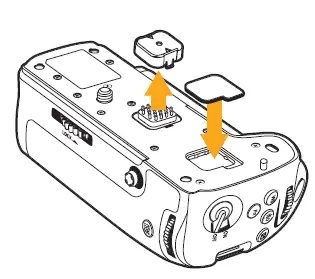
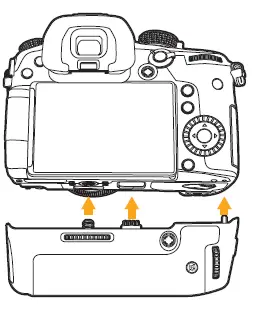
3.Align the grip’s mounting screw, mounting pin, and contacts with the camera’s corresponding slots, and insert the grip.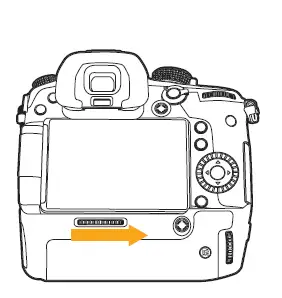 4. Rotate the grip’s locking wheel in the direction of the arrow until the grip is firmly attached. Be careful not to overtighten
Tip: If you plan to use a single battery, we recommend inserting the battery into the grip (see Inserting a Battery on page 8) rather than into your camera. This way, you will be able to access the battery while the grip is installed
Inserting a Battery
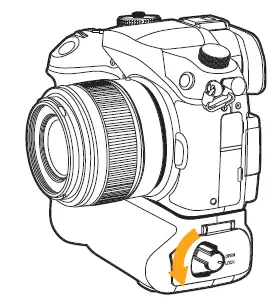
- Slide the battery compartment latch to the Open position. The chamber door will automatically open

- Insert one DMW-BLF19 battery all the way into the battery chamber, until the battery locks into place

- Close the battery chamber door, and slide the latch to the Lock position
Note: If the battery is not in the correct orientation, you won’t be able to insert it all the way, and the battery will not lock into place.
Note: The BG-P2’s On/Off switch will not turn off your camera or prevent it from drawing power from the grip. To turn off your camera, use your camera’s power switch  To remove the battery, open the battery chamber and pull the release lever.
Note: When using two batteries, one installed in the camera and one in the grip, you can program your camera to draw power from one battery before the other. For more information on this feature, refer to your camera’s instruction manual
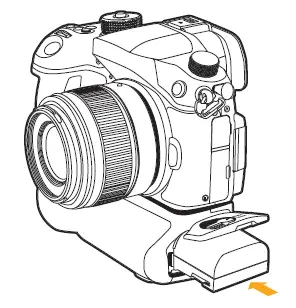
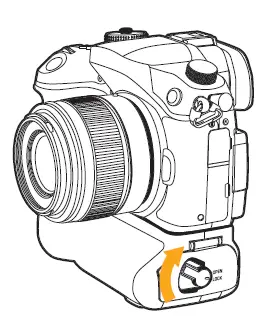
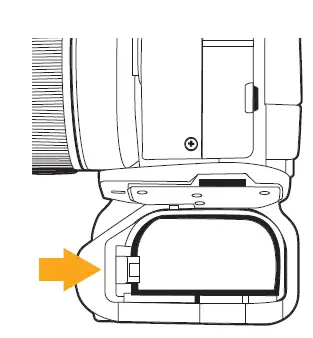 To remove the battery, open the battery chamber and pull the release lever.
Specifications
Power Source One DMW-BLF19 battery
Operating Temperature 32°F–104°F (0°C–40°C)
Dimensions (W × H × D)5.3 × 1.5 × 2.5 in. (13.5 × 3.8 × 6.4 cm)
Weight 5.7 oz. (161.6 g) excluding battery10
Operating Temperature 32°F–104°F (0°C–40°C)
Dimensions (W × H × D)5.3 × 1.5 × 2.5 in. (13.5 × 3.8 × 6.4 cm)
Weight 5.7 oz. (161.6 g) excluding battery10
ONE-YEAR LIMITED WARRANTY
This VELLO product is warranted to the original purchaser to be free from defects in materials and workmanship under normal consumer use for a period of one (1) year from the original purchase date or thirty (30) days after replacement, whichever occurs later. The warranty provider’s responsibility with respect to this limited warranty shall be limited solely to repair or replacement, at the provider’s discretion, of any product that fails during normal use of this product in its intended manner and in its intended environment. Inoperability of the product or part(s) shall be determined by the warranty provider. If the product has been discontinued, the warranty provider reserves the right to replace it with a model of equivalent quality and function
.This warranty does not cover damage or defect caused by misuse, neglect, accident, alteration, abuse, improper installation or maintenance. EXCEPT AS PROVIDED HEREIN, THE WARRANTY PROVIDER MAKES NEITHER ANY EXPRESS WARRANTIES NOR ANY IMPLIED WARRANTIES, INCLUDING BUT NOT LIMITED TO ANY IMPLIED WARRANTY OF MERCHANTABILITY OR FITNESS FOR A PARTICULAR PURPOSE. This warranty provides you with specific legal rights, and you may also have additional rights that vary from state to state.
To obtain warranty coverage, contact the Vello Customer Service Department to obtain a return merchandise authorization (“RMA”) number, and return the defective product to Vello along with the RMA number and proof of purchase. Shipment of the defective product is at the purchaser’s own risk and expense.
For more information or to arrange service, visit www.vellogear.com or call Customer Service at 212-594-2353.Product warranty provided by the Gradus Group. www.gradusgroup.com VELLO is a registered trademark of the Gradus Group. © 2020 Gradus Group LLC. All Rights Reserved. All other trademarks are the property of their respective owners.

 Gradus | Gradus Group
 Vello | Camera & Flash Accessories