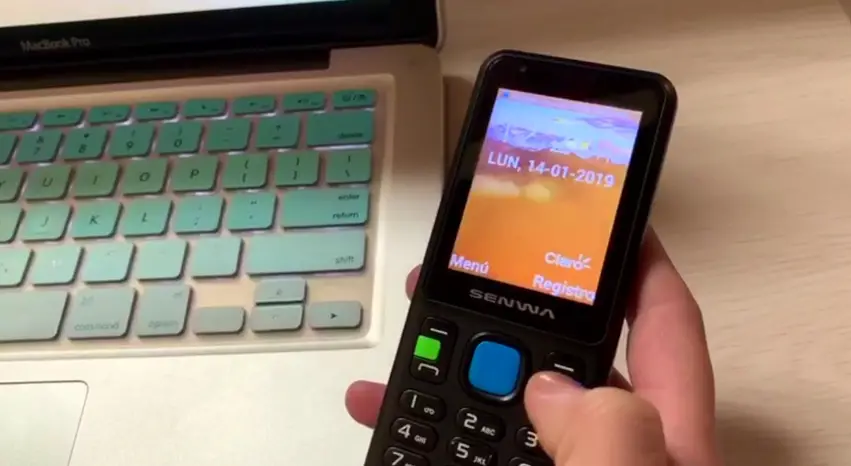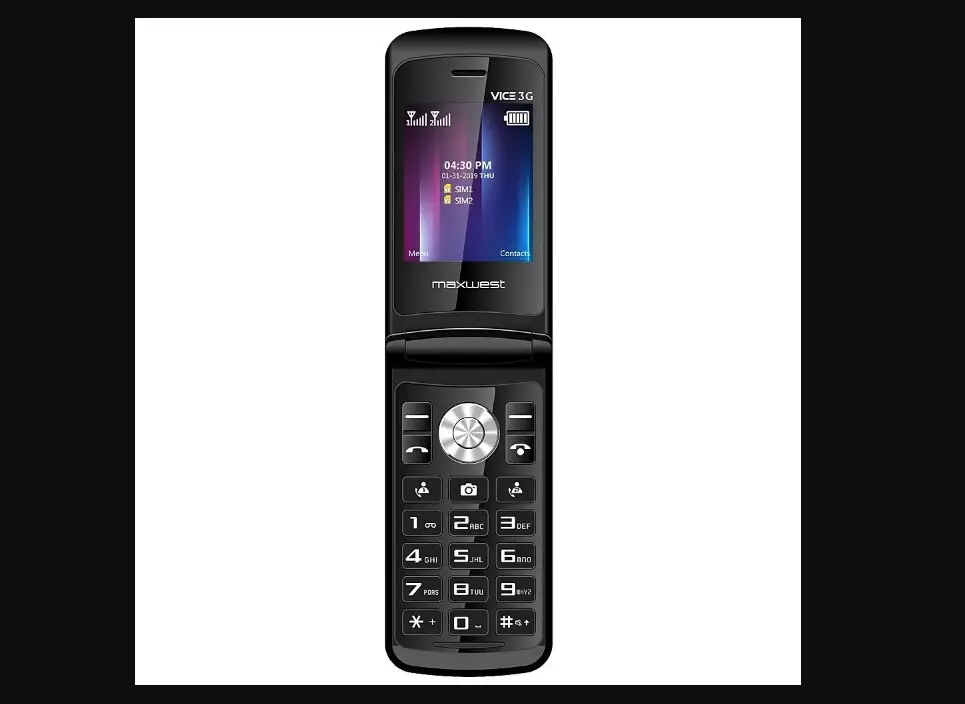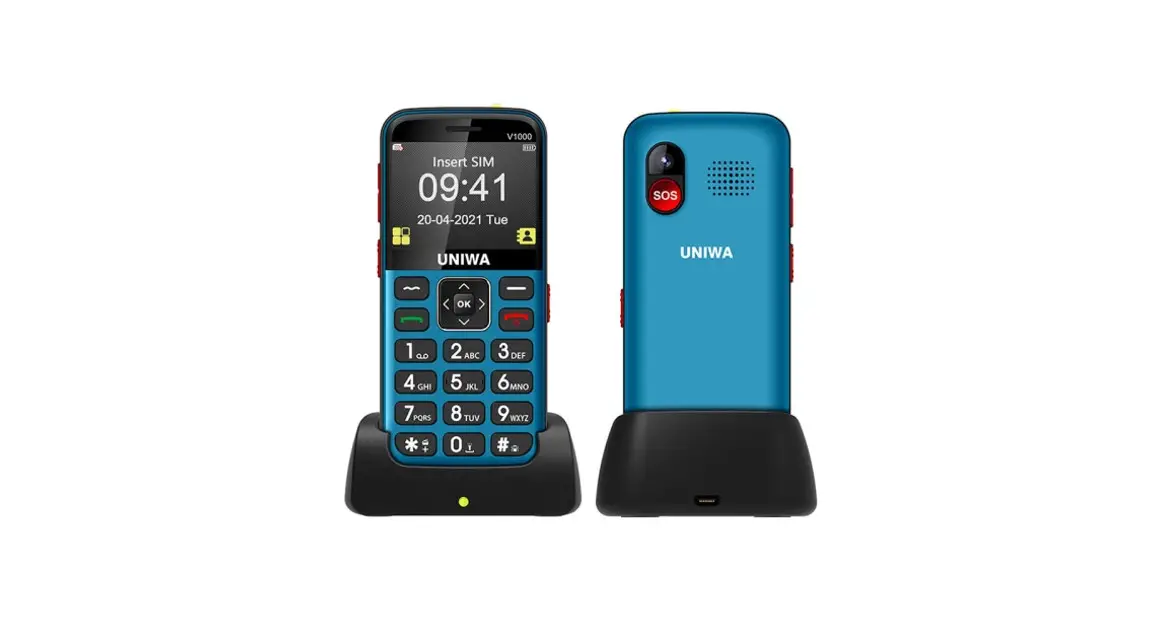
 V1000 4G Elder Mobile Phone
User Manual 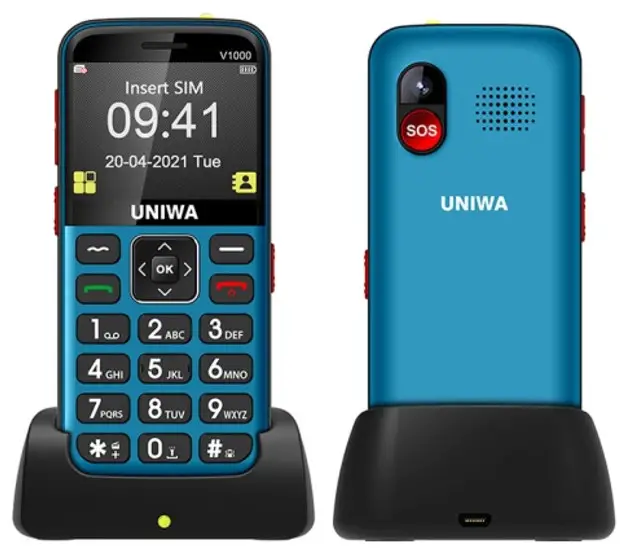
Thank you for choosing the UN/WA VI0OO 4G senior phone, it mainly supports American 4G bands, not support European AG bonds currently. But it supports 2G4(GM /3G(WCDMA) global bands.
It is unlocked ($IM fee] and tokes a single Nano SIM card. If any questions during use, please er0i us, we will try our best to help you
Our after-soles email [email protected]
Safety instruction
This phone is not water-resistant, keep it dry.
To prevent possible hearing damage, do not listen at a high volume level for a long time.
Exercise caution when holding your device.
External Feature
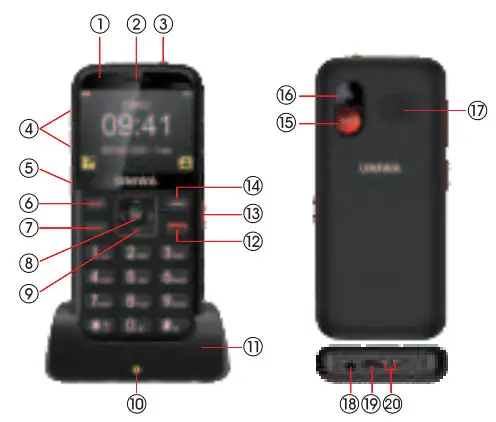
| 1 | LED indicator | 11 | Charging dock |
| 2 | Earpiece | 12 | Hang up key |
| 3 | Torch | 13 | Keypad unlock button |
| 4 | Volume +/- | 14 | Return key |
| 5 | Torch button | 15 | SOS button |
| 6 | Menu key | 16 | Camera |
| 7 | Dial key | 17 | Speaker |
| 8 | OK key | 18 | Headphone port |
| 9 | Navigation key | 19 | Micro USB |
| 10 | Charging indicator | 20 | Dock connector |
Install SIM card
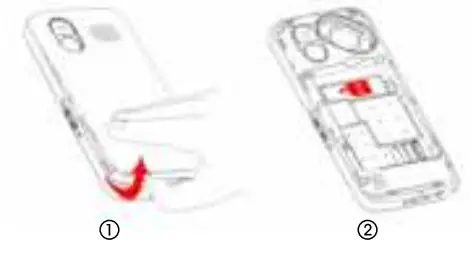
Open the back cover from the bottom night corer of the phone (see figure1) and insert your Si card (see figure 2)
Install the battery
Before starting up, please tear off the insulating sticker on the battery contacts, then install the battery and cover the back cover, please see the figure below: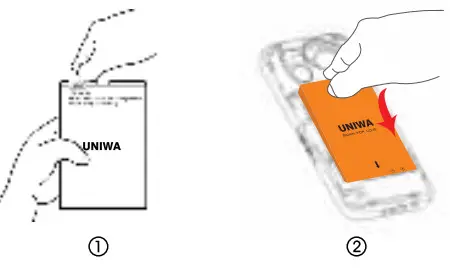
Turn on/off the phone pros
Long press  for 5 seconds the phone will turn on/off
Unlock keypad
 Unlock button Is on the night side of the phone, you can slide it up to unlock the keypad. If the unlock button is ready at the unlocked state, you can slide lt again to unlock
Charging
When the battery is low, please charge the phone in time. There are 2 ways foe charge:
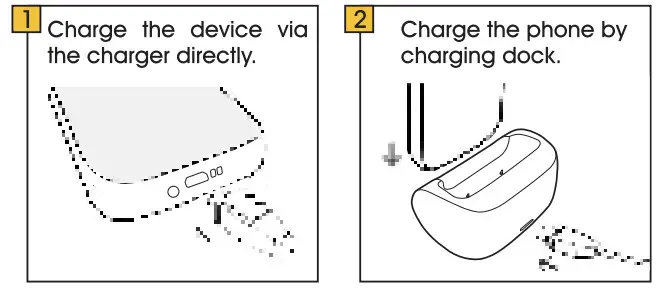
When charging, the indicator on the dock will get red. If the phone is not placed properly with the dock, the indicator will display green. Please reposition the phone until it is well placed.
Save Contact
For frequent contacts, you can save their phone number in the contact list by step: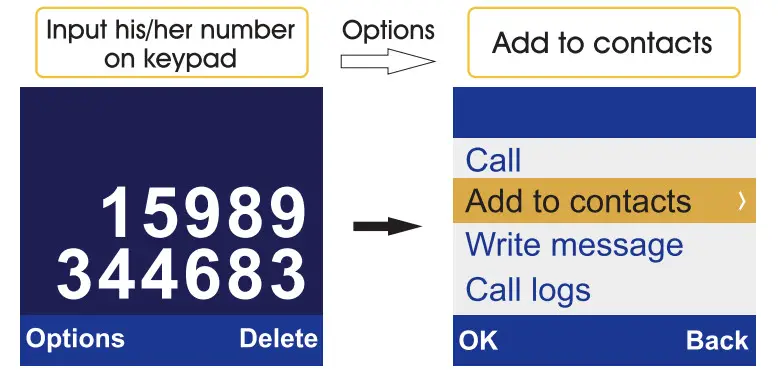
Make call
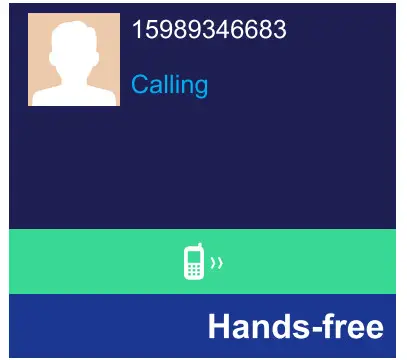
Enter the phone number on the keypad, and then press to dial.
You can press to turn on “handsfree” mode. See the figure on the right:
Answer call
When coming call, press the key to answer or press to hang up.
If there is a missed call or unread text message, the indicator on the phone will light up, you can see call history through the “Call logs” menu.
Send and receive SMS
You can press  the button to write an SMS under the “Message” menu. When you receive an SMS, please view it in the “Inbox”. Under the “Message” menu, you can set “Broadcast message” and “Voice mail server’.
See the figure below: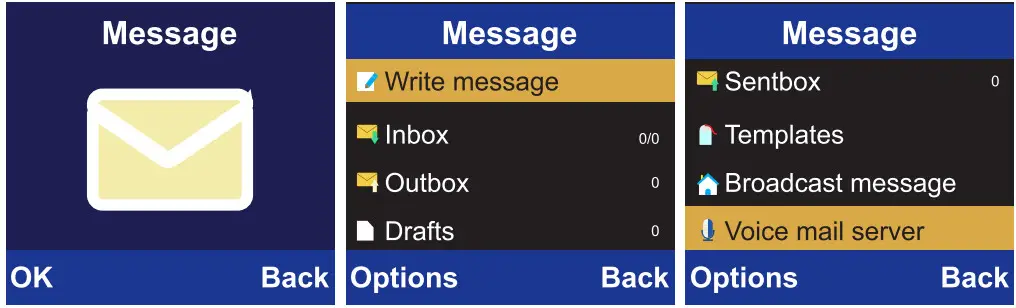
Multimedia Setting {Radio and Camera}
In the “Multimedia” menu,you can see the submenu “Camera, DV, Audio, Video, FM radio”, see the figure on the right: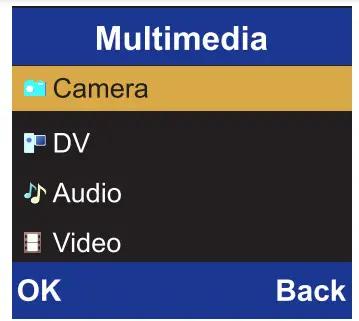
You can use it to move the cursor and press the key to enter photo mode.
And then press a key to take a photo. Using the same steps, you can use DV, Video, and Audio functions.
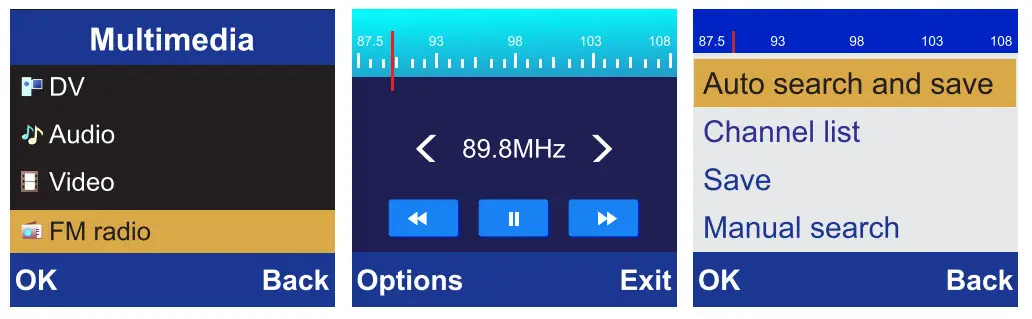
Regarding FM radio, when you enter the menu, need to use “auto search and save” in the Options menu to find out nearby radio stations. See the figure below:
Bluetooth/Application
Under the “Application” menu, you can see the submenu “Calendar, Calculator, Recorder, Clock, STK, Unit conversion, Bluetooth, Internet, My files”.
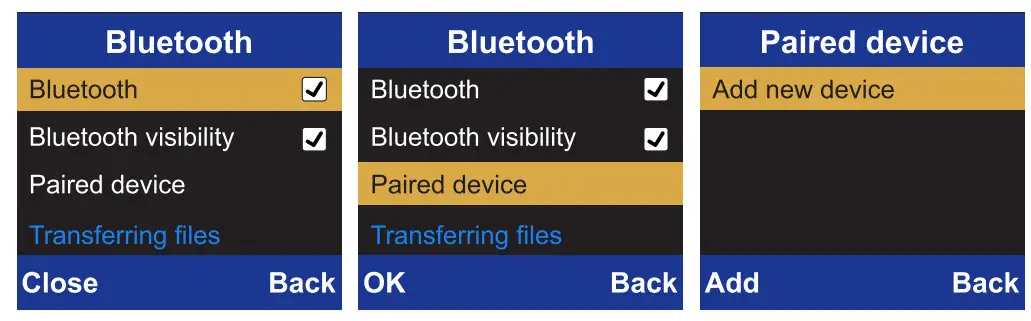
Regards the “Bluetooth” function, you can press key to activate it and then select “ Paired device” to search for nearby Bluetooth device. See the figure below:
Setting
In the “Settings” menu, you can see the submenu “ Phone settings, Call settings, Profiles, Display, Security, Connections”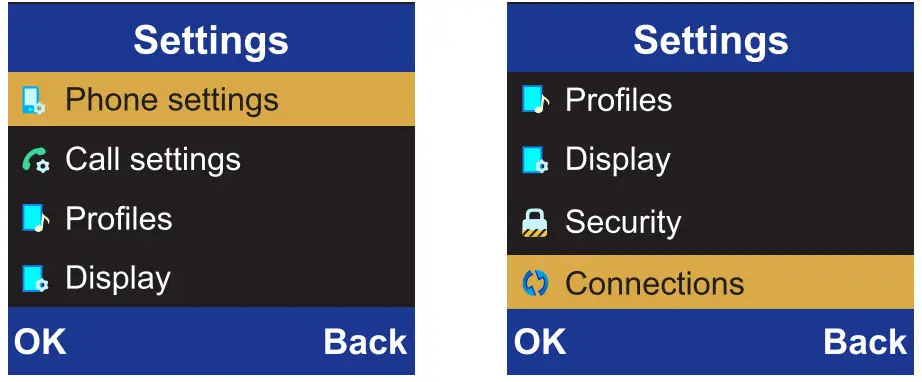
Phone settings
Time& date, language settings, shortcut settings, auto power on/off, restore factory settings”.
In the “Phone settings” menu, you can restore the phone to factory settings. Please backup your data before restoring the factory setting, the data will be lost after restoring the factory. The default restore factory password is “0000”
Call settings
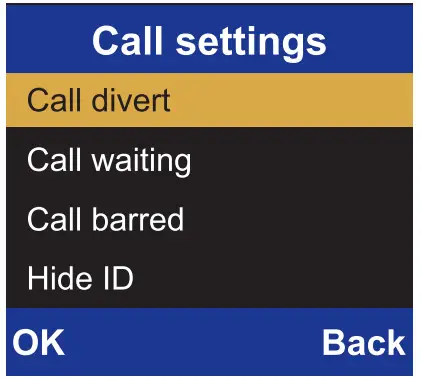
Call divert, Call waiting, Call barred, Hide ID, others. See the figure on the right:
Profiles
Normal, Silent, Meeting, Indoor, Outdoor. If you want to change the “Profiles” setting, press the key to enter the “Options” menu, and then press
 a key to select “Customize”. You will see “Rename, Ring settings, Adjust volume, Ring type, Other alert rings”See the figure below: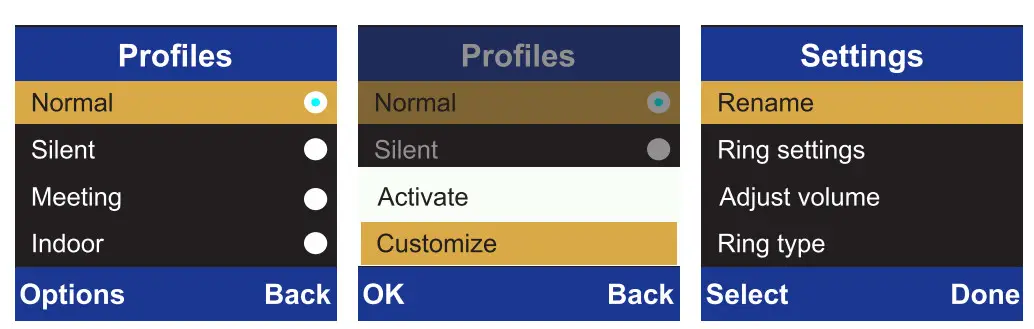
You can also press the volume +/- keys on the left side of the phone to adjust the volume.
Display
Animation effect, Wallpaper settings, Screen saver settings, Contrast, Keypad backlight time, and Auto keypad lock.
Security
PIN Modify PIN2, Phone locked, Modify the cellphone passwords, Privacy, Fixed Dialing number, blacklist.
In order to avoid forgetting passwords and lock the phone forever, we do not recommend the user to set passwords. Please set and keep passwords carefully if you use this function.
Connections
Network account, Data service, Data Roaming.Network selection, Network type, VOLTE.
Speed Dial
For some frequent contacts, “Speed dial” can dial them quickly. Key 2~9 can be set as speed dial keys. See the figure below:
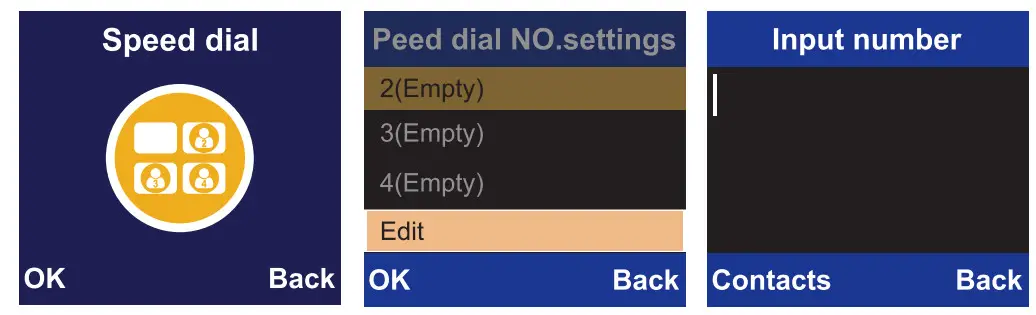
After the frequent contact is set, press the corresponding key for 5 seconds, and the phone will oil the corresponding person automatically.
SOS Settings
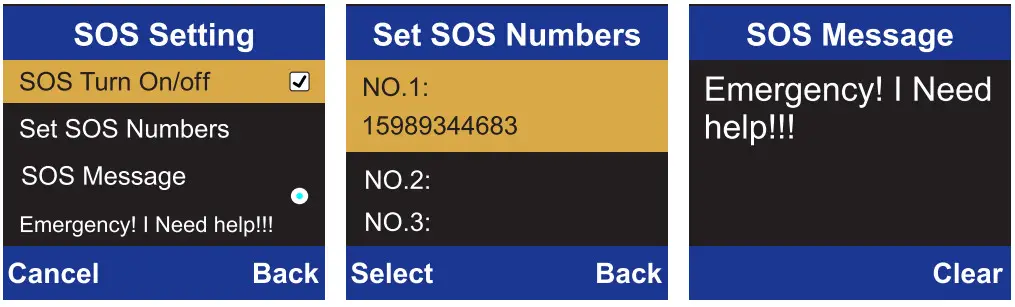
When a user is in an emergency, he/she can press the button on the back of the phone to call and send an SMS to pre-set emergency contacts by pressing the button for 5 seconds.
You can pre-set 5 contacts and 1 SOS message. See the figure below:
TorchlightYou can slide the up/down key on the 19M side of the phone to turn on/off the torchlight.
Product specifications
| Model No. | UNIWA V1000 |
| Dimensions | 122.5*56.3*15.1mm |
| Weight | 114g (including battery) |
| Material | Plastic |
| Style | Bar |
| Service | Unlocked |
| SIM | Single Nano SIM card single standby |
| Band | 2G: GSM 850/900/1800/1900MHz |
| 3G: WCDMA 850/900/1700/1900/ 2100MHz | |
| 4G: FDD-LTE B2/B4/B5/B7/B12/B13/ B17/B66 | |
| Phonebook Number | 1000 |
| LED Indicator | RGB |
| Message | SMS/MMS |
| USB Port | Micro USB |
| Earphone Port | 3.5mm audio jack |
| Speaker | 2030 BOX loudspeaker |
| Screen | 2.31-inch QVGA TFT display screen,320*240px |
| Camera | Single camera, 0.3MP back camera |
| Audio formats | MP3 |
| Video formats | MP4 etc. |
| Radio | Wireless radio |
| SOS Function | Support preset 5 SOS emergency contacts and 1 emergency SMS |
| Torch | One key to turn on/off the torch |
 Prolinx GmbH
Brehmstr.56,40239 Duesseldorf
Germany