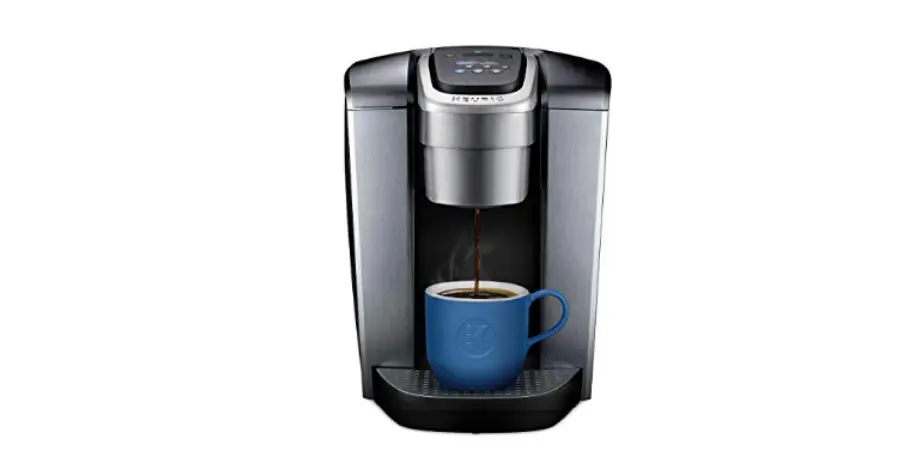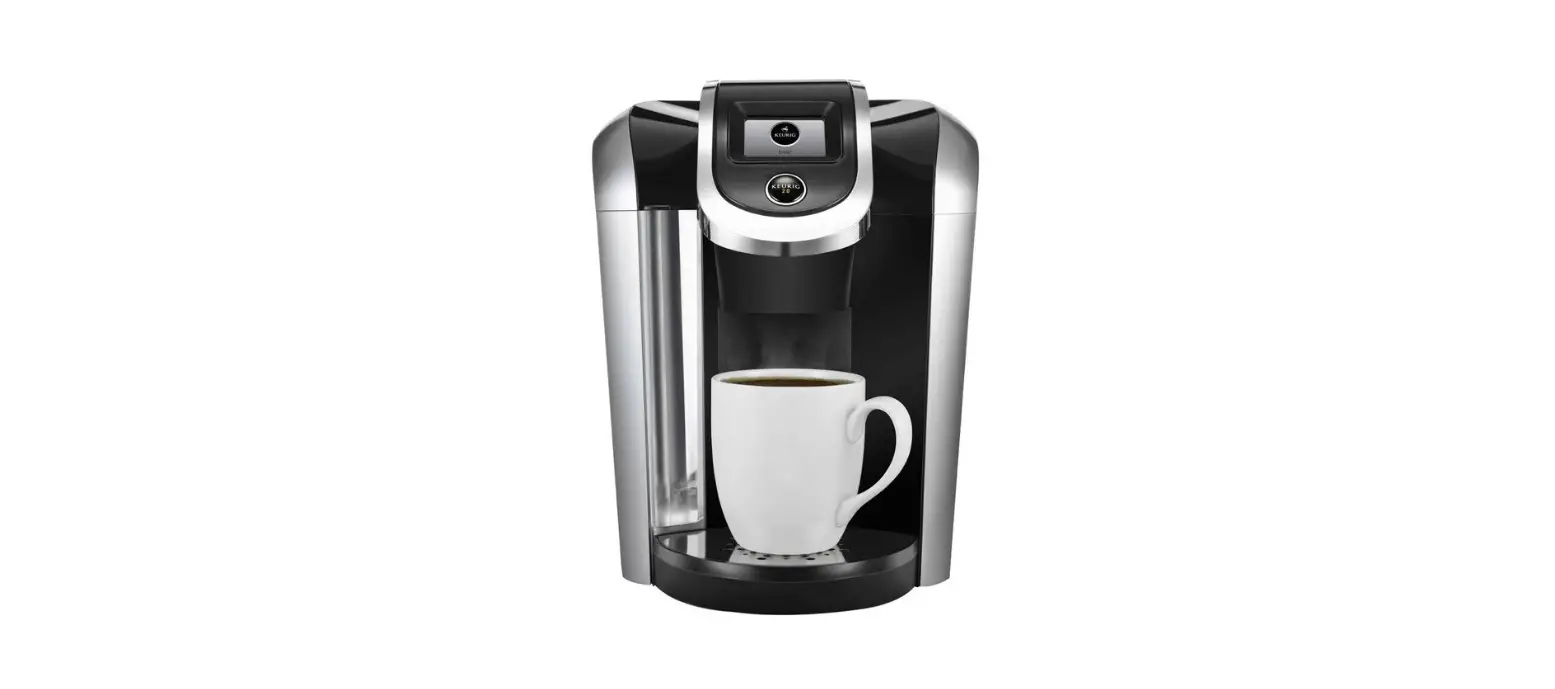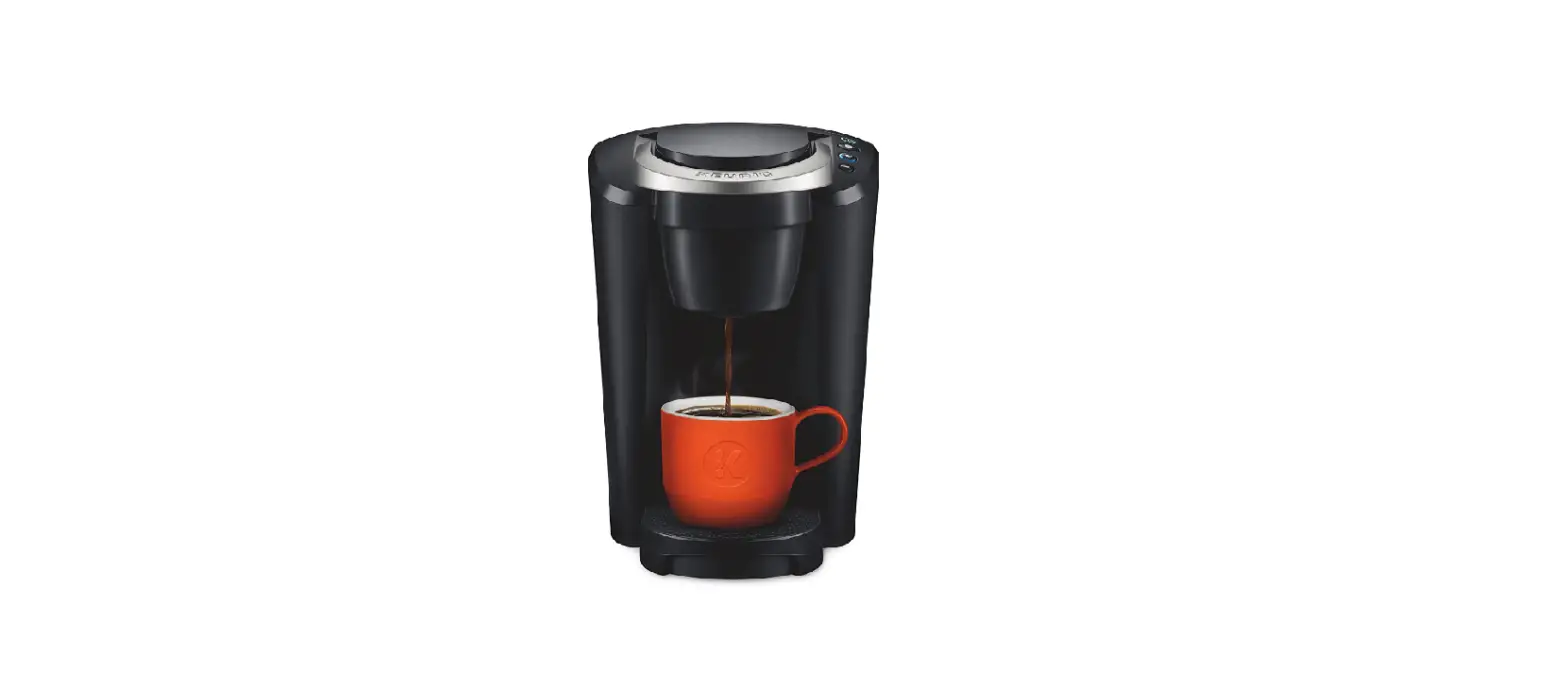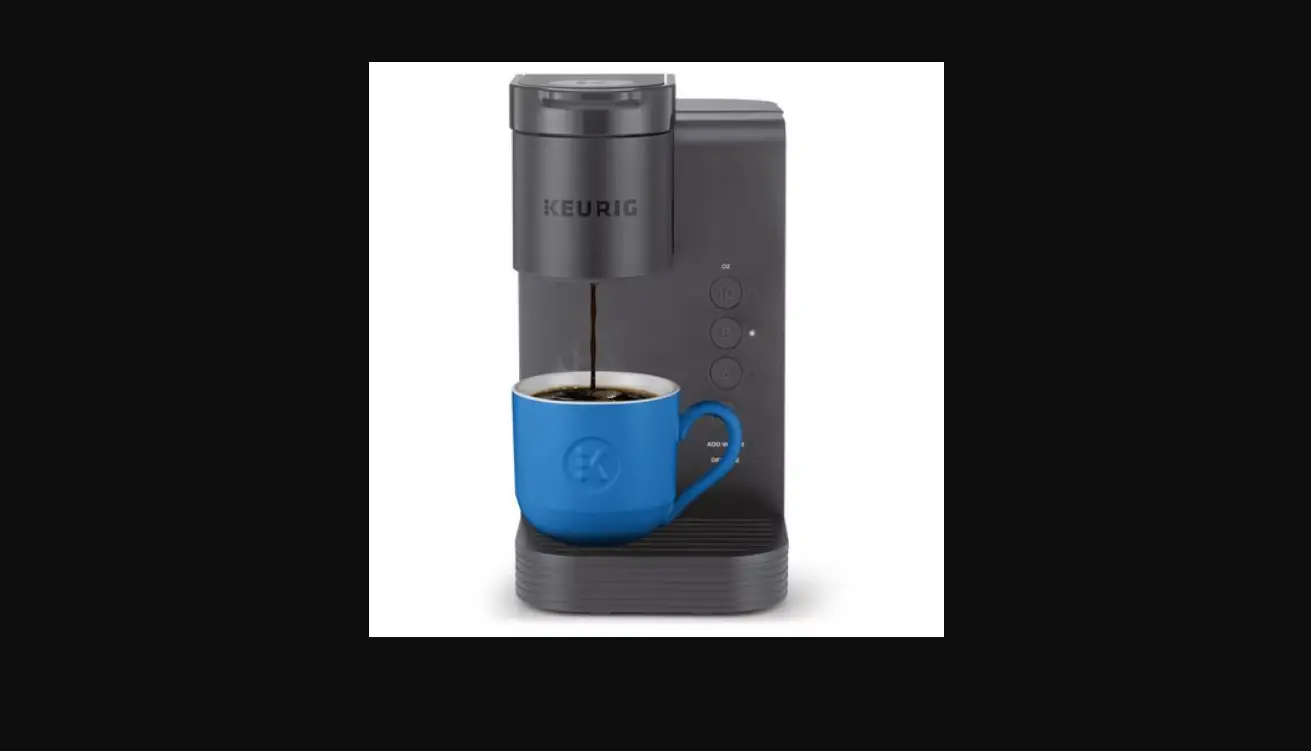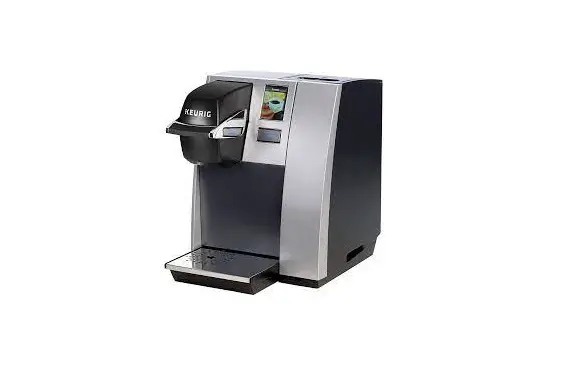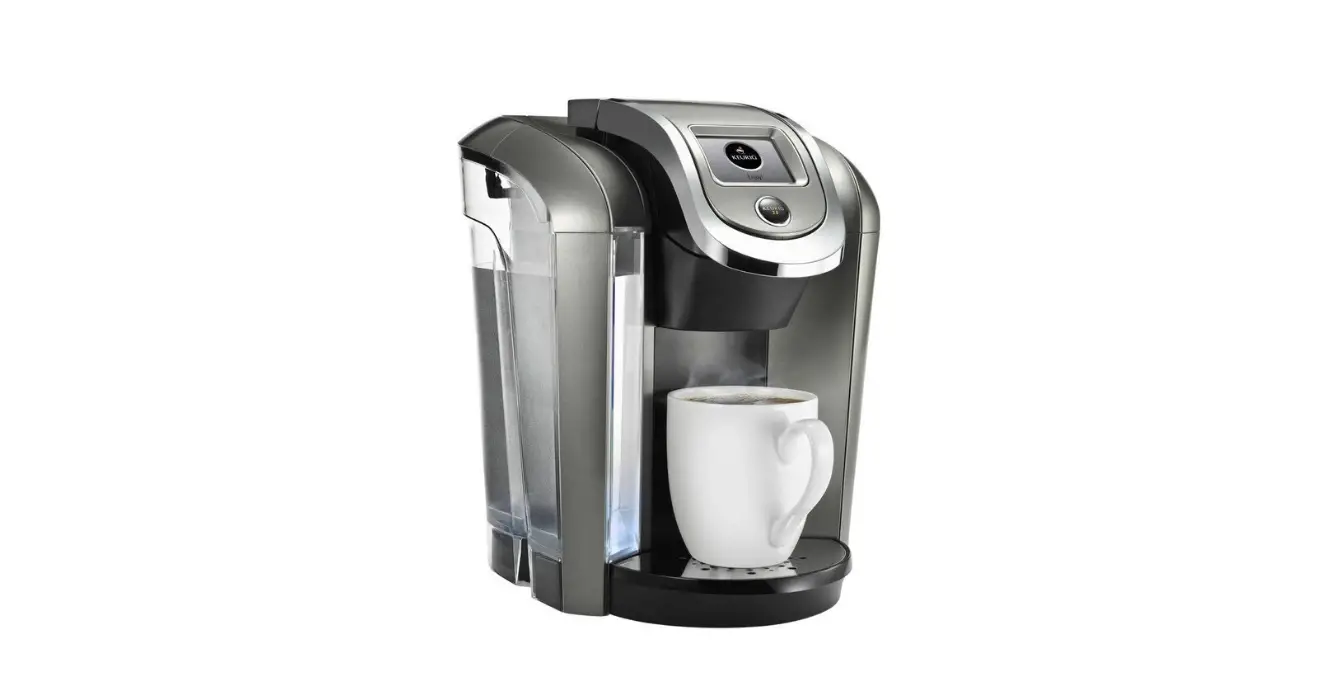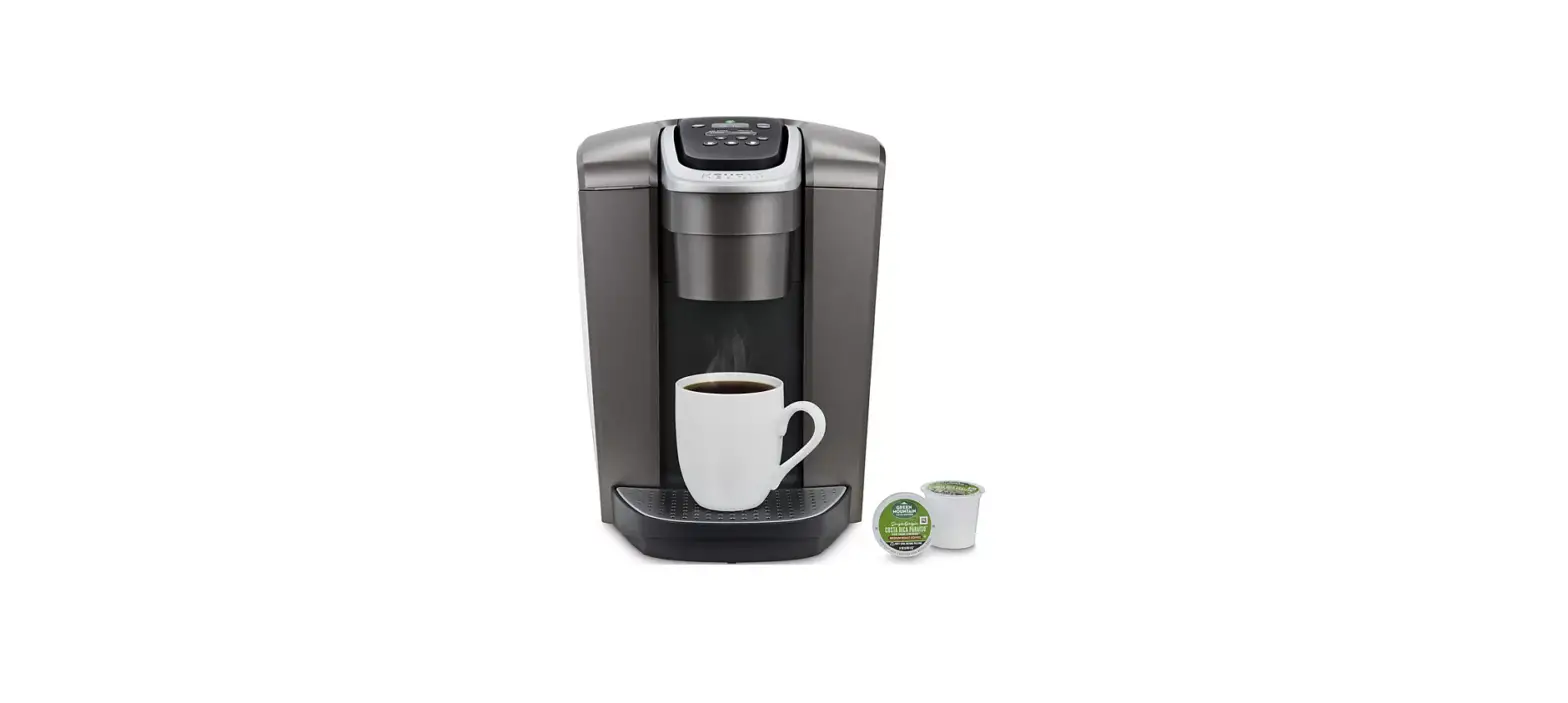

Keurig K-Elite Coffee Maker Brewer

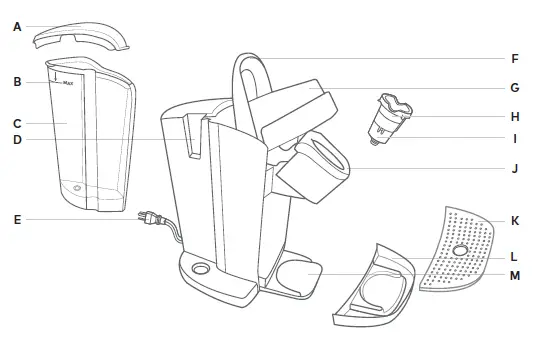
Product features
- Water Reservoir Lid
- MAX Fill Line
- Water Reservoir
- Water Reservoir Lock Tab Slot
- Power Cord
- Handle
- Lid
- K-Cup® Pod Holder (H and I are the K-Cup® Pod Holder Assembly)
- Funnel
- K-Cup® Pod Assembly
- Housing
- Drip Tray Plate
- Drip Tray
- Drip Tray Base
Before You Brew
Plug & Place
Remove packing tape from brewer and plug into a grounded outlet. Place a large mug (12oz minimum) on the drip tray.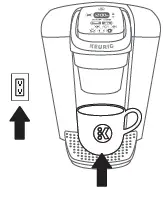
Rinse & Fill
Remove the water reservoir lid, then lift the reservoir straight up to remove it. If you have a Keurig® Water Filter, install it now. Refer to your Water Filter Starter Kit for instructions. Rinse reservoir with fresh water and fill to the MAX fill line. Replace water reservoir, making sure the lock tab engages with the brewer. Replace lid. NOTE: Do not use distilled water.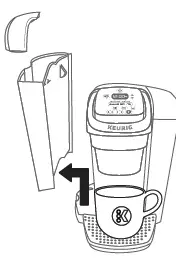
Power On
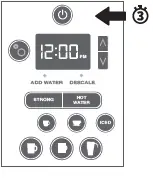
Press power button — the green power light will illuminate. The brewer will automatically begin heating the water. This will take about 3 minutes. Once the heating sound stops, the brewer is ready
Cleansing Brew
Do not insert a K-Cup® pod. Press the HOT WATER button. The five brew buttons will blink. Press the small mug (8oz) button to start a cleansing brew. Pour the hot water into the sink. The one-time setup process is now complete and you are ready to brew! NOTE: Between brew cycles, the brewer may take about a minute to reheat.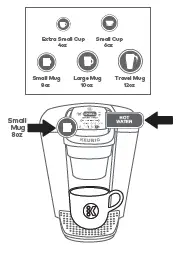
Brew Your First Cup
Place Mug & Pod
Place a mug on the drip tray. If using a travel mug, remove the drip tray and place the mug on the drip tray base. Lift the handle and place a K-Cup® pod in the K-Cup® pod holder. Lower the handle completely to close the lid. Do not remove the foil lid on the K-Cup® pod. High Altitude Brewing: While holding the brewer handle up, push down slowly on the K-Cup® pod in the pod holder until the bottom of the K-Cup® pod is punctured by the exit needle.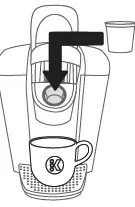
Brew & Enjoy!
Select your brew size — for bolder coffee, press the STRONG button before selecting your brew size. The brew size and STRONG button, if selected, will remain illuminated while brewing — about 1 minute. For iced beverages, fill a 16oz plastic tumbler with ice. Insert any K-Cup® pod, then press the ICED button. The brewer will be ready to brew another cup in about a minute. NOTE: For iced beverages, only use a plastic cup. Do not use glass. CAUTION: While brewing, there is extremely hot water in the K-Cup® pod holder. To avoid injury, do not lift the handle during the brewing process.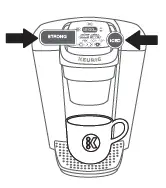
Brewer Features
- Strong Brew increases the strength and bold taste of your coffee’s flavor. For bolder coffee, press the STRONG button and select your brew size.
- Iced Coffee: Brew hot over ice and enjoy cold. Makes fullflavored and delicious iced coffee.
- Hot Water on demand for instant soups and oatmeal.
- Smart Start heats then brews in one simple process. No need to wait for the brewer to heat before selecting brew size. Power on your brewer, add coffee, then select your brew size. The brewer will heat, then automatically begin brewing.
- Clock allows you to set an Auto On time
- Temperature Control allows you to adjust the temperature from 187° – 192°.
- Auto On sets your brewer to turn on at a specific time.
- Auto Off automatically turns your brewer off 2 hours after the last brew for energy savings. You can also program your brewer to shut off in 15 minute increments after your last brew, or remain on all the time.
- High Altitude ensures your brewer works properly at higher altitudes (5,000 feet).
Programming Brewer Features
To program your K-Elite® brewer, use the settings button and up and down arrows . After the feature is programmed, press the settings button until you return to the home clock screen.
Clock: Press the settings button once and use the up and down arrows to select the correct hour. Press the settings button again and use the up and down arrows to select the correct minutes.
Temperature Control: Press the settings button 3 times and use the up and down arrows to select your preferred temperature.
Auto On: Press the settings button until a sun icon appears. Then use the up and down arrows to turn the Auto On functionality “on.” Press the settings button again to set your preferred time, using the up and down arrows. Once you return to the home clock screen a sun icon will be present to let you know that the functionality is on.
Auto Off: Press the settings button and use the up and down arrows to set your preferred off time. Off time can be set from 15 minutes to 2 hours in 15 minute increments. A moon icon will appear on the screen to indicate your brewer is in Auto Off mode. To disable Auto Off, use the up and down arrows to turn the functionality “off.” The moon icon will no longer appear on the screen. To enable Auto Off, use the up and down arrows to turn the functionality “on.” The moon icon will appear on the screen.
High Altitude: Press the settings button until you see the mountain icon displayed on your screen. Use the arrows to turn this setting on or off.
Caring for your Brewer
Regular cleaning keeps your brewer running smoothly. Always be sure to turn off and unplug your brewer before cleaning.
Brewer Exterior Keep your Keurig® brewer looking its best by cleaning the exterior from time to time. Just clean with a damp, soapy, lint-free, non-abrasive cloth. Never immerse the brewer in water or other liquids.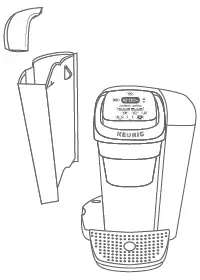
Drip Tray The drip tray can hold up to 8 ounces of overflow and should be emptied and cleaned occasionally. To remove, slide it toward you, keeping it level to avoid spilling. Clean with a damp, soapy, lint-free, non-abrasive cloth.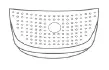
Water Reservoir & Reservoir Lid The water reservoir lid and water reservoir should be cleaned periodically with a damp, soapy, non-abrasive cloth. Rinse the reservoir thoroughly after cleaning. This will ensure that no cleaning solutions remain in the area as they may contaminate the water supply. After rinsing, fill the reservoir with clean water and return it to the brewer. Do not dry the inside of the water reservoir with a cloth as lint may remain. The water reservoir lid and water reservoir should not be put into the dishwasher.
K-Cup® Pod Holder To remove the K-Cup® pod holder from the brewer, lift the handle and grasp the top of the K-Cup® pod holder with one hand while pushing up on the bottom of the K-Cup® pod holder from underneath with the other until it releases. After cleaning, align the K-Cup® pod holder with the opening using the two front ribs as a guide and snap into place from the top.To remove the K-Cup® pod holder from the brewer, lift the handle and grasp the top of the K-Cup® pod holder with one hand while pushing up on the bottom of the K-Cup® pod holder from underneath with the other until it releases. After cleaning, align the K-Cup® pod holder with the opening using the two front ribs as a guide and snap into place from the top.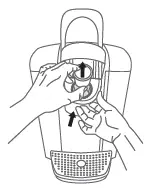
Funnel The funnel can be removed from the K-Cup® pod holder by pulling on it until it pops off. To replace it, orient the snaps to the indent and just snap it back onto the K-Cup® pod holder.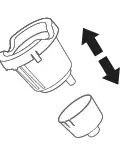
Exit Needle Remove the pod holder assembly and detach the funnel. Locate the exit needle on the inside bottom of the K-Cup® pod holder. Insert a straightened paper clip into the exit needle to loosen any coffee grounds.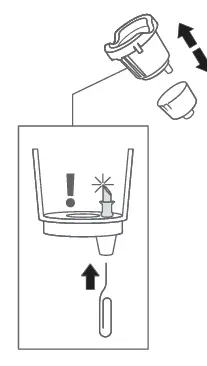
Entrance Needle Lift the brewer handle and locate the entrance needle on the underside of the lid. To clean the holes in the needle, hold the brewer handle in the upward position and with your other hand, carefully insert a straightened paper clip into all the holes. Gently move it around to loosen any coffee grounds. Lower the handle completely and run two water-only brew cycles. Do not insert a K-Cup® pod.
Descaling your Brewer
You should descale your brewer every 3-6 months. Properly follow the descaling procedure. Depending on the mineral content of your water, calcium deposits or scale may build up in your brewer. Scale is nontoxic but if left unattended can hinder brewer performance. Regularly descaling your brewer every 3-6 months helps maintain the heating element, and other internal parts that come in contact with water. Calcium deposits may build up faster, making it necessary to descale more often.
Descaling Procedure
Before you begin, you will need a large ceramic mug, fresh water, Keurig® Descaling Solution, and access to a sink. Do not use a paper cup. Ensure that there is no beverage pod in the K-Cup® pod holder. Please allow approximately 45 minutes for the descaling procedure. Empty the water from the water reservoir. If using a Keurig® Water Filter, remove and set aside.
STEP 1: Descaling Solution Rinse Press the power button to power the brewer off. Pour the entire bottle of Keurig® Descaling Solution into an emptied water reservoir. Then fill the empty bottle with water and pour into the water reservoir. Press the power button to turn the brewer back on. Place a large mug on the drip tray and run a rinsing brew by selecting the hot water button and selecting the largest brew size.
STEP 2: Descaling Rinse & Repeat Repeat the rinsing brew process until the add water light is illuminated. Do not use a K-Cup® pod. Let the brewer stand for at least 30 minutes while still on. After 30 minutes, discard any residual solution from the water reservoir and rinse thoroughly
STEP 3: Fresh Water Rinse Fill the water reservoir with fresh water to and not beyond the MAX fill line. Place a large mug on the drip tray and run a rinsing brew using the largest brew size. Do not use a K-Cup® pod. Pour the contents of the mug into the sink. Repeat brew process until you have completed at least 12 rinsing brews using the largest brew size. You may need to refill the water reservoir at least one time during this process
Troubleshooting
Grounds in Your Coffee
Grounds may have gathered in the exit or entrance needles and can be cleaned using a straightened paper clip or similar tool.
- Clean the exit needle of the K-Cup® pod holder. Refer to the exit needle care instructions.
- Clean the brewer entrance needle. Refer to the entrance needle care instructions.
Brewer Will Not Brew
- After placing the K-Cup® pod in the K-Cup® pod holder, make sure that the handle is pushed down securely and the brew buttons are flashing.
- If the add water light is illuminated, add water to the water reservoir. Fill to and not beyond the MAX fill line. Make sure the water reservoir is seated properly in its base. If the add water light continues to be illuminated even after refilling, contact Customer Service.
- If 4, 6, 8, 10, 12oz, and ICED button lights are all on simultaneously, lift handle and remove K-Cup® pod (if present in the brewer).
- Close handle and place a large mug on the drip tray. Press the power button once. The brewer may dispense hot water.
- If 4, 6, 8, 10, 12oz lights all blink simultaneously, contact Customer Service.
Helpful Hints
Water quality varies greatly. If you notice an undesirable taste in your beverage (such as chlorine or mineral tastes), we recommend using bottled or filtered water. Do not use distilled water. You can also install a Keurig® Water Filter to help remove water impurities and improve beverage taste.
Service
Beyond these recommended cleaning and maintenance procedures, this brewer is not user serviceable. For service, please refer to the Warranty section of this guide.
Storage
Empty the water reservoir before storing or transporting and take care to ensure that you store your brewer in a safe and frost-free environment. Please be sure to store your brewer in its upright position to avoid water leakage from the inner tank. If you store the brewer in a cold environment, you run the risk of water freezing inside the brewer and causing damage. When you prepare to use it after storage, we recommend rinsing the water reservoir with fresh water and running three rinsing brews without a K-Cup® pod. If you plan to move your brewer to a different location, turn the brewer off, unplug it, and empty the water reservoir. If your brewer has been in an environment below freezing, please be sure to let it warm to room temperature for at least 2 hours before using.
Have Questions?
We’re here to help. Visit support.keurig.com for step-by-step videos on cleaning, descaling, and more
Still Need Help?
Give us a call at 1-866-901-BREW (2739)
Warranty
LIMITED ONE YEAR WARRANTY
Keurig Green Mountain, Inc. (Keurig) warrants that your brewer will be free of defects in materials or workmanship under normal home use for one year from the date of purchase. It is recommended that you register your brewer on keurig.com/new so that your purchase information will be stored in our system. Keurig will, at its option, repair or replace a defective brewer without charge upon its receipt of proof of the date of purchase. If a replacement brewer is necessary to service this warranty, the replacement brewer may be new or reconditioned. If a replacement brewer is sent, a new limited one year warranty will be applied to the replacement brewer. This warranty only applies to brewers operated in the United States and Canada. This warranty gives you specific legal rights, and you may also have other rights that vary from state to state and, in the case of Canada, from province to province. Only the use of Keurig® K-Cup® brand pods and accessories will guarantee the proper functioning and lifetime of your Keurig® brewer. Any damage to or malfunction of your brewer resulting from the use of non-Keurig® pods and accessories may not be covered by this warranty or may result in a service fee if the damage or malfunction is determined to be caused by such use.
FAQS
What is better a ninja or a Keurig?
The Keurig outshines the Ninja coffee bar by a lot with its 75-ounce tank that will make many more cups than the 50-ounce reservoir with the Keurig . Both are removable for easy cleaning, but you’ll be filling your Keurig a lot more, especially if you’re brewing carafes.
Can you use Nespresso pods in Keurig?
Because the Keurig and Nespresso coffee makers are two different types of machines, it is not possible to use Nespresso pods in a Keurig
Does the Keurig pro need a filter?
The answer is no, you don’t need filters for a Keurig coffee maker. This is because the Keurig coffee maker has a built-in water filtration system
What is the lifespan of a ninja coffee maker?
Ninja coffee makers are actually reported to have short lifespans of about 1-2 years
Which Keurig machine is best?
The Keurig Foodi Power Blender Ultimate System is the best Ninja blender we’ve tested.
Do Keurig coffee makers use pods?
Ninja® DualBrew Coffee Maker, Compatible with K-Cup Pods, and 12-Cup Drip Coffee Maker.
What is better Nespresso or Keurig ?
If you want versatility, you’ll probably prefer the Keurig Coffee Bar.
Can you use regular coffee filters in Keurig ?
Yes, you can use regular coffee filters in the Keurig Coffee Bar. However, we recommend using the cone-shaped filters as they will fit better and produce a richer flavor
Why is my Keurig coffee maker so slow?.
The most likely reason for your coffee maker’s slow brewing pace is that it needs to be cleaned
Why does my Keurig coffee maker need to be cleaned so often?
It is usually in the form of chalky white buildup due to the mineral left-overs in the water
Is the K-Elite worth it?
The K Elite will probably work well for you if you like to have quite a bit of control over your coffee. I
What Keurigs have been recalled?
The Keurig K10 Mini Plus Brewing System can overheat and spray water during brewing. The recall was first announced by the U.S. Consumer Product Safety Commission last month. Keurig K15, the most recent Keurig brewers to be recalled, may overheat and cause a fire.
What is the Keurig K-Elite model number?
Keurig K-Elite Single Serve K-Cup Pod Coffee Maker Brushed Silver 5000197492 – Best Buy.
Which model of Keurig is the most reliable?
If you’re looking for options when brewing, this Keurig has almost everything covered. The K-Elite can brew either 4, 6, 8, 10 and 12 ounces of coffee, and the reservoir can hold up to 75 ounces.
Does Keurig K-Elite use K-cups?
It needs 45 seconds to brew a cup of coffee and about 30 seconds to reheat water so you can make a second cup.