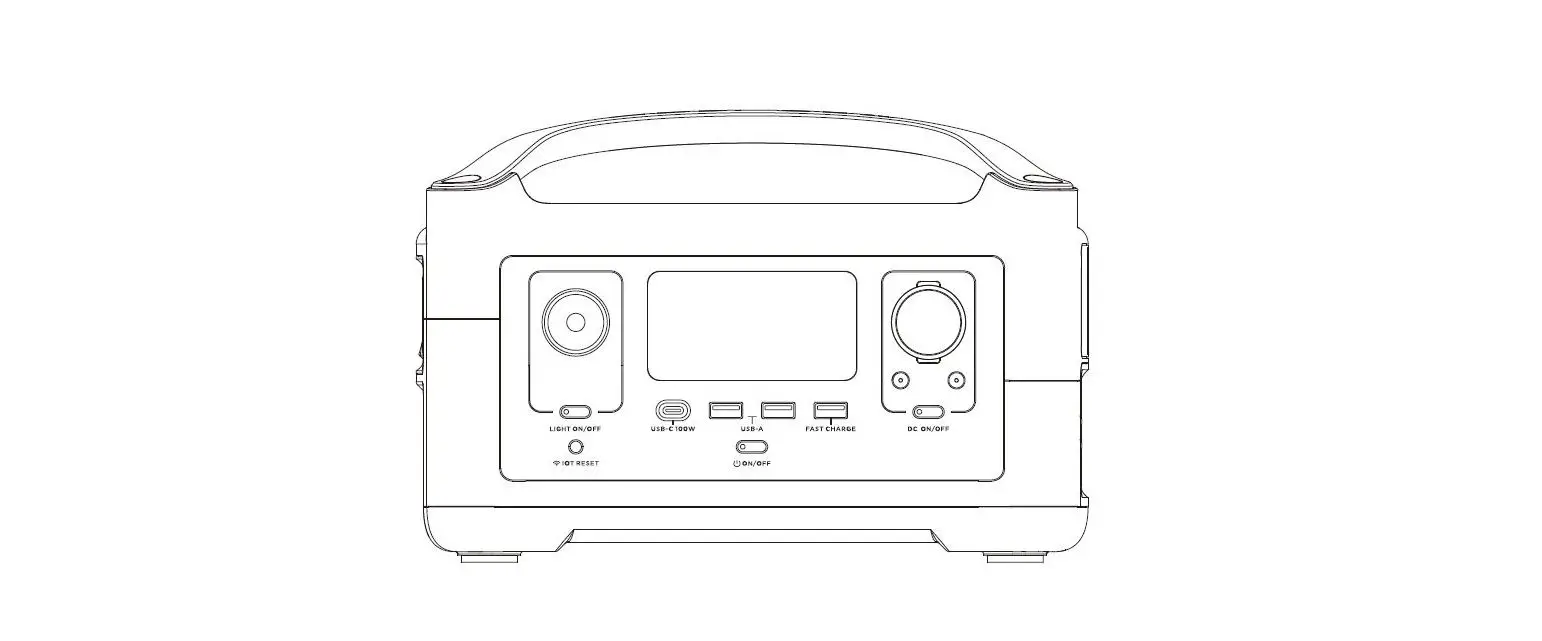
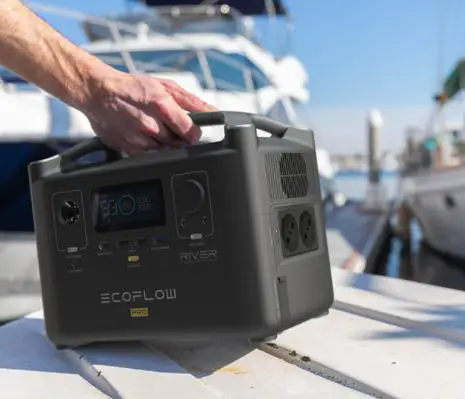
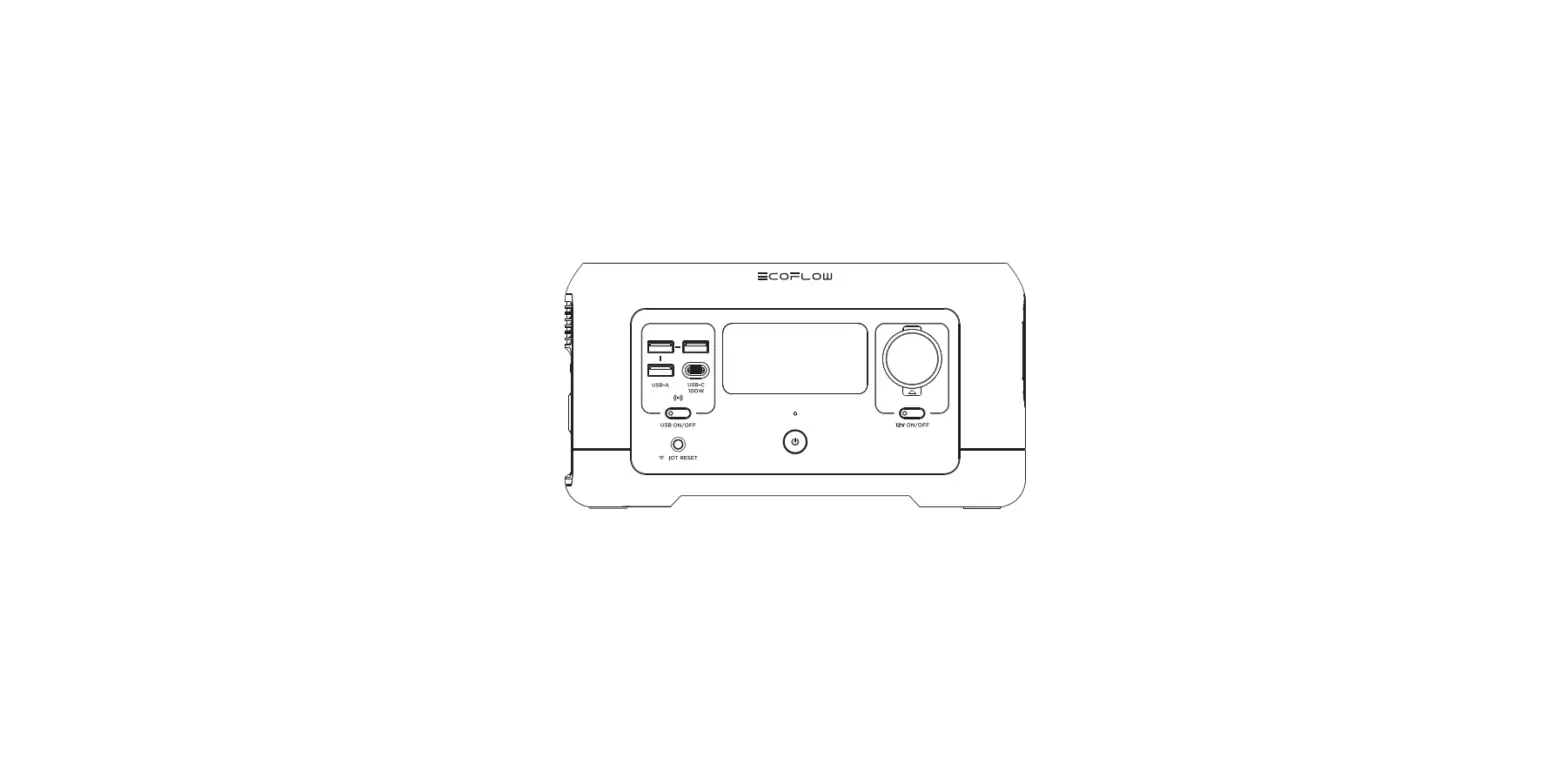
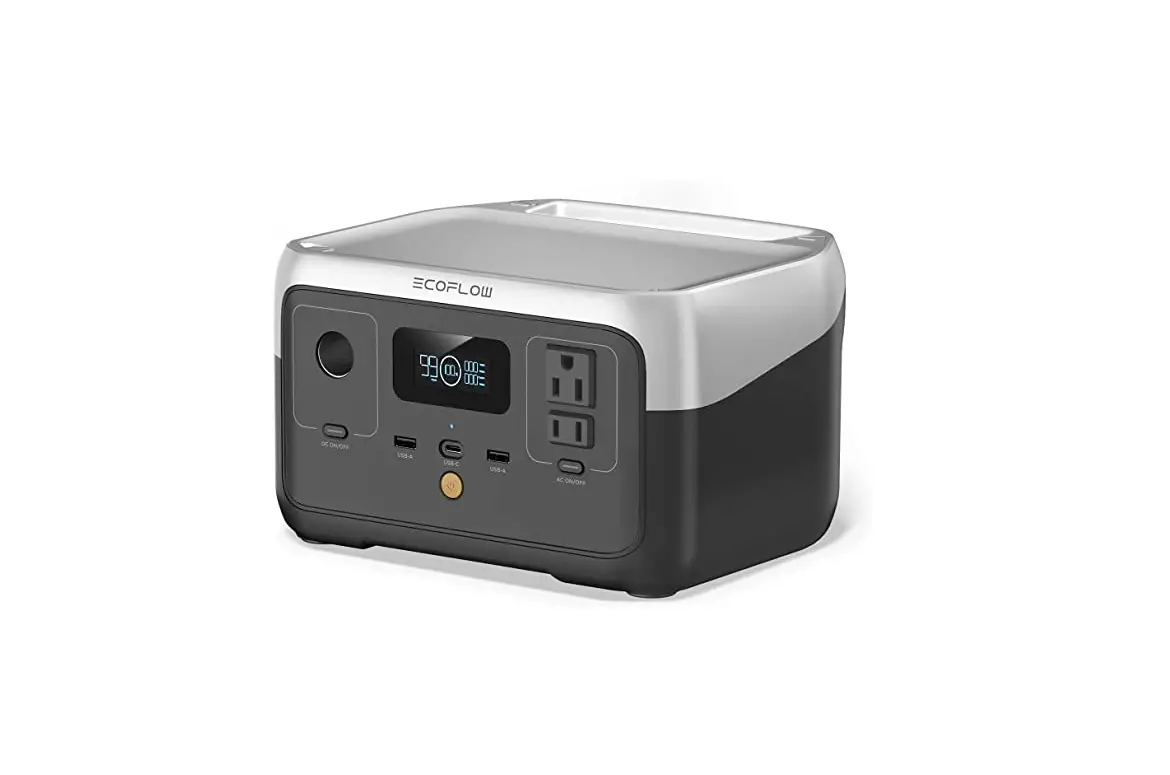
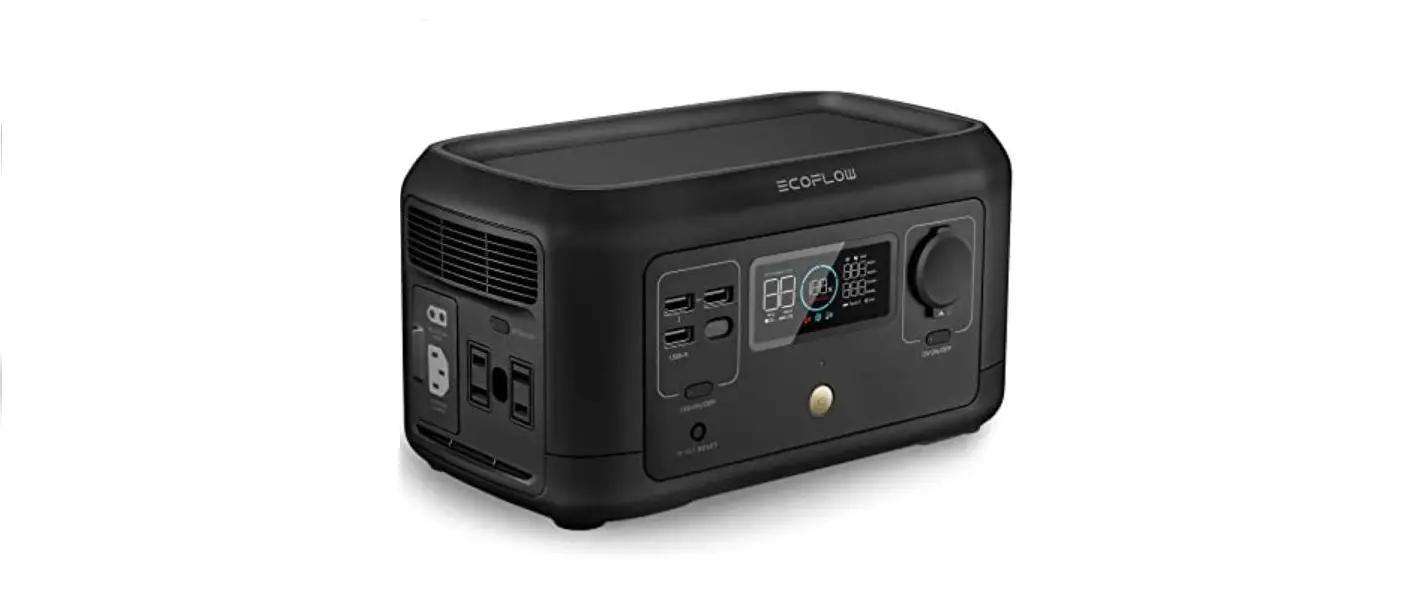
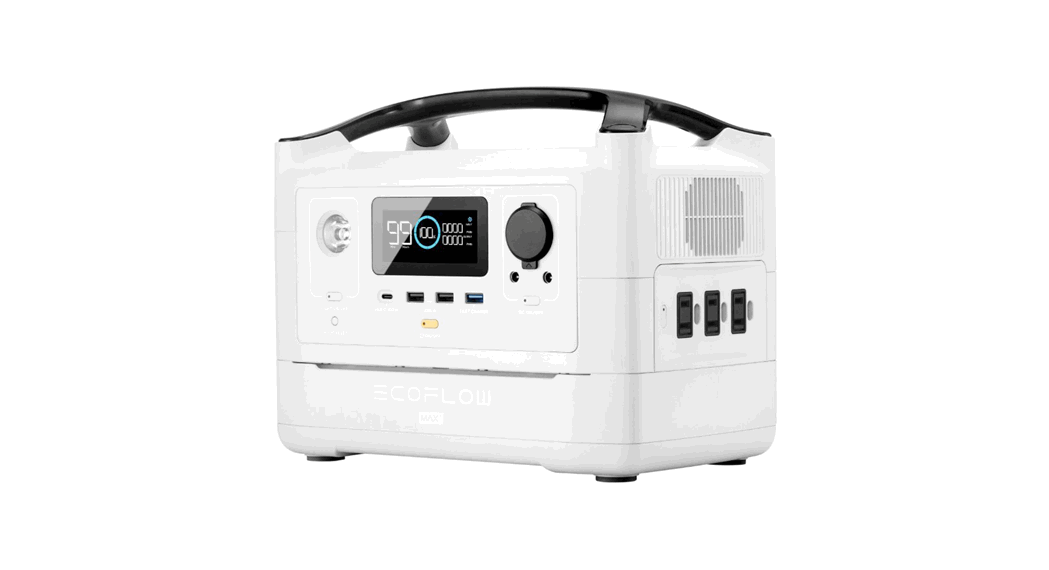
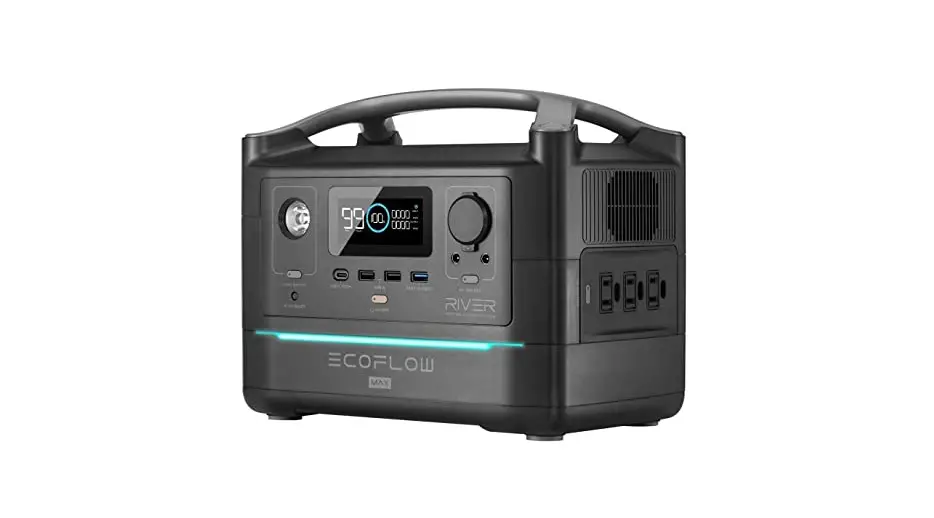
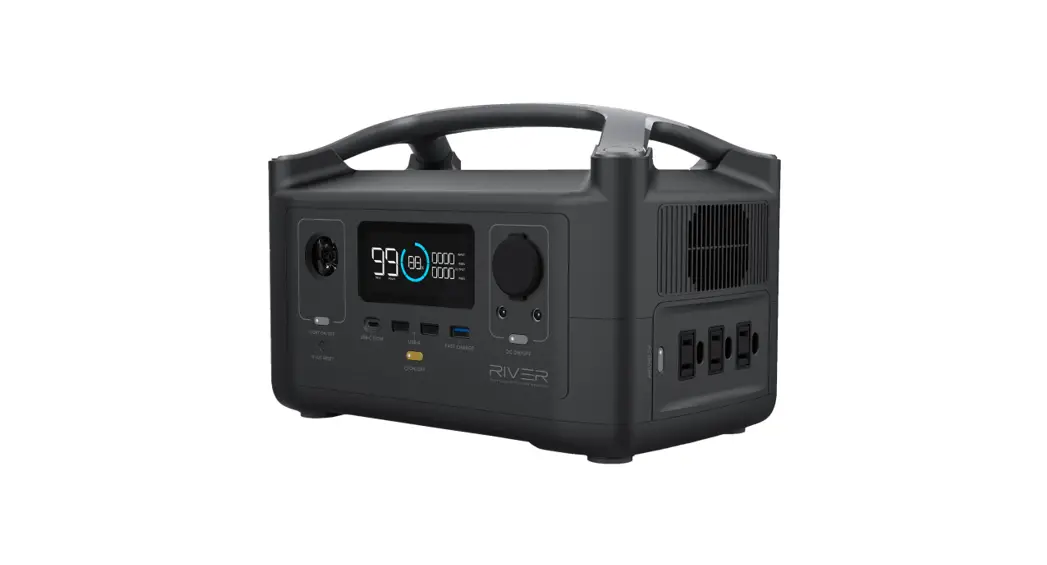
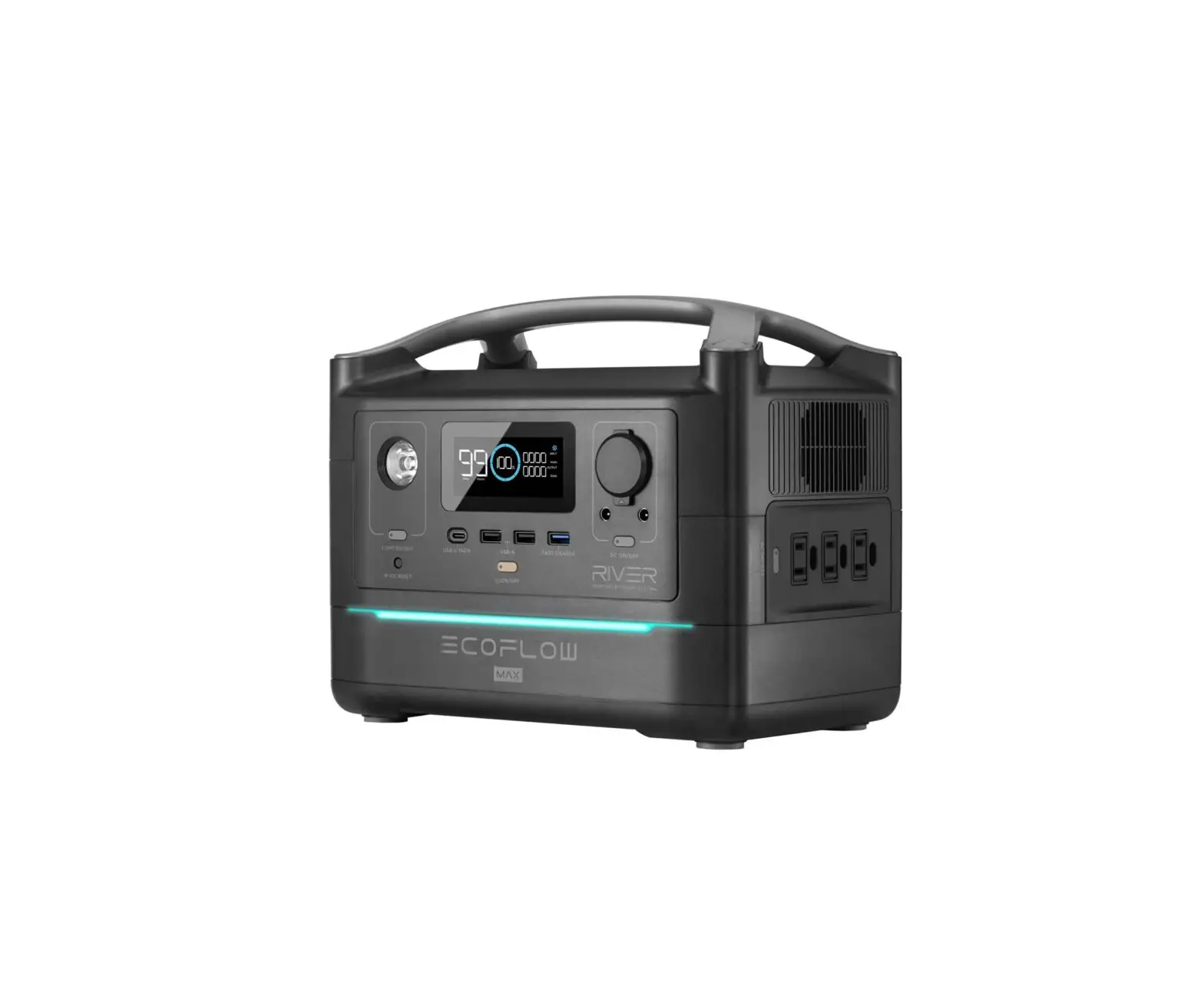
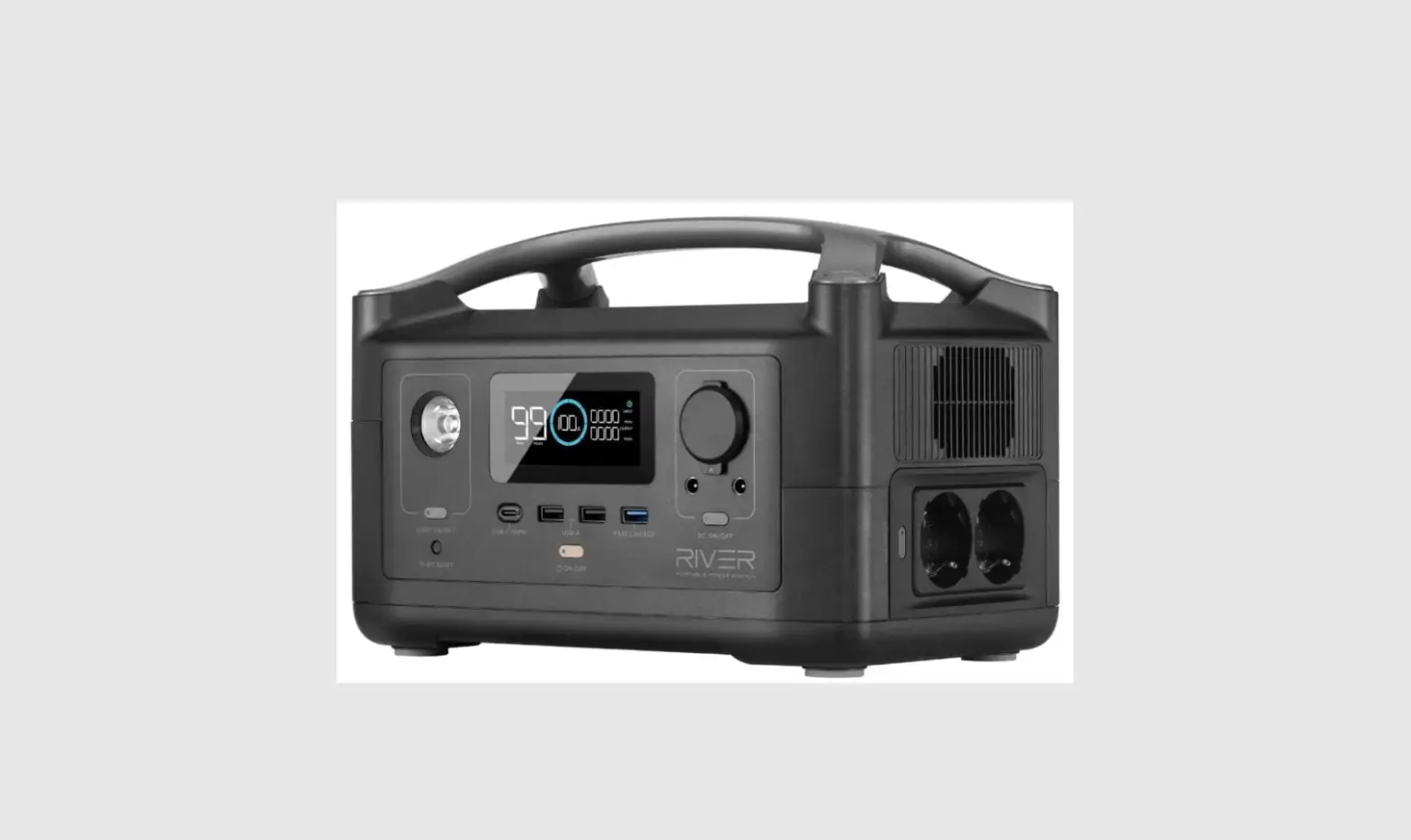
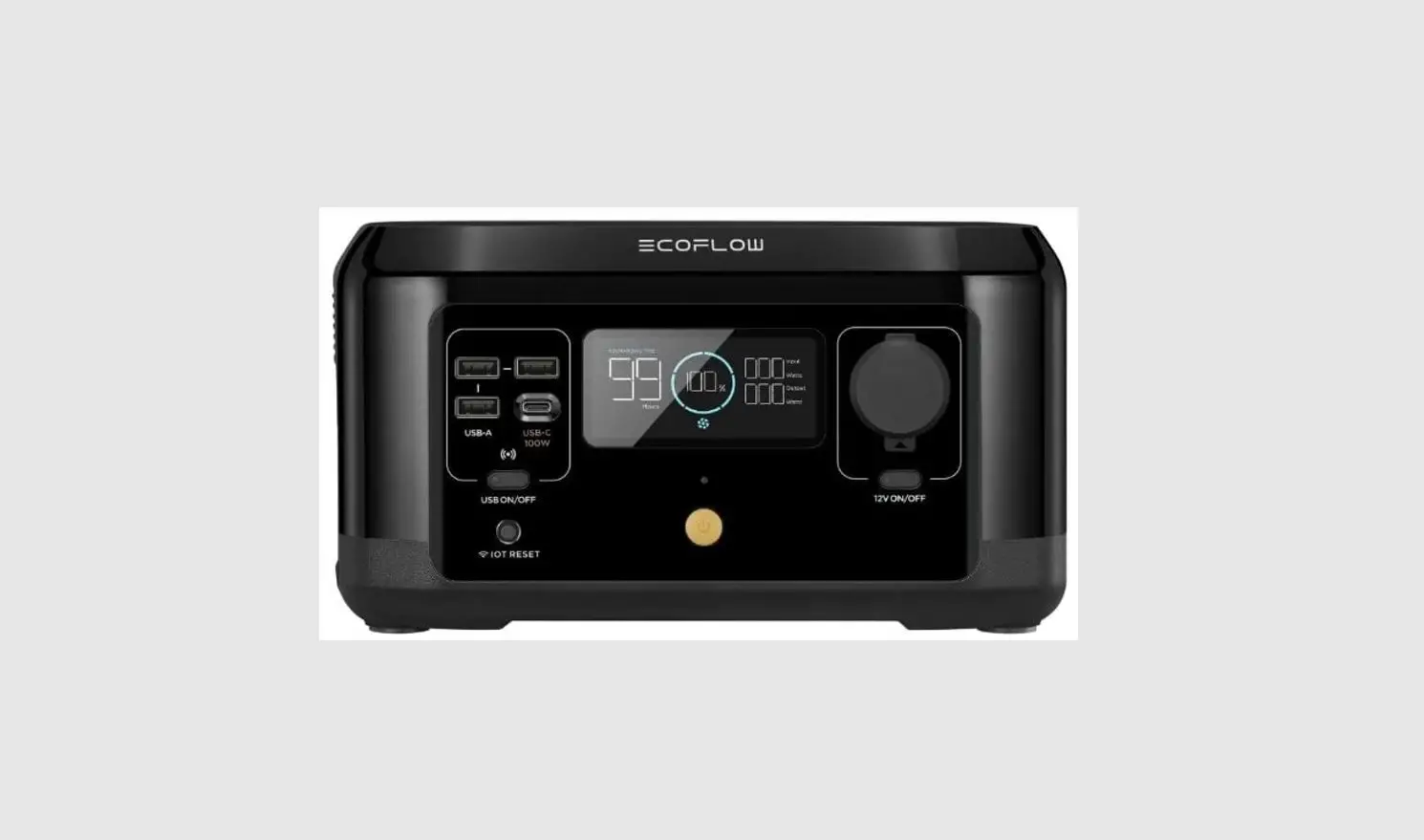
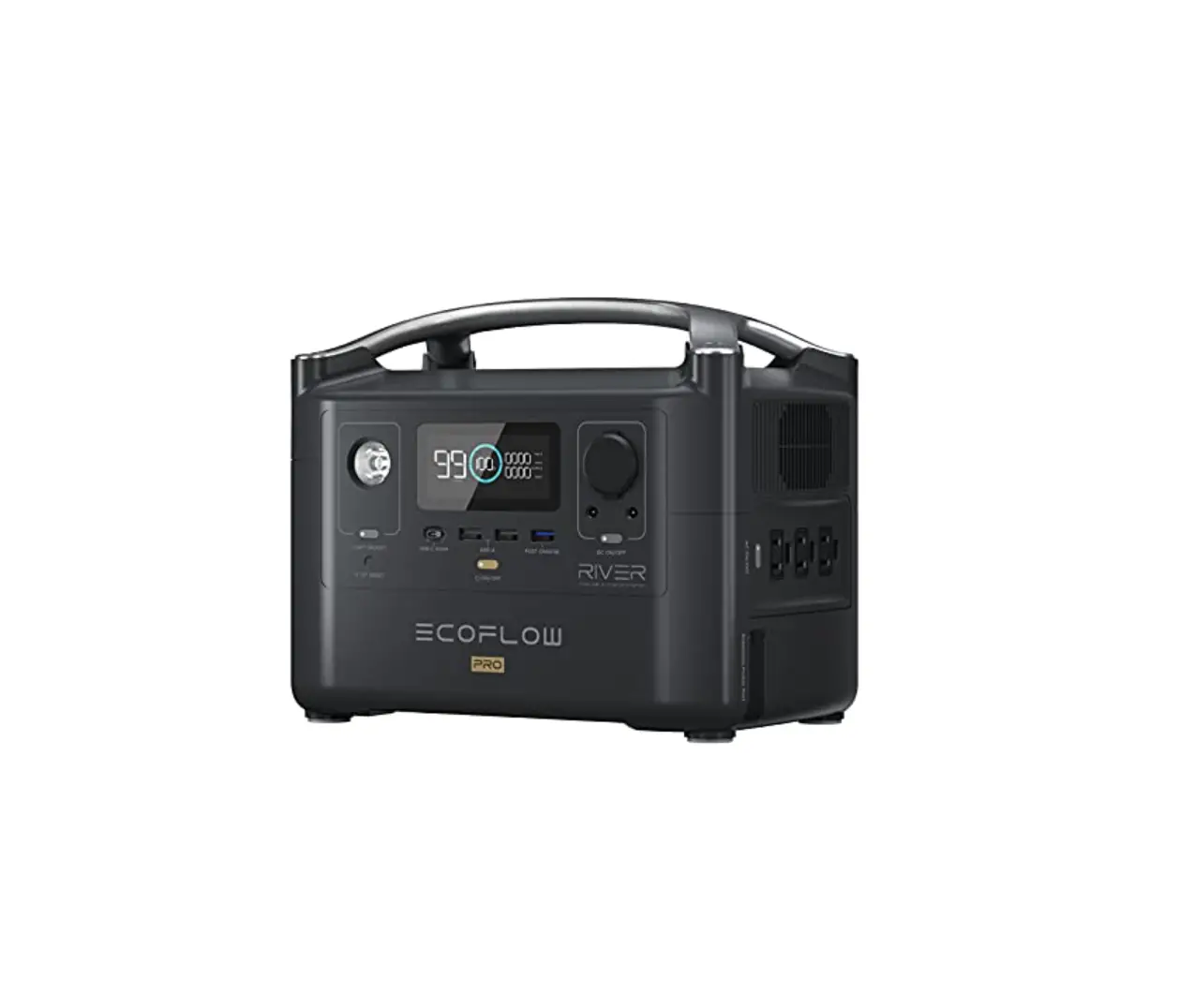
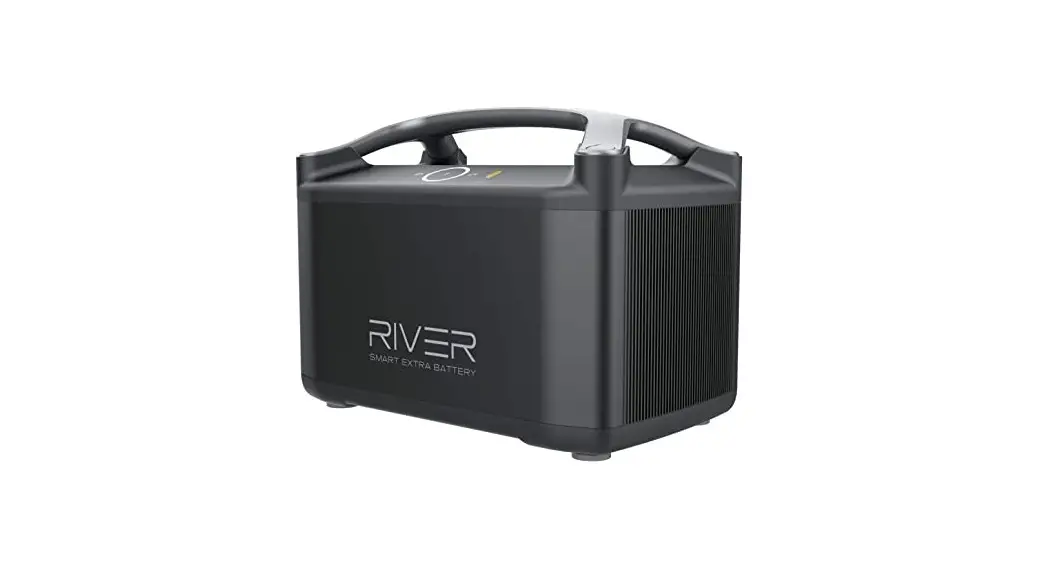
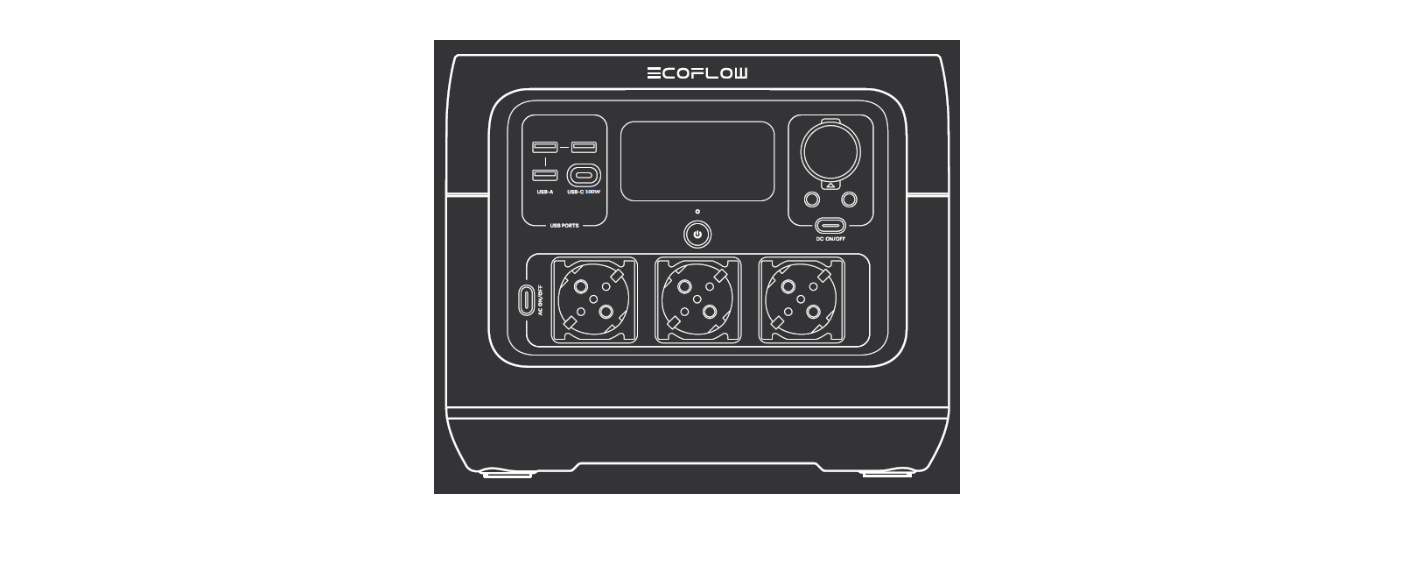
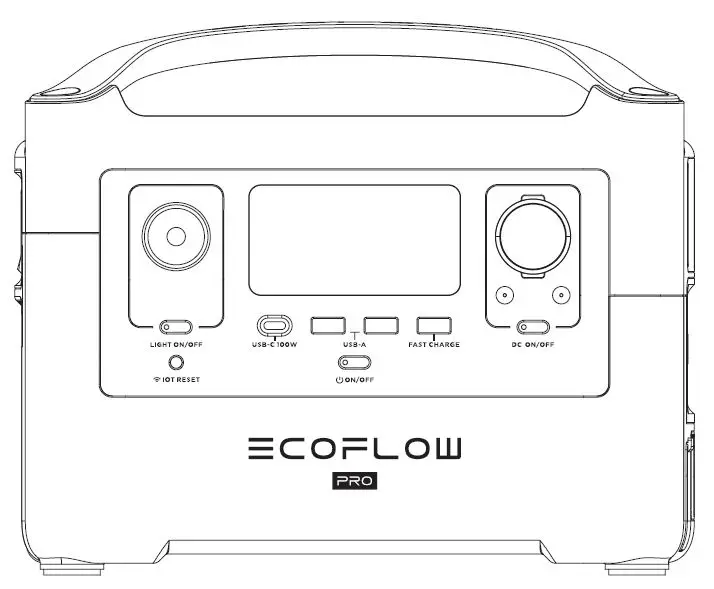
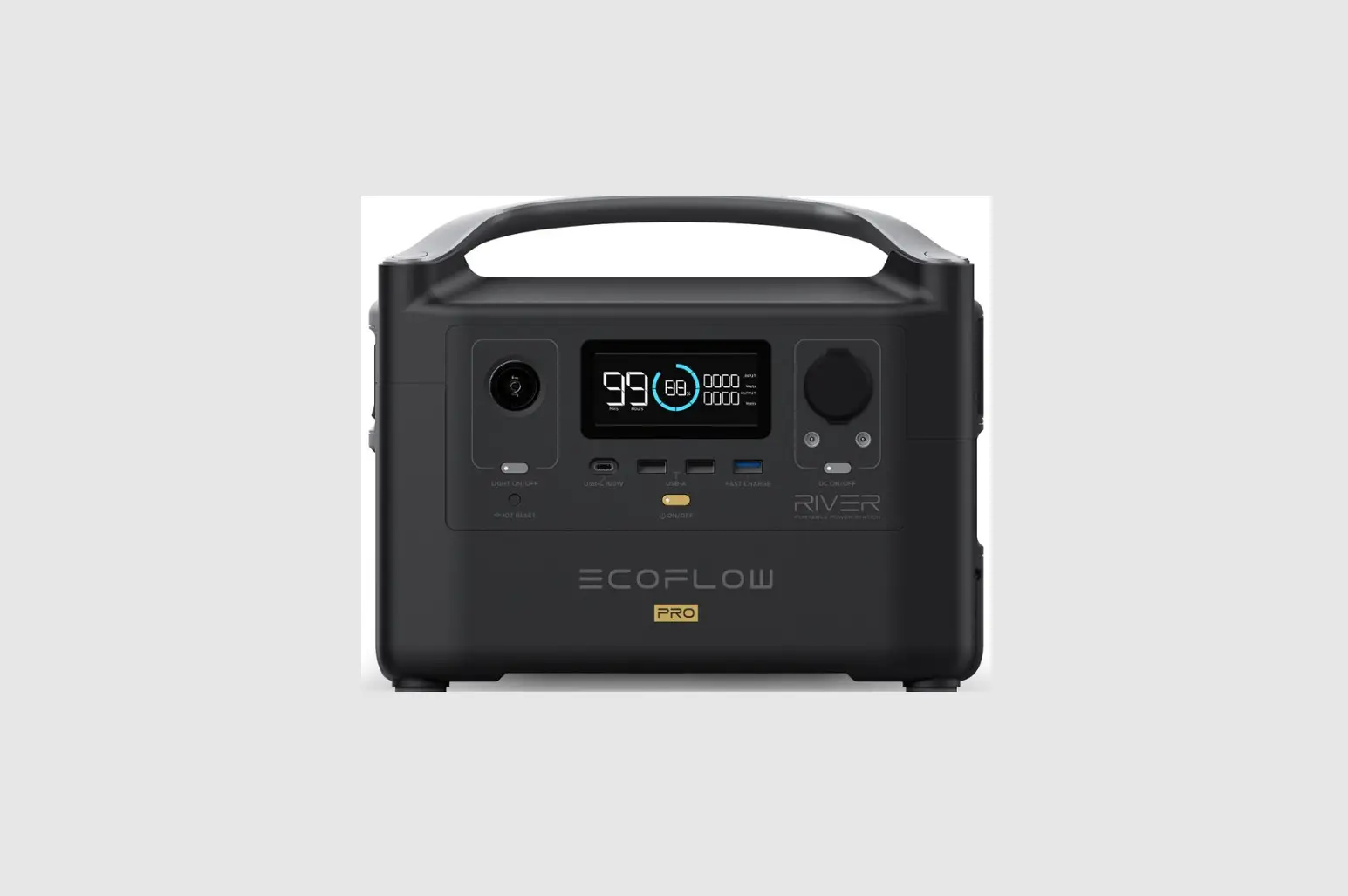
RIVER Portable Charging Station
EcoFlow RIVER User Manual
DISCLAIMER
Read all safety tips, warning messages, terms of use, and
disclaimers carefully. Refer to the terms of use and disclaimer at
https://ecoflow.com/pages/terms-of-use
and stickers on the product before use. Users take full
responsibility for all usage and operations. Familiarize yourself
with the related regulations in your area. You are solely
responsible for being aware of all relevant regulations and using
EcoFlow products in a way that is compliant.
EcoFlow RIVER
Hereinafter referred to as RIVER
CONTENTS
- Specifications
- Safety Instructions
- Usage
- Getting Started
- Product Details
- LCD Screen
- General Product Usage
- AC Charging
- Solar Charging
- Car Charging
- APP
- X-Boost
- Emergency Power Supply (EPS)
- FAQs
- Troubleshooting
- What’s In the Box
- Storage & Maintenance
1. Specifications
- General Info
- Net Weight: Approximately 11lbs(5kg)
- Dimensions: 11.3in x 7.3in x 7.7in(28.8 x 18.5 x 19.4cm)
- Capacity: 288Wh
- Wi-Fi: 28.8V Supported
- Output Ports
- AC (x2): Pure Sine Wave, 600W total (Surge 1200W), 230V~
(50Hz/60Hz) - USB-A (x2)
- USB-A Fast Charge (x1)
- USB-C (x1)
- Car Charger(x1)
- DC5521 Output (x2): 1800W, 5V 2.4A, 12W Max per port, 24W
total, 5V 2.4A, 9V 2A, 12V 1.5A, 18W Max per port, 5/9/12/15/20V
5A, 100W Max per port, 13.6V 10A, 136W Max, 13.6V 3A per port
- AC (x2): Pure Sine Wave, 600W total (Surge 1200W), 230V~
- Input Ports
- AC Charge
- AC Input Voltage: X-Stream Fast Charge 250W Max, 10A
- Solar Charger: 220-240V~ 50Hz/60Hz, 10A
- Car Charger: 10-25V 12A, 200W Max
- Supports 12V Battery: 8A
- Battery Info
- Cell Chemistry: Lithium-ion
- Cycle Life: 500 cycles to 80%+ capacity
- Protection: Over Voltage Protection, Overload Protection, Over
Temperature Protection, Short Circuit Protection, Low Temperature
Protection, Low Voltage Protection, Overcurrent Protection
- Environmental
- Operating Temperature
- Optimal Operating Temperature
- Discharge Temperature
- Charge Temperature
- Storage Temperature
- * Whether the product can be charged or discharged depends on
the actual temperature of the battery pack.
2. Safety Instructions
2.1 Usage
- Do not use the product near a heat source, such as a fire
source or a heating furnace. - Avoid contact with any liquid. Do not immerse the product in
water or get it wet. Do not use the product in rain or humid
environments. - Do not use the product in an environment with strong static
electricity/magnetic fields. - Do not disassemble the product in any way or pierce the product
with sharp objects. - Avoid using wires or other metal objects that may result in a
short circuit. - Do not use unofficial components or accessories. If you need to
replace any components or accessories, please visit official
EcoFlow channels to check relevant information. - When using the product, please strictly follow the operating
environment temperature specified in this user manual. If the
temperature is too high, it may result in a fire or explosion; if
the temperature is too low, the product performance may be severely
reduced, or the product may cease to work. - Do not stack any heavy objects on the product.
- Do not lock the fan forcibly during use or place the product in
an unventilated or dusty area. - Please avoid impact, falls, or severe vibrations when using the
product. In case of a severe external
EcoFlow RIVER User Manual
DISCLAIMER
Read all safety tips, warning messages, terms of use, and disclaimers carefully. Refer to the terms of use and disclaimer at https://ecoflow.com/pages/terms-of-use and stickers on the product before use. Users take full responsibility for all usage and operations. Familiarize yourself with the related regulations in your area. You are solely responsible for being aware of all relevant regulations and using EcoFlow products in a way that is compliant.
EcoFlow RIVER Hereinafter referred to as RIVER
CONTENTS
1. Specifications
1
2. Safety Instructions
2.1 Usage
2
2.2 Disposal Guide
2
3. Getting Started
3.1 Product Details
3
3.2 LCD Screen
4
3.3 General Product Usage
4
3.4 AC Charging
6
3.5 Solar Charging
6
3.6 Car Charging
7
3.7 APP
7
3.8 X-Boost
8
3.9 Emergency Power Supply (EPS)
8
4. FAQs
9
5. Troubleshooting
10
6. What’s In the Box
11
7. Storage & Maintenance
11
1. Specifications
General Info
Net Weight Dimensions Capacity Wi-Fi
Approximately 11lbs(5kg) 11.3in x 7.3in x 7.7in(28.8 x 18.5 x 19.4cm) 288Wh 28.8V Supported
Output Ports
AC (x2)
Pure Sine Wave, 600W total (Surge 1200W), 230V~ (50Hz/60Hz)
Max Device(s) Power Supported by X-Boost USB-A (x2) USB-A Fast Charge (x1) USB-C (x1) Car Charger(x1) DC5521 Output (x2)
1800W 5V 2.4A 12W Max, per port, 24W total 5V 2.4A 9V 2A 12V 1.5A 18W Max, per port 5/9/12/15/20V 5A 100W Max, per port 13.6V 10A, 136W Max 13.6V 3A, per port
* Car charger shares power with the DC5521 output port, offering a maximum output of 136W.
Input Ports
AC Charge AC Input Voltage Solar Charger Car Charger
X-Stream Fast Charge 250W Max, 10A 220-240V~ 50Hz/60Hz, 10A 10-25V 12A, 200W Max Supports 12V Battery, 8A
Battery Info
Cell Chemistry Cycle Life
Protection
Lithium-ion
500 cycles to 80%+ capacity
Over Voltage Protection, Overload Protection, Over Temperature Protection, Short Circuit Protection, Low Temperature Protection, Low Voltage Protection, Overcurrent Protection
Environmental Operating Temperature
Optimal Operating Temperature
20°C~30°C (68°F~86°F)
Discharge Temperature
-20°C~45°C (-4°F~113°F)
Charge Temperature
0°C~45°C (32°F~113°F)
Storage Temperature
-20°C~45°C (-4°F~113°F)
(optimal: 20°C~30°C(68°F~86°F))
* Whether the product can be charged or discharged depends on the actual temperature of the battery pack.
1
2. Safety Instructions
2.1 Usage
1. Do not use the product near a heat source, such as a fire source or a heating furnace. 2. Avoid contact with any liquid. Do not immerse the product in water or get it wet. Do not use the
product in rain or humid environments. 3. Do not use the product in an environment with strong static electricity/magnetic fields. 4. Do not disassemble the product in any way or pierce the product with sharp objects. 5. Avoid using wires or other metal objects that may result in a short circuit. 6. Do not use unofficial components or accessories. If you need to replace any components or
accessories, please visit official EcoFlow channels to check relevant information. 7. When using the product, please strictly follow the operating environment temperature specified in
this user manual. If the temperature is too high, it may result in a fire or explosion; if the temperature is too low, the product performance may be severely reduced, or the product may cease to work. 8. Do not stack any heavy objects on the product. 9. Do not lock the fan forcibly during use or place the product in an unventilated or dusty area. 10. Please avoid impact, falls, or severe vibrations when using the product. In case of a severe external
impact, turn off the power supply immediately and stop using the product. Ensure the product is well fastened during transportation to avoid vibrations and impacts. 11. If you accidentally drop the product into water during use, please place it in a safe open area, and stay away from it until it is completely dry. The dried product should not be used again, and should be properly disposed of according to Section 2.2 below. If the product catches fire, we recommend that you use the fire extinguishers in the following order: water or water mist, sand, fire blanket, dry powder, and finally a carbon dioxide fire extinguisher. 12. Use a dry cloth to clean off dirt on the product ports. 13. Rest the product on a flat surface to avoid damages caused by the product falling over. If the product is overturned and severely damaged, turn it off immediately, place the battery in an open area, keep it away from combustible matter and people, and dispose of it in accordance with local laws and regulations. 14. Ensure that the product is kept out of reach of children and pets.
2.2 Disposal Guide
1. If conditions permit, make sure that the battery is fully discharged before disposing it in a designated battery recycling bin. The product contains batteries with potentially dangerous chemicals, so it is strictly prohibited to dispose of it in ordinary trash cans. For more details, please follow the local laws and regulations on battery recycling and disposal.
2. If the battery cannot be fully discharged due to a product failure, please do not dispose of the battery directly in the battery recycling box. In such case, you should contact a professional battery recycling company for further processing.
3. Please dispose of over-discharged batteries that cannot be recharged.
2
3. Getting Started
3.1 Product Details
LCD Screen
USB-A Output Port LED Light
ON/OFF Button
IOT Button
Main Power Button
USB-C 100W Output Port
Car Outlet DC5521 Output Port
DC Power Button
USB-A Fast Charge Output Port
Ventilation Fan AC Power Button
X-Stream AC Charging Input Port
AC Output Sockets
International Version
Overload Protection Switch
Power Earth Screw
Solar/Car Charging Input Port
3
3.2 LCD Screen
Remaining Battery Percentage
Battery Failure Warning
Battery Level Indicator
High Temperature Warning Low Temperature Warning
Remaining Charge/ Discharge Time
Extra Battery Indicator
AC Output USB-A Output
DC Output Indicator
USB-C Output
Fan Indicator Input Power
Output Power
Overload Warning State of Charge Wi-Fi Status
Battery Level Indicator: The indicator will repeatedly fill while charging. If product is at 0% charge, the indicator will flash to warn you. Wi-Fi Status: After pressing the IOT button for 3 seconds, the Wi-Fi status will flash on the LCD screen which indicates that the product is ready for pairing. There’re two ways to connect the product with the App, either directly connect to the product’s hotspot or using the Internet. If the App is successfully connected to the product’s hotspot, the icon will keep flashing; if it is successfully connected to the Internet, the icon will stay on.
* See Section 5 for more troubleshooting steps.
3.3 General Product Usage
Short Press to Turn On
Long Press to Turn Off
Product On, Product Off, LCD Screen On
Short press the Main Power Button to turn on the product; the LCD Screen will light up and the battery level indicator icon will display. The product enters sleep mode after 5 minutes of idle operation; the LCD Screen will automatically turn off. When the product senses any load change or operations, the LCD Screen will automatically light up. To turn the LCD Screen on or off, please short press the Main Power Button.
To power off the product, press and hold the Main Power Button. The default product standby time is 2 hours. With other Power Buttons turned off and no other load access for 2 hours, the product will automatically shut down. The standby time can be set on the App.
4
DC Output Port
With the Main Power Button turned on, short press the DC Power Button to use the DC Output port. Short press the DC Power Button again to turn it off. With the DC Power Button on, the product will not automatically shut down.
Short Press DC Power Button
AC Output Port
With the Main Power Button turned on, short press the AC Power Button to use the AC Output ports. Short press the AC Power Button again to turn it off. The default standby time of the AC Output port is 12 hours. Without any load access for 12 hours, the AC Power Button will automatically turn off. Please turn off AC power button when not in use to save power consumption.
Short Press AC Power Button
5
3.4 AC Charging
X-Stream is an AC fast charge technology that recharges your portable power station at the fastest speed possible. For slower,quieter charging, download the EcoFlow app and enable Slow Charging. The unit will shut down if the current from an AC source exceeds 10A for an extended period. The Overload Protection Switch will need to be pressed before powering the unit back on.
<2 hrs Full Charge
X-Stream Fast Charging 250W Max input Power
AC Charging Cable
Please use AC charging Cable for fast charging. EcoFlow takes no responsibilities for any consequences caused by failures to follow instructions, including but not limited to charging with AC charging Cable.
3.5 Solar Charging
Users can connect solar panels in series as shown in the figure to recharge the product.
Solar Charging Cable
MC4
When using an EcoFlow solar panel to charge the product, please follow the instructions that come with the solar panel. Before connecting the solar panel, please ensure that the solar panel’s output voltage is within voltage range to avoid product damage.
6
3.6 Car Charging
Users can recharge the product through the Car Charging Input Port. Please charge using the car charger after you’ve started the car to avoid failure to start due to insufficient car battery. In addition, please make sure that Car Charging Input Port and the Car Charging Cable are in good condition. EcoFlow takes no responsibilities for any losses or damages caused by failures to follow instructions.
Car Charging Cable
3.7 APP
The EcoFlow App gives users the ability to control and monitor EcoFlow power stations remotely. Read the EcoFlow App user guide and access the download link here: https://ecoflow.com/pages/ecoflow-app Privacy Policy By using EcoFlow Products, Applications and Services, you consent to the EcoFlow Term of Use and Privacy Policy, which you can access via the “About” section of the “User” page on the EcoFlow App or on the official EcoFlow website at https://ecoflow.com/pages/terms-of-use and https://ecoflow.com/pages/privacy-policy
7
3.8 X-Boost
To avoid operation failure due to overload protection, the X-Boost feature will be automatically enabled when the total output exceeds the rated output power, which enables the product to power high wattage appliances at the rated output power. X-Boost Tips: 1. X-Boost is enabled by default; you can enable or disable it in the EcoFlow App. 2. X-Boost is not available when the AC output is turned on in a recharging state (in bypass mode)
and when X-Boost is disabled. 3. X-Boost is not applicable for all electrical appliances; it’s incompatible with appliances with strict
voltage requirements. Appliances with voltage protection (such as precise instruments) are not supported. X-Boost mode is more suitable for heating devices. Please conduct your own tests with your devices with X-Boost enabled.
3.9 Emergency Power Supply (EPS)
The product supports EPS. When you connect the grid power to the AC Input Port of the product through an AC Charging cable, you can power electrical devices through the AC Output Sockets (AC power will come from the grid and not the power station in this situation). In case of a sudden blackout, the product can automatically switch to the battery powered supply mode within 30ms. As a basic UPS function, this function does not support 0ms switching. Please do not connect the product to any device that requires 0ms UPS, such as data servers and workstations. Please test and confirm the compatibility before using the product. We recommend that you only charge one device at a time and avoid using multiple ones at the same time to avoid overload protection. EcoFlow takes no responsibilities for any device failures or data losses caused by failures to follow instructions.
8
4. FAQs
1. ls there an extra battery unit that adds capacity? Yes, this product does have expandable capacity. Please refer to the user manual of RIVER extra battery for detailed instruction.
2. What battery does the product use? It uses high-quality lithium-ion battery.
3. What devices can the product’s AC output port power? This device can power plenty of your appliances and devices. Before you use it, we recommend that you confirm the power of the appliances first and ensure the power sum of all loaded appliances is lower than the rated power.
4. How long can the product charge my devices? The charging time is shown on the product’s LCD Screen, which can be used to estimate the charging time of most appliances with stable power usage.
5. How can I know if the product is charging? When it’s charging, the remaining charging time will be shown on the LCD Screen. Meanwhile, the charging indicator icon begins to rotate with the remaining battery percentage and the input power shown on the right of the circle.
6. How to clean the product? Please gently wipe it with a dry, soft, clean cloth or paper towel.
7. How to store the product? Before storing, please turn off the product first, and then store it in a dry, ventilated place at room temperature. Do not place it near water sources. For long-term storage, please discharge the battery to 30% and recharge it to 60% every three months to extend its battery life.
8. Can I bring the product on a plane? No.
9
5. Troubleshooting
Indicator Icons Flash together Icons Flash together Icons Flash together Icons Flash together
Icons Flash together
Problem High Temperature Charge Protection High Temperature Discharge Protection Low Temperature Charge Protection Low Temperature Discharge Protection
Overload Discharging Protection
Solution Charging can be resumed automatically after the battery cools
down. The power supply can be resumed automatically after the battery cools
down. Charging can be resumed automatically after battery temperature rises above 5°C(41°F). The power supply can be resumed automatically after the battery temperature rises above -12°C(10°F). Battery Exclamation and OVERLOAD icons flash together. Disconnect all appliances, restart the RIVER, and add each appliance back in in turn. Please note that electrical appliances must be operated within rated power.
Icons Flash together
AC Output Overload Protection
Normal operation will be resumed automatically after you remove the overloaded device and restart the
product. Electrical appliances should be used
within rated power. (Refer to X-Boost instructions to get more details about power limitations).
Icons Flash together
Please confirm whether the fan inlet
AC High
and outlet are blocked, if not, normal
Temperature Protection operation will be resumed automatically
after the product temperature drops.
Icons Flash
AC Low
together Temperature Protection
Normal operation will be resumed automatically after the product is used at optimum environmental
temperatures.
Icon Flashes
Fan Blockage
Please check if the fan is blocked by foreign materials.
Icons Flash together
Icons Flash together
Car Charger Overload Protection
The product will resume normal operation automatically after you remove the device connected to the car
charger.
Car Charger High Temperature Protection
After the product cools down, it will resume normal operation
automatically.
Icon Stays On
Battery Failure
Contact EcoFlow Customer Service
If the Alarm Prompt shows on the product LCD screen during use and does not disappear after a restart, please stop using it immediately (do not try to charge or discharge). If you require any other assitance, please contact EcoFlow Customer Service.
10
6. What’s In the Box
RIVER
AC Charging Cable (1.5m)
Car Charging Cable (1.5m)
Solar Charging Cable (MC4 to XT60 Input)
DC5521-DC5525 Cable
User Manual and Warranty Card
7. Storage & Maintenance
1. Ideally, use and store the product between 20°C to 30°C(68°F to 86°F), and always keep it away from water, intense heat, and sharp objects. Do not store in temperatures above 45°C(113°F) or below -10°C(14°F) for an extended period.
2. Storing a battery with a low charge for a long period shortens its lifespan. This product mitigates the damage by putting the battery into hibernation mode. To get the most out of the battery, make sure it is about 60% before putting this product into long-term storage, and then once every three months, discharge the battery to 30% and recharge it back to 60%.
11
EcoFlow RIVER Benutzerhandbuch
HAFTUNGSAUSSCHLUSS
Lesen Sie alle Sicherheits- und Warnhinweise, Nutzungsbedingungen und Haftungsausschlüsse sorgfältig durch. Lesen Sie vor der Verwendung die Nutzungsbedingungen und den Haftungsausschluss unter https://ecoflow.com/pages/terms-of-use sowie die Aufkleber auf dem Produkt. Benutzer übernehmen die volle Verantwortung für Verwendung und Betrieb des Produkts. Machen Sie sich mit den entsprechenden Vorschriften in Ihrem Land vertraut. Sie sind allein dafür verantwortlich, alle relevanten Vorschriften zu kennen und EcoFlow-Produkte gemäß diesen Vorschriften zu verwenden.
EcoFlow RIVER nachfolgend als RIVER bezeichnet
INHALT
1. Spezifikationen
1
2. Sicherheitshinweise
2.1 Verwendung
2
2.2 Sachgemäße Entsorgung
2
3. Erste Schritte
3.1 Produktdetails
3
3.2 LCD-Anzeige
4
3.3 Allgemeine Betriebsanweisungen
4
3.4 AC-Ladung
6
3.5 Solarladung
6
3.6 Kfz-Ladung
7
3.7 App
7
3.8 X-Boost
8
3.9 Notstromversorgung
8
4. FAQ-Bereich
9
5. Fehlerbehebung
10
6. Lieferumfang
11
7. Lagerung und Wartung
11
1. Spezifikationen
Allgemeine Informationen
Nettogewicht Abmessungen Kapazität WLAN
Ca. 11 lbs (5kg) 11,3 x 7,3 x 7,7Zoll (28,8 x 18,5 x 19,4cm) 288Wh 28,8V Unterstützt
Ausgänge
AC (x2)
Reine Sinuswelle, 600W insgesamt(Überspannung 1200 W), 230V~ 50Hz
Max. von X-Boost unterstützte Geräteleistung USB-A (x2) USB-A-Schnellladung (x1) USB-C (x1) Kfz-Ladegerät (x1) DC5521-Ausgang (x2)
1800W 5V 2,4A max. 12W, pro Anschluss, 24W insgesamt 5V 2,4A 9V 2A 12V 1,5A max. 18W, pro Anschluss 5/9/12/15/20V 5A max. 100W, pro Anschluss 13,6V 10A, max. 136W 13,6V 3A, pro Anschluss
* Das Kfz-Ladegerät teilt die Leistung mit dem DC5521-Ausgang und bietet eine maximale Leistung von 136 W.
Eingänge
AC-Ladung AC-Eingangsspannung Solarladegerät Kfz-Ladegerät
X-Stream-Schnellladung max. 250W, 10A 220240V~ 50/60Hz, 10A 1025V 12A, max. 200W Unterstützt 12-V-Akku, 8A
Informationen zum Akku
Zellenchemie Lebensdauer
Schutz
Lithium-Ionen
500 Zyklen bis zu 80 % + Kapazität
Überspannungsschutz, Überlastschutz, Übertemperaturschutz, Kurzschlussschutz, Niedertemperaturschutz, Niederspannungsschutz, Überstromschutz
Umgebungsbetriebstemperatur
Optimale Betriebstemperatur
20°C~30°C (68°F~86°F)
Temperatur Entladen
20°C~45°C (4°F~113°F)
Temperatur Laden
0°C~45°C (32°F~113°F)
Lagertemperatur
20°C~45°C (4°F~113°F)
(Optimal: 20°C~30°C (68°F~86°F))
* Ob das Produkt geladen oder entladen werden kann, hängt von der tatsächlichen Temperatur des Akkus ab.
1
2. Sicherheitshinweise
2.1 Verwendung
1. Verwenden Sie das Produkt nicht in der Nähe einer Wärmequelle, z. B. eines offenen Feuers oder Heizofens.
2. Vermeiden Sie Kontakt mit Flüssigkeiten. Tauchen Sie das Produkt nicht in Wasser und lassen Sie es nicht nass werden. Verwenden Sie das Produkt nicht im Regen oder in feuchten Umgebungen.
3. Verwenden Sie das Produkt nicht in einer Umgebung mit starker statischer Elektrizität/Magnetfeldern. 4. Bauen Sie das Produkt nicht auseinander und durchstechen Sie es nicht mit spitzen Gegenständen. 5. Vermeiden Sie die Verwendung von Drähten oder anderen Metallobjekten, die zu einem Kurzschluss
führen können. 6. Verwenden Sie nur Originalkomponenten oder -zubehörteile. Wenn Sie Komponenten oder Zubehör
austauschen müssen, besuchen Sie bitte für alle relevanten Informationen die offiziellen EcoFlowKanäle. 7. Beachten Sie bei der Verwendung des Produkts unbedingt die in dieser Bedienungsanleitung angegebene Umgebungstemperatur. Wenn die Temperatur zu hoch ist, kann dies zu einem Brand oder einer Explosion führen. Wenn die Temperatur zu niedrig ist, kann das die Leistung des Produkts stark beeinträchtigen oder zu Ausfällen führen. 8. Stellen Sie keine schweren Gegenstände auf das Produkt. 9. Verriegeln Sie den Lüfter während des Gebrauchs nicht mit Gewalt und stellen Sie das Produkt nicht an unbelüfteten oder staubigen Orten ab. 10. Vermeiden Sie Schläge, Stürze und starke Vibrationen bei der Verwendung des Produkts. Schalten Sie im Fall eines schweren Schlags auf das Produkt sofort die Stromversorgung aus und verwenden Sie das Produkt nicht weiter. Stellen Sie sicher, dass das Produkt während des Transports gut gesichert ist, um Vibrationen und Stöße zu vermeiden. 11. Wenn Sie das Produkt während des Gebrauchs versehentlich in Wasser fallen lassen, legen Sie es an einen sicheren, offenen Ort und lassen Sie es vollständig trocknen, ohne erneut damit in Kontakt zu kommen. Das getrocknete Produkt darf nicht mehr verwendet werden und muss gemäß Abschnitt 2.2 ordnungsgemäß entsorgt werden. Wenn das Produkt Feuer fängt, empfehlen wir, die Feuerlöscher in der folgenden Reihenfolge zu verwenden: Wasser oder Wassernebel, Sand, Löschdecke, Trockenpulver und schließlich einen Kohlendioxid-Feuerlöscher. 12. Entfernen Sie Schmutz an den Anschlüssen des Produkts mit einem trockenen Tuch. 13. Stellen Sie das Produkt auf eine ebene Oberfläche, um Schäden durch etwaiges Umkippen zu vermeiden. Wenn das Produkt umgekippt ist und dabei stark beschädigt wurde, schalten Sie es sofort aus, stellen Sie den Akku in einen offenen Bereich, halten Sie ihn von brennbaren Materialien sowie Personen fern und entsorgen Sie ihn gemäß den vor Ort geltenden Gesetzen und Vorschriften. 14. Stellen Sie sicher, dass das Produkt außerhalb der Reichweite von Kindern und Haustieren aufbewahrt wird.
2.2 Sachgemäße Entsorgung
1. Wenn die Bedingungen es zulassen, stellen Sie sicher, dass der Akku vollständig entladen ist, bevor Sie ihn der dafür vorgesehenen Batterie-Recyclingmöglichkeit zuführen. Das Produkt enthält Akkus mit potenziell gefährlichen Chemikalien. Daher ist es strengstens untersagt, diese in normalen Abfallbehältern zu entsorgen. Für weitere Informationen befolgen Sie bitte die lokalen Gesetze und Vorschriften zum Recycling und zur Entsorgung von Akkus.
2. Wenn der Akku aufgrund eines Produktfehlers nicht vollständig entladen werden kann, entsorgen Sie ihn nicht direkt über das Batterie-Recycling. In diesem Fall sollten Sie sich zum weiteren Vorgehen an ein professionelles Recycling-Unternehmen wenden.
3. Bitte entsorgen Sie Akkus, die eine Tiefenentladung aufweisen und nicht wieder aufgeladen werden können.
2
3. Erste Schritte
3.1 Produktdetails
LCD-Anzeige
USB-A-Ausgang Ein-/Ausschalter der
LED-Lampe
IoT-Taste
Netztaste
USB-C-Ausgang 100 W
Kfz-Steckdose DC5521-Ausgang
DC-Netzschalter
USB-ASchnellladung Ausgang
Lüfter AC-Netztaste
X-Stream AC-Ladeeingang
Version für das Vereinigte Königreich
AC-Ausgänge Überlastschutzschalter
Globale Version Strom Erdungsschraube
Solar-/Kfz-Ladeanschluss
3
3.2 LCD-Anzeige
Verbleibender Akkuladestand in Prozent
Warnung bei Akkuausfall
Ladezustandsanzeige
Warnung hohe Temperatur Warnung niedrige Temperatur
Verbleibende Lade-/Entladezeit
ErsatzakkuAnzeige
AC-Ausgang USB-A-Ausgang
DC-Ausgangsanzeige
USB-C-Ausgang
Lüfteranzeige Eingangsleistung
Ausgangsleistung
Überlastwarnung Ladezustand WLAN-Status
Ladezustandsanzeige: Die Ladezustandsanzeige füllt sich während des Ladevorgangs wiederholt. Wenn das Produkt über einen Ladestand von 0 % verfügt, blinkt die Anzeige, um Sie zu warnen. WLAN-Status: Nachdem Sie die IOT-Taste drei Sekunden lang gedrückt haben, blinkt der WLAN-Status auf der LCD-Anzeige. Dies zeigt an, dass das Produkt zum Koppeln bereit ist. Es gibt zwei Möglichkeiten, das Produkt mit der App zu verbinden, entweder direkt mit dem Hotspot des Produkts oder über das Internet. Wenn die App erfolgreich mit dem Hotspot des Produkts verbunden ist, blinkt das Symbol weiter. Wenn es erfolgreich mit dem Internet verbunden wurde, leuchtet das Symbol dauerhaft.
* Weitere Schritte zur Fehlerbehebung finden Sie in Abschnitt 5.
3.3 Allgemeine Betriebsanweisungen
Zum Einschalten kurz drücken
Zum Ausschalten lange drücken
Produkt ein, Produkt aus, LCD-Anzeige ein
Drücken Sie kurz die Netztaste, um das Gerät einzuschalten. Die LCD-Anzeige leuchtet auf, und das Symbol für die Ladezustandsanzeige wird angezeigt.
Das Gerät wechselt nach 5 Minuten Inaktivität in den Ruhemodus. Die LCD-Anzeige schaltet sich automatisch aus. Wenn das Gerät eine Änderung des Ladestands oder der Benutzung registriert, leuchtet die LCD-Anzeige automatisch auf. Um die LCD-Anzeige ein- oder auszuschalten, drücken Sie kurz die Netztaste.
Um das Gerät auszuschalten, halten Sie die Netztaste gedrückt. Die standardmäßige Standby-Zeit des Produkts beträgt 2 Stunden. Wenn andere Netzschalter ausgeschaltet sind und 2 Stunden lang keine Aufladung erfolgt, schaltet sich das Gerät automatisch ab. Die Standby-Zeit kann in der App eingestellt werden.
4
DC-Ausgang
Drücken Sie bei eingeschaltetem Netzschalter kurz die DC-Netztaste, um den DC-Ausgang zu verwenden. Drücken Sie die DC-Netztaste erneut kurz, um sie auszuschalten. Wenn der DC-Netzschalter eingeschaltet ist, schaltet sich das Gerät nicht automatisch ab.
Drücken Sie kurz den DC-Netzschalter
AC-Ausgang
Drücken Sie bei eingeschaltetem Netzschalter kurz die AC-Netztaste, um die AC-Ausgänge zu verwenden. Drücken Sie die AC-Netztaste erneut kurz, um sie auszuschalten. Die Standard-Standby-Zeit des AC-Ausgangs beträgt 12 Stunden. Wenn 12 Stunden lang keine Aufladung erfolgt, schaltet sich der AC-Netzschalter automatisch ab. Schalten Sie die Netztaste aus, wenn das Gerät nicht verwendet wird, um Strom zu sparen.
Drücken Sie kurz die AC-Netztaste
5
3.4 AC-Ladung
X-Stream ist eine AC-Schnellladetechnologie, mit der Sie Ihre Powerstation schnellstmöglich aufladen können. Laden Sie die EcoFlow-App herunter, und aktivieren Sie das langsame Laden, um ein langsameres und leiseres Laden zu ermöglichen. Das Gerät schaltet sich ab, wenn der Strom von einer Wechselstromquelle über einen längeren Zeitraum 10 A überschreitet. Der Überlastschutzschalter muss vor dem erneuten Einschalten des Geräts gedrückt werden.
AC-Ladekabel
In weniger als 2 Std. voll aufgeladen
X-Stream-Schnellladung max. 250 W Eingangsleistung
Verwenden Sie zum schnellen Laden ein AC-Ladekabel. EcoFlow übernimmt keine Haftung für Schäden, die durch das Nichtbefolgen der Anweisungen entstehen können, einschließlich, aber nicht beschränkt auf das nicht ordnungsgemäße Laden mit dem AC-Ladekabel.
3.5 Solarladung
Benutzer können Solarmodule in Reihe anschließen, um das Produkt aufzuladen, wie in der Abbildung gezeigt.
Aufladen mit Solar Kabel
MC4
Wenn Sie ein EcoFlow-Solarmodul zum Aufladen des Geräts verwenden, befolgen Sie die Anweisungen, die im Lieferumfang des Solarmoduls enthalten sind. Stellen Sie vor dem Anschließen des Solarmoduls sicher, dass die Ausgangsspannung des Solarmoduls im korrekten Spannungsbereich liegt, um Produktschäden zu vermeiden.
6
3.6 Kfz-Ladung
Benutzer können das Gerät über den Kfz-Ladeanschluss aufladen. Laden Sie das Gerät erst nach Start des Fahrzeugs mit dem Kfz-Ladegerät auf, um zu vermeiden, dass das Fahrzeug aufgrund einer zu sehr entladenen Fahrzeugbatterie nicht gestartet werden kann. Stellen Sie außerdem sicher, dass der Kfz-Ladeanschluss und das Kfz-Ladekabel in einem guten Zustand sind. EcoFlow übernimmt keine Verantwortung für Verluste oder Schäden, die durch die Missachtung der Anweisungen verursacht wurden.
Ladekabel für KfzBordspannungssteckdose
3.7 App
Mit der EcoFlow-App können Benutzer EcoFlow-Powerstations aus der Ferne steuern und überwachen. Weitere Informationen finden Sie in der Anleitung für die EcoFlow-App, die Sie unter folgendem Link herunterladen können: https://ecoflow.com/pages/ecoflow-app Datenschutzerklärung Durch die Nutzung von EcoFlow-Produkten, -Anwendungen und -Services stimmen Sie den Nutzungsbedingungen und der Datenschutzrichtlinie von EcoFlow zu, auf die Sie über den Bereich ,,Info” der Seite ,,Benutzer” in der EcoFlow-App oder auf der offiziellen EcoFlow-Website unter https://ecoflow.com/pages/terms-of-use und https://ecoflow.com/pages/privacy-policy zugreifen können.
7
3.8 X-Boost
Um Betriebsausfälle aufgrund des Überlastschutzes zu vermeiden, wird die X-Boost-Funktion automatisch aktiviert, wenn die Gesamtausgangsleistung die Nennausgangsleistung überschreitet. Dadurch kann das Produkt Geräte, die mit hoher Wattleistung arbeiten, mit der Nennausgangsleistung versorgen. X-Boost-Tipps: 1. X-Boost ist standardmäßig aktiviert. Sie können es in der EcoFlow-App aktivieren oder deaktivieren. 2. X-Boost ist nicht verfügbar, wenn der AC-Ausgang in einem Ladezustand (im Bypass-Modus)
eingeschaltet ist und wenn X-Boost deaktiviert ist. 3. X-Boost ist nicht für alle elektrischen Geräte geeignet; es ist nicht mit Geräten mit strengen
Spannungsanforderungen kompatibel. Geräte mit Spannungsschutz (z. B. präzise Instrumente) werden nicht unterstützt. Der X-Boost-Modus ist besser für Heizgeräte geeignet. Führen Sie Ihre eigenen Tests mit Ihren Geräten mit aktiviertem X-Boost durch.
3.9 Notstromversorgung
Das Produkt unterstützt Notstromversorgung. Wenn Sie das Stromnetz über ein AC-Ladekabel an den AC-Eingang des Produkts anschließen, können Sie elektrische Geräte über die AC-Ausgänge mit Strom versorgen (in dieser Situation kommt Wechselstrom aus dem Netz und nicht aus der Powerstation). Bei einem plötzlichen Stromausfall kann das Produkt innerhalb von 30 ms automatisch in den Versorgungsmodus mit Batteriebetrieb wechseln. Als Basis-USV-Funktion unterstützt diese Funktion keine 0-ms-Umschaltung. Schließen Sie das Produkt nicht an Geräte an, die eine USV von 0 ms benötigen, wie Datenserver und Workstations. Testen und bestätigen Sie die Kompatibilität, bevor Sie das Produkt verwenden. Wir empfehlen, immer nur ein Gerät gleichzeitig aufzuladen und nicht mehrere Geräte gleichzeitig zu verwenden, um ein Auslösen des Überlastschutzes zu vermeiden. EcoFlow übernimmt keine Verantwortung für Geräteausfälle oder Datenverluste, die durch Nichtbefolgen der Anweisungen verursacht werden.
8
4. FAQ-Bereich
1. Gibt es eine zusätzliche Akkueinheit, die Kapazität hinzufügt? Ja, dieses Produkt verfügt über eine erweiterbare Kapazität. Weitere Informationen zum zusätzlichen Akku finden Sie im Benutzerhandbuch des RIVER.
2. Welcher Akku wird für das Produkt verwendet? Das Produkt verfügt über einen hochwertigen Lithium-Ionen-Akku.
3. Welche Geräte kann der AC-Ausgang des Produkts mit Strom versorgen? Mit einer Nennleistung von 600 W und einer Spitzenleistung von 1200 W kann der AC-Ausgang des Produkts die meisten Haushaltsgeräte mit Strom versorgen. Bevor Sie ihn verwenden, empfehlen wir Ihnen, zunächst die Leistung der Geräte zu überprüfen und sicherzustellen, dass die Summe der Leistung aller geladenen Geräte unter der Nennleistung liegt.
4. Wie lange kann das Produkt meine Geräte laden? Die Ladezeit wird auf der LCD-Anzeige des Produkts angezeigt, die verwendet werden kann, um die Ladezeit der meisten Geräte mit stabilem Stromverbrauch einzuschätzen.
5. Wie kann ich feststellen, ob das Produkt aufgeladen wird? Während des Ladevorgangs wird die verbleibende Ladezeit auf der LCD-Anzeige angezeigt. Zwischenzeitlich rotiert das Ladeanzeigesymbol und zeigt den verbleibenden Akkuladestand und die Eingangsleistung auf der rechten Seite des Kreises an.
6. Wie wird das Produkt gereinigt? Wischen Sie es vorsichtig mit einem trockenen, weichen, sauberen Tuch oder einem Papiertuch ab.
7. Wie wird das Produkt gelagert? Schalten Sie das Produkt vor der Lagerung aus und lagern Sie es an einem trockenen, belüfteten Ort bei Raumtemperatur. Stellen Sie es nicht in die Nähe von Wasserquellen. Entladen Sie den Akku bei langfristiger Lagerung auf 30 % und laden Sie ihn alle drei Monate auf 60 % auf, um die Lebensdauer des Akkus zu verlängern.
8. Kann ich das Produkt mit ins Flugzeug nehmen? Nein.
9
5. Fehlerbehebung
Anzeige
Symbole blinken gleichzeitig
Symbole blinken gleichzeitig
Symbole blinken gleichzeitig
Symbole blinken gleichzeitig
Problem
HochtemperaturLadeschutz
HochtemperaturEntladeschutz
NiedertemperaturLadeschutz
NiedertemperaturEntladeschutz
Symbole blinken gleichzeitig
Überlast-Entladeschutz
Lösung
Der Ladevorgang kann automatisch fortgesetzt werden, nachdem der Akku
abgekühlt ist.
Die Stromversorgung kann nach dem Abkühlen des Akkus automatisch fortgesetzt werden.
Der Ladevorgang kann automatisch wieder aufgenommen werden, wenn die Temperatur
des Akkus über 5°C (41°F) steigt.
Die Stromversorgung kann automatisch fortgesetzt werden, wenn die Temperatur
des Akkus über 12°C (10°F) steigt.
Der Akku mit Ausrufezeichen und OVERLOAD (ÜBERLAST) blinken gleichzeitig. Trennen Sie alle Geräte, starten Sie den RIVER neu und fügen Sie die Geräte nacheinander wieder hinzu. Beachten Sie, dass Elektrogeräte innerhalb der Nennleistung betrieben werden müssen.
Symbole blinken gleichzeitig
Symbole blinken gleichzeitig
Symbole blinken gleichzeitig
AC-Ausgang Überlastschutz
AC-Hochtemperaturschutz
AC-Niedertemperaturschutz
Der normale Betrieb wird automatisch wieder aufgenommen, nachdem Sie das überlastete Gerät entfernt und das Produkt neu gestartet
haben. Elektrogeräte sollten innerhalb der Nennleistung verwendet werden.
(Weitere Informationen zu Leistungseinschränkungen finden Sie in den
Anweisungen zu X-Boost.)
Sehen Sie nach, ob Lüftereinlass und -auslass blockiert sind. Ist dies nicht der Fall, wird der normale Betrieb automatisch wieder
aufgenommen, wenn die Produkttemperatur sinkt.
Der Normalbetrieb wird automatisch wieder aufgenommen, wenn das Produkt wieder optimale Umgebungstemperaturen erreicht hat.
Symbol blinkt
Blockierung des Lüfters
Überprüfen Sie, ob der Lüfter durch Fremdkörper blockiert ist.
Symbole blinken gleichzeitig
Kfz-Ladegerät Überlastschutz
Das Gerät nimmt den normalen Betrieb automatisch wieder auf, nachdem Sie das an das Kfz-Ladegerät angeschlossene Gerät
entfernt haben.
Symbole blinken gleichzeitig
Hochtemperaturschutz Kfz-Ladegerät
Nachdem das Gerät abgekühlt ist, nimmt es den normalen Betrieb automatisch wieder auf.
Das Symbol bleibt eingeschaltet
Akkuausfall
Wenden Sie sich an den EcoFlow-Kundendienst.
Stellen Sie die Verwendung des Produkts umgehend ein, wenn die Alarmmeldung während des Betriebs auf der LCD-Anzeige angezeigt wird und nach einem Neustart nicht verschwindet (versuchen Sie nicht, das Produkt zu laden oder zu entladen). Wenn Sie weitere Unterstützung benötigen, wenden Sie sich bitte an den EcoFlow-Kundendienst.
10
6. Lieferumfang
RIVER
Wechselstromladekabel (1,5 m)
Ladekabel für Bordspannungssteckdose
(1,5 m)
Solarladekabel (MC4-zu-XT60-Eingang)
DC5521-DC5525Kabel
Benutzerhandbuch und Garantiekarte
7. Lagerung und Wartung
1. Verwenden und lagern Sie das Produkt idealerweise zwischen zwischen 20°C und 30°C (68°F und 86°F) und halten Sie es stets von Wasser, starker Hitze und scharfen Gegenständen fern. Lagern Sie das Produkt nicht längere Zeit in einer Umgebung, in der es Temperaturen über 45°C (113°F) oder unter -10°C (14°F) ausgesetzt ist.
2. Wenn Sie einen Akku über einen längeren Zeitraum mit niedriger Ladung aufbewahren, verkürzt sich seine Lebensdauer. Um diesen Effekt zu verringern, versetzt dieses Produkt den Akku in den Ruhezustand. Stellen Sie für eine optimale Nutzung des Akkus sicher, dass der Ladezustand des Akkus bei etwa 60 % liegt, bevor Sie das Produkt für einen längeren Zeitraum lagern. Entladen Sie dann den Akku alle drei Monate auf 30 % und laden Sie ihn erneut auf 60 % auf.
11
EcoFlow RIVER Manuel d’utilisation
CLAUSE DE NON-RESPONSABILITÉ
Lisez attentivement l’ensemble des conseils de sécurité, messages d’avertissement, conditions d’utilisation et clauses de non-responsabilité. Reportez-vous aux conditions d’utilisation et à la clause de non-responsabilité disponibles sur le site https://ecoflow.com/pages/terms-of-use ainsi qu’aux autocollants apposés sur le produit avant l’utilisation. L’utilisateur assume l’entière responsabilité de l’utilisation et du fonctionnement du produit. Familiarisez-vous avec les réglementations en vigueur dans votre région. Il vous incombe de connaître toutes les réglementations pertinentes et d’utiliser les produits EcoFlow de manière conforme.
EcoFlow RIVERci-après nommée RIVER
TABLE DES MATIÈRES
1. Spécifications
1
2. Instructions de sécurité
2.1 Utilisation
2
2.2 Guide de mise au rebut
2
3. Pour commencer
3.1 Détails du produit
3
3.2 Écran LCD
4
3.3 Utilisation générale du produit
4
3.4 Charge sur secteur (CA)
6
3.5 Charge solaire
6
3.6 Charge en voiture
7
3.7 Application
7
3.8 X-Boost
8
3.9 Alimentation électrique d’urgence (EPS) 8
4. Foire aux questions
9
5. Dépannage
10
6. Contenu de la boîte
11
7. Stockage et entretien
11
1. Spécifications
Informations générales
Poids net Dimensions Capacité Wi-Fi
Ports de sortie
CA (x2)
Environ 5kg 28,8×18,5×19,4cm 288Wh 28,8V Prise en charge
Onde sinusoïdale pure, 600W au total (surtension de 1200W), 230V~ 50Hz
Puissance max. du ou des appareils supportés par X-Boost 1800W
USB-A (x2)
5V 2,4A, 12W max., par port, 24W au total
Charge rapide USB-A (x1)
5V 2,4A 9V 2A 12V 1,5A 18W max., par port
USB-C (x1)
5/9/12/15/20V 5A, 100W max., par port
Chargeur de véhicule (x1)
13,6V 10A, 136W max.
Sortie DC5521 (x2)
13,6V 3A, par port
* Un chargeur de véhicule partage l’alimentation avec le port de sortie DC5521, offrant une puissance maximale de 136 W.
Ports d’entrée
Charge CA Tension d’entrée CA Chargeur solaire Chargeur de véhicule
Charge rapide X-Stream 250W max., 10A 220 à 240V~ 50Hz/60Hz, 10A 10 à 25V 12A, 200W max. Prend en charge les batteries 12V, 8A
Informations relatives à la batterie
Chimie cellulaire Durée de vie
Protection
Lithium-ion
500 cycles à 80 % ou plus de capacité
Protection contre les surtensions, protection contre les surcharges, protection contre les surchauffes, protection contre les courts-circuits, protection contre les basses températures, protection contre les basses tensions, protection contre les surintensités
Température ambiante de fonctionnement
Température optimale de fonctionnement
20°C~30°C (68°F~86°F)
Température de décharge
-20°C~45°C (-4°F~113°F)
Température de charge
0°C~45°C (32°F~113°F)
Température de stockage
-20°C~45°C (-4°F~113°F)
(optimale: 20°C~30°C(68°F~86°F))
* Le fait que le produit puisse être chargé ou déchargé dépend de la température réelle de la batterie.
1
2. Instructions de sécurité
2.1 Utilisation
1. N’utilisez pas le produit à proximité d’une source de chaleur, telle qu’un foyer d’incendie ou un four de réchauffage.
2. Évitez tout contact avec des liquides. N’immergez pas le produit dans l’eau et ne le mouillez pas. N’utilisez pas le produit sous la pluie ou dans un environnement humide.
3. N’utilisez pas le produit dans un environnement présentant une électricité statique/des champs magnétiques importants.
4. Ne démontez pas le produit de quelque manière que ce soit et ne le percez pas avec des objets tranchants.
5. Évitez d’utiliser des fils ou d’autres objets métalliques susceptibles de provoquer un court-circuit. 6. N’utilisez pas de composants ou d’accessoires non agréés. Si vous devez remplacer des composants ou
des accessoires, consultez les ressources EcoFlow officielles pour vérifier les informations pertinentes. 7. Lorsque vous utilisez le produit, respectez scrupuleusement la température ambiante de
fonctionnement spécifiée dans le présent manuel d’utilisation. Si la température est trop élevée, cela peut provoquer un incendie ou une explosion. Si elle est trop basse, les performances du produit peuvent être considérablement réduites ou le produit peut cesser de fonctionner. 8. N’empilez pas d’objets lourds sur le produit. 9. Ne verrouillez pas le ventilateur de force pendant l’utilisation et ne placez pas le produit dans un endroit non aéré ou poussiéreux. 10. Lorsque vous utilisez le produit, veillez à éviter les chocs, les chutes ou les vibrations importantes.
En cas de choc externe grave, coupez immédiatement l’alimentation électrique et cessez d’utiliser le produit. Dans le cadre du transport, assurez-vous que le produit est bien fixé pour éviter les vibrations et les chocs. 11. Pendant l’utilisation, si vous faites tomber accidentellement le produit dans l’eau, placez-le dans un endroit sûr et dégagé et restez à l’écart jusqu’à ce qu’il soit complètement sec. Une fois sec, le produit ne doit pas être réutilisé et doit être mis au rebut conformément à la section 2.2 ci-dessous. Si le produit prend feu, nous vous recommandons d’utiliser les extincteurs dans l’ordre suivant : eau ou eau atomisée, sable, couverture pare-flammes, poudre sèche et enfin extincteur à dioxyde de carbone. 12. Utilisez un chiffon sec pour nettoyer la saleté au niveau des ports du produit. 13. Posez le produit sur une surface plane pour éviter les chutes et les dommages associés. Si le produit est renversé et gravement endommagé, éteignez-le immédiatement, placez-le dans un endroit dégagé, tenez-le éloigné des matières combustibles et de toute personne, puis mettez-le au rebut conformément aux lois et réglementations locales. 14. Veillez à maintenir le produit hors de portée des enfants et des animaux domestiques.
2.2 Guide de mise au rebut
1. Si les conditions le permettent, assurez-vous que la batterie est complètement déchargée avant de la mettre au rebut dans un bac de recyclage de batteries approprié. Cet appareil contient des produits chimiques potentiellement dangereux. Il est donc strictement interdit de le jeter dans une poubelle ordinaire. Pour plus de détails, reportez-vous aux lois et réglementations locales en matière de recyclage et de mise au rebut des batteries.
2. Si la batterie ne peut pas être entièrement déchargée en raison d’une défaillance, ne la jetez pas directement dans un bac de recyclage de batteries. Dans un tel cas, vous devez contacter une société spécialisée dans le recyclage des batteries en vue d’un traitement supplémentaire.
3. Les batteries trop déchargées qui ne peuvent plus être rechargées doivent être mises au rebut.
2
3. Pour commencer
3.1 Détails du produit
Écran LCD
Port de sortie USB-A Voyant LED
Bouton MARCHE/ARRÊT
Prise de voiture Port de sortie DC5521
Bouton d’alimentation CC
Charge rapide USB-A Port de sortie
Bouton IOT
Bouton d’alimentation principal
Port de sortie USB-C 100 W
Ventilateur
Bouton d’alimentation CA
Version anglaise
Prises de sortie CA
Version universelle
Interrupteur de protection contre les surcharges
X-Stream CA Port d’entrée de charge
Vis de mise à la terre
Port d’entrée de charge solaire/de voiture
3
3.2 Écran LCD
Pourcentage de batterie restante
Avertissement de défaillance de la batterie
Indicateur de niveau de charge de la batterie
Avertissement de température élevée Avertissement de température basse
Temps de charge/ décharge restant
Indicateur de batterie supplémentaire
Sortie CA Sortie USB-A
Indicateur de sortie CC
Sortie USB-C
Indicateur de ventilateur Puissance d’entrée
Puissance de sortie Avertissement de surcharge État de charge État de la connexion Wi-Fi
Indicateur de niveau de charge de la batterie : l’indicateur se remplit de façon répétée pendant la charge. Si le produit est chargé à 0 %, l’indicateur clignote pour vous avertir. État de la connexion Wi-Fi : après avoir appuyé sur le bouton IOT pendant 3 secondes, l’état de la connexion Wi-Fi clignote sur l’écran LCD, ce qui indique que le produit est prêt pour le couplage. La connexion entre le produit et l’application peut se faire de deux manières : soit en se connectant directement au point d’accès du produit, soit via Internet. Si l’application est connectée au point d’accès du produit, l’icône continue de clignoter. Si elle est connectée à Internet, l’icône reste allumée.
* Reportez-vous à la section 5 pour en savoir plus sur les étapes de dépannage.
3.3 Utilisation générale du produit
Pression brève sur ce bouton pour allumer le produit
Pression longue sur ce bouton pour éteindre le produit
Produit allumé, produit éteint, écran LCD allumé
Appuyez brièvement sur le bouton d’alimentation principal pour mettre le produit sous tension ; l’écran LCD s’allume et l’icône de l’indicateur de niveau de charge de la batterie s’affiche.
Le produit passe en mode veille au bout de 5 minutes d’inactivité ; l’écran LCD s’éteint automatiquement. Lorsque le produit détecte un changement de charge ou une opération, l’écran LCD s’allume automatiquement. Pour allumer ou éteindre l’écran LCD, appuyez brièvement sur le bouton d’alimentation principal.
Pour mettre le produit hors tension, appuyez longuement sur le bouton d’alimentation principal. La durée de veille par défaut du produit est de 2 heures. Si les autres boutons d’alimentation sont désactivés, et si aucune autre source de charge n’est accessible pendant 2 heures, le produit s’arrête automatiquement. La durée de veille peut être réglée via l’application.
4
Port de sortie CC
Lorsque le bouton d’alimentation principal est activé, appuyez brièvement sur le bouton d’alimentation CC pour utiliser le port de sortie CC. Appuyez de nouveau brièvement sur le bouton d’alimentation CC pour le désactiver. Si le bouton d’alimentation CC est activé, le produit ne s’éteint pas automatiquement.
Pression courte sur le Bouton d’alimentation CC
Port de sortie CA
Lorsque le bouton d’alimentation principal est activé, appuyez brièvement sur le bouton d’alimentation CA pour utiliser les ports de sortie CA. Appuyez de nouveau brièvement sur le bouton d’alimentation CA pour le désactiver. La durée de veille par défaut du port de sortie CA est de 12 heures. En l’absence de toute charge pendant 12 heures, le bouton d’alimentation CA s’éteint automatiquement. Pour économiser l’énergie, éteignez le bouton d’alimentation CA lorsque vous n’utilisez pas le produit.
Appuyez brièvement sur le bouton d’alimentation CA
5
3.4 Charge sur secteur (CA)
X-Stream est une technologie de charge rapide CA qui recharge votre centrale électrique portable à la vitesse la plus rapide possible. Pour une charge plus lente et plus silencieuse, téléchargez l’application EcoFlow et activez la charge lente. L’unité s’arrête si le courant d’une source CA dépasse 10 A pendant une période prolongée. Vous devez appuyer sur l’interrupteur de protection contre les surcharges avant de remettre l’unité sous tension.
<2 heures de charge complète
Puissance d’entrée de la charge rapide X-Stream 250W max.
Câble de charge CA
Veuillez utiliser le câble de charge CA pour une charge rapide. EcoFlow ne peut être tenu responsable de toute conséquence causée par le non-respect des instructions, y compris, mais sans s’y limiter, la charge avec un câble de charge CA.
3.5 Charge solaire
Pour recharger le produit, l’utilisateur peut connecter des panneaux solaires en série, comme indiqué sur le schéma.
Recharge solaire Câble
MC4
Lorsque vous utilisez un panneau solaire EcoFlow pour charger le produit, veuillez suivre les instructions fournies avec le panneau solaire. Avant de connecter le panneau solaire, veuillez vous assurer que la tension de sortie du panneau solaire est comprise dans la plage de tensions pour éviter d’endommager le produit.
6
3.6 Charge en voiture
L’utilisateur peut recharger le produit via le port d’entrée de charge de voiture. Veuillez utiliser le chargeur de véhicule après avoir démarré le véhicule, afin d’éviter tout problème de démarrage dû à un niveau de batterie insuffisant. Assurez-vous également que le port d’entrée de charge et le câble de charge de voiture sont en bon état. EcoFlow ne peut être tenu responsable des pertes ou dommages causés par le non-respect des instructions.
Câble de charge de voiture
3.7 Application
L’application EcoFlow permet aux utilisateurs de contrôler et de surveiller les centrales EcoFlow à distance. Lisez le guide d’utilisation de l’application EcoFlow, puis cliquez sur le lien de téléchargement ici : https://ecoflow.com/pages/ecoflow-app Politique de confidentialité En utilisant les produits, les applications et les services EcoFlow, vous acceptez les Conditions d’utilisation et la Politique de confidentialité d’EcoFlow, que vous pouvez consulter via la section « À propos » de la page « Utilisateur » dans l’application EcoFlow ou sur le site officiel d’EcoFlow aux adresses https://ecoflow.com/pages/terms-of-use et https://ecoflow.com/pages/privacy-policy.
7
3.8 X-Boost
Pour éviter toute défaillance de fonctionnement due à la protection contre les surcharges, la fonction X-Boost s’active automatiquement lorsque la sortie totale dépasse la puissance de sortie nominale, ce qui permet au produit d’alimenter des appareils haute puissance à la puissance de sortie nominale. Conseils relatifs à la fonction X-Boost : 1. La fonction X-Boost est activée par défaut ; vous pouvez l’activer ou la désactiver dans l’application
EcoFlow. 2. La fonction X-Boost est indisponible lorsque la sortie CA est activée en état de recharge (en mode
bypass) et lorsque la fonction X-Boost est désactivée. 3. La fonction X-Boost ne s’applique pas à tous les appareils électriques. Elle est incompatible avec les
appareils soumis à des exigences strictes en matière de tension. Les appareils dotés d’une protection de tension (tels que les équipements de précision) ne sont pas pris en charge. La fonction X-Boost est plus adaptée aux appareils de chauffage. Veuillez effectuer vos propres tests avec vos appareils lorsque la fonction X-Boost est activée.
3.9 Alimentation électrique d’urgence (EPS)
Le produit prend en charge l’alimentation électrique d’urgence (EPS). Lorsque vous connectez le réseau électrique au port d’entrée CA du produit avec un câble de charge CA, vous pouvez alimenter des appareils électriques via les prises de sortie CA (dans ce cas, l’alimentation CA provient du réseau et non de la centrale électrique). En cas de panne de courant soudaine, le produit peut automatiquement passer en mode d’alimentation sur batterie dans les 30 ms. Comme il s’agit d’une fonction de base d’ASI, cette fonction ne prend pas en charge la commutation 0 ms. Veuillez ne pas brancher le produit sur sur un appareil nécessitant une commutation 0 ms, tel qu’un serveur de données ou un poste de travail. Veuillez tester et confirmer la compatibilité avant d’utiliser le produit. Nous vous recommandons de ne charger qu’un seul appareil à la fois et d’éviter d’en utiliser plusieurs en même temps pour éviter la protection contre les surcharges. Ecoflow ne peut être tenu responsable des défaillances de l’appareil ou des pertes de données causées par le non-respect des instructions.
8
4. Foire aux questions
1. Existe-t-il une batterie supplémentaire permettant d’augmenter la capacité ? Oui, ce produit dispose d’une capacité extensible. Pour obtenir des instructions détaillées, veuillez vous reporter au manuel d’utilisation de la RIVER Extra Battery.
2. Quelle batterie le produit utilise-t-il ? Il utilise une batterie lithium-ion de haute qualité.
3. Quels appareils le port de sortie CA du produit peut-il alimenter ? Avec une puissance nominale de 600 W et une puissance de pointe de 1 200 W, le port de sortie CA du produit peut alimenter la plupart des appareils ménagers. Avant toute utilisation, nous vous recommandons de vérifier la puissance des appareils et de vous assurer que la somme des puissances de tous les appareils en charge est inférieure à la puissance nominale.
4. Pendant combien de temps le produit me permet-il de charger les appareils ? Le temps de charge est indiqué sur l’écran LCD du produit. Cette information peut être utilisée pour estimer le temps de charge de la plupart des appareils présentant une consommation d’énergie stable.
5. Comment savoir si le produit est en cours de charge ? Lorsque le produit est en charge, le temps de charge restant s’affiche sur l’écran LCD. Pendant ce temps, l’icône de l’indicateur de charge commence à tourner avec le pourcentage de batterie restant et la puissance d’entrée s’affiche sur la droite du cercle.
6. Comment nettoyer le produit ? Essuyez le produit délicatement à l’aide d’un chiffon sec, doux et propre, ou d’une serviette en papier.
7. Comment stocker le produit ? Avant de stocker le produit, commencez par l’éteindre. Stockez-le ensuite dans un endroit sec, aéré et à température ambiante. Ne le placez pas à proximité de sources d’eau. En cas de stockage à long terme, déchargez la batterie à 30 % et rechargez-la à 60 % tous les trois mois afin de prolonger sa durée de vie.
8. Puis-je transporter le produit en avion ? Non.
9
5. Dépannage
Témoin
Les icônes clignotent conjointement
Les icônes clignotent conjointement
Les icônes clignotent conjointement
Les icônes clignotent conjointement
Les icônes clignotent conjointement
Problème
Protection contre la charge à température élevée
Température élevée Protection contre la
décharge
Basse température Protection contre la charge
Basse température Protection contre la
décharge
Protection contre la décharge en cas de
surcharge
Solution
La charge peut reprendre automatiquement une fois que la batterie a refroidi.
L’alimentation peut être rétablie automatiquement une fois que la batterie a
refroidi.
La charge peut reprendre automatiquement lorsque la température de la batterie dépasse 5°C (41°F).
L’alimentation peut être rétablie automatiquement lorsque la température
de la batterie dépasse -12°C(10°F).
Les icônes du point d’exclamation et OVERLOAD de la batterie clignotent ensemble. Débranchez tous les appareils, redémarrez la RIVER et reconnectez chaque appareil l’un après l’autre. Veuillez noter que les appareils électriques doivent fonctionner avec une puissance nominale.
Les icônes clignotent conjointement
Sortie CA Protection contre les
surcharges
Retirez l’appareil surchargé et redémarrez le produit afin que le produit reprenne
automatiquement son fonctionnement normal. Les appareils électriques doivent être utilisés à
la puissance nominale. (Reportez-vous aux instructions relatives à X-Boost pour obtenir plus de détails sur les
limitations de puissance).
Les icônes clignotent conjointement
Les icônes clignotent simultanément
L’icône clignote
CA élevé Protection thermique
CA bas Protection thermique
Vérifiez si l’entrée et la sortie du ventilateur sont obstruées. Dans le cas contraire, le fonctionnement
normal reprend automatiquement lorsque la température du produit baisse.
Le fonctionnement normal reprend automatiquement une fois que le produit est utilisé à des températures ambiantes
optimales.
Blocage du ventilateur
Vérifiez si le ventilateur est obstrué par des corps étrangers.
Les icônes clignotent conjointement
Chargeur de véhicule Protection contre les
surcharges
Le produit reprend automatiquement son fonctionnement normal une fois que l’appareil
connecté au chargeur de véhicule est retiré.
Les icônes clignotent conjointement
Chargeur de véhicule haut Protection thermique
Une fois refroidi, le produit reprend automatiquement son fonctionnement
normal.
L’icône reste allumée Défaillance de la batterie
Contactez le service client EcoFlow.
Si l’invite d’alarme s’affiche sur l’écran LCD du produit pendant l’utilisation et ne disparaît pas suite au redémarrage, cessez immédiatement de l’utiliser (n’essayez pas de le charger ou de le décharger). Si vous avez besoin d’aide, veuillez contacter le service client EcoFlow.
10
6. Contenu de la boîte
RIVER
Câble de charge CA (1,5 m)
Câble de charge de voiture (1,5 m)
Câble de charge solaire (Entrée MC4 à XT60)
DC5521-DC5525 Câble
Manuel d’utilisation et carte de garantie
7. Stockage et entretien
1. Idéalement, utilisez et conservez le produit entre 20°C et 30°C(68°F et 86°F), et tenez-le toujours à l’écart de l’eau, des sources de chaleur intense et des objets tranchants. Ne conservez pas le produit à des températures supérieures à 45°C(113°F) ou inférieures -10°C(14°F) pendant une période prolongée.
2. Le stockage d’une batterie à faible charge pendant une longue période réduit sa durée de vie. Ce produit atténue les dommages en mettant la batterie en mode de veille prolongée. Pour optimiser l’utilisation de la batterie, assurez-vous qu’elle est chargée à environ 60 % avant de stocker ce produit à long terme ; puis, une fois tous les trois mois, déchargez la batterie à 30 % et rechargez-la à 60 %.
11
EcoFlow RIVER Manuale utente
DICHIARAZIONE DI NON RESPONSABILITÀ
Leggere attentamente tutti i suggerimenti sulla sicurezza, i messaggi di avviso, i termini di utilizzo e le dichiarazioni di non responsabilità. Prima dell’uso, fare riferimento ai termini di utilizzo e alla dichiarazione di non responsabilità all’indirizzo https://ecoflow.com/pages/terms-of-use e agli adesivi sul prodotto. Gli utenti si assumono la piena responsabilità di tutti gli usi e le operazioni. Familiarizzare con le normative in vigore nella propria zona. L’utente è l’unico responsabile della conoscenza di tutte le normative pertinenti e dell’uso conforme dei prodotti EcoFlow.
EcoFlow RIVER di seguito denominato RIVER
CONTENUTO
1. Specifiche
1
2. Istruzioni per la sicurezza
2.1 Uso
2
2.2 Guida allo smaltimento
2
3. Guida introduttiva
3.1 Dettagli sul prodotto
3
3.2 Schermo LCD
4
3.3 Uso generale del prodotto
4
3.4 Ricarica CA
6
3.5 Ricarica solare
6
3.6 Ricarica in auto
7
3.7 APP
7
3.8 X-Boost
8
3.9 Alimentatore di emergenza (EPS)
8
4. DOMANDE FREQUENTI
9
5. Risoluzione dei problemi
10
6. Contenuto della confezione
11
7. Conservazione e manutenzione
11
1. Specifiche
Informazioni generali
Peso netto Dimensioni Capacità Wi-Fi
Circa 11lbs (5kg) 11,3 x 7,3 x 7,7poll. (28,8 x 18,5 x 19,4cm) 288Wh 28,8V Supportato
Porte di uscita
CA (x2)
Onda sinusoidale pura, 600W in totale (picco 1200W), 230V~ 50Hz
Potenza massima dei dispositivi supportata da X-Boost 1800W
USB-A (x2)
5V 2,4A 12W max., per porta, 24W in totale
USB-A per ricarica rapida (x1)
5V 2,4A 9V 2A 12V 1,5A 18W max., per porta
USB-C (x1)
5/9/12/15/20V 5A 100W max., per porta
Caricabatterie per auto (x1)
13,6V 10A, 136W max.
Uscita DC5521 (x2)
13,6V 3A, per porta
* Il caricabatterie per auto condivide l’alimentazione con la porta di uscita DC5521, offrendo un’uscita massima di 136 W.
Porte di ingresso
Ricarica CA Tensione di ingresso CA Caricabatterie solare Caricabatterie per auto
Ricarica rapida X-Stream 250W max., 10A 220-240V~ 50Hz/60Hz, 10A 10-25V 12A, 200W max. Supporta una batteria da 12V, 8A
Informazioni sulla batteria
Chimica cella Ciclo di vita
Protezione
Ioni di litio
500 cicli con una capacità superiore all’80%
Protezione da sovratensione, protezione dai sovraccarichi, protezione dalle sovratemperature, protezione dai cortocircuiti, protezione da basse temperature, protezione da bassa tensione, protezione da sovracorrente
Temperatura ambiente di esercizio
Temperatura di esercizio ottimale
20°C~30°C (68°F~86°F)
Temperatura di scarica
-20°C~45°C (-4°F~113°F)
Temperatura di carica
0°C~45°C (32°F~113°F)
Temperatura di conservazione
-20°C~45°C (-4°F~113°F)
(ottimale: 20°C~30°C (68°F~86°F)
* La possibilità di caricare o scaricare il prodotto dipende dalla temperatura effettiva della batteria.
1
2. Istruzioni per la sicurezza
2.1 Uso
1. Non utilizzare il prodotto in prossimità di fonti di calore, ad esempio fonti di incendio o forni di riscaldamento.
2. Evitare il contatto con i liquidi. Non immergere il prodotto in acqua o bagnarlo. Non utilizzare il prodotto in ambienti umidi o in presenza di pioggia.
3. Non utilizzare il prodotto in ambienti con forti campi elettromagnetici statici. 4. Non smontare il prodotto in alcun modo né perforarlo con oggetti appuntiti. 5. Evitare di utilizzare fili o altri oggetti metallici che potrebbero causare un cortocircuito. 6. Non utilizzare componenti o accessori non autorizzati. In caso sia necessario sostituire un
componente o un accessorio, verificare le istruzioni pertinenti sui canali ufficiali di EcoFlow. 7. Quando si utilizza il prodotto, attenersi rigorosamente alla temperatura dell’ambiente di esercizio
specificata nel presente manuale dell’utente. Se la temperatura è troppo alta, può provocare incendi o esplosioni; se la temperatura è troppo bassa, le prestazioni del prodotto potrebbero essere notevolmente ridotte o il prodotto potrebbe smettere di funzionare. 8. Non impilare oggetti pesanti sul prodotto. 9. Non bloccare forzatamente la ventola durante l’uso né collocare il prodotto in un’area non ventilata o polverosa. 10. Evitare urti, cadute o forti vibrazioni durante l’uso del prodotto. In caso di impatto esterno grave,
spegnere immediatamente l’alimentatore e interrompere l’uso del prodotto. Assicurarsi che il prodotto sia ben fissato durante il trasporto per evitare vibrazioni e impatti. 11. In caso di caduta accidentale del prodotto in acqua durante l’uso, collocarlo in un’area all’aperto e sicura e tenersi a debita distanza finché non è completamente asciutto. Una volta asciutto, il prodotto non deve essere riutilizzato e deve essere adeguatamente smaltito secondo quanto riportato più avanti nella Sezione 2.2. Se il prodotto dovesse prendere fuoco, si consiglia di utilizzare gli estintori nel seguente ordine: acqua o acqua nebulizzata, sabbia, coperta antincendio, polvere secca e infine un estintore ad anidride carbonica. 12. Utilizzare un panno asciutto per rimuovere lo sporco dalle porte del prodotto. 13. Appoggiare il prodotto su una superficie piana per evitare che si danneggi in seguito a ribaltamento. Se il prodotto si capovolge e viene gravemente danneggiato, spegnerlo immediatamente, collocare la batteria in un’area aperta, tenerla lontana da materiali combustibili e persone e smaltirla in conformità alle leggi e alle normative locali. 14. Assicurarsi che il prodotto sia tenuto fuori dalla portata di bambini e animali domestici.
2.2 Guida allo smaltimento
1. Se le condizioni lo consentono, assicurarsi che la batteria sia completamente scarica prima di smaltirla negli appositi contenitori per riciclaggio. Il prodotto contiene batterie con sostanze chimiche potenzialmente pericolose, pertanto è severamente vietato lo smaltimento nei normali cassonetti dei rifiuti. Per ulteriori informazioni, attenersi alle leggi e alle normative locali in materia di riciclaggio e smaltimento delle batterie.
2. Se la batteria non può essere completamente scaricata a causa di un guasto del prodotto, non smaltirla direttamente nel contenitore per riciclaggio. In tal caso, è necessario contattare un’azienda specializzata nel riciclaggio delle batterie per ulteriore trattamento.
3. Smaltire le batterie eccessivamente scariche che non possono essere ricaricate.
2
3. Guida introduttiva
3.1 Dettagli sul prodotto
Schermo LCD
Porta di uscita USB-A Luce LED
Pulsante ON/OFF
Presa accendisigari
Porta di uscita DC5521
Pulsante di alimentazione CC
USB-A per ricarica rapida Porta di uscita
Pulsante IOT
Pulsante di accensione principale
Porta di uscita USB-C da 100 W
Ventola di aerazione
Pulsante di alimentazione CA
Versione per il Regno Unito
Prese di uscita CA
Versione UE
CA X-Stream Porta di ingresso per la
ricarica
Interruttore di protezione da sovraccarico
Vite di messa a terra di alimentazione
Porta di ingresso per ricarica solare/in auto
3
3.2 Schermo LCD
Percentuale rimanente della batteria
Avviso di guasto della batteria
Indicatore del livello della batteria
Avviso di temperatura elevata Avviso di bassa temperatura
Tempo di carica/ scarica rimanente
Indicatore batteria supplementare
Indicatore di stato ventola Alimentazione in ingresso
Alimentazione in uscita Avviso di sovraccarico Stato di carica
Stato Wi-Fi
Uscita CA Uscita USB-A
Indicatore di uscita CC
Uscita USB-C
Indicatore del livello della batteria: l’indicatore si riempie ripetutamente durante la carica. Se il prodotto è allo 0% di carica, l’indicatore lampeggia per avvisare l’utente. Stato Wi-Fi: una volta premuto il pulsante IOT per 3 secondi, l’icona di stato Wi-Fi lampeggia sullo schermo LCD per indicare che il prodotto è pronto per l’accoppiamento. Esistono due modi per collegare il prodotto all’app: tramite collegamento diretto all’hotspot del prodotto o tramite Internet. Se l’app è collegata correttamente all’hotspot del prodotto, l’icona continua a lampeggiare; se è collegata correttamente a Internet, l’icona rimane accesa.
* Consultare la Sezione 5 per ulteriori procedure di risoluzione dei problemi.
3.3 Uso generale del prodotto
Premere brevemente per accendere
Premere a lungo per spegnere
Prodotto acceso, prodotto spento, schermo LCD acceso
Premere brevemente il pulsante di alimentazione principale per attivare il prodotto; lo schermo LCD si accende e viene visualizzata l’icona dell’indicatore di livello della batteria. Il prodotto entra in modalità di sospensione dopo 5 minuti di inattività; lo schermo LCD si spegne automaticamente. Quando il prodotto rileva un cambiamento di carico o di operazione, lo schermo LCD si accende automaticamente. Per accendere o spegnere lo schermo LCD, premere brevemente il pulsante di alimentazione principale.
Per spegnere il prodotto, tenere premuto il pulsante di alimentazione principale. Il tempo di stand-by predefinito del prodotto è 2 ore. Con gli altri pulsanti di alimentazione spenti e senza altri accessi al carico per 2 ore, il prodotto si spegne automaticamente. Il tempo di stand-by può essere impostato sull’app.
4
Porta di uscita CC
Con il pulsante di alimentazione principale acceso, premere brevemente il pulsante di alimentazione CC per utilizzare la porta di uscita CC. Premere di nuovo brevemente il pulsante di alimentazione CC per spegnerlo. Se il pulsante di alimentazione CC è acceso, il prodotto non si spegne automaticamente.
Premere brevemente il pulsante di alimentazione CC
Porta di uscita CA
Con il pulsante di alimentazione principale acceso, premere brevemente il pulsante di alimentazione CA per utilizzare le porte di uscita CA. Premere di nuovo brevemente il pulsante di alimentazione CA per spegnerlo. Il tempo di stand-by predefinito della porta di uscita CA è 12 ore. In assenza di accessi al carico per 12 ore, il pulsante di alimentazione CA si spegne automaticamente. Spegnere il pulsante di alimentazione CA quando non è in uso per risparmiare energia.
Premere brevemente il pulsante di alimentazione CA
5
3.4 Ricarica CA
X-Stream è una tecnologia di ricarica rapida CA che ricarica la tua centrale elettrica portatile nel modo più veloce possibile. Per una ricarica più lenta e silenziosa, scarica l’app Ecoflow e attiva la funzione di ricarica lenta. L’unità si spegne se la corrente proveniente da una sorgente CA supera i 10A per un periodo di tempo prolungato. L’interruttore di protezione da sovraccarico deve essere premuto prima di accendere nuovamente l’unità.
Ricarica completa <2 ore
Ricarica rapida X-Stream Max. 250 W di potenza in ingresso
Cavo di ricarica CA
Utilizzare il cavo di ricarica CA per una ricarica rapida. Ecoflow non si assume alcuna responsabilità per eventuali conseguenze derivanti dal mancato rispetto delle istruzioni, inclusa a titolo esemplificativo ma non esaustivo, la ricarica con un cavo di ricarica CA.
3.5 Ricarica solare
Per ricaricare il prodotto gli utenti possono collegare i pannelli solari in serie come mostrato in figura.
Ricarica solare Cavo
MC4
Quando si utilizza un pannello solare EcoFlow per ricaricare il prodotto, attenersi alle istruzioni fornite con il pannello solare. Prima di collegare il pannello solare, assicurarsi che la tensione di uscita del pannello solare sia entro il limite dell’intervallo di tensione per evitare danni al prodotto.
6
3.6 Ricarica in auto
Gli utenti possono ricaricare il prodotto tramite la porta di ingresso per la ricarica in auto. Utilizzare il caricabatterie per auto solo dopo aver messo in moto l’auto per evitare il rischio di mancato avvio dovuto a uno stato di carica insufficiente della batteria. Inoltre, assicurarsi che la porta di ingresso per la ricarica in auto e il cavo di ricarica per auto siano in buone condizioni. EcoFlow non si assume alcuna responsabilità per eventuali perdite o danni causati dal mancato rispetto delle istruzioni.
Cavo di ricarica per auto
3.7 APP
L’app EcoFlow consente agli utenti di controllare e monitorare le centrali elettriche EcoFlow da remoto. Leggere la guida dell’utente dell’app EcoFlow e accedere al link per il download da questo indirizzo: https://eu.ecoflow.com/pages/download-center Informativa sulla privacy Utilizzando i prodotti, le applicazioni e i servizi EcoFlow, l’utente acconsente ai termini di utilizzo e all’Informativa sulla privacy di EcoFlow, a cui può accedere dalla sezione “Informazioni” della pagina “Utente” dell’applicazione EcoFlow o dal sito Web EcoFlow ufficiale ai seguenti indirizzi: https://ecoflow.com/pages/terms-of-use e https://ecoflow.com/pages/privacy-policy
7
3.8 X-Boost
Per evitare guasti di funzionamento dovuti alla protezione da sovraccarico, la funzione X-Boost viene automaticamente attivata quando l’uscita totale supera la potenza di uscita nominale, consentendo al prodotto di alimentare apparecchiature ad alta potenza alla potenza di uscita nominale. Suggerimenti per X-Boost: 1. La funzione X-Boost è attivata per impostazione predefinita; è possibile attivarla o disattivarla nell’app
EcoFlow. 2. La funzione X-Boost non è disponibile quando l’uscita CA è attivata in uno stato di ricarica (in
modalità bypass) e quando la funzione X-Boost è disattivata. 3. La funzione X-Boost non si applica a tutti gli apparecchi elettrici e non è compatibile con gli
apparecchi con rigidi requisiti di tensione. Gli apparecchi con protezione da sovratensione (ad esempio gli strumenti di precisione) non sono supportati. La modalità X-Boost è più adatta per i dispositivi di riscaldamento. Eseguire adeguati test sui propri dispositivi con la funzione X-Boost abilitata.
3.9 Alimentatore di emergenza (EPS)
Il prodotto supporta l’EPS. Collegando l’alimentazione di rete alla porta di ingresso CA del prodotto mediante un cavo di ricarica CA, potrai alimentare i dispositivi elettrici attraverso la presa di uscita CA (in questo caso l’alimentazione CA proviene dalla rete e non dalla centrale elettrica). In caso di blackout improvviso, il prodotto può passare automaticamente alla modalità di alimentazione a batteria entro 30 ms. Come funzione UPS di base, questa funzione non supporta la commutazione a 0 ms. Non collegare il prodotto a dispositivi che richiedono UPS con un tempo di commutazione di 0 ms, come ad esempio server dati e workstation. Verificare e confermare la compatibilità prima di utilizzare il prodotto. Si consiglia di ricaricare solo un dispositivo alla volta e di non utilizzare più dispositivi contemporaneamente per evitare la protezione da sovraccarico. EcoFlow non si assume alcuna responsabilità per eventuali guasti ai dispositivi o perdite di dati causati dal mancato rispetto delle istruzioni.
8
4. DOMANDE FREQUENTI
1. È presente un’unità batteria supplementare che aumenta la capacità? Sì, questo prodotto dispone di una capacità espandibile. Per istruzioni dettagliate, fai riferimento al manuale utente della batteria supplementare RIVER.
2. Quale batteria utilizza il prodotto? Utilizza una batteria agli ioni di litio di alta qualità.
3. Quali dispositivi possono essere alimentati dalla porta di uscita CA del prodotto? Con una potenza nominale di 600 W e una potenza di picco di 1200 W, la porta di uscita CA del prodotto è in grado di alimentare la maggior parte degli elettrodomestici. Prima di utilizzarla, si consiglia di verificare la potenza degli apparecchi e di assicurarsi che la potenza totale di tutti gli apparecchi caricati sia inferiore alla potenza nominale.
4. Per quanto tempo il prodotto può ricaricare i dispositivi? Il tempo di carica viene visualizzato sullo schermo LCD del prodotto e può essere utilizzato per stimare il tempo di carica della maggior parte degli apparecchi con un consumo energetico costante.
5. Come è possibile sapere se il prodotto è in carica? Durante la carica, il tempo rimanente viene visualizzato sullo schermo LCD. Nel frattempo, l’icona dell’indicatore di carica inizia a ruotare con la percentuale di batteria rimanente e l’alimentazione in ingresso viene visualizzata a destra del cerchio.
6. Come pulire il prodotto? Strofinare delicatamente con un panno asciutto, morbido e pulito o con un panno di carta.
7. Come conservare il prodotto? Prima di riporre il prodotto, spegnerlo e collocarlo quindi in un luogo asciutto e ventilato a temperatura ambiente. Non posizionarlo vicino a fonti d’acqua. Per lunghi periodi di stoccaggio, scaricare la batteria al 30% e ricaricarla al 60% ogni tre mesi per prolungarne la durata.
8. Posso portare il prodotto su un aereo? No.
9
5. Risoluzione dei problemi
Indicatore
Le icone lampeggiano
insieme Le icone lampeggiano insieme Le icone lampeggiano insieme Le icone lampeggiano insieme
Le icone lampeggiano
insieme
Le icone lampeggiano
insieme
Le icone lampeggiano
insieme
Le icone lampeggiano
insieme
L’icona lampeggia
Problema
Protezione carica da alta temperatura
Protezione scarica da bassa temperatura
Protezione scarica da bassa temperatura
Protezione scarica da bassa temperatura
Protezione scarica da sovraccarico
Soluzione
La carica può essere ripresa automaticamente dopo il raffreddamento
della batteria.
L’alimentazione può essere ripristinata automaticamente dopo il raffreddamento
della batteria.
La carica può essere ripresa automaticamente quando la temperatura
della batteria supera i 5°C (41°F).
L’alimentazione può essere ripristinata automaticamente quando la temperatura
della batteria supera i -12°C (10°F).
Le icone di attenzione della batteria e di SOVRACCARICO lampeggiano insieme. Scollegare tutti gli apparecchi, riavviare RIVER e riaggiungere un apparecchio per volta. È necessario che le apparecchiature siano azionate entro la potenza nominale.
Protezione uscita CA da sovraccarico
Il funzionamento normale verrà ripristinato automaticamente una volta rimosso il dispositivo sovraccaricato e riavviato il prodotto.
Gli apparecchi elettrici devono essere utilizzati entro la potenza nominale.
(Fare riferimento alle istruzioni X-Boost per ulteriori dettagli sulle limitazioni di potenza).
Protezione CA da alta temperatura
Protezione CA da bassa temperatura
Verificare se l’ingresso e l’uscita della ventola sono ostruiti; in caso contrario, il funzionamento normale verrà ripristinato automaticamente una
volta che la temperatura del prodotto è scesa.
Il funzionamento normale verrà ripristinato automaticamente una volta che il prodotto
viene utilizzato a temperature ambiente ottimali.
Ostruzione della ventola
Verificare se la ventola è ostruita da corpi estranei.
Le icone lampeggiano
insieme
Le icone lampeggiano
insieme
L’icona rimane accesa
Protezione caricabatterie per auto da sovraccarico
Protezione caricabatterie per auto da alta temperatura
Il prodotto riprenderà a funzionare normalmente una volta rimosso il dispositivo
collegato al caricabatterie per auto.
Una volta che il prodotto si è raffreddato, riprende automaticamente il normale funzionamento.
Guasto della batteria
Contattare il servizio clienti EcoFlow
Se la richiesta di allarme viene visualizzata sullo schermo LCD del prodotto durante l’uso e non scompare dopo un riavvio, interromperne immediatamente l’utilizzo (non tentare di caricarlo o scaricarlo). Se è necessaria ulteriore assistenza, contattare il servizio clienti EcoFlow.
10
6. Contenuto della confezione
RIVER
Cavo di ricarica CA (1,5 m)
Cavo di ricarica per auto (1,5 m)
Cavo di ricarica solare (Ingresso da MC4 a XT60)
DC5521-DC5525 Cavo
Manuale utente e scheda di garanzia
7. Conservazione e manutenzione
1. Preferibilmente, utilizzare e conservare il prodotto a una temperatura compresa tra 20°C e 30°C (tra 68°F e 86°F) e tenerlo sempre lontano da acqua, calore intenso e oggetti appuntiti. Non conservare a temperature superiori a 45°C (113°F) o inferiori a -10°C (14°F) per un periodo prolungato.
2. Conservare una batteria con una carica bassa per un lungo periodo ne riduce la durata. Questo prodotto riduce i danni mettendo la batteria in modalità sospensione. Per ottenere il massimo dalla batteria, assicurarsi che essa sia circa al 60% prima di mettere via questo prodotto per lungo tempo, quindi, una volta ogni tre mesi, scaricare la batteria al 30% e ricaricarla fino al 60%.
11
EcoFlow RIVER Manual de usuario
EXENCIÓN DE RESPONSABILIDAD
Lea atentamente todas las recomendaciones de seguridad, los mensajes de advertencia, las condiciones de uso y las exenciones de responsabilidad. Consulte las condiciones de uso y la exención de responsabilidad en https://ecoflow.com/pages/terms-of-use (en inglés) y las etiquetas adhesivas del producto antes de usar el producto. Los usuarios son totalmente responsables del uso y las operaciones. Familiarícese con la normativa en vigor en su zona. Usted es el único responsable de conocer todas las normativas vigentes y de usar los productos EcoFlow de conformidad con ellas.
EcoFlow RIVER en lo sucesivo, RIVER
ÍNDICE
1. Especificaciones
1
2. Instrucciones de seguridad
2.1 Uso
2
2.2 Guía de eliminación
2
3. Primeros pasos
3.1 Detalles del producto
3
3.2 Pantalla LCD
4
3.3 Uso general del producto
4
3.4 Carga de CA
6
3.5 Carga mediante energía solar
6
3.6 Carga mediante vehículo
7
3.7 Aplicación
7
3.8 X-Boost
8
3.9 Suministro de alimentación de
8
emergencia (EPS)
4. Preguntas frecuentes
9
5. Solución de problemas
10
6. Contenido de la caja
11
7. Almacenamiento y mantenimiento 11
1. Especificaciones
Información general
Peso neto Dimensiones Capacidad Wi-Fi
Aproximadamente 11 libras (5kg) 11,3 x 7,3 x 7,7pulg. (28,8 x 18,5 x 19,4cm) 288Wh 28,8V Compatible
Puertos de salida
CA (2 uds.)
Onda sinusoidal pura, 600W totales (pico: 1200W), 230V~ 50Hz
Potencia máxima de los dispositivos compatibles con X-Boost 1800W
USB-A (2 uds.)
5V 2,4A 12W como máx. por puerto, 24W totales
USB-A de carga rápida (1 ud.)
5V 2,4A 9V 2A 12V 1,5A 18W como máx. por puerto
USB-C (1 ud.)
5/9/12/15/20V 5A 100W como máx. por puerto
Cargador para vehículo (1 ud.)
13,6V 10A, 136W como máx.
Salida DC5521 (2 uds.)
13,6V 3A por puerto
* Un cargador para vehículo comparte alimentación con el puerto de salida DC5521, con lo que suministra una potencia máxima de 136 W.
Puertos de entrada
Carga de CA
Carga rápida de X-Stream, 250W como máx., 10A
Tensión de entrada de CA Cargador de energía solar Cargador para vehículo
220-240V~ 50Hz/60Hz, 10A 10-25V 12A, 200W como máx. Admite batería de 12V, 8A
Información sobre la batería
Química de las celdas Ciclos de vida útil
Protección
Iones de litio
500 ciclos a más del 80 % de la capacidad
Protección contra sobretensión, protección contra sobrecarga, protección contra sobrecalentamiento, protección contra cortocircuito, protección contra temperatura baja, protección contra tensión baja, protección contra sobrecorriente
Temperatura ambiente de funcionamiento
Temperatura de funcionamiento óptima
20°C~30°C (68°F~86°F)
Temperatura de descarga
-20°C~45°C (-4°F~113°F)
Temperatura de carga
0°C~45°C (32°F~113°F)
Temperatura de almacenamiento
-20°C~45°C (-4°F~113°F)
(Valor óptimo: 20°C~30°C [68°F~86°F])
* La posibilidad de que el producto se cargue o descargue depende de la temperatura real del grupo de baterías.
1
2. Instrucciones de seguridad
2.1 Uso
1. No utilice el producto cerca de una fuente de calor, como una fuente de fuego o una caldera. 2. Evite el contacto con cualquier líquido. No sumerja el producto en agua ni lo moje. No utilice el
producto en ambientes húmedos o lluviosos. 3. No utilice el producto en un entorno con electricidad estática o campos magnéticos fuertes. 4. No desarme el producto de ninguna manera ni lo perfore con objetos afilados. 5. Evite el uso de cables u otros objetos metálicos que puedan provocar un cortocircuito. 6. No utilice componentes ni accesorios no oficiales. Si necesita sustituir algún componente o accesorio,
visite los canales oficiales de EcoFlow para comprobar la información pertinente. 7. Cuando utilice el producto, respete estrictamente la temperatura ambiente de funcionamiento que se
indica en este manual de usuario. Si la temperatura es demasiado alta, se podría provocar un incendio o una explosión; si la temperatura es demasiado baja, es posible que el rendimiento del producto se reduzca de forma importante o que el producto deje de funcionar. 8. No coloque objetos pesados encima del producto. 9. No bloquee el ventilador por la fuerza durante su uso ni coloque el producto en un lugar sin ventilación o con mucho polvo. 10. Evite que se produzcan golpes, caídas o demasiadas vibraciones cuando utilice el producto. En caso de
un golpe externo grave, apague inmediatamente la fuente de alimentación y deje de usar el producto. Asegúrese de que el producto esté bien sujeto durante el transporte para evitar vibraciones y golpes. 11. Si el producto se cae accidentalmente al agua durante su uso, colóquelo en un espacio abierto que sea seguro y manténgase alejado de él hasta que esté completamente seco. El producto seco no debe volver a utilizarse y debe desecharse de manera adecuada de acuerdo con la sección 2.2 que se describe a continuación. Si el producto se incendia, le recomendamos que utilice extintores de incendios en el siguiente orden: agua o agua nebulizada, arena, manta, polvo seco y, por último, un extintor de incendios de dióxido de carbono. 12. Utilice un paño seco para limpiar la suciedad de los orificios del producto. 13. Apoye el producto en una superficie plana para evitar que se caiga y sufra daños. Si el producto se vuelca en exceso y se daña gravemente, apáguelo inmediatamente, colóquelo en un espacio abierto, manténgalo alejado de materiales combustibles y personas, y deséchelo conforme a las leyes y normativas locales. 14. Asegúrese de que el producto esté fuera del alcance de niños y mascotas.
2.2 Guía de eliminación
1. Si las condiciones lo permiten, asegúrese de que la batería esté completamente descargada antes de desecharla en el contenedor de reciclaje de baterías designado. El producto contiene baterías con productos químicos potencialmente peligrosos, por lo que está estrictamente prohibido desecharlo en cubos de basura comunes. Para obtener más información, siga las leyes y normativas locales en materia de reciclaje y eliminación de baterías.
2. Si la batería no se puede descargar por completo debido a un fallo del producto, no la deseche directamente en el contenedor de reciclaje de baterías. En ese caso, póngase en contacto con una empresa de reciclaje de baterías profesional para que ellos se encarguen.
3. Deseche las baterías descargadas que no puedan recargarse.
2
3. Primeros pasos
3.1 Detalles del producto
Pantalla LCD
Puerto de salida USB-A Luz LED
Botón de encendido/ apagado
Toma de vehículo
Puerto de salida DC5521
Botón de alimentación de CC Carga rápida USB-A Puerto de salida
Botón de IOT
Botón de encendido principal
Puertos de salida USB-C de 100 W
Ventilador
Botón de alimentación por CA
Versión del Reino Unido
Tomas de salida de CA
Versión internacional
Interruptor de protección contra sobrecarga
Puerto de entrada de carga de CA X-Stream
Tornillo de toma a tierra
Puerto de entrada de carga mediante energía solar/vehículo
3
3.2 Pantalla LCD
Porcentaje de batería restante
Advertencia de fallo de la batería
Indicador de nivel de la batería
Advertencia de alta temperatura Advertencia de baja temperatura
Tiempo de carga/ descarga restante
Indicador de batería adicional
Indicador del ventilador Alimentación de entrada Alimentación de salida
Advertencia de sobrecarga Estado de carga
Estado de la conexión Wi-Fi
Salida de CA Salida USB-A
Indicador de salida de CC
Salida USB-C
Indicador de nivel de la batería: el indicador se llena repetidamente durante la carga. Si el producto tiene una carga del 0 %, el indicador parpadeará para avisarle. Estado de la conexión Wi-Fi: después de pulsar el botón de IOT durante 3 segundos, el indicador de estado de la conexión Wi-Fi parpadea en la pantalla LCD para indicar que el producto está listo para vincularse. Hay dos maneras de conectar el producto con la aplicación: bien mediante conexión directa con el punto de conexión del producto, bien mediante Internet. Si la aplicación se conecta correctamente con el punto de conexión del producto, el icono continuará parpadeando; si se conecta correctamente mediante Internet, el icono permanecerá encendido.
* Consulte la sección 5 para ver más soluciones de problemas.
3.3 Uso general del producto
Pulsación corta para encender
Pulsación larga para apagar
Encendido/apagado del producto y encendido de la pantalla LCD
Pulse brevemente el botón de encendido principal para encender el producto. La pantalla LCD se encenderá y aparecerá el icono del indicador de nivel de la batería.
El producto entra en modo de reposo si pasan 5 minutos de inactividad. La pantalla LCD se apagará automáticamente. Cuando el producto detecta cualquier cambio de carga u operaciones, la pantalla LCD se ilumina automáticamente. Para encender o apagar la pantalla LCD, pulse brevemente el botón de encendido principal.
Para apagar el producto, mantenga pulsado el botón de encendido principal. El tiempo de espera predeterminado del producto es de 2 horas. Con los otros botones de encendido apagados y sin acceso a la carga durante 2 horas, el producto se apagará automáticamente. El tiempo de espera se puede configurar en la aplicación.
4
Puerto de salida de CC
Con el botón de encendido principal activado, pulse brevemente el botón de alimentación de CC para utilizar el puerto de salida de CC. Vuelva a pulsar brevemente el botón de alimentación de CC para desactivarlo. Si el botón de alimentación de CC está activado, el producto no se apagará automáticamente.
Pulsación corta Botón de alimentación de CC
Puerto de salida de CA
Con el botón de encendido principal activado, pulse brevemente el botón de alimentación de CA para utilizar el puerto de salida de CA. Vuelva a pulsar brevemente el botón de alimentación de CA para desactivarlo. El tiempo de espera predeterminado del puerto de salida de CA es de 12 horas. Si no se produce acceso de ninguna carga durante 12 horas, el botón de alimentación de CA se apagará automáticamente. Apague el botón de alimentación de CA mientras no esté en uso para ahorrar energía.
Pulsación corta del botón de alimentación de CA
5
3.4 Carga de CA
X-Stream es una tecnología de carga rápida de CA que recarga su generador de energía portátil a la velocidad más rápida posible. Para una carga más lenta y silenciosa, descargue la aplicación EcoFlow y active la carga lenta. La unidad se apagará si la corriente de una fuente de CA supera 10A durante un periodo prolongado. Es necesario pulsar el interruptor de protección contra sobrecarga antes de volver a encender la unidad.
Carga completa en <2 h
Carga rápida de X-Stream 250 W de alimentación de entrada máx.
Cable de carga de CA
Use el cable de carga de CA para la carga rápida. EcoFlow no asume ninguna responsabilidad por las consecuencias derivadas de no seguir debidamente las instrucciones, incluido, entre otros, no realizar la carga con el cable de carga de CA.
3.5 Carga mediante energía solar
Los usuarios pueden conectar paneles solares en serie como se indica en la imagen para recargar el producto.
Carga mediante energía solar Cable
MC4
Si va a utilizar un panel solar EcoFlow para cargar el producto, siga las instrucciones incluidas con el panel solar. Antes de conectar el panel solar, verifique que la tensión de salida de este se encuentre dentro del rango de tensión para evitar daños en el producto.
6
3.6 Carga mediante vehículo
Los usuarios pueden recargar el producto mediante el puerto de entrada de carga mediante vehículo. Lleve a cabo la carga con el cargador para vehículo una vez arrancado este para evitar que no arranque como consecuencia de que la batería del vehículo sea insuficiente. Asimismo, verifique que el puerto de entrada de carga mediante vehículo y el cable de carga mediante vehículo se encuentren en buen estado. EcoFlow no asume ninguna responsabilidad por daños o pérdidas derivados de no seguir las instrucciones.
Cable de carga mediante vehículo
3.7 Aplicación
La aplicación EcoFlow permite a los usuarios controlar y supervisar los generadores de energía EcoFlow de manera remota. Lea la guía de usuario de la aplicación EcoFlow y acceda al vínculo de descarga aquí: https://ecoflow.com/pages/ecoflow-app Política de privacidad Al utilizar los productos, las aplicaciones y los servicios de EcoFlow, acepta los Términos de uso y la Política de privacidad de EcoFlow, a los que puede acceder en la sección “Acerca de” de la página “Usuario” de la aplicación EcoFlow o en la página web oficial de EcoFlow, en los enlaces https://ecoflow.com/pages/terms-of-use y https://ecoflow.com/pages/privacy-policy
7
3.8 X-Boost
Para evitar una interrupción del funcionamiento debido a la protección contra sobrecarga, la función X-Boost se activará automáticamente cuando la salida total supere la potencia de salida nominal, lo que permite al producto suministrar alimentación a dispositivos de alta potencia a la potencia de salida nominal. Consejos para X-Boost: 1. La función X-Boost está activada por defecto; puede activarla y desactivarla en la aplicación EcoFlow. 2. La función X-Boost no está disponible si se activa la salida de CA en estado de recarga (en modo de
derivación) ni si X-Boost está desactivada. 3. La función X-Boost no puede utilizarse en todos los dispositivos eléctricos. No es compatible con
dispositivos con requisitos de tensión estrictos. No se puede utilizar con dispositivos con protección contra tensión (p. ej., instrumentos de precisión). El modo de X-Boost es más adecuado para dispositivos de calefacción. Lleve a cabo sus propias comprobaciones con sus dispositivos con la función X-Boost activada.
3.9 Suministro de alimentación de emergencia (EPS)
El producto admite el EPS. Si conecta la alimentación de la red al puerto de entrada de CA del producto mediante un cable de carga de CA, puede suministrar alimentación a dispositivos eléctricos mediante las tomas de salida de CA (en este caso, la alimentación de CA procederá de la red y no del generador de energía). En caso de un apagón repentino, el producto puede volver al modo de suministro mediante batería de manera automática tras 30 ms. Como función básica de SAI, no admite la conmutación de 0 ms. No conecte el producto a ningún dispositivo que requiera un SAI de 0 ms, como servidores de datos y estaciones de trabajo. Efectúe una comprobación y verifique la compatibilidad antes de utilizar el producto. Le recomendamos que cargue los dispositivos uno a uno y evite utilizar varios al mismo tiempo para que no se active la protección contra sobrecarga. EcoFlow no asume ninguna responsabilidad por averías de dispositivos o pérdidas de datos derivadas de no seguir las instrucciones.
8
4. Preguntas frecuentes
1. ¿Hay alguna unidad de batería adicional que añada capacidad? Sí, este producto dispone de capacidad ampliable. Consulte el manual de usuario de la batería adicional RIVER para obtener instrucciones detalladas.
2. ¿Qué batería utiliza el producto? Utiliza una batería de iones de litio de alta calidad.
3. ¿Qué dispositivos pueden alimentarse mediante el puerto de salida de CA del producto? Con una potencia nominal de 600 W y una potencia máxima de 1200 W, el puerto de salida de CA es capaz de suministrar alimentación a la mayoría de electrodomésticos. Antes de utilizarlo, recomendamos confirmar la corriente de los dispositivos en primer lugar y verificar que la suma de potencia de todos los aparatos cargados sea inferior al valor de potencia nominal.
4. ¿Durante cuánto tiempo el producto puede cargar mis dispositivos? El tiempo de carga se muestra en la pantalla LCD del producto, que se puede utilizar para calcular el tiempo de carga de la mayoría de aparatos con un consumo estable de energía.
5. ¿Cómo puedo saber si el producto se está cargando? Cuando se está cargando, el tiempo de carga restante se muestra en la pantalla LCD. Mientras tanto, el icono del indicador de carga comienza a girar con el porcentaje de batería restante y la alimentación de entrada a la derecha del círculo.
6. ¿Cómo debo limpiar el producto? Límpielo cuidadosamente con un paño seco, suave y limpio o con papel absorbente.
7. ¿Cómo debo almacenar el producto? Antes de almacenar el producto, primero apáguelo y, a continuación, guárdelo en un lugar seco y ventilado a temperatura ambiente. No lo coloque cerca de fuentes de agua. Para almacenarlo durante periodos prolongados, descargue la batería al 30 % y recárguela al 60 % cada tres meses para ampliar su vida útil.
8. ¿Puedo llevar el producto en un avión? No.
9
5. Solución de problemas
Indicador
Los iconos parpadean a la
vez
Los iconos parpadean a la
vez
Los iconos parpadean a la
vez
Los iconos parpadean a la
vez
Los iconos parpadean a la
vez
Problema
Protección contra alta temperatura de carga
Protección contra alta temperatura de
descarga
Protección contra baja temperatura
de carga
Protección contra baja temperatura de
descarga
Protección de descarga por sobrecarga
Solución
La carga se reanudará automáticamente una vez que la batería se enfríe.
La fuente de alimentación se reanudará automáticamente una vez que la batería se
enfríe.
La carga se reanudará automáticamente una vez que la temperatura de la batería
supere los 5°C (41°F).
La fuente de alimentación se reanudará automáticamente una vez que la temperatura
de la batería supere los -12°C (10°F).
Los iconos de OVERLOAD y exclamación de la batería parpadean a la vez.
Desconecte todos los aparatos eléctricos, reinicie RIVER y vuelva a conectar cada aparato uno por uno. Tenga en cuenta que los aparatos eléctricos deben funcionar
dentro de la potencia nominal.
Los iconos parpadean a la
vez
Los iconos parpadean a la
vez
Los iconos parpadean a la
vez
Protección contra sobrecarga
de la salida de CA
Protección contra temperatura alta de CA
Protección contra temperatura baja de CA
Se reanudará automáticamente el funcionamiento normal una vez que haya retirado el dispositivo sobrecargado y haya
reiniciado el producto. Debe respetarse el valor de potencia nominal
de los dispositivos eléctricos. (Consulte las instrucciones de X-Boost para obtener más información sobre las limitaciones
de potencia).
Verifique si la entrada y la salida del ventilador están bloqueadas u obstruidas. De
no estarlo, se reanudará automáticamente el funcionamiento normal una vez que la temperatura del producto se haya reducido.
Se reanudará automáticamente el funcionamiento normal después de utilizar el producto a una temperatura ambiental
adecuada.
El icono parpadea
Bloqueo u obstrucción del ventilador
Verifique si el ventilador está bloqueado u obstruido por materiales extraños.
Los iconos parpadean a la
vez
Los iconos parpadean a la
vez
Protección contra sobrecarga
del cargador para vehículo
Protección contra temperatura alta del cargador para vehículo
Se reanudará automáticamente el funcionamiento normal del producto una vez que haya retirado el dispositivo conectado al
cargador para vehículo.
Una vez que se haya enfriado el producto, el funcionamiento normal se reanudará automáticamente.
El icono permanece encendido
Fallo de la batería
Póngase en contacto con el servicio de atención al cliente de EcoFlow.
Si el indicador de alarma aparece en la pantalla LCD del producto durante su uso y no desaparece después de reiniciarlo, deje de usarlo inmediatamente (no intente cargarlo ni descargarlo). Si necesita más ayuda, póngase en contacto con el servicio de atención al cliente de EcoFlow.
10
6. Contenido de la caja
RIVER
Cable de carga de CA (1,5 m)
Cable de carga mediante vehículo (1,5 m)
Cable de carga mediante energía solar
(entrada de MC4 a XT60)
Cable DC5521-DC5525
Manual de usuario y tarjeta de garantía
7. Almacenamiento y mantenimiento
1. Lo ideal es utilizar y almacenar el producto entre 20°C y 30°C (entre 68°F y 86°F), y mantenerlo siempre alejado del agua, del calor intenso y de objetos afilados. No almacenar a temperaturas superiores a 45°C (113°F) o inferiores a -10°C (14°F) durante un periodo prolongado.
2. Almacenar una batería con una carga baja durante un largo periodo de tiempo reduce su vida útil. Este producto mitiga los daños poniendo la batería en modo de hibernación. Para sacarle el máximo partido a la batería, asegúrese de que tiene una carga del 60 % aproximadamente antes de almacenar el producto durante un periodo de tiempo prolongado y, una vez cada tres meses, descargue la batería al 30 % y recárguela al 60 %.
11
EcoFlow RIVER Gebruikershandleiding
DISCLAIMER
Lees alle veiligheidstips, waarschuwingen, gebruiksvoorwaarden en disclaimers zorgvuldig door. Raadpleeg de gebruiksvoorwaarden en disclaimer op https://ecoflow.com/pages/terms-of-use en de stickers op het product vóór gebruik. Gebruikers nemen de volledige verantwoordelijkheid voor het gebruik en alle bedrijfsactiviteiten. Maak uzelf vertrouwd met de gerelateerde voorschriften in uw regio. U bent er als enige verantwoordelijk voor dat u op de hoogte bent van alle relevante voorschriften en dat u EcoFlow-producten gebruikt op een manier die aan de voorschriften voldoet.
EcoFlow RIVER Hierna aangeduid als RIVER
INHOUD
1. Specificaties
1
2. Veiligheidsinstructies
2.1 Gebruik
2
2.2 Verwijderingsgids
2
3. Aan de slag
3.1 Productgegevens
3
3.2 LCD-scherm
4
3.3 Algemeen gebruik product
4
3.4 Opladen via AC-adapter
6
3.5 Opladen op zonne-energie
6
3.6 Opladen in de auto
7
3.7 APP
7
3.8 X-Boost
8
3.9 Noodvoeding (Emergency Power Supply/EPS) 8
4. Veelgestelde vragen
9
5. Problemen oplossen
10
6. Inhoud van de doos
11
7. Opslag en onderhoud
11
1. Specificaties
Algemene info
Nettogewicht Afmetingen Capaciteit WiFi
Uitvoerpoorten
AC (x2)
Circa 11lbs (5kg) 11,3x 7,3 x 7,7inch (28,8 x 18,5 x 19,4cm) 288Wh 28,8V Ondersteund
Pure sinusgolven, totaal 600W (piek 1200W), 230V~ 50Hz
Max. vermogen van apparaat/apparaten ondersteund door X-Boost
1800W
USB-A (x2) USB-A Snelladen (x1) USB-C (x1) Autolader(x1) DC5521-uitgang (x2)
5V 2,4A 12W max, per poort, totaal 24W 5V 2,4A 9V 2A 12V 1,5A 18W max. per poort 5/9/12/15/20V 5A 100W max, per poort 13,6V 10A, 136W max 13,6V 3A, per poort
* Autolader deelt het vermogen met de DC5521-uitgangspoort, hij biedt een maximaal uitgangsvermogen van 136 W.
Invoerpoorten
Opladen via AC Ingangsspanning AC Oplader op zonne-energie Autolader
X-Stream Fast Charge, max. 250W, 10 A 220-240V~ 50Hz/60Hz, 10A 10-25V 12A, max. 200 W Ondersteunt batterij van 12V, 8A
Batterij-info
Celchemie Levensduur
Beveiliging
Lithium-ion
500 cycli tot 80%+ capaciteit
Overspanningsbeveiliging, overbelastingsbeveiliging, beveiliging tegen oververhitting, kortsluitingsbeveiliging, bescherming tegen lage temperaturen, laagspanningsbeveiliging, overstroombeveiliging
Omgeving/bedieningstemperatuur
Optimale bedrijfstemperatuur
20°C~30°C (68°F~86°F)
Uitblaastemperatuur
-20°C~45°C (-4°F~113°F)
Laadtemperatuur
0°C~45°C (32°F~113°F)
Opslagtemperatuur
-20°C~45°C (-4°F~113°F)
(optimaal: 20°C~30°C (68°F~86°F)
* Of het product kan worden opgeladen of ontladen, is afhankelijk van de werkelijke temperatuur van de batterypack.
1
2. Veiligheidsinstructies
2.1 Gebruik
1. Gebruik het product niet in de buurt van een warmtebron, zoals vuur of een verwarmingsoven. 2. Vermijd contact met vloeistoffen. Dompel het product niet onder in water en laat het niet nat worden.
Gebruik het product niet bij regen of in vochtige omgevingen. 3. Gebruik het product niet in een omgeving met sterke statische elektriciteit/magnetische velden. 4. Haal het product niet uit elkaar en doorboor het niet met scherpe voorwerpen. 5. Gebruik geen draden of andere metalen voorwerpen die kortsluiting kunnen veroorzaken. 6. Gebruik geen onderdelen of accessoires van derden. Als u onderdelen of accessoires moet vervangen,
ga dan naar de officiële EcoFlow-kanalen voor relevante informatie. 7. Houd u bij het gebruik van het product strikt aan de omgevingstemperatuur voor gebruik dat in
deze gebruiksaanwijzing wordt vermeld. Als de temperatuur te hoog is, kan dit brand of een explosie veroorzaken. Als de temperatuur te laag is, kunnen de prestaties van het product sterk afnemen of werkt het product niet meer. 8. Stapel geen zware voorwerpen op het product. 9. Vergrendel de ventilator niet met kracht tijdens gebruik en plaats het product niet in een nietgeventileerde of stoffige omgeving. 10. Voorkom stoten, vallen of ernstige trillingen tijdens het gebruik van het product. Schakel in geval van
een ernstige externe botsing de voeding onmiddellijk uit en gebruik het product niet meer. Zorg ervoor dat het product tijdens het transport goed is bevestigd om trillingen en schokken te voorkomen. 11. Als u het product per ongeluk in water laat vallen tijdens het gebruik, plaats het dan op een veilige, open plek en blijf uit de buurt tot het volledig droog is. Het gedroogde product mag niet opnieuw worden gebruikt en moet op de juiste wijze worden afgevoerd volgens Sectie 2.2 hieronder. Als het product vlam vat, raden wij u aan de brandblussers in de volgende volgorde te gebruiken: water of waternevel, zand, branddeken, droogpoeder en ten slotte een brandblusser met kooldioxide. 12. Gebruik een droge doek om vuil van de productpoorten te verwijderen. 13. Plaats het product op een vlakke ondergrond om schade te voorkomen die wordt veroorzaakt door omvallen. Als het product is omgevallen en ernstig beschadigd is geraakt, schakelt u het onmiddellijk uit, plaatst u de batterij in een open ruimte, houdt u deze uit de buurt van personen en brandbare materialen en voert u de batterij af in overeenstemming met de plaatselijke wet- en regelgeving. 14. Houd het product buiten het bereik van kinderen en huisdieren.
2.2 Verwijderingsgids
1. Als de omstandigheden dit toelaten, moet u ervoor zorgen dat de batterij volledig is ontladen voordat u deze weggooit in een daarvoor aangewezen recyclingbak voor batterijen. Het product bevat batterijen met potentieel gevaarlijke chemicaliën, dus het is ten strengste verboden het product af te voeren in gewone vuilnisbakken. Volg voor meer informatie de lokale wetten en voorschriften voor het recyclen en afvoeren van batterijen.
2. Als de batterij niet volledig kan worden ontladen als gevolg van een defect product, dient u de batterij niet rechtstreeks in de recyclingbak voor batterijen te doen. Neem in dat geval contact op met een professioneel recyclingbedrijf voor batterijen voor verdere verwerking.
3. Gooi overmatig ontladen batterijen die niet kunnen worden opgeladen weg.
2
3. Aan de slag
3.1 Productgegevens
LCD-scherm
USB-A-uitgangspoort Ledlampje
AAN/UIT-knop
IoT-knop
Aan/uit-knop
USB-C-uitgang van 100 W
Auto-uitgang DC5521-uitgangspoort
DC aan/uit-knop
USB-A-snellaaduitgangspoort
Ventilator Aan/uit-knop AC
VK-versie
X-Stream AC Invoerpoort voor
opladen
AC-uitgangen
Algemene versie
Schakelaar overbelastingsbeveiliging
Aardingsschroef
Ingangspoort voor opladen via zonne-energie/auto
3
3.2 LCD-scherm
Resterend batterijpercentage
Waarschuwing batterijstoring
Batterijniveau-indicator
Waarschuwing hoge temperatuur Waarschuwing lage temperatuur
Resterende oplaad-/ontlaadtijd
Indicator extra batterij
Ventilatorindicator Ingangsvermogen
Uitgangsvermogen Waarschuwing overbelasting Laadtoestand
WiFi-status
AC-uitgang USB-A-uitgang
DC-vermogensindicator
USB-C-uitgang
Indicator batterijniveau: De indicator wordt herhaaldelijk gevuld tijdens het opladen. Als het product 0% is opgeladen, knippert het lampje om u te waarschuwen. WiFi-status: Nadat u 3 seconden op de IOT-knop hebt gedrukt, knippert de WiFi-status op het LCDscherm om aan te geven dat het product klaar is om te worden gekoppeld. Er zijn twee manieren om het product te verbinden met de app: rechtstreeks verbinding maken met de hotspot van het product of via internet. Als de app is verbonden met de hotspot van het product, blijft het pictogram knipperen. Als de verbinding met internet tot stand is gebracht, blijft het pictogram branden.
* Zie Sectie 5 voor meer stappen voor probleemoplossing.
3.3 Algemeen gebruik product
Kort indrukken om in te schakelen
Lang indrukken om uit te schakelen
Product aan, product uit, LCD-scherm aan
Druk kort op de Aan/uit-knop om het product in te schakelen. Het LCD-scherm gaat branden en het pictogram van de batterijniveau-indicator wordt weergegeven.
Het product schakelt over naar de slaapstand na 5 minuten inactiviteit; het LCD-scherm wordt automatisch uitgeschakeld. Wanneer het product een verandering in de lading of bediening detecteert, gaat het LCDscherm automatisch branden. Druk kort op de Aan/uit-knop om het LCD-scherm in of uit te schakelen.
Houd de Aan/uit-knop ingedrukt om het product uit te schakelen. De standaard stand-bytijd van het product is 2 uur. Als andere Aan/uit-knoppen zijn uitgeschakeld en er gedurende 2 uur geen andere laadtoegang is, wordt het product automatisch uitgeschakeld. De standbytijd kan worden ingesteld in de app.
4
DC-uitgangspoort
Druk, met de aan/uit-knop ingeschakeld, kort op de aan/ uit-knop van de DC om de DC-uitgangspoort te gebruiken. Druk nogmaals kort op de aan/uit-knop van de DC om deze uit te schakelen. Als de aan/uit-knop van de DC is ingeschakeld, wordt het product niet automatisch uitgeschakeld.
Druk kort op de DC aan/uit-knop
AC-uitvoerpoort
Druk, terwijl de Aan/uit-knop is ingeschakeld, kort op de Aan/uit-knop AC om de AC-uitgangspoorten te gebruiken. Druk nogmaals kort op de aan/uit-knop van de AC om deze uit te schakelen. De standaard stand-bytijd van de AC-uitgangspoort is 12 uur. Als er gedurende 12 uur geen belasting is, wordt de Aan/uit-knop AC automatisch uitgeschakeld. Schakel de Aan/uit-knop AC uit als u deze niet gebruikt om energie te besparen.
Druk kort op de Aan/ uit-knop AC
5
3.4 Opladen via AC-adapter
X-Stream is een snellaadtechnologie voor AC die uw draagbare laadstation op de snelste manier oplaadt. Voor langzamer en stiller opladen downloadt u de EcoFlow-app en schakelt u Langzaam opladen in. Het apparaat wordt uitgeschakeld als de stroom van een AC-bron gedurende een langere periode hoger is dan 10 A. De schakelaar van de overbelastingsbeveiliging moet worden ingedrukt voordat het apparaat weer wordt ingeschakeld.
<2 uur volledig opgeladen
X-Stream Fast Charging, max. ingangsvermogen 250 W
AC-oplaadkabel
Gebruik de AC-oplaadkabel voor snel opladen. EcoFlow is niet verantwoordelijk voor eventuele gevolgen van het niet opvolgen van de instructies, met inbegrip van, maar niet beperkt tot, opladen met de AC-oplaadkabel.
3.5 Opladen op zonne-energie
Gebruikers kunnen zonnepanelen in serie aansluiten, zoals weergegeven op de afbeelding, om het product op te laden.
Zonne-energieoplaad-kabel
MC4
Als u een zonnepaneel van EcoFlow gebruikt om het product op te laden, volg dan de instructies die bij het zonnepaneel worden geleverd. Voordat u het zonnepaneel aansluit, moet u ervoor zorgen dat de uitgangsspanning van het zonnepaneel binnen het voltagebereik ligt om schade aan het product te voorkomen.
6
3.6 Opladen in de auto
Gebruikers kunnen het product opladen via de ingangspoort voor opladen in de auto. Laad op met de autolader nadat u de auto hebt gestart om te voorkomen dat de auto niet wil starten vanwege een lege accu. Zorg er bovendien voor dat de ingangspoort voor het opladen van de auto en de oplaadkabel voor de auto in goede staat verkeren. EcoFlow is niet verantwoordelijk voor verliezen of schade veroorzaakt door het niet opvolgen van de instructies.
Oplaadkabel voor in de auto
3.7 APP
Met de EcoFlow-app kunnen gebruikers EcoFlow-laadstations op afstand bedienen en monitoren. Lees de gebruikershandleiding van de EcoFlow-app en download de app hier: https://ecoflow.com/pages/ecoflow-app Privacybeleid Door gebruik te maken van producten, apps en services van EcoFlow, gaat u akkoord met de gebruiksvoorwaarden en het privacybeleid van EcoFlow, dat u kunt openen via het gedeelte ‘Info’ van de pagina ‘Gebruiker’ in de EcoFlow-app of op de officiële EcoFlow-website op https://ecoflow.com/pages/terms-of-use en https://ecoflow.com/pages/privacy-policy
7
3.8 X-Boost
Om uitval te voorkomen als gevolg van de overbelastingsbeveiliging, wordt de X-Boost-functie automatisch ingeschakeld wanneer het totale uitgangsvermogen het nominale uitgangsvermogen overschrijdt, waardoor het product een hoog vermogen kan leveren bij het nominale uitgangsvermogen. X-Boost-tips: 1. X-Boost is standaard ingeschakeld. U kunt deze functie in- of uitschakelen in de EcoFlow-app. 2. X-Boost is niet beschikbaar wanneer de AC-uitgang is ingeschakeld in een oplaadstatus (in de
bypassmodus) en wanneer X-Boost is uitgeschakeld. 3. X-Boost is niet van toepassing op alle elektrische apparaten; het is niet compatibel met
apparaten met strenge spanningsvereisten. Apparaten met spanningsbeveiliging (zoals nauwkeurige instrumenten) worden niet ondersteund. De X-Boost-modus is geschikter voor verwarmingsapparaten. Voer uw eigen tests uit met uw apparaten waarop X-Boost is ingeschakeld.
3.9 Noodvoeding (Emergency Power Supply/EPS)
Het product ondersteunt EPS. Wanneer u het elektriciteitsnet aansluit op de AC-ingangspoort van het product via een AC-kabel, kunt u elektrische apparaten van stroom voorzien via de AC-uitgangspoort (in deze situatie komt er wisselstroom uit het net en niet uit het laadstation). In het geval van een plotselinge stroomstoring, kan het product automatisch binnen 30 ms overschakelen naar de modus voor batterijvoeding. Dit is een basis-UPS-functie. Schakelen in 0 ms wordt niet ondersteund. Sluit het product niet aan op een apparaat dat een UPS van 0 ms vereist, zoals dataservers en werkstations. Test en stel de compatibiliteit vast voordat u het product gebruikt. We raden u aan slechts één apparaat per keer op te laden en het gebruik van meerdere apparaten tegelijk te vermijden om overbelastingsbeveiliging te voorkomen. EcoFlow is niet verantwoordelijk voor apparaatstoringen of gegevensverlies veroorzaakt door het niet opvolgen van instructies.
8
4. Veelgestelde vragen
1. Is er een extra batterij-eenheid die capaciteit toevoegt? Ja, dit product heeft een uitbreidbare capaciteit. Raadpleeg de gebruikershandleiding van RIVER Extra Batterij voor gedetailleerde instructies.
2. Welke batterij gebruikt het product? Het apparaat gebruikt een lithium-ionbatterij van hoge kwaliteit.
3. Welke apparaten kan de AC-uitgangspoort van het product van stroom voorzien? Met een nominaal vermogen van 600 W en een piekvermogen van 1200 W kan de AC-uitgang van het product de meeste huishoudelijke apparaten van stroom voorzien. Voordat u het product gebruikt, raden wij u aan eerst het vermogen van de apparaten te controleren en ervoor te zorgen dat het totaal van het vermogen van alle aangesloten apparaten lager is dan het nominale vermogen.
4. Hoe lang kan het product mijn apparaten opladen? De oplaadtijd wordt weergegeven op het LCD-scherm van het product, dat kan worden gebruikt om de oplaadtijd van de meeste apparaten met een stabiel energieverbruik te schatten.
5. Hoe weet ik of het product wordt opgeladen? Tijdens het opladen wordt de resterende oplaadtijd weergegeven op het LCD-scherm. Ondertussen begint het pictogram van de oplaadindicator te draaien met het resterende batterijpercentage en het ingangsvermogen rechts van de cirkel.
6. Hoe moet ik het product schoonmaken? Veeg het voorzichtig schoon met een droge, zachte, schone doek of keukenpapier.
7. Hoe moet ik het product opbergen? Schakel het product uit voordat u het opbergt en bewaar het op een droge, geventileerde plaats op kamertemperatuur. Plaats het apparaat niet in de buurt van waterbronnen. Voor langdurige opslag dient u de batterij te ontladen tot 30% en hem elke drie maanden op te laden tot 60%. Zo kunt u de levensduur van de batterij verlengen.
8. Kan ik het product meenemen in een vliegtuig? Nee.
9
5. Problemen oplossen
Indicator
Pictogrammen knipperen
tegelijkertijd
Pictogrammen knipperen
tegelijkertijd
Pictogrammen knipperen
tegelijkertijd
Pictogrammen knipperen
tegelijkertijd
Pictogrammen knipperen
tegelijkertijd
Probleem
Oplossing
Bescherming tegen hoge temperatuur
Het opladen kan automatisch worden hervat nadat de batterij is afgekoeld.
Hoge-temperatuurontladingsbeveiliging
Lage temperatuur oplaadbeveiliging
Lage temperatuur ontladingsbeveiliging
Ontladingsbeveiliging tegen overbelasting
De stroomvoorziening kan automatisch worden hervat nadat de batterij is afgekoeld.
Het opladen kan automatisch worden hervat zodra de temperatuur van de batterij
boven 41 °F (5 °C) komt.
De stroomvoorziening kan automatisch worden hervat nadat de batterijtemperatuur
boven 10 °F (-12,2 °C) komt.
Het uitroepteken op de batterij en de pictogrammen voor OVERLOAD (OVERBELASTING) knipperen tegelijk. Koppel alle apparaten los, start de RIVER opnieuw op en voeg alle apparaten om de beurt weer toe. Houd er rekening mee dat elektrische apparaten moeten worden gebruikt binnen het nominale vermogen.
Pictogrammen knipperen
tegelijkertijd
AC-uitgang Overbelastingsbeveiliging
De normale werking wordt automatisch hervat nadat u het overbelaste apparaat hebt
verwijderd en het product opnieuw hebt opgestart.
Elektrische apparaten moeten worden gebruikt binnen het nominale vermogen.
(Raadpleeg de X-Boost-instructies voor meer informatie over vermogensbeperkingen).
Pictogrammen knipperen
tegelijkertijd
Pictogrammen knipperen
tegelijkertijd
AC hoog beveiliging tegen hoge
temperaturen
Controleer of de ingang en uitgang van de ventilator zijn geblokkeerd. Als dit niet het geval is, wordt de normale werking automatisch hervat nadat de temperatuur van het product is gedaald.
AC laag beveiliging tegen hoge
temperaturen
De normale werking wordt automatisch hervat nadat het product bij optimale omgevingstemperaturen is gebruikt.
Pictogram knippert
Verstopping ventilator
Controleer of de ventilator is geblokkeerd door vreemde materialen.
Pictogrammen knipperen
tegelijkertijd
Overbelastingsbeveiliging van de autolader
Het product hervat de normale werking automatisch nadat u het apparaat dat is aangesloten op de autolader hebt verwijderd.
Pictogrammen knipperen
tegelijkertijd
Autoladerbeveiliging tegen hoge
temperaturen
Nadat het product is afgekoeld, wordt de normale werking automatisch hervat.
Pictogram blijft aan
Batterijstoring
Neem contact op met de klantenservice van EcoFlow
Als de Alarmmelding tijdens het gebruik op het LCD-scherm van het product wordt weergegeven en niet verdwijnt na het opnieuw opstarten, stop dan onmiddellijk met het gebruik (probeer niet op te laden of te ontladen). Neem contact op met de klantenservice van EcoFlow als u andere ondersteuning nodig hebt.
10
6. Inhoud van de doos
RIVER
AC-oplaadkabel (1,5 m)
Oplaadkabel voor in de auto (1,5 m)
Oplaadkabel zonne-energie (Ingang MC4 tot XT60)
DC5521-DC5525kabel
Gebruikershandleiding en garantiekaart
7. Opslag en onderhoud
1. Gebruik en bewaar het product bij voorkeur tussen 20°C en 30°C (68°F en 86°F) en houd het altijd uit de buurt van water, intense hitte en scherpe voorwerpen. Niet bewaren bij temperaturen boven 45°C (113°F) of onder -10°C (14°F) gedurende een langere periode.
2. Als u een batterij met een lage lading gedurende lange tijd opslaat, verkort dit de levensduur. Dit product beperkt de schade door de batterij in de slaapstand te zetten. Om het maximale uit de batterij te halen, moet u ervoor zorgen dat deze ongeveer 60% is opgeladen voordat u dit product in langdurige opslag plaatst. Vervolgens moet u de batterij elke drie maanden ontladen tot 30% en weer opladen tot 60%.
11
EcoFlow RIVER
, , . . https://ecoflow.com/pages/terms-of-use, . . , . EcoFlow.
EcoFlow RIVER ( RIVER)
1.
1
2.
2.1
2
2.2
2
3.
3.1
3
3.2 –
4
3.3
4
3.4 6
3.5
6
3.6
7
3.7
7
3.8 X-Boost
8
3.9 (EPS)
8
4.
9
5. 10
6.
11
7.
11
1.
Wi-Fi
11 (5 ) 11,3 × 7,3 × 7,7 (28,8 × 18,5 × 19,4 ) 288 28,8
. (x2)
, 600 . ( 1200 ), 220 ~ 50
. (), X-Boost 1800
USB-A (x2)
5 2,4 , 12 .,
USB-A (x1)
5 2,4 9 2 12 1,5 18 .,
USB-C (x1)
5/9/12/15/20 5 , 100 .
(1)
13,6 10 A, 136 .
DC5521 (x2)
13,6 3 ,
* DC5521, 136 .
X-Stream 250 ., 10 220240 ~ 50 /60 , 10 1025 12 , 200 . 12 , 8
–
500 80%+
, , , , , ,
20 30 ( 68 °F 86 °F)
-20 45 ( -4 °F 113 °F)
0 45 ( 32 °F 113 °F)
-20 45 ( -4 °F 113 °F)
(. 20 30 (68 °F 86 °F)
* .
1
2.
2.1
1. , . 2. . , .
. 3. / . 4. . 5. ,
. 6. .
, EcoFlow. 7. , . ; . 8. . 9. . 10. , .
. . 11. , . ; , . 2.2 . : , , , , , . 12. . 13. , . , , . 14. .
2.2
1. , . , . . .
2. , . .
3. , .
2
3.
3.1
–
USB-A
/
DC5521
USB-A
IOT
USB-C 100
X-Stream AC
/
3
3.2 –
/
Wi-Fi
. USB-A
USB-C
: . 0 %, , . Wi-Fi: IOT 3 – Wi-Fi. , . : . , ; , . * . 5.
3.3
, , –
. – , . 5 . – . – . – .
. 2 . 2 . .
4
, . , . .
, . , . 12 . 12 . , , .
5
3.4
X-Stream , . EcoFlow . 10 , . .
<2
X-Stream 250
. EcoFlow , , , , .
3.5
, , .
MC4
EcoFlow , . , .
6
3.6
. , . , , . EcoFlow , .
3.7
EcoFlow EcoFlow. EcoFlow : https://ecoflow.com/pages/ecoflow-app , EcoFlow, EcoFlow, « » «» EcoFlow – EcoFlow https://ecoflow.com/pages/terms-of-use https://ecoflow.com/pages/privacy-policy
7
3.8 X-Boost
– , X-Boost . . X-Boost: 1. X-Boost ; EcoFlow. 2. X-Boost (
) X-Boost . 3. X-Boost ; ,
. ( ) . X-Boost . X-Boost.
3.9 (EPS)
(EPS). ( , ). 30 . , 0 . , 0 , . . . EcoFlow , .
8
4.
1. ? , . RIVER.
2. ? – .
3. ? 600 1200 . , .
4. ? – .
5. , ? – . , .
6. ? .
7. ? . . . 30% 60% , .
8. ? .
9
5.
, .
, .
, 5 °C (41 °F).
,
-12 °C (10 °F).
OVERLOAD () . , RIVER Max
. ,
.
.
.
.
( . X-Boost).
, ,
.
.
, .
, .
.
EcoFlow
– , , ( ). EcoFlow.
10
6.
RIVER
(1,5 )
(1,5 )
(MC4 XT60)
DC5521-DC5525
7.
1. , 20°C (68°F) 30°C (86°F) , . 45°C (113°F) -10°C (14°F) .
2. . , . , , 60%, , 30% 60%.
11
EcoFlow RIVER
https://ecoflow.com/pages/terms-of-use EcoFlow
EcoFlow RIVER RIVER
1.
1
2.
2.1
2
2.2
2
3.
3.1
3
3.2 LCD
4
3.3
4
3.4
6
3.5
6
3.6
7
3.7
7
3.8 X-Boost
8
3.9 (EPS)
8
4.
9
5.
10
6.
11
7.
11
1.
Wi-Fi
11 5 11.3 x 7.3 x 7.7 28.8 x 18.5 x 19.4 288Wh 28.8V
(x2)-/ (x3)-
600W 1200W 220V~ 50Hz /110V~ 60Hz
X-Boost
1800W
USB-A (x2)
5V 2.4A 12W, 24W
USB-A (x1)
5V 2.4A 9V 2A 12V 1.5A 18W
USB-C (x1)
5/9/12/15/20V 5A 100W
(x1)
13.6V 10A136W
DC5521 (x2)
13.6V 3A
* DC5521 136W
X-Stream 250W10A 220-240V~50Hz/60Hz / 100-120V~50Hz/60Hz 10-25V 12A200W 12V 8A
500 80%
20~3068°F~86°F
-20~45-4°F~113°F
0~4532°F~113°F
-20~45-4°F~113°F
20~3068°F~86°F
*
1
2.
2.1
1. 2. 3. 4. 5. 6. EcoFlow 7.
8. 9. 10.
11.
2.2 12. 13. 14.
2.2
1.
2.
3.
2
3.
3.1
LCD
USB-A LED
/
IOT
USB-C 100W
DC5521
USB-A
AC
X-Stream
/
3
3.2 LCD
/
USB-A
USB-C
Wi-Fi
0% Wi-Fi IoT 3 Wi-Fi LCD * 5
3.3
LCD LCD 5 LCD LCD LCD 2 2 4
AC
12 12
5
3.4
X-Stream EcoFlow 10A
<2
X-Stream 250W
EcoFlow
3.5
MC4
EcoFlow 75V
6
3.6
EcoFlow
3.7
EcoFlow EcoFlow EcoFlow https://ecoflow.com/pages/ecoflow-app EcoFlow EcoFlow EcoFlow EcoFlow https://ecoflow.com/pages/terms-of-use https://ecoflow.com/pages/privacy-policy
7
3.8 X-Boost
X-Boost X-Boost 1. X-Boost EcoFlow 2. X-Boost X-Boost 3. X-Boost
X-Boost X-Boost
3.9 (EPS)
EPS 30 UPS 0 0 UPS EcoFlow
8
4.
1. RIVER
2.
3. 600W 1200W
4. LCD
5. LCD
6.
7. 3 30% 60%
8.
9
5.
5°C (41°F)
-12°C (10°F)
RIVER
X-Boost
EcoFlow
LCD EcoFlow
10
6.
RIVER
1.5
1.5
MC4 XT60
DC5521 DC5525
7.
1. 20°C 30°C68°F 86°F 45°C113°F -10°C14°F
2. 60% 30% 60%
11
 EcoFlow Downloads | EcoFlow App, Manuals & More | EcoFlow US
 Download Center – EcoFlow Europe