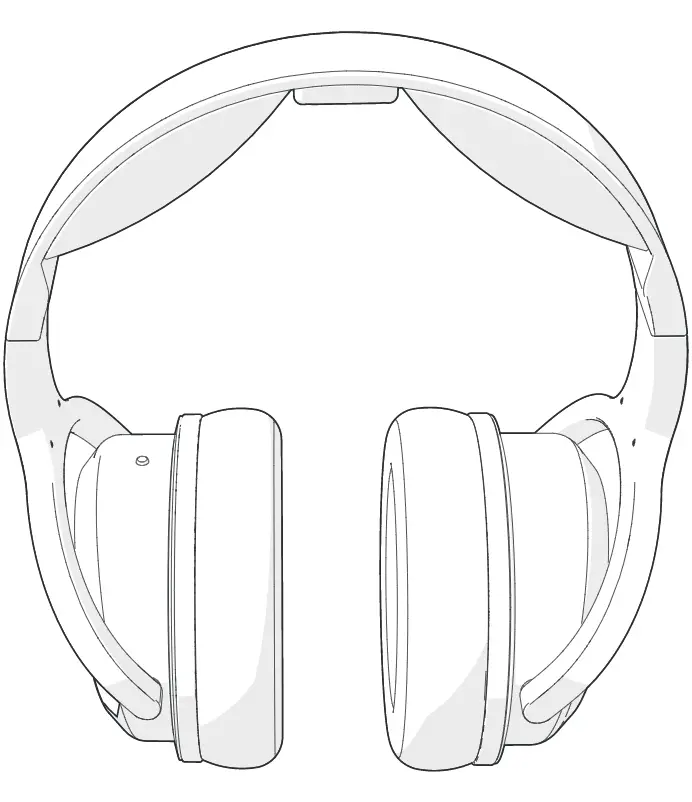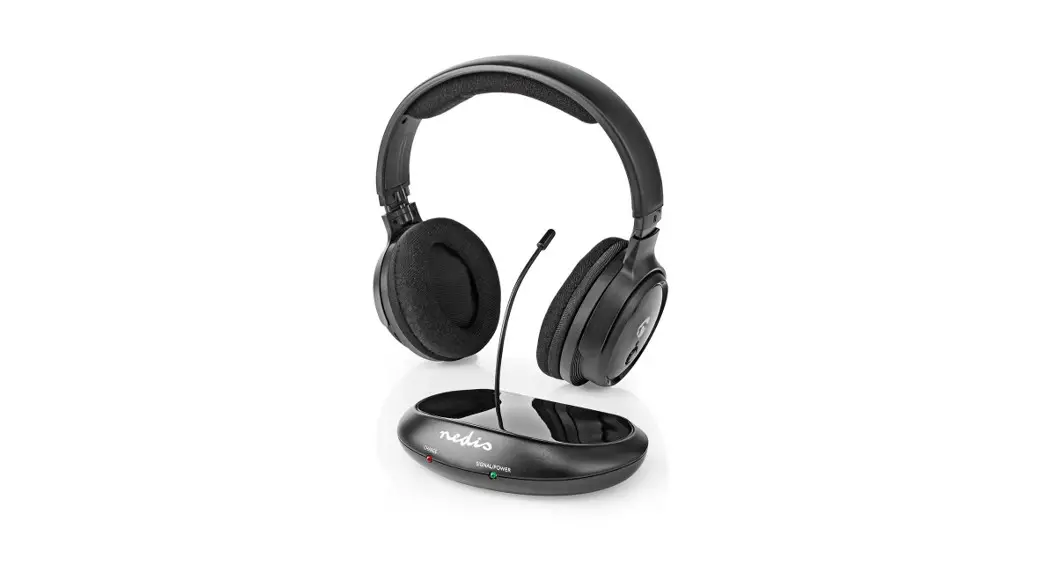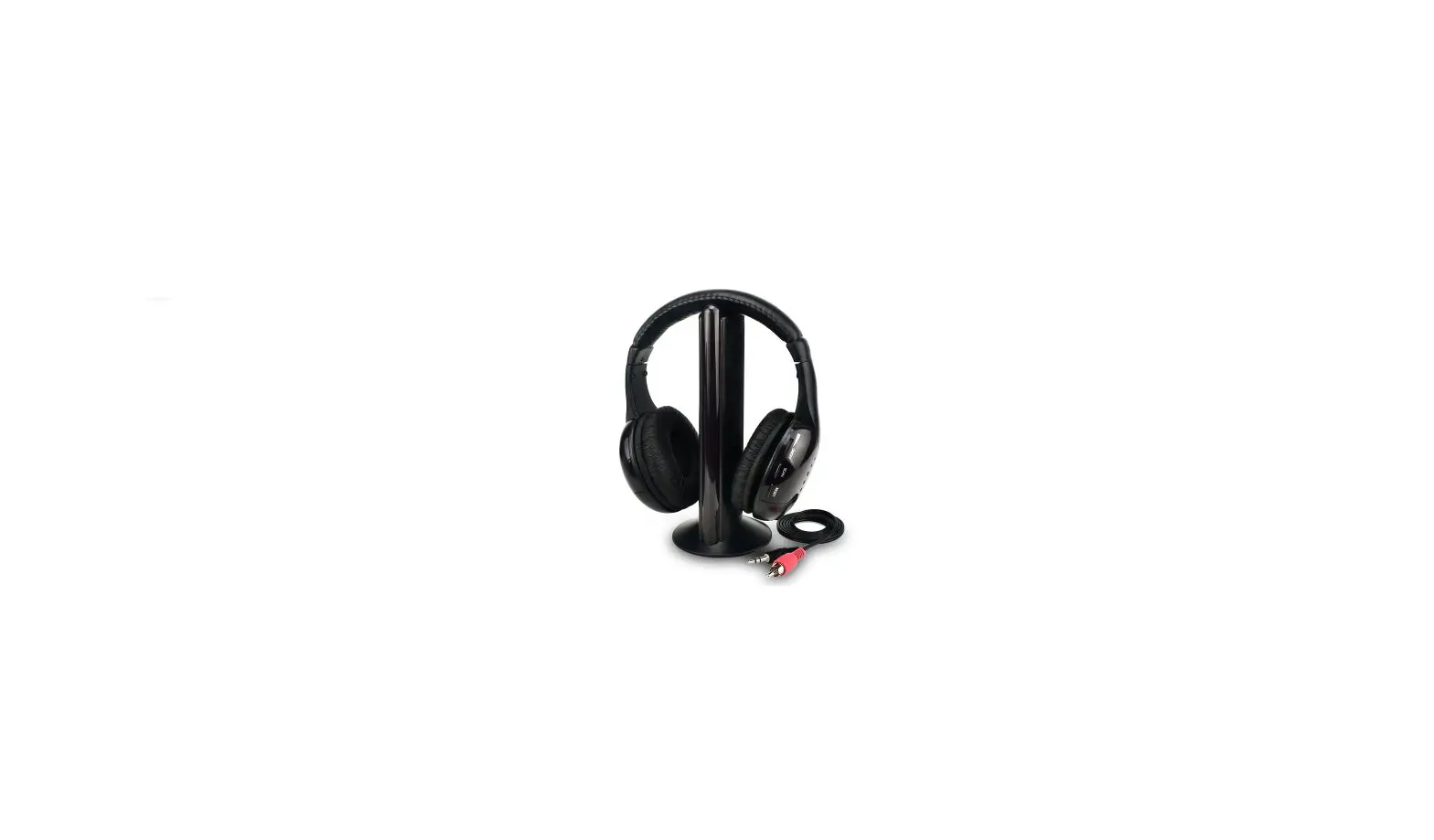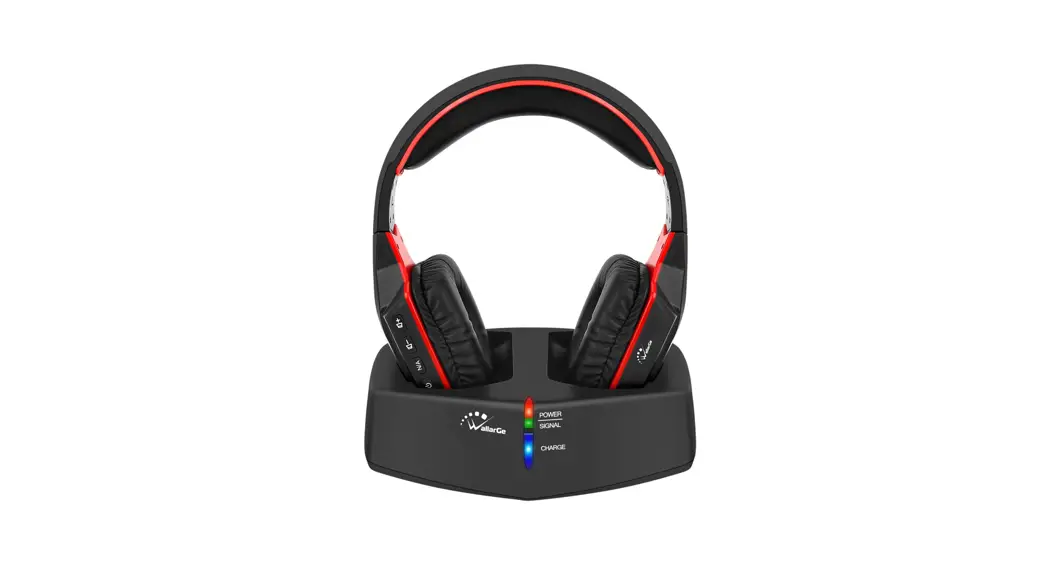
 Wireless Headphones with 5.8 GHz
Transmitter/Charging Dock
(Model: HPOOS)
User Manual
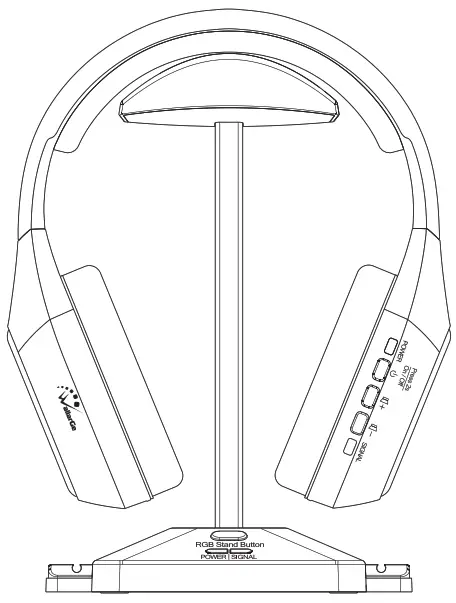
Thank you for choosing the Wilbarger Wireless Headphones for TV with model HP005. To ensure better using and get best product performance, please read this manual carefully and retain it for future references. Email: [email protected]
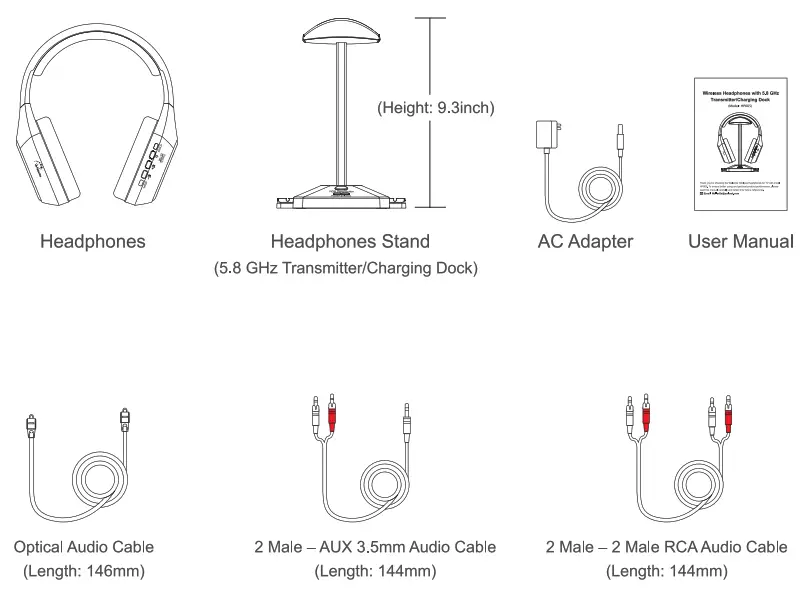
What’s in the box
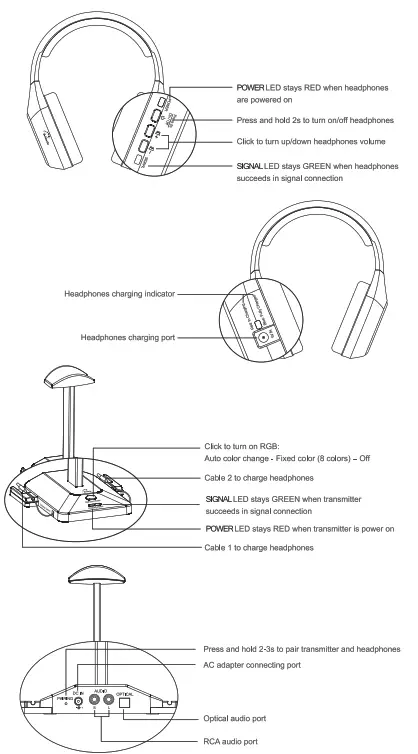
Product Overview
Using Instructions
- Power up the transmitter/charging dock
Connect the transmitter to a compatible power source by AC adapter.
POWER LED on transmitter lights up in RED when transmitter powered on.
- Charge the headphones
Fully charge the headphones prior to the initial use.
Connect the charging cable CD or 2) to charge headphones.
-The LED charging indicator lights up in Red: Headphones are in charging -The LED charging indicator lights up in Blue: Headphones are fully charged
 Take off the charging cable after headphones fully charged.
The battery inside of headphones is rechargeable Li battery and cannot be taken out. - Connect the transmitter/charging dock with your TV
Check your TV output options before setting up.
HP005 works with OPTICAL output, AUX 3.5mm output, and RCA output (labeled “AUDIO OUT”, Not AUDIO IN/ VEDIO IN/ COMPONENT IN). Connect transmitter with your TV by appropriate cable according to your TV ports, SIGNAL LED on transmitter lights up in GREEN when connected well.
Turn on headphones by press and hold for 2s, then the headphones will automatically connect to the transmitter, POWER LED on headphones lights in RED and SIGNAL LED on headphones lights up in GREEN.
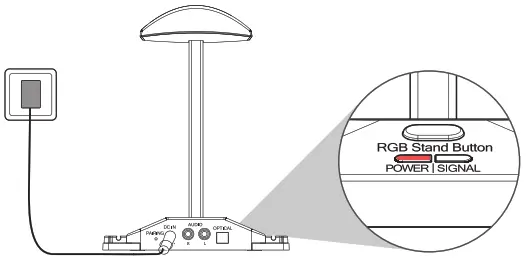
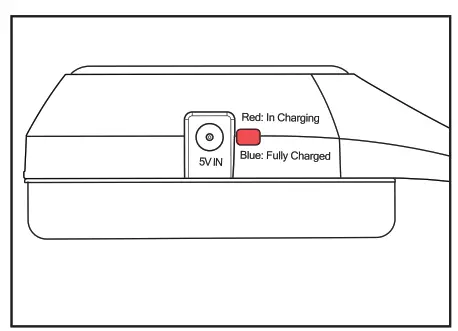 -The LED charging indicator lights up in Blue: Headphones are fully charged
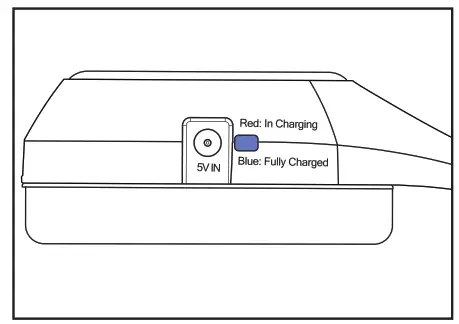 Take off the charging cable after headphones fully charged.
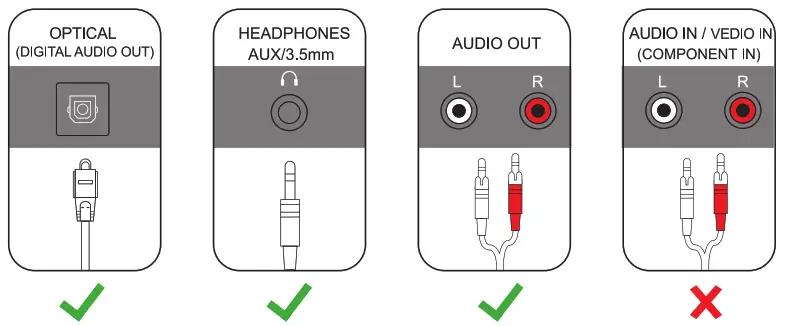 Connect transmitter with your TV by appropriate cable according to your TV ports, SIGNAL LED on transmitter lights up in GREEN when connected well.
 for 2s, then the headphones will automatically connect to the transmitter, POWER LED on headphones lights in RED and SIGNAL LED on headphones lights up in GREEN.
TVs with OPTICL/ DIGITAL AUDIO OUT
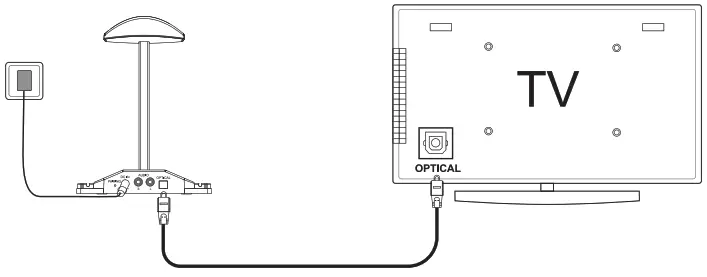
Connect transmitter with TV by Optical Audio Cable.
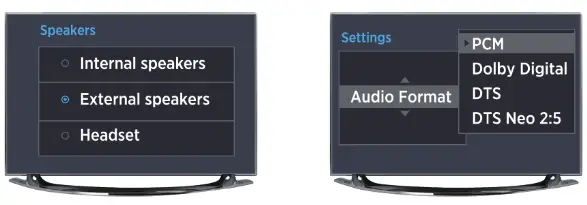
In this case you should be able to hear sound from headphones. If not,
* Ensure your TV Speaker is set to “External Speaker”
* Ensure TV Audio Format is set to “PCM” or “DOLBY/DTS” is “OFF”
TVs with AUX 3.5mm Audio Out
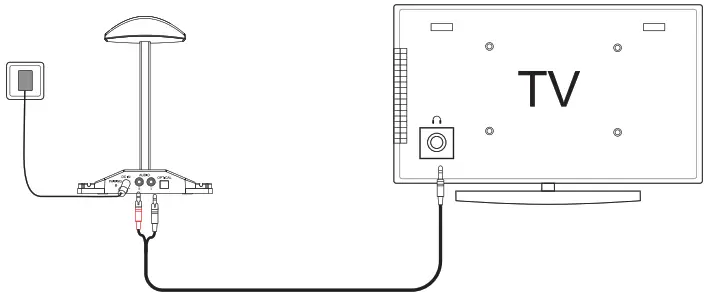
Connect transmitter with TV by 2 Male – AUX 3.5mm Audio Cable.
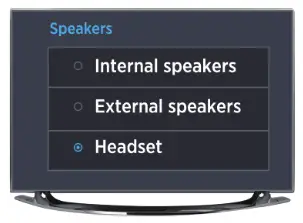
In this case you should be able to hear sound from headphones. If not,
* Ensure TV Speaker is set to “Headset”.
TVs with RCA Audio Out (Red/White ports labeled “AUDIO OUT”)
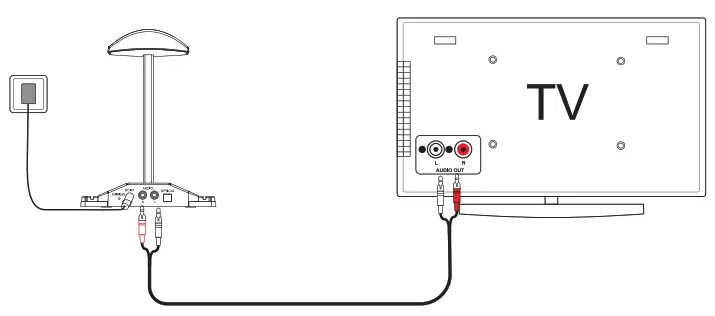
Connect transmitter with TV by 2 Male -2 Male RCA Audio Cable.
In this case you should be able to hear sound from headphones. If not, *Ensure TV Red/White ports labeled “AUDIO OUT”, Not AUDIO IN/ VEDIO IN / COMPONENT IN.
*Ensure your TV Speaker is set to “External Speaker”.
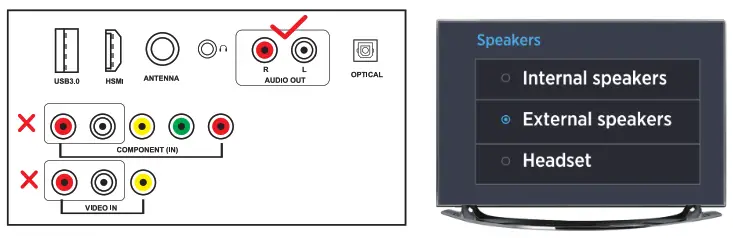
The setting menu may be different depending on different TV brands and models.
For each connection with no sound, you may contact TV manufacture support and ask how to set your TV audio out to the port you are using.
Tips
Paring
The headphones and transmitter are paired well before shipping, there is no need to pair when using.
In case they are not paired well, the GREEN SIGNAL LED on headphones keeps blinking. Then please pair them manually:
- Make sure transmitter is power on and connected well with TV.
- Press and hold
 at the back of transmitter for 2-3 seconds, release it when GREEN SIGNAL LED on transmitter blinks.
 - Press and hold the two volume buttons
 + -on headphones at the same time, release them when SIGNAL LED on headphones stays in GEREN with a beep “Di”, paring is done.
 at the back of transmitter for 2-3 seconds, release it when GREEN SIGNAL LED on transmitter blinks.
 +
+ Signal Pause
When signal paused for more than 3 minutes with good connection, for example, the TV has not been on for more than 3 minutes, SIGNAL LED on transmitter will be off, SIGNAL LED on headphones keeps blinking. They will work again automatically when signal is back.
Better Reception
HP005 uses advanced 5.8 GHz wireless audio transmission technology, easy to avoid the interference of other signals, ensure long transmission distance (within a radius of 30 meters) and stereo high-fidelity sound quality.
Even within the work range, there may be some “dead spots” where the RF signal cannot be received. This issue is inherent with RF signals and does not indicate a faulty product. Just slightly move the transmitter and the “dead spot” can be corrected.
Customer Support & Warranty
30-day money-back guarantee for any reason
For 30 days after the date of purchase, return your undamaged WallarGe product and receive a full refund for any reason.
12-month warranty for quality-related issues
For 12 months after the date of purchase, we take care of all quality-related issues with a REPLACEMENT.
Free support
Not sure how to get your Wilbarger product to work properly? Contact our support team for quick solutions at [email protected]
FCC Warning:
This equipment has been tested and found to comply with the limits for a Class B digital device, pursuant to part 15 of the FCC Rules. These limits are designed to provide reasonable protection against harmful interference in a residential installation. This equipment generates, uses and can radiate radio frequency energy and, if not installed and used in accordance with the instructions, macaques harmful interference to radio communications. However, there is no guarantee that interference will not occur in a particular installation. If this equipment does cause harmful interference to radio or television reception, which can be determined by turning the equipmentoff and on, the user is encouraged to try to correct the interference by one or more of the following measures:
- Reorient or relocate the receiving antenna.
- Increase the separation between the equipment and receiver.
- Connect the equipment into an outlet on a circuit different from that to which the receiver is connected.
- Consult the dealer or an experienced radio/TV technician for help.
Caution: Any changes or modifications to this device not explicitly approved by manufacturer could void your authority to operate this equipment.
This device complies with part 15 of the FCC Rules. Operation is subject to the following two conditions:
- This device may not cause harmful interference, and
- this device must accept any interference received, including interference that may cause undesired operation.
This equipment complies with FCC radiation exposure limits set forth for an uncontrolled environment. This equipment should be installed and operated with minimum distance 20cm between the radiator and your body.