 REC 300 Digital Receiver
Instruction Manual
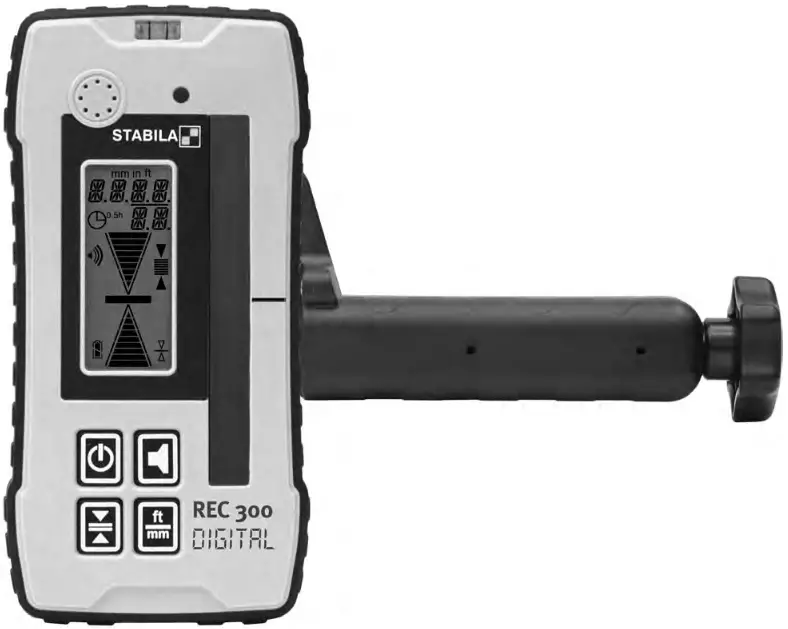
Receiver REC 300 Digital
Operating instructions
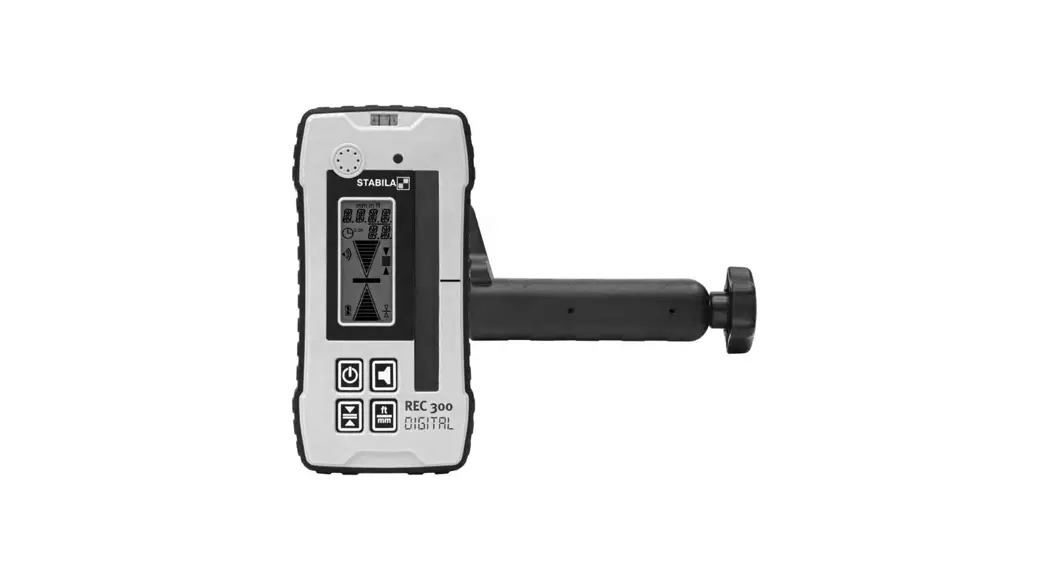
The STABILA REC 300 Digital is a simple-to-use receiver for the rapid capture of rotating lasers. The REC 300 Digital receiver can receive laser beams from rotation lasers, even when these are invisible to the naked eye.
The distance to the “on line“ position is indicated digitally.
We have endeavoured to explain the unit‘s handling and functioning in as clear and comprehensible manner as possible. If, however, you still have any unanswered questions, we should be pleased to provide advice over the telephone at any time on the following telephone number: +49 / 6346 / 309-0
Main components
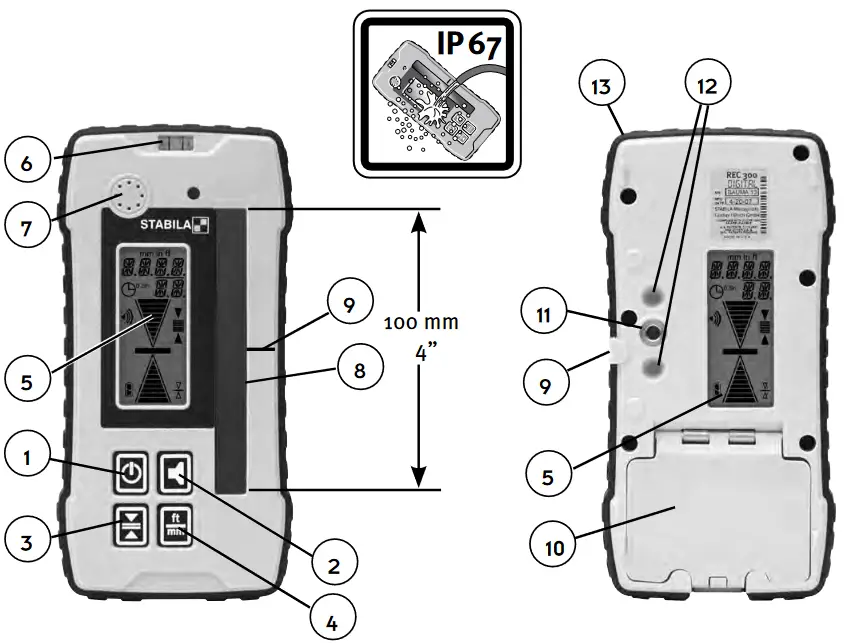
- ON/OFF button
- Volume button
- Accuracy button
- Measuring unit button
- LCD
- Vial
- Beeper
- Laser receiver glass 100 mm / 4”
- “In line” marks
- Battery compartment cover
- Fixing thread for the clamp
- Clamp Guides
- Shock protection
Getting started
Press the ON/OFF button (1). An audio signal and a short flash from the display will confirm, that the instrument is switched on. The instrument will now calibrate itself.
Height difference display: analogue
20 display steps indicate the divergence from the centre of the laser line. The central bar indicates the “in line” position of the REC 300 Digital. The arrow increases in size as the distance from the “in line” position increases.
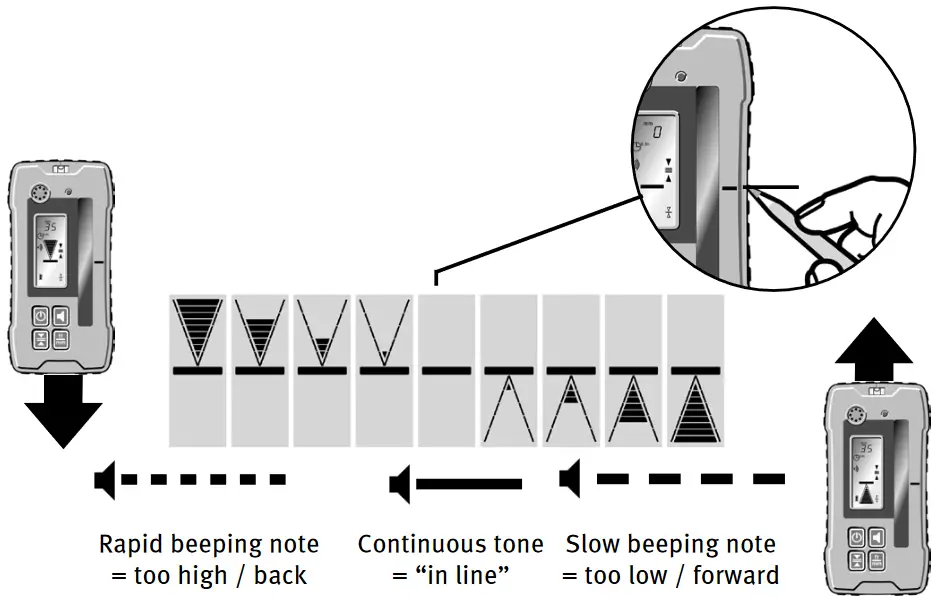
Audio signals Setting the volume
The volume is increased/decreased by repeatedly pressing the button (2): Loud (a), soft (b) or off.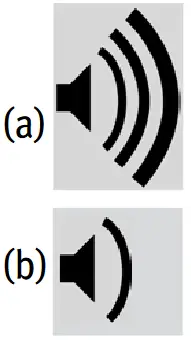 If the instrument is set to “silent” only a short beep is emitted when the laser beam is received.
Height difference display: digital
The distance to the “on line“ position is indicated by digital figures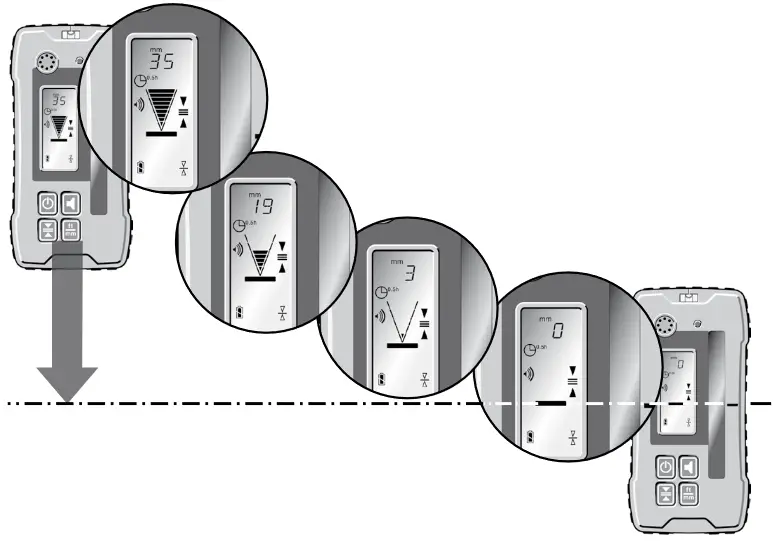
Measuring modes
| Setting the accuracy level | The icons appear permanently |  | |
 | The display appears only briefly 1 sec 1 sec | Fine ± 1,0 mm ± 0,05 in ± 1/16 in ± 0,005 ft | Coarse ± 5,0 mm ± 0,2 in ± 1/4 in ± 0,02 ft |
The setting selected remains in memory after the unit is switched off.
Setting the measuring unit
The display appears only briefly 1 sec
Replacing the batteries
LCD
 | Full: Batteries OK |
 | Half: Initial Warning |
 | Empty: Approximately 30 Minutes Remaining |
 | Flashing: Change Batteries! |
Slide the battery cover (10) in the direction of the arrow and insert new batteries in accordance with the symbols in the battery compartment.
2 x 1,5V
Mignon cells Alkaline, Size AA, LR6
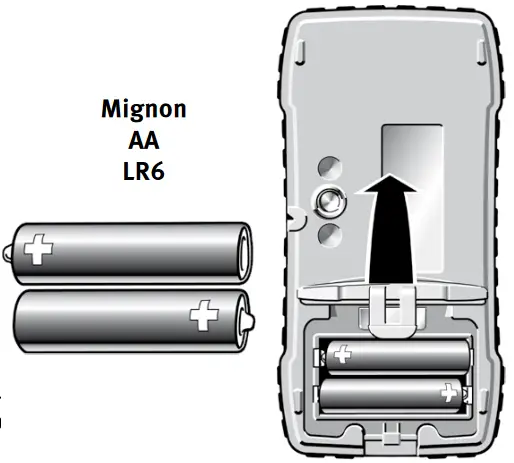
 Remove the batteries if the unit will not be used for a long period !
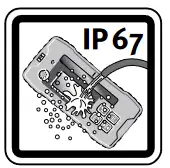 Battery compartment cover. Water-tight. Protection against water and dust is ensured by the pressure of the cover against the seal. IP 67.
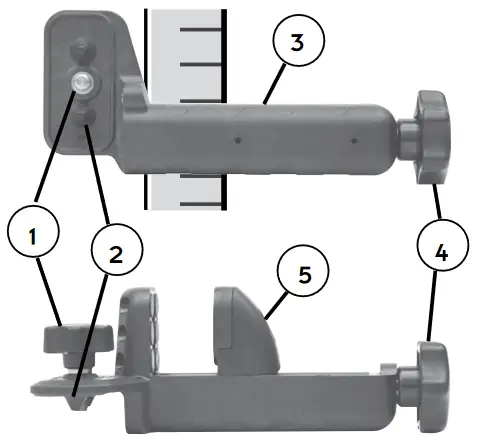
Bracket
- Securing screw – for securing to the rear side of the receiver.
- Guide cones – assist in quickly and securely fixing the bracket to the receiver.
- Reading reference

- Securing knob. Turning the securing knob fixes / releases the clamp with the receiver to/from the levelling staff.
- Moveable clamping jaw – for fixing to the levelling staff.
Care and maintenance
Cleaning: Please do not remove dust and dirt from the receiving or display window by using dry cloths or abrasive materials as this procedure scratches the windows. A soft cloth and mild soap and water are effective.
The unit may be submerged under water or sprayed with a low pressure hose if necessary. Do not use any other fluids other than water or glass- cleaner, as they may attack polymer components.
Prohibited Uses
– Operation without instruction.
– Operation other than the intended uses.
– Opening the detector, except the battery compartment.
– Modification or conversion of the detector.Important information
– The person in charge of the detector must understand the instructions in this manual and ensure other users do also.
– Periodically carry out test measurements, particularly after the detector has been subjected to abnormal use and before and after important measurements.
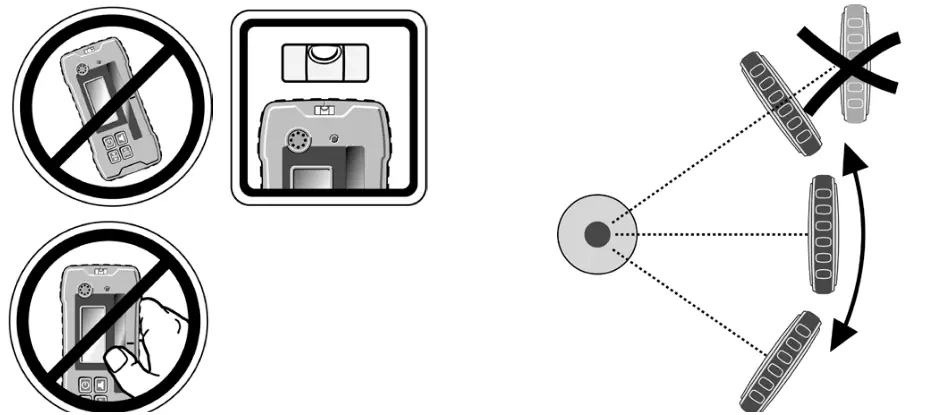
Positioning and adjustment of the instrument.
When setting up the instrument, take care that the laser beam does not produce any unwanted reflections from reflective surfaces.
These reflections may also be captured by the receiver and produce incorrect readings.
Recycling programme for our EU customers: In accordance with the WEEE regulations, STABILA provides a disposal programme for electronic products at the end of their service
life. For more details, please contact: +49 / 6346 / 309-0
Technical data
| Accuracy | ||||
| Fine: | ± 1,0 mm | 0,05 in | 1/16 in | 0,5/100 ft |
| Coarse: | ± 5,0 mm | 0,20 in | 1/4 in | 2,0/100 ft |
| Detectable Spectrum: | 610 nm – 780 nm | |||
| Beeper Volumes: | Loud: ~ 105 dBA Low: ~ 85 dBA | |||
| Batteries: | 2 x 1,5V Mignon cells Alkaline , Size AA,LR 6 | |||
| Operating life: | 70 hours | |||
| Automatic Shut Off: | 30 minutes | |||
| Operating temperature range: | -20°C to +60°C | |||
| Storage temperature range: | -40°C to +70°C | |||
Subject to technical modifications.
09 2022
STABILA Messgeräte
Gustav Ullrich GmbH
Landauer Str. 4576855 Annweiler Germany www.stabila.com
 Languages - STABILA Messgeräte Gustav Ullrich GmbH (EN-US)