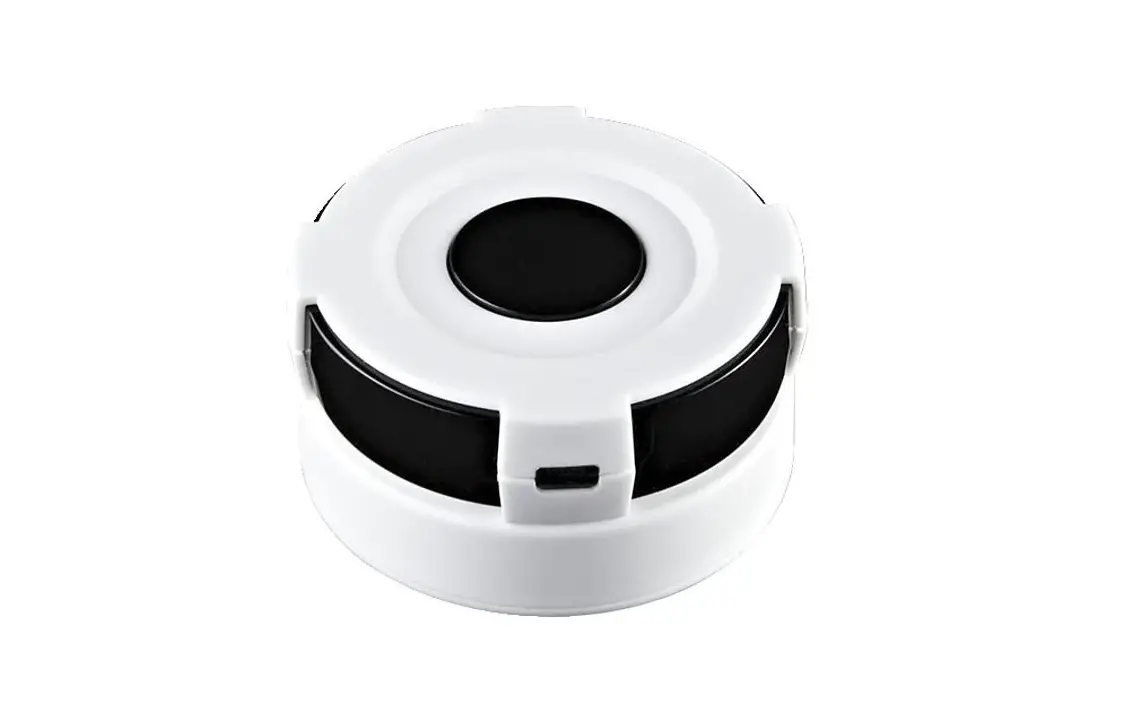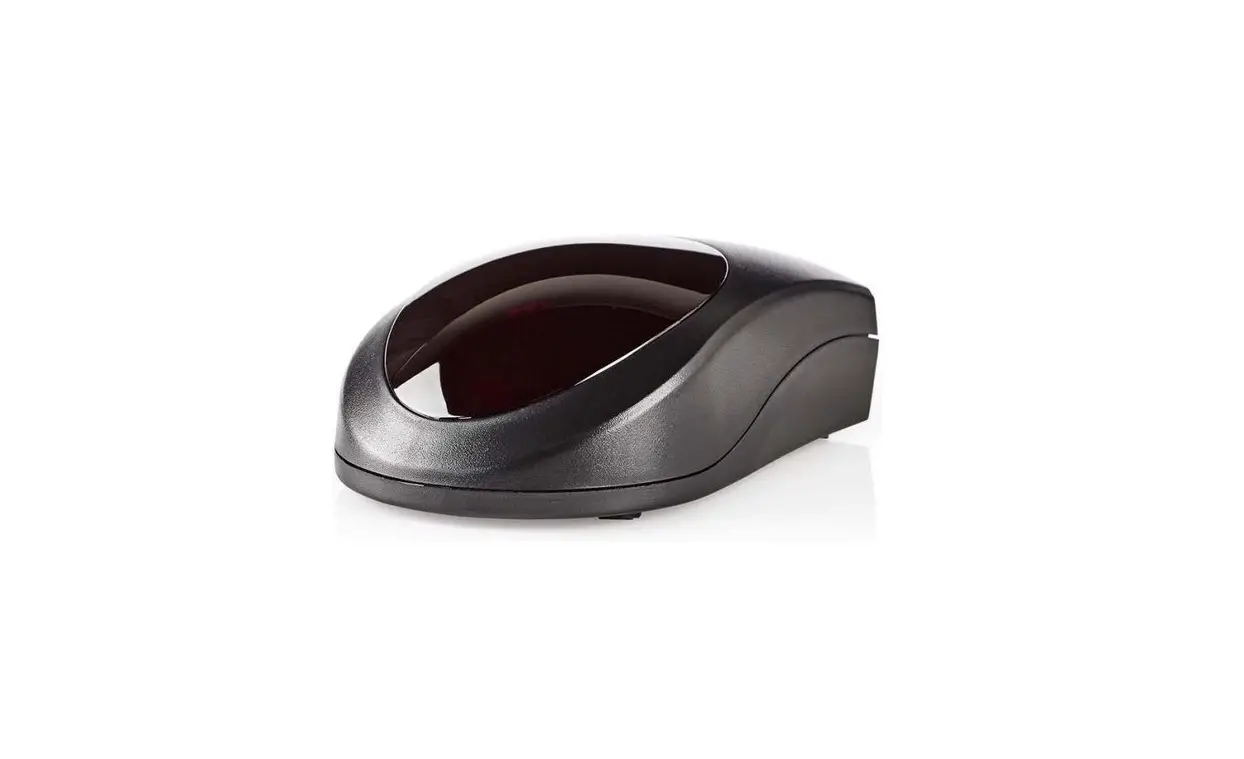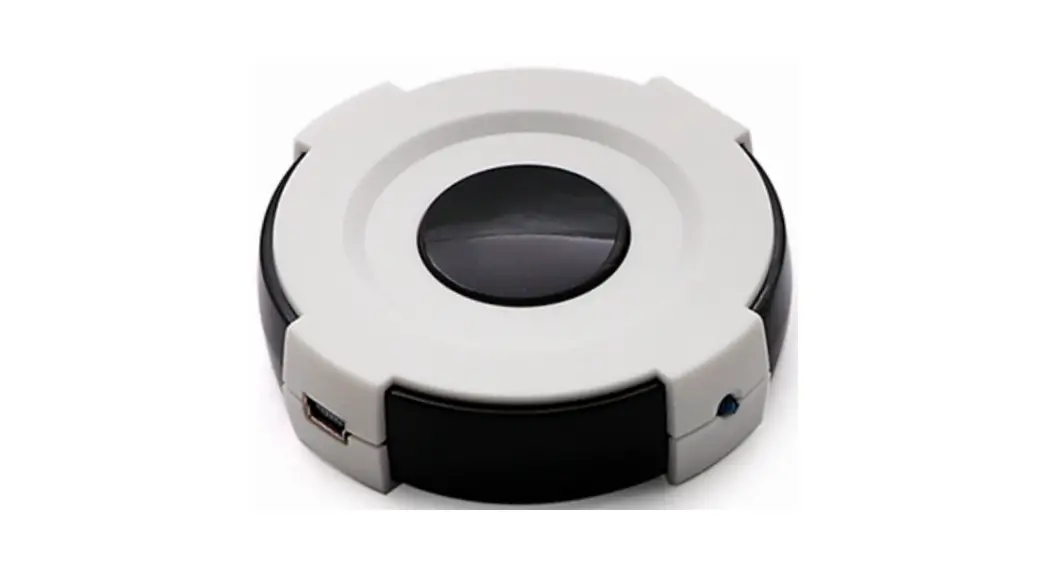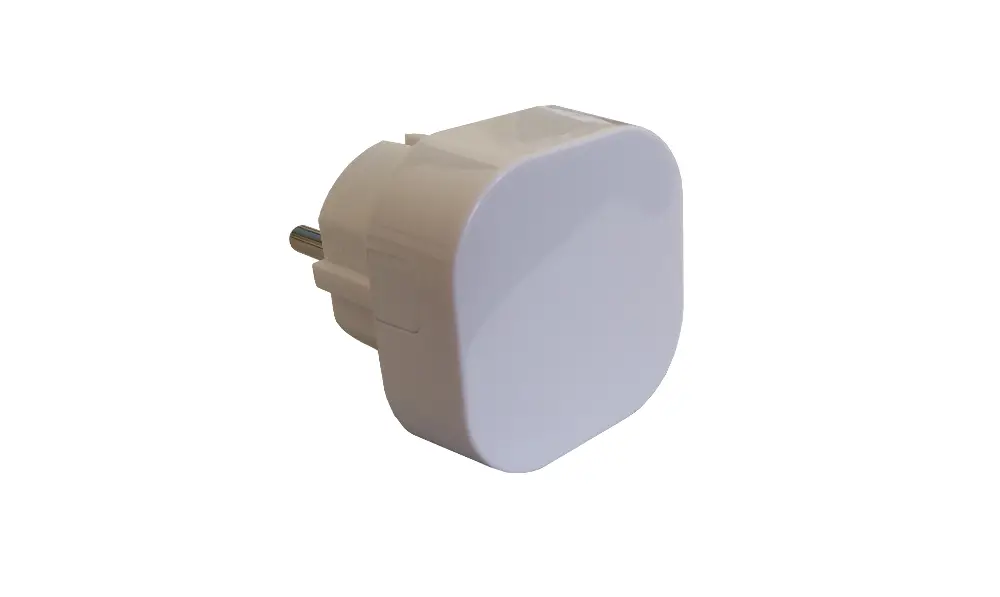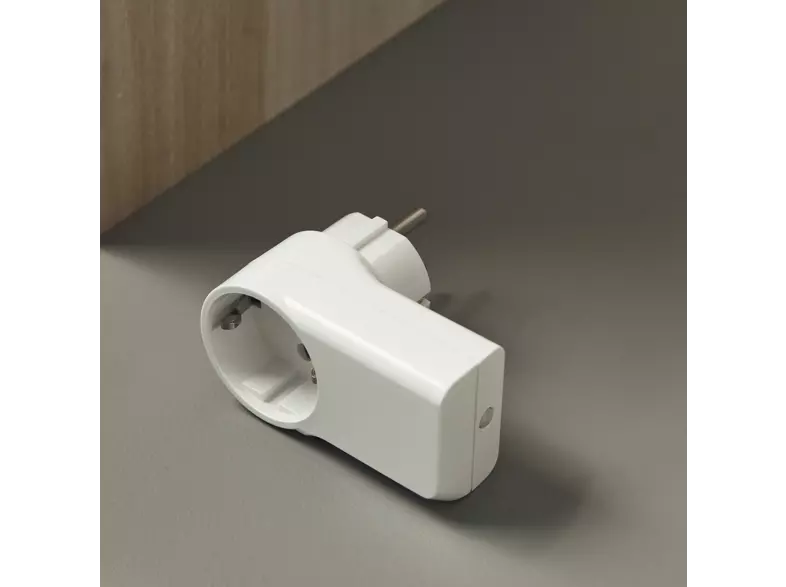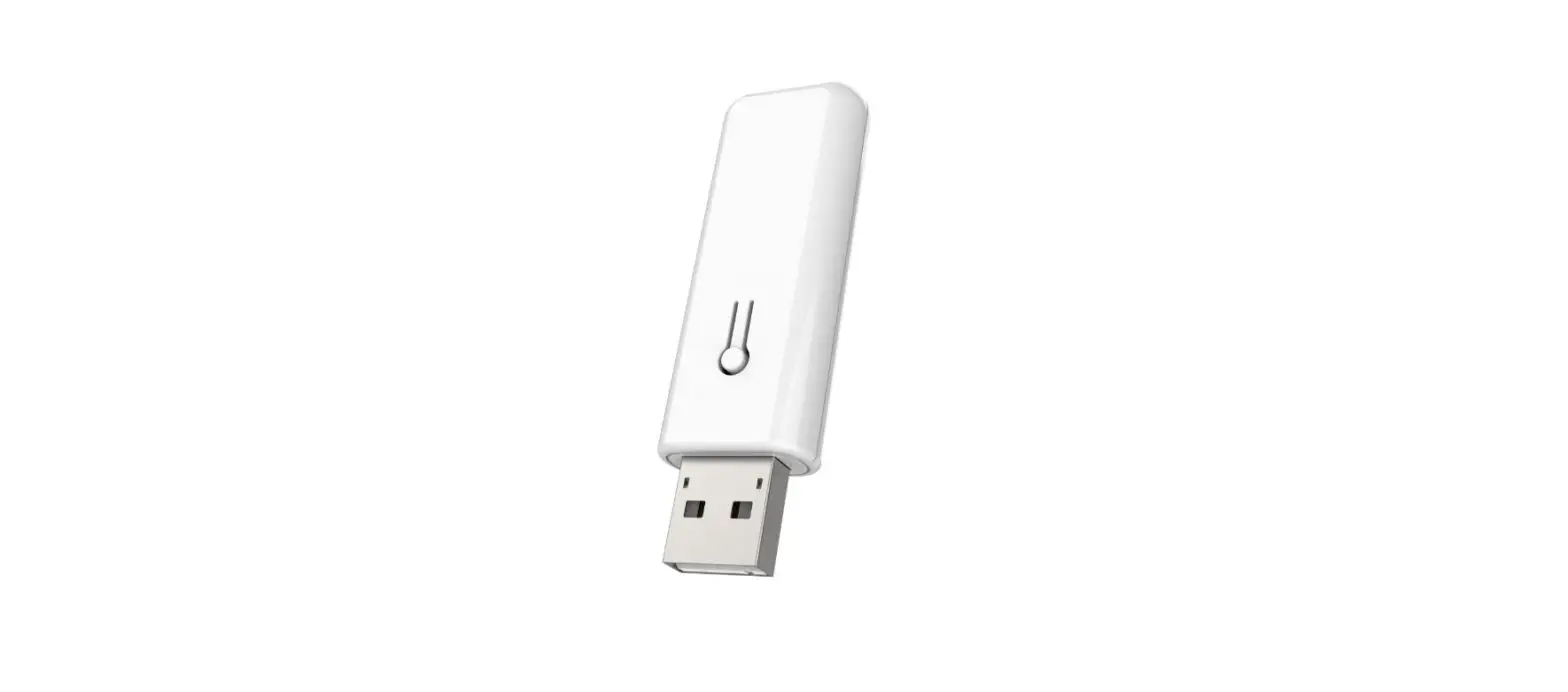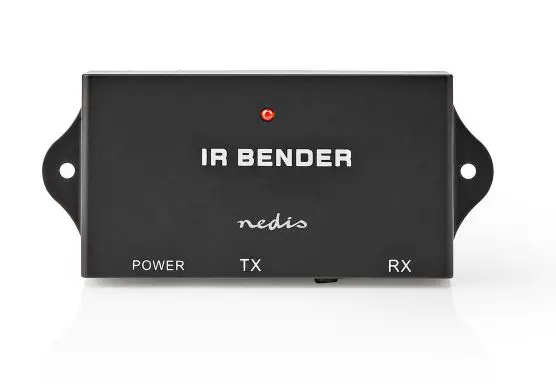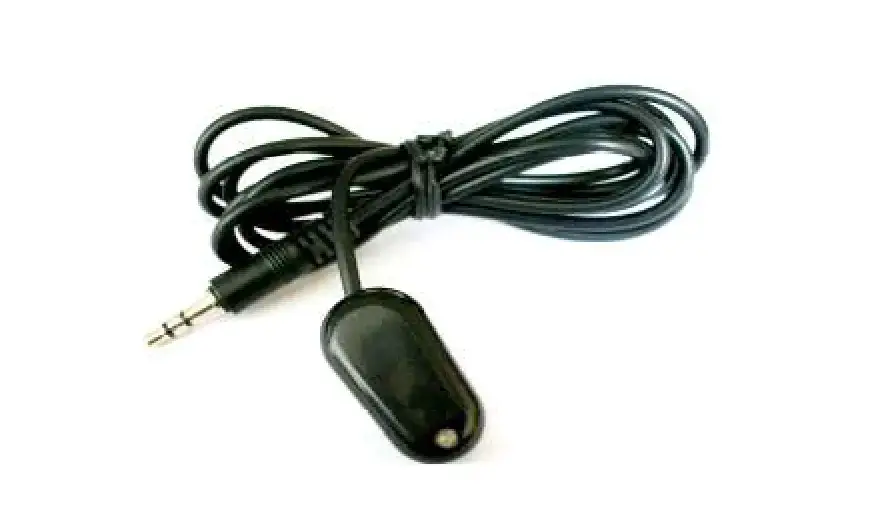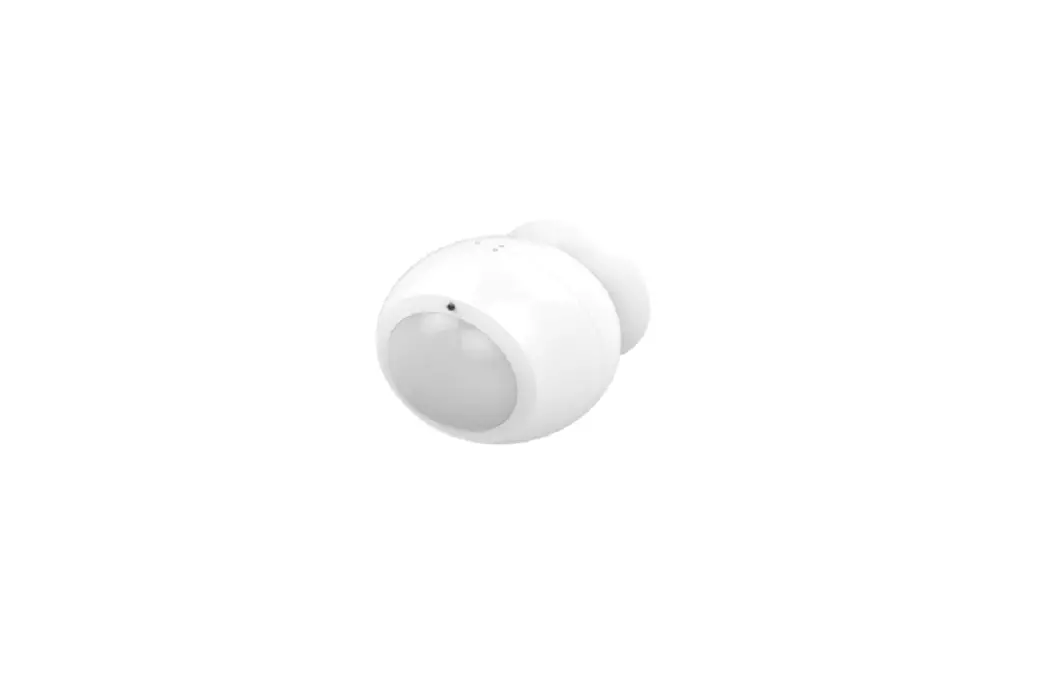
Z-Wave IR Extender PAR01 User Manual

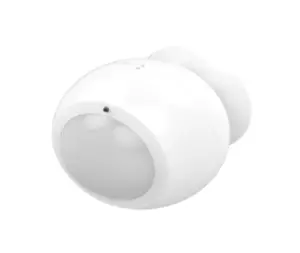
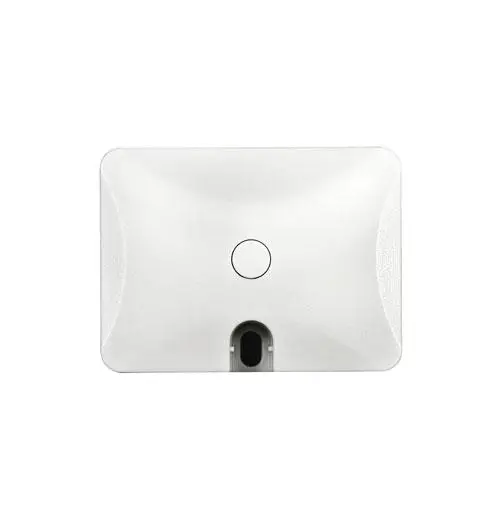
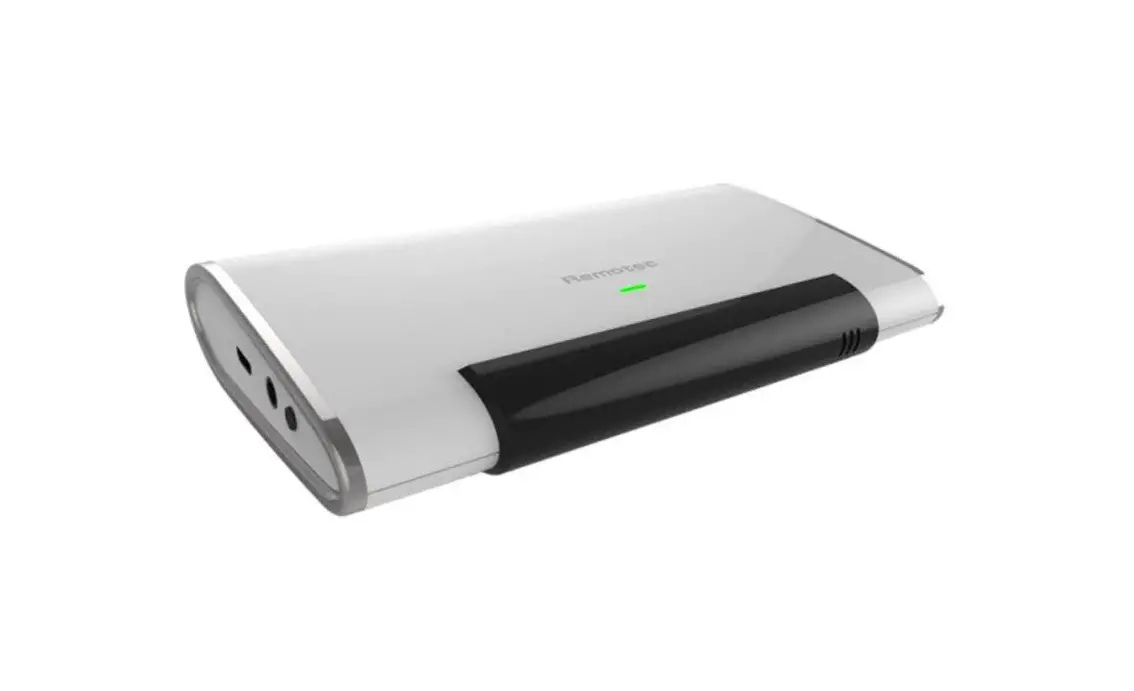
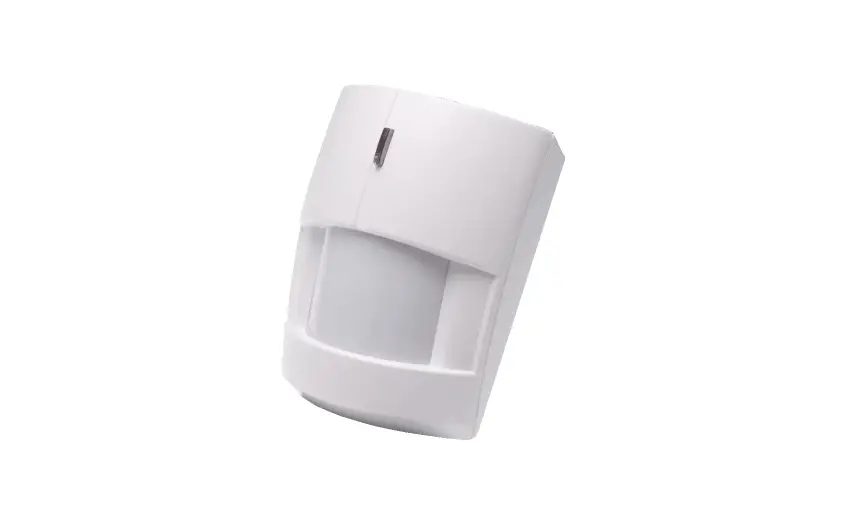
PAR01, is a Z-Wave plus compliant Z-Wave-to-IR Bridge to control split air conditioner by receiving Z-Wave command and translating to Infrared command. With its comprehensive built-In and cloud-stored IR database (library). PAR01 can control different brands and models of air conditioners worldwide.
PAR01 is a security enabled Z-Wave plus device. A security Enabled Z-Wave Plus Controller must be used in order to fully utilize the product.
PAR01 is a Z-Wave slave device, it depends on gateway to setup particular AC brand with correct IR code. Different gateway has different user interface for setup.
This product can be included and operated in any Z-WaveTM network with other Z- WaveTM certified devices from other manufacturers and/or other applications. All non-battery operated nodes within the network will act as repeaters regardless of vendor to increase reliability of the network.
The device adopts the Z-WaveTM 500 series chip, when your Z-WaveTM network system is all made by Z-WaveTM 500 series devices.
The network system will have the advantages as below.
Specification
| Rated | 3VDC (CR123A lithium battery) |
| RF distance | Min. 40M indoor, 100M outdoor line of sight, |
| RF Frequency | 868.40 MHz, 869.85 MHz (EU) 908.40 MHz, 916.00 MHz (US) 920.9MHz, 921.7MHz, 923.1MHz (TW/KR/Thai/SG) |
| RF Maximum Power | +5dBm |
| Dimension | 89*83*62 mm |
| Weight | 91.4g |
| Location | indoor use only |
| Operation temperature | 0 to 40 ℃ |
| Humidity | 85%RH max |
CAUTION
– replacement of a battery with an incorrect type that can defeat a safeguard (for example, in the case of some lithium battery types);
– disposal of a battery into fire or a hot oven, or mechanically crushing or cutting of a battery, that can result in an explosion;
– leaving a battery in an extremely high temperature surrounding environment that can result in an explosion or the leakage of flammable liquid or gas;
– a battery subjected to extremely low air pressure that may result in an explosion or the leakage of flammable liquid or gas
The marking information is located at the bottom of the apparatus.
Troubleshooting
| Symptom | Cause of Failure | Recommendation |
| The device can not join to Z-Wave™ network | The device may in a Z- Wave™ network. | Exclude the device then include again. |
For Instruction to http:// www.philio-tech.com

Overview
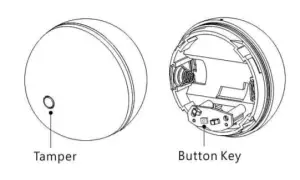
Adding to Z-WaveTM Network
In the first time, activate the device through battery, then it can be added into the Z-WaveTM network. First, make sure the primary controller is in the add mode. And then power on the device.
| Function | Description |
| Add | 1. Have Z-WaveTM Controller entered add mode. 2. Press the add key in the casing three times 3. After add successful, the device will wake to receive the setting command from Z-WaveTM Controller about 20 seconds. |
|
Remove | 1. Have Z-WaveTM Controller entered remove mode. 2. Press the add key in the casing three times 3. Hold down the central key, then press the top-right key three times within 1.5 seconds to enter the remove mode.Node ID has been excluded. |
|
Reset | Notice: Use this procedure only in the event that the primary controller is lost or otherwise inoperable. 1. Long Press the “PROG” key 15 seconds, the LED will green light ON 2. Then release the “PROG” the LED will green twice. |
|
Association | Please consult your Gateway supplier for more detail. Normally, User can ignore this step during the setup. PAR01 supports 1 association group Association Group #1 Association Group #1 (max. 1 node) is default to associate with the primary controller (Gateway/Hub/Controller) for AC Master Status change report, refer to below for report details: • Current Room Temperature (report in precision of |
| 0.5°C or 1°F) (It will be according to Configuration Parameter 39 setting to decide the trigger level) • Current Battery Level (Only apply in Low Battery Warning happened) • Device Reset Locally Notification (Only report when the AC Master has been triggered the RESET TO DEFAULT) | |
| · Including a node ID allocated by Z-WaveTM Controller means “Add” or “Inclusion”. Excluding a node ID allocated by Z- WaveTM Controller means “Remove” or “Exclusion”. · Failed or success in including/excluding the node ID can be viewed from Z-WaveTM Controller. | |
Notice 1: The device can not work normally in the first time. Please make sure the battery is full before the first use.
Notice 2: Always RESET a Z-WaveTM device before trying to add it to a Z-WaveTM network.
Get Started
Step 1 Apply Power to PAR01
- Open the PAR01 Casing
- Install CR123A batteries
- PAR01 will detect the first applied power source to decide what
- Wave device role it will be in after included into the Z-Wave gateway: battery= sleeping device (FLiRS mode).
- Once the PAR01 is included into a Z-Wave network, the working mode (sleeping or awake) cannot be changed, unless it is excluded and re-apply the power.
- PAR01 can be included and operated in any Z-Wave network with other Z-Wave certified devices from other manufacturers and/or other applications. All non-battery operated nodes within the network will act as repeaters regardless of Vendor to increase.
reliability of the network.
Step 2 Include PAR01 to a Z-Wave Gateway
Step Procedure / Description Status Indicator
- Refer to your primary controller to enter into the Inclusion Mode or Exclusion Mode
- When it is prompted to enter it, please triple click the “PROG” button within 1 Green Indicator flashes TWICE then stay off
Notes:
- It is recommended to perform the Remove (Exclude) procedure before performing an Add (Include) procedure.
- Red Indicator flashes TWICE then stay off to represent the Add / Remove process failed, please repeat the above step again.
Step 3 Setup Automatic Status Report Association to Gateway
- Please consult your Gateway supplier for more detail. Normally, User can ignore this step during the setup. PAR01 supports 1 association group
Association Group #1 Association Group #1 (max. 1 node) is default to associate with the primary controller (Gateway/Hub/Controller) for the Status change report, refer to below for report details: - Current Room Temperature (report in precision of 0.5°C or 1°F) (It will be according to Configuration Parameter 39 setting to decide the trigger level)
- Current Battery Level (Only apply in Low Battery Warning happened)
Step 4 Setup Air Conditioner IR code
- The UI of set up the IR code varies from different gateways. If gateways have dedicated UI for the IR code setup please refer to the gateway UI and ignore the below steps.
- If your gateway does not have dedicated UI for PAR01 code setup, but support Z-Wave thermostat Command Class and Configuration Command Class. You may refer to below steps to setup the IR code using the configuration options in your gateway.
Important Information
- Different brand or model of air conditioner has different For example, some air conditioner only support temperature set from 18°C – 30°C, if user set 17°C on gateway, AC Master will not respond.
- There are more than 1 code for each brand, some does not support Heat, if User selected a code that does not support Heat but Original air conditioner supports Heat Function, please continue to try next code until the correct one is selected.
- You can record down your Device Code for future reference after setting up the PAR01 correctly.
IR Code Learning
Step Procedure / Description Status Indicator
- Refer to your primary controller user manual, enter to the browser page that can input the Configuration parameter
- Look up Below mapping table for learning, and decide the IR setting you intend to learn next.
- Open the Gateway’s Configuration Brower page input parameter number “25” and parameter value (according to below Mapping Table), then complete the Configuration process.
Then Green Indicator still turns ON for indicating the IR Code Learning Start - Aim the Original Air Conditioner Remote at AC Master according to below position within 1-3cm Press “Power ON“ button on the Original
Air Conditioner Remote. If the Learning is failed, repeat Step 3 to step 4
To learn next IR code, repeat Step 2 to step 4. Successful: Green Indicator flashes TWICE Unsuccessful: Red Indicator flashes TWICE. - .Once you finished the IR Code Learning,
please go to Configuration setting page on the Gateway browser and input parameter number “27” and parameter value “000” to select the dedicated AC code number “000” for learning.
Green Indicator flashes ONCE every time if receives a command from Gateway
Tips
- Make sure your Original Remote is in Power OFF Status.
- Make sure your Original Remote set FAN Speed to AUTO and FAN SWING to AUTO/ON
- Press and Hold the Power Key on Original Remote UNTIL AC Master indicate Successful or Not.
- User need at least Learn the OFF (Parameter Value 0), and one Temperature Mode (Parameter Value 2 ~ 28) to complete the usage model.
- Keep away from Incandescent Light or Direct Sunlight during learning.
- Make sure IR Transmitter of your Original Remote alight with learning diode of AC Master, you may also slight adjust closer or further away the distance of two devices. Some of Remotes the IR transmitter in hidden behind lens and may not installed center. of remote.
- Make sure the power is good on both devices, especially the Original remote. Use Fresh Batteries in both devices recommended.
IR Learning Mapping Table (Parameter Number 25)
| Parameter Value (Storage Location) | Thermostat Command & IR Setting | |
| Storage in Celsius Unit | Storage in Fahrenheit Unit | |
| 0 | OFF | OFF |
| 1 | ON(Resume) | ON(Resume) |
| 2 | 17°C COOL | 63°F COOL |
| 3 | 18°C COOL | 64°F COOL |
| 4 | 19°C COOL | 66°F or 67°F COOL |
| 5 | 20°C COOL | 68°F or 69°F COOL |
| 6 | 21°C COOL | 70°F or 71°F COOL |
| 7 | 22°C COOL | 72°F or 73°F COOL |
| 8 | 23°C COOL | 74°F or 75°F COOL |
| 9 | 24°C COOL | 76°F COOL |
| 10 | 25°C COOL | 77°F or 78°F COOL |
| 11 | 26°C COOL | 79°F or 80°F COOL |
| 12 | 27°C COOL | 81°F or 82°F COOL |
| 13 | 28°C COOL | 83°F or 84°F COOL |
| 14 | 29°C COOL | 85°F COOL |
| 15 | 30°C COOL | 86°F COOL |
| 16 | 17°C HEAT | 63°F HEAT |
| 17 | 18°C HEAT | 64°F HEAT |
| 18 | 19°C HEAT | 66°F or 67°F HEAT |
| 19 | 20°C HEAT | 68°F or 69°F HEAT |
| 20 | 21°C HEAT | 70°F or 71°F HEAT |
| 21 | 22°C HEAT | 72°F or 73°F HEAT |
| 22 | 23°C HEAT | 74°F or 75°F HEAT |
| 23 | 24°C HEAT | 76°F HEAT |
| 24 | 25°C HEAT | 77°F or 78°F HEAT |
| 25 | 26°C HEAT | 79°F or 80°F HEAT |
| 26 | 27°C HEAT | 81°F or 82°F HEAT |
| 27 | 28°C HEAT | 83°F or 84°F HEAT |
| 28 | 29°C HEAT | 85°F HEAT |
| 29 | 30°C HEAT | 86°F HEAT |
| 30 | DRY Mode | DRY Mode |
| 31 | AUTO Mode | AUTO Mode |
| 32 | FAN Mode | FAN MODE |
Important Information
- After all learning completed, User can go back to the control page on the gateway for normal operation.
- On the Gateway UI, User can only use the Temperature range from the mapping table, OFF, ON(RESUME), COOL, HEAT, DRY MODE, AUTO MODE and FAN MODE.
- If User only learnt ON(RESUME), OFF, or part of the settings according to the above table, PAR01 will send the learnt data to the Air Conditioner only. For example, User only learnt
ON(RESUME),OFF, 22°C COOL, 24°C HEAT, PAR01 will not send the IR Data to Air Conditioner if User set 27°C Cool on the gateway. - User can still use gateway to set up Scene and Schedule with PAR01. For example, to have AC turn on at 23°C every day at 7am, 25°C at 11pm. Just make sure the set code is learnt.
- The learning mapping table is for split Air Conditioner, which Remote Control is with LCD Display. For Window type Air Conditioner (which Remote Control is without LCD Display), the mapping table with temperatures do not apply, due to different type of IR Control Protocol. However, User may still use OFF, ON(RESUME), DRY, AUTO or FAN Key for Learning.
- (Because the POWER key on the Original Remote (without LCD Display) is toggle, user can choose either ON key or OFF key to learn Power key. After Learning is done, press once to turn on the Air Conditioner if the Air Conditioner is OFF, press once to turn OFF if the Air Conditioner is ON)
| Functions | Parameter Number | Parameter Value | Siz ( bytes) |
| Learn IR code | 25 (0x19) | Default: 0x0000 range: (0x0000 to 0x20) refer to learning mapping table in the end of this manaul. | 2 |
| Check IR Code | Default: 0x00 range: 0 to 4 (0x00 to 0x04) 0(0x00) : Idle – IR Channel is idle 1(0x01) : OK – the last learning operation was completed successfully 2(0x02) : Learning – PAR01 is busy |
| Learning Status (Read Only) | 26(0x1A) | processing previous learning request 3(0x03) : Full – All locations are being Used. 4(0x04) : The last learning request was failed Note:The status value 0x01 and 0x04 will be reset to 0x00 after PAR01 receives a get command to this pa- rameter. |
1 |
| Set IR Code learning manually from real remote control | 27 (0x1B) | Default: 0x0001 Please Set 0 (0x0000) | 1 |
| Set Built- in IR Emitter Control ( If there have two or more Air Condition- ers with the same code set that are used in the same room, user can disable | 32 (0x20) | Default: 0xFF 0 or 255 (0x00 or 0xFF) 0(0x00): Disable 255(0xFF): Enable (Default) | 1 |
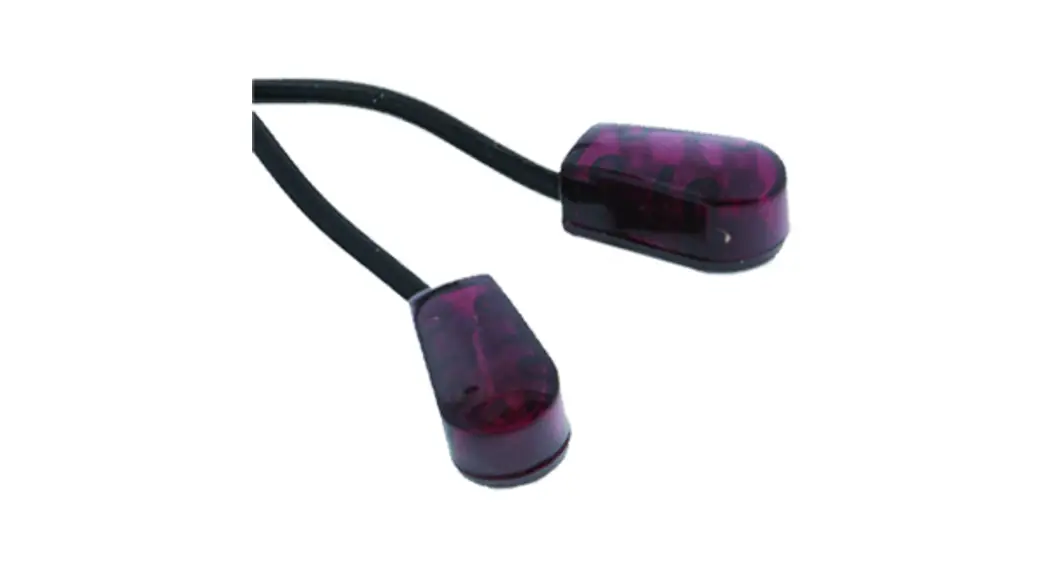
| the built-in IR emitter and use the exter- nal IR emitter cable to control each air conditioner | |||
| Control Air Conditioner | 33 (0x21) | Default: 0x01 Range 0 to 1 (0x00 or 0x01) | 1 |
| “SWING” function | 0(0x00) : Swing OFF 1(0x01) : Swing Auto (Default) |
| Temperature offset value. | |||
| = 0°C | |||
| 0(0x00) | (Default) | ||
| 1(0x01) | = 1°C | ||
| 2(0x02) | = 2°C | ||
| Calibrate | 3(0x03) 4(0x04) | = 3°C = 4°C | |
| temperature | 37 (0x25) | ||
| 5(0x05) | = 5°C | ||
| reading | 255(0xFF) = -1°C | ||
| 254(0xFE) = -2°C | |||
| 253(0xFD) = -3°C | |||
| 252(0xFC) = -4°C | |||
| 251(0xFB) = -5°C | |||
| Temperature offset value. | |||
| = 0°C | |||
| 0(0x00) | (Default) |
| 1(0x01) 2(0x02) | = 1°C = 2°C | ||
|
Set Auto Report Condition Trigger By Room Temperature Change | 30 (0x1E | 0(0x00) = Disable AUTO report func- tion (Default) (for saving battery life) Auto report if room temperature is different from last report. 1(0x01) = 1°F (0.5°C) 2(0x02) = 2°F (1°C) 3(0x03) = 3°F (1.5°C) 4(0x04) = 4°F (2°C) 5(0x05) = 5°F (2.5°C) 6(0x06) = 6°F (3°C) 7(0x07) = 7°F (3.5°C) 8(0x08) = 8°F (4°C) | 1 |
| Auto report by the following time interval. 1(0x01) = 1 Hr 2(0x02) = 2 Hrs | |||
| 3(0x03) = 3 Hrs | |||
| Set Auto Report Condition By Time Interval |
34 (0x22) | 4(0x04) = 4 Hrs
5(0x05) = 5 Hrs
6(0x06) = 6 Hrs |
1 |
| 7(0x07) = 7 Hrs 8(0x08) = 8 Hrs (Default) |
Reset to Factory Default
Press and Hold “PROG” button for 15 seconds on AC Master, the Green Indicator will light up. Then Release the “PROG”
Button until Green Indicator flashes TWICE.
Z-WaveTM Notification
After the device adding to the network, it will wake-up once per day in default. When it wake-up it will broadcast the “Wake Up Notification” message to the network, and wake-up 10 seconds for receive the setting commands.
To wake-up the device immediately, please hold down the program key, and press the top-right key once.
Z-WaveTM Message Report
When the panic triggered, the device will report the trigger event and also report the battery status.
Activate the power
* Battery Power Check
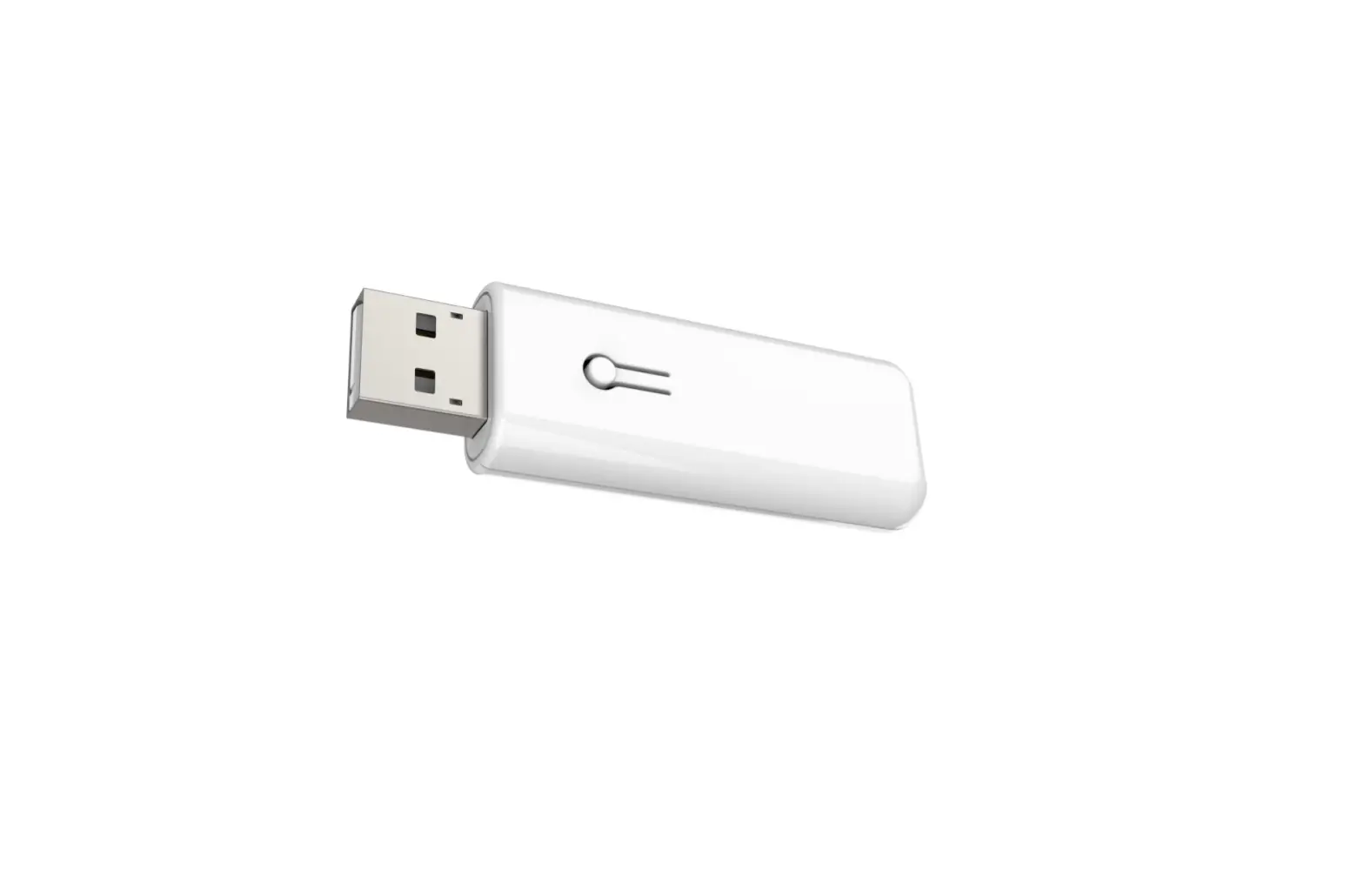
When any keys around the central key is pressed, the device will check the battery power. If the power level is too low, the red LED will flash once after pressing. Please charge the device through micro USB immediately.
Over The Air (OTA) Firmware Update
The device support the Z-Wave firmware update via OTA. Let the controller into the firmware update mode, and then wake up the device to start the update.
After finish the firmware download, the LED will start flash in every 0.5 second. Wait the LED stop flash, the firmware update is succeeded.
Disposal
This marking indicates that this product should not be disposed with other household wastes throughout the EU.
To prevent possible harm to the environment or human health from uncontrolled waste disposal, recycle it responsibly to promote the sustainable reuse of material resources. To return your used device, please use the return and collection systems or contact the retailer where the product was purchased. They can take this product for environmental safe recycling.
Philio Technology Corporation
8F., No.653-2, Zhongzheng Rd., Xinzhuang Dist., New Taipei City 24257,
Taiwan(R.O.C)
www.philio-tech.com
Warning
Do not dispose of electrical appliances as unsorted municipal waste, use separate collection facilities. Contact your local government for information regarding the collection systems available. If electrical appliances are disposed of in landfills or dumps, hazardous substances can leak into the groundwater and get into the food chain, damaging your health and well-being.
When replacing old appliances with new once, the retailer is legally obligated to take back your old appliance for disposal at least for free of charge.
| ACMA | 1092 | 986 | 605 | |||||||
| ACSON | 628 | 602 | 463 | |||||||
| ACURA | 94 | |||||||||
| AERMEC | 429 | 90 | 606 | 395 | 292 | 18 | ||||
| AIDE | 492 | |||||||||
| AIKIRA | 174 | |||||||||
| AIRCON | 1058 | 395 | 42 | 58 | 57 | |||||
| AIRWAVE | 792 | |||||||||
| AIRWELL | 276 | 670 | 598 | 433 | 432 | |||||
| AKAI | 434 | |||||||||
| ALPIN | 718 | 717 | 715 | 714 | 625 | 624 | ||||
| AMANA | 836 | |||||||||
| AMCOR | 716 | 668 | 665 | 664 | 663 | 662 | ||||
| AMERICOOL | 430 | |||||||||
| AMVENT | 811 | 46 | ||||||||
| APTON | 513 | 839 | 525 | 524 | 523 | 522 | 521 | 520 | 519 | |
| 517 | 516 | 515 | 514 | 508 | 67 | 40 | 518 | |||
| ARIAGEL | 507 | 13 | ||||||||
| ARISTON | 40 | |||||||||
| AUCMA | 414 | 413 | 412 | |||||||
| AUX | 407 | 591 | 585 | 1057 | 614 | 398 | 190 | 1190 | ||
| 1050 | 588 | 399 | 189 | 21 | 1091 | 1014 | ||||
| AZURE | 424 | |||||||||
| BALLU | 643 | |||||||||
| BEAVER | 1080 | 386 | 383 | 370 | 184 | |||||
| BEKO | 46 | |||||||||
| BENQ | 1040 | |||||||||
| BESTECH | 890 | 782 | 781 | |||||||
| BGH | 40 | |||||||||
| BLUE STAR | 498 | 429 | 292 | 40 | ||||||
| BLUERIDGE | 1058 | 395 | ||||||||
| BOERKA | 649 | 646 | 193 | 654 |
| BOSCH | 495 | |||||||||
| CARRIER | 397 | 669 | 645 | 608 | 1066 | 1058 | 607 | 604 | 512 | |
| 88 | 56 | 55 | 501 | 431 | 396 | 112 | 111 | 110 | ||
| 108 | 107 | 106 | 105 | 104 | 103 | 102 | 101 | 100 | ||
| 98 | 97 | 96 | 292 | 109 | 99 | |||||
| CELIERA | 545 | |||||||||
| CENTURY | 55 | |||||||||
| CHANG HONG | 640 | 613 | 475 | 474 | 180 | 179 | 178 | 148 | 136 | 135 |
| 134 | 127 | 126 | 125 | 124 | 123 | 122 | 121 | 5 | ||
| CHIGO | 186 | 42 | 1004 | 574 | 193 | 547 | 58 | 57 | ||
| CHIMEI | 805 | 777 | 401 | 211 | ||||||
| CHOFU | 447 | 446 | 445 | 444 | 443 | 442 | 441 | 440 | 439 | |
| CHUANHUA | 113 | 37 | ||||||||
| CHUNLAN | 1008 | 1016 | 19 | 435 | 151 | 150 | ||||
| CKC | 505 | |||||||||
| CLASSIC | 46 | |||||||||
| COAIRE | 46 | |||||||||
| COMBINE | 489 | |||||||||
| COMFEE | 40 | |||||||||
| COMFORTAIRE | 672 | 606 | 429 | 820 | 55 | 46 | ||||
| COMFORTSTAR | 292 | 606 | 78 | 40 | 35 | |||||
| CONCORD | 489 | |||||||||
| CONFORT MASTER | 380 | |||||||||
| CONROWA | 319 | 113 | 70 | 37 | ||||||
| CONSUL | 621 | 469 | 468 | |||||||
| CONTINENTIAL EDISON | 40 | |||||||||
| COOLINE | 46 | |||||||||
| COOLRECH | 4 | |||||||||
| COOLWEX | 428 | 18 | ||||||||
| CORONA | 288 | 1140 | 1138 | 1137 | 1132 | 1126 | 456 | 455 | 454 | 453 |
| 452 | 451 | 450 | 449 | 448 | ||||||
| CRYSTAL | 54 | |||||||||
| DAEWOO | 70 | 40 | ||||||||
| DAIKIN | 11 | 6 | 627 | 601 | 597 | 366 | 321 | 313 | 290 | 289 |
| 1189 | 1164 | 1121 | 1037 | 1034 | 1030 | 1026 | 829 | 786 | 394 | |
| 367 | 324 | 1063 | 1007 | 887 | 602 | 26 | 1 | 1094 | 1075 | |
| 978 | 971 | 876 | 875 | 861 | 608 | 511 | 374 | 373 | 325 | |
| 261 | 211 | 163 | 162 | 32 | 30 | 2 | 384 | 270 | 269 | |
| 268 | 267 | 266 | 265 | 264 | 29 | 353 | 349 | 345 | 344 | |
| 343 | 33 | 31 | 543 | 357 | 354 | |||||
| DAITSU | 788 | |||||||||
| DANTEX | 841 | 797 | ||||||||
| DEER(SHUANGLU) | 592 | 1047 | ||||||||
| DELCHI | 40 | |||||||||
| DELONGHI | 819 | 818 | 787 | 91 | 46 | 503 | 13 | |||
| DEMIRDOKUM | 42 | 186 | ||||||||
| DIAMANT | 106 | |||||||||
| DIMSTAL | 545 | |||||||||
| DOCTOR | 846 | 771 | 756 | 722 | ||||||
| DONGBAO | 652 | 646 | 654 | |||||||
| DUCTLESSAIRE | 186 | 55 | ||||||||
| DURAMAXX | 545 | |||||||||
| ECOAIR | 429 | 42 | 18 | |||||||
| ELCO | 713 | 432 | ||||||||
| ELECISM | 1011 | |||||||||
| ELECTRA | 1165 | 433 | 432 | 467 | 466 | 465 | ||||
| ELECTROLUX | 611 | 584 | 578 | 295 | 40 | 994 | 292 | 88 | 646 | 623 |
| 654 | 55 | 297 | ||||||||
| ELGIN | 57 | |||||||||
| ELSONIC | 1175 | |||||||||
| EMAILAIR | 504 | 153 | 34 | |||||||
| EUROPACE | 1093 | 629 | 606 | 984 | 983 | 429 | 40 | |||
| FAGOR | 40 |
| FANAIR | 1058 | |||||||||
| FANWORLD | 380 | |||||||||
| FEDDERS | 812 | 764 | 762 | 729 | 276 | |||||
| FEILU | 319 | 494 | ||||||||
| FERROLI | 1058 | |||||||||
| FIRSTLINE | 83 | |||||||||
| FORTRESS | 639 | 40 | ||||||||
| FRESTEC(FRESTECH) | 587 | 581 | 1056 | 1046 | ||||||
| FRIEDRICH | 832 | 783 | 606 | 540 | ||||||
| FRIGIDAIRE | 1058 | 1002 | 46 | 275 | 274 | 273 | ||||
| FRIGOLINE | 88 | |||||||||
| FROST | 567 | 566 | ||||||||
| FUJI ELECTRIC | 1113 | |||||||||
| FUJIAIR | 638 | 54 | ||||||||
| FUJIAIRE | 542 | |||||||||
| FUJIMARU | 567 | 527 | ||||||||
| FUJITSU | 671 | 1024 | 1021 | 821 | 204 | 1033 | 1032 | 1031 | 1029 | 1023 |
| 893 | 892 | 870 | 25 | 16 | 1081 | 1039 | 1025 | 1022 | 616 | |
| 540 | 539 | 459 | 334 | 333 | 202 | 1090 | 853 | 852 | 335 | |
| 227 | 206 | 205 | 203 | 201 | 200 | 199 | 161 | 160 | 159 | |
| 158 | 34 | 27 | ||||||||
| FUJITSU GENERAL | 671 | 1024 | 1021 | 821 | 204 | 1023 | 25 | 16 | 1025 | 1022 |
| 34 | 27 | |||||||||
| FUNAI | 482 | 766 | 728 | 726 | ||||||
| FUNIKI | 580 | |||||||||
| GALANZ | 537 | 381 | 277 | 86 | 1147 | 1082 | 193 | 488 | 473 | 83 |
| 70 | 4 | |||||||||
| GALLETTI | 40 | |||||||||
| GE (GENERAL ELECTRIC) | 40 | 637 | 292 | |||||||
| GENERAL | 671 | 1024 | 1021 | 821 | 204 | 1113 | 1023 | 25 | 16 | 1025 |
| 1022 | 1187 | 1186 | 57 | 34 | 27 | |||||
| GERMAN POOL | 1019 | 1020 | 292 | 1185 | 1058 | 817 | ||||
| GIBSON | 513 | 839 | 525 | 524 | 523 | 522 | 521 | 520 | 519 | 518 |
| 517 | 516 | 515 | 514 | 508 | 40 | |||||
| GORENJE | 46 | 55 | ||||||||
| GREE | 645 | 644 | 376 | 1058 | 823 | 672 | 395 | 292 | 18 | 429 |
| 15 | 659 | 658 | 656 | 606 | 508 | 195 | 155 | 154 | 69 | |
| GREENE | 588 | |||||||||
| GSG | 891 | |||||||||
| GUANGDA | 319 | 113 | 37 | 20 | ||||||
| GUQIAO | 498 | |||||||||
| HAIER | 1061 | 835 | 830 | 655 | 417 | 1003 | 999 | 836 | 406 | 256 |
| 75 | 657 | 535 | 257 | 210 | 209 | 208 | 207 | 198 | 197 | |
| 172 | 156 | 77 | 76 | 23 | ||||||
| HAMILTON DIGITAL | 186 | |||||||||
| HAWRIN | 894 | |||||||||
| HERAN | 807 | 40 | 429 | 56 | 421 | 869 | 868 | 867 | 866 | 851 |
| 850 | 565 | 562 | 550 | 55 | ||||||
| HESSTAR | 380 | |||||||||
| HISENSE | 975 | 828 | 382 | 80 | 12 | 10 | 427 | 410 | 68 | 9 |
| 405 | ||||||||||
| HITACHI | 600 | 599 | 418 | 403 | 291 | 1036 | 1035 | 1012 | 878 | 877 |
| 864 | 39 | 1173 | 1105 | 1065 | 1052 | 642 | 472 | 415 | 390 | |
| 186 | 120 | 52 | 42 | 1178 | 974 | 973 | 879 | 865 | 436 | |
| 391 | 375 | 263 | 262 | 260 | 259 | 258 | 255 | 53 | 51 | |
| 50 | 339 | 299 | 298 | |||||||
| HONEYWELL | 833 | 980 | ||||||||
| HUABAO | 1018 | 995 | 618 | 509 | ||||||
| HUAGAO | 1001 | |||||||||
| HUALING | 193 | 547 | 476 | 70 | 56 | 37 | ||||
| HUIFENG | 996 | 493 | 113 | |||||||
| HYUNDAI | 1125 | 479 | 1179 | 481 | 480 | |||||
| IATU | 40 | |||||||||
| IDEMA | 40 | |||||||||
| INVENTOR | 292 | |||||||||
| INYAN(YINYAN) | 1067 | 70 | ||||||||
| JDC | 768 | 755 | 725 | |||||||
| JINSONG | 646 | 654 | ||||||||
| JINTNC | 897 | |||||||||
| JOHSON | 153 | |||||||||
| KANG LI | 43 | |||||||||
| KAYSUN | 40 | |||||||||
| KELON | 12 | 411 | 409 | 489 | 487 | 486 | 485 | 143 | 14 | 13 |
| KELVINATOR | 87 | 46 | 17 | |||||||
| KLIMAIRE | 512 | 46 | 40 | |||||||
| KLIMATAIR | 767 | 757 | 744 | 724 | ||||||
| KOLIN | 810 | 776 | 534 | 533 | 532 | 531 | 530 | 529 | 206 | 44 |
| KOMECO | 40 | 88 | 46 | |||||||
| KONKA | 193 | 42 | 70 | |||||||
| LENNOX | 292 | 186 | 42 | 606 | 69 | 54 | 46 | 18 | 15 | 4 |
| LEVANTE | 46 | |||||||||
| LG | 820 | 294 | 1111 | 832 | 817 | 648 | 615 | 464 | 91 | 17 |
| 82 | 81 | |||||||||
| LITTLE DUCK | 770 | 765 | 740 | 739 | 738 | 737 | 736 | 720 | ||
| LITTLE SWAN | 653 | 650 | 649 | 646 | 193 | 654 | ||||
| LLOYD | 186 | |||||||||
| LOREN-SEBO | 844 | 760 | 759 | 751 | ||||||
| MACRO | 489 | |||||||||
| MAXE | 1181 | 791 | 789 | 574 | 573 | 572 | 571 | 570 | 569 | 568 |
| 567 | 559 | 558 | 505 | 500 | ||||||
| MAXXCOOL | 545 | |||||||||
| MCQUAY | 576 | 575 | 606 | 496 | 470 | 196 | ||||
| MEICO | 41 | |||||||||
| MEITAV | 714 | |||||||||
| MIDEA | 589 | 579 | 40 | 972 | 512 | 56 | 55 | 54 | 46 | 78 |
| 79 | 48 | 113 | ||||||||
| MIDEA_TOSHIBA | 48 | |||||||||
| MILLER | 512 | 292 | 42 | 58 | 57 | 55 | 54 | 46 | 40 | |
| MIRAGE | 69 | 18 | 15 | |||||||
| MITSUBISHI | 320 | 314 | 286 | 484 | 385 | 327 | 233 | 42 | 387 | 305 |
| 304 | 303 | 302 | 285 | 284 | 283 | 282 | 281 | 280 | 279 | |
| 249 | 248 | 247 | 246 | 245 | 244 | 194 | 311 | 308 | 307 | |
| 113 | ||||||||||
| MITSUBISHI ELECTRIC | 595 | 603 | 326 | 315 | 287 | 1184 | 1183 | 1182 | 1118 | 1064 |
| 1038 | 992 | 991 | 842 | 594 | 393 | 1177 | 1176 | 1100 | 541 | |
| 528 | 498 | 484 | 392 | 371 | 240 | 239 | 238 | 236 | 235 | |
| 234 | 232 | 231 | 230 | 229 | 228 | 193 | 70 | 37 | 1117 | |
| 982 | 981 | 884 | 883 | 882 | 881 | 500 | 355 | 351 | 237 | |
| 186 | 176 | 153 | 93 | 57 | 35 | 340 | 347 | |||
| MITSUBISHI(HEAVY INDUSTRIES) | 346 | 322 | 319 | 317 | 316 | 278 | 1095 | 1084 | 574 | 568 |
| 356 | 329 | 243 | 36 | 1174 | 837 | 547 | 386 | 383 | 370 | |
| 363 | 361 | 360 | 359 | 350 | 338 | 328 | 254 | 253 | 252 | |
| 251 | 250 | 184 | 165 | 164 | 133 | 132 | 131 | 119 | 118 | |
| 117 | 116 | 115 | 114 | 113 | 79 | 38 | 20 | 310 | 309 | |
| 306 | ||||||||||
| MRCOOL | 512 | |||||||||
| MULTIAQUA | 834 | |||||||||
| NATIONAL | 402 | 872 | 401 | 369 | 211 | 420 | 404 | |||
| NEC | 170 | 169 | 168 | 167 | 166 | 152 | 148 | 147 | 146 | 142 |
| 141 | 140 | 139 | 138 | 137 | 136 | 135 | 134 | 130 | 129 | |
| 128 | 127 | |||||||||
| NEO | 186 | |||||||||
| NEOKA | 1042 | |||||||||
| NEWCLIME | 292 | |||||||||
| NORITZ | 772 | 754 | ||||||||
| O GENERAL | 25 | |||||||||
| OLIMPIA SPLENDID | 40 | |||||||||
| OLIMPO | 46 | |||||||||
| OLYMPUS | 667 | 666 | ||||||||
| OSAKA | 68 | |||||||||
| PANASONIC | 674 | 673 | 583 | 323 | 293 | 211 | 47 | 1123 | 1122 | 1120 |
| 1119 | 1114 | 990 | 872 | 871 | 855 | 849 | 822 | 813 | 675 | |
| 462 | 461 | 609 | 544 | 378 | 186 | 95 | 42 | 1171 | 1145 | |
| 1006 | 854 | 502 | 491 | 490 | 437 | 389 | 379 | 372 | 368 | |
| 365 | 242 | 241 | 191 | 185 | 183 | 92 | 65 | 64 | 63 | |
| 62 | 61 | 362 | 337 | 336 | ||||||
| PANDA | 28 | |||||||||
| PEARL | 548 | |||||||||
| PHILCO | 778 | 41 | 40 | |||||||
| PIONEER | 380 | 70 | 46 | 40 | ||||||
| PREMIUM | 40 | |||||||||
| PRIDIOM | 57 | |||||||||
| PROTON | 790 | 569 | ||||||||
| QLIMA | 40 | |||||||||
| QUIETSIDE | 1058 | 186 | 42 | |||||||
| RAMSOND | 545 | |||||||||
| RASONIC | 1116 | 1114 | 394 | |||||||
| RECCO | 538 | |||||||||
| REETECH | 40 | |||||||||
| REMKO | 40 | |||||||||
| RENFOSS | 806 | 40 | 889 | 1180 | 568 | 563 | 551 | |||
| RIELLO | 506 | |||||||||
| RIEWITEC | 57 | |||||||||
| ROLBIT ELECTRONIC | 719 | |||||||||
| ROLSEN | 582 | |||||||||
| ROWA | 651 | 626 | 619 | |||||||
| RYOBISHI | 1112 | |||||||||
| SABRO | 774 | 769 | 763 | 727 | ||||||
| SAGA | 714 | 712 | 711 | 710 | 709 | 708 | 707 | 706 | 705 | 704 |
| 703 | 702 | 701 | 700 | 699 | 698 | 697 | 696 | 695 | 694 | |
| 693 | 692 | 691 | 690 | 689 | 688 | 687 | 686 | 685 | 684 | |
| 683 | 682 | 681 | 680 | 679 | 678 | 677 | 676 | 661 | 660 | |
| 659 | 658 | 657 | 656 | |||||||
| SAIJO-DENKI | 742 | 741 | 721 | |||||||
| SAMPO | 1060 | 808 | 804 | 863 | 862 | 848 | 847 | 1041 | 422 | 569 |
| 562 | 561 | 556 | 555 | 554 | 552 | 550 | 549 | |||
| SAMSUNG | 590 | 510 | 301 | 300 | 1124 | 634 | 633 | 632 | 631 | 630 |
| 612 | 477 | 49 | 1169 | 1000 | 998 | 425 | 84 | 74 | 73 | |
| 1148 | 985 | 888 | 438 | 171 | 149 | |||||
| SANSUI | 735 | 730 | 378 | |||||||
| SANYO | 586 | 46 | 1027 | 849 | 609 | 218 | 1141 | 1136 | 1135 | 1134 |
| 1133 | 1028 | 874 | 860 | 536 | 478 | 187 | 170 | 169 | 168 | |
| 167 | 166 | 152 | 148 | 147 | 146 | 142 | 141 | 140 | 139 | |
| 138 | 137 | 136 | 135 | 134 | 130 | 129 | 128 | 127 | 60 | |
| 59 | 48 | 45 | ||||||||
| SASUKI | 773 | 758 | 750 | |||||||
| SAUNIER DUVAL | 18 | 40 | ||||||||
| SCHNEIDER ELECTRIC | 42 | |||||||||
| SENVILLE | 512 | 78 | 55 | |||||||
| SHANGLING | 70 | |||||||||
| SHARP | 809 | 816 | 815 | 636 | 318 | 1168 | 623 | 458 | 426 | 388 |
| 364 | 90 | 1170 | 1167 | 1127 | 840 | 352 | 341 | 217 | 216 | |
| 215 | 214 | 213 | 212 | 192 | 157 | 145 | 144 | 143 | 8 | |
| 66 | 7 | |||||||||
| SHINCO | 85 | 22 | ||||||||
| SHINING | 70 | |||||||||
| SHUAIKANG | 582 | |||||||||
| SIEMENS | 46 | |||||||||
| SIMON-AIRE | 608 |
| SKG | 989 | |||||||||
| SLICK | 714 | |||||||||
| SMARTECH | 218 | |||||||||
| SOLEUS | 395 | 380 | 18 | |||||||
| SOVA | 845 | 753 | 752 | |||||||
| SPRINGER | 88 | |||||||||
| SUPER GENERAL | 57 | |||||||||
| SURREY | 512 | 55 | ||||||||
| SWIFT | 784 | |||||||||
| SYNCO | 735 | 734 | 733 | 732 | 731 | |||||
| TADIRAN | 40 | 843 | 749 | 748 | 747 | 746 | 745 | 471 | 54 | 48 |
| 46 | ||||||||||
| TAKADA | 1014 | |||||||||
| TATUNG | 896 | 895 | 527 | 526 | ||||||
| TCL | 548 | 545 | 434 | 380 | 193 | 547 | 546 | 24 | ||
| TECO | 803 | 859 | 858 | 857 | 856 | 513 | 48 | 508 | 423 | 839 |
| 525 | 524 | 523 | 522 | 521 | 520 | 519 | 518 | 517 | 516 | |
| 515 | 514 | 40 | ||||||||
| TONAL | 188 | |||||||||
| TOPPING | 802 | 564 | 560 | 557 | 553 | |||||
| TORNADO | 40 | 48 | 46 | |||||||
| TOSHIBA | 814 | 993 | 177 | 460 | 457 | 186 | 358 | 342 | 332 | 331 |
| 330 | 226 | 225 | 224 | 223 | 222 | 221 | 220 | 182 | 181 | |
| 175 | 71 | 56 | 312 | 219 | ||||||
| TOSHIBA CARRIER | 814 | 177 | 182 | |||||||
| TOSOT | 292 | |||||||||
| TOTALINE | 621 | |||||||||
| TOYACHII | 574 | |||||||||
| TOYO | 42 | |||||||||
| TOYO COOL | 42 | |||||||||
| TOYOAIRE | 380 | |||||||||
| TRANE | 292 | 838 | 174 | 173 | 69 | 3 | ||||
| UNI-AIR | 743 | 723 | ||||||||
| VAILLANT | 40 | |||||||||
| VESTEL | 976 | |||||||||
| VIDEOCON | 994 | 186 | 647 | |||||||
| VIVAX | 292 | |||||||||
| VOLTAS | 641 | 409 | 377 | 46 | 5 | 4 | ||||
| VORTEX | 598 | |||||||||
| WANBAO | 1083 | 319 | ||||||||
| WEILI | 582 | |||||||||
| WESTINGHOUSE | 46 | 419 | ||||||||
| WESTPOINT | 88 | |||||||||
| WHIRLPOOL | 775 | 610 | 596 | 593 | 489 | 271 | 1115 | 1076 | 1112 | 977 |
| 416 | 408 | 272 | 211 | 13 | ||||||
| WHITE- WESTINGHOUSE | 1172 | |||||||||
| WINIA | 766 | 728 | ||||||||
| XILENG | 150 | |||||||||
| YAIR | 1059 | 1013 | ||||||||
| YOAU | 817 | |||||||||
| YORK | 56 | 830 | 827 | 826 | 825 | 824 | 637 | 635 | 617 | 40 |
| 1188 | 1166 | 613 | 608 | 606 | 292 | 186 | 18 | 979 | 978 | |
| 831 | 470 | 296 | 89 | 78 | 55 | 15 | ||||
| YUETU | 577 | 70 | ||||||||
| ZAMIL | 46 | |||||||||
| ZANUSSI | 429 | 186 | 40 | |||||||
| ZENITHAIR | 46 | |||||||||
| ZHONGYI | 622 |