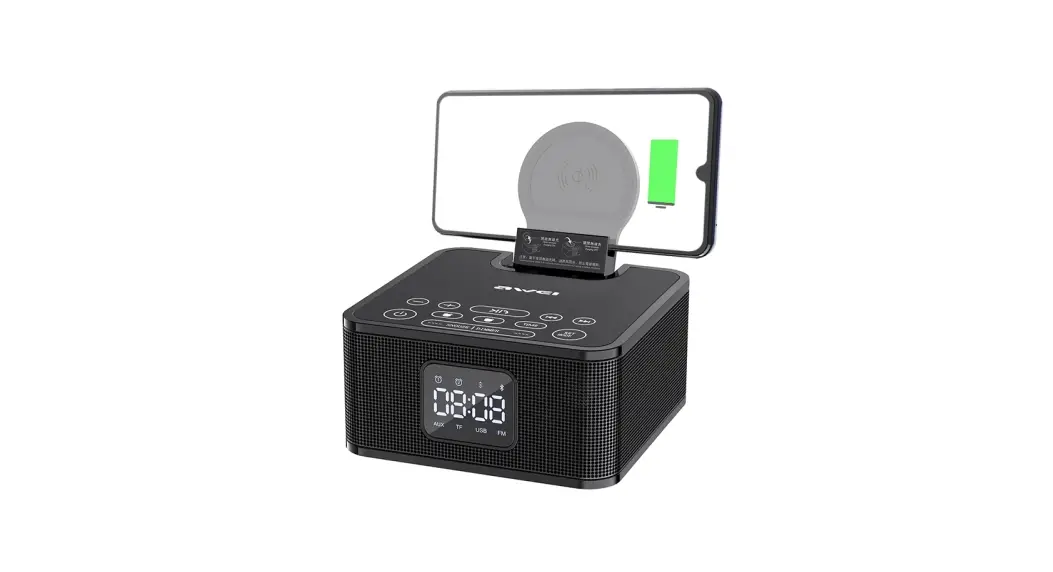

User Guide
WC-508
Functions Description
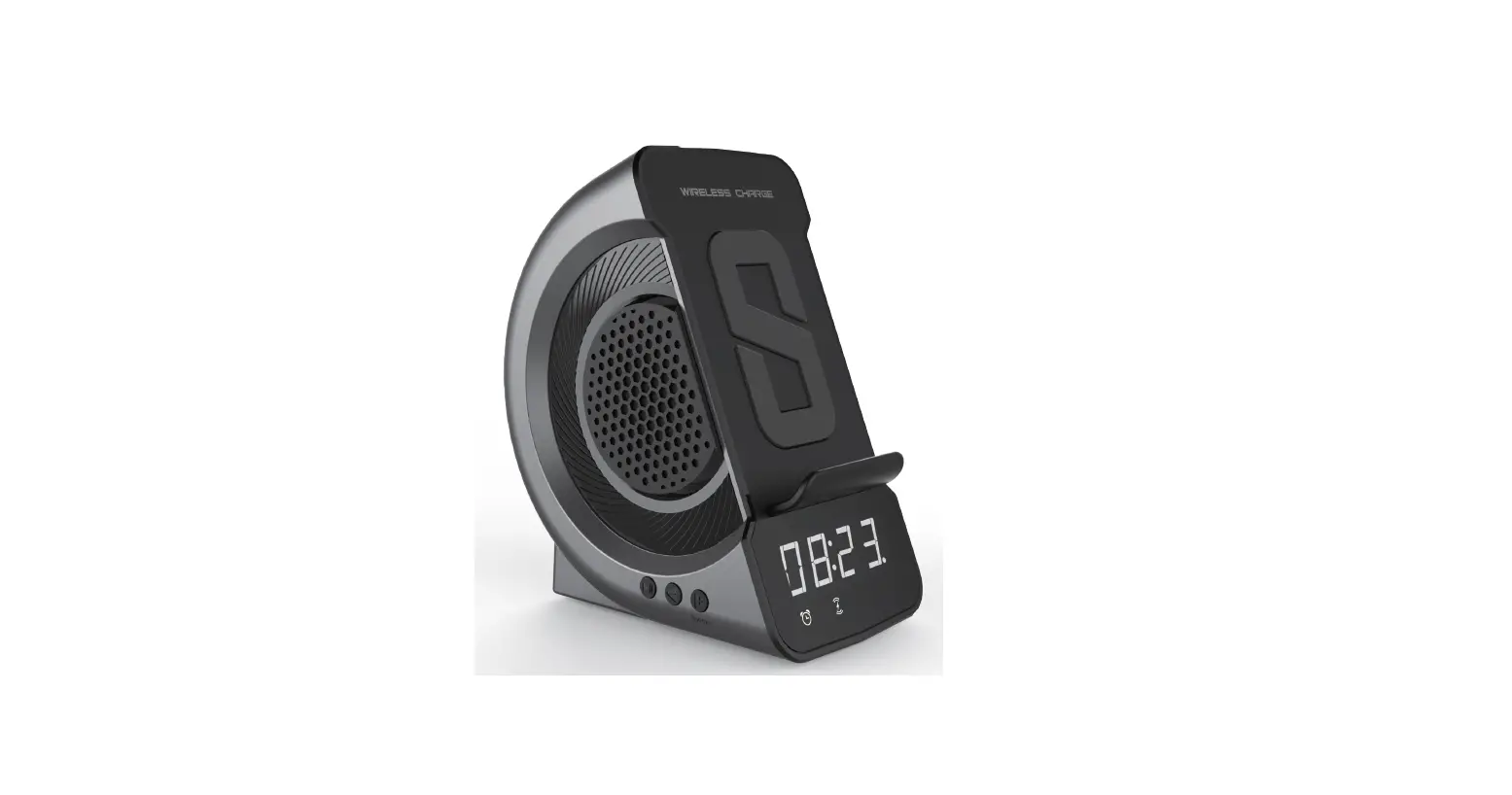
1.1 Button Keys
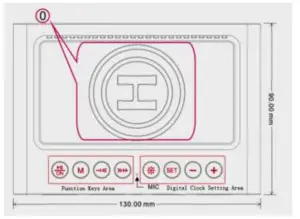
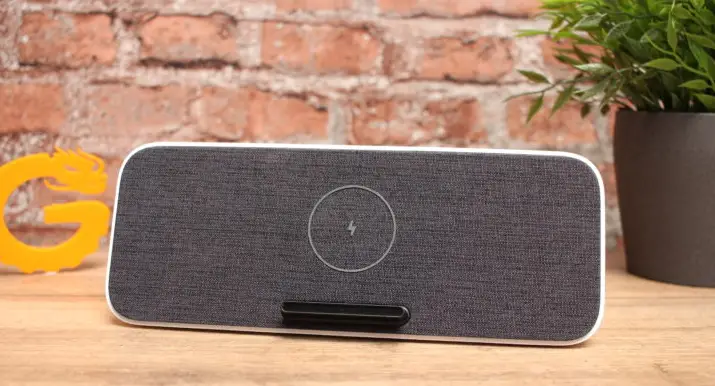
0: Wireless Charger Zone
Music speaker function keys:
 Power on/off; Play/pause, answer/end phone calls, re-dial (fast double pressing)
 a. Function switch key:
BT / TF / AU / FM / Digital Clock (only clock ,no speaker function to save power)
b. Long pressing to auto search FM stations ( FM mode ). Volume down(short press); Previous song/FM stations (long press)
 Volume up(short press); Next song/FM stations (long press)
Time & Alarm clock setting keys Short press to cycle clock brightness: strong brightness(default)/normal brightness/weak brightness;
Long press to turn OFF/ON the LED clock display.
Tips:
1) In order to save power, the strong brightness will auto change to weaker brightness after 5 minutes.
2) Light keeps on when Type C is charging. Short press to switch clock modes: alarm clock / no alarm clock
*Time clock mode, long press to start/finish time clock setting, and short press to select hour or the minute number for setting.
*Alarm clock mode, long press to start/finish alarm clock setting, and short press to select hour or the minute number for setting. Time setting, Long / Short press to decrease hour/minute number
 Time setting, Long / Short press to increase hour/minute number
MIC: Hands-free microphone
1.2 LED Display Area
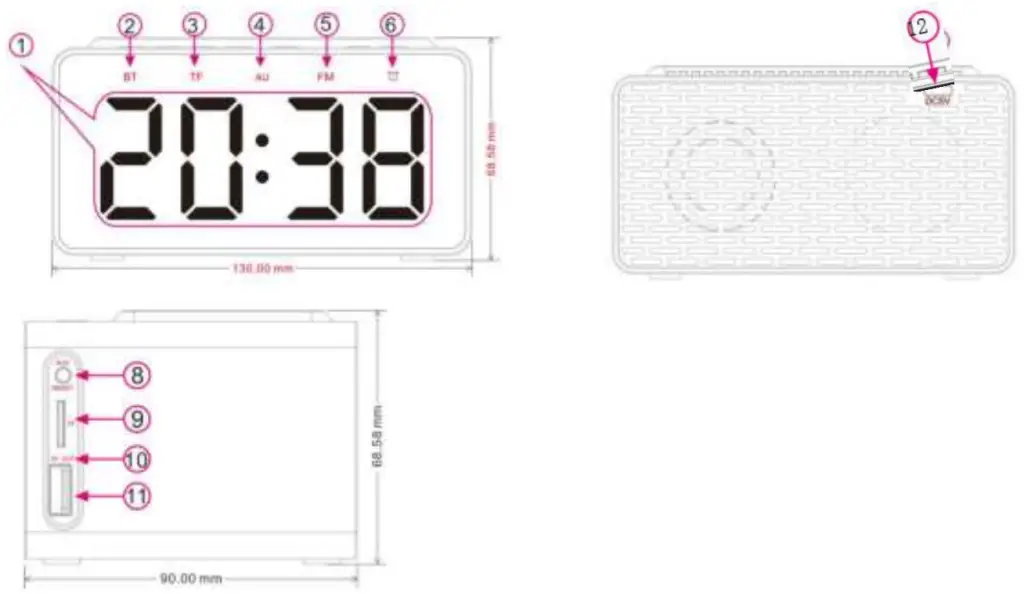
- LED Digital Display: Time Clock
- BT Mode; Bluetooth working
- TF Mode; MP3 music playing (TF card inserted)
- AU Mode; audio device music playing (3.5mm audio line-in)
- FM Mode: FM radio playing (With 3.5mm audio line-in as an antenna, short press “M” to switch to “FM” mode)
- Alarm Clock Mode: Alarm clock (light on with setting)
- Type C Port: DC5V input, power supply port for the speaker
Tips: Wireless charger working when Type C cable plug-in the speaker - AUX: 3.5mm line-in port
RESET: to restart the speaker for functions setting - TF: TF Card slot
- Indicator: Red light when charging & Lights off when fully charged
- 5V OUT: USB output port for mobile phone charging
- Indicator: Red light when charging & Greenlight when wireless charging
How to use
2.1 General Functions
| Functions | Operation | Indicator | Voice Prompt |
| Turn ON | Press the “” button for 2 seconds when the device is off. | LED Clock start | Ding– Dong- |
| Enter the pairing mode | BT mode as the default setting 1. “BT” mode starts when power is on. | ‘BT’ light fast flash | |
| Connected | Scan “BT508” name and please select it to pair with. | ‘BT’ light on | Dong- |
| Play/Pause | Press “” button to play when the device is pausing and press the”” button to pause when the device is playing | ‘BT’ light on | |
| Volume +/- | Short press 0 to increase volume; Short press | LED digital number will | Ding—(loudest |
| CD to decrease volume | increase/decrease | sound) | |
| Previous/Next | Long press to previous songs/FM stations; Long press to next songs/FM stations | ||
| Answer Call | Press the “” button for 1 second while the call coming | ||
| End Call | Press the “” button for 1 second to end the call | ||
| Disconnect | 1. Close “Bluetooth” on mobile phone 2.”Disconnect” the speaker on the “MY DEVICES” list from the mobile phone 3. Auto disconnect when Bluetooth range over effective transmission distance. | Blue light flashes fast | Dong— |
| MP3 Playing | TF mode will autoplay MP3 music when the TF card is inserted, but if the TF card takes away, the default state Is BT mode. | TF’ light on when ‘ TF card inserted | |
| AUX Playing | Plugin a 3.5mm cable, open the music app on mobile/computer to play music. | ‘AU’ light on | |
| FM playing | With a 3.5mm audio line-in as an antenna, short press to switch “AU” to “FM”. Long press | ‘FM’ light on | |
| Mode Switch | 1. Press the”“button to switch “BT mode” or “Digital Clock” (without speaker function). 2. If TF card inserted and AU line-in, Press” “button can switch modes: BT/TF/AU/FM/Digital clock | Related function light on | |
| Low Battery Warning | Low battery power | LED display area fl ashing | |
| Charging | 1. Use the Type C cable with DC5V 3A adapter 2. Clock LED on when speaker with enough power to turn on. | Red light on | |
| Wireless | Put your mobile(wireless charging enabled) to Wireless | Greenlight on |
| Charger | Charger Zone for charging | ||
| Turn OFF | 1. Press the” “button for 3 seconds when the device is on. 2. Auto turn off when low power(battery working mode) | lights off | Dong-Do ng- |
2.2 Clock&LED Display Brightness Settings
Clock Function | Operations | Indicator | Voice Prompt |
| Digital Clock Setting | 1. Long press the “” button and the hour-number flashes, Press“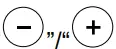 to decrease/increase the number. to decrease/increase the number.2. After Hour-number setting, short press the “ ” button and the minute-number flashes,Press“ ” to decrease/increase the number.3. Long press “ finalize the clock settings | ||
| Alarm Clock Setting | 1. Short press the “button and light on. light on.2. Long press the “ ” button and the hour-number flashes,Press“ ” to decrease/increase the number.3. After Hour-number setting, short press the “ ” button and the minute-number flashes,Press“ ” to decrease/increase the number.4. Long press “ finalize the alarm clocksettings | light on | |
| Open Alarm Clock | With memory function, will be same as last time setting unless modification. Short press “ to switch the clock modes:/ no alarm clock | Related |
| LED Digital Clock Brightness Setting | Short press “to cycle clock brightness: strong brightness(default)/normal brightness/ wear brightness. Long press “ to turn OFF/ON the LEDclock display. Tips: In order to save power, the strong brightness will auto change to weaker brightness after 5 minutes. | ||
| Turn-ON/Off LED Clock | Long press “to turn OFF/ON the LED clock display | ||
| Turn on a digital clock | 1. Turn on and LED clock. 2. Plug-in charging cable and clock LED light on (the speaker with enough power to turn on), without an alarm clock. Tips: if not enough power, LED clock off during charging speaker |
2.3 Pairing with Mobile phone or computer
2.3.1 Ensure your speaker is turned off. Then press and hold the power button for 2 seconds to pairing mode and the “BT” light flash fast.
2.3.2 On your mobile device, turn Bluetooth on.
2.3.3 Keep your speaker and mobile device within range. Begin searching for a Bluetooth device on your mobile device, and select the BT508, if a password is required, enter 0000(4 zero).
Tips: If your computer doesn’t have Bluetooth function or with Bluetooth adapter version lower than 4.0, you can establish a Bluetooth USB adapter. (Need your own purchase Bluetooth adapter)
2.4 MP3 player via Micro SD card
MP3 music will automatically play once the Micro SD card is inserted and the “TF” lights on.
2.5 AUX audio line-in
Plug-in 3.5mm cable and “AU “ light on, open music app on mobile/computer to play music.
2.6 FM radio
Plug-in 3.5mm cable as an antenna and “AU “ light on, short press “M” to “FM” mode, FM will auto work.
Tips: At FM mode,long-pressing “M” can auto-search all FM stations.
2.7 Charging
warning!
- Please use chargers with safety certification or regular manufacturers.
- Do not charge in your pocket, parcels, flammable debris, or in a damp, high-temperature environment.
Please charge the speaker with the Type C cable provided and the red indicator light on when charging and no indicator when the battery is full.[ First time please extend charging time.]
2.8 To charge mobile phone
1 Put the mobile phone(wireless charging enabled) to the wireless charger zone
2 Plug-in the USB DC5V Output port with your mobile charging cable
2.9 Reset
If the speaker does not work normally, please use needle-like to hard push the black button inside the “AUX” port (Need your own needle-like tool).
Specifications:
3.1 Technical Specification
Battery:
| Charge Cable: | TYPE C |
| Working Time: | about 6 hours calls&music (middle volume) |
| Capacity: | DC3.7v 2000mAh |
Audio:
| Speaker size : | φ45mm |
| Output: | 5W |
| Passive Vibrating Diaphragm: | φ40mm x1 |
Connect:
| Bluetooth Version: | V5.0 |
| Bluetooth Profiles: | A2DP, AVRCP, HFP, HSP |
| Bluetooth Range: | Over 10 meters(30 feet) |
| Wireless Spectrum: | 2.402-2.480GHz, ISM |
3.2 Others
| Port: | AUX-in,Micro SD card,TYPE C,DC5V 1A output 1A output |
| Dimensions: | 130 x 90 x 68.5mm |
3.2 Wireless Charger
Charging power supply: DC5V 3A (allow wireless charging & USB output charging)
Output Power: 5V 1A, 5W
Package Content
– Speaker *1 pc
– User Guide *1pc
– Type C Cable *1pc
– 3.5mm Line-in Cable *1pc
Trouble Shooting:
| FAQ | Solution |
| Fail to connect | 1. If fail to find a model name or connect with the speaker, please make sure the speaker is in pairing mode. 2. Please re-open the Bluetooth function on your mobile/computer if a long time fails to connect. 3. Please close other Bluetooth devices to avoid searching problems. 4. Please enter“0000”(4 zeros) if a password is needed. |
| No sound when playing music | 1. Please adjust your phone if in minimum volume status 2. Please check the speaker is in pause status. |
| Speaker stuttering when playing music | 1. Check if the working distance is out of range or there is an obstacle between the speaker and the connected devices. 2. Check phone if not enough storage, please restart your phone. |
| Can not turn ON | No power, please charge and then try again. |
| Can not charge, no red indicator | 1. Battery is full, please charge again after half hours working, the red indicator will be on. 2. Charge cable is broken, change a new one. 3. Re-open the speaker and try again. |