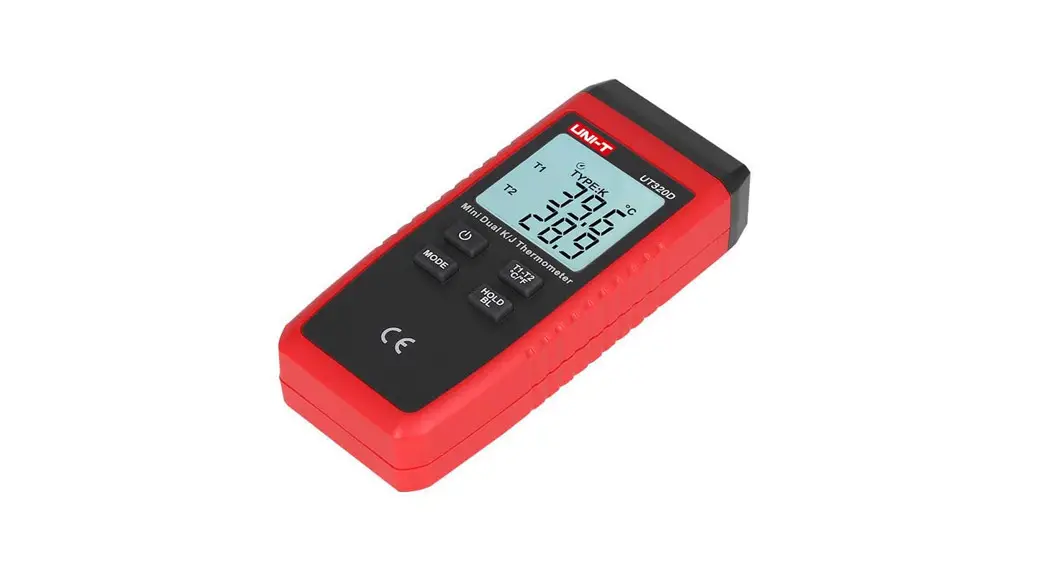
UT321 Digital Thermometer
Product Information: Uni-Trend Model UT321/322/323/325
Thermometers
The Uni-Trend Model UT321, UT322, UT323 and UT325 Thermometers
are digital thermometers that use external J-, K-, T-, E-, R-, S-
and N-type thermocouples as temperature sensors. These
microprocessor-based thermometers come with a display, buttons, USB
port, over limit signal output (UT323 and UT325 only), NTC, and a
9V battery (6F22).
Safety Information
The thermometer has safety warnings and international symbols to
ensure user safety. Follow the safety guidelines to avoid
electrical shock or personal injury.
Getting Started
Before using the thermometer, familiarize yourself with its
components. Refer to Figure 1 and Table 3 for component
information, Figure 2 and Table 4 for display information, and
Figure 3-a and 3-b and Table 5 for button functions.
Usage Instructions
To use the thermometer, follow these steps:
- Insert the appropriate thermocouple into either the T1 input or
T2 input (UT323 and UT325 only). - Press the ON/OFF button to turn on the thermometer.
- The thermometer will display the current temperature
reading. - To change setup options, press and hold the SETUP button until
the setup menu appears. Use the arrow buttons to navigate through
the setup options. - To change the logging interval, select “Logging Interval” and
use the arrow buttons to set the desired time interval. - To change the thermocouple type, select “Thermocouple Type” and
use the arrow buttons to select the appropriate type. - To change the offset for T1 or T2, select “Offset (T1)” or
“Offset (T2)” and use the arrow buttons to adjust the offset
value. - To set the low limit alarm (Lo) or high limit alarm (Hi),
select “Low Limit Alarm (Lo)” or “High Limit Alarm (Hi)” and use
the arrow buttons to set the desired temperature limit. - To exit setup mode, press the SETUP button again.
- When not in use, press and hold the ON/OFF button to turn off
the thermometer.
Maintenance
To replace the battery or clean the case, refer to the
Maintenance section in the manual. The thermometer’s
specifications, environmental, and electrical information are also
available in this section.
Model UT321/322/323/325: OPERATING MANUAL
Table of Contents Title Safety Information Getting Started
Components Display Elements Buttons Using the Thermometer Changing Setup Options Entering and Exiting Setup Changing the Logging Interval Changing the Thermocouple Type Changing the Offset (T1) Changing the Offset (T2) Sleep Mode Changing the Line Frequency Setting the Time Setting the Low Limit Alarm (Lo) Setting the High Limit Alarm (Hi)
1
Page 4 7 8 10 12 16 16 17 17 18 18 18 19 19 19 20 21
Downloaded from www.Manualslib.com manuals search engine
Model UT321/322/323/325: OPERATING MANUAL
Title
Enabling or Disabling Over Limit Signal Output Enabling or Disabling Normal Temperature Compensation (NTC) Enabling or Disabling Debug Measuring Temperatures Connecting a Thermocouple Displaying Temperatures Holding the Displayed Temperatures Turning on and off of display backlight Viewing the MIN, MAX, and AVG Readings Using the Offset to Adjust Probe Errors Over Limit Alarm Over Limit Signal Output Debug Using Memory Starting and Stopping Logging Viewing Logged Readings Clearing Memory Communicating with a PC
2
Page
23 23 24 25 25 26 26 26 26 27 27 27 28 29 29 30 31 31
Downloaded from www.Manualslib.com manuals search engine
Model UT321/322/323/325: OPERATING MANUAL
Title Maintenance
Replacing the Battery Cleaning the Case Specifications Environmental General Electrical
Page
32 32 32 33 33 33 33
3
Downloaded from www.Manualslib.com manuals search engine
Model UT321/322/323/325: OPERATING MANUAL
Safety Information
The Uni-Trend Model UT321, UT322, UT323 and UT325 Thermometers (`the thermometer) are microprocessor-based, digital thermometers designed to use external J-, K-, T-, E-, R-, S- and N- type thermocouples (temperature probes) as temperature sensors.
UT321: T1, suitable for K-, J-, T- and E- type thermocouples UT322: T1 and T2, suitable for K-, J-, T- and E- type thermocouples UT323: T1, suitable for K-, J-, T-, E-, R-, S- and N- type thermocouples. Equipped with over limit alarm, over limit signal output and user self-debug features. UT325: T1 and T2, suitable for K-, J-, T-, E-, R-, S- and N- type thermocouples. Equipped with over limit alarm, over limit signal output and user self-debug features. Use the thermometer only as specified in this manual. Otherwise, the protection provided by the meter may be impaired.
4
Downloaded from www.Manualslib.com manuals search engine
Model UT321/322/323/325: OPERATING MANUAL
Refer to safety information in Table 1 and the international symbols in Table 2. Table 1. Safety Information
Warning
A warning identified conditions and actions that pose hazards to the user. To avoid electrical shock or personal injury, follow these guidelines:
Before using the thermometer inspect the case. Do not use the thermometer if it appears damaged. Look for cracks or missing plastic. Pay particular attention to the insulation around the connectors. Disconnect the thermocouple(s) from the thermometer before opening the case. Replace the batteries as soon as the battery indicator ( ) appears. The possibility of false readings can lead to personal injury. Do not use the thermometer if it operates abnormally. Protection may be impaired. When in doubt, have the thermometer serviced. Do not operate the thermometer around explosive gas, vapor, or dust. Do not apply more than the rated voltage, as marked on the thermometer (30V|), between the thermocouple(s), or between any thermocouple and earth ground. When potential differences are anticipated between the thermocouples, use electrically insulated thermocouples. When servicing the thermometer, use only specified replacement parts. Do not use the thermometer with any part of the case or cover removed.
5
Downloaded from www.Manualslib.com manuals search engine
Model UT321/322/323/325: OPERATING MANUAL
Caution
A caution identifies conditions and actions that may damage the meter or the equipment under test.
Use the proper thermocouples, function, and the range of your thermometer. When carrying two thermocouples measurement, make sure there are no potential differences between two thermocouples. Do not attempt to recharge the battery. Match the + and polarities of the battery with the battery case.
Table 2. International Symbols Refer to the manual for information about this feature Complies with European Union directives Battery
6
Downloaded from www.Manualslib.com manuals search engine
Model UT321/322/323/325: OPERATING MANUAL
Getting Started
Everything in this Users Manual applies to all Models of UT321, UT322, UT323 and UT325 unless otherwise indicated. To become familiar with the thermometer, study the following:
Figure 1 and Table 3 describe the components Figure 2 and Table 4 describe the display. Figure 3-a and 3-b and Table 5 describes the functions of the buttons. Then read the following sections.
7
Downloaded from www.Manualslib.com manuals search engine
Model UT321/322/323/325: OPERATING MANUAL
Figure 1. Components 8
Downloaded from www.Manualslib.com manuals search engine
Model UT321/322/323/325: OPERATING MANUAL
Table 3. Components
1
Display
2
Buttons
3
Thermocouple T1 input
4
Thermocouple T2 input (UT323 and UT325 only)
5
USB Port
6
SIGN Port – Over Limit Signal Output (UT323 and UT325 only)
7
NTC
8
Battery Door
9
9V battery (6F22 )
9
Downloaded from www.Manualslib.com manuals search engine
Model UT321/322/323/325: OPERATING MANUAL
10
Downloaded from www.Manualslib.com manuals search engine
Model UT321/322/323/325: OPERATING MANUAL
Table 4. Display Elements
1
Setup is in progress when the icon blinks
2
Display readings of maximum, minimum and average
3
Data Transferring is in progress
4
Logged readings are displayed when the icon blinks
5
Low battery. Replace the battery
6
The thermocouple type
7
The temperature units
8
Secondary Display 1
9
Under Calibration mode when the icon blinks. The displayed reading is fixed.
10
Secondary Display 2
11
The thermocouple measurement includes an offset. See “Changing Setup Options”
12
Readings are being logged when the icon blinks
13
Primary Display
14
The displayed readings do not change
The symbol of display backlight
11
Downloaded from www.Manualslib.com manuals search engine
Model UT321/322/323/325: OPERATING MANUAL
Figure 3-a UT321 and UT323 buttons set 12
Downloaded from www.Manualslib.com manuals search engine
Model UT321/322/323/325: OPERATING MANUAL
Figure 3-b UT322 and UT325 button set 13
Downloaded from www.Manualslib.com manuals search engine
Model UT321/322/323/325: OPERATING MANUAL
Table 5. Buttons
Press to turn the thermometer on or off Press to turn the display backlight on and off. HOLD Press to freeze or unfreeze the displayed readings ºC ºF Press to switch between Celsius (ºC), Fahrenheit(ºF), and Kelvin (K) MAX MIN Press to step through the maximum, minimum, and average readings. Press and hold to turn off this display. Press to step through K-, J-, T-, E- (R-, S-, N-) type thermocouple.
Press to toggle showing the T1, T2 and T1-T2 (differential temperature measurement) in the primary or secondary display 1
SEND STORE
Press to enter USB mode and the USB icon blinks. Press again to exit USB mode.
Press to start or stop logging. (See “Using Memory – Starting and Stopping Logging”.)
Press to show logged readings RECALL Press again to stop.
14
Downloaded from www.Manualslib.com manuals search engine
Model UT321/322/323/325: OPERATING MANUAL
Table 5. Buttons
SETUP ENTER
Press to start or exit Setup. Press to scroll the Setup option you want to change (See “Changing Setup Options”)
After entering the Setup mode, press to increase the displayed setting. (See “Changing Setup Options”)
After entering the Setup mode, press to decrease the displayed setting. (See “Changing Setup Options”)
Confirm button. (See “Changing Setup Options”)
15
Downloaded from www.Manualslib.com manuals search engine
Model UT321/322/323/325: OPERATING MANUAL
Using the Thermometer
1) Plug the thermocouple(s) into the input connector(s). 2) Press the power button to turn on the thermometer. 3) Set the type of thermocouple(s) to be same of the type plug into the input
connector(s). If no thermocouple is plugged into the selected input or the thermocouple is “open” and the over-range positive deviation is too big, the display shows “_ _ _ _”.
Changing Setup Options
Use Setup to change the following settings: Logging interval Thermocouple type Offset (T1) Offset (T2) (UT322 and UT325 only) Sleep Mode Line Frequency Time (S-T) Low Limit Alarm (Lo) (UT323 and UT325 only) High Limit Alarm (Hi) (UT323 and UT325 only)
Over Limit Signal Output (SI) ON/OFF (UT323 and UT325 only) Normal Temperature Compensation (NTC) ON/OFF DEBUG ON/OFF (UT323 and UT325 only) Save setting and return to normal measurement mode.
16
Downloaded from www.Manualslib.com manuals search engine
Model UT321/322/323/325: OPERATING MANUAL
When the thermometer is in Setup mode, the display shows and blinks SETUP. Press SETUP to start or exit Setup. Press SETUP to scroll the Setup option you want to change after
The logging interval determines how often the thermocouple stores logged readings in memory. You choose the length of the logging interval. See “Using Memory”. Press SETUP until the display shows INTERVAL. The thermometer stores logged readings at the end of each logging interval. You can select a logging interval by pressing or . Holding down or causes the number to change more quickly. The maximum interval is 59:59 and the minimum interval is 00:00. When the logging interval is 00.00, you need to store the readings manually as the auto store feature will be disabled.
17
Downloaded from www.Manualslib.com manuals search engine
Model UT321/322/323/325: OPERATING MANUAL
1. Press SETUP until the display shows TYPE. 2. Press or to select the thermocouple type you want including K-, J-, E- type
(UT323 and UT325 have extra R-, S- and N- type). 1. Press SETUP until the display shows OFFSET and T1 2. Press or until the display shows the correct reading. The offset readings range 1. Press SETUP until the display shows OFFSET and T2 2. Press or until the display shows the correct reading. The offset readings range
18
Downloaded from www.Manualslib.com manuals search engine
Model UT321/322/323/325: OPERATING MANUAL
19
Downloaded from www.Manualslib.com manuals search engine
Model UT321/322/323/325: OPERATING MANUAL
20
Downloaded from www.Manualslib.com manuals search engine
Model UT321/322/323/325: OPERATING MANUAL
Below table shows the measuring range of each type of thermocouple K type: -200.0ºC to +1372ºC (-328.0 ºF to +2501 ºF) J type: -210.0ºC to +1200ºC (-346.0 ºF to +2192 ºF) T type: -250.0ºC to +400.0ºC (-418.0 ºF to +752.0 ºF) E type: -150.0ºC to +1000ºC (-238.0 ºF to +1832 ºF)
21
Downloaded from www.Manualslib.com manuals search engine
Model UT321/322/323/325: OPERATING MANUAL
For example: The maximum reading of the high alarm of K type is +1372ºC. The minimum reading of the high alarm of K type is either the low alarm reading plus 1 or -200ºC.
Below table shows the measuring range of each type of thermocouple K type: -200.0ºC to +1372ºC (-328.0ºF to +2501ºF) J type: -210.0ºC to +1200ºC (-346.0ºF to +2192ºF) T type: -250.0ºC to +400.0ºC (-418.0ºF to +752.0ºF) E type: -150.0ºC to +1000ºC (-238.0ºF to +1832ºF)
22
Downloaded from www.Manualslib.com manuals search engine
Model UT321/322/323/325: OPERATING MANUAL
23
Downloaded from www.Manualslib.com manuals search engine
Model UT321/322/323/325: OPERATING MANUAL
24
Downloaded from www.Manualslib.com manuals search engine
Model UT321/322/323/325: OPERATING MANUAL
Measuring Temperatures
Thermocouples are colour coded by type based on the North American ANSI Colour Code:
Type J K T E
Colour Black Yellow Blue Purple
Type R S N
Colour Green Green Orange
1. Plug a thermocouple into the input connector(s). 2. Set the thermometer for the correct thermocouple type.
To change the thermocouple type, see “Changing Setup Options”.
25
Downloaded from www.Manualslib.com manuals search engine
Model UT321/322/323/325: OPERATING MANUAL
1. Press ºC ºFK to select the correct temperature scale. 2. Hold or attach the thermocouple(s) to the measurement location.
The temperature reading appears in the selected display
1. Press HOLD to freeze the readings on the display. The display shows HOLD. 2. Press HOLD again to turn off the HOLD function.
1. Under temperature measurement mode, press to turn the display backlight on. 2. Press again to turn off the display backlight. The display backlight will not
automatically off. 1. Press MIN MAX to step through the maximum (MAX), minimum (MIN), or the
average (AVG) readings. 2. Press and hold MIN MAX to exit MIN MAX mode.
26
Downloaded from www.Manualslib.com manuals search engine
Model UT321/322/323/325: OPERATING MANUAL
Use the offset option in Setup to adjust the thermometer’s readings to compensate for the errors of a specific thermocouple. 1. Plug the thermocouple into the input connector. 2. Place the thermocouple in a known, stable temperature environment (such
as an ice bath or a dry well calibrator). 3. Allow the readings to stabilize. 4. In Setup change the offset until the display reading matches the calibration
temperature. (See “Changing Setup Options.”)
Setting the low alarm and high alarm limit at the SETUP mode, the thermometer beeps when the measured temperature is higher or lower than the pre-set limit. (See “Changing Setup Options.”)
Setting the low and high limit signal output at the SETUP mode, the SIGN port output the corresponding signal when the measured temperature is higher or lower than the pre-set limit. (See “Changing Setup Options.”)
27
Downloaded from www.Manualslib.com manuals search engine
Model UT321/322/323/325: OPERATING MANUAL
After entering the Debug mode, you can self-debug. Below is the procedure:
K- and J- type: T type: E type: R- and S- type: N type: Remark:
-180ºC, 0ºC and 900ºC -180ºC, 0ºC and 400ºC -140ºC, 0ºC and 900ºC 0ºC and 1200ºC -180ºC, 0ºC and 1200ºC 0ºC only need to debug k type.
28
Downloaded from www.Manualslib.com manuals search engine
Model UT321/322/323/325: OPERATING MANUAL
Remark: The corresponding table between temperature and voltage refer to BS EN 605841:1996. Before carrying out debug, to ensure your standard source has enough accuracy. It is at your own responsibility, if the thermometer has too big accuracy deviation is caused by the standard source does not have enough accuracy.
Using Memory
During a logging session, the thermometer stores logged readings in its memory. The thermometer stores 00-99, total 100 sets of temperature readings. The stored readings are from primary display.
1. Set the logging interval. (See “Changing Setup Options.”) 2. Press STORE to start logging.
The display blinks DATA. 3. Press STORE again to stop logging. 4. If you selected a manual logging interval, set the logging interval as 00:00. Press
ENTER each time you want to store logged readings in memory. The secondary 29
Downloaded from www.Manualslib.com manuals search engine
Model UT321/322/323/325: OPERATING MANUAL
display 1 shows the logged reading. Each presses of ENTER will automatically store the logged readings in the next memory location. Press or could change the memory location, the empty location shows “- – – – – “. 5. If you selected an auto logging interval, set the logging interval not 00:00. After entering logging mode, the secondary display 2 shows “:” Press ENTER to start storing readings in sequence according to the pre-set logging interval, the “:” blinks. Press ENTER again to pause auto logging, the “:” stop blinking. Press ENTER again to resume logging, the “:” blinks again.
30
Downloaded from www.Manualslib.com manuals search engine
Model UT321/322/323/325: OPERATING MANUAL
1. Press STORE to enter logging mode, the display shows DATA and blinks. 2. Press and hold down STORE 2 seconds, the display shows CLR. 3. Press ENTER to delete all the logged readings from memory. It is not possible
to delete the logged readings one by one. The display then shows “—-”
Communicating with a PC
You can transfer the contents of the thermometer’s memory to a PC using the included Software. Press SEND button and USB blinks on the display. It means the thermometer and the PC are connected correct. Details refer to the Installation Guide file in the Software. Under the influence of radiated Radio-Frequency electromagnetic Field phenomenon, the captioned model have a measurement error, it will be back to normal when the interference is removed.
31
Downloaded from www.Manualslib.com manuals search engine
Model UT321/322/323/325: OPERATING MANUAL
Maintenance
Replace the batteries as soon as the battery indicator appears. The possibility of false readings can lead to personal injury. 1. Turn off the thermometer. 2. Loosen the screw and remove the battery door. 3. Replace 1 piece of 9V battery (6F22). Replace the battery door and tighten the
screw. Use soap and water or mild commercial cleaner. Wipe with a damp sponge or soft rag.
32
Downloaded from www.Manualslib.com manuals search engine
Model UT321/322/323/325: OPERATING MANUAL
Specifications
Operating Temperature Storage Temperature Humidity
-10ºC to 50ºC (14ºF to 122ºF) -40ºC to + 60ºC (-14ºC to +140ºC) Non condensing <10ºC (<50ºF) 95% RH: 10ºC to 30ºC (50¨ºF to 86ºF) 75% RH: 30ºC to 40ºC (86ºF to 104ºF) 45% RH: 40ºC to 50ºC (104ºF to 122ºF)
Certification Safety
EN61326: 2006, EN55022: 2006 and EM55024: 1998+A1+A2
33
Downloaded from www.Manualslib.com manuals search engine
Model UT321/322/323/325: OPERATING MANUAL
Function
UT321
UT322 UT323
UT325
Input Protection
Type
K, J, T, E
K, J, T, E, R, S, N
Input
T1
T1, T2
T1
T1, T2
K type: -200.0ºC to +1372ºC (-328.0 ºF to +2501 ºF)
Measurement J type: -210.0ºC to +1200ºC (-346.0 ºF to +2192 ºF)
Range
T type: -250ºC to +400.0ºC (-418 ºF to +752.0 ºF) E type: -150.0ºC to +1000ºC (-238.0 ºF to +1832 ºF) 30V
Display Resolution
0.1ºC ºF/K…. (<1000) (T type below -200ºC and R type, S type is 1ºC ºF/K) 1.0ºC ºF/K…. (>1000)
Measurement Accuracy
K-,J-,T-, E- type: ±(0.2%+0..6ºC(1.2ºF)) ±(0.5%+0.8ºC(1.6ºF)) R,S type: ±(0.2%+2ºC(4ºF))
N type: ±(0.2%+1.5ºC(3ºF))
34
Downloaded from www.Manualslib.com manuals search engine
Model UT321/322/323/325: OPERATING MANUAL
Function
UT321 UT322 UT323
UT325
Measurement Accuracy
Below -10ºC: add 0.5ºC Below -200ºC, add +2ºC Type T Below -200ºC: for reference only.
Sampling Rate 50 times per second, Updates 2-3 times per second
Time Data Store
Relative Time 0 ~ 99 sets
Setup
Logging Interval, Thermocouple Type, Offset (T1), Offset (T2) (UT322 and UT325 only), Sleep Mode, Line Frequency, Time, High/Low Limit (UT323 and UT325 only), Over Limit Signal Output (UT323 and UT325 only), Normal Temperature Compensation, Debug (UT323 and UT325 only)
Over Limit Alarm N/A
Yes
Over Limit Signal N/A
Yes
Power
One piece of 9V (NEDA1604 or 6F22 or 006P)
Input Protection
30V
35
Downloaded from www.Manualslib.com manuals search engine
Model UT321/322/323/325: OPERATING MANUAL
Accuracy is specified for ambient temperatures between 18ºC(60ºF)and 28ºC (82ºF) for a period of 1 year, operating temperatures: -10ºC ~ 50ºC (14ºF ~122ºF). The above specifications do not include thermocouple error,probe tolerance is not included in above technical index.
** END ** 36
Downloaded from www.Manualslib.com manuals search engine
Model UT321/322/323/325: OPERATING MANUAL
Copyright 2008 Uni-Trend Group Limited. All rights reserved. Manufacturer: Uni-Trend Technology (Dongguan) Limited Dong Fang Da Dao Bei Shan Dong Fang Industrial Development District Hu Men Town, Dongguan City Guang Dong Province China Postal Code: 523 925 Headquarters: Uni-Trend Group Limited Rm901, 9/F, Nanyang Plaza 57 Hung To Road Kwun Tong Kowloon, Hong Kong Tel: (852) 2950 9168 Fax: (852) 2950 9303 Email: [email protected] http://www.uni-trend.com
37
Downloaded from www.Manualslib.com manuals search engine