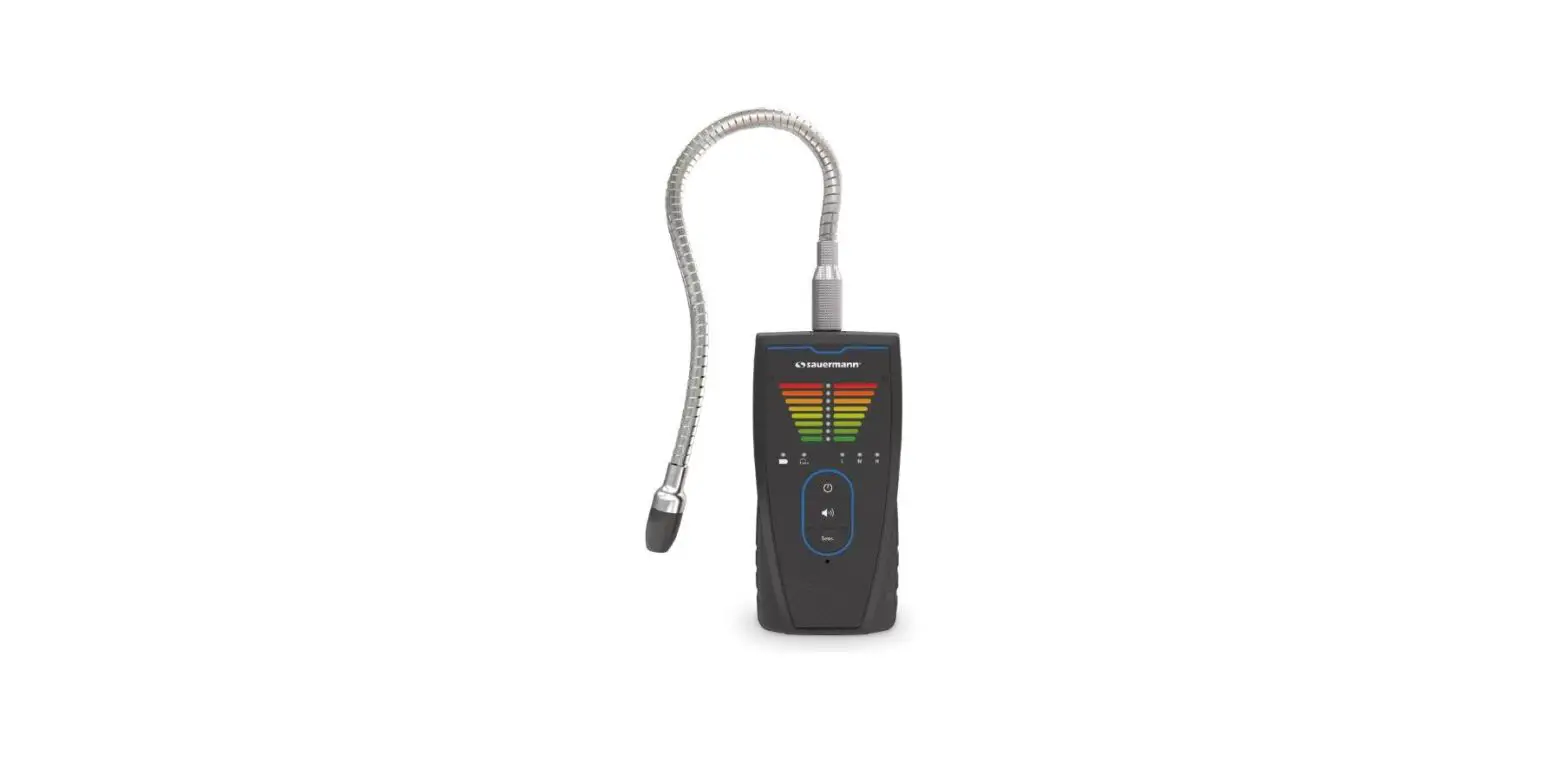
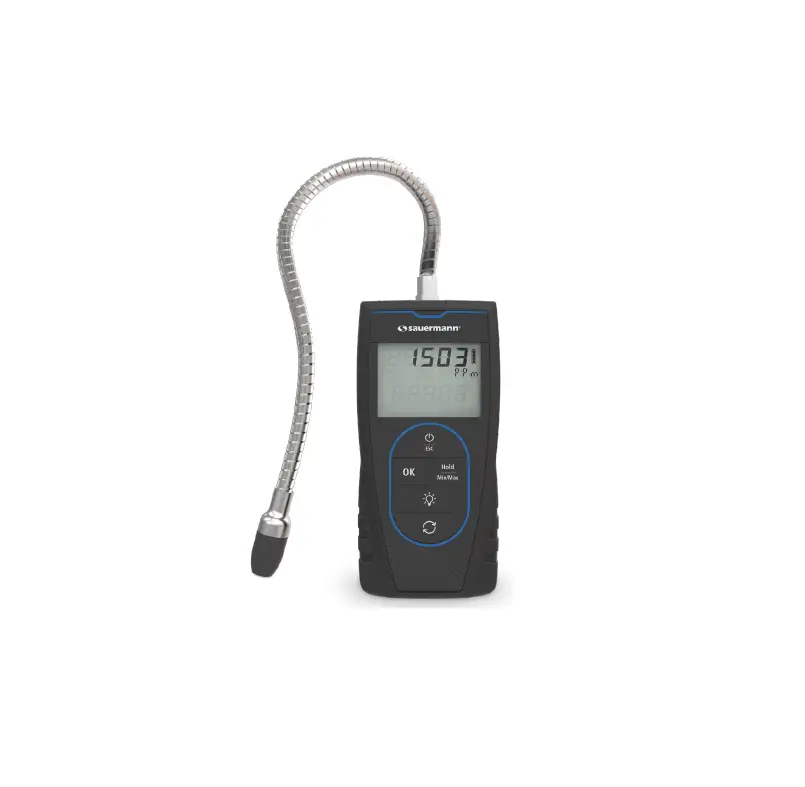
Panther Science’s Panther Gas Leak Detector
Product Information
Panther
The Panther is a gas sensing instrument manufactured by ION
Science Limited. It features pioneering gas sensing technology and
is designed to detect and measure various gases.
The instrument conforms to all technical and regulatory
requirements of the listed directives and has been manufactured
within an ISO 9001:2015 compliant quality system.
Product Specifications:
- Directive: EN IEC 61010-1:2010 EN ISO/IEC ISO 9001:2015 EN I
61326-1:2013 - Manufacturer’s Authorized Representative: Clemens A.
Verley - Position: Chief Executive Officer
- Date of Issue: 04/05/2023
- Place of Issue: Mettmann, Germany
Product Usage Instructions
Calibration Check
To conduct a calibration check on the Panther instrument, follow
these steps:
- Ensure the instrument is powered on and functioning
properly. - Access the calibration check menu on the instrument.
- Follow the on-screen instructions to initiate the calibration
check process. - Wait for the instrument to complete the calibration check and
display the results. - If the calibration check indicates any issues, refer to the
user manual for troubleshooting steps or contact ION Science Ltd
for support.
Instrument Main Screen Explanation
The instrument main screen provides important information and
controls. Here is an explanation of its components:
- [Component 1]: [Explanation]
- [Component 2]: [Explanation]
- [Component 3]: [Explanation]
Instrument Warranty and Service
The Panther instrument comes with a standard warranty, which can
be extended to up to two years by registering the instrument online
within one month of purchase. Visit www.ionscience.com to register
and learn more about the extended warranty.
ION Science Ltd also offers a calibration service for the
instrument, including the issuance of a traceable certificate valid
for 12 months. It is recommended to return the instrument to an
approved service center on an annual basis for general maintenance
and calibration.
Disposal
When disposing of the Panther instrument, its components, or any
used batteries, ensure compliance with local and national safety
and environmental requirements. This includes following the
European WEEE (Waste Electrical and Electronic Equipment)
directive. ION Science Ltd provides a ‘take-back’ service for
proper disposal. Contact ION Science Ltd for more information.
Legal Notice
The accuracy of gas measurement may be affected by interference
from other devices emitting an EMC frequency in the range of 345 to
470 MHz.
Panther
Instrument User Manual V1.0
Pioneering Gas Sensing Technology.
ionscience.com
Register your instrument online for extended warranty Thank you for purchasing your ION Science instrument. The standard warranty of your instrument can be extended to up to two years. To receive your extended warranty, you must register your instrument online within
one month of purchase (terms and conditions apply.) Visit www.ionscience.com
EU Declaration of conformity
Panther Instrument User Manual V1.0
The EU Authorised Representative of the manufacturer Ion Science limited has sole responsibility, on the date this product accompanied by this declaration is placed on the market, the product conforms to all technical and regulatory requirements of the listed directives.
Authorised Representative: Product: Product description:
Directive:
ISM Deutschland GmbH · Laubach 30 · D-40822 Mettmann, Germany Panther & Panther PRO Handheld micro thermal conductivity sensor used to detect gas leaks. This instrument has been designed specifically for search and location of non-flammable gases such as helium and CFC’s. EMC Directive (2014/30/EU) Type B
Standards: EN IEC 61010-1:2010 EN ISO/IEC ISO 9001:2015 EN I 61326-1:2013
Name: Clemens A. Verley
Safety requirements for electrical equipment for measurement, Control, and laboratory use Part 1: General requirements Quality management systems Requirements Electrical Equipment for measurement, control and laboratory use EMC Requirements (Class B and General Immunity)
Position: Chief Executive Officer
Signature:
Date: 04/05/2023 Place of issue: Mettmann, Germany
Pioneering Gas Sensing Technology.
Page 3 of 24
ionscience.com
Table of Contents
Panther Instrument User Manual V1.0
EU DECLARATION OF CONFORMITY…………………………………………………………………………………………………………………….3 PLACE OF ISSUE: METTMANN, GERMANY………………………………………………………………………………………………………….3 TABLE OF CONTENTS…………………………………………………………………………………………………………………………………………4 STATEMENTS ……………………………………………………………………………………………………………………………………………………5
SAFETY …………………………………………………………………………………………………………………………………………………………..5 QUALITY ASSURANCE ………………………………………………………………………………………………………………………………………….5 RESPONSIBILITY OF USE………………………………………………………………………………………………………………………………………..5 DISPOSAL……………………………………………………………………………………………………………………………………………………….. 5 CALIBRATION FACILITY…………………………………………………………………………………………………………………………………………5 LEGAL NOTICE ………………………………………………………………………………………………………………………………………………….5 INSTRUMENT DESCRIPTION ……………………………………………………………………………………………………………………………….6
PACKING LIST……………………………………………………………………………………………………………………………………………………7 HOW PANTHER WORKS……………………………………………………………………………………………………………………………………..8 GETTING STARTED…………………………………………………………………………………………………………………………………………….9 INSTRUMENT MAIN SCREEN …………………………………………………………………………………………………………………………….10 USING PANTHER……………………………………………………………………………………………………………………………………………..11
HOW TO CONDUCT A CALIBRATION CHECK ……………………………………………………………………………………………………….11 INSTRUMENT MAIN SCREEN EXPLAINED ……………………………………………………………………………………………………………12
SENSITIVITY ……………………………………………………………………………………………………………………………………………………12 READING DISPLAY …………………………………………………………………………………………………………………………………………….12 MEASUREMENT UNITS……………………………………………………………………………………………………………………………………….12
MAIN MENU …………………………………………………………………………………………………………………………………………………..13 CALIBRATION MANAGEMENT …………………………………………………………………………………………………………………………..15 SYSTEM SETTINGS …………………………………………………………………………………………………………………………………………..17 PROBE OPTIONS ……………………………………………………………………………………………………………………………………………..19 DETECTING LEAKS……………………………………………………………………………………………………………………………………………21
INSTRUMENT SPECIFICATIONS………………………………………………………………………………………………………………………….22 INSTRUMENT WARRANTY AND SERVICE ……………………………………………………………………………………………………………23
WARRANTY …………………………………………………………………………………………………………………………………………………… 23 SERVICE ……………………………………………………………………………………………………………………………………………………….. 23 CONTACT DETAILS…………………………………………………………………………………………………………………………………………….24
Pioneering Gas Sensing Technology.
Page 4 of 24
ionscience.com
Statements
Panther Instrument User Manual V1.0
Safety
Please read this manual in full before using the Panther instrument. ION Science Ltd takes no responsibility for damage, injury or death resulting from misuse, misunderstanding or negligence while using this gas detector. Please contact ION Science Limited for clarification on any aspect of this manual that is not understood or for additional information required. This instrument should only be used by qualified or competent persons with suitable knowledge of the hazards relating to the gases contained within equipment or in the local environment.
Quality Assurance
Panther instruments are manufactured by ION Science Limited within an ISO 9001:2015 compliant quality system, which ensures that the equipment supplied to our customers has been designed and assembled reproducibly, and from traceable components.
Responsibility of use
Many gases are hazardous and can cause explosion, poisoning and corrosion resulting in damage to property and life. It is the responsibility of the person using this instrument to ensure it is being used in accordance with this manual and that the instrument is functioning correctly before use. The Panther can detect a large range of gases, but some gases are more difficult to detect. It is the responsibility of the user to ensure the Panther instrument has the sensitivity to detect the required gas before reaching potentially dangerous levels. Inadequate performance of the gas detection equipment described in this manual may not necessarily be self-evident and consequently equipment must be regularly inspected and maintained. ION Science recommends that personnel responsible for equipment use institute a regime of regular checks to ensure it performs within calibration limits, and that a record be maintained which logs calibration check data. The equipment should be used in accordance with this manual, and in compliance with local safety standards. Dust and water contamination may affect the instruments flow / display readings. Please bear this in mind when using Panther.
Disposal
Disposal of Panther, its components and any used batteries shall be in accordance with local and national safety and environmental requirements. This includes the European WEEE (Waste Electrical and Electronic Equipment) directive. ION Science Ltd offers a ‘take-back’ service. Please contact ION Science Ltd for more information.
Calibration Facility
ION Science Ltd offers a calibration service including the issue of a traceable certificate valid for 12 months. A Panther Calibration Kit offers a means of checking and calibrating the instruments against a known reference, however, ION Science Ltd strongly recommend the instrument is returned to an approved service centre on an annual basis for general maintenance and calibration.
Legal Notice
Whilst every attempt is made to ensure the accuracy of the information contained in this manual, ION Science accepts no liability for errors or omissions, or any consequences deriving from the use of information contained herein. It is provided “as is” and without any representation, term, condition, or warranty of any kind, either express or implied. To the extent permitted by law, ION Science shall not be liable to any person or entity for any loss or damage which may arise from the use of this manual. We reserve the right at any time and without any notice to remove, amend or vary any of the content which appears herein.
Accuracy of gas measurement may be susceptible to interference from other devices within close proximity which emit an EMC frequency in the range of 345 to 470 MHz.
Pioneering Gas Sensing Technology.
Page 5 of 24
ionscience.com
Panther Instrument User Manual V1.0
Instrument description
Panther is predominantly used for detecting gas leaks and can detect almost all gases to varying degrees.
Panther uses thermal conductivity as it’s means of detecting gas, which offers a robust sensor technology that requires practically no maintenance beyond annual servicing.
Both Panther & Panther PRO have an easy-to-use graphical interface with an intuitive keypad allowing simple functionality selection and adjustment.
Panther has a coloured LCD display, LED indicator and audible sounder that indicates the detected signal.
Common applications where Panther is used: · Quality assurance – Testing seal integrity after product manufacture · Laboratory applications – Detection of leaks from mass spectrometers and chromatograph equipment · Industrial – Leaks from gas cylinders, pipe work and process equipment · Medical – Testing of membrane materials and sealing of glove boxes · Pneumatic – Valve seal testing
Panther is calibrated against a 5 E-4 cc/s Helium leak to allow volumetric readings and a 5000ppm Helium to allow measurement of concentrations.
Selectable units:
cc/sec
Cubic Centimetres per Second offers a reading that indicates the volume of gas escaping into
atmosphere from a single point. ie. leakage from a hole in a gas filled vessel or pipe.
ppm
Parts Per Million is a concentration reading, Panther will display the concentration being detected
however it is more difficult to gauge the quantity of leakage.
mg/m3
Milligrams per meter cubed is also a unit that measures concentration. (See ppm above)
g/yr
Grams per Year is an alternative measure of leak rate.
%Vol
This is a measure of the percentage of the target gas in the environment.
The Panther range is NOT intrinsically safe so should not be used in a potentially explosive environment.
Ambient air pressure, heat and humidity can also affect readings.
Panther is NOT ‘Gas Specific’ i.e. It can NOT differentiate between gases.
Pioneering Gas Sensing Technology.
Page 6 of 24
ionscience.com
Panther Instrument User Manual V1.0
Packing list
Please remove all packing material and then check the content of the carry case against the list below before use. Should the instrument or any accessory appear damaged or missing then contact the instrument supplier for advice before use.
Panther Standard: · Panther Standard Instrument · Box Spanner · USB Cable · USB Mains Adaptor · Warranty Registration Card · Quick Start Guide
Panther PRO: · Panther PRO Instrument · Box Spanner · Flexible Probe 20cm · USB Cable · USB Mains Adaptor · Warranty Registration Card · Quick Start Guide · USB Dongle
Pioneering Gas Sensing Technology.
Page 7 of 24
ionscience.com
How Panther works
Panther Instrument User Manual V1.0
Thermal Conductivity
All gases conduct heat but by varying amounts, if an object is heated and then the source of heat is removed, the object will eventually cool down to match ambient air temperature. This action occurs because the ambient air surrounding the object carries the excess heat into the surrounding atmosphere. This principal is also the same for objects that are cooler than the surrounding ambient air. Dissipation of heat into an air atmosphere is known and is a predictable rate, however, if the ambient air is replaced with an alternative gas like Helium the rate at which an object cools down changes. If the object mentioned above had its environment replaced with pure Helium it would cool down to the environment temperature about 6 times faster.
Panther contains a heated thermistor bead that transmits heat into the sensing chamber. On the other side of the sensing chamber there is a block of material that remains at a constant temperature helping to stabilise the signal. As air passes through the detector chamber a constant amount of heat passes from the bead to the air. Gases that are different to air will affect the rate at which heat transmits, these rates of change are measured and displayed as leak rates.
Panthers Thermal Conductivity sensor A piezo pump draws a small flow of gas through the probe and into the sensing chamber. The thermistor bead heats up when electrical power is applied. As air passes through the chamber a constant level of heat is transmitted to the air, this rate of heat transmission is used to ‘Zero’ the instrument.
When gases with different thermal qualities pass through the chamber, the amount of heat being transmitted changes. These changes are measured and used to calculate a display reading on Panther for leak rates or gas concentrations.
Some gases have similar thermal properties to that of air; therefore, Panther can only detect larger concentrations of these gases. Panther can NOT differentiate between gases, selecting a specific gas on Panther allows the instrument to calculate concentrations of that gas only if that gas is being detected.
Pioneering Gas Sensing Technology.
Page 8 of 24
ionscience.com
Getting Started
Panther Instrument User Manual V1.0
Charging your Panther Instrument
To charge your Panther instrument, use a USB A to Type C Charger Cable and connect it to the back of the Panther device.
The Panther instrument will indicate its charging by showing the following symbol at the top right of the home screen.
The Keypad
The following section explains the general functionality of each key:-
`A’ Press `A’ to zero the Panther readings. This will remove any background readings and return the display back to near zero.
LEFT Use to scroll left on the LCD display.
DOWN Use to scroll down on the LCD display and change sensitivity.
On/Off Press and hold this key for 5 seconds to switch the instrument ‘ON’. To switch the instrument off, press and hold this key.
This procedure has been designed to avoid accidental switch OFF.
`B’ Press `B’ to start datalogging. Press a second time and the datalogging will finish.
UP Use to scroll up on the LCD display and change sensitivity.
SELECT/MENU Use this to accept an option and enter the Main Menu.
RIGHT Use to scroll right on the LCD display.
Pioneering Gas Sensing Technology.
Page 9 of 24
ionscience.com
Panther Instrument User Manual V1.0
Instrument `start up’ routine
When the On/ Off button has been held for five seconds the Panther will switch on, it will start up the pump, load configurations, load user settings, load previous calibrations, load the operating system, zero the instrument and load the communications.
Instrument Main Screen
Once the instrument has run through its ‘Start up’ routine it will display its normal ‘Instrument Main Screen’ used when locating gas leaks. Before using the instrument, the various settings should be set and adjusted to suit the application.
Helium
Pioneering Gas Sensing Technology.
Page 10 of 24
ionscience.com
Panther Instrument User Manual V1.0
Using Panther
WARNING: Before switching Panther on, ensure the ambient air is clean as the instrument automatically Zero’s the sensor at switch on. After the instrument has run through its start-up routine, adjust the instrument settings to the desired levels. Check the instruments sensitivity using a CalCheck or calibration kit.
Switch the Panther on by pressing and holding the ON/OFF key, after the instrument has completed its Zero routine it will enter the main screen.
Gas leaks tend to occur at pneumatic joints or welded seams, hold the Panther at a 45o angle to the object being tested and drag the probe along the seam or joint at a rate of approximately 25mm per second. When a leak is detected the bar graph will start to fill and the frequency of the audio output will increase; this will decrease as the probe moves away from the leak. Return the probe to the suspected leaking area and move slowly along the same area until the leak is located. Once the leak has been located, the probe should be held at the leak until the numeric reading stabilizes.
The live reading bar offers a graphical indication only and should not be used to measure a leak; you may find that the graph completely fills however the numeric reading will continue to increase.
Variation in temperature, humidity and background gas may result in a constant level being detected on the instrument. To reset to Zero, hold the instrument away from the source of leak or contamination and then press the ZERO key. The instruments display will return to a near zero reading. It is especially important to move away from any toxic substances when Zeroing the Panther to avoid any false negatives which could lead to harm.
The following things will affect the instruments reading: * Breath of the instrument user contains both CO2 and moisture. * Barometric air pressure and background temperature. * Sources of cold and heat.
How to conduct a calibration check
The response of your Panther instrument can be tested using the CalCheck (p/n A-21500). Push the gas bottle into the top of the CalCheck. This will release the gas and the dial should move into the white. If it remains in the red then you need to replace/refill the gas bottle. Push your Panther instrument into the CalCheck, as shown in the image below. The Panther will detect the leak and display a reading. If this reading is incorrect, the Panther will need to be recalibrated.
Pioneering Gas Sensing Technology.
Page 11 of 24
ionscience.com
Panther Instrument User Manual V1.0
Instrument Main Screen Explained
Panther displays the ‘Instrument Main Screen’ whenever the instrument is being used to detect gas, the illustration below outlines the various information and icons on the sheet.
Time
Date
Reading display
Measurement units
Battery percentage Panther sensitivity
Gas reading indicator Gas reading
Current gas selected
Sensitivity
Panther has three (3) sensitivity levels, high, medium, and low. You can adjust the sensitivity by using the `UP’ and `DOWN’ arrow while on the instrument main screen. When the instrument is set to low, it will increase in steps of 1000+. When set to medium, it will increase in steps of 100. When set to high, it will increase in steps of 10 (when set to measurement unit: ppm).
Reading display
This is selected in the System Settings. It can be one of three possibilities. Standard readings display will not register any readings below zero. Absolute, will measure both positive and negative number but display all of them as a positive reading. Negative, will measure and display all negative and positive readings.
Measurement units
You can find the measurement unit below the gas reading on the main screen. To change the measurement unit, go to the main settings page. Scroll down to `Measurement Units’ and select your required measurement unit. Measurement units only appear when you have the corresponding calibration loaded.
Pioneering Gas Sensing Technology.
Page 12 of 24
ionscience.com
Panther Instrument User Manual V1.0
Main Menu
To access the main menu, click the `MENU/SELECT’ button while on the main screen.
Current Calibration: The current calibration button provides you with information on when the instrument was last calibrated, what gas was used, what the concentration was and what the mV response was.
Load user calibration: This option allows you to change between calibrations stored on the instrument. Once you have selected your required calibration, ensure you press load to update the current calibration.
Pioneering Gas Sensing Technology.
Page 13 of 24
ionscience.com
Panther Instrument User Manual V1.0
The target gas: This is where you can choose the desired gas you are looking to detect. This will take you to a page with a drop down for the first letter of the target gas and the name of the target gas.
The measurement unit: This is where you choose your desired measurement unit. The units available depend on the selected calibration. If the Leak Calibration is selected the units available will be for leak rate. If the Concentration Calibration is selected the units available will be for concentration.
Pioneering Gas Sensing Technology.
Page 14 of 24
ionscience.com
Calibration Management
Panther Instrument User Manual V1.0
To access the Calibration Management on your Panther instrument, click the `MENU/SELECT’ button while on the main screen to access the Main menu.
Once you are in the Main menu, use the `DOWN’ button and click on `Calibration Management’ by pressing the `MENU/SELECT’ button.
Within Calibration Management, you can access the following:
Pump calibration: This option will run the pump calibration. The temperature and pressure will be measured and used to set the pump to the correct flow rate.
New calibration: This option will firstly provide you with two options, concentration calibration (ppm) and leak calibration. Please find `Concentration calibration (ppm)’ and `Leak calibration’ process below: Concentration calibration (ppm): Select your chosen gas. To select your chosen gas, select the first letter of the gas you are looking to detect. Then press `DOWN’ to the next option and search for the calibration gas. Once you have found the calibration, press the `MENU/SELECT’ button. After you have confirmed the calibration gas, you will need to type in the gas concentration. Press `save as’ and name the calibration. Then press `DOWN’ and select `go’ to start calibration.
The instrument will then start the `Pump calibration’.
Pioneering Gas Sensing Technology.
Page 15 of 24
ionscience.com
Panther Instrument User Manual V1.0
Once the pump calibration has finished, it will ask you to connect span gas. Connect the instrument to your span gas and press ok. You have the option to abort at this time if needed.
Once the instrument has stabilised, the calibration will finish. To confirm calibration, press ok, again, you can abort at this stage if required. The calibration will then save to the instrument. This calibration will automatically be added to the user load list.
Pioneering Gas Sensing Technology.
Page 16 of 24
ionscience.com
Panther Instrument User Manual V1.0
Leak calibration: The calibration process for leak calibration is very similar to the calibration process for concentration calibration (ppm). The leak calibration will ask you to input the calibration gas and the name you would like to save the calibration as. The difference is that the leak calibration will ask you to input the leak rate (cc/s) of the calibration gas. Once the pump calibration is complete you will supply the probe with the known leak rate (cc/s) of the calibration gas.
Expired calibration: Once a user’s calibration has expired, it will appear in the Expired calibrations drop down. The expired calibrations can be selected. Once selected the calibration can be recreated by clicking `Recalibrate’. You can set when a calibration expires on ION PC (expiration date is defaulted to 12 months).
Pending calibration: Within calibration management you have `pending calibration’, this allows you to send calibration details from ION PC straight to the instrument. See the ION PC User Manual for more details on this.
Deleted calibrations: Delete calibration allows you to delete any custom calibrations that have been saved onto the instrument.
System Settings
To access system settings, press the `MENU/SELECT’ button while on the instrument main screen. The use the `DOWN’ arrow until you reach `System Settings’.
Within the system settings, you can view / adjust the following:
Peak hold: When the peak hold is turned on the highest peak detected will be held on the main screen.
The operator’s name: Using ION PC, you can add and delete instrument operators. Once an instrument operator has been added, you can then change between operators depending on who is using the instrument. This is only available on Panther PRO.
The zone: The zone is the location of where you are using the instrument. This is only available on Panther PRO.
Pioneering Gas Sensing Technology.
Page 17 of 24
ionscience.com
Data format (decimals or exponents): This is where you choose the instruments display reading format, either decimals or exponents.
Panther Instrument User Manual V1.0
Readings display: This is selected in the System Settings. It can be one of three possibilities. Standard readings display will not register any readings below zero. Absolute, will measure both positive and negative number but display all of them as a positive reading. Negative, will measure and display all negative and positive readings.
Sounder volume: Allows you to adjust the alarm volume of the instrument (0-100).
Vibrations: This allows you to turn vibration on and off.
Screen backlight: Allows you to adjust screen brightness level (10%-100%).
Screen timeout: Allows you to set how long the instrument display is turned on. (Off, 1-10 minutes)
Bluetooth on/off: Use the toggle button to turn the instruments Bluetooth on and off. This option is only available on Panther PRO. System information: Provides you with: Panther model, serial number, firmware, memory, battery remaining and bootloader.
Pioneering Gas Sensing Technology.
Page 18 of 24
ionscience.com
Probe options
Panther Instrument User Manual V1.0
In some applications, the probe cover might restrict access to the area that requires testing. You can remove the probe cover by twisting it off from the instrument body (anti-clockwise). Once the probe cover is removed, take care when using the instrument as the instrument probe is delicate.
Removing the probe cover can help with pinpointing a leak more accurately by using the probe sleeve.
Some applications might require a longer probe to gain access to pneumatic joints and seams. The Panther PRO is supplied with a 20cm flexi probe that can be changed by the user. To change the probes, following the below steps:
1. Turn the instrument off 2. Carefully remove the 10cm probe from the instrument body by using the box spanner provided in the case kit
(the box spanner will fit over the brass nut) 3. Take your 20cm flexible probe and connect it to the instrument body by using the box spanner.
1
2
3
4
5
Pioneering Gas Sensing Technology.
Page 19 of 24
6 ionscience.com
Panther Instrument User Manual V1.0
To refit the short or the long probe follow the steps above but in reverse order. When using the box spanner to tighten the probe nut, ensure the nut is firmly tightened however do not use additional tools as the tread may become damaged. Should a probe become blocked, use dry, clean compressed air to blow out the blockage from the instrument end of the probe. Ensure probe has been removed first. The instrument has been factory calibrated using the standard short capillary which sets a certain flow rate into the detector.
Do not bend the flexible probe more than 90 degrees as this pushes the internal tube outside the protective sleeve.
DO NOT BEND FLEXIBLE PROBE MORE THAN 90 DEGREES
The long capillary by nature of its construction has a different flow to improve the time response in detection. This will change the calibration of the instrument when the long probe is used instead of the short capillary. Thus, the long probe is only to be used in finding leaks in difficult places where the standard short probe cannot reach. The readings given by the long probe are only qualitative and the reading given by the display is only to be taken as being relative to another value given by another leak site while using the long probe.
Ensure safety guidelines are adhered to when using compressed air. (ION Science Ltd takes no responsibility for injury or damage caused by misuse of compressed air equipment)
Pioneering Gas Sensing Technology.
Page 20 of 24
ionscience.com
Panther Instrument User Manual V1.0
Detecting leaks
Hold the Panther in one hand and draw the instrument probe along the area that requires testing at approximately 25mm per second. When a leak is detected, retrace the route at a slower rate until the leak is located. Once the leak is located, hold the instrument over the leak until the measurement stabilizes. If you would like to log this reading you can click the B button to Start Log. This will start a data logging session which you can view in ION PC. To turn off the log when you are finished use the B button again to Stop Log. The readings will then be saved to your Panther instrument. You can adjust the measurement sensitivity by using the `UP’ and `DOWN’ button. When detecting very small leaks or detecting less sensitive gases, a rate of 10mm per second might be required.
The probe cover can be removed to allow better access to restricted areas, if the probe cover is removed the following points should be noted: –
· The probe sleeve needs to be added to the probe this ensures a 1mm gap is maintained between the probe and the surface being tested.
· Avoid bending the inner probe as this will affect the instrument’s accuracy. · Avoid placing the probe in liquid or dirt as the probe can become blocked. · Care should also be taken to ensure the brass sensor housing component remains at a constant temperature.
Avoid touching the brass sensor block with fingers. · Panther can detect changes in Humidity and Carbon dioxide, therefore avoid breathing on the probe.
Pioneering Gas Sensing Technology.
Page 21 of 24
ionscience.com
Instrument specifications
Detector Battery Type Battery Life Audible Alarm Factory Calibration
Data Logging Sensitivity
Response (T90) Flow Rate Ingress Protection
Temperature Humidity Weight & Dimensions
Panther Instrument User Manual V1.0
Micro thermal conductivity detector (MTCD) Rechargeable Li-ion Battery 20 hours 90 dBa at 10 cm At 50 % relative humidity (room temperature): 5000 ppm Helium (± 5%) Leak: 0.0005 cc/sec (± 5%) 10 days continuous Helium: 5 x 10⁻⁶ Hydrogen: 3.8 x10⁻⁶ 1 second 2 cc/s IP44
Operating: 0°C to 50°C 0 99% R.H 447g (approx.) 320 x 80 x 55 mm (approx.)
Pioneering Gas Sensing Technology.
Page 22 of 24
ionscience.com
Panther Instrument User Manual V1.0
Instrument warranty and service
Warranty
Standard Warranty can be extended to up to 2 years on the Panther when registering your instrument via our website: www.ionscience.com To receive your Extended Warranty, you need to register within one month of purchase (Terms and Conditions apply). You will then receive a confirmation email that your Extended Warranty Period has been activated and processed. Full details, along with a copy of our Warranty Statement can be found by visiting: www.ionscience.com
Service
At ION Science we recommend that all of our gas detection instruments are returned to a local service centre for service and factory calibration once every 12 months. Contact ION Science or your local distributor for service options in your area. Find your local distributor by visiting: ionscience.com
Pioneering Gas Sensing Technology.
Page 23 of 24
ionscience.com
Contact details
Panther Instrument User Manual V1.0
ION Science Ltd UK/Head Office Tel: +44 (0)1763 208 503 Web: www.ionscience.com | Email: [email protected]
ISM ION Science Messtechnik Germany Office Tel: +49 (0) 2104 1448-0 Web: https://www.ism-d.de/en/ | Email: [email protected]
ION Science India – India Office Tel: +914048536129 Web: www.ionscience.com/in | Email: [email protected]
ION Science Inc USA Office Tel: +1 877 864 7710 Web: https://ionscience.com/usa/ |Email: [email protected]
ION Science Italy – Italy Office Tel: +39 051 0561850 Web: www.ionscience.com/it | Email: [email protected]
ION Science China – China Office Tel: +86 21 52545988 Web: www.ionscience.com/cn | Email: [email protected]
ION Science France French Office Tel: +33613505535 Web: www.ionscience.com/fr | Email: [email protected]
Pioneering Gas Sensing Technology.
Page 24 of 24
ionscience.com
References
 Pioneering Gas Sensing Technology - ION Science Inc
-
Pioneering Gas Sensing Technology - ION Science Inc
-
Pioneering Gas Sensing Technology - ION Science Inc
-
Pioneering Gas Sensing Technology - ION Science France
-
Pioneering Gas Sensing Technology - ION Science Ltd
-
Pioneering Gas Sensing Technology - ION Science Ltd
 Error during processing.
-
Error during processing.
-
Error during processing.
-
Error during processing.
-
Error during processing.
-
Error during processing.
-
Pioneering Gas Sensing Technology - ION Science Inc
 Gas Detection and Leak Measurement by ISM
 Pioneering Gas Sensing Technology - ION Science Inc
 Pioneering Gas Sensing Technology - ION Science Inc
 Error during processing.
 Gas Detection and Leak Measurement by ISM