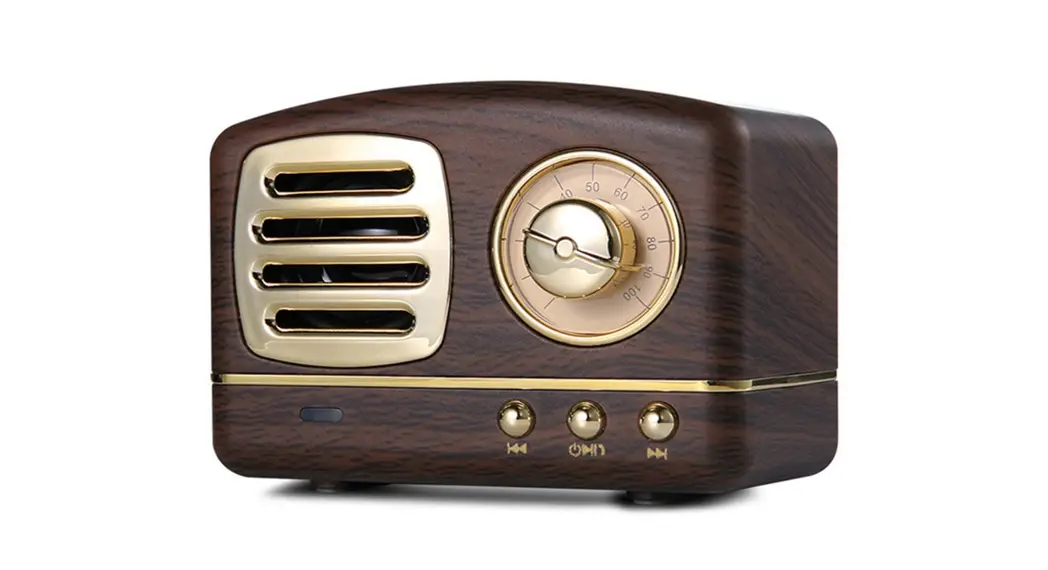
TWIST N’SHOUT Vintage Wireless Speaker
Product Information
Product: Bluetooth Speaker
Paper Type: 80g Double sided art paper
Model: Twist N’Shout Vintage Wireless Speaker
Product Usage Instructions
- Ensure that the internal battery is charged before using the
speaker. - Place the speaker on a stable surface.
- Turn on the speaker by flipping the ON/OFF switch located on
the tone arm. - To pair the speaker with a Bluetooth-enabled device, follow
these steps:- Enable Bluetooth on your device.
- Press and hold the Mode switch on the speaker until the
Indicator light starts flashing. - Search for available Bluetooth devices on your device and
select the “Twist N’Shout” speaker from the list. - Once paired, the Indicator light will stop flashing and remain
solid.
- To adjust the volume, rotate the Audio controls on the
speaker. - To skip to the next track, press the Audio controls once.
- To go back to the previous track, press the Audio controls
twice. - To pause or play the music, press and hold the Audio
controls. - To charge the internal battery, connect the charging cable to
the Charging port on the speaker and plug it into a power
source.
Note: Please refer to the Operation Manual for detailed
instructions on using the Twist N’Shout Vintage Wireless
Speaker.
80g Double sided art paper
PAIRING BLUETOOTH SPEAKER
l. Ta pair the device, turn the mode switch to Bluetooth The speaker will automatically await pairing 2. From your smartphone or tablet, find a list of nearby devices and choose “TB-VNYL” 3. Enter “0000” if asked. The speaker will “beep” when the pairing is complete · If the speaker has been paired prior, it will connect automatically.
SAFETY GUIDELINES
Please read the instruction carefully before use and keep them for reference. · Keep the speaker away from heaf and open fire. · Do not insert sharp objects and metal into the speaker to avoid a short circuit. · Do not aempt fo repair the speaker · Turn the device off if exposed to extreme heaf or liquid. · Do not aempt fo use the speaker with AC input, be sure the device is unplugged from power and charged before each use
FCC STATEMENT
This device complies with part 15 of the FCC Rules. Operation is subject to the following two conditions: (1) This device may not cause harmful interference, and (2) this device must accept any interference received, including interference that may cause undesired operation.
Warning: Changes or modifications not expressly approved by the party responsible forcompliance could void the users authority to operate the equipment.
Note: This equipment has been tested and found to comply with the limits for a Class B digital device, pur.;uant to part 15 of the FCC Rules. These limits are designed to provide reasonable protection against harmful interference in a residential installation. This equipment generates, uses and can radiate radio frequency energy and, if not installed and used in accordance with the instructions, may cause harmful interference to radio communications. However, there is no guarantee that interference will not occur in a particular installation. If this equipment does cause harmful interference to radio or television reception, which can be determined by turning the equipment off and on, the user is encouraged to ITy to correct the interference by one or more of the following measures:
· Reorient o elocate the receiving antenna. · Increase the separation between the equipment and receiver. · Connect the equipment into an outlet on a circuit different!om that to which the receiver is connected. · Consult the dealer or an experienced radio/N technician for help.
FCC RADIATION EXPOSURE STATEMENT
This equipment complies with FCC radon exposure limits set forth for anuncontrolled environment.
ow T
CK
TWIST N’SHOUT
vintage wireless speaker
Operation Manual
PRODUCT DIAGRAMS
I
1 ©
CD
FUNCTION INTRODUCTION 1. Tone arm – ON/OFF switch 2. Spinning recod – spins when music is playing 3. Mode switch 4. Indicator light 5. Charging port
6. Audio controls Rotate: adjust volume Single press: next track Doulbe press: previous track, Long press: pause/play
a) In Bluetooth mode i. Rotate left to decrease the volume ii. Rotate ight for volume increase iii. Short press next song iv. Double click the previous song v. Long pess for 2 seconds to pause/play b) Telephone call i. Short press to answe the incoming call ii. Short press to hang up while on a call iii. Long press to eject the incoming call c) In FM mode i. Rotate left to decrease the volume ii. Rotate ight for volume increase iii. pess and hold for 3 seconds to search for the radio station and memorize it iv. Short press to jump to the next station in memory v. Double click to jump to the previous station in memory 7. AUX Jack
SPECIFICATIONS
Bluetooth· version: 5.1 Baery: 3.7V/300mAh Charging Time: 3h5 Input parameter: DC SV 1A Loudspeake:40mm4Q3W Blurtooth link range: 10 meters Product size: 105 x 110 x 92mm Weight: 0.688 lb/0.312 kg FCC ID: 2BBPLTBVNYL
PAIRING BLUETOOTH SPEAKER
1. To pair the device, turn the mode switch to Bluetooth. The speaker will automatically await pairing. 2. From your smartphone or tablet, find a list of nearby devices and choose “TB-VNYL” 3. Enter “0000” if asked. The speaker will “beep” when the pairing is complete · If the speaker has been paired prior, it will connect automatically.
CONTENTS
· Vintage Vinyl speaker · Micro USB charging cable · User manual · 3.5mm Audio cable
INTERNAL BATTERY CARE
· Be sure ta charge the speaker fully, before use · Do not overcharge – Charging takes 2-3 hours, overcharging may severely affect battery life · Speaker may lose charge if not used for a long period. · Only use included cable for charging this device · Indicator light will turn red when charging and tum off when fully charged
SAFETY GUIDELINES
Please ead fhe instruction caefully before use and keep them for eference. · Keep the speake away from heat and open fire. · Do not insert sharp objecand metal into the speaketo avoid a short circuit. · Do not aempf to epair fhe speaker . · Tum the device off if exposed to extreme heat or liquid. · Do not aempt to use the speaker with AC input, be sure the device is unplugged from power and charged before each use.