IM-FR Isla Food Counters
Product Information
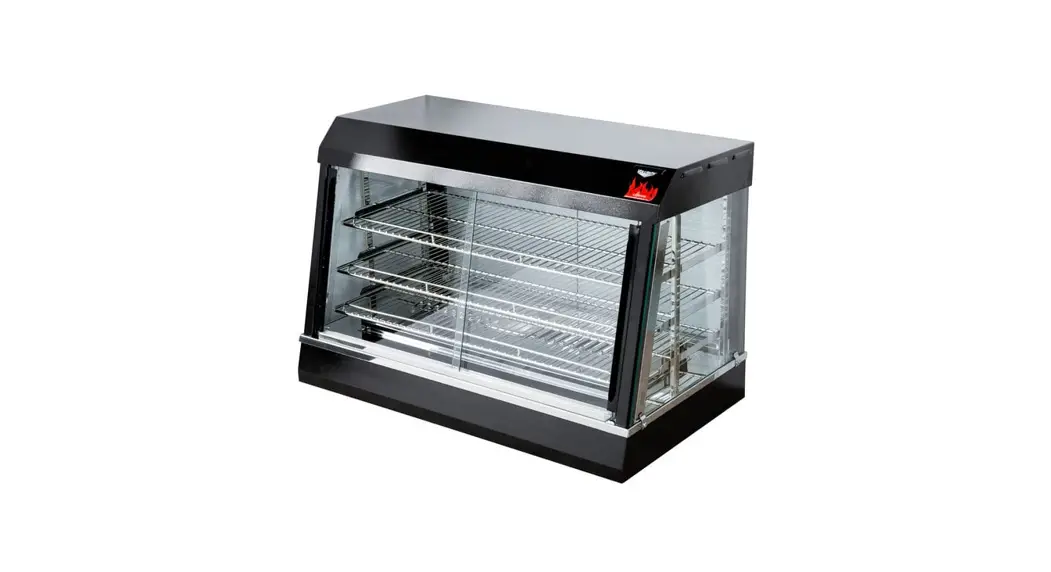
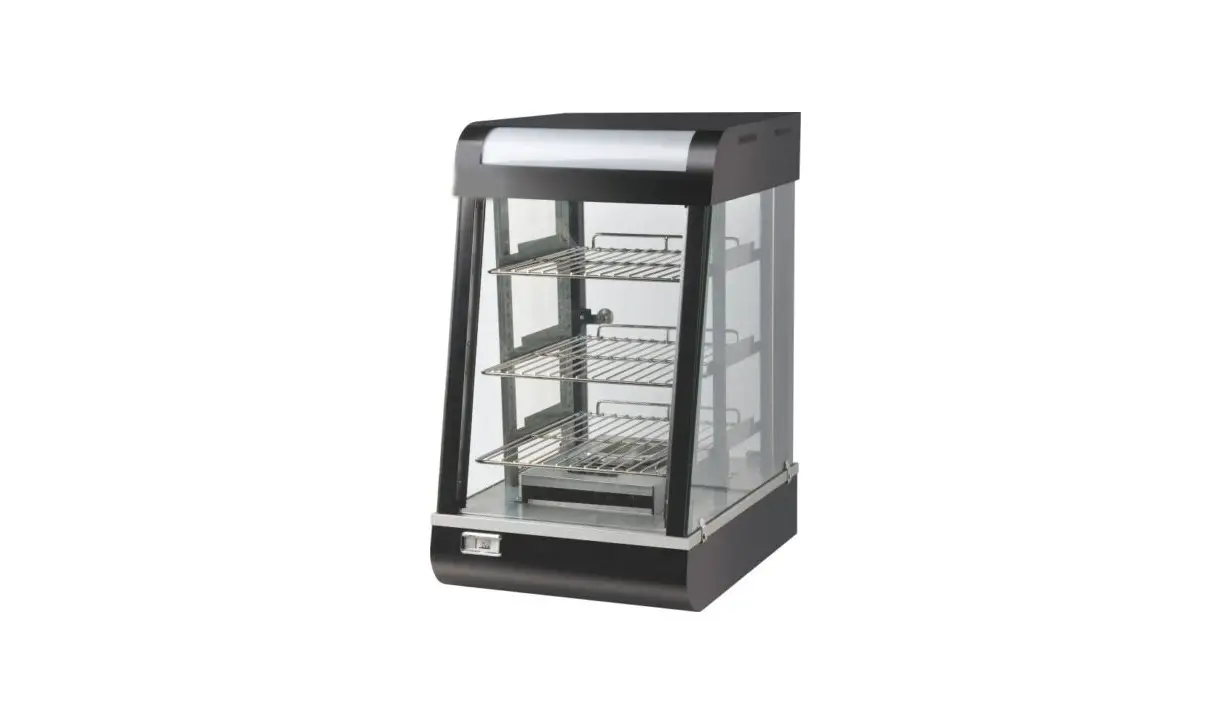
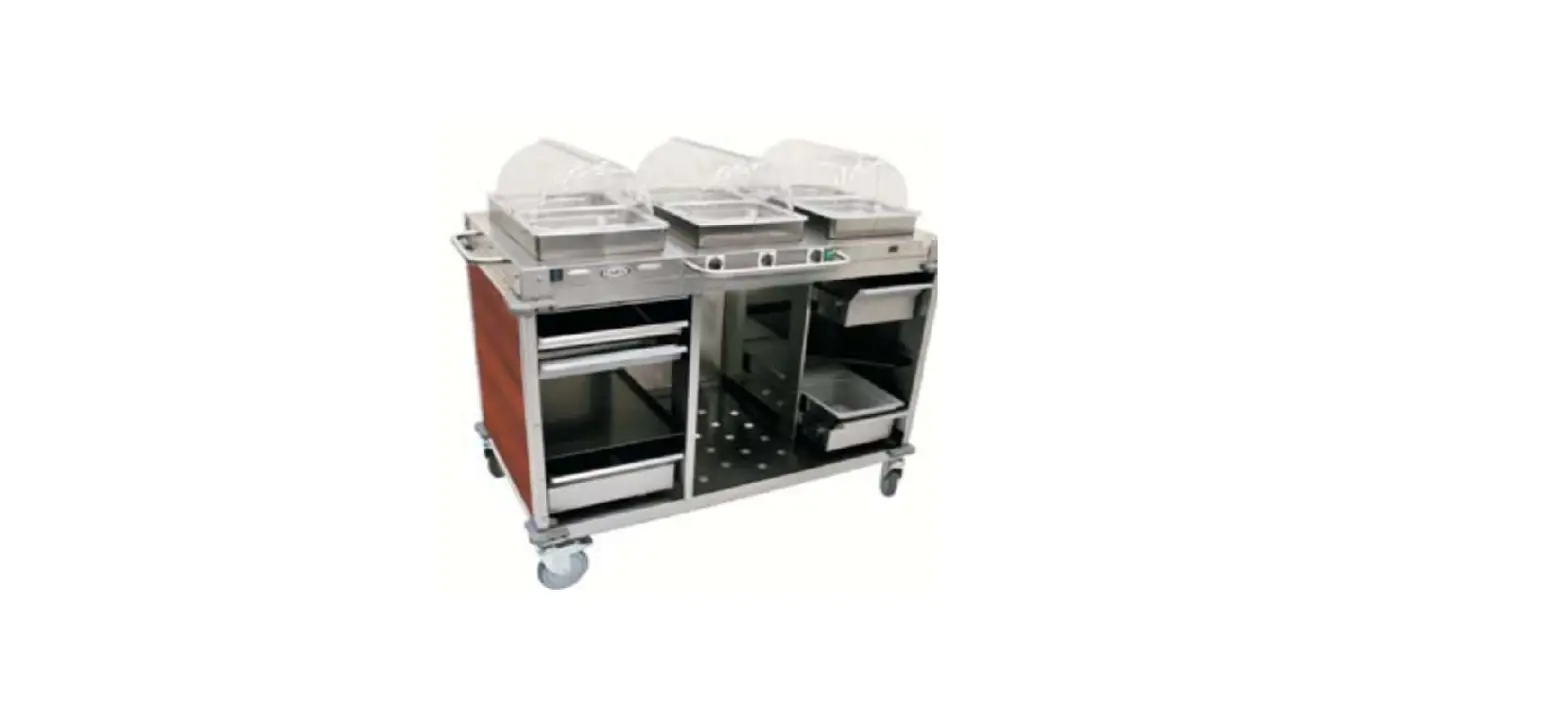
The ISLA Food Counters come in three different types:
Refrigerated Counters, Hot Counters, and Soup Counters. These
counters are designed to help keep food at the right temperature,
making it easier for food service providers to offer high-quality
food to their customers. The product comes with an Installation
& Operation Manual and Technical Data Sheets. The product is
manufactured by Hussmann Corporation.
Product Usage Instructions
Before using the ISLA Food Counters, read the Installation &
Operation Manual completely and carefully. Only qualified personnel
should install and service this equipment. Personal Protection
Equipment (PPE) is required whenever installing or servicing this
equipment. Always wear appropriate PPE as required by OSHA
regulations, as well as all other federal, state and local codes.
PPE may include, but is not limited to, safety glasses, gloves,
protective boots or shoes, long pants, and a long-sleeve shirt.
All field wiring MUST be performed by qualified personnel.
Improperly installed and grounded field wiring poses FIRE and
ELECTROCUTION hazards. To avoid these hazards, you MUST follow
requirements for field wiring installation and grounding as
described in NEC and your local/state electrical codes.
When servicing or replacing any electrical component, always
disconnect the electrical power at the main disconnect. This
includes, but is not limited to, such items as controllers,
electrical panels, condensers, lights, fans, and heaters.
Unloading Cases From Trailer: All equipment should be thoroughly
examined for shipping damage before and during unloading. If
damaged, either apparent or concealed, claim must be made to the
carrier.
For more information on the ISLA Food Counters, refer to the
Technical Data Sheets or contact the manufacturer at www.hussmann.com.
ISLA Food Counters
IM-FR-Refrigerated Counters
IM-FH-Hot Counters
IM-FS-Soup Counters
MANUAL-I/O ISLA COUNTER CASES
Installation & Operation Manual
Shipped with Technical Data Sheets
P/N P/N 3034423_C January 2022
BEFORE YOU BEGIN
Read these instructions completely and carefully.
ANSI Z535.5 DEFINITIONS
· DANGER Indicate[s] a hazardous situation
! which, if not avoided, will result in death or
serious injury.
!
· WARNING Indicate[s] a hazardous situation which, if not avoided, could result in death or
serious injury.
!
· CAUTION Indicate[s] a hazardous situation which, if not avoided, could result in minor or
moderate injury.
· NOTICE Not related to personal injury Indicates[s] situations, which if not avoided, could result in damage to equipment.
The information contained in this document is the property of Hussmann Corporation and shall not be used in whole or in part without written permission.
Proper Field Wiring and Grounding Required! Failure to follow code could result in death or serious injury. All field wiring MUST be performed by qualified personnel. Improperly installed and grounded field wiring poses FIRE and ELECTROCUTION hazards. To avoid these hazards, you MUST follow requirements for field wiring installation and grounding as described in NEC and your local/state electrical codes.
PERSONAL PROTECTION EQUIPMENT (PPE)
Only qualified personnel should install and service this equipment. Personal Protection Equipment (PPE) is required whenever installing or servicing this equipment. Always wear appropriate PPE as required by OSHA regulations, as well as all other federal, state and local codes. PPE may include, but is not limited to, safety glasses, gloves, protective boots or shoes, long pants, and a long-sleeve shirt. Observe all precautions on tags, stickers, labels and literature attached to this equipment.
This manual was written in accordance with originally prescribed equipment that is subject to change. Hussmann reserves the right to change all or part of the equipment for future stores such as, but not limited to, controllers and electrical specifications.
— LOCK OUT / TAG OUT — To avoid serious injury or death from electrical shock, always disconnect the electrical power at the main disconnect when servicing or replacing any electrical component. This includes, but is not limited to, such items as controllers, electrical panels, condensers, lights, fans, and heaters.
Table of Contents
General Instructions…………………………………………………………………….iv Cross Sections, Plan views, Data Sheets …………………………………………1
Unloading Cases From Trailer……………………………………………………1 Installation ………………………………………………………………………………….4
Exterior Loading……………………………………………………………………..4 Bumper Installation …………………………………………………………………5 Waste Outlet and P-Trap…………………………………………………………..6 Refrigerant Type……………………………………………………………………..6 Piping ……………………………………………………………………………………6 Control Settings ……………………………………………………………………..6 Evaporation Fans…………………………………………………………………….6 Electrical …………………………………………………………………………………….8 Wiring Color Code …………………………………………………………………..8 Electrical Circuit Identification…………………………………………………..8 Field Wiring and Serial Plate Amperage ……………………………………..8 User Information ………………………………………………………………………….9 Hot Well/Soup Well Operating Instructions …………………………………9 Overhead Heating System ………………………………………………………12 General Cleaning …………………………………………………………………..12 Maintenance ……………………………………………………………………………..14 Access Panels ………………………………………………………………………14 Stainless Steel Cleaning and Care ……………………………………………15 Electrical Wiring Diagrams…………………………………………………………..15 Troubleshooting Guide ………………………………………………………………..16 Hatco Limited Warranty ………………………………………………………………19 Warranty ………………………………………………………………………………….. 19 Service Record ………………………………………………………………………….20
IMPORTANT KEEP THIS DOCUMENT IN YOUR STORE FOR FUTURE REFERENCE
Quality that sets industry standards!
®®
12999 St. Charles Rock Road · Bridgeton, MO 63044-2483 U.S. & Canada 1-800-922-1919 · Mexico 1-800-890-2900
www.hussmann.com
© 2022 Hussmann Corporation
iv
1. General Instructions
IMPORTANT KEEP THIS DOCUMENT IN YOUR STORE FOR FUTURE REFERENCE
13770 Ramona Avenue Chino, California 91710
(909) 628-8942 FAX (909) 590-4910
12999 St. Charles Rock Road Bridgeton, MO 63044-2483 U.S. & Canada 1-800-922-1919
This Booklet Contains Information on: ISLA FOOD COUNTERS
Shipping Damage All equipment should be thoroughly examined for shipping damage before and during unloading. This equipment has been carefully inspected at our factory and the carrier has assumed responsibility for safe arrival. If damaged, either apparent or concealed, claim must be made to the carrier.
Apparent Loss or Damage If there is an obvious loss or damage, it must be noted on the freight bill or express receipt and signed by the carrier’s agent; otherwise, carrier may refuse claim. The carrier will supply necessary claim forms.
Concealed Loss or Damage When loss or damage is not apparent until after equipment is uncrated, a claim for concealed damage is made. Make request in writing to carrier for inspection within 15 days, and retain all packaging. The carrier will supply inspection report and required claim forms.
Shortages Check your shipment for any possible shortages of material. If a shortage should exist and is found to be the responsibility of Hussmann, notify Hussmann. If such a shortage involves the carrier, notify the carrier immediately, and request an inspection. Hussmann will acknowledge shortages within ten days from receipt of equipment.
Hussmann Product Control The serial number and shipping date of all equipment has been recorded in Hussmann’s files for warranty and replacement part purposes. All correspondence pertaining to warranty or parts ordering must include the serial number of each piece of equipment involved, in order to provide the customer with the correct parts.
Keep this booklet with the case at all times for future reference.
PN_3034423_C
U.S. & Canada 1-800-922-1919 · Mexico 1-800-890-2900 · www.hussmann.com
PN_3034423_C
v
General Instructions Continued
UNLOADING FROM TRAILER:
Lever Bar (also known as a Mule, Johnson Bar, J-bar, Lever Dolly,
and pry lever) Moving Dolly
–¦–
August 31, 2018
REVISION HISTORY
REVISION C 1. Added Coil Cleaning note
Original Issue
This warning does not mean that Hussmann products will cause cancer or reproductive harm, or is in violation of any product-safety standards or requirements. As clarified by the California State government, Proposition 65 can be considered more of a `right to know’ law than a pure product safety law. When used as designed, Hussmann believes that our products are not harmful. We provide the Proposition 65 warning to stay in compliance with California State law. It is your responsibility to provide accurate Proposition 65 warning labels to your customers when necessary. For more information on Proposition 65, please visit the California State government website.
HUSSMANN CORPORATION · BRIDGETON, MO 63044-2483
ISLA FOOD COUNTERS
PN_3034423_C
1
Cut and Plan Views
DESCRIPTION OF CASE
HUSSMANN – ISLA HOT SOUP SELF-SERVICE FOOD COUNTERS (CHINO)
PLAN SECTION
PHOTO
ELECTRICAL DATA:
LIGHTING: T5 WITH ELECTRONIC BALLASTS 120V INPUT VOLTAGE
SOUP WELLS CASE LENGTH
CASE
M AX
USAGE
HEAT LAMPS AMPS WATTS
3′
2
HOT SOUP N/A
N/A
4′
3
HOT SOUP N/A
N/A
5′
4
HOT SOUP N/A
N/A
6′
5
HOT SOUP N/A
N/A
8′
6
HOT SOUP N/A
N/A
T5 CANOPY LIGHTS
AMPS
21 28 35 42 56
WATTS
0.19 0.26 0.32 0.39 0.52
L.E.D. CANOPY LIGHTS
T5 TOTAL LIGHTS
AMPS
N/A N/A N/A N/A N/A
WATTS
N/A N/A N/A N/A N/A
AMPS
21 28 35 42 56
WATTS
0.19 0.26 0.32 0.39 0.52
L.E.D. TOTAL LIGHTS
AMPS
N/A N/A N/A N/A N/A
WATTS
N/A N/A N/A N/A N/A
CONVENIENCE OUTLETS
# OUTLETS
N/A N/A N/A N/A N/A
VOLTS
N/A N/A N/A N/A N/A
AMPS
N/A N/A N/A N/A N/A
LEGEND
N/A – NOT AVAILABLE TBD – TO BE DETERMINED SBO – SUPPLIED BY OTHERS
END PANEL WIDTH KEY
# OF END PNLS
END PNL WiDTH (IN.)
TOTAL ADDED LENGTH (IN.)
1
1.125
1.125
2
1.125
2.25
11 QT. SOUP WELL DATA:
SOUP WELLS CASE LENGTH
M AX
2 SOUP WELLS (HATCO)
(2) HWB-11QT
VOLTS/
PHASE
AMPS WATTS
240 / 1
5
1200
3′
2
5
1200
4′
3
5′
4
6′
5
8′
6
3 SOUP WELLS (HATCO)
(3) HWB-11QT
VOLTS/
PHASE
AMPS
WATTS
240 / 1
7.5
1800
7.5
1800
4 SOUP WELLS (HATCO)
(4) HWB-11QT
VOLTS/
PHASE
AMPS WATTS
240 / 1
10
2400
5 SOUP WELLS (HATCO)
(5) HWB-11QT
VOLTS/
PHASE
AMPS WATTS
240 / 1
12.5
3000
10
2400
12.5 3000
6 SOUP WELLS (HATCO)
(6) HWB-11QT
VOLTS/
PHASE
AMPS WATTS
240 / 1
15
3600
15
3600
MAX. TOTAL
AMPS / WATTS 5.0 / 1200 7.5 / 1800 10.0 / 2400.0 12.5 / 3000 15.0 / 3600
OPTIONS/NOTES:
1) NOTE: SOUP WELLS AND HOT WELLS USE 1 1/2″ DRAIN AND 1/2″ WATER LINES
2) NOTE: “AUTO-FILL” FOR HOT WELLS AND SOUP WELLS ARE OPTIONAL UNTIL FURTHER NOTICE.
HUSSMANN CORPORATION · BRIDGETON, MO 63044-2483 U.S4.A.
ISLA FOOD COUNTERS
2
Cut and Plan Views (Continued)
DESCRIPTION OF CASE
HUSSMANN – ISLA HOT WELL SELF-SERVICE FOOD COUNTERS (CHINO)
PLAN SECTION
PHOTO
ELECTRICAL DATA:
LIGHTING: T5 WITH ELECTRONIC BALLASTS 120V INPUT VOLTAGE
CASE LENGTH
M AX WELLS
CASE USAGE
HEAT LAMPS AMPS WATTS
CANOPY LIGHT S
SHELF
AMPS WATTS # SHLVS
LIGHTS LEDGE LIGHTS AMPS WATTS AMPS WATTS
3′
2
HOT
N/A
N/A
N/A
N/A
N/A
4′
3
HOT
N/A
N/A
N/A
N/A
N/A
5′
4
HOT
N/A
N/A
N/A
N/A
N/A
6′
5
HOT
N/A
N/A
N/A
N/A
N/A
8′
6
HOT
N/A
N/A
N/A
N/A
N/A
10′
8
HOT
N/A
N/A
N/A
N/A
N/A
12′
10
HOT
N/A
N/A
N/A
N/A
N/A
Light load ratings are included in overhead heater ratings
N/A
N/A
N/A
N/A
N/A
N/A
N/A
N/A
N/A
N/A
N/A
N/A
N/A
N/A
N/A
N/A
N/A
N/A
N/A
N/A
N/A
N/A
N/A
N/A
N/A
N/A
N/A
N/A
T OT AL LIGHT S
AMPS
N/A
N/A N/A N/A N/A N/A N/A
WAT T S
N/A
N/A N/A N/A N/A N/A N/A
CONVENIENCE OUT LET S
# OUTLETS
N/A N/A N/A N/A N/A N/A N/A
VOLTS
N/A
N/A N/A N/A N/A N/A N/A
AMPS
N/A
N/A N/A N/A N/A N/A N/A
CASE LENGTH
3′ 4′ 5′ 6′ 8′ 10′ 12′
12 X 20 HOT WELL DATA:
HATCO HWBI-1 HATCO HWBI-2
1 WELL
240 2 WELL
240
M AX WELLS
/ 1 PHASE
/ 1 PHASE
HATCO HWBI-3 3 WELL
240 / 1 PHASE
AMPS WATTS AMPS WATTS AMPS WATTS
5.1
1215
10.1
2415
15.1
3615
2
10.1
2415
3
15.1
3615
4
5
6
8
(2X)
10
HATCO HWBI-4 4
WELL
240 /
1 PHASE
HATCO HWBI-5 5 WELL
240 / 1 PHASE
AMPS 20.1
WATTS AMPS
4815
25.1
WAT T S 6015
20.1
4815
25.1
20.1
4815
(2X)
25.1
6015 6015
HATCO HWBI-6 6 WELL
240 / 1 PHASE
AMPS WATTS
30.1
7215
30.1
7215
MAX. TOTAL
AMPS/ WATTS
10.1 / 2415 15.1 / 1215 20.1 / 4815 25.1 / 6015 30.1 / 7215 40.2 / 9630 50.2 / 12030
CASE LENGTH
3′ 4′ 5′ 6′ 8′ 10′ 12′
OVERHEAD HEATER DATA:
M AX WELLS
HATCO GRAML-
HATCO
30
240 / 1
GRAML-42
PHASE
240 / 1 PHASE
AMPS WATTS AMPS WATTS
3.94
945
5.65
1355
2
3.94
945
3
5.65
1355
4
5.65
1355
5
6
8
2 X
10
HATCO 60
GRAML240 / 1
PHASE
AMPS WATTS
8.33
2000
8.33
8.33 8.33
2000
2000 2000
HATCO GRAML-72
240 / 1 PHASE
AMPS WATTS
10.15
2435
10.15
2435
HATCO GRAML-84
240 / 1 PHASE
AMPS WATTS
11.75
2820
11.75
2820
MAX. TOTAL
AMPS/ WATTS
3.94 / 945 5.65 / 1355 5.65 / 1355 8.33 / 2000 11.75 / 2820 16.66 / 4000 18.48 / 4435
OPTIONS/NOTES:
1) NOTE: SOUP WELLS AND HOT WELLS USE 1 1/2″ DRAIN AND 1/2″ WATER LINES
2) NOTE: “AUTO-FILL” FOR HOT WELLS AND SOUP WELLS ARE OPTIONAL UNTIL FURTHER NOTICE.
LEGEND N/A – NOT AVAILABLE TBD – TO BE DETERMINED
SBO – SUPPLIED BY OTHERS
END PANEL WIDTH KEY
# OF END PNLS
END PNL WiDTH (IN.)
TOTAL ADDED LENGTH (IN.)
1
1.125
1.125
2
1.125
2.25
PN_3034423_C
U.S. & Canada 1-8050-922-1919 · Mexico 1-800-890-2900 · www.hussmann.com
PN_3034423_C
Cut and Plan Views (Continued)
HUSSMANN – ISLA FR COUNTERS (CHINO)
SECTION
PLAN
3
PHOTO
REFRIGERATION DATA:
CASE LENGTH
3′ 4′ 5′ 6′ 8′ 10′ 12′
# OF WELLS
2 3 4 5 6 8 10
CASE USAGE
COUNTER COUNTER COUNTER COUNTER COUNTER COUNTER COUNTER
CAPACITY (BTU/HR/TOTAL)
PAR 1500 2250 3000 3750 4500 6000 7500
CONV 1725 2588 3450 4313 5175 6900 8625
TEMPERATURE (ºF)
EVAPORATOR
UNIT SIZING*
PAR
CONV
PAR CONV
20
20
18
18
20
20
18
18
20
20
18
18
20
20
18
18
20
20
18
18
20
20
18
18
20
20
18
18
DISCHARGE AIR
PAR 30 30 30 30 30 30 30
CONV 30 30 30 30 30 30 30
VELOCITY
(FT/MIN) 350 350 350 350 350 350 350
EST. REFG. CHRG. (LBS)
1.6 2.2 2.2 2.5 5.4 3.7 5.6
GLYCOL REQUIREMENTS
GPM PSI
0.5
0.5
0.8
1.2
1.1
2.3
1.3
3.7
1.6
5.4
2.1
7.0
2.7 10.6
*2º F less than evaporator for pressure loss in refrigerant lines
REFRIGERATION DATA CONTINUED:
ELEC. THERMOSTAT / AIR SENSOR SETTINGS
EPR SETTINGS
CONVENTIONAL COMPRESSOR SETTINGS
R22
R404A
R407A
USAGE
TEMP. CONTROL
CUT IN CUT OUT
(ºF)
(ºF)
32
28
R22 (PSIG)
43
R404A R407A CUT IN CUT OUT CUT IN CUT OUT CUT IN CUT OUT
(PSIG) (PSIG) (PSI) (PSI) (PSI) (PSI) (PSI)
(PSI)
55
N/A
40
10
40
10
40
10
END PANEL WIDTH KEY
# OF END PNLS
1
END PNL WIDTH (IN.) 1.125
TOTAL ADDED LENGTH
(IN.) 1.125
2
1.125
2.25
LEGEND
PAR- PARALLEL
CONV- CONVENTIONAL
N/A – NOT APPLICABLE TBD – TO BE DETERMINED
CASE LENGTH
3′ 4′ 5′ 6′ 8′ 10′ 12′
ELECTRICAL DATA:
FANS AND HEATERS (120 VOLT)
LIGHTING: T5 WITH ELECTRONIC BALLASTS 120V INPUT VOLTAGE
# OF WELLS
# OF EVAP TOTAL FANS
FANS
AMPS WATTS
CANOPY LIGHTS AMPS WATTS
L.E.D. CANOPY LIGHTS
AMPS WATTS
# ROWS
SHELF LIGHTS AMPS WATTS
L.E.D. SHELF LIGHTS
AMPS WATTS
TOTAL LIGHTS
AMPS WATTS
2
1
0.23
18
21 0.19 0.07 7.5 N/A N/A N/A
N/A
N/A
21 0.19
3
2
0.46
36
28
0.26 0.10
10
N/A N/A N/A
N/A
N/A
28 0.26
4
2
0.46
36
35 0.32 0.12 12.5 N/A N/A N/A
N/A
N/A
35 0.32
5
3
0.69
54
42
0.39 0.15
15
N/A N/A N/A
N/A
N/A
42 0.39
6
3
0.69
54
56
0.52 0.20
20
N/A N/A N/A
N/A
N/A
56 0.52
8
5
1.15
90
70
0.65 0.25
25
N/A N/A N/A
N/A
N/A
70 0.65
10
6
1.38
108
84
0.78 0.29
30
N/A N/A N/A
N/A
N/A
84 0.78
L.E.D. TOTAL
ANTI-SWEAT HEATERS
LIGHTS
GLASS HEATERS AIR SWEEP
AMPS WATTS AMPS WATTS AMPS WATTS
0.07 7.5 N/A N/A N/A N/A
0.10
10
N/A
N/A
N/A N/A
0.12 12.5 N/A N/A N/A N/A
0.15
15
N/A
N/A
N/A N/A
0.20
20
N/A
N/A
N/A N/A
0.25
25
N/A
N/A
N/A N/A
0.29
30
N/A
N/A
N/A N/A
ELECTRICAL DATA CONTINUED:
CASE
# OF
LENGTH WELLS
3′
2
4′
3
5′
4
6′
5
8′
6
10′
8
12′
10
CONDENSING UNIT
120V 1 PHASE **230V
AMPS N/A
N/A N/A N/A N/A N/A N/A
WATTS N/A
N/A N/A N/A N/A N/A N/A
DRAIN EVAP PAN 120V
CONVENIENCE OUTLETS (Optional)
AMPS N/A
N/A N/A N/A N/A N/A N/A
WATTS
# OUTLETS
VOLTS
N/A N/A N/A
N/A N/A N/A
N/A N/A N/A N/A N/A N/A
N/A N/A N/A
N/A N/A N/A
N/A N/A N/A
AMPS
N/A N/A N/A N/A N/A N/A N/A
DEFROST DATA:
# OF DEFROST WELLS TYPE
2
OFF TIME
3
OFF TIME
4
OFF TIME
5
OFF TIME
6
OFF TIME
8
OFF TIME
10 OFF TIME
TIME (MIN.)
TERM. TEMP
(ºF) COIL ONLY
DRIP TIME (MIN.)
20
54 TBD
20
54 TBD
20
54 TBD
20
54 TBD
20
54 TBD
20
54 TBD
20
54 TBD
DEFROST PER DAY
6 6 6 6 6 6 6
ELECTRICAL DEFROST
208V 1 PHASE
DEFROST WATER (LB/DAY)
AMPS N/A
N/A N/A N/A N/A N/A N/A
WATTS N/A
N/A N/A N/A N/A N/A N/A
TBD
TBD TBD TBD TBD TBD TBD
HUSSMOAPNTINONCSO/NROPTOERS:ATION · BRIDGETON, MO 63044-2483 U.S.A. 6
ISLA FOOD COUNTERS
4
Installation
The ISLA FOOD COUNTER comes in various lengths and should be installed in a proper and uniform manner. The following guidelines will help ensure proper installation.
1. Case location should be near a floor sink or waste outlet – with electrical and refrigeration access usually under the case.
2. All plumbing should conform to local codes.
3. When the ISLA FOOD COUNTERS is to be installed in an existing fixture or in a supplied fixture, the ISLA FOOD COUNTERS and the new or existing fixture should be leveled front to back and side to side.
4. The electrical junction box is located under the ISLA FOOD COUNTERS which is where the electrical is terminated by the manufacturer. The junction box is a standard 2×4 box with knock-outs and cover.
5. The refrigeration is also stubbed down under the case for connection to liquid and suction lines from the remote ISLA FOOD COUNTERS case.
6. In cases where more that one ISLA FOOD COUNTERS are installed, run drains separately to the sink or drain outlet.
7. For ISLA FOOD COUNTERS units installed in an existing table, the lip on the unit should be sealed with a NSF approved sealant and all phillips screws slots should be sealed with same.
8. The ISLA FOOD COUNTERS should be dropped in the existing table oriented with the discharge air blowing from the front to the back of the fixture, the front is identifiable by the adjustable top air discharge control pins.
9. A thermostat and solenoid mounted in the suction line is recommended for temperature control and defrost.
10. Set defrost per case specs section of this book.
legs accordingly. Case must be raised correctly, under legs where support is best, to prevent damage to case.
1. Check level of floor where cases are to be set. Determine the highest point of the floor; cases will be set off this point.
2. Level and set the first case, carefully guiding the electrical, refrigeration and drain lines through the parent case. Case must be raised under legs where support is best to prevent damage to case. Internal bracing may be removed at this time.
3. Apply liberal bead of case joint sealant (NSF Approved) to cover dotted area shown below.
DO NOT USE PERMAGUM!
Proper case-joint sealing is extremely important to prevent water leaks!
It is the contractor’s responsibility to install case(s) according to local construction and
health codes
Exterior Loading
These models have not been structurally designed to support excessive external loading. Do not walk on their tops; This could cause serious personal injury and damage to the fixture.
BUILT IN TWO SECTIONS All cases were leveled and joined and prior to shipment to insure the closest possible fit when cases are joined in the field. To avoid removing concrete flooring, begin line-up leveling
Leveling
from the highest point of the store floor.
IMPORTANT! it is imperative that the ISLA FOOD
COUNTER(s) and the FIXTURE that the ISLA FOOD
COUNTER is installed in, be leveled from front to
back and side to side prior to joining. a level case
is necessary to ensure proper operation, water
drainage.
NOTE: A. To avoid removing concrete flooring, begin lineup leveling from the highest point of the store floor.
It is imperative that the case be leveled from front to back and side to side. A level case is
B. When wedges are involved in a lineup, set them first.
All cases were leveled and joined prior to shipment to
necessary to insure proper operation of mechanical systems.
insure the closest possible fit when cases are joined in
the field. When joining, use a carpenters level and shim
PN_3034423_C
U.S. & Canada 1-8007-922-1919 · Mexico 1-800-890-2900 · www.hussmann.com
PN_3034423_C
5
Bumper Installation
THIS EQUIPMENT IS TO BE INSTALLED TO COMPLY WITH THE APPLICABLE FEDERAL, STATE, OR LOCAL PLUMBING CODE HAVING
JURISDIDTION 430-01-0056
Bumper installation instructions
Step 1: Make sure the aluminum Step 2: Use silicone lubricant to help
channel and end caps are installed.
the bumper slide into the channel.
Step 3: Starting on one end: while inserting the bumper, push it up against the end cap to prevent the bumper from shrinking after installation(when it gets cold).
Step 4: As you insert the bumper into the channel with one hand, pull the bumper toward you with the other to open the inside lips. Slowly apply pressure by rolling the bumper into the track.
8 HUSSMANN CORPORATION · BRIDGETON, MO 63044-2483 U.S.A.
ISLA FOOD COUNTERS
6
Plumbing
Waste Outlet and P-TRAP
The waste outlet is located at the left hand end of these fixtures allowing drip piping to be run under the fixture lengthwise.
A 1″ P-TRAP and threaded adapter are supplied with each fixture. The P-TRAP must be installed to prevent air leakage and insect entrance into the fixture.
installing Condensate Drain Poorly or improperly installed condensate drains can seriously interfere with the operation of this refrigerator, and result in costly maintenance and product losses. Please follow the recommendations listed below when installing condensate drains to insure a proper installation:
1. Never use pipe for condensate drains smaller than the nominal diameter of the pipe or P-TRAP supplied with the case.
2. When connecting condensate drains, the P-TRAP must be used as part of the condensate drain to prevent air leakage or insect entrance. Store plumbing system floor drains should be at least 14″ off the center of the case to allow use of the P-TRAP pipe section. Never use two water seals in series in any one line. Double P-TRAPS in series will cause a lock and prevent draining.
3. Always provide as much down hill slope (“fall”) as possible; 1/8″ per foot is the preferred minimum. PVC pipe, when used, must be supported to maintain the 1/8″ pitch and to prevent warping.
4. Avoid long runs of condensate drains. Long runs make it impossible to provide the “fall” necessary for good drainage.
5. Provide a suitable air break between the flood rim of the floor drain and outlet of condensate drain. 1″ is ideal.
6. Prevent condensate drains from freezing:
a. Do not install condensate drains in contact with non-insulated suction lines. Suction lines should be insulated with a non absorbent insulation material such as Armstrong’s Armaflex.
b. Where condensate drains are located in dead air spaces (between refrigerators or between a refrigerator and a wall), provide means to prevent freezing. The water seal should be insulated to prevent condensation.
Refrigeration
Refrigerant Type
The standard refrigerant will be R-404A unless otherwise specified on the customer order. Check the serial plate on the case for information.
Piping
The refrigerant line outlets are piped through the rear of the fixture at the left hand end when viewed from the back. Insulate suction lines to prevent condensation from dripping.
Refrigeration Lines
Liquid
3/8″ O.D.
Suction 5/8″ O.D.
Pressure drop can rob the system of capacity. To keep the pressure drop to a minimum, keep refrigerant line run as short as possible, using the minimum number of elbows. Where elbows are required, use long radius elbows only.
Control Settings
Maintain these parameters to achieve near constant product temperatures. Product temperature should be measured first thing in the morning, after having been refrigerated overnight. For all multiplexing, defrost should be time terminated. Loadmaster valves are not recommended. The number of defrosts per day should never change. The duration of the defrost cycle may be adjusted to meet conditions present at your location.
NOTE: The standard coil is piped at 5/8″ (suction); however, the store tie-in may vary depending on the number of coils and the draw the case has. Depending on the case setup, the connecting point in the store may be 5/8″, 7/8″, or 11/8″. Refer to the particular case you are hooking up.
Refrigerant lines should be sized as shown on the refrigeration legend furnished by the store.
Evaporator Fans
The evaporator fans are located at the center front of these merchandisers directly beneath the display pans.
FOR ACCESS TO THE FANS: Remove the right hand deck pan as viewed from the front of the case.
install P-TRAPS (oil traps) at the base of all suction line vertical risers.
PN_3034423_C
9 U.S. & Canada 1-800-922-1919 · Mexico 1-800-890-2900 · www.hussmann.com
PN_3034423_C
7
Refrigeration (Contd)
Acccess to TX Valves and Drain Lines
Mechanical – Remove product from end of case. Remove product racks. Remove refrigeration and drain access panels (labeled). TX valve (mechanical only) and drain are located under each access panel at end of the case.
Electronic – The Electronic Expansion valve master and slave cylinder(s) are located within the electrical access panel(s).
Electronic Expansion valve (Optional) A wide variety of electronic expansion valves and case controllers can be utilized. Please refer to EEV and controller manufacturers information sheet. Sensors for electronic expansion valves will be installed on the coil inlet, coil outlet, and in the discharge air. (Some supermarkets require a 4th sensor in the return air). Case controllers will be located in the electrical raceway or under the case.
Thermostatic Expansion Valve Location This device is located on the same side as the refrigeration stub. A Sporlan balanced port expansion valve model is furnished as standard equipment, unless otherwise specified by customer.
Expansion Adjustment Expansion valves must be adjusted to fully feed the evaporator. Before attempting any adjustments, make sure the evaporator is either clear or very lightly covered with frost, and that the fixture is within 10°F of its expected operating temperature.
Measuring the Operating Superheat 1. Determine the suction pressure with an accurate pressure gauge at the evaporator outlet. 2. From a refrigerant pressure temperature chart, determine the saturation temperature at the observed suction pressure. 3. Measure the temperature of the suction gas at the thermostatic remote bulb location. 4. Subtract the saturation temperature obtained in step No. from the temperature measured in step No. 3. 5. The difference is superheat. 6. Set the superheat for 5°F – 7°F.
T- S TAT Location T-STATS are located within the electrical raceway.
10 HUSSMANN CORPORATION · BRIDGETON, MO 63044-2483 U.S.A.
ISLA FOOD COUNTERS
8
Electrical
Electrical s ervice Receptacles
(When a pplicable) The receptacles located on the exterior of the merchandiser are intended for scales and lighted displays. They are not intended nor suitable for large motors or other external appliances.
CASE MUST BE GROUNDED
NOTE:
Refer to label illustrated above that is affixed to case to determine the actual configuration as checked in the “TYPE iNs Tall ED” boxes.
Electrical Circuit Identification
Standard lighting for all models will be full length fluorescent lamps located within the case at the top.
The switch controlling the lights, the plug provided for digital scale, and the thermometer are located at the rear of the case mullion.
The receptacle that is provided on the exterior back of these models is intended for computerized scales with a five amp maximum load, not for large motors or other high wattage appliances. It should be wired to a dedicated circuit.
BEFORE SERVICING ALWAYS DISCONNECT ELECTRICAL POWER AT THE MAIN DISCONNECT WHEN SERVICING OR REPLACING ANY
ELECTRICAL COMPONENT. This includes (but not limited to) Heaters and Lights.
Field Wiring and Serial Plate Amperage
Field Wiring must be sized for component amperes printed on the serial plate. Actual ampere draw may be less than specified. Field wiring from the refrigeration control panel to the merchandisers is required for refrigeration thermostats. Case amperes are listed on the wiring diagram, but always check the serial plate.
Ballast Location
Ballasts are located within the access panel.
PN_3034423_C
11 U.S. & Canada 1-800-922-1919 · Mexico 1-800-890-2900 · www.hussmann.com
PN_3034423_C
9
User Information
Hot Well/Soup Well Operating Instructions
Each hot unit has an individual heater with a separate control. These are thermostatically controlled with an indicator light showing when the heater has cycled on and is heating. The light below each control knob indicates when the well heater is heating.
These units are for short-term holding and display of precooked hot foods. They are not intended to cool or reheat food. The temperature of the food entering the display should be approximately 160°F when first inserted.
Any attempt to use the hot unit to display large amounts of food or soup for long periods of time will result in dehydrated, overcooked and unsafe food. The quality of the food will progressively worsen as the length of time increases.
The deterioration of product quality is a function of time and temperature. All products are affected even though in gravy or other liquid. They may appear to withstand the temperature better than “dry” foods such as fried chicken but this is not necessarily true. All foods will continue to be affected by prolonged exposure to elevated temperatures.
The following guidelines are provided only as a general guide for the use of this equipment. The local health agency for your area can provide specific temperature requirements.
Critical attention must be given to the heat controls for these hot tables/soup bars. Both the upper and lower heat controls (soup only require lower control) must be adjusted to achieve proper food temperatures. Hot foods should be held at a constant temperature of at least 140°F (60°C) (minimum FDA requirements to prevent spoiling). However, increasing the temperature too high will also cause the food to overcook, dry out, lose its flavor, texture and color. Food held for prolonged periods at high temperatures will also lose some of their nutritional value.
Different foods require different control settings. The type of food, the quantities of food and length of time that it is to remain in the hot table must be considered when establishing control settings. Therefore, it must be the user’s responsibility to establish the correct control settings to maintain the food at the safest, tastiest and saleable condition.
1 HUSSMANN CORPORATION · BRIDGETON, MO 63044-2483 U.S.A.
ISLA FOOD COUNTERS
10
Startup:
User Information (Contd)
To fill the well: · Turn the fill valve to open position. · Close the drain valve.
To drain the well: · Turn the fill valve to the closed position. · Open the drain valve.
PN_3034423_C
13 U.S. & Canada 1-800-922-1919 · Mexico 1-800-890-2900 · www.hussmann.com
PN_3034423_C
11
User Information (Contd)
Operation: · Turn power switch on. · Set temperature control to `7″ setting. Adjust as necessary. · Adjust overhead heater as necessary.
Shutting down: · Turn “ON” switch off. · Close fill valve. · Open drain valve. · Once the water is drained, close the drain valve.
14 HUSSMANN CORPORATION · BRIDGETON, MO 63044-2483 U.S.A.
ISLA FOOD COUNTERS
12
User Information (Contd)
Overhead Heating s ystem
Overhead heaters and fluorescent lights are located above each well to provide both top heat and illumination. To obtain the proper food temperatures, the well heater and overhead heater must be adjusted. Maximum limits should be avoided to prevent overcooking or drying out of food. Note: Soup Wells do not have overhead heaters.
f ood temperatures can be accurately determined only through the use of food thermometers!
Important Food Handling Tips: 1. Preheat case 30 minutes before loading product. 2. Never place food directly into the warmer. Always use an inset. 3. Food must be displayed in a single layer, in contact with the heat source at all times. 4. Using thermometer, check product before loading in case (150°-160°). 5. At start, set control to “7”. After loading, recheck temperature every ½ hour to see that unit is operating properly. Adjust the temperature to maintain a product temperature of 140°F (60°C) and above. The setting will depend on the type and quantity of product being displayed. Be sure to test product temperature with a thermometer frequently for good product maintenance. 6. Food should be rotated periodically. 7. At the end of the day, remove product and let case cool. Then clean with soap and water.
General Cleaning
Case Cleaning Long life and satisfactory performance of any equipment are dependent upon the care given to it. To insure long life, proper sanitation and minimum maintenance costs, the unit should be cleaned thoroughly and frequently. The interior may be cleaned with any domestic soap or detergent based cleaners. Sanitizing solutions will not harm the interior bottom, however, these solutions should always be used according to the manufacturer’s directions. It is essential to establish and regulate cleaning procedures. This will minimize bacteria causing discoloration which leads to degraded product appearance and significantly shortening product shelf life.
Soap and hot water are not enough to kill this bacteria. A sanitizing solution must be included with each cleaning process to eliminate this bacteria.
1. Scrub thoroughly, cleaning all surfaces, with soap and hot water.
2. Rinse with hot water, but do not flood. 3. Apply the sanitizing solution according to the
manufacturer’s directions. 4. Rinse thoroughly. 5. Dry completely before resuming operation.
Cleaning Glass and Mirrors Only use a soft cloth and mild glass cleaner for cleaning any glass or mirrored components. Be sure to rinse and/ or dry completely.
Never use hot water on cold glass surfaces! It may shatter and cause serious injury! Allow glass surfaces to warm first.
CAUTION
Do not run hot wells without any water!
CLEANING PRECAUTIONS
When cleaning:
· Do not use high pressure water hoses
· Do not introduce water faster then waste outlet can drain
· NEVER INTRODUCE WATER ON SELF CONTAINED UNIT WITH AN EVPORATOR PAN
· NEVER USE A CLEANING OR SANITIZING SOLUTION THAT HAS AN OIL BASE (these will dissolve the butyl sealants) or an AMMONA BASE (this will corrode the copper components of the case)
· TO PRESERVE THE ATTRACTIVE FINISH:
· DO USE WATER AND A MILD DETERGENT FOR THE EXTERIOR ONLY
· DO NOT USE A CHLORANITED CLEANER ON ANY SURFACE
· DO NOT USE ABRASIVES OR STEEL WOOL SCOURING PADS (these will mar the finish)
PN_3034423_C
15 U.S. & Canada 1-800-922-1919 · Mexico 1-800-890-2900 · www.hussmann.com
PN_3034423_C
13
User Information (Contd)
Plexi-glass and Acrylic Care Improper cleaning not only accelerates the cleaning cycle but also degrades the quality of this surface. Normal daily buffing motions can generated static cling attracting dust to the surface. Incorrect cleaning agents or cleaning cloths can cause micro scratching of the surface, causing the plastic to haze over time.
Top Discharge (for Open Well)
Cleaning Hussmann recommends using a clean damp chamois, or a paper towel marketed as dust and abrasive free with 210® Plastic Cleaner and Polish available by calling Sumner Labs at 1-800-542-8656. Hard, rough cloths or paper towels will scratch the acrylic and should not be used.
Antistatic Coatings The 210® has proven to be very effective in not only cleaning and polishing the Plexiglass surface, but also providing antistatic and anti-fog capabilities. This product also seals pores and provides a protective coating.
Cold Food
Stocking Improper temperature and lighting will cause serious product loss. Discoloration, dehydration and spoilage can be controlled with proper use of the equipment and handling of product. Product temperature should always be maintained at a constant and proper temperature. This means that from the time the product is received, through storage, preparation and display, the temperature of the product must be controlled to maximize life of the product. Hussmann cases were not designed to “heat up” or “cool down” product – but rather to maintain an item’s proper temperature for maximum shelf life. To achieve the protection required always:
1. Minimize processing time to avoid damaging temperature rise to the product. Product should be at proper temperature.
2. Keep the air in and around the case area free of foreign gasses and fumes or food will rapidly deteriorate.
3. Maintain the display merchandisers temperature controls as outlined in the refrigerator section of this manual.
4. Do not place any product into these refrigerators until all controls have been adjusted and they are operating at the proper temperature. Allow merchandiser to operate a minimum of 6 hours before stocking with any product.
5. When stocking, never allow the product to extend beyond the recommended load limit. Air discharge and return air flue must be unobstructed at all times to provide proper refrigeration. Do not stock product within the top air discharge zone (See diagram).
6. This case was designed and tested using stainless steel hotel pans. The use of any other material (such as crocks) may insulate the product and thus, not be kept cold. Containers made of materials other than stainless steel is discouraged and may void warranty.
7. Avoid the use of supplemental flood or spot lighting. Display light intensity has been designed for maximum visibility and product life at the factory. The use of higher output fluorescent lamps (H.O. and V.H.O.), will shorten the shelf life of the product.
Important Steps
1. Do not set temperature too cold, as this causes product dehydration. Refer to case specs section for proper settings.
2. Temperature control should be by means of a T-STAT and Suction Stop Solenoid at each case. Do not use EPR valves, Liquid Line Solenoids or electronic control devices of any kind, as these allow temperature swings causing dehydration and excessive energy consumption.
Case Cleaning
Long life and satisfactory performance of any equipment are dependent upon the care given to it. To insure long life, proper sanitation and minimum maintenance costs, the refrigerator should be thoroughly cleaned frequently. SHUT OFF FAN DURING CLEANING PROCESS. It can be unplugged within the case, or shut off case at the source. The interior bottom may be cleaned with any domestic soap or detergent based cleaners. Sanitizing solutions will not harm the interior bottom, however, these solutions should always be used according to the manufacturer’s directions. It is essential to establish and regulate cleaning procedures. This will minimize bacteria causing discoloration which leads to degraded product appearance and significantly shortening product shelf life.
Soap and hot water are not enough to kill this bacteria. A
sanitizing solution must be included with each cleaning
process to eliminate this bacteria.
1. Scrub thoroughly, cleaning all surfaces, with soap and hot water.
2. Rinse with hot water, but do not flood.
16 HUSSMANN CORPORATION · BRIDGETON, MO 63044-2483 U.S.A.
ISLA FOOD COUNTERS
14
User Information (Contd)
3. Apply the sanitizing solution according to the manufacturer’s directions.
4. Rinse thoroughly. 5. Dry completely before resuming operation.
Never use hot water on cold glass surfaces! it may shatter and cause serious injury! Allow glass surfaces to warm first.
Cleaning Glass and Mirrors
Only use a soft cloth and mild glass cleaner for cleaning any glass or mirrored components. Be sure to rinse and/ or dry completely.
9. Maintenance
Access Panels
The electrical J box is located in the center of the case beneath the plate shelf. The access for condensing units (in the self contained units) is located on the side of the stand, at the end. Ends of stand are fitted for removal, if condensing unit has to be taken out.
Evaporator f ans The evaporator fans are located at the center front of these merchandisers directly beneath the display pans. Should fans or blades need servicing, always replace fan blades with the raised embossed side of the blade TOWARD THE MOTOR.
Copper Coils The copper coils used in Hussmann merchandisers may be repaired in the field. Materials are available from local refrigeration wholesalers.
Hussmann recommends using #15 Sil-Fos for repairs.
BEFORE SERVICING ALWAYS DISCONNECT ELECTRICAL
POWER AT THE MAIN DISCONNECT WHEN SERVICING OR REPLACING ANY
ELECTRICAL COMPONENT. This includes (but not limited to) Fans, Heaters
Thermostats, and Lights.
T-5 Bulbs T-5 lamps are furnished with a shatterproof protective coating. The same type of lamp with protective coating must be used if replaced. All lamps have the label below.
Tips and Troubleshooting
Before calling for service, check the following:
1. Check electrical power supply to the equipment for connection.
2. Check fixture loading. Overstocking case will affect its proper operation.
3. If frost is collecting on fixture and/or product, check that Humidity Control is working properly, and that no outside doors or windows are open-allowing moisture to enter store.
UR
ENCAPSULITE
SHATTERPROOF COATING – SA 10645
R
Complies with FDA USDA
NSF
& OSHA Regulations
for replacement call: 1-800-395-9229
Turn switch off then on after replacing bulb
FOR PROMPT SERVICE When contacting the factory, be sure to have the Case Model and Serial Number handy. This information is on a plate
located on the case itself.
PN_3034423_C
17 U.S. & Canada 1-800-922-1919 · Mexico 1-800-890-2900 · www.hussmann.com
PN_3034423_C
15
Maintenance (Contd)
Stainless Steel Cleaning and Care
There are three basic things, which can break down your stainless steel’s passivity layer and allow corrosion.
1. Mechanical a brasion Mechanical Abrasion means those things that will scratch the steels surface. Steel Pads, wire Brushes, and Scrapers are prime examples.
2. Water Water comes out of our tap in varying degrees of hardness. Depending on what part of the country you live in, you may have hard or soft water. Hard water may leave spots. Also, when heated, hard water leaves deposits behind that if left to sit, will break down the passive layer and rust your stainless steel. Other deposits from food preparation and service must be properly removed.
3. Chlorides Chlorides are found nearly everywhere. They are in water, food and table salt. One of the worst perpetrators of chlorides can come from household and industrial cleaners.
Don’t Despair! Here are a few steps that can help prevent stainless steel rust.
1. Use the Proper Tools When cleaning your stainless steel products, take care to use non-abrasive tools. Soft Clothes and plastic scouring pads will NOT harm the steel’s passive layer. Stainless steel pads can also be used but the scrubbing motion must be in the same direction of the manufacturer’s polishing marks.
2. Clean With the Polish l ines Some stainless steels come with visible polishing lines or “grain”. When visible lines are present, you should ALWAYS scrub in a motion that is parallel to them. When the grain cannot be seen, play it safe and use a soft cloth or plastic scouring pad.
3. Use alkaline, or Non-chloride Containing Cleaners While many traditional cleaners are loaded with chlorides, the industry is providing an ever increasing choice of non-chloride cleaners. If you are not sure of your cleaner’s chloride content contact your cleaner supplier. If they tell you that your present cleaner contains chlorides, ask for an alternative. Also, avoid cleaners containing quaternary salts as they also can attack stainless steel & cause pitting and rusting.
4. Treat your Water Though this is not always practical, softening hard water can do much to reduce deposits. There are certain filters that can be installed to remove distasteful and corrosive elements. Salts in a properly maintained water softener are your friends. If you are not sure of the proper water treatment, call a treatment specialist.
5. Keep your Food Equipment Clean Use alkaline, alkaline chlorinated or non-chlorinated cleaners at recommended strength. Clean frequently to avoid build-up of hard, stubborn stains. If you boil water in your stainless steel equipment, remember the single most likely cause of damage is chlorides in the water. Heating cleaners that contain chlorides has a similar effect.
6. RI N S E , R I N S E , R I N S E If chlorinated cleaners are used you must rinse, rinse, rinse and wipe dry immediately. The sooner you wipe off standing water, especially when sit contains cleaning agents, the better. After wiping the equipment down, allow it to air dry for the oxygen helps maintain the stainless steel’s passivity film.
7. Never Use Hydrochloric acid (Muriatic acid) on Stainless Steel.
8. Regularly Restore/Passivate Stainless Steel.
CLEANING COILS
Never use sharp objects around coils. Use a soft brush or vacuum brush to clean debris from coils. Do not puncture coils! Do not bend fins. Contact an authorized service technician if a coil is punctured, cracked, or otherwise damaged.
Do NOT use chlorine or ammonia-based cleaners to clean aluminum coils.
ICE in or on the coil indicates the refrigeration and defrost cycle is not operating properly. Contact an authorized service technician to determine the cause of icing, and to make adjustments as necessary. To maintain product integrity, move all product to a cooler until the unit has returned to normal operating temperatures.
10. Electrical Wiring Diagrams
Due to the Custom nature of these cases, the wiring diagrams and loads are appended to each guide. f or additional copies, please contact the factory. Have the unit serial number available.
18 HUSSMANN CORPORATION · BRIDGETON, MO 63044-2483 U.S.A.
ISLA FOOD COUNTERS
16
HUSSMANN Tech Support: 866-785-8499
HATCO TECH SUPPORT: 800-558-0607
Troubleshooting Guide (Cold Case)
Problem Case temperature is too warm.
Case temperature is too cold.
Possible Cause Ambient conditions may be affecting the case operation.
Discharge air temp is out of spec.
Case is in defrost. Product load may be over its limits blocking airflow.
Coil is freezing over.
Condensing coil or evaporator coil is clogged or dirty. The t-stat temp is set too low. Ambient conditions may be affecting the case operation.
Inadequate air circulation.
There is not enough heat provided in the airflow. There are glass gaps on the side of the case. Glass is not completely shut.
Possible Solution Check case position in store. Is the case located near an open door, window, electric fan or air conditioning vent that may cause air currents? Case must be located minimum 15 Ft away from doors or windows. Cases are designed to operate at 55% Relative humidity and a temperature of 75°F. Check evaporator fan operation. Check electrical connections and input voltage. Fans are installed backwards. Check airflow direction. Fan blades are installed incorrectly. Make sure fan blades have correct pitch and are per specification. Check to see that fan plenum is installed correctly. It should not have any gaps. Check suction pressure and insure that it meets factory specifications. Place prepackaged hot food in case. Check defrost settings. See Technical Specifications section. Redistribute product so it does not exceed load level. There is a sticker on the inside of the case indicating what the maximum load line is. Return air is blocked, make sure debris is not blocking the intake section. Coil close-offs are not installed. Inspect coil to make sure these parts are on the case. Clean coil.
Check settings. See Technical Specifications section.
Check case position in store. Is the case located near an open door, window, electric fan or air conditioning vent that may cause air currents? Case must be located minimum 15 Ft away from doors or windows. Cases are designed to operate at 55% Relative humidity and a temperature of 75°F. Check if air sweep fans are functioning, check electrical connections. Check if air sweep heater is functioning, check electrical connections. See glass adjustment section.
Close glass correctly.
PN_3034423_C
continued on next page… U.S. & Canada 1-800-922-1919 · Mexico 1-800-890-2900 · www.hussmann.com
PN_3034423_C
17
Troubleshooting Guide (Cold Case) (Contd)
Problem
Possible Cause
Possible Solution
Water has pooled under case.
Case drain is clogged. Clear drain.
PVC drains under case may have a leak.
Repair as needed.
Case tub has unsealed opening.
Seal as needed.
If the case is in a lineup, case to case joint is missing or unsealed.
Install case to case joint and seal as needed.
Evaporator pan is
Check electrical connection to evaporator pan. Check float
overflowing (if applicable). assembly, it should move freely up and down the support
stem. Clear any debris.
Case is not draining properly.
Case is not level.
Level the case.
Drain screen is plugged. Clean drain screen and remove any debris.
Drain or P-trap is clogged. Clear any debris.
Frost or ice on evaporator coil.
Evaporator fans are not functioning.
Check electrical connections.
Defrost clock is not functioning.
Case should be serviced by a qualified service technician.
Coil is freezing over.
Return air is blocked, make sure debris is not blocking the intake section.
Coil close-offs are not installed. Inspect coil to make sure these parts are on the case.
Large gap is visible on bottom of front glass or glass can’t be opened because it is too low.
Glass Height adjusters need to be adjusted.
See Glass Adjustment section.
Large gaps are visible in between glass panels or glass rubs against end panel.
Glass/glass clamp assembly needs to be adjusted.
See Glass Adjustment section.
Front glass does not stay open and falls closed.
Glass shock/piston may need to be replaced.
Case should be serviced by a qualified service technician.
Lights do not come on.
Ballast/light socket wiring. Check electrical connections. See Electrical Section and check wiring diagram.
Ballast needs to be replaced.
Case should be serviced by a qualified service technician. See Electrical Section.
Lamp socket needs to be Case should be serviced by a qualified service technician. replaced.
Lamp needs to be replaced.
See Maintenance Section.
Light Switch needs to replaced.
Case should be serviced by a qualified service technician.
HUSSMANN CORPORATION · BRIDGETON, MO 63044-2483 U.S.A.
ISLA FOOD COUNTERS
18
Troubleshooting Guide (Hot Case)
Problem Product not holding temperature.
No soup/hot well or overhead heat.
No griddle heat.
Main Power switch on but case is inoperative. Fluorescent Lights do not come on.
Possible Cause
Possible Solution
Ambient conditions may be affecting the case operation.
Check case position in store. Is the case located near an open door, window, electric fan or air conditioning vent that may cause air currents? Case must be located minimum 15 Ft away from doors or windows. Cases are designed to operate at 55% Relative humidity and a temperature of 75°F.
Unit not preheated.
Preheat case before loading product.
Heat settings too low
Adjust shelf/griddle control setting.
Low voltage.
Using volt meter make sure line voltage matches serial plate voltage.
Product held too long
Hold product for recommended time.
Product not placed correctly in case.
Place product in case per recommendations.
Product not hot when placed in case.
Place prepackaged hot food in case.
Faulty heater.
Check and call Hatco to replace if necessary.
Faulty control.
Check and call Hatco to replace if necessary.
Losse wiring on heater. Check wiring/electrical connections.
Temperature setting “Off”. Increase shelf heat setting.
Faulty griddle heater.
Check and call Hatco to replace if necessary.
Faulty control.
Check and call Hatco to replace if necessary.
Loose wiring on heater. Check wiring/electrical connections.
Temperature setting “Off”. Increase griddle heat setting.
Open Circuit.
Check to see that cord is plugged in if plug is provided. Check wiring/electrical connections for hard wired cases. Check line voltage. Check power switch and replace if defective.
Ballast/light socket wiring. Check electrical connections. See Electrical Section and check wiring diagram.
Ballast needs to be replaced.
Case should be serviced by a qualified service technician. See Electrical Section.
Lamp socket needs to be Case should be serviced by a qualified service technician. replaced.
Lamp needs to be replaced.
See Maintenance Section.
Light Switch needs to replaced.
Case should be serviced by a qualified service technician.
PN_3034423_C
U.S. & Canada 1-800-922-1919 · Mexico 1-800-890-2900 · www.hussmann.com
PN_3034423_C
19
8. Hatco Limited Warranty
1. PRODUCT WARRANTY Hatco warrants the products that it manufactures (the “Products”) to be free from defects in materials and workmanship, under normal use and service, for a period of one (1) year from the date of purchase when installed and maintained in accordance with Hatco’s written instructions or 18 months from the date of shipment from Hatco. Buyer must establish the Product’s purchase date by returning Hatco’s Warranty Registration Card or by other means satisfactory to Hatco in its sole discretion.
Hatco warrants the following Product components to be free from defects in materials and workmanship from the date of purchase (subject to the foregoing conditions) for the period(s) of time and on the conditions listed below:
a) One (1) Year Parts and Labor PLUS One (1) Additional Year Parts-Only Warranty: Conveyor Toaster Elements (metal sheathed) Drawer Warmer Elements (metal sheathed) Drawer Warmer Drawer Rollers and Slides Food Warmer Elements (metal sheathed) Display Warmer Elements (metal sheathed air heating) Holding Cabinet Elements (metal sheathed air heating) Built-In Heated Well Elements — HWB and HWBI Series (metal sheathed)
b) One (1) Year Parts and Labor PLUS Four (4) Years Parts-Only Warranty on pro-rated terms that Hatco will explain at Buyer’s request: 3CS and FR Tanks
c) One (1) Year Parts and Labor PLUS Nine (9) Years Parts-Only Warranty on: Electric Booster Heater Tanks Gas Booster Heater Tanks
d) Ninety (90) Day Parts-Only Warranty: Replacement Parts
THE FOREGOING WARRANTIES ARE EXCLUSIVE AND IN LIEU OF ANY OTHER WARRANTY, EXPRESSED OR IMPLIED, INCLUDING BUT NOT LIMITED TO ANY IMPLIED WARRANTY OF MERCHANTABILITY OR FITNESS FOR A PARTICULAR PURPOSE OR PATENT OR OTHER INTELLECTUAL PROPERTY RIGHT INFRINGEMENT. Without limiting the generality of the foregoing, SUCH WARRANTIES DO NOT COVER: Coated incandescent light bulbs, fluorescent lights, heat lamp bulbs, coated halogen light bulbs, halogen heat lamp bulbs, glass components, and fuses; Product failure in booster tank, fin tube heat exchanger, or other water heating equipment caused by liming, sediment buildup, chemical attack, or freezing; or Product misuse, tampering or misapplication, improper installation, or application of improper voltage.
2. LIMITATION OF REMEDIES AND DAMAGES
Hatco’s liability and Buyer’s exclusive remedy hereunder will be limited solely, at Hatco’s option, to repair or replacement using new or refurbished parts or Product by Hatco or a Hatcoauthorized service agency (other than where Buyer is located outside of the United States, Canada, United Kingdom, or Australia, in which case Hatco’s liability and Buyer’s exclusive remedy hereunder will be limited solely to replacement of part under warranty) with respect to any claim made within the applicable warranty period referred to above. Hatco reserves the right to accept or reject any such claim in whole or in part. In the context of this Limited Warranty, “refurbished” means a part or Product that has been returned to its original specifications by Hatco or a Hatco-authorized service agency. Hatco will not accept the return of any Product without prior written approval from Hatco, and all such approved returns shall be made at Buyer’s sole expense. HATCO WILL NOT BE LIABLE, UNDER ANY CIRCUMSTANCES, FOR CONSEQUENTIAL OR INCIDENTAL DAMAGES, INCLUDING BUT NOT LIMITED TO LABOR COSTS OR LOST PROFITS RESULTING FROM THE USE OF OR INABILITY TO USE THE PRODUCTS OR FROM THE PRODUCTS BEING INCORPORATED IN OR BECOMING A COMPONENT OF ANY OTHER PRODUCT OR GOODS.
All Hatco products are assigned a ten digit serial number at the time of manufacture. This serial number is shown on the product specification label that is attached to the unit. When contacting Hatco for assistance, it is very important and helpful that the serial number be provided.
The last four digits of a Hatco serial number are the manufacturing date code:
Example = Serial number 9625060951 has a date code of “0951” which indicates the following: 0951
Week Fifty-One Year 2009
In addition to the date code, a complete serial number provides a link to other specific unit information. Please provide the unit serial number when contacting Hatco for assistance.
HATCO CORPORATION P.O. Box 340500
Milwaukee, WI 53234-0500 U.S.A. (800) 558-0607 (414) 671-6350 Parts and Service Fax (800) 690-2966 International Fax (414) 671-3976 [email protected]
www.hatcocorp.com
HUSSMANN CORPORATION · BRIDGETON, MO 63044-2483 U.S.A.
ISLA FOOD COUNTERS
20
Last service date: By:
10. Service Record
_______________ __________________________________________________________________________________________________
_______________ __________________________________________________________________________________________________
_______________ _____________________________________________________________________________________________
_______________ _____________________________________________________________________________________________
_______________ _____________________________________________________________________________________________
_______________ _____________________________________________________________________________________________
_______________ _____________________________________________________________________________________________
Additional copies of this publication may be obtained by contacting: Hussmann® Chino or going to our website
13770 Ramona Avenue · Chino, California 91710 (909) 628-8942 FAX (909) 590-4910 (800) 395-9229
Hussmann Corporation 12999 St. Charles Rock Road Bridgeton, MO 63044-2483 (800) 922-1919
www.hussmann.com
The MODEL NAME and SERIAL NUMBER is required in order to provide you with the correct parts and information for your particular unit. They can be found on a small metal plate on the unit. Please note them below for future reference.
MODEL:
SERIAL NUMBER:
HATCO SERIAL No:
PN_3034423_C
U.S. & Canada 1-800-922-1919 · Mexico 1-800-890-2900 · www.hussmann.com
 Commercial Foodservice & Restaurant Equipment | Hatco
 Hussmann | Hussmann Corporation