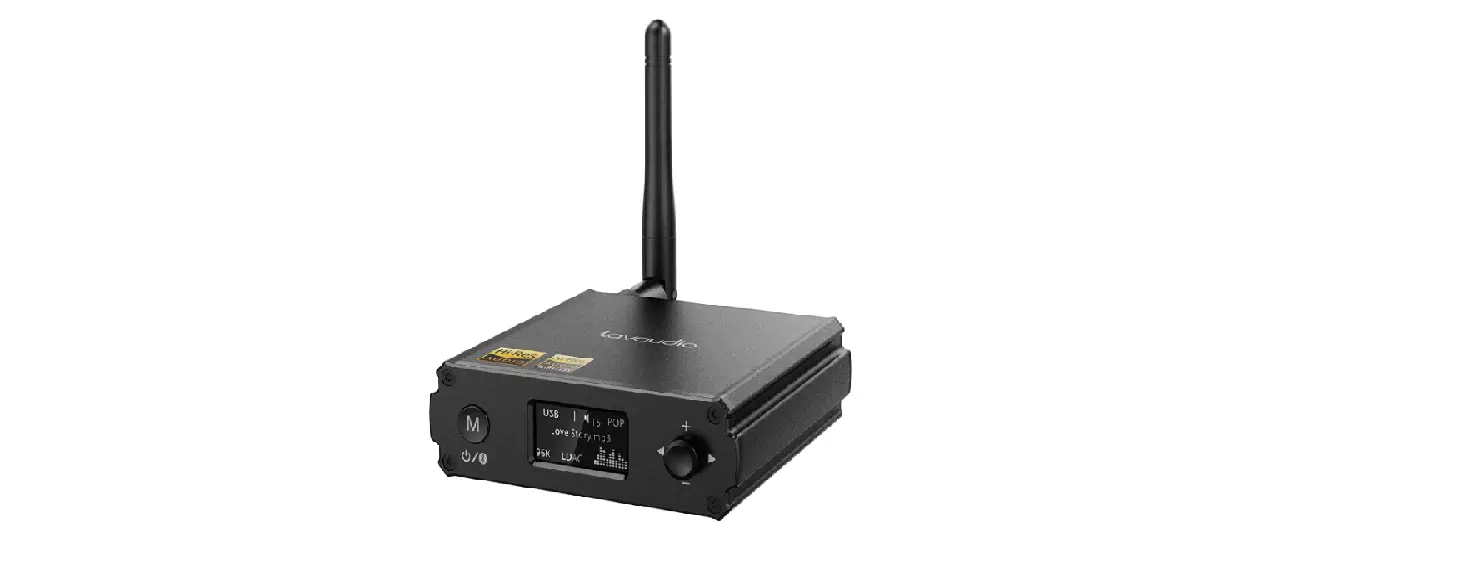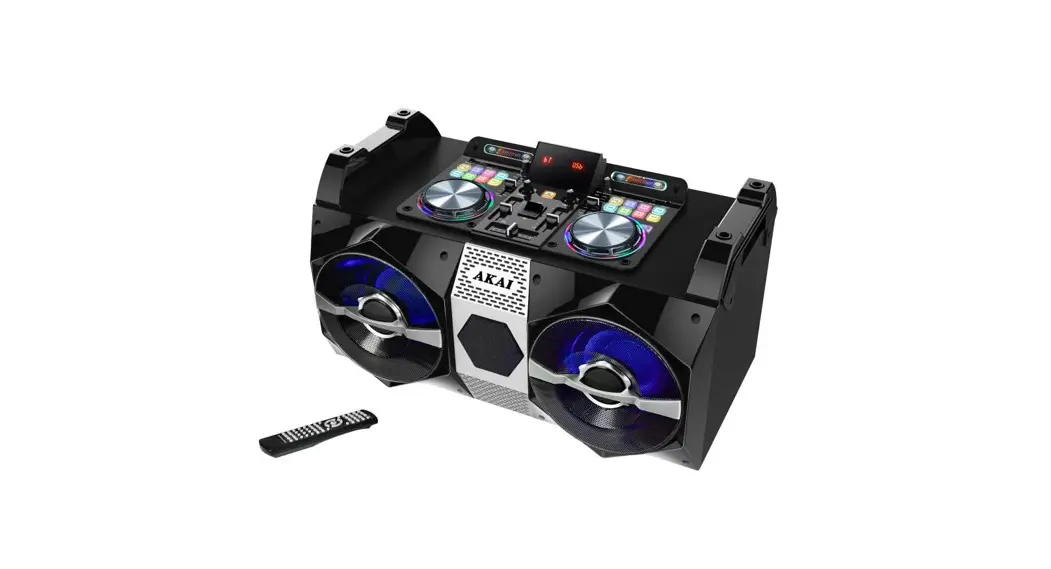

DJ-530 Home Entertainment Bluetooth Receiver
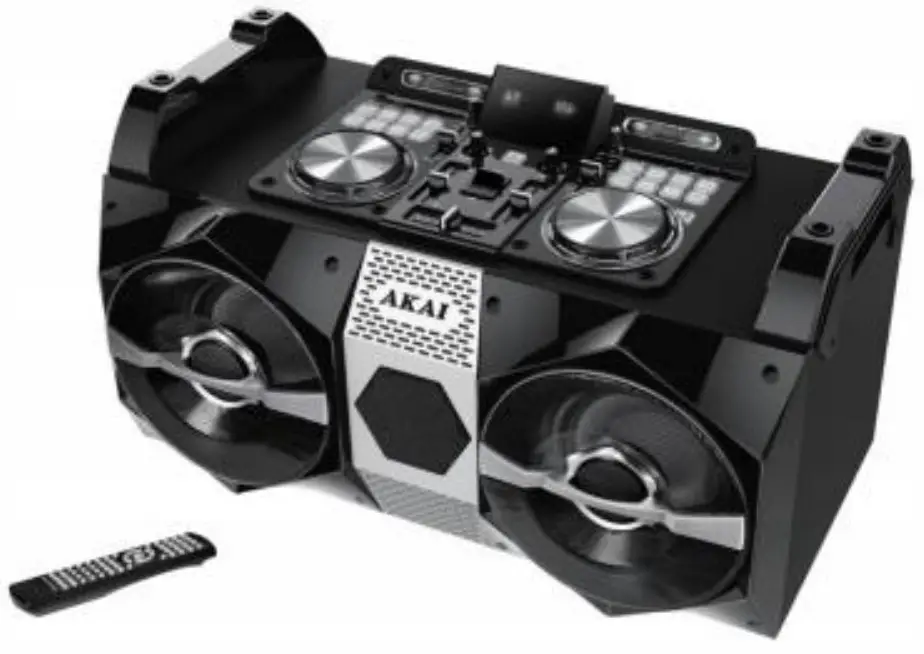

User Manual
 The lightning flash with the arrowhead symbol within an equilateral triangle is intended to alert the user to the presence of “uninsulated dangerous voltage” within the product’s enclosure that may be of sufficient magnitude to constitute a risk of electric shock to a person The exclamation point within an equilateral triangle is intended to alert the user to the presence of important operating and maintenance (servicing) instructions in the literature accompanying the unit.
Safety Precautions
Warning To prevent fire or electric shock, do not expose this appliance to rain or moisture.
IMPORTANT SAFEGUARDS
Caution: Please carefully read all of the following important safeguards to ensure safe operation
- Read Instructions: All the safety and operating instructions should be read before the appliance is operated
- Retain Instructions: The safety and operating instructions should be retained for future reference.
- Follow Instructions: All operating instructions should be followed
- Heed Warnings: All warnings on the unit and the operating instructions should be adhered to.
- Power Source’ The appliance should be connected based on instructions.
- Heat: Keep the unit away from heat sources such as radiators, refrigerators. stoves or other appliances that may radiate heat
- Non-use Periods: The power cord of the unit should be unplugged from the outlet when you do not use it for a long time
- Damage requiring service: The unit should be repaired by qualified service personnel in the following cases:
a The power plug or cable has been damaged,
b. Objects have fallen or liquid has been spilled on the appliance:
c. The appliance has been exposed to rain:
d The appliance is functioning abnormally.
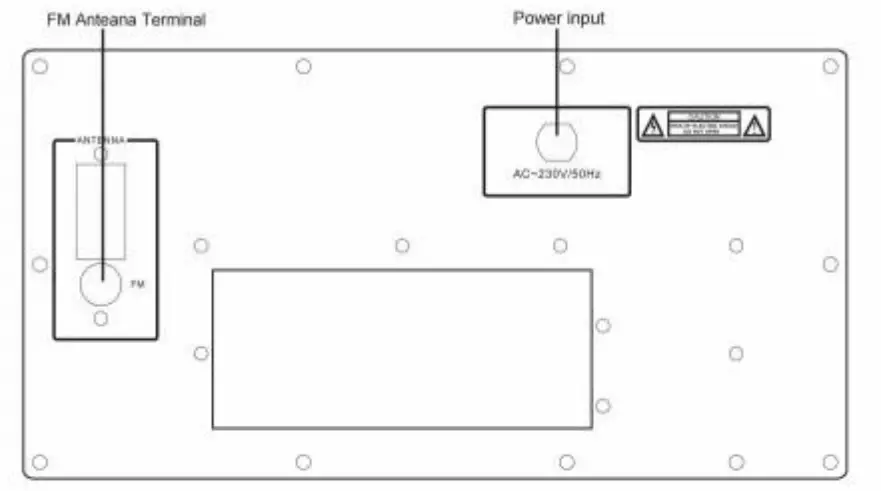
CONNECTIONS
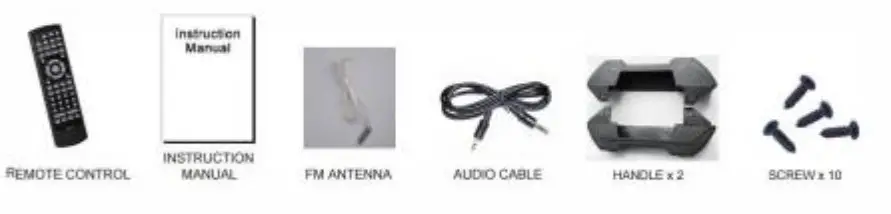
Accessories
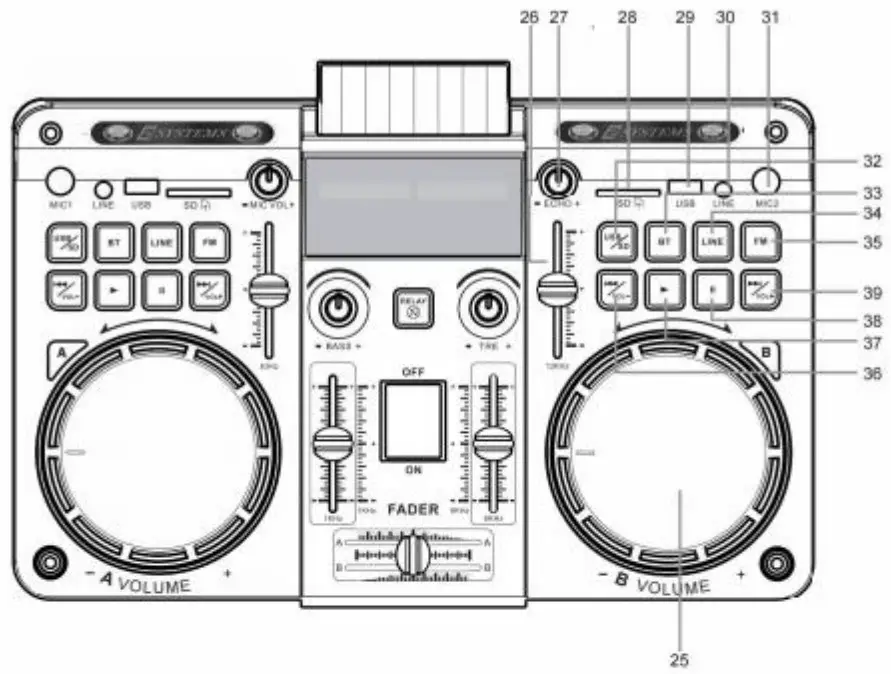
FRONT PANEL-CONTROLS AND FUNCTIONS
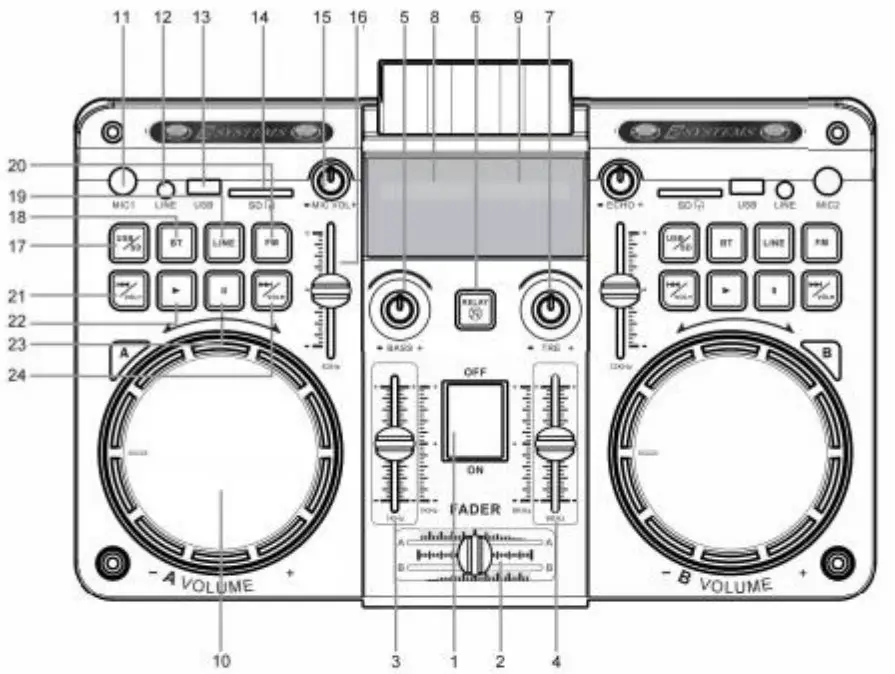
- Power ON/OFF
- A B System fader
- Equalizer
- Equalizer
- BASS increase/weaker
- Mute of the whole unit
- Treble increase/weaker
- A System LED display
- 8 System LED display
- A System Volume control knob
- Microphone) input slot
- A System Line input slot
- A System USB input slot
- A System SD card input slot
- Microphone volume increase/decrease
- Equalizer
- A System USB/SD card input key
- A System BT input key(BT searching name. AKAI A)
- A System Line input key
- A System FM input key
- A System Previous key, long press for volume decrease
- A System Play key
- A System Pause key
- A System next key. long press for volume increase

- 8 System Volume control knob
- Equalizer
- ECHO increase/decrease
- B System SD card input slot
- B System USB input slot
- B System Line input slot
- Microphone2 input slot
- B System USB/SD card input key
- B System BT input key(BT searching name. AKAI B)
- 8 System Line input key
- 8 System FM input key
- 8 System Previous key. long press for volume decrease
- B System Play key
- B System Pause key
- B System next key. long press for volume increase
REMOTE INSTRUCTION
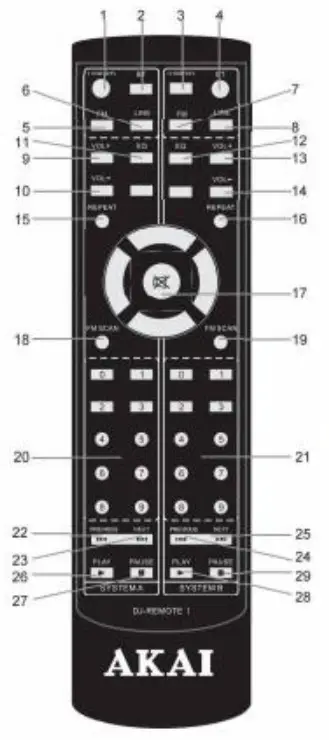
- A System USB/S0 card input button
- A System BT input button
- B System USB/SD card input button
- Ei System BT input button
- A System FM input button
- A System LINE input button
- B System FM input button
- B System LINE input button
- A System volume increases
- A System volume decrease
- A System Equalizer
- 8 System Equalizer
- B System volume increase
- B System volume decrease
- A System play again
- B System play again
- Mute volume
- A System auto scan for channels
- B System auto scan for channels
- A System USB/SD card song select
- B System USBISD card song select
- A System previous song
- A System next song
- B System’s previous song
- B System’s next song
- A System play
- A System Pause
- B System play
- B System Pause
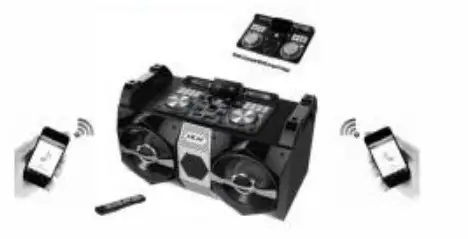
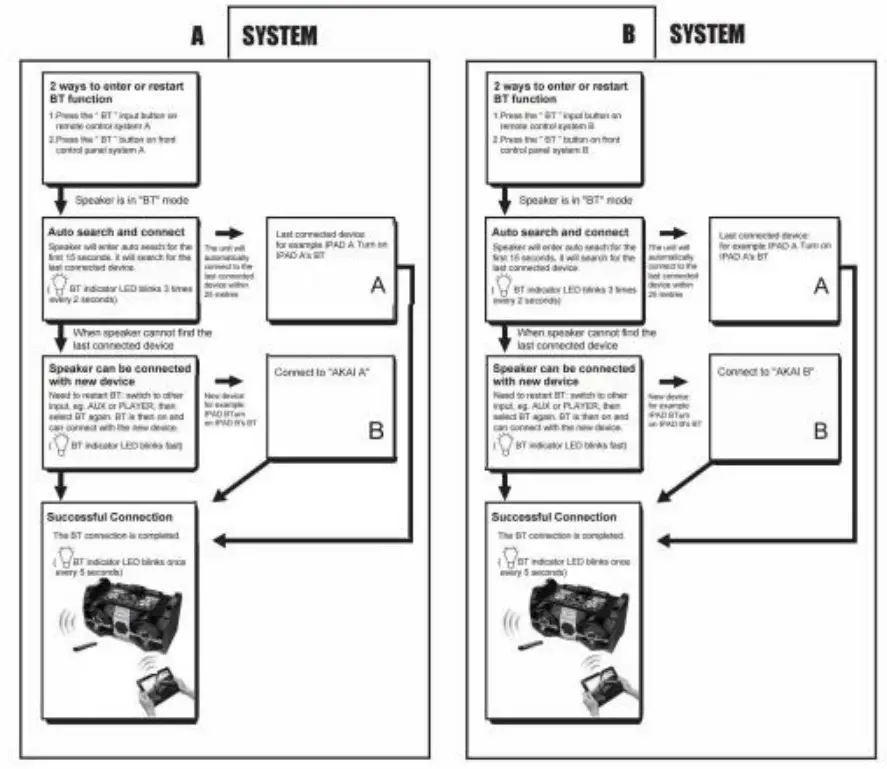
HOW TO USE BLUETOOTH CONNECTION
Dual Bluetooth Speaker
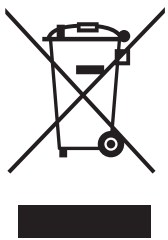 This symbol on the product or packaging means that the product should not be treated as household waste. Do not throw garbage at the end of its life, but take it to a collection center or recycling. In this way, you will help to protect the environment and be able to prevent any negative consequences that it would have on the environment and human health.