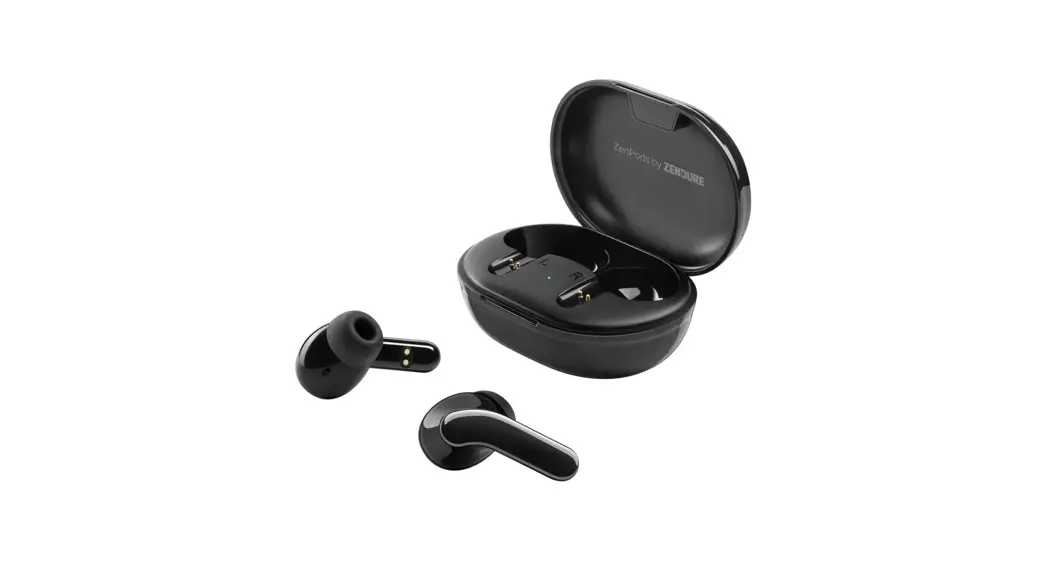

ZenPods
True Wireless Earphones with Active Noise Cancellation
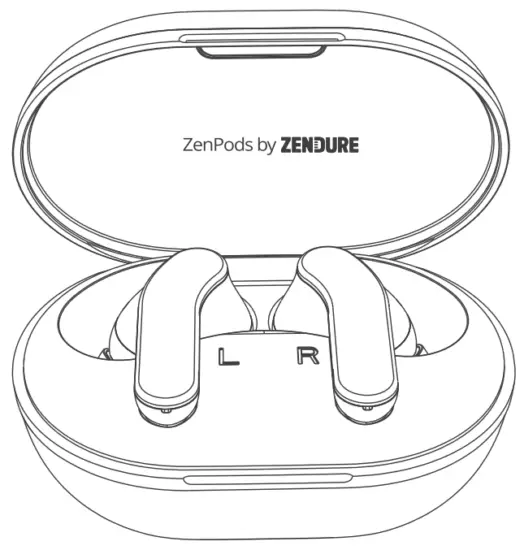 USER MANUAL
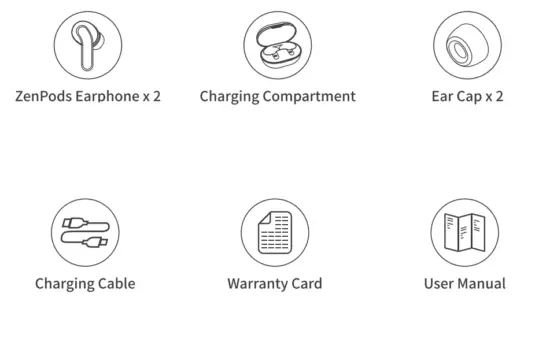
In the Box
Product Overview
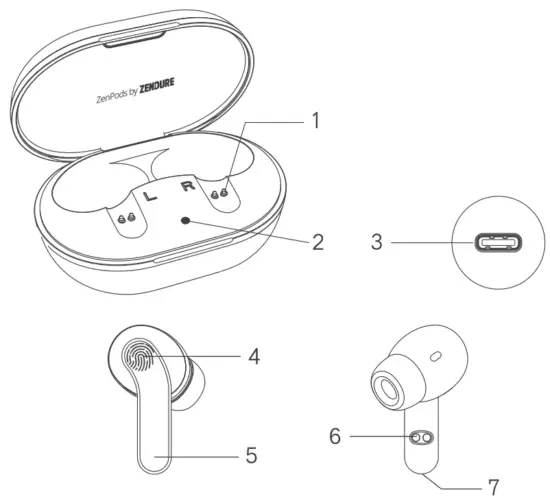
 The Charging pins
- Charging base LED light
- Power input Type-C port
- Multi-function touch area
- Earphone LED light
- Charging pins on the Earphones
- Microphone
 The Charging pins
Product Overview
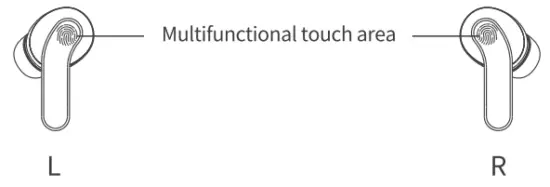
 Power on/off (take out/put into the charging compartment or not connected to any device for five minutes)
 Play/pause (touch once)
 Previous song (touch the left earphone twice)
 Next song (touch twice with right earphone)
 Wake up/exit the voice assistant (touch three times)
 Answer/hang-up (touch once)
 Reject (long press for two seconds) Rejeter (pression longue pendant deux seconds)
 Answer third-party calls
 Double-click any earphones to answer a third-party call and keep the current call.
 Double-click again to keep the current call and resume the previous call.
 Click to hang up the current call and resume another call.
 Double-click any earphones to answer a third-party call and keep the current call.
 Double-click again to keep the current call and resume the previous call.
 Click to hang up the current call and resume another call.
Wireless pairing
Couple sans fil
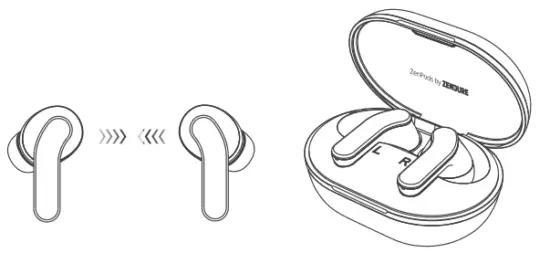
- Open the charging compartment, and pick up the earphones to automatically turn on.

- After starting up, but the left and right earphones close to each other, and automatically enter the pairing. When the pairing is finished, there will be a prompt sound.
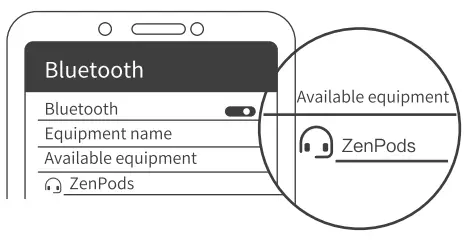
- Open the mobile phone pairing interface, search for “ZenPods”, and click on pairing, the connection is successful with a prompt sound.

- When pairing with a second or another mobile phone, please delete the pairing information of the original mobile phone or stay away from the original pair mobile phone by more than 10m.
Single earphone use
Utilisation d’un seul casque
Single headset use: Open the charging compartment and pick up an earphone alone, automatically power on, and enter the pairing state (Indicator: red/blue flashing alternately); If the headset has been connected to the mobile phone or other devices, it needs to be turned on for 6 seconds before it will enter the pairing state.
Note: After using the single earphone, if you need to resume the dual earphone use, just put the left/right earphone in the charging compartment, wait for the red light to turn on, and take it out for automatic interconnection.
ANC active noise reduction function
- When the earphones are paired and not connected to the phone
Open the charging compartment and take out the left and right earphones to automatically power on and pair. When the mobile phone is not connected, the ANC function is automatically turned on. Press and hold for 3 seconds to switch to the monitoring function. (ANC on / Transparency mode) - When the earphones are connected to the phone Open the charging compartment, and take out the left and right earphones to automatically power on and pair. When the phone is connected, the ANC function is automatically turned on. Long press for 3 seconds to switch to the monitoring function, and then long press for 3 seconds to turn off the monitoring function and enter the normal function. Long press for 3 seconds to turn on the ANC function. (ANC on / Transparency mode / ANC off)
- When using a single earphone
The ANC function cannot be turned on when using a single earphone.
Recharge Recharger
- Charge the charging compartment through the charging cable. The status is shown in the table below.
- Put the earphones into the charging compartment, and they will charge automatically. See the table below for the status.
| Charging the charging compartment | Charging compartment red light flashing |
| Fully charge the charging compartment | The red light is on for a long time |
| The charging pod charges the earphones | Charging bin white light long bright |
| Charging bin low power | Charging bin white light flashing |
| Earphones charging | Earphones red light on |
| The earphones is fully charged | The red light of the earphones is off, and the white light of the charging compartment is off |
Precautions Precautions
In order to use these earphones correctly and safely, please read this manual carefully before use and keep it. Note the following when using earphones:
- For the gradient blue color model, the red and blue light display is not obvious due to the special process (PVD process), which does not affect normal use.
- Please charge the earphones fully the first time you use them. It is recommended to fully charge the earphone for long-term storage and reuse.
- Please use a USB charger with an output voltage of DC 5V/1A for charging
- Try to avoid using earphones to listen to the sound while driving, and making or answering calls is distracting and causing danger.
- If you feel obvious discomfort, irritation, or other adverse reactions when using the earphones, please stop using them immediately.
- Avoid storing or using the earphones in an environment where the temperature is lower than -15°C or higher than 55°C, otherwise, it may shorten the life of the earphone or battery.
Disclaimer
avertissement
- Please handle the earphones and charging cases carefully. They contain highly sensitive electronic components (including batteries). Do not continue to use it at this time. Falling, burning, puncturing, squeezing, disassembling or exposure to high temperature or liquid can cause damage or battery leakage, overheating, fire or explosion and lead to personal injury.
- Do not place the equipment in a high-temperature environment such as sun, open fire, central heating, microwave oven, oven, etc. Do not immerse the equipment in water to prevent the battery from heating.
- Do not replace the battery in the earphones or charging case by yourself, which may damage the battery and cause personal injury. Battery-related repairs must be carried out by the manufacturer or an authorized maintenance agency.
- To prevent hearing loss, do not listen to music at high volume for long periods of time.
Q&A
Questions
- The mobile phone cannot search for the earphones device:
Clear all the pairing data stored in the phone, then turn it on again and search for the device. - The earphones are stuck or disconnected when talking or listening to music:
(1) The power of the earphones is insufficient.
(2)The distance between the mobile phone and the earphones is more than 10 meters.
(3)There is a large area signal blocking objects between the mobile phone and the earphones, such as a wall.
(4)The pairing of the left and right earphones is not synchronized. It is recommended to re-pair and connect the left and right earphones after powering off.
Specifications
| Product model | ZDZPO1 |
| Wireless version | V5.0 |
| Charging interface | Type-C |
| Charge times | about 2.5 times |
| Weight per earphone | 4.2g |
| Machine weight | 50g |
| Battery capacity (Earphone) | 3.N / 35mAh / 0.1295Wh |
| Battery capacity (battery box) | 3.7V / 300mAh / 1.11Wh |
| Music playing time | about 6.511 |
| Speaker diameter | 13mm |
| Speaker impedance | 320 |
| Transmission distance | 10m |
| Frequency response range | 20Hz-20KHz |
| Charging Box Input I | USB-C: 5V=1A |
| Charging Box Each Output I | 5V.-0.1A |
| Noise reduction depth | About -30dB (maximum) |
| Waterproof rating | IPX5 |
Remarks: All specifications are laboratory data
Zendure USA Inc.
Phone : (800) 219-0960 (US)
Office hours Mon – Fri 9:00 – 17:00 PST
Support: www.zendure.com/support
Website: www.zendure.com