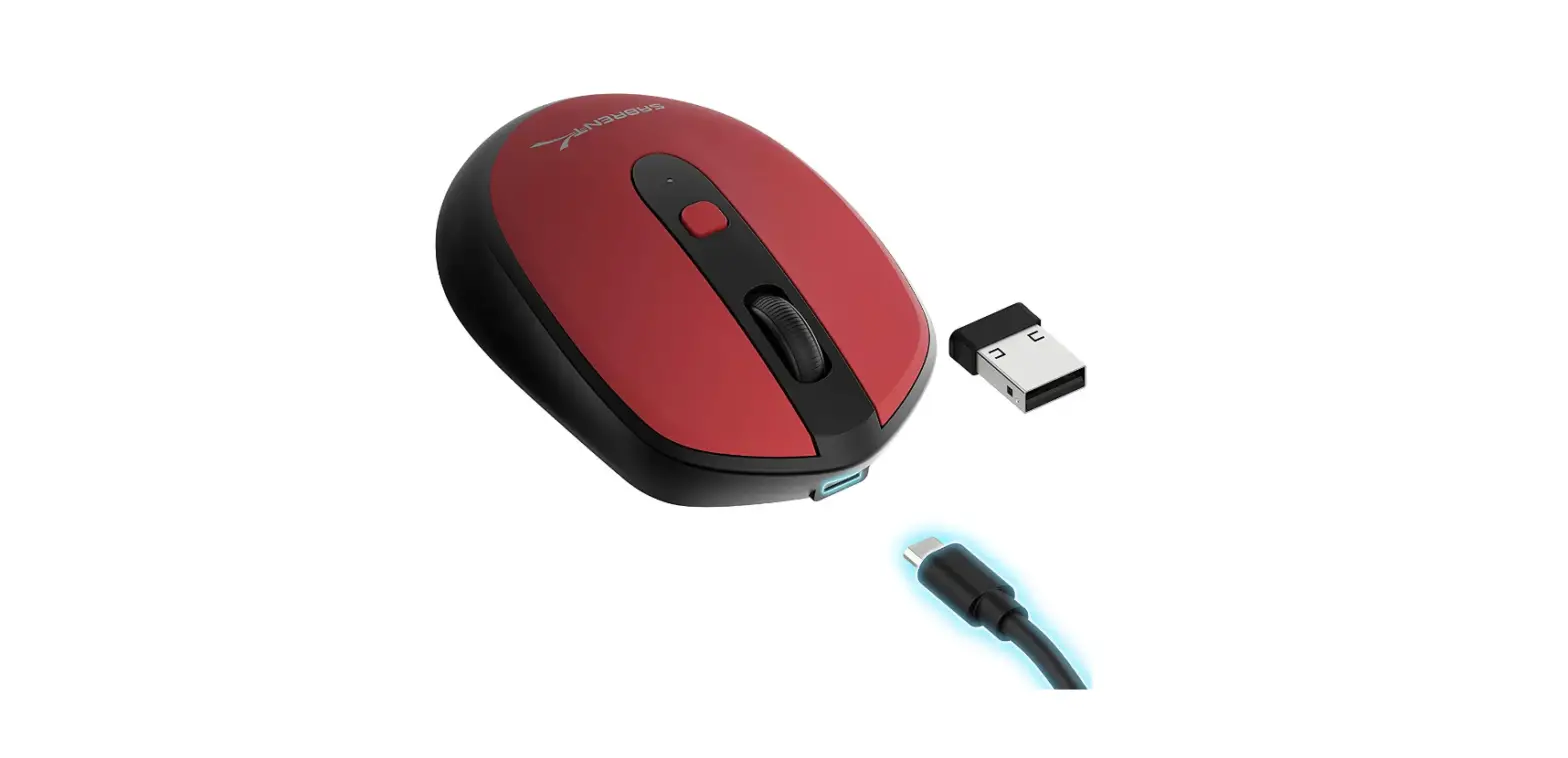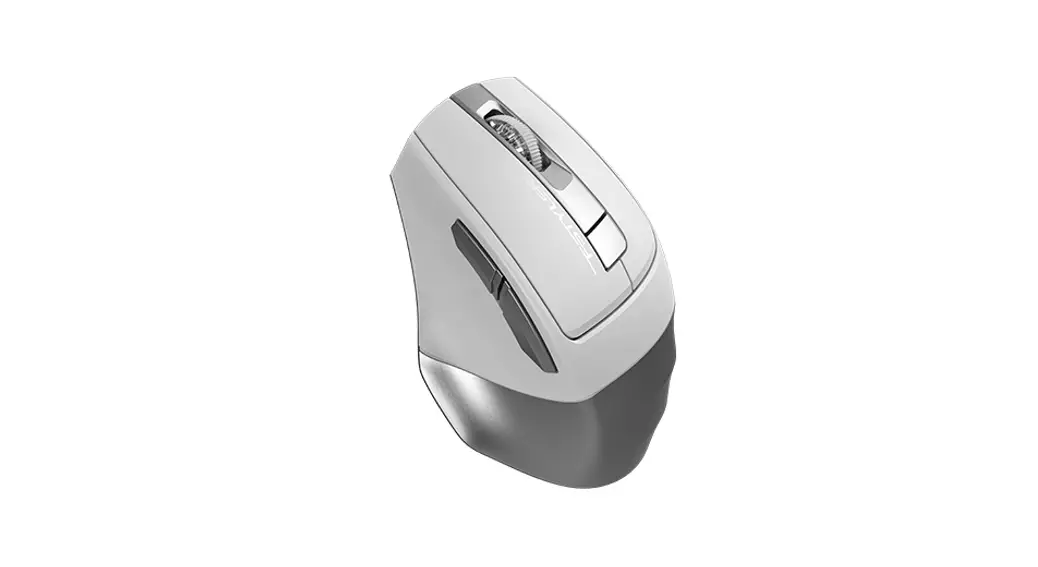

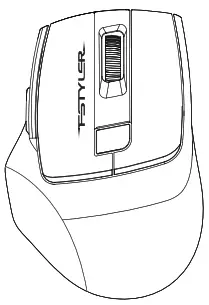
A4tech Fb35c Fastler Dual Mode Rechargeable Silent Click Wireless Mouse User Guide

A4tech Fb35c Fastler Dual Mode Rechargeable Silent Click Wireless Mouse User Guide

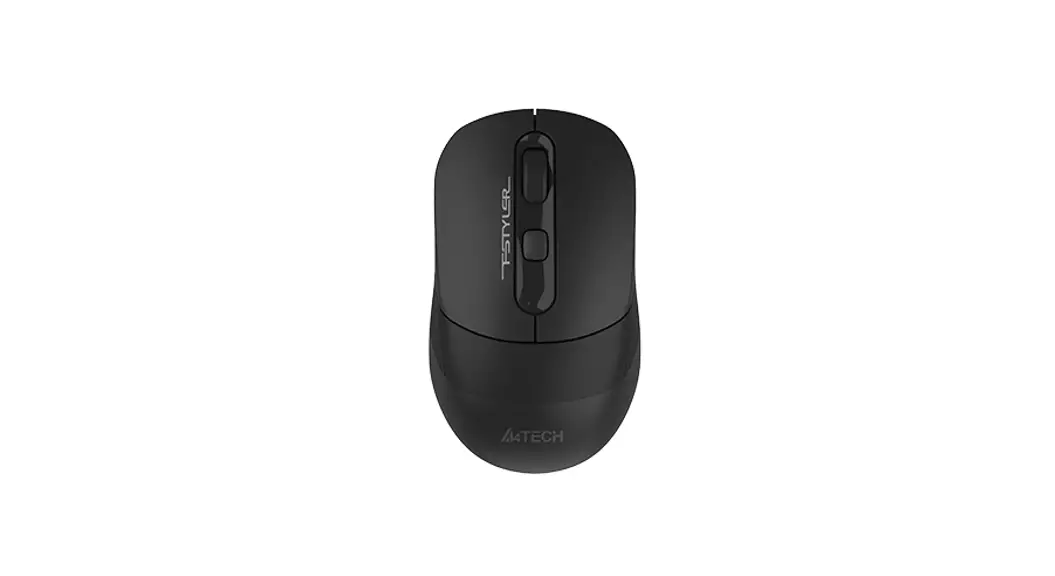
A4TECH FB35C FASTLER Dual Mode Rechargeable Silent Click Wireless Mouse - LogoA4TECH FB35C FASTLER Dual Mode Rechargeable Silent Click Wireless Mouse - FigFB35C / FB35CS

A4TECH FB35C FASTLER Dual Mode Rechargeable Silent Click Wireless Mouse - IconA4TECH FB35C FASTLER Dual Mode Rechargeable Silent Click Wireless Mouse - Logo1

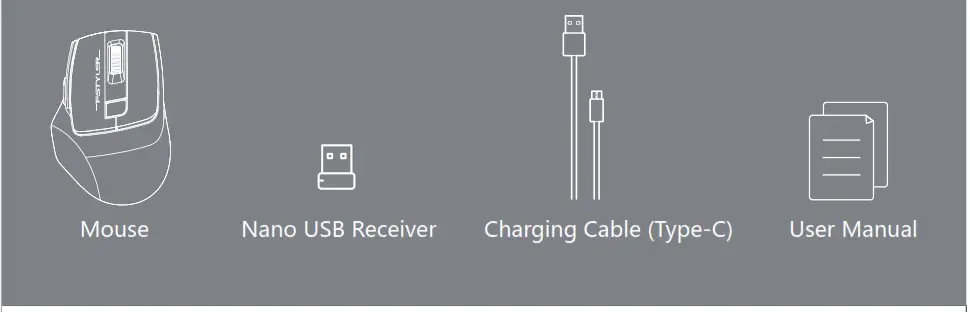
WHAT’S IN THE BOX A4tech FBK11 Bluetooth & 2.4G Wireless Keyboard I ICON

A4TECH FB35C FASTLER Dual Mode Rechargeable Silent Click Wireless Mouse - Box

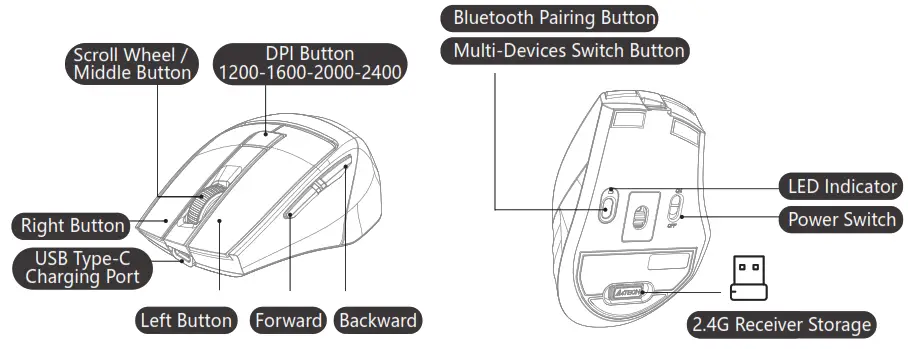
KNOW YOUR PRODUCT 

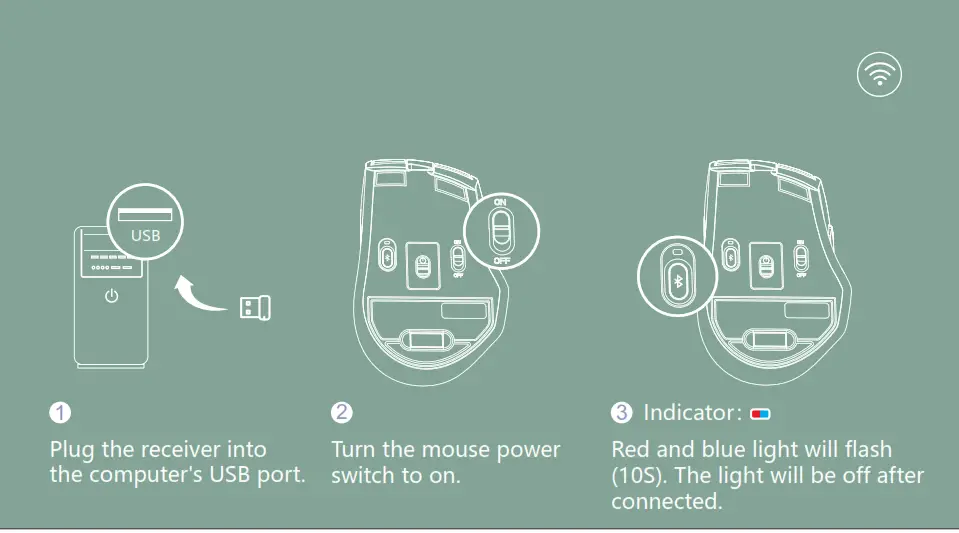
A4TECH FB35C FASTLER Dual Mode Rechargeable Silent Click Wireless Mouse - PRODUCTCONNECTING 2.4G DEVICE

A4TECH FB35C FASTLER Dual Mode Rechargeable Silent Click Wireless Mouse - Fig1

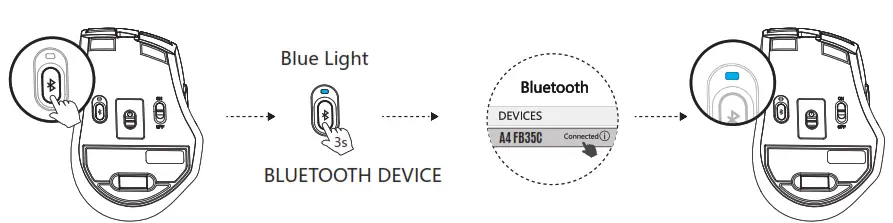
CONNECTING BLUETOOTH DEVICE 1 (For Mobile Phone/Tablet/Laptop) A4TECH FB35C FASTLER Dual Mode Rechargeable Silent Click Wireless Mouse - Icon 12

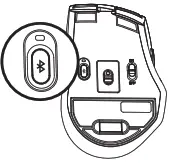
A4TECH FB35C FASTLER Dual Mode Rechargeable Silent Click Wireless Mouse - BLUETOOTH

 1. Short-press the Bluetooth button and choose Device 1 (Indicator shows blue light for 5S). 2. Long-press the Bluetooth button for 3S and blue light flashes slowly when pairing. 3. Turn on the Bluetooth of your device, search and locate the BT name on the device: [A4 FB35C] 4. After a connection is established, the indicator will be solid blue for 10S then off automatically.

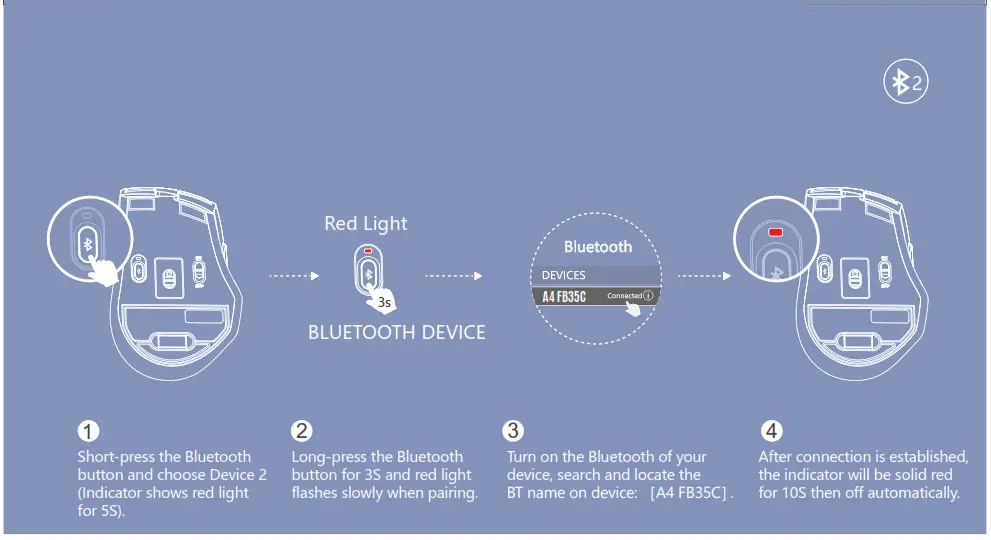
CONNECTING BLUETOOTH DEVICE 2 (For Mobile Phone/Tablet/Laptop) A4TECH FB35C FASTLER Dual Mode Rechargeable Silent Click Wireless Mouse - Icon 1.3

A4TECH FB35C FASTLER Dual Mode Rechargeable Silent Click Wireless Mouse - BLUETOOTH 1

INDICATOR

A4TECH FB35C FASTLER Dual Mode Rechargeable Silent Click Wireless Mouse - mouseA4TECH FB35C FASTLER Dual Mode Rechargeable Silent Click Wireless Mouse - DeviceA4TECH FB35C FASTLER Dual Mode Rechargeable Silent Click Wireless Mouse - BLUETOOTH DEVICE 2A4TECH FB35C FASTLER Dual Mode Rechargeable Silent Click Wireless Mouse - BLUETOOTH DEVICE 3
MOUSE2.4G DEVICEBLUETOOTH DEVICE 1BLUETOOTH DEVICE 2
A4TECH FB35C FASTLER Dual Mode Rechargeable Silent Click Wireless Mouse - Icon 3IndicatorA4TECH FB35C FASTLER Dual Mode Rechargeable Silent Click Wireless Mouse - Icon 5 Red and Blue LightA4TECH FB35C FASTLER Dual Mode Rechargeable Silent Click Wireless Mouse - Icon 6Blue LightA4TECH FB35C FASTLER Dual Mode Rechargeable Silent Click Wireless Mouse - Icon 7 Red Light
@SvAtch Device: Short-Press 15Flashes Quickly 105Solid Light SSSolid Light SS
OPair Device:
Long-Press For 35
No Need to PairPairing: Flashes Slowly Connected: Solid Light 105Pairing: Flashes Slowly Connected: Solid Light 105

The above indicator status is before Bluetooth is paired. After the Bluetooth connection succeeds, the light will turn off after 10S.

CHARGING & INDICATOR
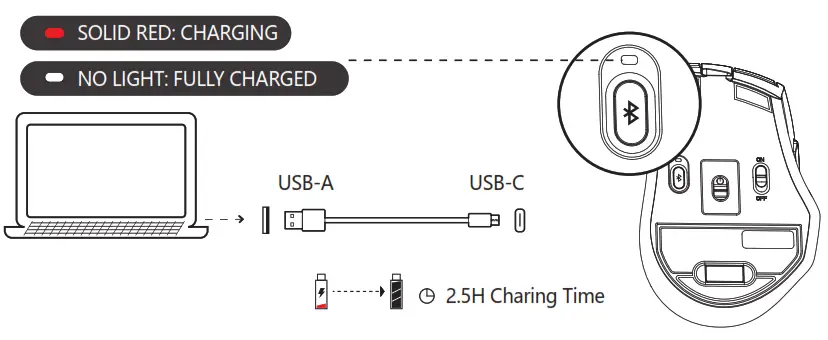
A4TECH FB35C FASTLER Dual Mode Rechargeable Silent Click Wireless Mouse - CHARGING & INDICATOR

LOW BATTERY INDICATOR
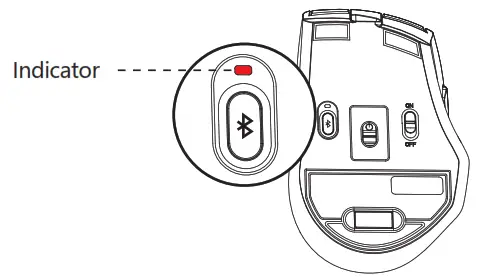
A4TECH FB35C FASTLER Dual Mode Rechargeable Silent Click Wireless Mouse - LOW BATTERYThe flashing Red light indicates when the battery is below 25%.

Q & A

A4TECH FB35C FASTLER Dual Mode Rechargeable Silent Click Wireless Mouse - 7How many total devices can be connected at a time? 
A4TECH FB35C FASTLER Dual Mode Rechargeable Silent Click Wireless Mouse - Icon 9Interchange and connect up to 3 devices at the same time. 2 Devices with Bluetooth +1 Device with 2.4G Hz.
A4TECH FB35C FASTLER Dual Mode Rechargeable Silent Click Wireless Mouse - 7Does the mouse remember connected devices after power off?
A4TECH FB35C FASTLER Dual Mode Rechargeable Silent Click Wireless Mouse - Icon 9The mouse will automatically remember and connect the last device. You may switch the devices as you choose to.
A4TECH FB35C FASTLER Dual Mode Rechargeable Silent Click Wireless Mouse - 7How do I know what device is currently connected to?
A4TECH FB35C FASTLER Dual Mode Rechargeable Silent Click Wireless Mouse - Icon 9When the power is turned on, the indicator light will be displayed for 10S.
A4TECH FB35C FASTLER Dual Mode Rechargeable Silent Click Wireless Mouse - 7How to switch connected Bluetooth devices? 
A4TECH FB35C FASTLER Dual Mode Rechargeable Silent Click Wireless Mouse - Icon 9Repeat the procedure of connecting Bluetooth devices.

A4TECH FB35C FASTLER Dual Mode Rechargeable Silent Click Wireless Mouse - Icon 13 WARNING STATEMENT

The following actions may/will cause damages to the product.

  1. To disassemble, bump, crush, or throw into the fire, you may cause irrefutable damage in event of the lithium battery leakage.
  2. Do not expose to strong sunlight.
  3. Please obey all local laws when discarding the batteries, if possible please recycle them. Do not dispose of it as household garbage, it may cause a fire or an explosion.
  4. Please try to avoid charging in an environment below 0℃.
  5.  Do not remove or replace the battery.
A4TECH FB35C FASTLER Dual Mode Rechargeable Silent Click Wireless Mouse - LogoA4TECH FB35C FASTLER Dual Mode Rechargeable Silent Click Wireless Mouse - Logo1
A4TECH FB35C FASTLER Dual Mode Rechargeable Silent Click Wireless Mouse - QR code 1www.a4tech.comA4TECH FB35C FASTLER Dual Mode Rechargeable Silent Click Wireless Mouse - QR code 2http://www.a4tech.com/manuals/fb35c/

References

Documents / Resouces

Download manual
Here you can download full pdf version of manual, it may contain additional safety instructions, warranty information, FCC rules, etc.


Related Manuals