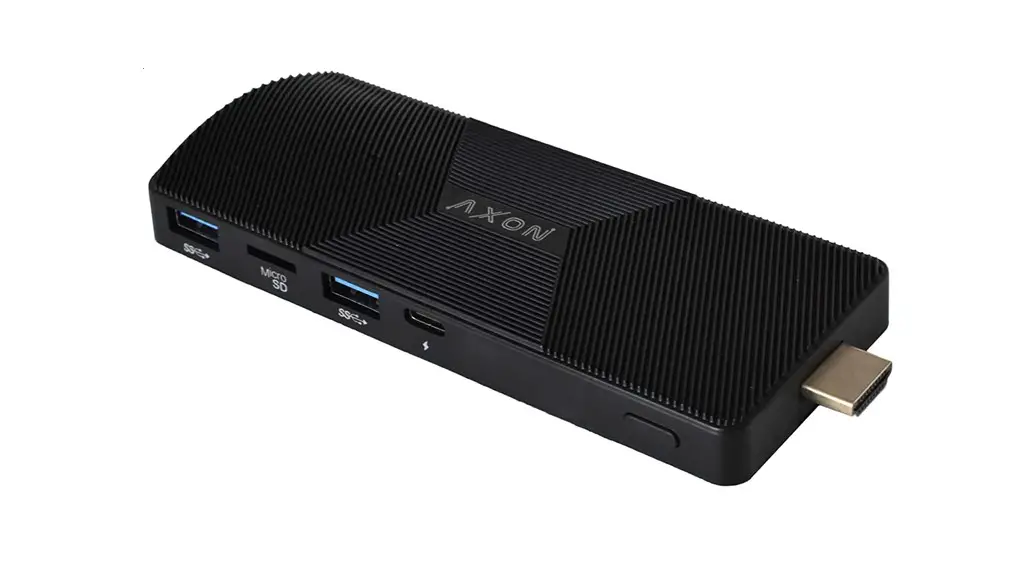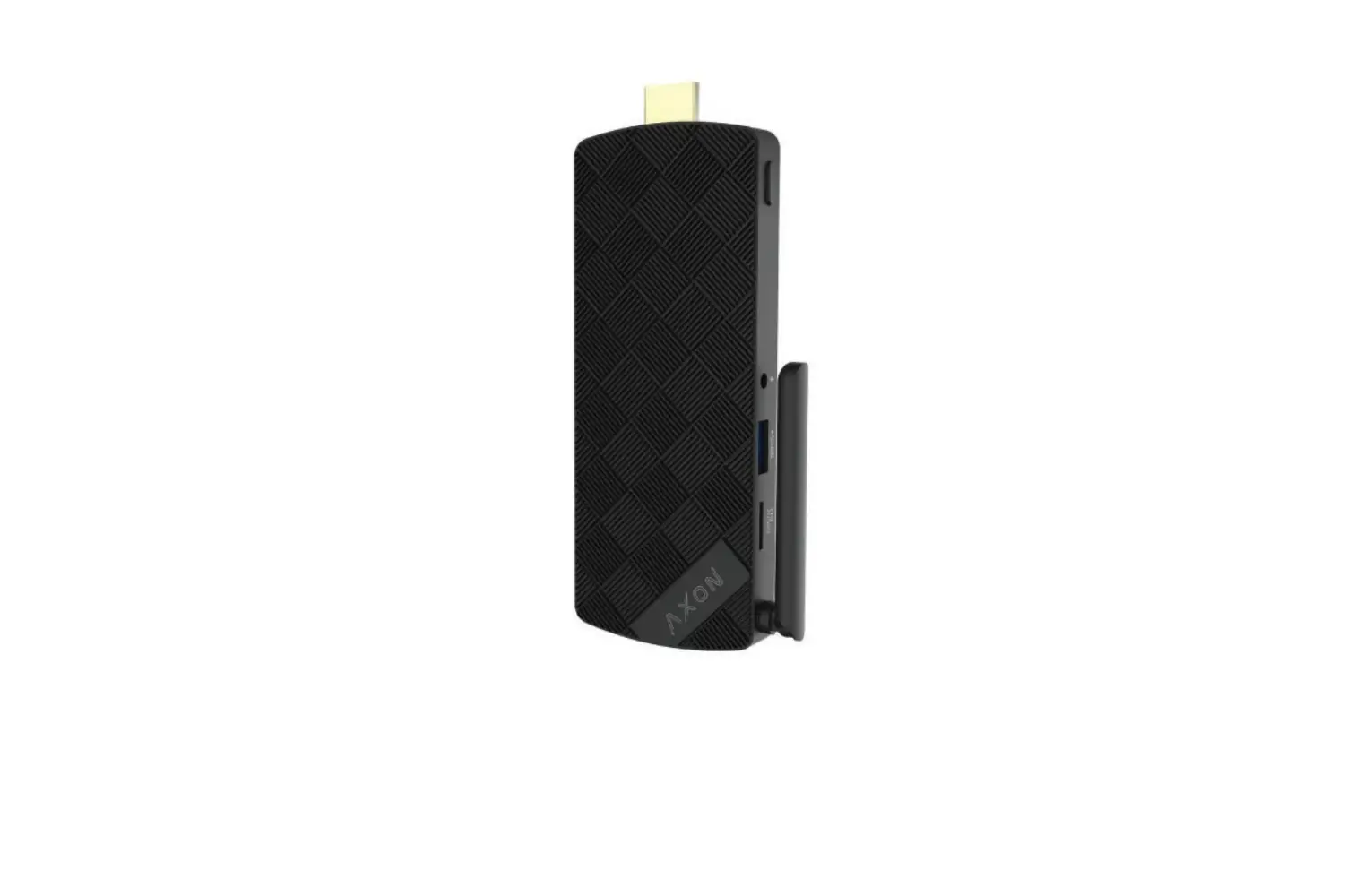
AXON N82E16883800004 Intel Based Stick PC User Guide
Overview
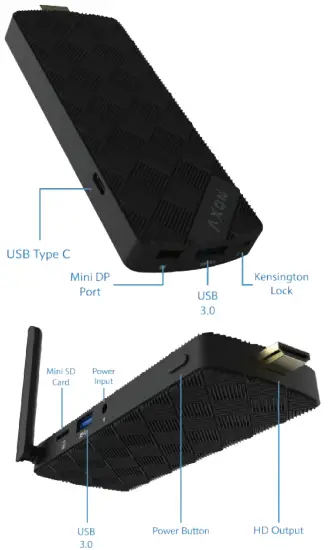
HOW TO SET UP
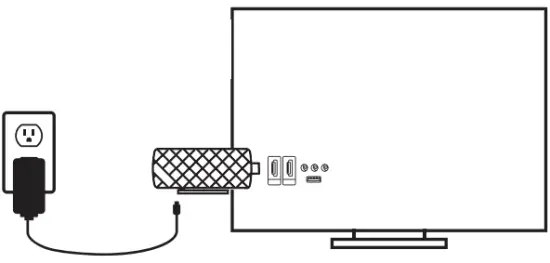
- CONNECT THE POWER ADAPTER.
- PLUG-IN DEVICE TO TV OR MONITOR HD INPUT.
- POWER ON YOUR DEVICE.
- MAKE SURE YOUR MONITOR OR TV IS IN THE CORRECT INPUT MODE.
- ENJOY YOUR FULL COMPUTER
Specifications
| PROCESSOR OPTIONS | INTEL GEMINI LAKE` N4000 N4100 J4005 J4105 N4020 N4120 J4025 J4125 |
| INTEL APOLLO LAKES N3350 N3450 J3355 J3455 | |
| OPERATING SYSTEM | WINDOWS 10 PRO |
| RAM | 4 GB / 8 GB |
| STORAGE | EMMC 64 GB / 128 GB |
| WIFI | AC3165/7265 ,SUPPORT DUAL BAND 2.4G&5G AC |
| BLUETOOTH | BLUETOOTH 4.0 |
| MINI DISPLAY PORT | DP 1.2 4K@60FPS |
| HD OUTPUT | (X1) 1.4 4K@30 FPS (APL) / (X1) 2.0 4K@60 FPS (GML) |
| USB PORTS | (X1) 3.1 (X2) 3.0 |
| TYPE-C | X1 |
| MICRO SD CARD | 512 GB |
| DEVICE DIMENSIONS | 5.1 IN X 1.5 IN |
This device compiles with Part 15 of the FCC Rules. Operation is subject to the following two conditions:
- this device may not cause harmful interference, and
- this device must accept any interference received, including interference that may cause undesired operation.
FCC Statement
This device complies with Part 15 of the FCC rules. Operation is subject to the following two conditions:
- this device may not cause harmful interference, and
- this device must accept any interference received,including interference that may cause undesired operation.
This equipment has been tested and found to comply with the limits for a Class B digital device, pursuant to Part 15 of the FCC rules. These limits are designed to provide reasonable protection against harmful interference in a residential installation. This equipment generates, uses and can radiate radio frequency energy and if not installed and used in accordance with the instructions, may cause harmful interference to radio communications. However, there is no guarantee that interference will not occur in a particular installation. If this equipment does cause harmful interference to radio or television reception, which can be determined by turning the equipment off and on, the user is encouraged to try correct the interference by one or more of the following measures:
- Reorient the receiving antenna.
- Increase the separation between the equipment and receiver.
- Connect the equipment into and outlet on a circuit different from that to which the receiver is connected.
- Consult the dealer or an experienced radio/TV technician for help.
Changes or modifications not expressly approved by the party responsible for compliance could void your authority to operate the equipment.
The antenna(s) used for this transmitter must be installed to provide a separation distance of at least 20 cm from all persons and must not be co-located or operating in conjunction with any other antenna or transmitter.