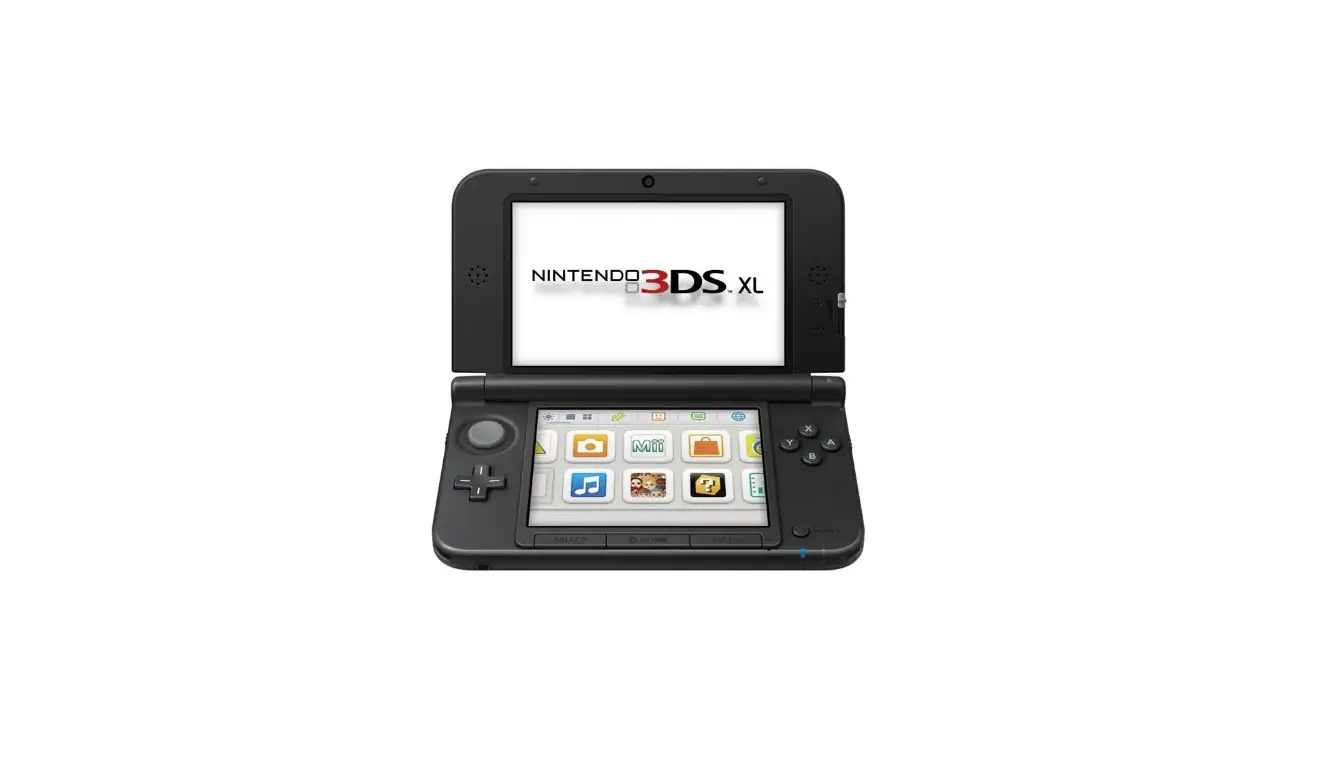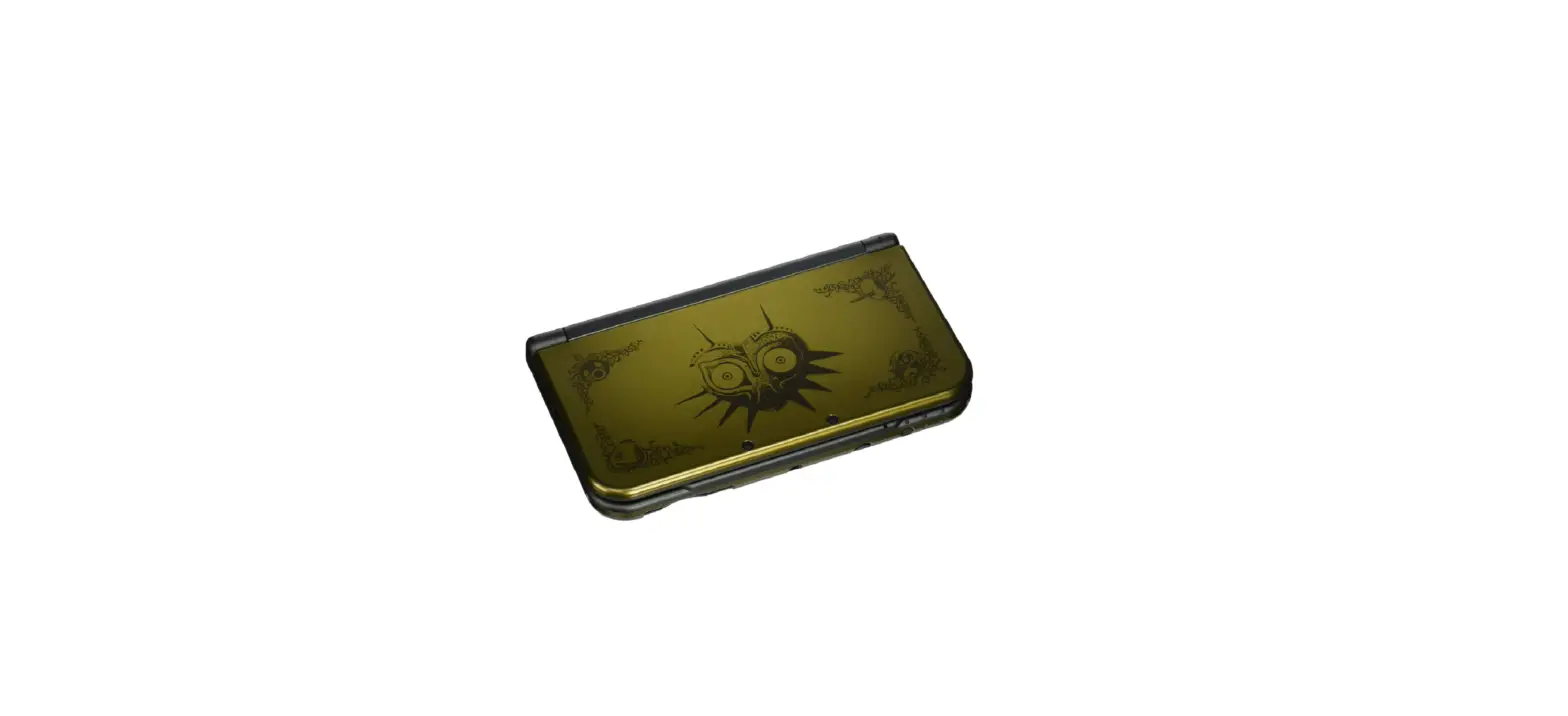

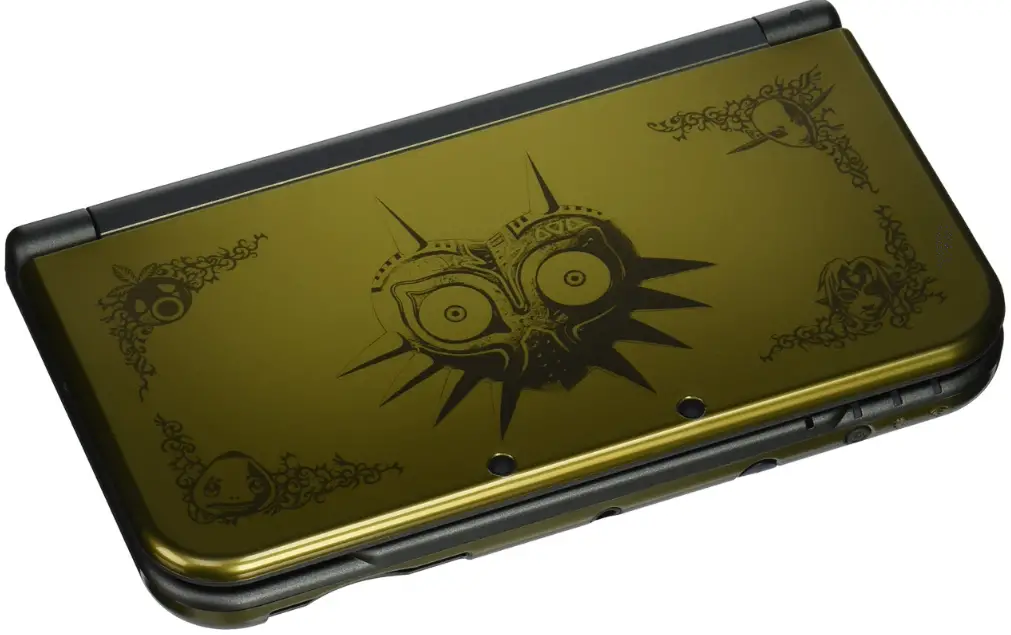
Nintendo 3DS XL Legend of Zelda Majora’s Mask
Important Information
Please read this manual carefully before using the software. If the software will be used by children, the manual should be read and explained to them by an adult. Also, before using this software, please select in the HOME Menu and carefully review content in “Health and Safety Information.” It contains important information that will help you enj oy this software. You should also thoroughly read your Operations Manual, including the “Health and Safety Information” section, before using this software. Please note that except where otherwise stated, “Nintendo 3DS™” refers to all devices in the Nintendo 3DS family, including the Nintendo 3DS, Nintendo 3DS XL, and Nintendo 2DS™.
Using a Circle Pad Pro
Connect the Nintendo 3DS XL/3DS Circle Pad Pro controller (sold separately) by going to the Options menu (page 4) and ad j usting the Circle Pad Pro controller setting on the first page to Use. In order to conserve battery power, the Circle Pad Pro enters standby mode if it is not used for more than five minutes. Pre-ss the ZL or ZR Buttons to end standby mode For more detailed information on the setup and use of the Circle Pad Pro, please refer to this accessory’s Operations Manual.
Circle Pad Pro Calibration
If the Right Circle Pad is not operating correctly, or if it is interacting with the software even when not be ing used, follow the instructions below to calibrate the accessory.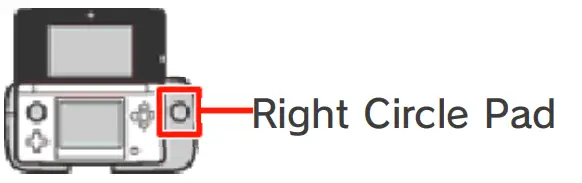
Calibration Instructions
- Open the Options menu, and then select Calibrate Circle Pad Pro
- Follow the on-screen instructions to calibrate the Right Circle Pad.
- Calibration of the Nintendo 3DS system’s Circle Pad can be carried out by opening System Settings from the HOME Menu. Refer to the Operations Manual for more details.
About the Game
The Legend of Zelda™: Maj ora’s Mask 3 D is an action-adventure game that takes place a few months after the events of The Legend of Zelda™: Ocarina of Time™ 3D. In it, we find our Hylian hero, Link™, on a quest to locate a lost friend. Along the way he finds himself in the strange world of Termina, where rumor has it the moon will come crashing down in just three days’ time! Thus begins a new adventure
Getting Started
Use to choose a file, and then press to select it
Starting a New Game
Select New Game , and enter a name for the main hero.
Loading a Saved Game
Select a file to load, and the n select Start to begin playing.
Options
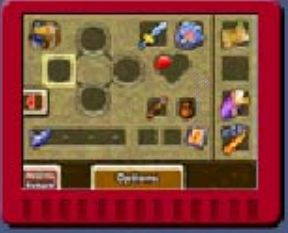
Once you have selected a file to load , tap Options to adj ust the game ‘s settings. You can also access the Options menu during game play from the Gear screen (page 9).
Saving and Erasing Game Data
Saving Data
Stand in front of a stone statue , which will look like either an owl or a quill, and the n press to save your progress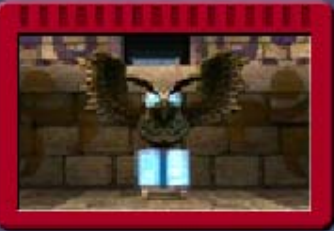
Erasing Data
Selecting a File to Erase
Choose a file from the file-selection screen (page 4), and then select Erase.
Erasing All Data
You can delete all save data by launching the software and then simultaneously holding after the Nintendo 3DS logo has disappeared but before the title screen is displayed.
Progressing in the Game
In this game, you play as a hero named Link. You have three days to stop the moon from falling, and yo u must repeat this three-day cycle multiple times in order to progress through the adventure
Flow of Time
- Time flows continuously in this game. When 24 in-game hours have passed, the day will end. During your adventure, you will need to play the Song of Time to return to the Dawn of the First Day.

- Time will stop during conversations and when you are accessing subscreens, such as the Bombers’ Note book or Select Item Screen.
- When you return to the Dawn of the First Day, Rupees and some of the items you have collected will be lo st. Dungeons and events will also revert back to their initial status.
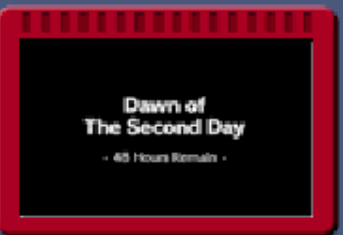
If Three Full Days Pass
The moon will fall, and you will be returned to the Dawn of the First Day. Your inventory of items and masks will revert to whatever they were when you last played the Song of Time (items that cannot be carried through time will be lost).
Game Over
If your life energy (page 9) runs out while in a dungeon, you will have to restart from the entrance of that dungeon. If it runs out elsewhere, you will have to restart from the entry point of that particular map.
Stuck in your adventure?
Investigate the Sheikah Stone in the basement of the Clock Tower to view hints that will aid you in your adventure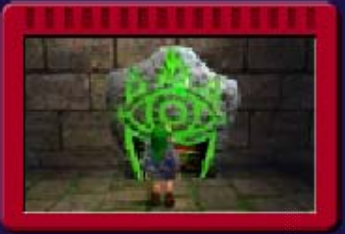
Basic Controls
Move/Jump/Swim
Tilt in any direction to move inthat direction. If you run toward the edge of a platform or ledge, you will automatically j ump in the direction you are running
Action
Press to perform various situation-dependent actions.
Use Items / Put On Masks
Use items and put on masks by pressing or by tapping the relevant item slot (page 9) on the Touch Screen.
Talk to Tatl
Press when the Tatl icon appears to talk to Tatl. She will give you various useful hints to help you in your adventure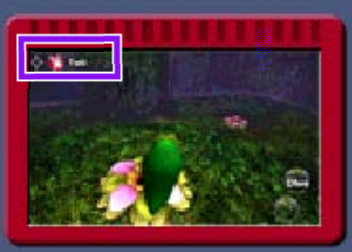
Change View
Adjust perspective settings via the Options screen (page 4).
L-Targeting
When the targeting icon appears ove r an enemy, character, or obj ect, press and hold to lock on to it. By targeting an enemy, you can keep it in your sights as you fight it.
Look Around
Tap the View / Pictograph Box icon (page 9) to switch to a first-person pe rspective. Use or move the system to look around. Press to return to a third-person perspective.
When playing this game, you may have to move the Nintendo 3DS system around. Make sure you have enough room before playing, and hold the system firmly with both hands while playing. Do not move the system with excessive force, as this could cause injuries, damage to the product, or damage to nearby objects.
Attack/Defend Controls
Using Your Sword
If you take hold of your sword with , you will be able to perform the following actions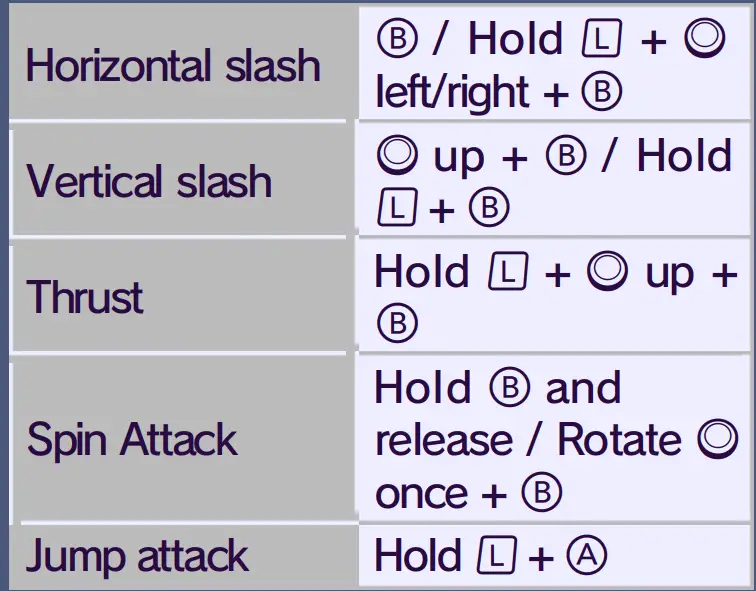
Using Your Shield
Press to raise your shield. You can adj ust the angle of your shield with
Other Controls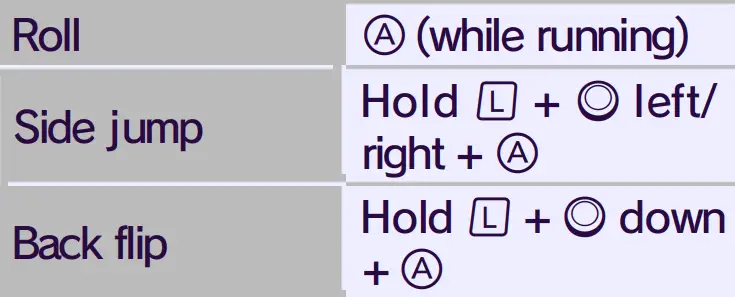
Game Screen
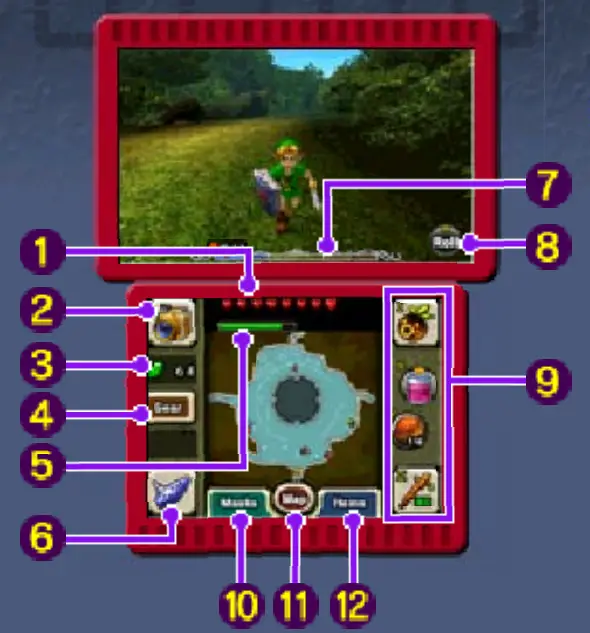
- Life energy
- This will be depleted when you receive damage, such as from an enemy.
- View / Pictograph Box icon
- Rupees (your in-game money)
- Gear

Magic meter
This shows how much magic power you have left. It will be depleted every time you use certain items or actions.
Ocarina of Time
Tap this icon to play your ocarina (or whichever instrument is relevant to your current form). The number of melodies you’re able to play will increase as you progress through your adventure. Tap to check how to play any of the me lodies you’ve learned.
Clock
The on-screen clock is divided into three days. The current day is highlighted . The clock is not displayed whenever time has been stopped.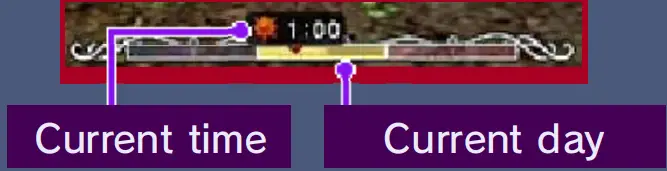
Action icon
Displays the action curre ntly pe rformable using . This will change depending on the situation
Item slots
Your currently assigned items and/ or masks are displayed here. Items in the X and Y slots can be used by either pressing the corresponding button or by tapping the item’s icon on the Touch Screen. Items in the I and II slots can only be used by tapping the corresponding icon on the Touch Screen.
Masks
Touching this brings up the Mask Menu and allows y ou to check which mask s you currently have in your possession. Tap and slide to assign a mask to one of your item slots.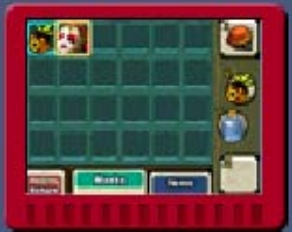
Map Screen
Items
Touching this brings up the Select Item Scree n and allows you to check which items y ou currently have in your possession. Tap and slide to assign an item to one of your item slots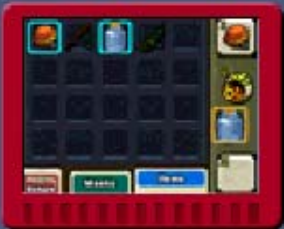
Map Screen
Field
If you purchase a map, a detailed view of that area will be displayed.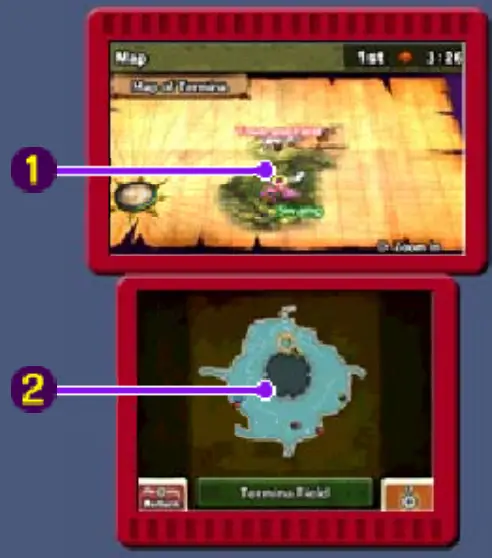
Overview map
Press to zoom in/out.
Current-location map
Press or tap the screen to zoom in/out
 Save points
Current location and direction
Last point of entry
Treasure chests
Dungeons
The current-location map’s display in dungeons differs slightly from when you are on the field.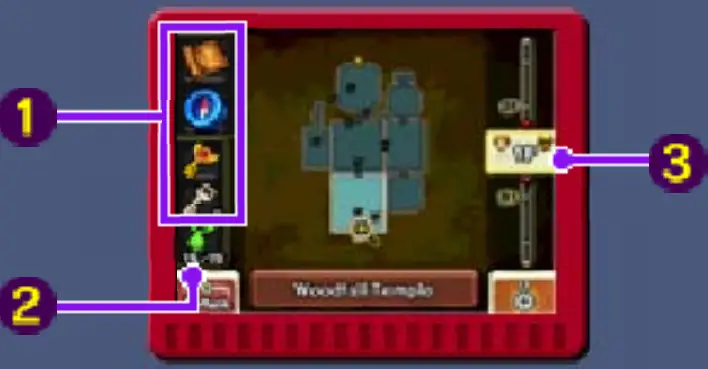
Dungeon Map / Compass / Boss Key / Small Key
Each of these will be shown once acquired.
Stray Fairy count
The number of Stray Fairies yo u have found in the current dungeon will be displayed here. If you find them all and tak e them to their corresponding Fairy’s Fountain, something good might happen.
Dungeon floors
Tap o r slide to switch be tween floors.
- Current floor
- Boss floor
Bombers’ Notebook
Once you reach a certain point in your adventure, you will obtain a Bombe rs’ Note book. De tails of events that Link is some how involved with, or things he has been asked to investigate, will be recorded in this notebook. Press to open the notebook and check the event information you have collected.
Event Notes Screen
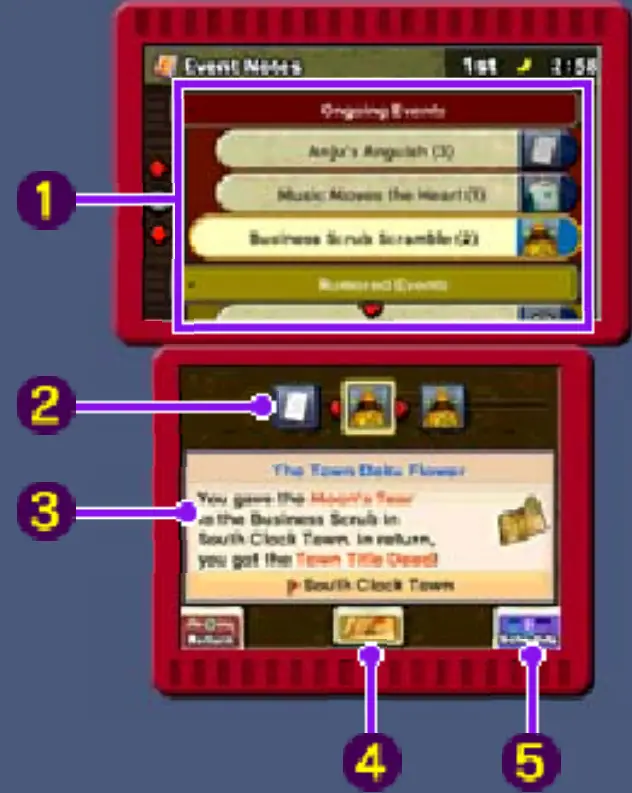
- Event list
- Completed, ongoing, and rumored events that you have heard about from the Bombers are all displayed in this list.
- Relevant characters
- These are display ed in chronological ord er. Switch the display using . When there are no characters connected to the event in question, will be displayed
- Event details
- More detailed information concerning the currently selected event is displayed here
- Event location
- Tap here to view a map o f the location where the event in question occurs
- Schedule
- Tap here to open the Schedule screen.
- Tap here to open the Schedule screen.
Schedule Screen
Here you can check the respective schedules of the characters who appear on your Event No test screen. Schedules are added by speaking to the characters in question.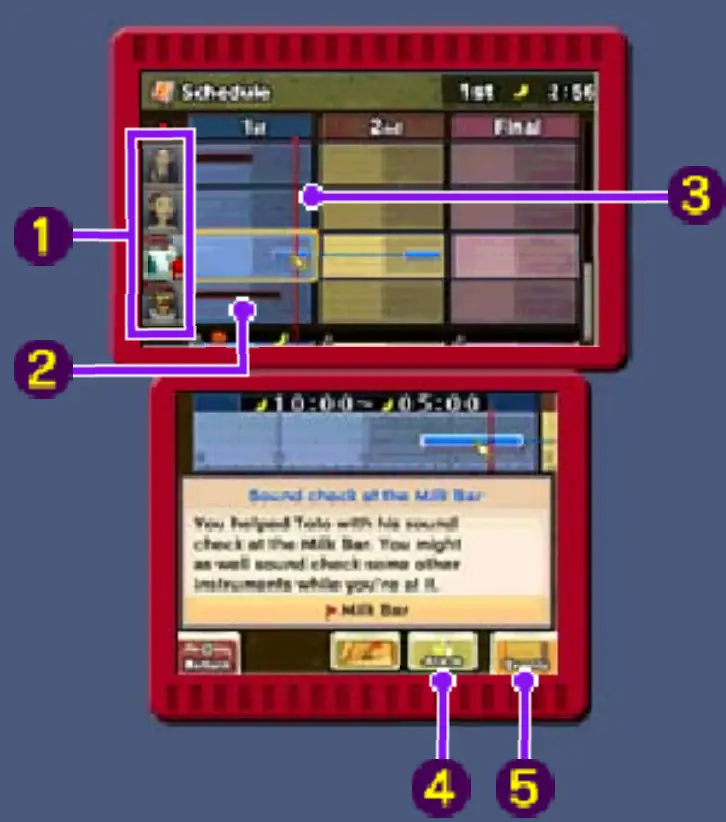
- Characters
- A will appear by a character once you have complete d all events that he or she is connected with.
- Event occurrence period
- This is the period during which you must carry out some kind of action in order to complete the quest. When you perform the necessary action, the bar will turn blue.
- Current time
- Alarm
- You can set an alarm by tapping this icon and then selecting a time. Tatl will let yo u k now whe n the selected time comes. The time that your alarm has been set for will be marked with
- Events
- Touch here to return to the Event Notes screen.
- Touch here to return to the Event Notes screen.
Support Information
- Nintendo Customer Service
- SUPPORT.NINTENDO.COM
- USA/Canada:
- 1-800-255-3700
- Latin America/Caribbean:
- (001) 425-558-7078
FAQS
Will amazon actually sell this ever…or will I have to save to feed the filthy scalpers?
Everyone should wait a week or two before buying a New 3DS. The west coast port strikes are over, and in a couple of weeks, the market will be flooded with the New 3DSs – including additional “special edition
The box is in french, is this a french version? Or is it an NA version?
It’s the NA version… However, everyone should wait a week or two before buying a New 3DS. The west coast port strikes are over, and in a couple of weeks, the market will be flooded with the New 3DSs
Is the New 3DS-XL model that bad? I know Nintendo is despertate for revenue since they can’t push the WiiU, didn’t think it would impact the 3DS line.?
The model itself is not bad. There are some improvements with some other differences, such as the front and back are more glossy than the previous model.
Would banning scalpers be a good way to cut out on many of the scalping?
So long as some consumers are willing to pay above the retail price for whatever, there will be scalpers.
Does it come with the game?
Nope, none of them come with the game.
Is this the american version or the japan version?
American Version. If it were Japanese, it would be New Nintendo 3DS LL instead of XL.
Is this aluminum build/?
The outside feels metallic. It doesn’t feel like plastic on the outer layer. The inner layer (where the screens are) are definitely plastic.
does the new 3ds works with ds lite charger?
No, it will not work with a ds lite charger. It will, however, work with a dsi or a 3ds charger, which are virtually identical.
is it totally new? how much time of garany?
“New” is just part of the name of the item. As far as being actually “new,” some are and some are not. Please read seller’s product description.
What is the serial of this n3dsxl majora mask? QW40…..?
The serial number is QW103868811
Does Majora’s Mask 3D come pre- installed on it?
No, the product was simply a limited edition design. Design is great but if you don’t care about the visuals then it functions quite normally.
Why are these listed for more than 230% of the retail price?
These are listings made by independent sellers who managed to snag one. Supplies are so limited and demands are crazy high, so many are hoping to turn around and sell theirs for a quick profit. A little mean, but I can’t say I blame them.
Does Majora’s Mask 3D come pre- installed on it?
No, the product was simply a limited edition design. Design is great but if you don’t care about the visuals then it functions quite normally.
Why are these listed for more than 230% of the retail price?
These are listings made by independent sellers who managed to snag one. Supplies are so limited and demands are crazy high, so many are hoping to turn around and sell theirs for a quick profit. A little mean, but I can’t say I blame them.
What is the region code?
This is a NTSC (North America) model.