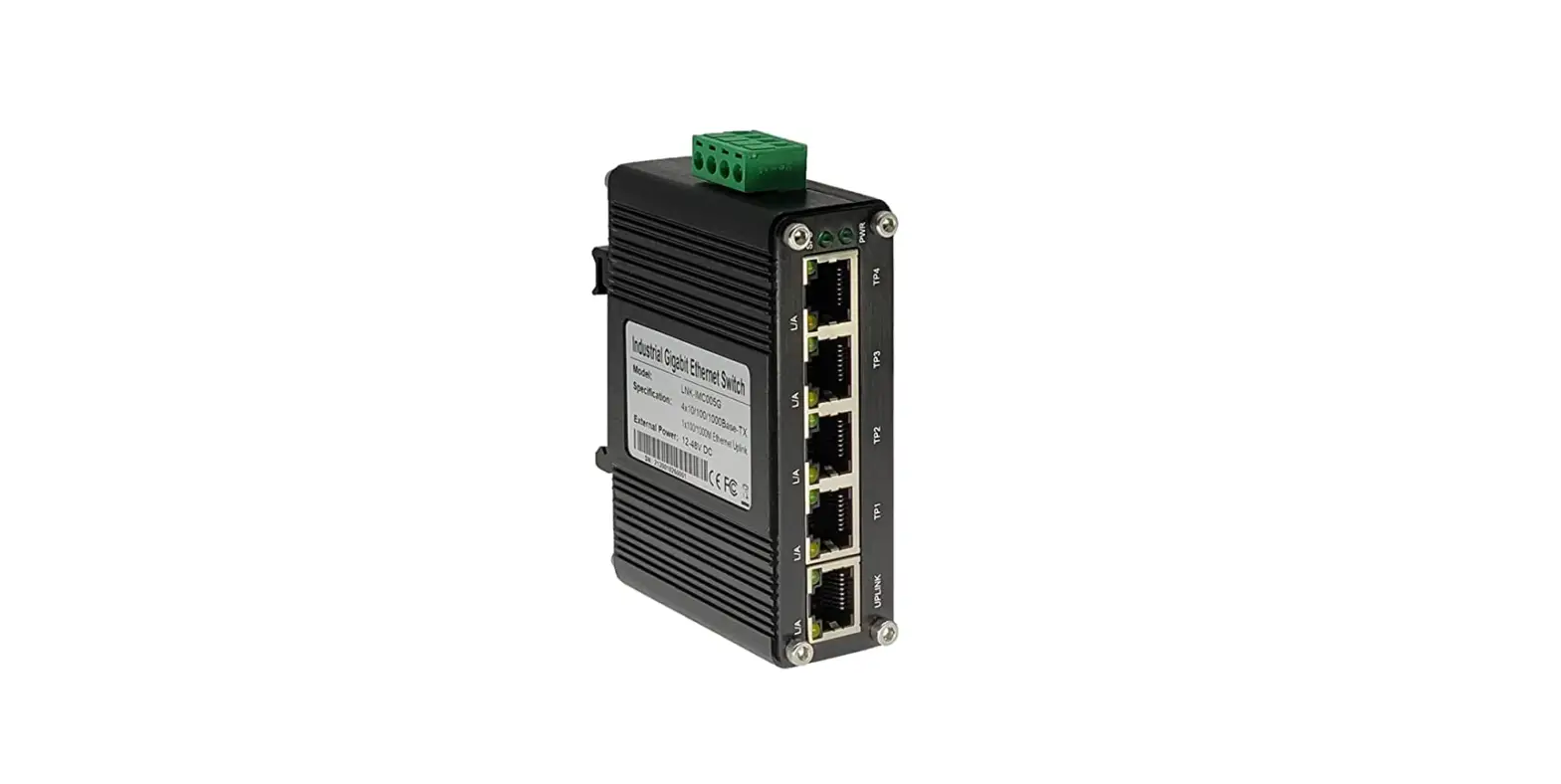

MokerLink Industrial Ethernet Switch
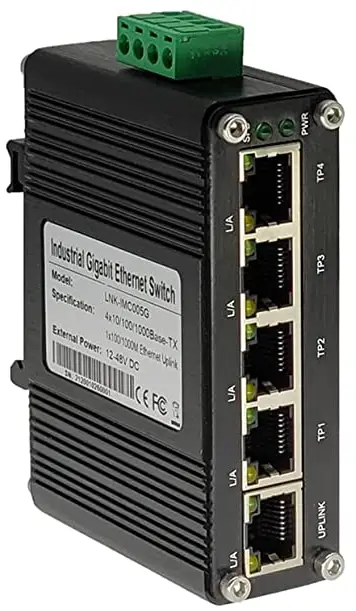
Product Description
The industrial Ethernet switch provides excellent industrial quality, such as vibration resistance, high/low temperature, dustproof and surge protection, through the design of a fanless heat dissipation circuit, wide range working environment temperature, high protection grade and so on. Moreover, it integrates a variety of rich protocols such as routing, switching, and security, which greatly improves the flexibility of networking and enhances the reliability and security of industrial networks. It can also meet the deployment requirements of rail transit, safe city, intelligent transportation, outdoor monitoring and other harsh environments.
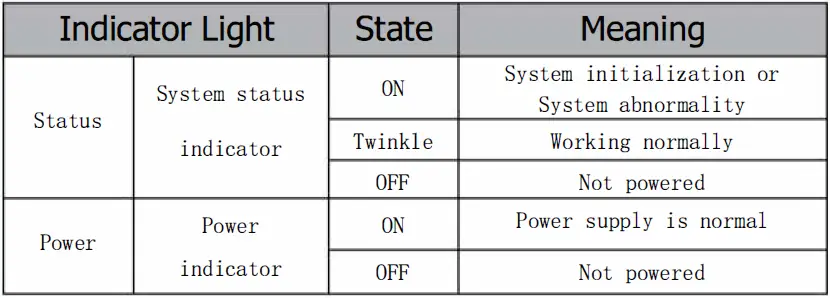
Indicator Lamp and DIP
Indicator Lamp Meaning Contrast
Industrial Ethernet Switch User Manual
| Network port status | Green lamp (rate /PoE status indicator) | ON | Port maximum rate | |
| Port POE is powering up | ||||
| OFF | Port is operating at a non maximum rate | |||
| Port POE is not powered | ||||
| light | ||||
| Yellow lamp | ON | Port link | ||
| (Link/ACT) | Twinkle | Port has message interaction | ||
| fiber status light | Green lamp (Link/ACT) | ON | Port link | |
| Twinkle | Port has message interaction | |||
| Reset | Restore factory/ restart | Long press(> 2OS) | ||
Managed DIP Switch Meaning Contrast
| DIP Switch | Function | ON State | OFF State |
| Bitl(silk screen: O-Ring) | Ring network | ON | OFF |
| Bit2(silk screen: C-Fl) | Custom function | ON | OFF |
| Bit3(silk screen: C-F2) | Custom function | ON | OFF |
Device Installation
Installation description
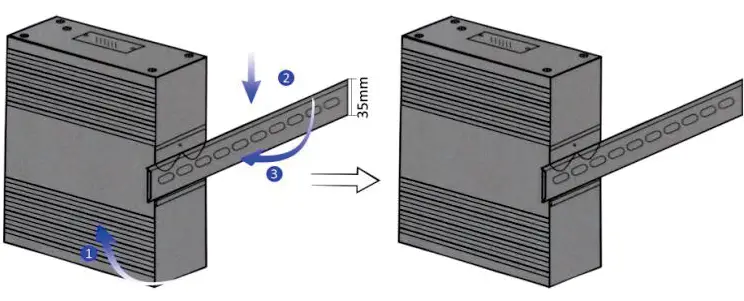
Industrial Ethernet switch adapts DIN rail installation.
- Tilt the device up, and make the clasp on the upper end of the device buckle on the DIN rail.
- Press down the device so that the lower end of the buckle is buckled into the DIN rail.
- Check whether the inspection is stable after the buckle.

POE Line Sequence Introduction
POE is a technology that uses Power over Ethernet, the device supports 802.3AF and 802. 3AT standards, It is required that the switch power supply should be between DC 48V and DC 57V, the POE connection should be consistent with the network cable connection, and 1, 2, 3 and 6 cables should be used as both data transmission and POE power supply.
Power Input
Industrial Ethernet switches are dual power backups, When all two power supplies are connected, only one power supply works. When this power fails, it automatically switches to another power supply to achieve redundant protection of the power supply. The meaning of power wiring is shown in Table 1-3.
| Pl+ | First circuit power supply positive pole |
| Pl- | First circuit power supply negative pole |
| RSV | Extended functions |
| RSV | Extended functions |
| P2+ | Second circuit power supply positive pole |
| P2- | Second circuit power supply negative pole |
Note:
Please connect the positive and negative pole according to the terminal of the Phoenix terminal and input voltage according to the voltage range. (Generally DC12-57V, based on the description of the side cover) Only one power supply can work properly.
Power installation is shown as the following diagram (Only for the schematic diagram, not including all panels, the wiring is based on the positive and negative pole): 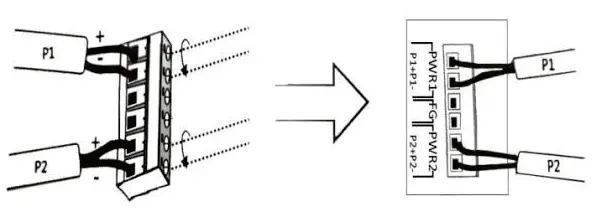
Accessories List
| Name | Quantity |
| Switch | 1 PCS |
| Phoenix terminal | 1 PCS |
| Power Adapter | 1 PCS |
| User manual&Warranty card | 1 PCS |
Register Here:
http://www.mokerlink.com/support/ or Scan QR Code.
Wuhan Mokerlink Technology Co., Ltd
Rm10, 13/F, Main Building 7,Changhong Lanjing International, No.116 Gaoxin Ave., Hongshan Dist., Wuhan, China.
http://www.mokerlink.com
[email protected].