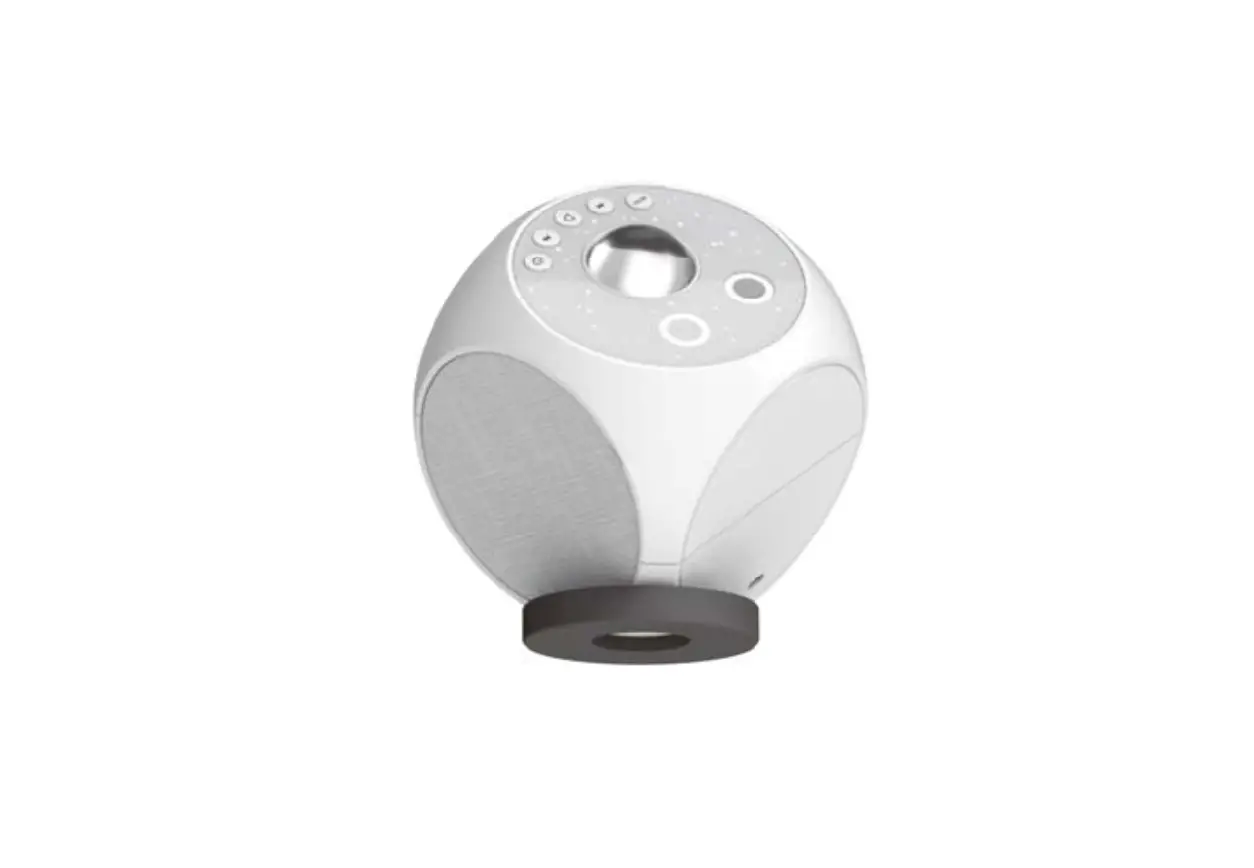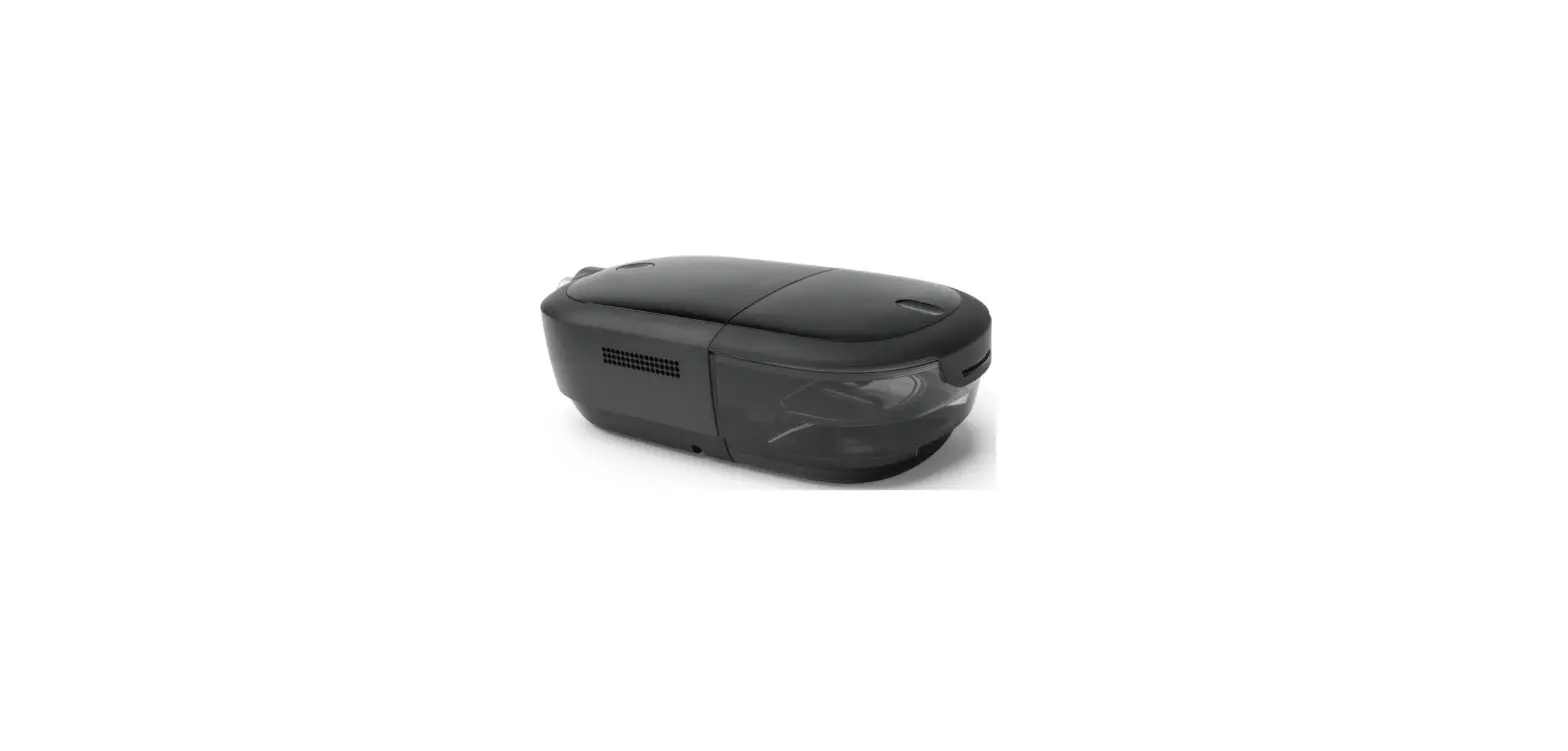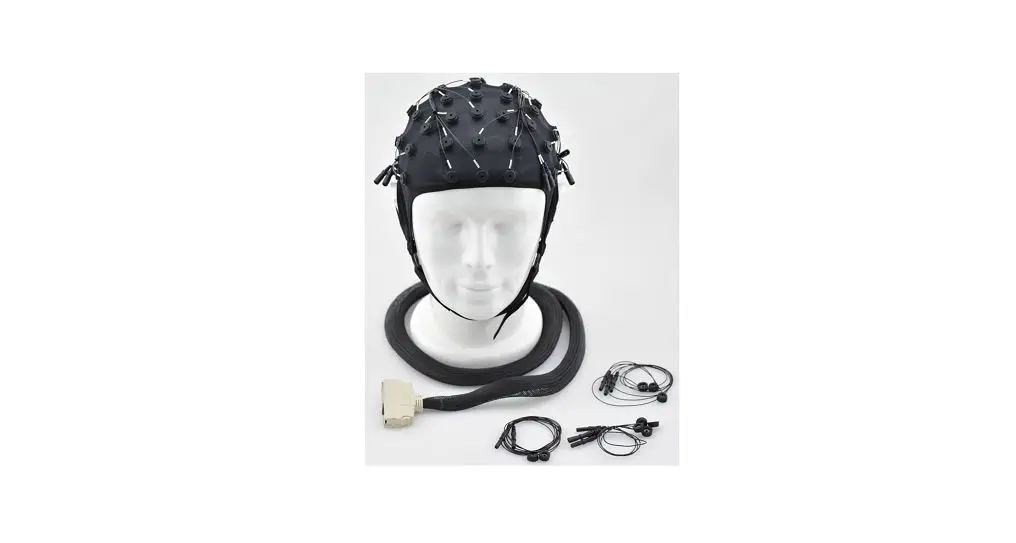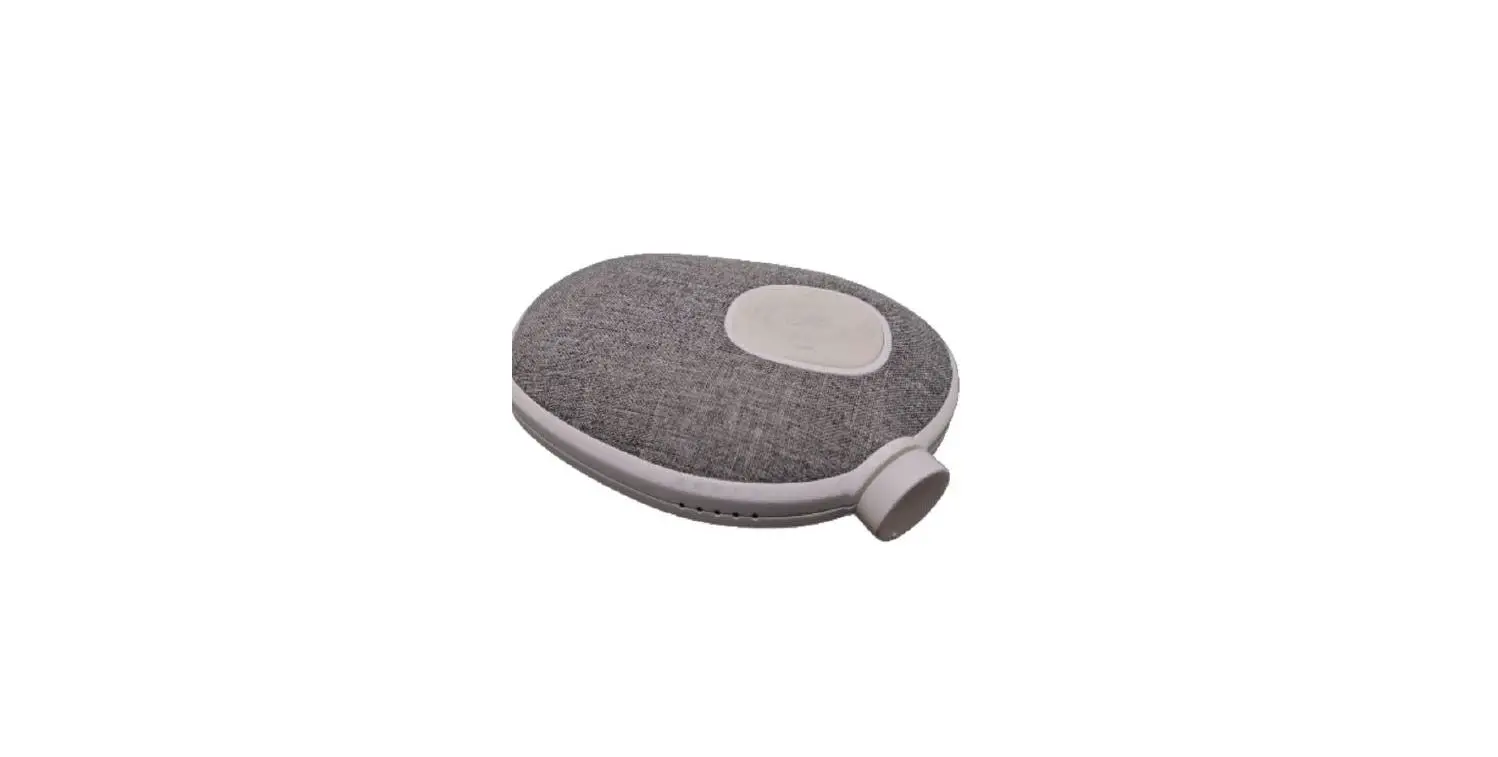
BrainCo Easleep Luxury 3 Multifunctional BCI Sleep Device User Manual

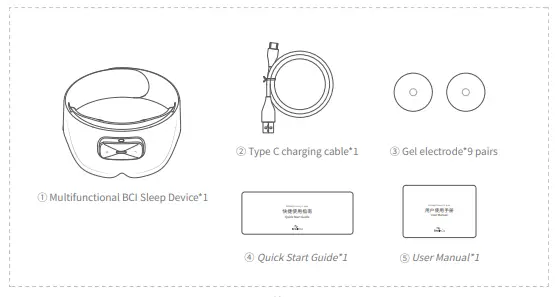
1 Package contents
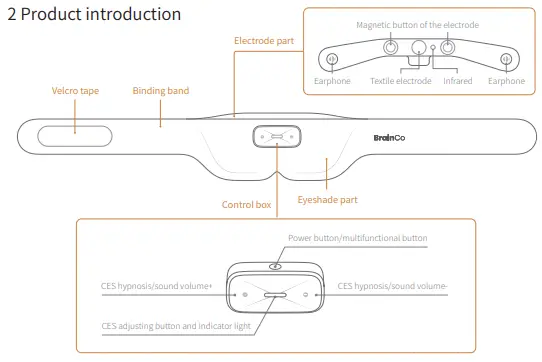
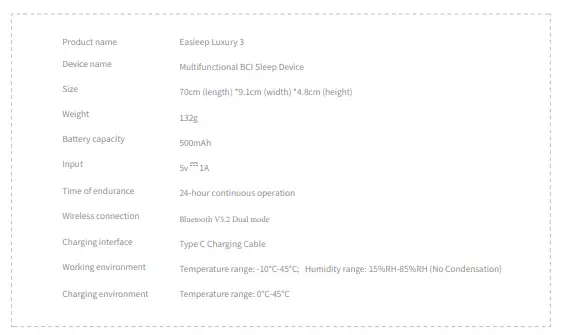
3 Product specification
4 Indicator light, voice and sound effects
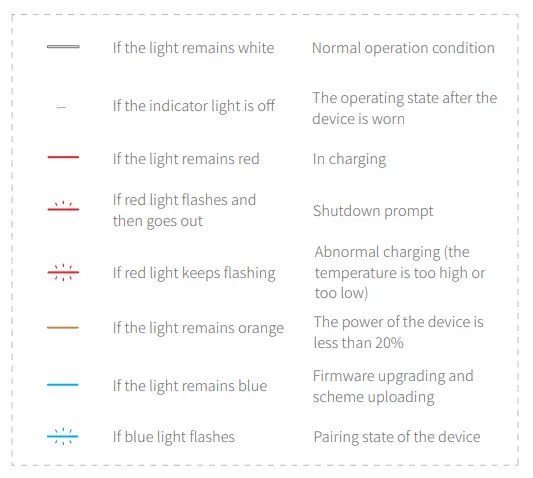
4 Indicator light, voice and sound effects
Voice
A voice prompt is given according to the user’s operation or wearing condition
Sound effect
① The sound effect for wearing: There is a sound effect prompt after the device is worn successfully.
② The sound effect during gear adjustment: There is “beep” sound effect during gear adjustment.
③ Maximum/minimum sound effect during gear adjustment: When the sound volume or CES hypnosis is adjusted to the maximum or minimum, there will be two continuous “beep” prompts.
④ Low power of the device: There will be a sound effect prompt when the electric power is less than20%.
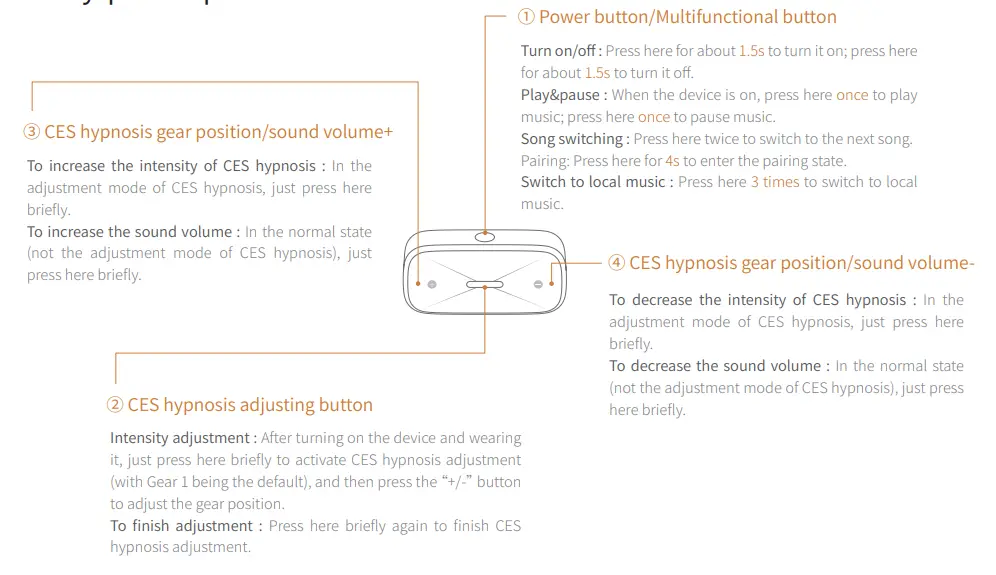
5 Key-press operation
6 App installation and pairing
① Scan the QR code to download the App, and log in after installation;
② Open the App to enter the pairing interface of the device;
③ Press the power button for 4 seconds when the indicator light will flash blue, the device will enter the pairing mode;
④ Open the Bluetooth interface of the mobile phone system, find the device named
“Easleep-XXXXX”, and click to connect for pairing;
⑤ Return to the App to show that the Bluetooth connection is successful
7 Wearing the device
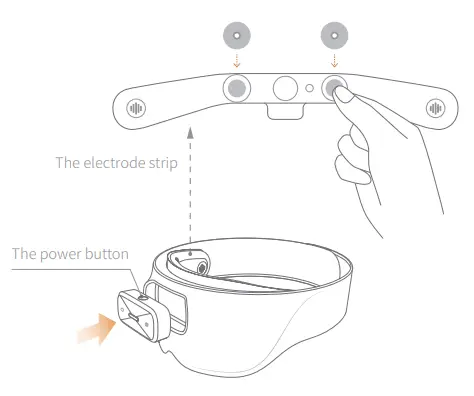
① Installing the device
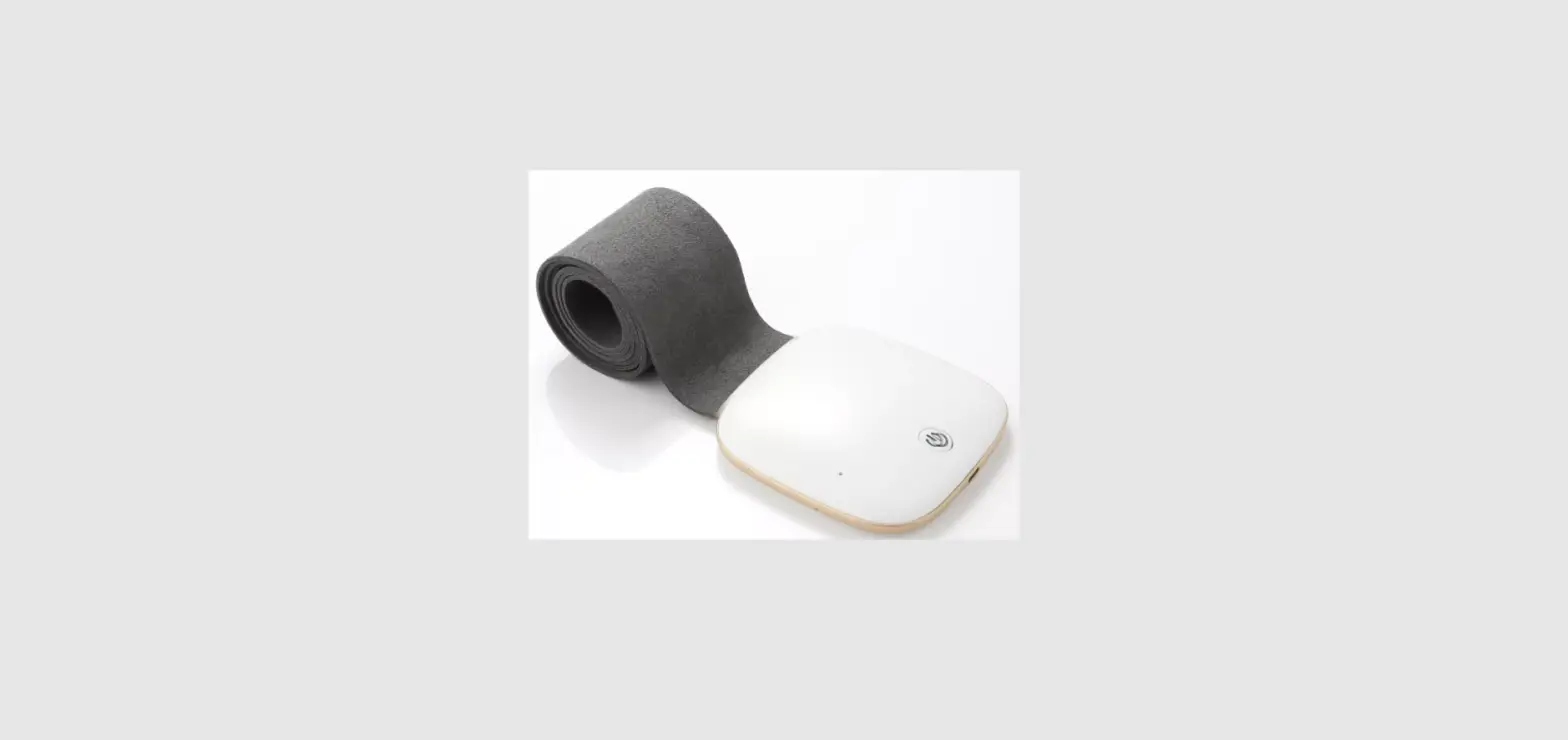
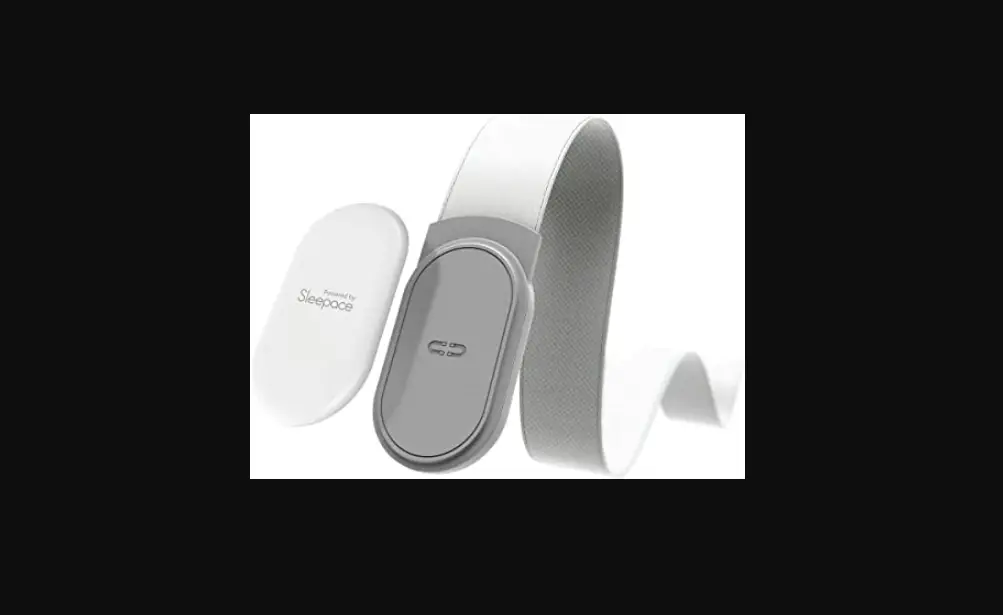
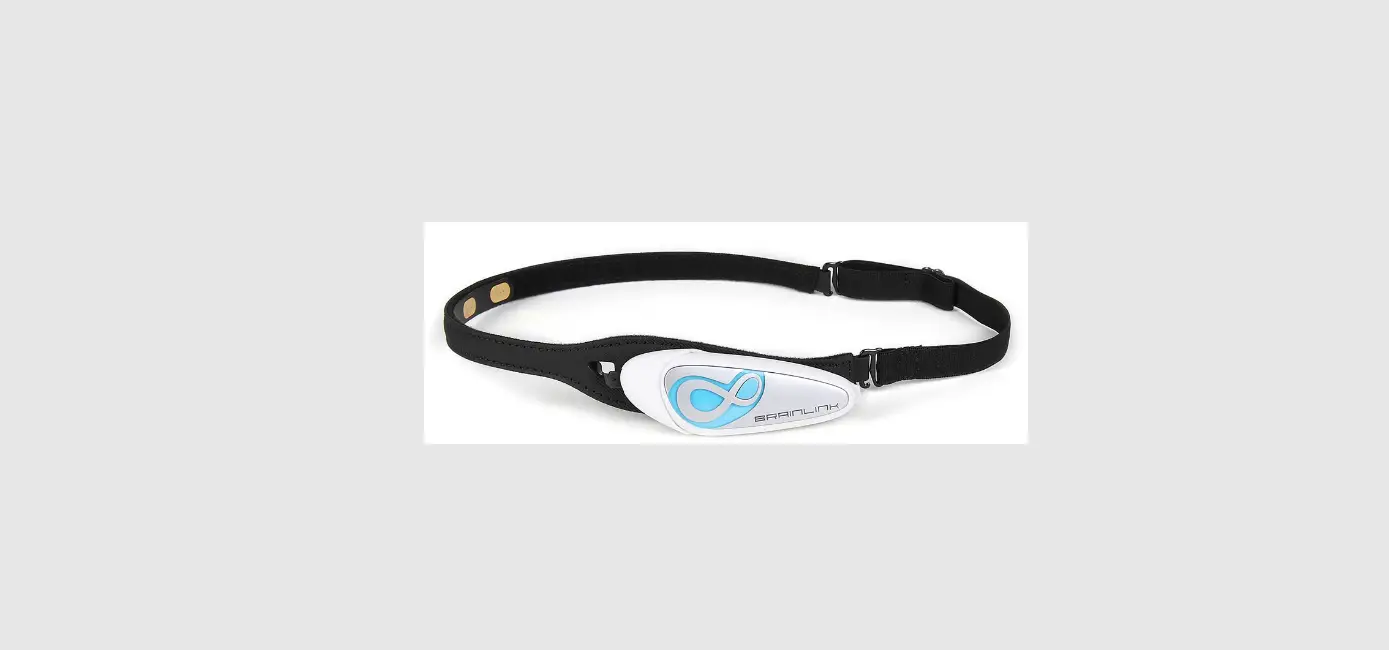
Install the multifunction box on eyeshade with power button facing up.
Take out two electrode tabs and install them at the corresponding positions on eyeshade
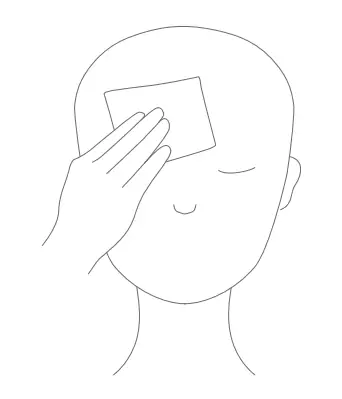
② Wiping your forehead
Please wipe your forehead with a wet tissue first.
③ Wearing the device
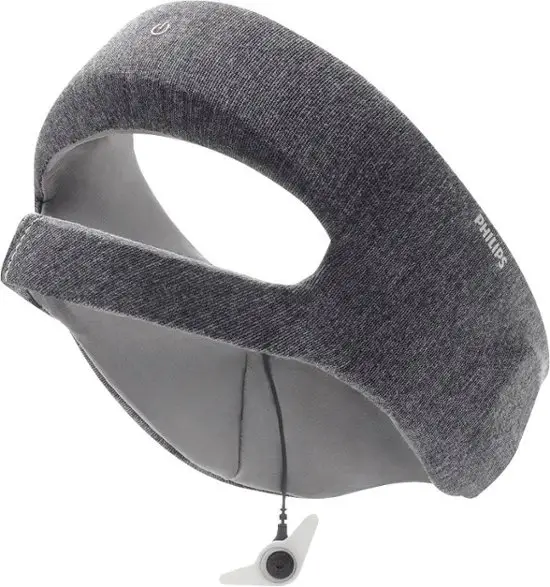
After turning on the device, put it on the head and stick it with the space on the back of the head. During wearing, you have part of your ear covered by the binding band.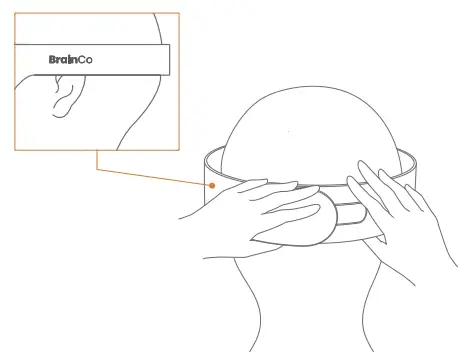
④ Adjust the position
Put the electrode strip close to the forehead, with the electrodes being about 2cm above the eyebrows.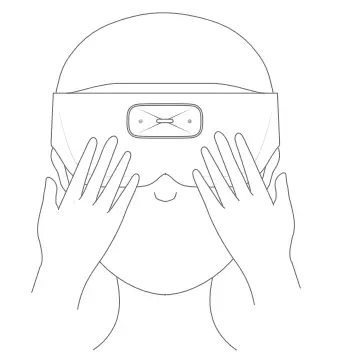
8 Two ways of use
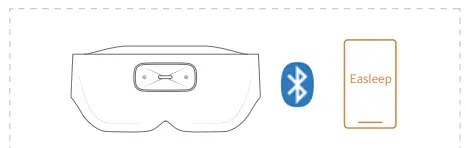
Online use
It supports playing Easleep software music and third-party media software audio
- Connect the device to the app in the mobile phone;
- Click the play key of the Easleep audio or the third-party audio software;
- Wear the device, and then you can hear the audio of the mobile phone;
- Turn on and adjust CES hypnosis;
- Feel at ease and fall asleep. When you wake up, you can check the sleep report in the app.
Offline use
You can store 6 pieces of music in the device, which can be played in the wearing state, with no need to rely on the mobile phone
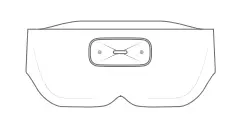
- The device has a preset sleep scheme, which can be used directly. You can also adjust the settings in the app and then upload it to the device;
- Wear the device, without connecting it to the mobile phone. Press the power button to begin playing offline music;
- Turn on and adjust CES hypnosis;
- Feel at ease and fall asleep. When you wake up, you can check the sleep report in the app.
9 Battery charging
There are two ways of battery charging:
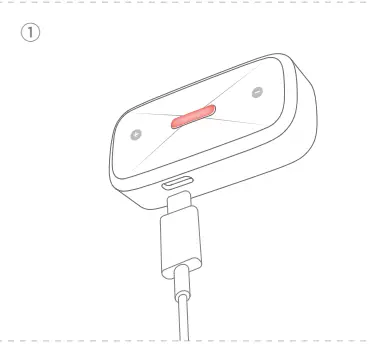
① The multifunction box can be removed and charged independently;
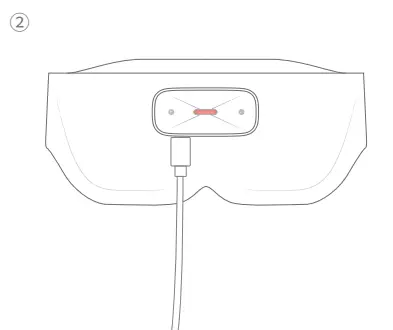
② The multifunction box can be charged when connected with the eyeshade
When the electric power is less than 20%, there will be a sound prompt and the indicator light will turn orange. It is recommended to charge it as soon as possible.
This product supports fast charging. In charging, the indicator light is red. When the device is fully charged, the indicator light will turn green.
Please charge in the temperature range of 0°C-45°C. Please use the charging cable that comes with the product. Please use the 5v 1A charger.
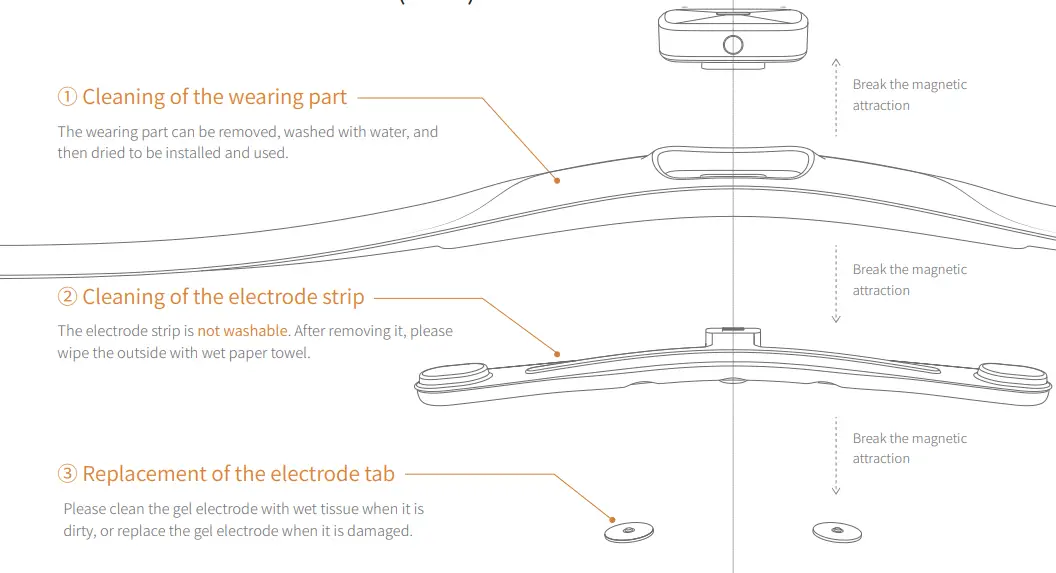
10 Care and maintenance (C&M)
11 Frequently asked questions (FAQs)
- What is CES hypnosis?
See more frequently asked questions and answers in the App The principle of CES hypnosis is that it acts on the cerebral cortex structure and brain stem structure, and produces significant and a trace of weak pulse current. According to the relevant studies, CES can effectively stimulate the brain to secrete endorphins with sedative effects, reduce cortisol level, and decrease anxiety and stress.
- How to adjust the intensity of CES hypnosis?
From the perspective of safety, every time the scheme is launched, the intensity of CES hypnosis of the device is 0 by default. Please adjust the button of the device. It is recommended for the first time of use that the intensity be adjusted from the low gear, slowly to the range you can bear, and that you start the initial attempt from a short period of time (30-45 minutes).
- Does CES hypnosis operate all night?
No. For the first time of use, the device takes 30 minutes as the default duration of CES hypnosis. If you need to customize the duration of CES hypnosis, you can open the duration setting of“Scheme”in the app to adjust the set duration of CES hypnosis.
- Is the prickling sensation normal? Is there any way to reduce it? If the prickling sensation seems weaker than the beginning, is the device still operating in a normal state?
- Slight numbness, prickling and dizziness in the contact part are normal feelings of You can reduce your body feeling by adjusting the gear of CES hypnosis. In addition, it is related to the amount of water replenishment and the dryness of the weather. Therefore, when you adjust the intensity, it is not necessary to see it fixed at a certain degree. Each time, it should be adjusted upward from the lowest gear until you feel slight numbness, prickling and dizziness.
- If you have adjusted to the maximum intensity and still don’t feel anything, you can do the following to check: Firstly, the device may be out of power and needs to be charged in time;
Secondly, it is recommended to change the electrode tab of CES hypnosis and try to adjust the gear again. If you still don’t feel anything, please consult the customer support
Safety instructions
At present, no side effects have been found in clinical practice, and there are no known contraindications. Due to the lack of clinical data on the following diseases, the following populations are not recommended to use it:
① Patients with severe depression and recent stroke;
② Patients using implantable electronic devices (such as cardiac pacemakers and insulin pumps) or patients who have metal implants in their body;
③ Patients with hemorrhagic stroke recently;
④ Patients with epilepsy and pregnant women;
⑤ People who are warned against CES hypnosis by doctors.
There may be a small number of side effects that have not been observed clinically. Very few users may suffer slight headache, which can be relieved by turning down the gear of electrical stimulation. If severe headache, dizziness, nausea and other adverse reactions occur, please stop using it.
Do not use gel patch on eyes, damaged skin, wounds or allergic skin.
1 Cautions
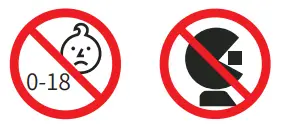
Children or people who can’t express their consciousness are forbidden to use the device; Please do not use it when operating complex and dangerous equipment or driving;
Please do not use it in flammable and explosive places such as refueling stations, high dust workshops and coal gas stations; Please do not use it in the bathroom or other places with high humidity. Do not use it when taking a bath. They may cause electric shock or damage to this product;
The discarded components, etc. of this product shall be disposed in accordance with the provisions of local laws and regulations; Avoid long-time use with high CES hypnosis gear. If you feelskin discomfort, you can rest for a few minutes at intervals and turn down the electric stimulation gear in the future use. After that, if you still feel skin discomfort, please stop using;
If you feel unwell during or after use, please stop using it and consult
3 Operation warning
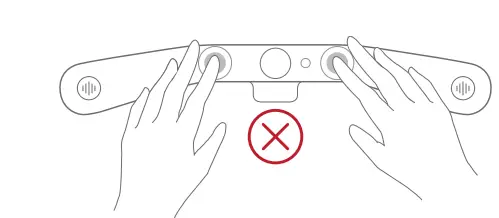
① Please do not touch the left and right electrodes with both hands at the same time;
② Please do not connect high-frequency surgical equipment and the product to the same user at the same time, otherwise the electrode of the product may cause burns and damage to the product;
③ Please do not use this product with medical electronic devices such as electrocardiographs, which may cause misoperation of these medical electronic devices;
④ Please do not use this product near short-wave or microwave therapy equipment, which may cause unstable output of this product;
⑤ Do not use the electrode near your chest, and the electrode of the product should not be placed in front of or behind your heart, otherwise it would increase the risk of heart fibrillation;
⑥ Keep wounds or scars away from the electrode of the product;
⑦ The electrode should be in close and even contact with the skin to avoid affecting the effect of the product.
Please read and keep all the safety and operating instructions
Warning/caution:
Important safety instructions: Use only the accessories/fittings provided by the manufacturer. Please use the USB cable attached to this product for charging. The charging interface should be 5V/1A.
- Please do not store this product in the place with humidity, high temperature, direct sunlight or near strong magnetic field or strong microwave field;
- Please do not make the product contact high-temperature equipment;
- Please do not throw the main unit or electrode strip into water, which may cause damage to the interior of the product;
Please store the electrode tabs in a sealed bag to prevent them from losing water
|
|
When using this product, you should observe the basic precautions as follows:
① Before using the device, please read the User Manual and Quick Start Guide carefully;
② Please use the device in an environment with a temperature of -10°C-45°C, and charge the device at an ambient temperature of 0°C-45°C;
③ The main unit box shall not be exposed to water, rain, liquid or snow; for other parts, please refer to maintenance and repair;
④ The use of the power supply or charger that is not recommended or sold by the product manufacturer may lead to the risk of fire or personal injury;
⑤ Do not use damaged or modified device, and do not use electrodes with defective or damaged surface, otherwise accidents and failures might occur;
⑥ This product contains lithium batteries. Do not disassemble or squeeze the device, or throw it into fire or place it in high temperature. It will cause explosion if placed in fire or in an environment with a temperature exceeding 100°C;
⑦ Please do not disassemble, repair or modify this product without authorization, otherwise it might cause failure or electric shock.
Instructional Safeguards in Battery
- Replacement of a battery with an incorrect type that can defeat a safeguard (for example,in the case of some lithium battery tytpes);
- Disposal of a battery into fire or a hot oven, or mechanically crushing or cutting of a battery, that can result in an explosion;
- Leaving a battery in an extremely high temperature surrounding environment that can result in an explosion or the leakage of flammable liquid or gas; and
- A battery subjected to extremely low air pressure that may result in an explosion or the leakage of flammable liquid or
I. Authentication
| Comnapmoneent | ||||||
| Plu(mPbu)m × | Hydr(aHrggy)rum | Cad(Cmdiu) m | chHroexmaev[aCler(nVtI)] | bPioplhyebnroymls i(nPaBtBeds) | Polydbiprohmeninyal ted ethers(PBDEs) | |
| Control box | ○ | ○ | ○ | ○ | ○ | |
| electrode strip —– | ○ | ○ | ○ | ○ | ○ | ○ |
| ○ | ○ | ○ | ○ | ○ | ○ | |
FCC Regulatory Compliance
This device complies with Part 15 of the FCC Rules. Operation is subject to the following two conditions: (1) this device may not cause harmful interference, and (2) this device must accept any interference received, including interference that may cause undesired operation. changes or modifications not expressly approved by the party responsible for compliance could void the user’s authority to operate the equipment.
This equipment has been tested and found to comply with the limits for a Class B digital device, pursuant to Part 15 of the FCC Rules. These limits are designed to provide reasonable protection against harmful interference in a residential installation. This equipment generates, uses and can radiate radio frequency energy and, if not installed and used in accordance with the instructions, may cause
harmful interference to radio communications. However, there is no guarantee that interference will not occur in a particular installation.
If this equipment does cause harmful interference to radio or television reception, which can be determined by turning the equipment off and on, the user is encouraged to try to correct the interference by one or more of the following measures:
- Reorient or relocate the receiving
- Increase the separation between the equipment and
- Connect the equipment into an outlet on a circuit different from that to which the receiver is
- Consult the dealer or an experienced radio/TV technician for
This equipment complies with FCC radiation exposure limits set forth for an uncontrolled environment. This transmitter must not be co-located or operating in conjunction with any other antenna or transmitter.

| Model | FCC ID | IC: | CMIIT ID |
| V51A | 2AXO8-V51A | 26555-V51A | 2022DP6888 |
| V51B | 2AXO8-V51A | 26555-V51A | 2022DP6884 |
Do not use this device in places where the use of wireless devices is expressly prohibited, otherwise it would interfere with other electronic devices or cause other dangers.
This product is not a medical device. The health information and suggestions provided are for reference only, and cannot be used as the basis for diagnosis and treatment. As the situation differs on a case by case basis, if you feel skin discomfort when wearing it, please stop wearing it and consult a doctor.
Disclaimer
To protect the legitimate rights and interests of the users, please make sure to carefully read the Users’Manual (hereinafter collectively referred to as User Manual ), Quick Start Guide and other product description documents provided with this product before using this Zhejiang BrainCo Technology Co., Ltd. reserves the right to update the above documents.
- Once you start using this product, you shall be deemed to have read, understood, approved and accepted all the terms and contents of the User Manual of this product. The users are deemed to promise to be responsible for their own actions and all consequences arising there The users are deemed to promise to use this product only for legitimate purposes, and agree to these terms and any relevant policies or guidelines that Zhejiang BrainCo Technology Co., Ltd. may formulate.
- In the process of using this product, please make sure to strictly observe and meet the requirements included in but not limited to the User Manual For all personal injuries, accidents, property losses, legal disputes and other adverse events resulting in conflicts of interest caused by violation of the use behavior defined by the safety use instructions or irresistible factors, the user shall bear the relevant responsibilities and losses, and Zhejiang BrainCo Technology , Ltd. will not bear any responsibilities.
- Zhejiang BrainCo Technology , Ltd. will not bear any responsibility for any violation of the laws directly or indirectly caused by the users’use of this product.
- Other exemptions prescribed by laws and
Note:
- If the user is a minor under the age of 18, he/she can use this product only after carefully reading this agreement with the guardian’s supervision, guidance and consent.
- Minor users and their guardians understand that if minors violate laws, regulations and the contents of this agreement, the minors and their guardians shall bear all possible legal liabilities in accordance with the
Warranty
Thank you for purchasing our products. The whole unit of the product you have bought will be guaranteed for one year from the date of purchase.
- Three Guarantees will be implemented for consumers who have bought this In case of any discrepancy between the service terms and the Three Guarantees regulations, the Three Guarantees regulations and the contents of the Three Guarantees certificate shall prevail. The company undertakes to abide by the relevant local regulations for the regions where the special Three Guarantees catalogue is implemented.
- Please note that the scope of guaranteed repair is limited to the main unit of the product, and accessories such as power cord are not covered by the
Any of the following situations does not fall within the scope of Three Guarantees:
- Beyond the validity period of Three Guarantees;
- Loss caused by failure to use, maintain and keep the product according to the requirements of the product instructions;
- Loss caused by dismantling by the repairer who does not bear Three Guarantees responsibility;
- Without valid Three Guarantees certificate and valid invoice (except the case that the commodity can be proved within the validity period of Three Guarantees);
- The Three Guarantees certificate altered without authorization;
- The product or serial number on the Three Guarantees certificate inconsistent with the real commodity;
- Without factory name, address, production date and approved certificate for the product;
Damage caused by force majeure
 强脑科技BrainCo – 脑机科技,开启生命更多可能性