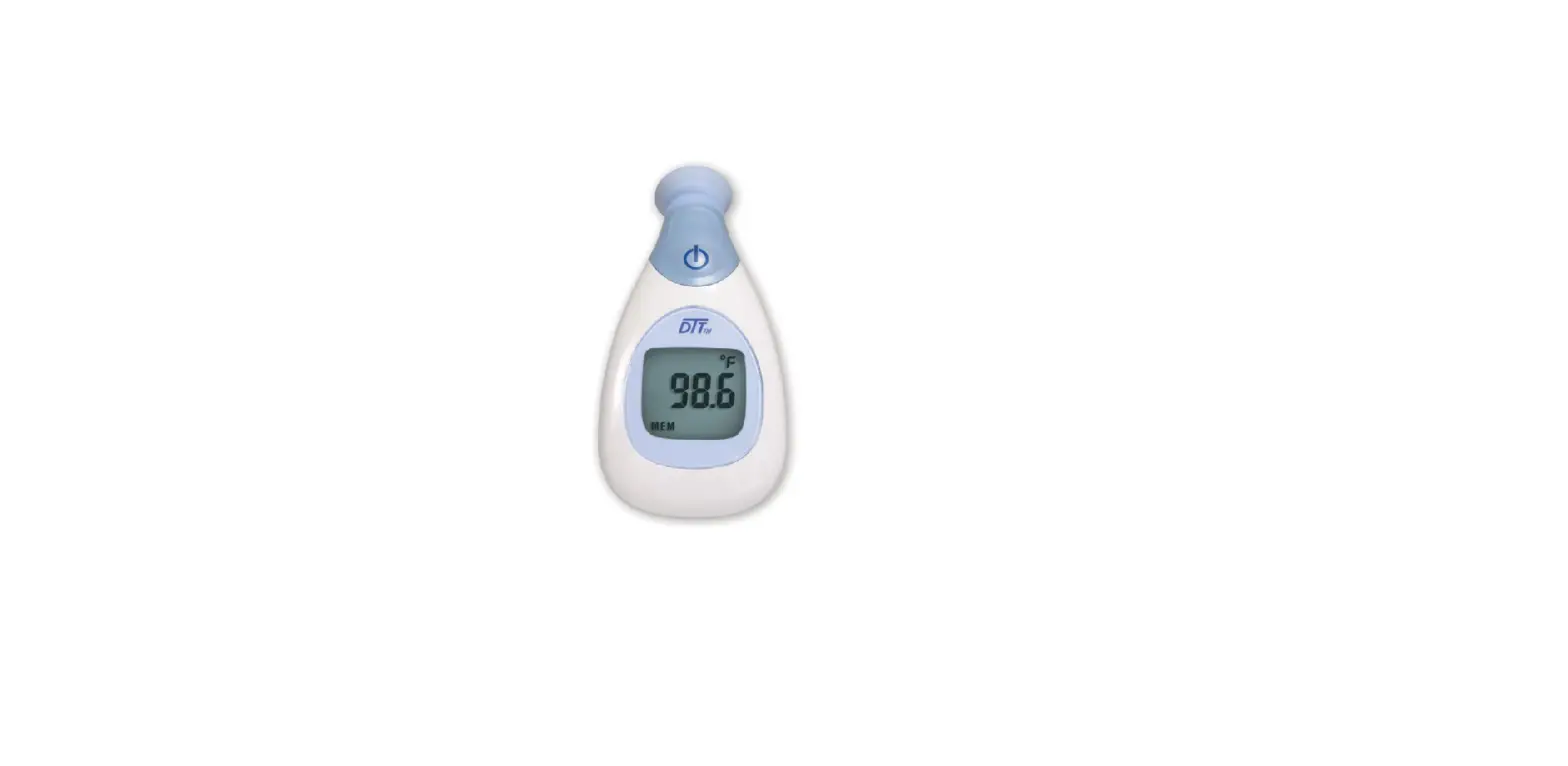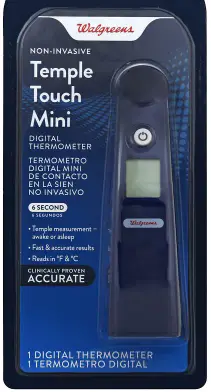

CVS Health KD-2270 Digital Temple Thermometer
INSTRUCTIONS FOR USE
Please read carefully before using
IMPORTANT!
Read the instruction manual before using the thermometer
Quick Start
- Install batteries into the thermometer. Make sure the polarity is correct.
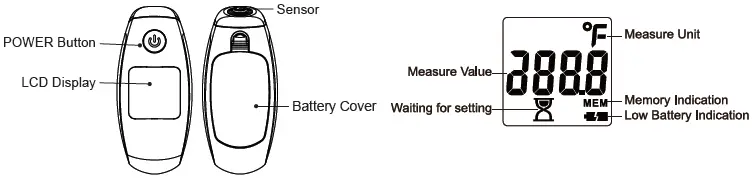
- Press and release the POWER button. The unit will beep once. Wait until it beeps again twice and °F appears in the display.
- Place and hold the thermometer probe firmly to the skin at the temple and wait several seconds for the device to beep once more.
- Read the temperature on the display.
HOW TO USE
- Install 2 AAA batteries.
- Press the POWER button to turn on the unit. A beep sound follows.

- The last memory is displayed

- You will hear 2 beeps with the measuring scale shown in the following figures.

- Put the thermometer on the temple then it beeps one time to present measurement completion.
- If the temperature reading is over 99.5°F (37.5°C), eight consecutive beeps will be heard to indicate a fever alarm.
- Once the measurement is done and the reading is recorded then you will hear 2 beeps ready to take the next measurement.

- Turn off the unit by pressing the POWER button, or the unit will automatically turn off after 60 seconds of inactivity.

- Switching between Centigrade and Fahrenheit:
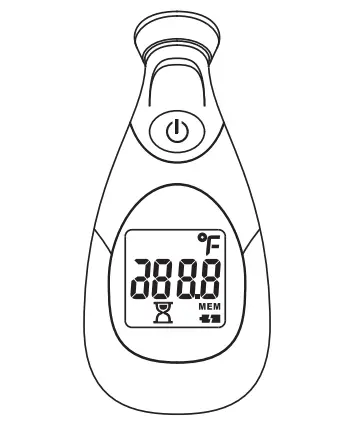
 Turn unit on. While 188.8 is still showing press & hold the power button again for 2 seconds
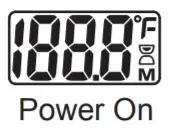
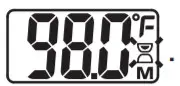


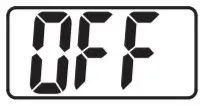
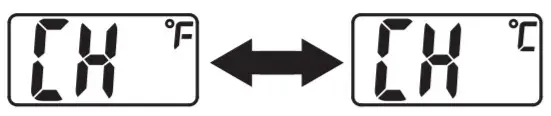 Turn unit on. While 188.8 is still showing press & hold the power button again for 2 seconds
Read-back last memory by NFC
Install secure APP from Google Play or App Store successfully. care not only collect temperatures but also can do graph for checking temperature’s trend easily.
 https://itunes.apple.com/us/app/oucare/id479444868?mt=8
 https://play.google.com/store/apps/details?id=com.oucare.OUcare&hl=zh_TW
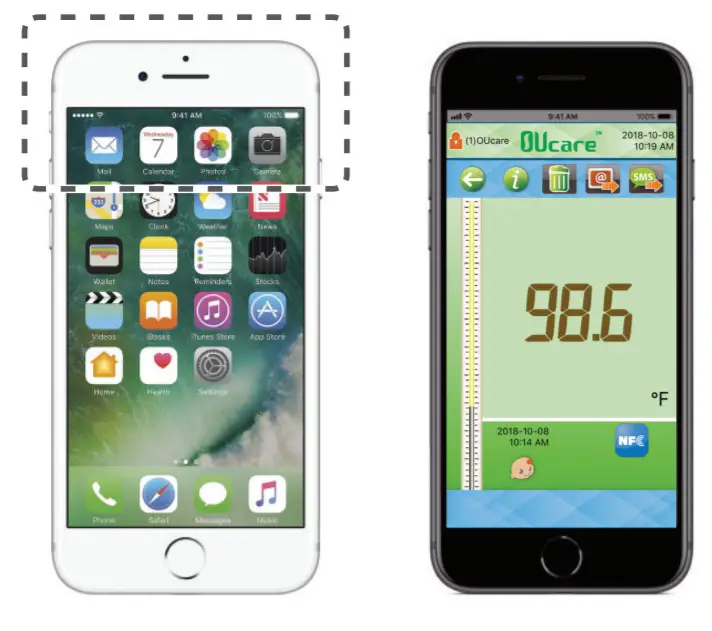
For Android mobile device: When the device is off, put the mobile device above the thermometer, the last temperature will be read-back and show on a mobile device.
For iPhone7 or above: The iOS should be 11.0 or above. When the device is off, press the icon of APP then close to the thermometer, the last
temperature will be read-back and show on a mobile device. On the right side is a figure of the NFC area of the iPhone7.
PRECAUTION
- Use the thermometer to measure your temple temperature only, the place between the eyehole and the hairline, close to the temporal artery.
- Do not place the thermometer on scarred tissue, open sores, or abrasions.
- Using drug therapies may raise forehead temperature, which may lead to incorrect measurements.
- Do not dismantle the unit unless replacing the batteries.
- Children should not use the thermometer if being alone, without the supervision of adults.
- The thermometer is not shockproof. Do not drop the thermometer or shock it heavily.
- The thermometer is not waterproof. Do not immerse it in liquid of all kinds including water.
- To ensure correct readings, please wait for at least 2 minutes between continuous measurements for the thermometer to return to room temperature.
- Do not use the thermometer when flammable materials are around.
- Stop using the thermometer once malfunctions appear or it operates abnormally.
- Clean the thermometer probe before measuring.
- Do not take measurement of temple skin if it is exposed to direct sunlight, fireplace heat and air conditioner flow, as this may lead to incorrect readings.
- If thermometer has been put at below-freezing temperatures, please wait for at least 1 hour for it to return to room temperature before measuring.
- Being operated or stored outside the stated temperature and humidity ranges and measuring the patient whose temperature is below the room temperature may degrade the performance of the thermometer.
- Body temperature, like blood pressure, varies from person to person, and during the day, it may range from 35.5°C to 37.8°C (95.9°F to 100.0°F). For some people, it may show some difference from their normal temple temperature. It is recommended to learn and recognize the temple temperature while healthy. For accurate results, measure the same area of the temple each time of measuring.
- Avoid taking measurements within 30 minutes after physical exercise, bathing, or eating.
- Keep the temporal area dry and clean from sweat, make-up, etc.
- Calibration is recommended every two years.
- Follow the national requirement to dispose of units.
SPECIFICATIONS
| Temples | |
| Measurement Time | 6 seconds |
| Measurement Range | 95.0°F~107.6°F |
| Operating Condition | 60.8°F ~ 104°F, R.H. of 15~95% non-condensing |
| Storage Condition | -4°F ~ 120°F, R.H. of 15~95% non-condensing |
| Measuring unit | °F |
| Resolution | 0.1°F |
| Accuracy | Less than 96.4°F, Greater than 106.0°F: ±0.5°F 96.4°F to less than 98.0°F, Greater than 102.0°F to 106.0°F: ±0.3°F 98.0°F to 102.0°F: ±0.2°F |
| Battery | AAA battery x 2pcs |
| NFC | Last memory read-back iPhone7 and above Android mobile device with NFC |
| Battery Life | More than 500 measurements. |
| Weight | Approx. 52g includes batteries +/- 5% |
| Dimension | 127.7mm x 35.2mm x 33.4mm +/- 2% |
| Memory Set | 9 sets |
| Auto Shut Off | After 60 seconds of inactivity |
| Warranty | 1 year |
| Certification | ISO 13485 ASTM E1112 |
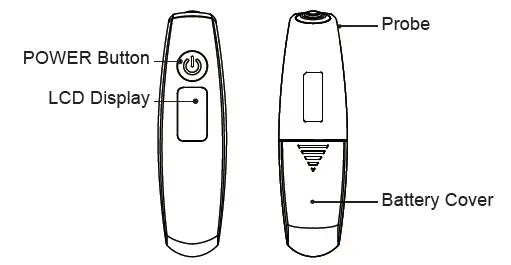
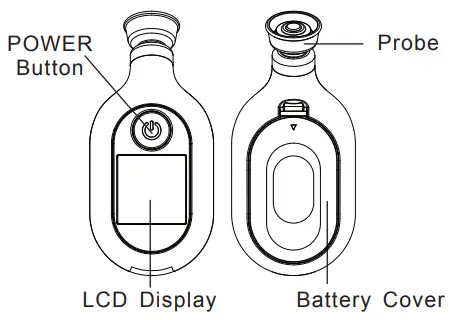
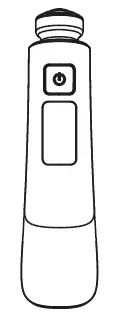
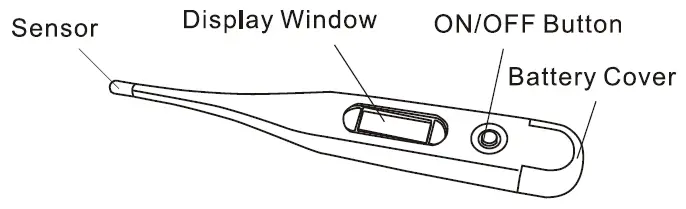
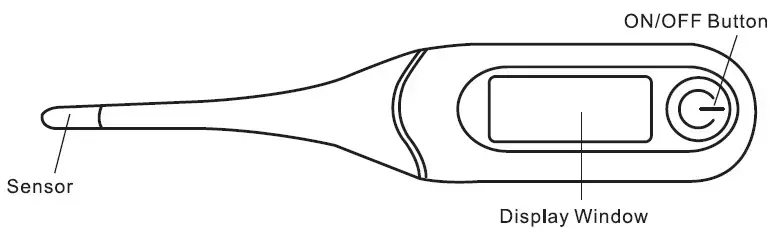
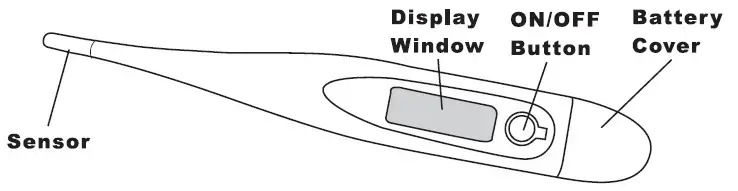
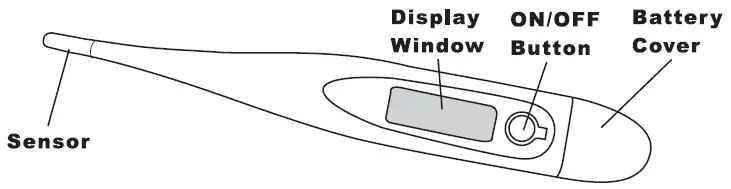
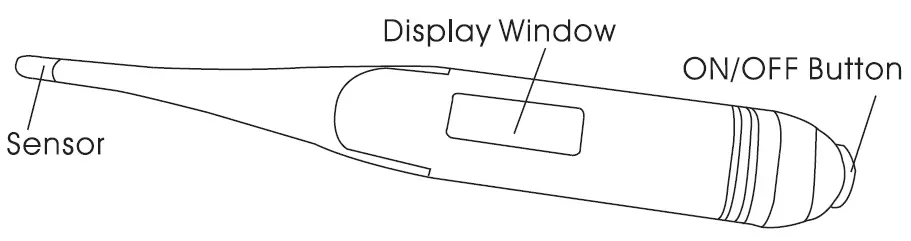
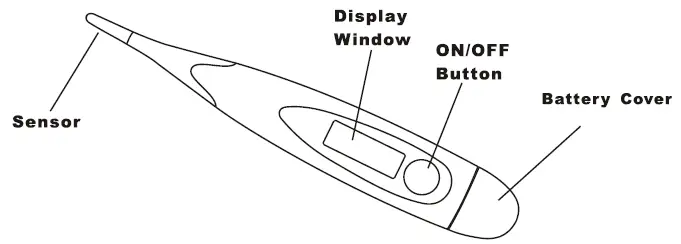
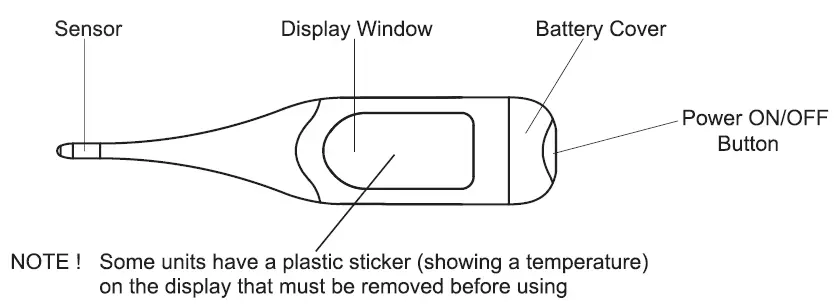
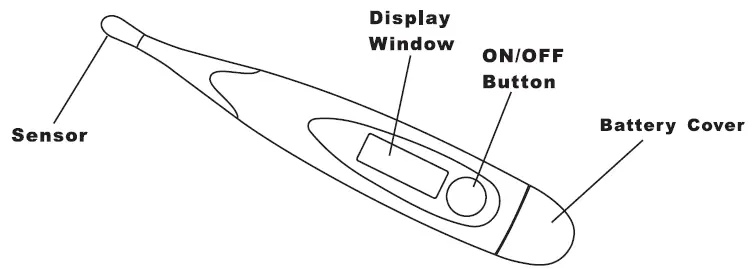
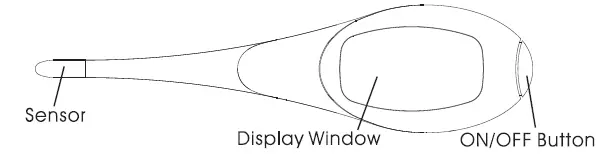
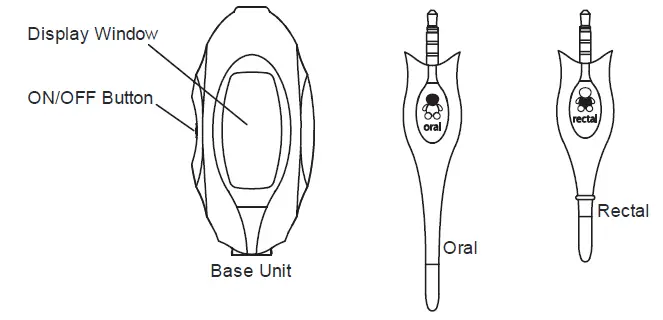
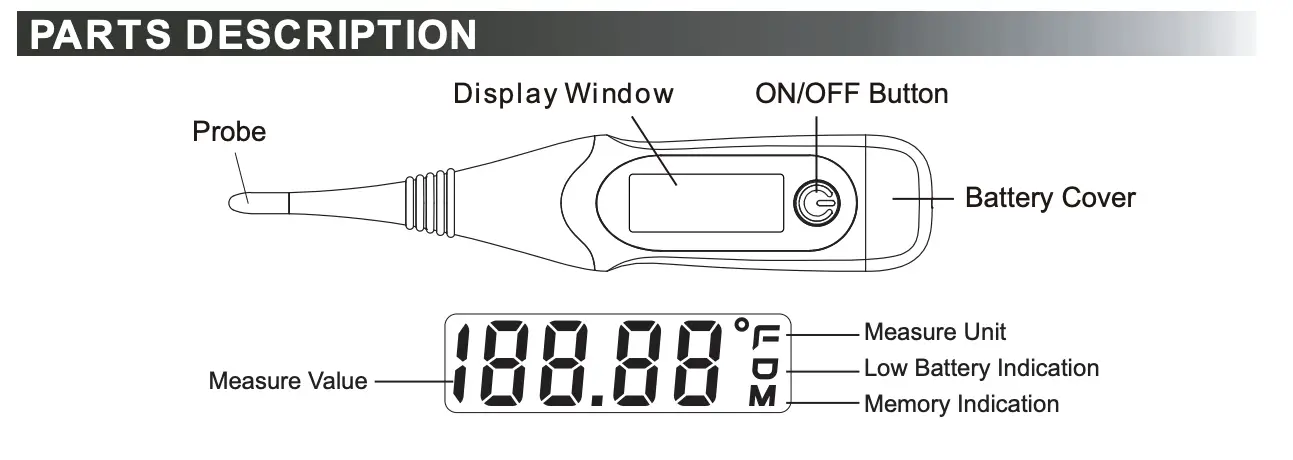
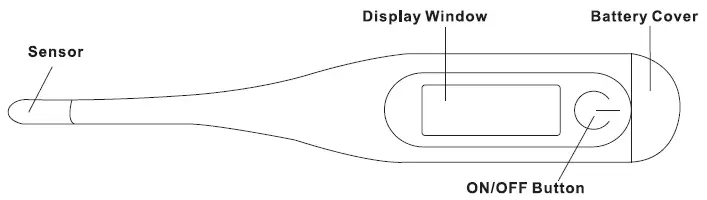
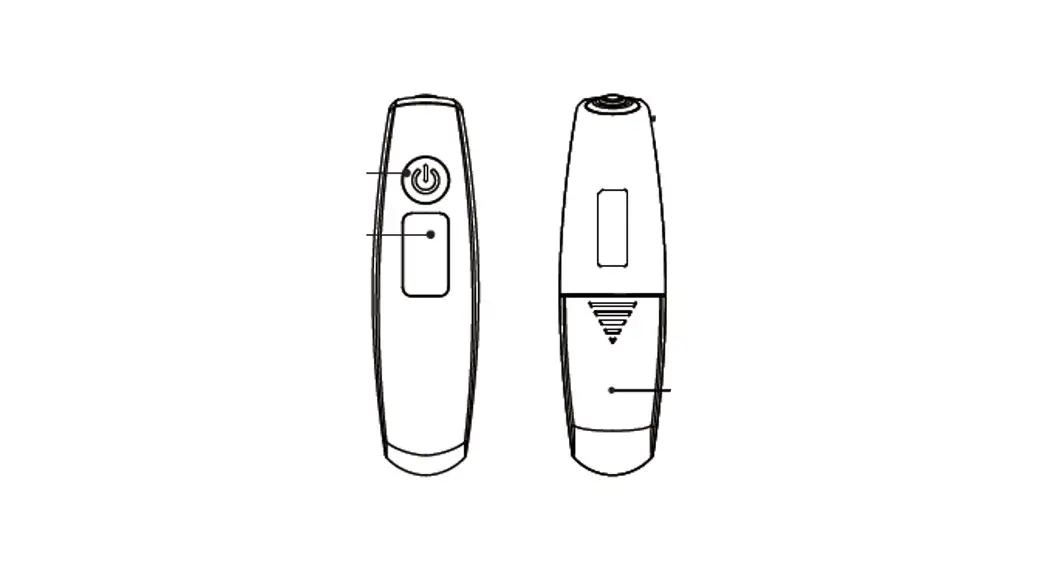
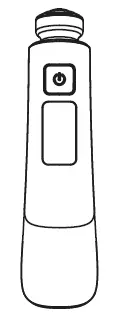
PARTS DESCRIPTION
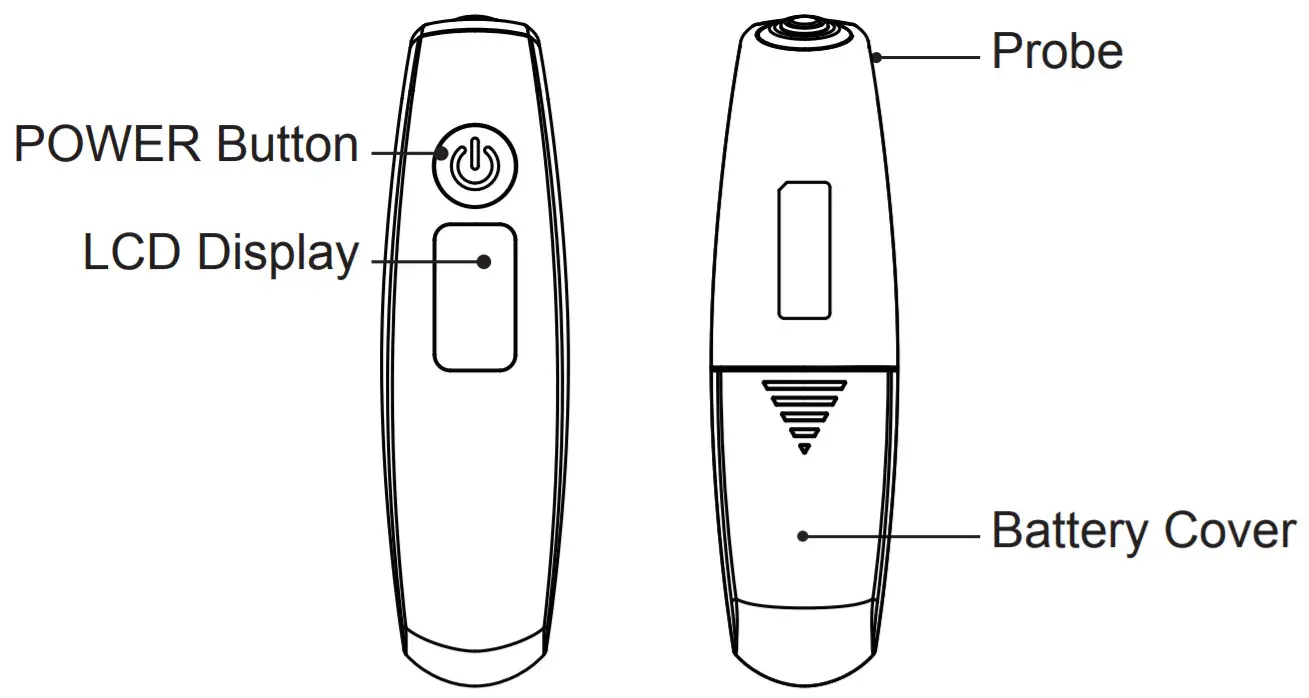
What are normal temperature values?
Human body temperature varies from person to person. One person’s body temperatures are different from time to time as well. Therefore, it is very important to know your normal body temperature range. Thus we recommend you measure yourself when healthy to establish referenced temperatures which will make you feel more confident of the measured temperature when ill.
BATTERY REPLACEMENT
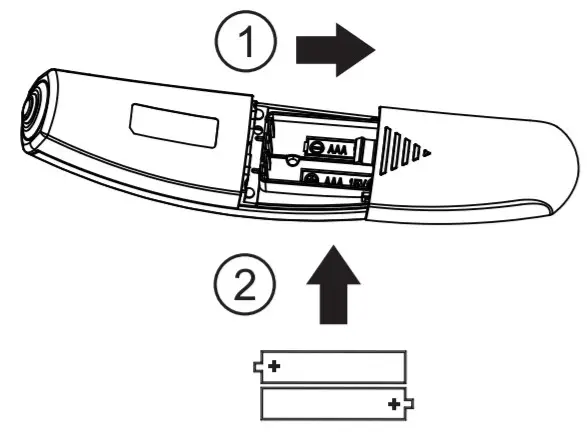
- Take the battery cover off in the direction shown.
- Install 2 new AAA batteries into a thermometer.
- Replace the battery cover securely.
 Warning :
- Do not put used batteries in the trash.
- Recycle or manage used batteries as hazardous waste.
- Never dispose of batteries in a fire.
- Dispose of used batteries in recycling trash only.
- Do not recharge, put in backward or disassemble. This may cause an explosion, leakage, and injury.
- The memory may be erased after replacing a new battery.
MEMORY MODE
Recalling Memories:
- Turn off the unit first.
- Press the POWER button and hold for 3 seconds until the last record is shown.
- Press the POWER button to choose the previous reading.

- After the POWER button is released, you will hear 2 beeps indicating ready to measure.



Deleting Memories:
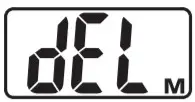
- In the Recalling Memories step, press the POWER button again and hold for 3 seconds
until “dEL” shows
- Press the POWER button to delete all memories then the thermometer will power off automatically.
- If you don’t press the POWER button, the thermometer will return to the Recalling Memories step.
CLEANING AND CARE
- Please do not drop the unit of exposure to heavy shock. The unit is not shockproof.
- Wipe the tip and probe with an alcohol swab or cotton swab moistened with 70% isopropyl alcohol before & after each use. After cleaning, wait at least 2 minutes before taking a measurement for the unit to readjust to room temperature.
- Use only a soft dry cloth to clean the body of the thermometer (if necessary). Please avoid thinner and benzene or other harsh
- Please remove the battery if the unit will not be used for a long period.
- Do not expose the thermometer to extreme temperatures, humidity, direct sunlight, or shock. Store it at room temperature.
TROUBLESHOOTING
 | The Temperature measured was higher than the specified measuring range. Please measure again. |
 | The ambient (room) temperature was outside the operating range. Keep it at room temperature (approx. 60.8°F~104°F) for 30 minutes before use. |
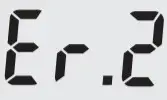 | Poor contacts cause the thermometer to stop to measure. The thermometer will power off automatically. Please contact the distributor. |
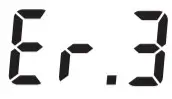 | The thermometer is no function. Please contact the distributor. |
 | Low battery indication, replace two AAA batteries. |
EXPLANATION OF SYMBOLS
 | Manufacturer | | Warning and Caution |
 | Power Button |  | Place on the temple to do measurements |
| Low battery indication |  | Waiting for setting |
 | MMYY: Lot Number composed by month(M) and year(Y) of manufacture | ||
LIMITED WARRANTY
Warranty:
The device itself (battery excluded) comes with one year warranty from purchasing date if it is operated under normal circumstances without evidence of tampering. See exclusions below.
Warranty exclusions:
- If the user does not properly operate the device according to the instructions as described in this manual.
- If the device shows signs of tampering or attempted modification.
- Improper handling, such as dropping, liquid, or cleaner damage.
- Natural disasters (such as fire, flood, earthquake, lightning strike).
- If you do not have a receipt or proof of purchase showing the date of purchase.
LOT NUMBER INFORMATION
YYMM on the device label means the year and month of manufacturing. For example, “1810” means the unit was manufactured in October 2018.
FCC STATEMENT
This device complies with Part 15 of the FCC Rules. Operation is subject to the following two conditions: (1) This device may not cause harmful interference, and (2) this device must accept any interference received, including interference that may cause undesired operation.
This equipment has been tested and found to comply with the limits for a Class B digital device, pursuant to Part 15 of the FCC Rules. These limits are designed to provide reasonable protection against harmful interference in a residential installation. This equipment generates, uses, and can radiate radio frequency energy and, if not installed and used in accordance with the instructions, may cause harmful interference to radio communications. However, there is no guarantee that interference will not occur in a particular installation. If this equipment does cause harmful interference to radio or television reception, which can be determined by turning the equipment off and on, the user is encouraged to try to correct the interference by one of the following measures:
- Reorient or relocate the receiving antenna.
- Increase the separation between the equipment and receiver.
- Connect the equipment into an outlet on a circuit different from that to which the receiver is connected.
- Consult the dealer or an experienced radio/TV technician for help.
FCC Caution: Any changes or modifications not expressly approved by the party responsible for compliance could void the user’s authority to operate this equipment.
This transmitter must not be co-located or operating in conjunction with any other antenna or transmitter.
Radiation Exposure Statement:
The product complies with FCC portable RF exposure limit set forth for an uncontrolled environment and is safe for intended operation as described in this manual. The further RF exposure reduction can be achieved if the product can be kept as far as possible from the user body or set the device to lower output power if such function is available.
Changes or modifications not expressly approved by 180 INNOVATIONS may void the user’s authority to operate this device.
Distributed by: CVS Pharmacy, Inc
One CVS Drive Woonsocket, RI 02895
1-800-shop-CVS www.cvs.com
Manufactured by:
180 INNOVATIONS LAKEWOOD, CO80215 and K-jump Health Co., Ltd.
Made in China www.180innovations.com
FAQS
Is 99.4 a fever temporal?
Normal body temperature ranges from 97.5°F to 99.5°F (36.4°C to 37.4°C). It tends to be lower in the morning and higher in the evening. Most healthcare providers consider a fever to be 100.4°F (38°C) or higher. A person with a temperature of 99.6°F to 100.3°F has a low-grade fever.
Katz says that digital rectal thermometers are the most accurate at measuring core temperature.
If you have an electronic thermometer or frontal thermometer with more functions, you will usually have a “MODE” key or “℃/℉” key above the thermometer. Give it a short press, and the display toggles between F and C (The display also shows the label ℃ or ℉ so you can tell what it’s displaying).
Aim the probe of the thermometer at the center of the forehead and maintain a distance of less than 1.18in(3cm) away (the ideal distance will be the width of an adult finger). Do not touch the forehead directly. Gently press the measurement button [ ] to start measuring.
If the measured body temperature is within the normal range (96.8°F-99.5°F), the backlight will remain green. If it is elevated (99.5°F-100.3°F) the backlight will change to orange, and if it’s high (>100.3°F), it will change to red.
New research suggests that a temporal artery thermometer might also provide accurate readings in newborns. 3 months to 4 years. In this age range you can use a digital thermometer to take a rectal or an armpit temperature or you can use a temporal artery thermometer.
New research suggests that a temporal artery thermometer might also provide accurate readings in newborns. 3 months to 4 years. In this age range you can use a digital thermometer to take a rectal or an armpit temperature or you can use a temporal artery thermometer.
Rectal temps are the most accurate. Forehead temps are the next most accurate. Oral and ear temps are also accurate if done properly. Temps done in the armpit are the least accurate.
Advertising revenue supports our not-for-profit mission. The following thermometer readings generally indicate a fever: Rectal, ear or temporal artery temperature of 100.4 (38 C) or higher. Oral temperature of 100 F (37.8 C) or higher.
The CVS Health Rigid Tip Digital Thermometer is equipped with FeverAlarm, which will let you know if it reads a temperature that is above 99.5 degrees F, and it is certified by CVS Health pharmacists. It is certified to be accurate, so you never have to worry whether a reading is off.
The CVS Health Rigid Tip Digital Thermometer is equipped with FeverAlarm, which will let you know if it reads a temperature that is above 99.5 degrees F, and it is certified by CVS Health pharmacists. It is certified to be accurate, so you never have to worry whether a reading is off.
The CVS Health Temple Digital Thermometer can track the heat flow from blood vessels to the surface of the skin and convert that into body temperature. You can get a complete, accurate temperature reading.
 180 Innovations
 CVS - Online Drugstore, Pharmacy, Prescriptions & Health Information