
Armitron WR330 Watch

Armitron WR330 Watch
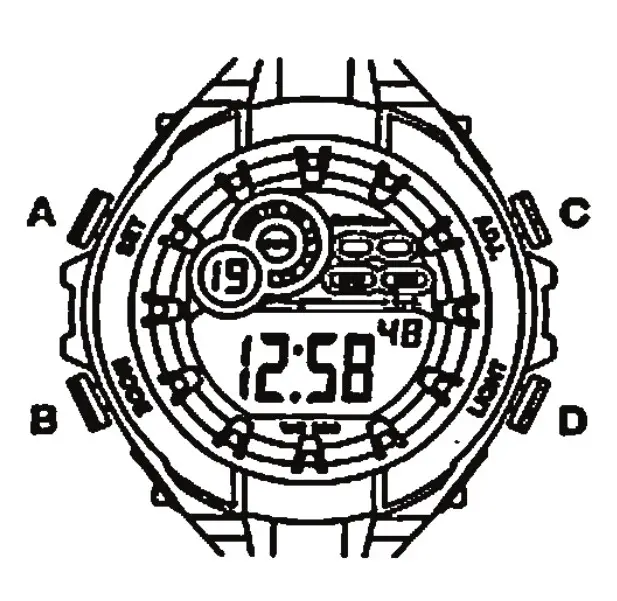
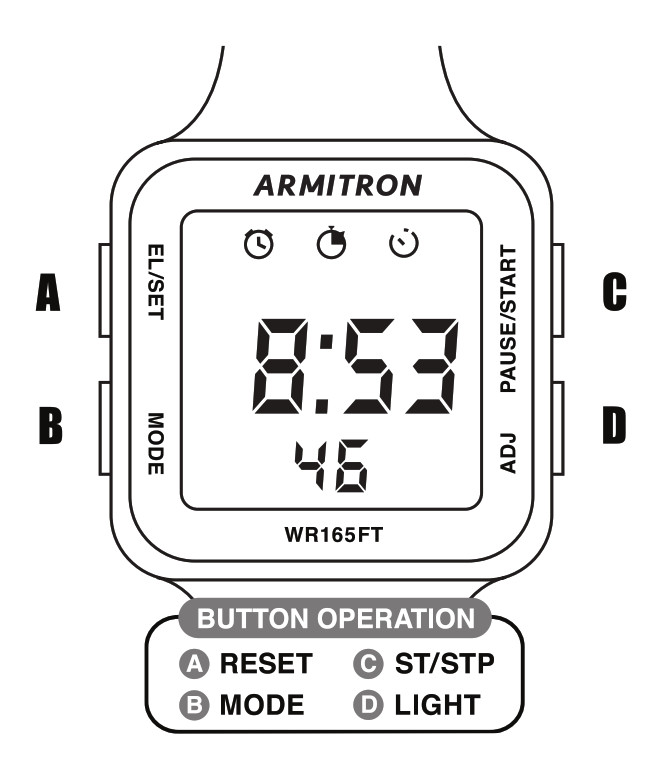
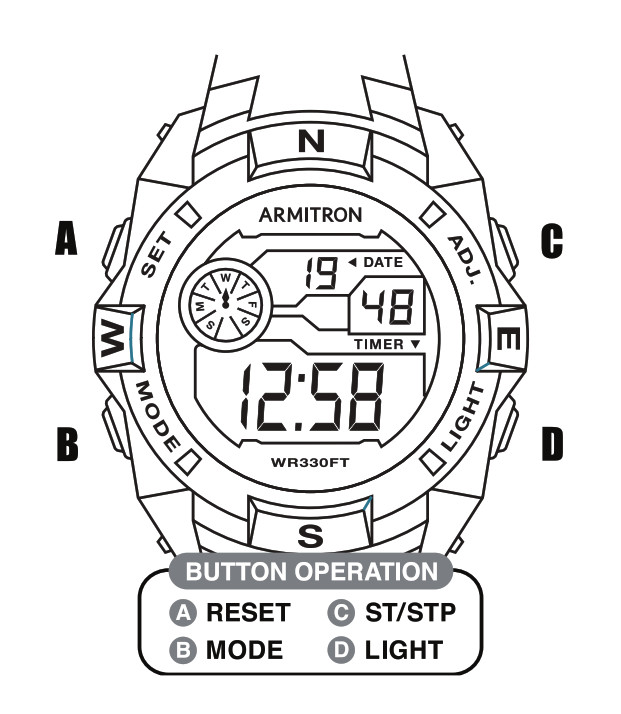
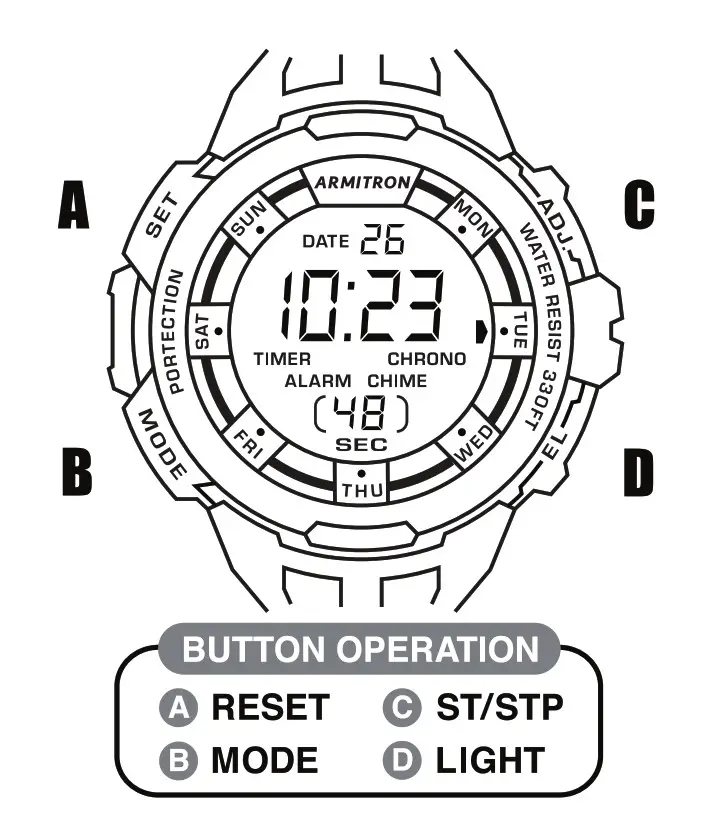
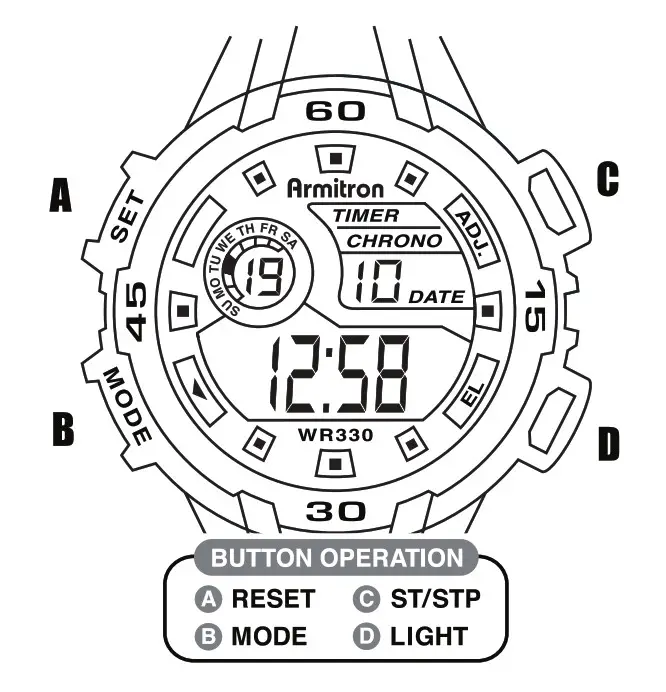
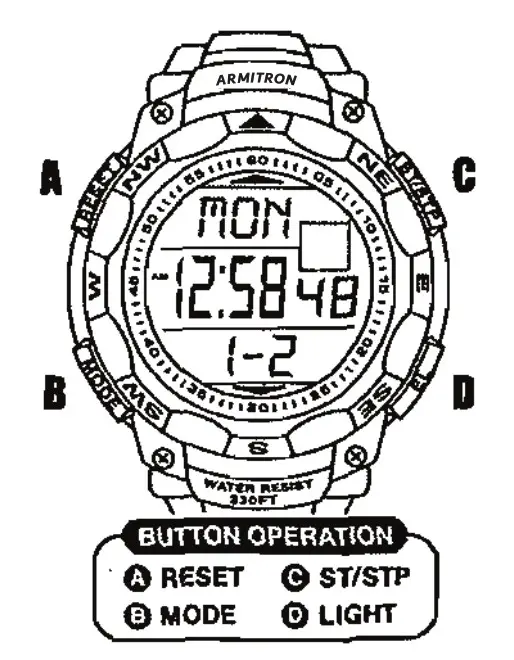
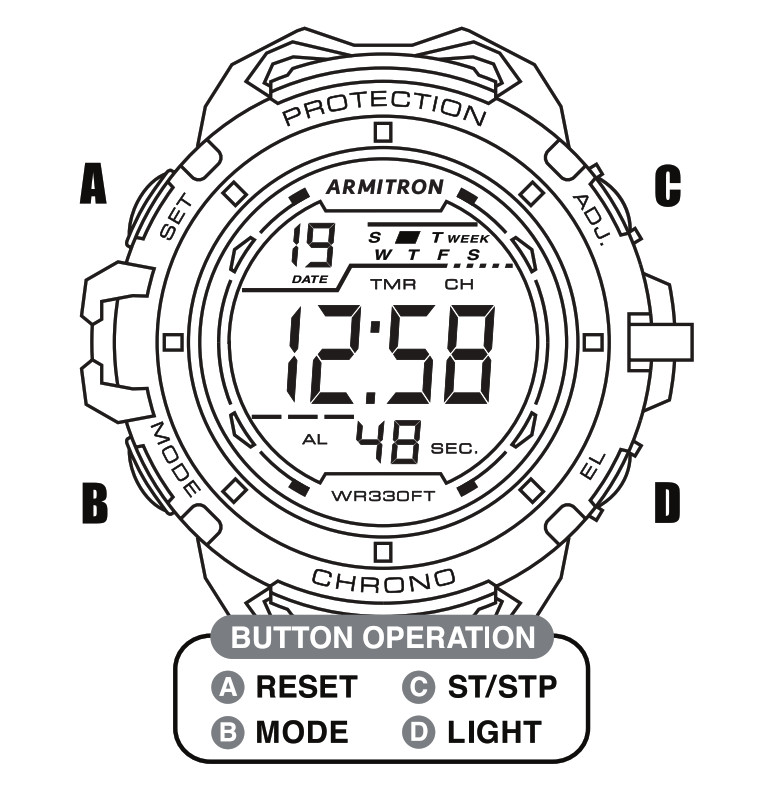
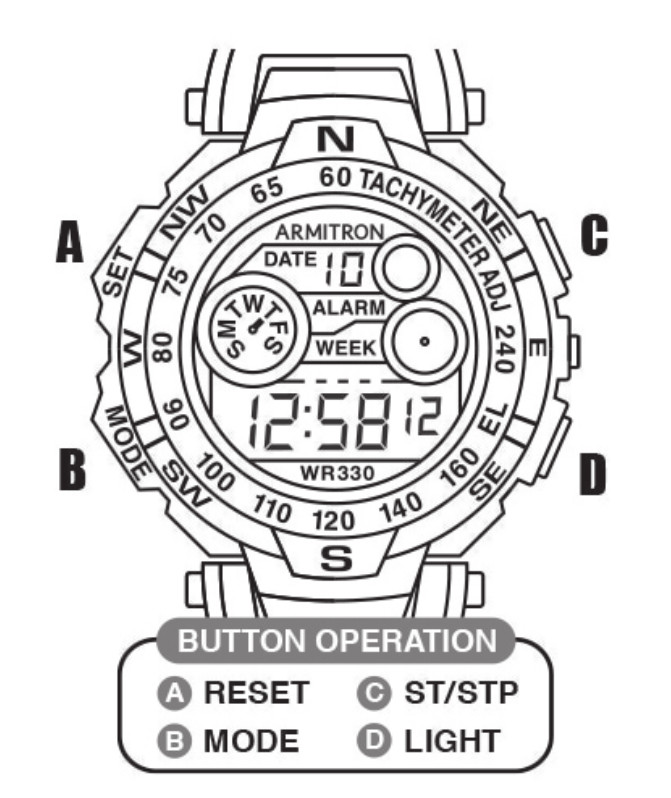
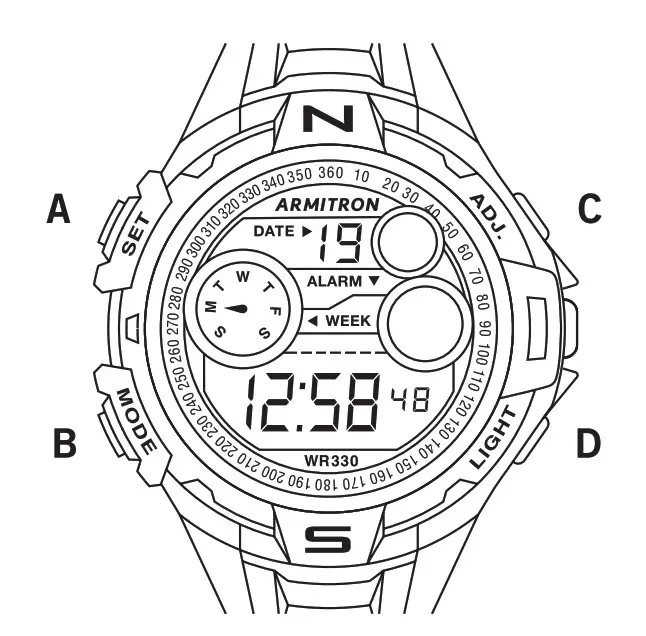
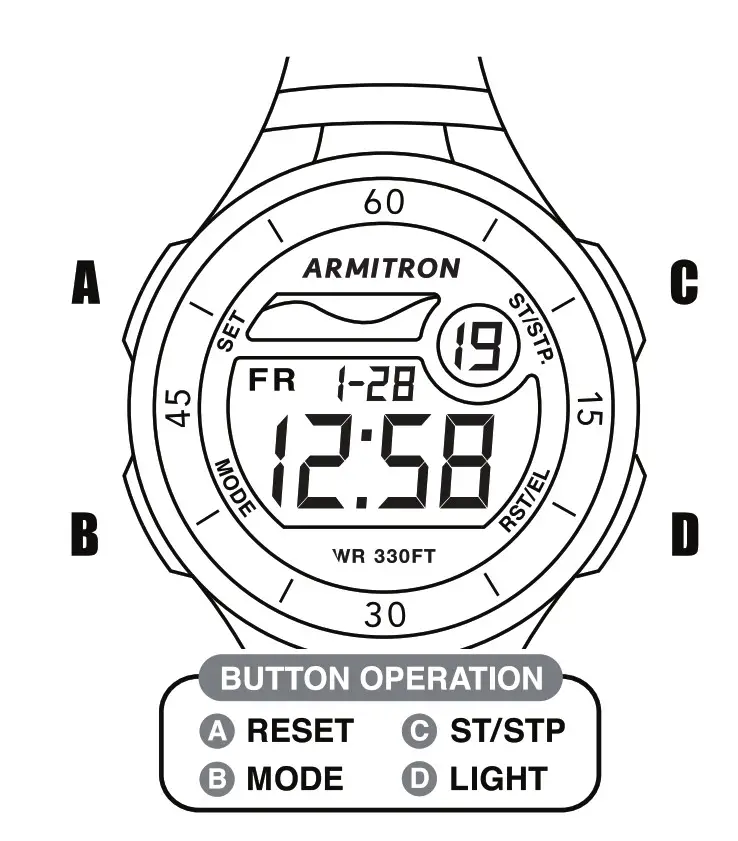
- Alarm (ADJ.) A / \ C Date (ST/STP)
- Mode B \ / D Light (EL)
Set time time / date
- Press and hold B (Mode) untill alarm hours flash
- Press A (Alarm) to advance these.
- Press B (Mode) again, seconds will flash.
- press A (Alarm) to advance these.
- Press C (Date), minutes flash, press A to advance these
- Press C again, hours flash, press A to advance these
- Press C again, month flashes, press A to advance these
- Press C again, Date flashes, press A to advance these
- Press C again, Date flashes, press A to advance
Activating/Deactivating Hourly Chime
- From “Normal Time Mode”, press and hold “A” (Alarm) and at the same time press “C” (Date) once. Hourly chime symbol, ( a house shape) appears in “chime” windows to indicate the hourly chime will beep every hour.
Activatin/Deactivating Alarm
- With “A” (Alarm) still pressed, press “C” (Date) again. Alarm symbol ( a clock shape with waves above it) appears in the upper right to indicate the 24 hour alarm is now activated.
Changing Hour Format
Hold down the alarm button (A) and press the mode button (B) the format changes from 12 to 24 hour.
FAQ’S
Press and hold the mode button (B) until the hour flashes. Then press the alarm button (A) to advance the hours. Repeat this process for minutes and seconds.
Press and hold the mode button (B) until the date flashes. Then press the alarm button (A) to advance the date. Repeat this process for month, day, and year.
Press and hold the alarm button (A) until “AL” appears in the upper right corner of your watch face. Then press and hold “B” until “AL” appears in a box on your watch face. Use “A” to toggle between ON and OFF for your alarm.
Press and hold mode button (B) until “chime” flashes on your watch face. Then press and hold alarm button (A) until “chime” appears in a box on your watch face. Use “A” to toggle between ON and OFF for your hourly chime.
Hold down the alarm button (A) and press the mode button (B). Your watch will display 12-hour format at first, but after a few seconds it will change to 24-hour format.
Having your watch battery replaced by a jeweller might not be particularly expensive, but changing it yourself is cheaper, saves time, and, in many cases, quite an easy process. Follow the simple guide below, and you’ll be able to replace your battery in a few quick and easy minutes.
From Time Telling Mode, press and hold ‘A’ and press ‘B’ once. All of the Days of the Week appear to indicate that the Hourly Chime is activated and will sound every hour on the hour. 4. Press and hold ‘A’ and press ‘B’ once again to deactivate the Hourly Chime.
Press and hold mode for about 2 seconds and then release.
Press mode once more and now you are in time edit mode.
Use the stop button to select what to edit, i.e. hour minute, etc.
Use the reset button to make the changes once you have selected the hour/minute, etc.
Press mode to stop Good Luck.
Typically, the beeps happen in a coded sequence. When you hear a continuous beep, it is possible that there exists an overheating CPU or another major issue.
This is one of the most common reasons why mechanical watches stop working. A loosened screw can block the watch’s movement. Regular motion of the hands can also loosen the screws of your mechanical watch. Over a period of time, they will need to be tightened up properly.
Generally the lifetime of a watch battery is between two and five years. Its longevity depends on the type of watch, its dimensions and the amount of energy required by the different functions. For example, a chronograph will have a higher energy consumption than a watch that only indicates hours, minutes and seconds.
As reliable as it is easy to wear, this watch boasts the precision of quartz movement, water resistance to 330 feet (100 meters), and an adjustable silver-tone stainless steel buckle.
www://armitron.com/