
ToothBrushes Visualized Smart Electric Toothbrush
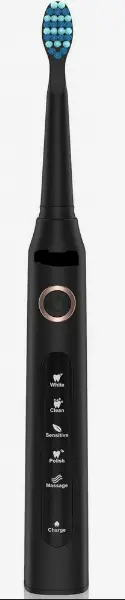
Visualized Smart Electric Toothbrushes
Product Introduction
Please be sure to read this instruction manual carefully before using the product in order to use it correctly
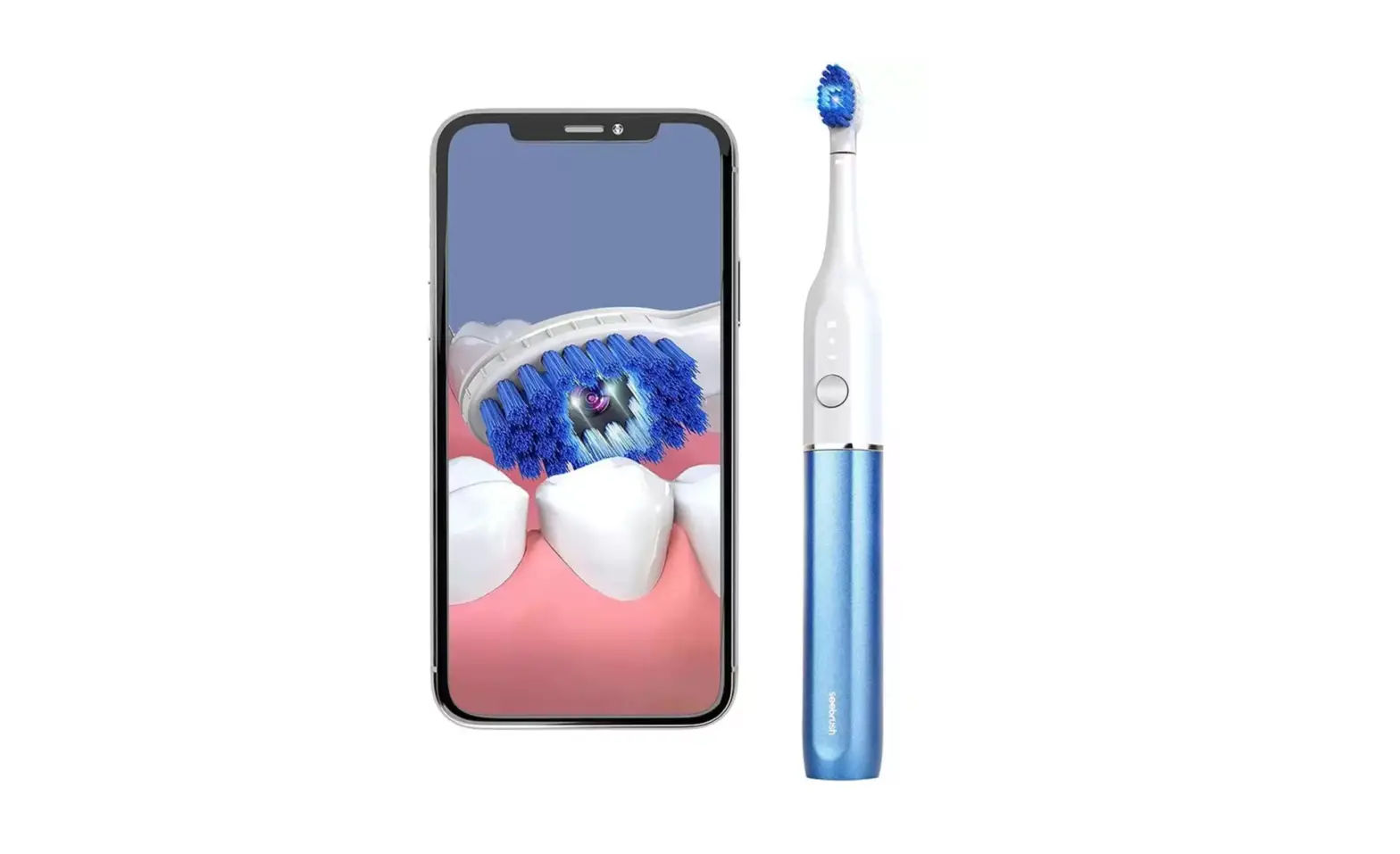
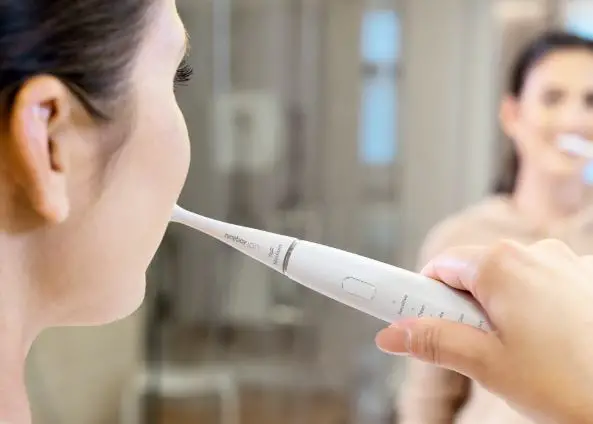
This product is a visual smart electric toothbrush with camera. The product features a toothbrush that can be connected to cell phones, tablets and other devices, and the healthy shape of teeth inside your mouth can be seen through APP, and you can take pictures or videos, which provides clear graphical guidance and treatment basis for brushing teeth to remove tooth stains and prevent tooth decay, achieving the effect of whitening teeth and preventing tooth decay from worsening.
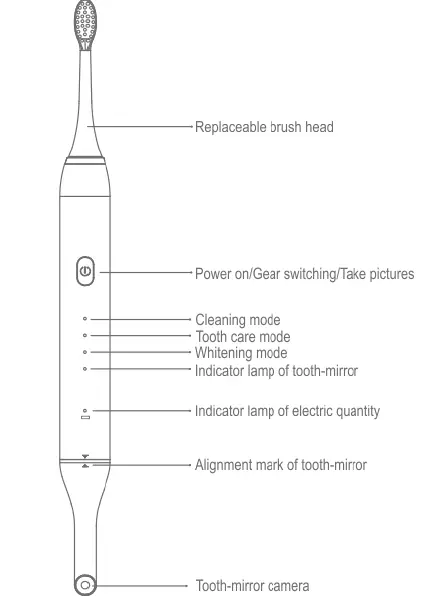
- Replaceable brush head
- Power on/Gear switching/Take pictures
- Cleaning mode
- Tooth care mode
- Whitening mode
- Indicator lamp of tooth-mirror Indicator lamp of electric quantity
- Alignment mark of tooth-mirror
- Tooth-mirror camera
- Function definition of the push-button
- ON/OFF
- Short press for 2 seconds to turn on, long press for three seconds to turn off, take pictures Short press to change gear:
- Cleaning mode, tooth care mode, whitening mode
- Tooth-mirror light
- When the camera is plugged in, the tooth-mirror light flashes, and the light is always on after connecting WiFi
- Indicator lamp of electric quantity
- The yellow light flashes when the battery is low, the red light is always on when charging, and the green light is displayed when it is fully charged.
 Safety Precautions
 Safety Precautions
- To avoid the risk of failure, electric shock, injury, fire and damage to equipment and property, please observe the following safety precautions:
- This product has a built-in battery. Do not put this product into a fire or expose it to the sun, otherwise the battery may be damaged.
- Do not use this product when charging.
- Do not use this product when the USB plug is not in place. Only when the plug is properly plugged can it be effectively waterproof.
- Do not place the tooth-mirror in a humid environment or in liquid to avoid damage caused by immersion in water. Be sure to keep the plug of the tooth-mirror dry.
- .When using the tooth-mirror, make sure that the socket and plug are dry before inserting it, otherwise there will be a risk of damage to the host due to water.
- Do not modify or repair this product by yourself.
- When using APP to take pictures as a basis for diagnosis and treatment, be sure to choose a regular dental institution.
- Do not drop or hit the product hard.
- Do not charge this product unattended for a long time, the maximum charging time is not more than 12 hours. If you do not use it for a long time, please charge it at least once every six months.
- Please do not disassemble the product or replace the internal battery by yourself. If you find that the internal battery has swelling, leakage or other abnormalities, please stop using it immediately and contact our company’s after-sales service.
Steps for Use
Step 1
Scan the QR code with your mobile phone, download the APP and install it. (Android 4.4, IOS10.0 or above system can support the use of this App)
Step 2
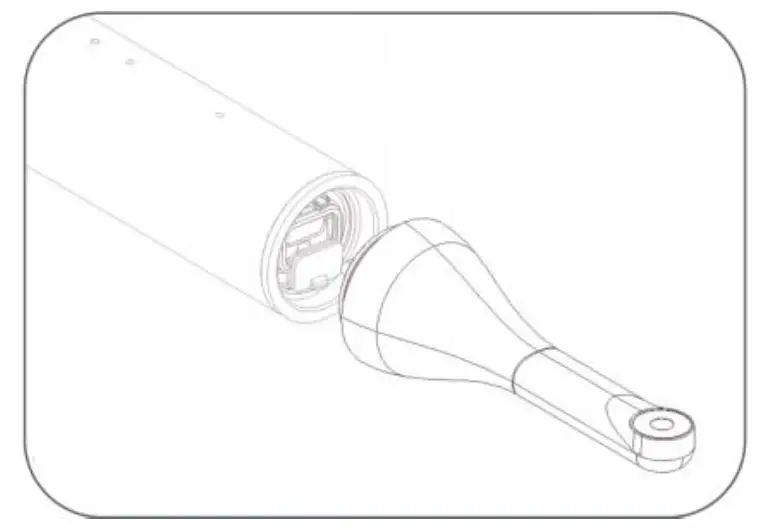
Open the USB plug and rotate the plug 180 degrees to the position shown in the figure below. Insert the tooth-mirror, turn on the toothbrush, the tooth-mirror light flashes.
Step 3
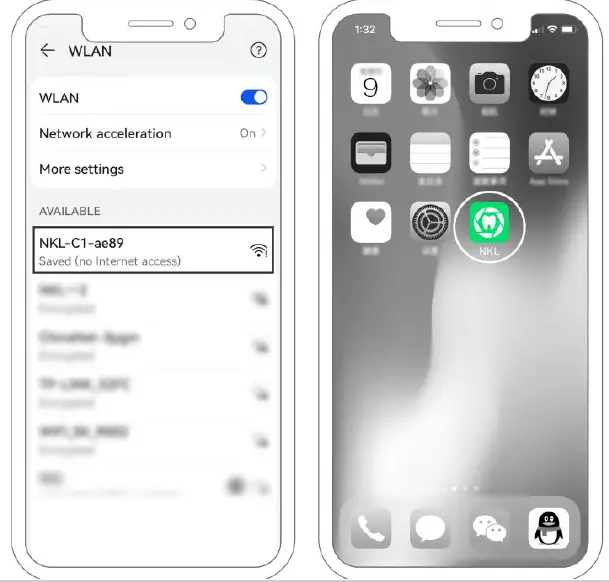
Open the phone settings, open WLAN, find NKL-C1-XXXX, and connect
Step 4
Open the APP of NKL and enter the main interface
Step 5
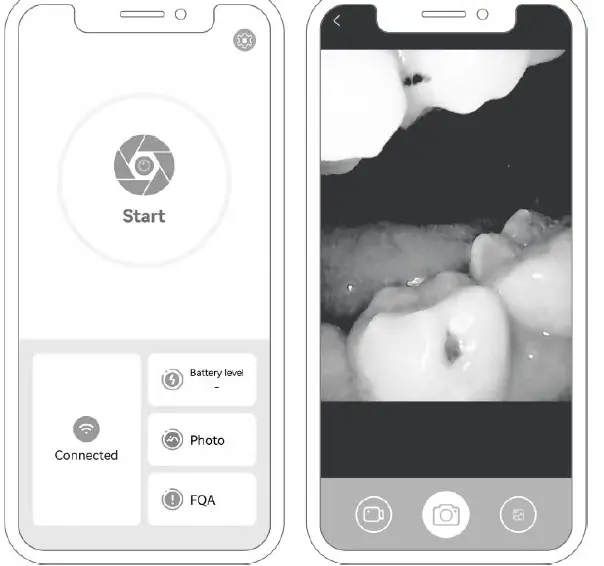
Click start to enter the camera screen
Cleaning and Maintenance
Lens Cleaning
The lens part of the tooth-mirror is waterproof and can be wiped with a dry cloth dampened with water or alcohol. The plug position is not waterproof, please do not put the whole lens body in water.
Toothbrush Body Cleaning
The body of the toothbrush can be washed and soaked in water when the plug of the USB port is properly plugged.
Troubleshooting
| Failure | Failure Cause | Solution |
| The toothbrush does not work after turning on | The switch key fails and the internal parts are damaged | Return the product to the aftermarket |
| The power supply of the product is insufficient. | Use it after charging | |
| The WIFI of the tooth-mirror function cannot be connected | There are other devices connected to the product | Power off, restart and connect |
| The power supply of the product is insufficient. | Use it after charging | |
|
Camera imaging is blurred | The surface of the camera is dirty | Wipe the lens surface |
| The imaging in the oral cavity is foggy and whitish | Do not blow hot air to the lens | |
| Internal components are damaged | Return it to the aftermarket | |
|
The light of the camera is not on. | The tooth-mirror is not inserted properly | Plug it in according to the instructions |
| WIFI No WiFi connection | Use it after connection | |
| Internal components are damaged | Return it to the aftermarket | |
|
No response to charging | The plug is not plugged in properly | Make sure the charging plug is fully inserted |
| Internal components are damaged | Return it to the aftermarket |
Product Parameters
| Product name visualized smart electric toothbrush | Product model NKL08 |
| Network standard IEEE802.11 b/g/n | Working frequency 2.4GHZ |
| Operating ambient -10 ℃ to 50 ℃ | Battery 1200MAH lithium polymer |
| Battery life About 140 minutes | Charging time 2 小时 2 hours |
| Input parameters 5V 700MA | Operating voltage 3.7V |
| Pixel high definition | Optimum focal length 1.5-2CM |
| Motor type Sonic motor | Motor power 2.8W |
| Executive standard GB4706.15-2008 | |
This device complies with part 15 of the FCC Rules. Operation is subject to the following two conditions: (1) This device may not cause harmful interference, and (2) this device must accept any interference received, including interference that may cause undesired operation.
Any Changes or modifications not expressly approved by the party responsible for compliance could void the user’s authority to operate the equipment.
Note: This equipment has been tested and found to comply with the limits for a Class B digital device, pursuant to part 15 of the FCC Rules. These limits are designed to provide reasonable protection against harmful interference in a residential installation. This equipment generates uses and can radiate radio frequency energy and, if not installed and used in accordance with the instructions, may cause harmful interference to radio communications. However, there is no guarantee that interference will not occur in a particular installation. If this equipment does cause harmful interference to radio or television reception, which can be determined by turning the equipment off and on, the user is encouraged to try to correct the interference by one or more of the following measures:
- Reorient or relocate the receiving antenna.
- Increase the separation between the equipment and receiver.
- Connect the equipment into an outlet on a circuit different from that to which the receiver is connected.
- Consult the dealer or an experienced radio/TV technician for help.