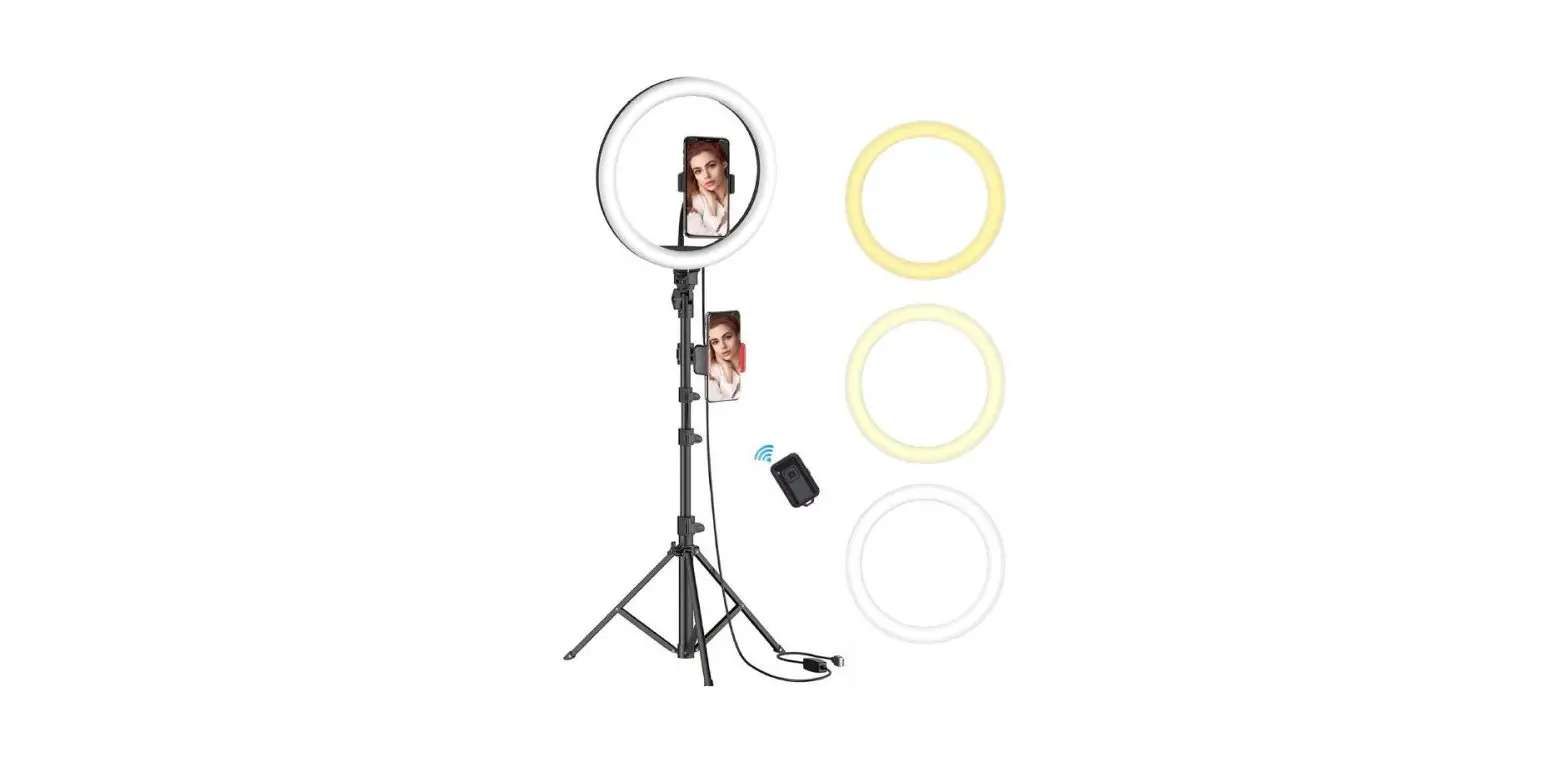

LINKCOOL Ring Light with Stand and Phone Holder 10 inch & 3 Phone Holders
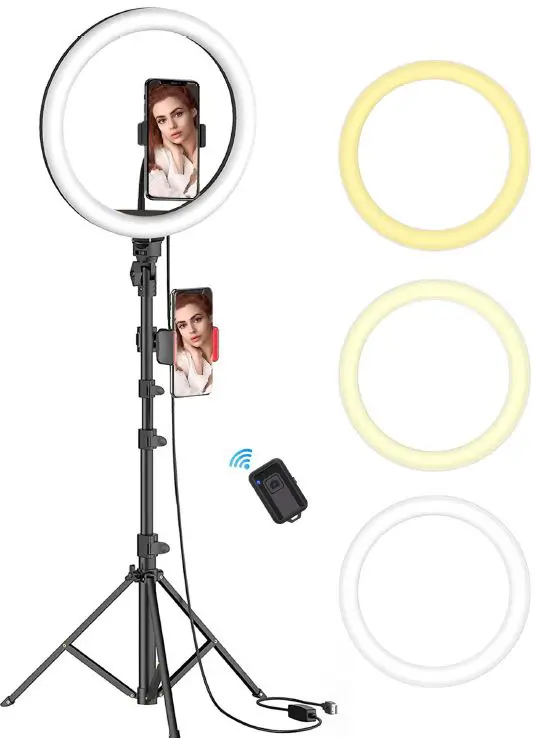
Product Core Components
Selfie ring light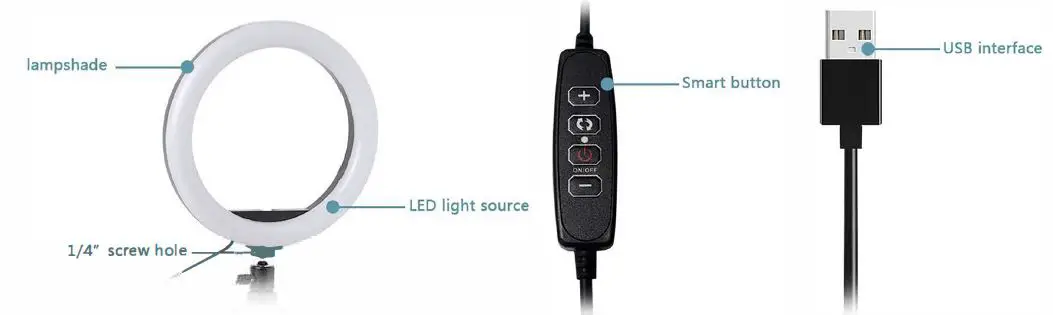
Tripod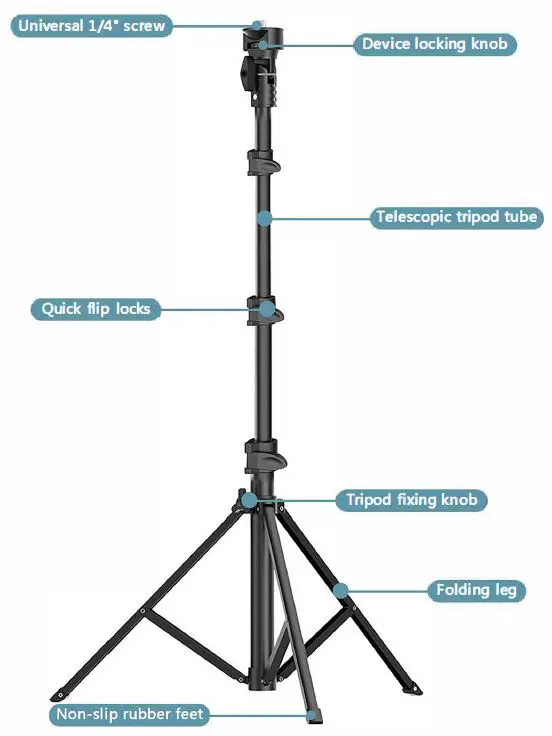
- 1. [Universal 1/4″ screw]: Compatible with most Phone Holders, DSLRs, SLRs, sports cameras, projectors, camcorders, webcams, scopes, telescopes, laser levels, binoculars, etc.
- [Device Locking Knob]: Can lock your phones, and cameras.
- [Telescopic tripod tube]: Made of High-quality Aluminum Alloy material, strong and durable.
- [Quick Flip Locks]: Lever-locked legs provide stable and secure support even on the roughest of terrain.
- [Tripod Fixing Knob]: Can fix the height of the 3 tripod legs.
- [Tripod Leg]: Comes with 3 tripod legs for higher stability.
- [Non-Slip Feet Pad]: Provide a safe, non-damageable foothold for your tripod.
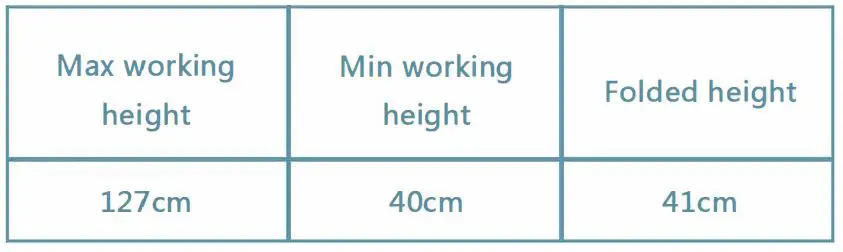
Tripod specification
Phone clip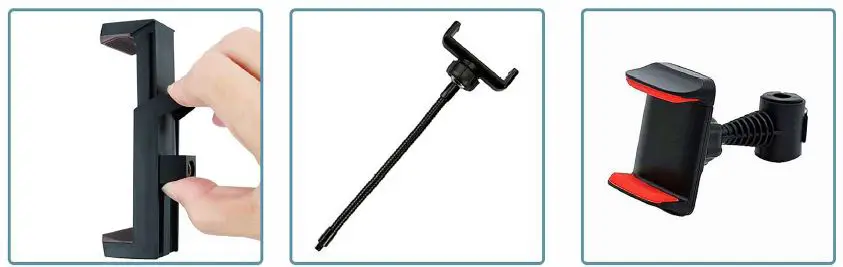
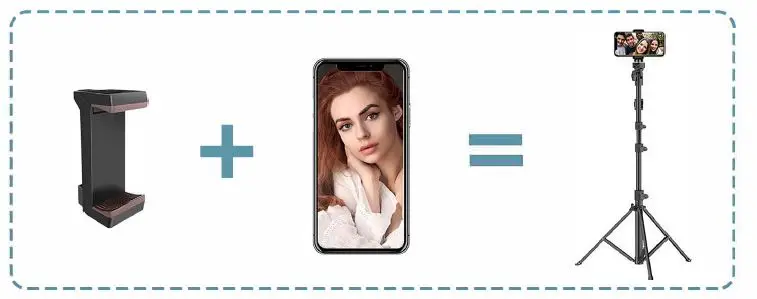
- Universal phone clip
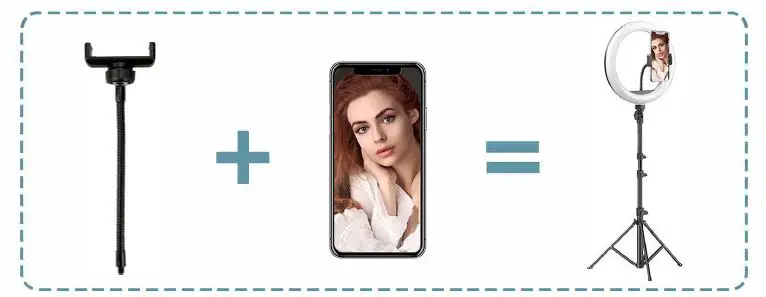
- Gooseneck phone clip
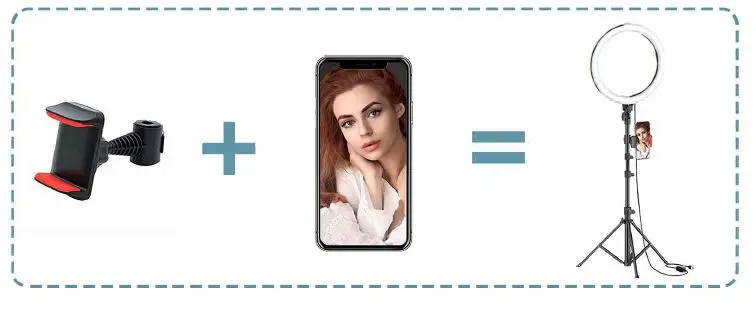
- Pole mount phone holder
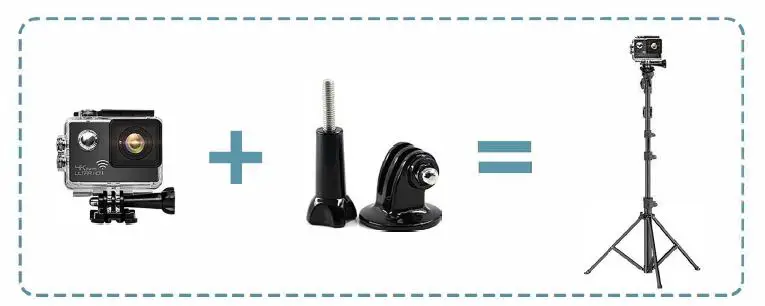
GoPro Adapter: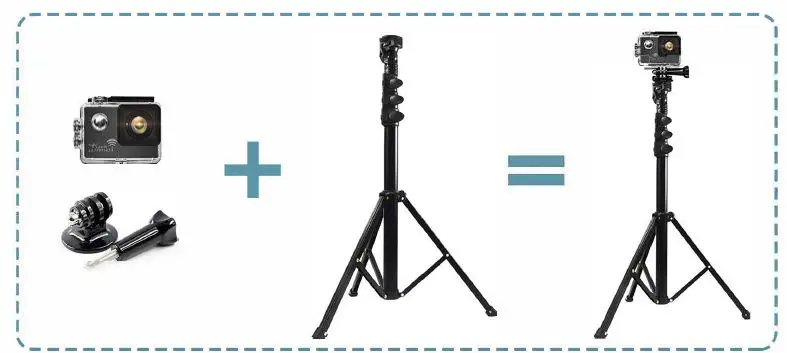
Connect your GoPro with the Tripod
Installation Steps
Gooseneck phone holder installation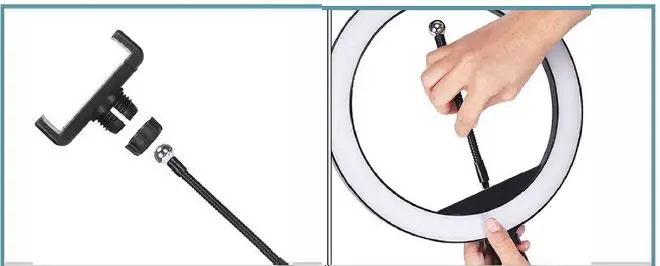
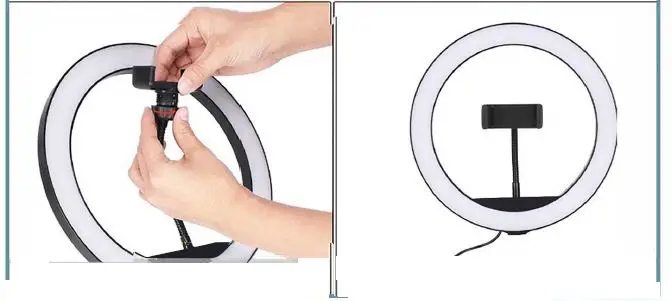
- Take apart the phone holder to three parts
- Screw the metal pole to the ring light
- Install the plane holder to the)metal pole
- Adjust any view you want
Pole mount phone holder installation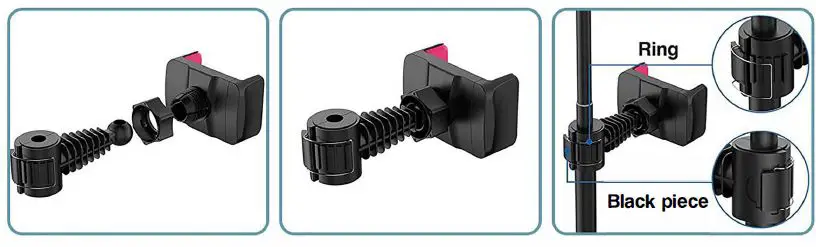
- Assemble the accessories orderly as shown in the picture above
- tighten the phone holder by rotating the ring screw
- Fix the phone holder on the stick as shown in the picture above
Wide Application
- Phone Holder Placed in the middle of Ring Light

- Phone Holder Attached to the pole of the tripod

- Work as a cell phone tripod

- Work with GoPro

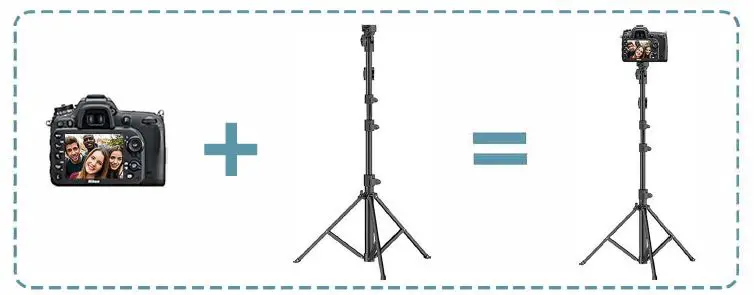
- Work as a DSLR Camera Tripod Stand

Special Instruction
Button instruction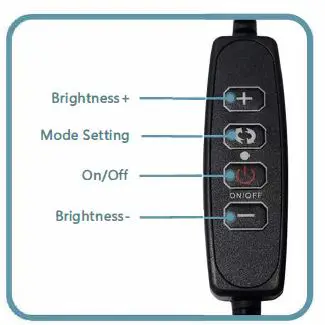
3 Lighting modes: Warm Light, Nature Light, White Light Each mode with 10 adjustable brightness levels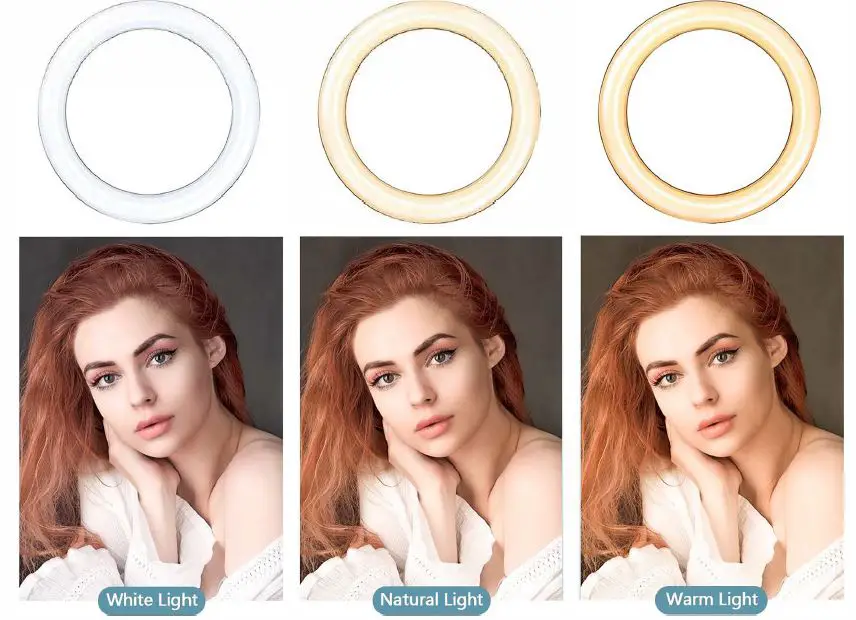
Remote control instruction
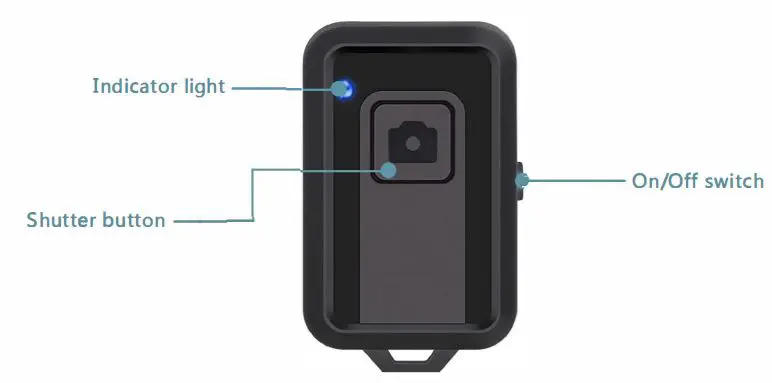
- Switch on the Bluetooth, the blue light will flash and search for a Bluetooth signal.
- Turn on the Bluetooth of your phone, search for • AB Shutter 3·, pair and connect it.
- After the success of Bluetooth pairing, the indicator light will stay on.
Note: For Android phones that cannot control taking pictures, please download the camera360 software, open the camera360 software and click the settings icon in the upper right corner, then click settings, then click camera settings, and set the volume key function option to take pictures, and then you can control taking pictures through the shutter button.
Precautions
- Do not disassemble this product by yourself or throw it into water or fire to avoid short circuits and leakage;
- Do not use this product in a severely high temperature, humid or corrosive environment to avoid damage to the circuit and leakage;
- Do not expose the equipment to corrosive liquids, otherwise it will cause serious damage to the equipment and the product will not be guaranteed;
- Do not place the product in an environment of < 0°c or > 45°C;
- When not using this product, please put away all accessories to prevent contamination with dust.
Product Feedback Collection:
As a professional and responsible factory, we always stick to delivering high-quality and easy-to-use products for you. Please feel free to contact us via [email protected] to share your user experience with us. A special gift will be sent to those whose feedback or idea is adopted.