FLEXSON
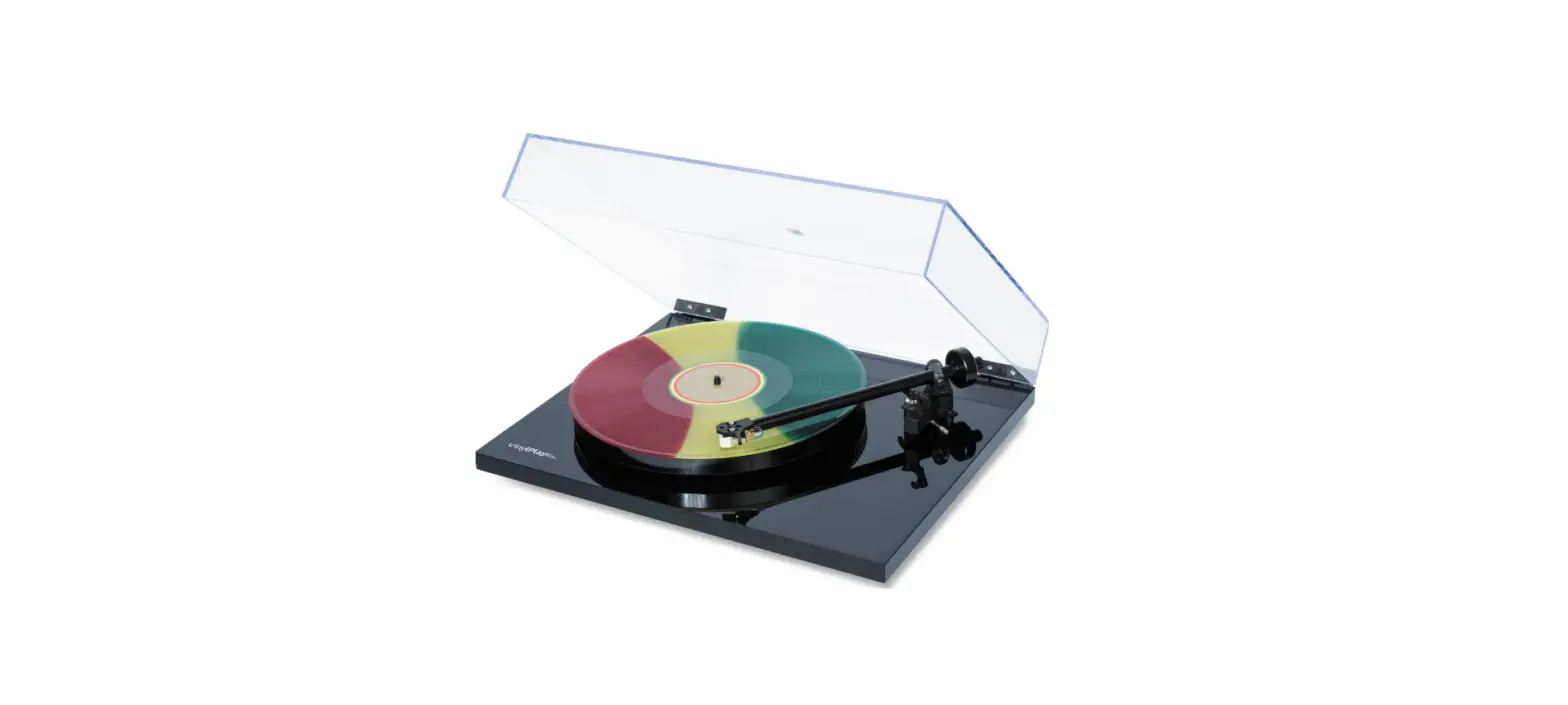
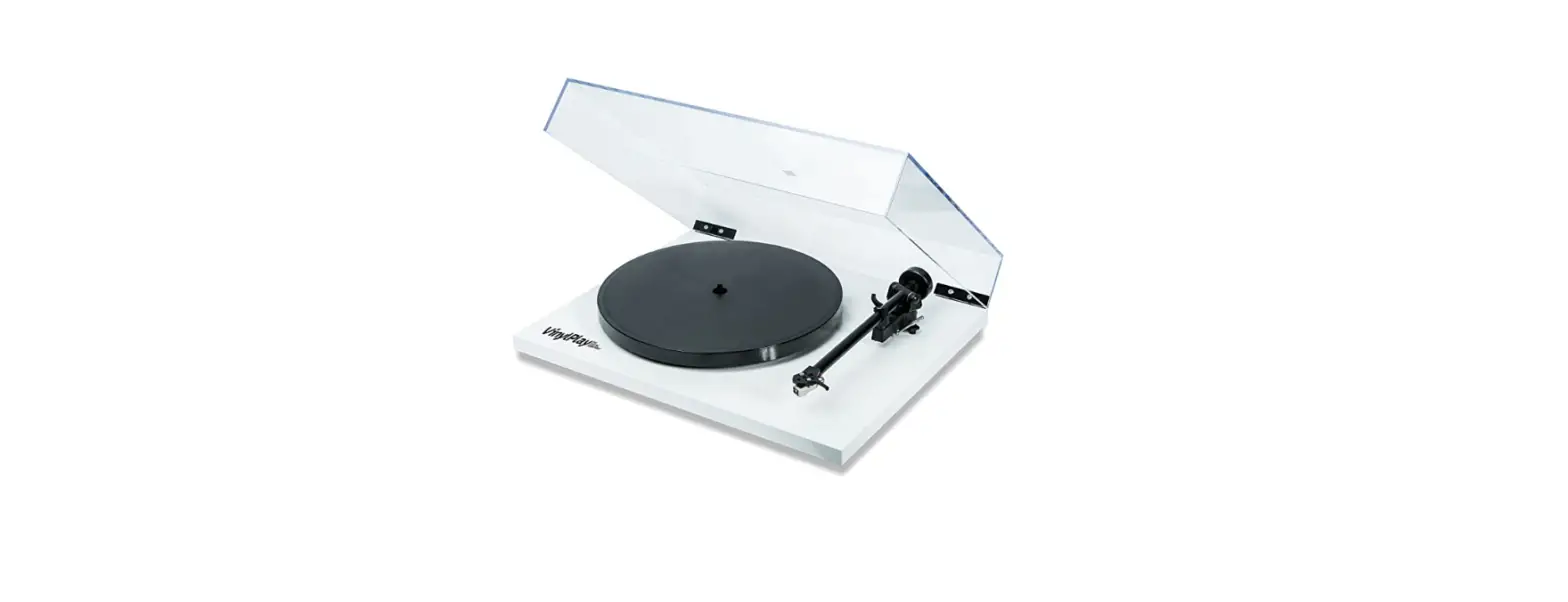
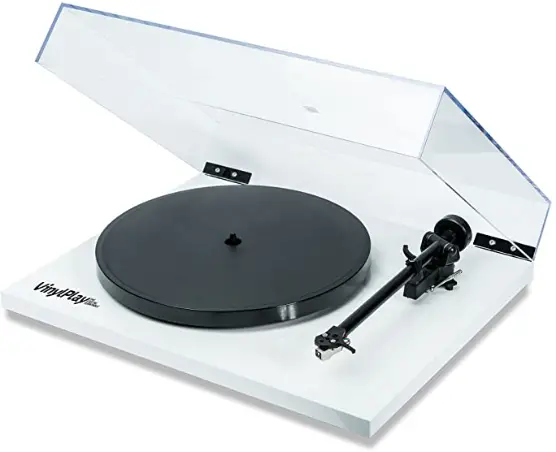
FLEXSON FLXVP1011US VinylPlay Digital Turntable
Introduction
VinyIPlay has been designed and engineered to achieve outstanding performance way beyond the expectations of a product at this price point. Excellent build quality, reliability, and ease of use combine to make a product that, if used correctly. will offer you a lifetime of musical enjoyment. Omitting all the usual gimmicks allows us to concentrate the manufacturing costs on the high-quality parts necessary to accurately reproduce music from vinyl. Using a manual speed change rather than an automatic mechanism eliminates speed inconsistencies and reduces the wear of the drive belt. The savings are spent on the design, including a hand-assembled tonearm, precision main bearing and high quality, low voltage, low vibration motor which would normally be used on a turntable costing many times more. The minimalist design and the use of extremely high-quality components ensure your turntable will last for many years. See the included hints & tips sheet which will help increase the life of your turntable and ensure optimum performance.
Manual speed change 33 RPM 45 RPM
You can change the playing speed by simply removing the platter and moving the belt to either the 33rpm or 45rpm step of the drive pulley see fig 1.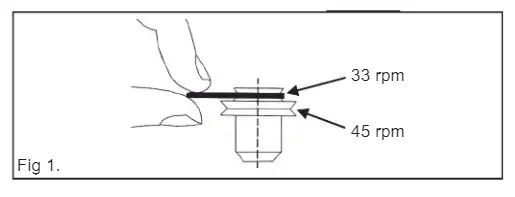
Plug and play – Quick setup
Your turntable has been designed to be very simple to set-up and use. We have designed this turntable so that correct tracking weight can be achieved by simply pushing the balance weight as close to the stop point as possible. Fig 2. This will automatically set the arm to within the recommended tracking range for the factory-fitted stylus. The Bias slider should be set to 2 when using the supplied cartridge. Fig 3.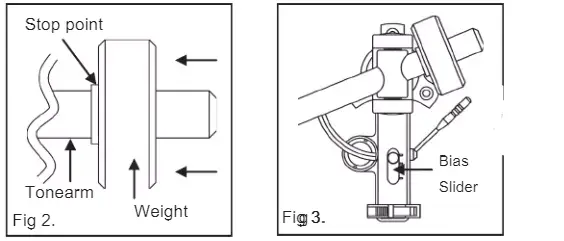
Advanced Set-up (if using a different model of the cartridge)
If you choose to change the factory-fitted cartridge, a tracking pressure gauge is required to correctly apply the required downforce. Any hi-fi dealer should be happy to help with this setup procedure when you purchase a new cartridge. Always use a downforce that corresponds to the upper limit of the cartridge maker’s recommended range. A new cartridge must be aligned correctly as shown in fig 4. Adjust the cartridge position in the head-shell so that the stylus tip is vertically aligned with the front of the hole marked A. Ensure the cartridge is sitting square in the head-shell before fully tightening (take care, not to over-tighten). Set the bias adjustment slider (fig 3 )to the same number as the tracking force. For example, 2.0g tracking force = 2.0 on the bias slider.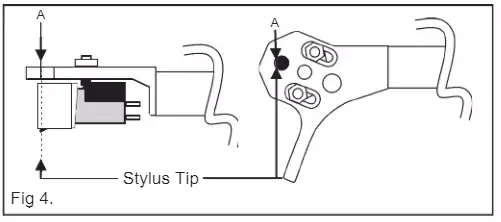
Should the stylus need replacement it can be removed by pulling the white-colored front section away from the cartridge body.
Introduction
VinylPlay is designed to amplify the signal from a moving magnet cartridge to a suitable level for all line-level inputs of an audio amplifier. The USB interface also offers the ability to simply ansfer vinyl to PC. VinylPlay’s amplifier offers exceptional performance and convenience and will be a valuable addition to any hi-fi set up.
Back of product
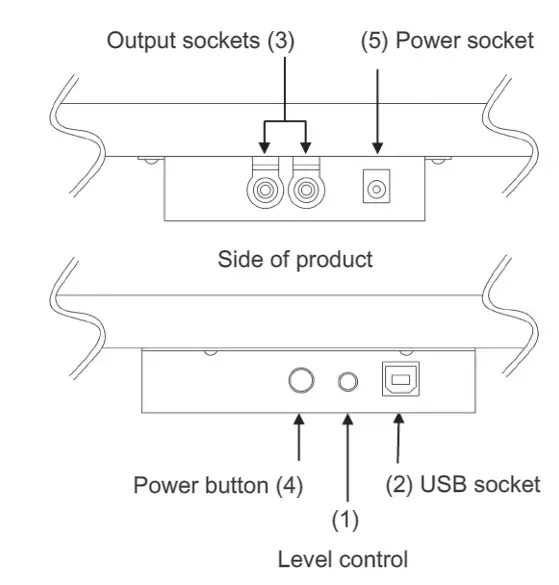
Output Connections
Connect the output sockets (3) of the VinylPlay to a suitable ‘line level’ input on your amplifier using one of the phono cables. (Do not connect to a ‘Phono’, ‘Mic’ or ‘Disk’ input).
Connections via USB to Computer
Use the USB lead to connect the digital output socket (2) to your computer.
To transfer vinyl to your computer, you will need to stall a digital audio editor. Such software is widely available as a free download (such as Audacity) from the internet. This is a simple interface that allows monitoring of volume and balance whilst transferring audio to your computer hard drive. Audio editing software includes a level meter which indicates the output level achieved when playing a piece of vinyl. You should adjust the output as necessary via the ‘Level control (1). Always take special note of record levels to ensure optimum recording quality.
Power Connections
Connect the power supply to the power socket situated on the rear panel (5). The product is turned on by the power button on the side panel (4).
Specifications
- Input sensitivity: 5mV for 500mV output
- Input loading: 47k +100pF
- Maximum input level: 7OmV@ 1kHz
- Output Impedance: 100
- Ohms Signal to noise ratio: 78dBA ref 5mV
- Power requirements: 24VAC 85mA
- Input for full-scale digital output: 7.5mV
Power input
EURO
- Input 230V-50Hz-25mA
- Output 24V-10UmA
USA/CANADA
- Input 115V-6OHz-6OmA
- Output 24V-IUUmA
AUS/NZ UK
- Input 230V-50Hz-30mA
- Output 24V-100mA
UK
- Input 230V-50Hz-25mA
- Output 24V-1OOmA
WARNING
Only use the mains adaptor supplied with this product.
FAQS
is this 110-220/230v?
110
will this power small speakers?
This turntable contains a “pre-amp” that converts a low-level signal to line level for compatibility with receivers and pre-amps that do not have a phono “pre-amp” built in. It does NOT contain an “amp” that would power a pair of speakers so the answer to your question is no. It would be a great match to a pair of powered speakers that have an “amp” built into them.
Do you need additional equipment if using Play1 speakers? Also, is this player actually easier to use with Sonos speakers than others with preamps?
If you are pairing with your Play:1 you will need to look into purchasing the Sonos Connect/Connect AMP. However, if you have a Sonos Play:5 you can hardwire in and then group with the rest of your Sonos speakers/Play:1s in your home.
I keep reading the pre-amp is junk, but i also read it’s an rega fono mini a2d, which is a good
preamp. which one is it?
I am not an audio file but the pre-amp works
Automatic or manual return when record is over?
It is manual. I still love the player and it’s ease of setting up and use.
Does it have an adapter for 45s?
It does. It’s manual. You lift the platform and just move the belt up or down 33/45.
Can anyone advise whether this transmits digital or analog to the computer? (Looking for analog if possible)
It transmits digital to the computer. This is a fantastic-sounding table. World Wide Stereo is 36 years old and a very proud Flexson dealer.
You cannot connect this vinylplay to sonos wirelessly? my sonos connector is in the basement and can’t be hard-wired.
You need a sonos connect. The turntable has no wireless electronics. It seems rather misleading to market it as sonos compatible but that’s really only because but has a preamp built in which you need for the connect. You can pick up a used connect fairly inexpensively. New, they’re quite dear. But any turntable with a preamp will work with connecting. Without a preamp you need the sonos amp
Does it have an adapter for 45s?
It does. It’s manual. You lift the platform and just move the belt up or down 33/45.
Automatic or manual return when record is over?
It is manual. I still love the player and it’s ease of setting up and us
Does it require a preamp?
It has one built-in. World Wide Stereo is 40 years old and a proud authorized Audio-Technica dealer.
Will this work with a UE Wonderboom portable speaker?
If it is a Bluetooth speaker it should
Connect to a Bluetooth adapter
yes will connect to bluetooth
Are these compatible with altec lansing lifejacket 2 bt speakers?
It should work with any bt speakers
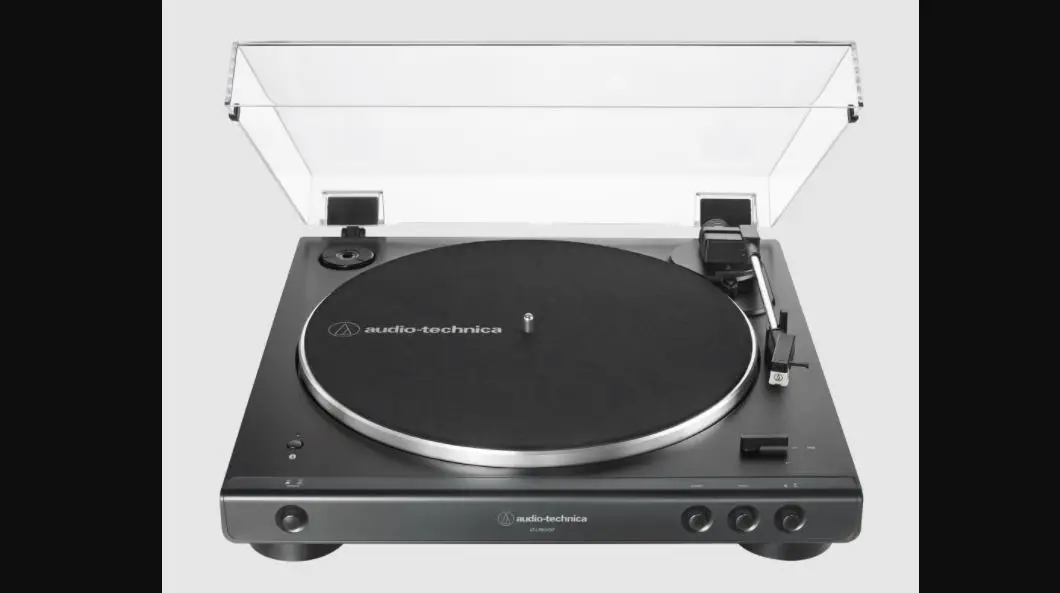
Do i need a pre-amp for the audio-Technica at-lp60xbt-rd
No. It connects via Bluetooth to powered speakers.