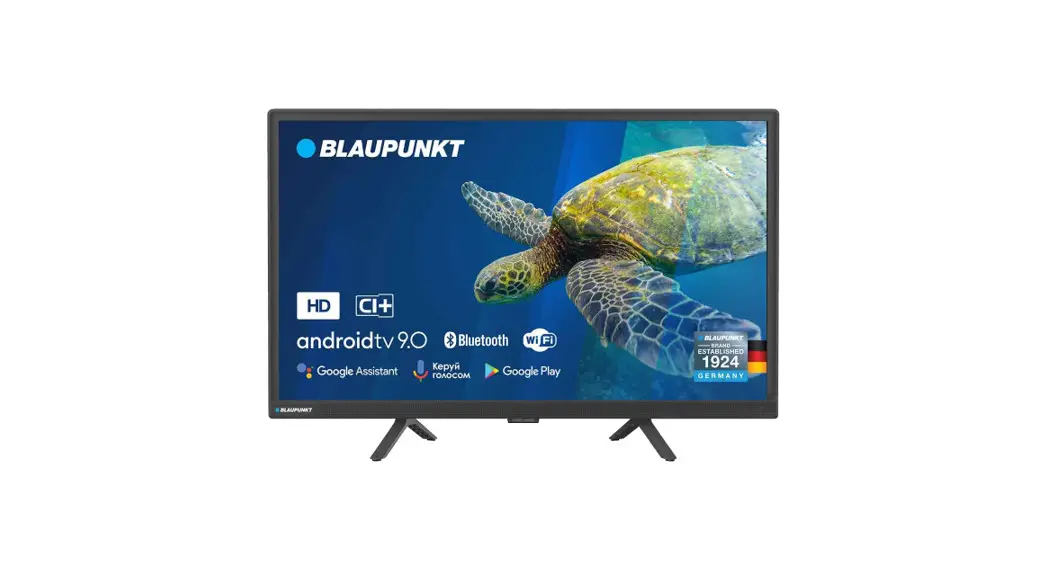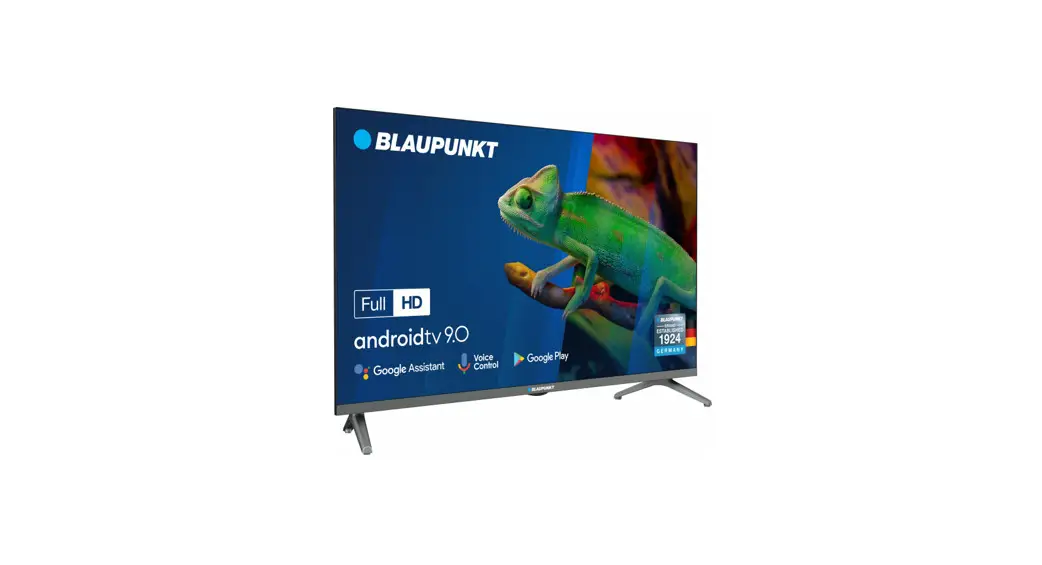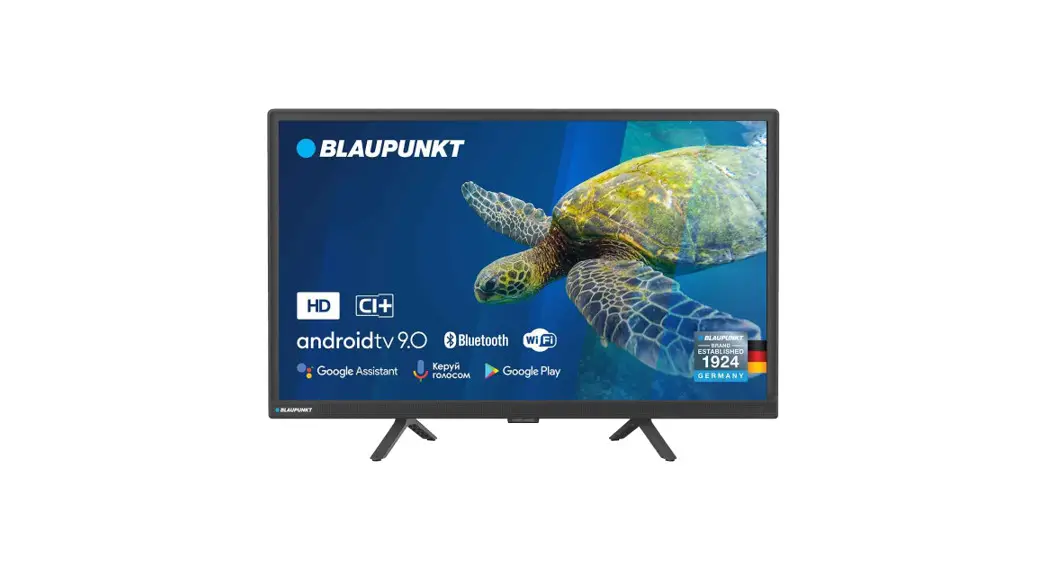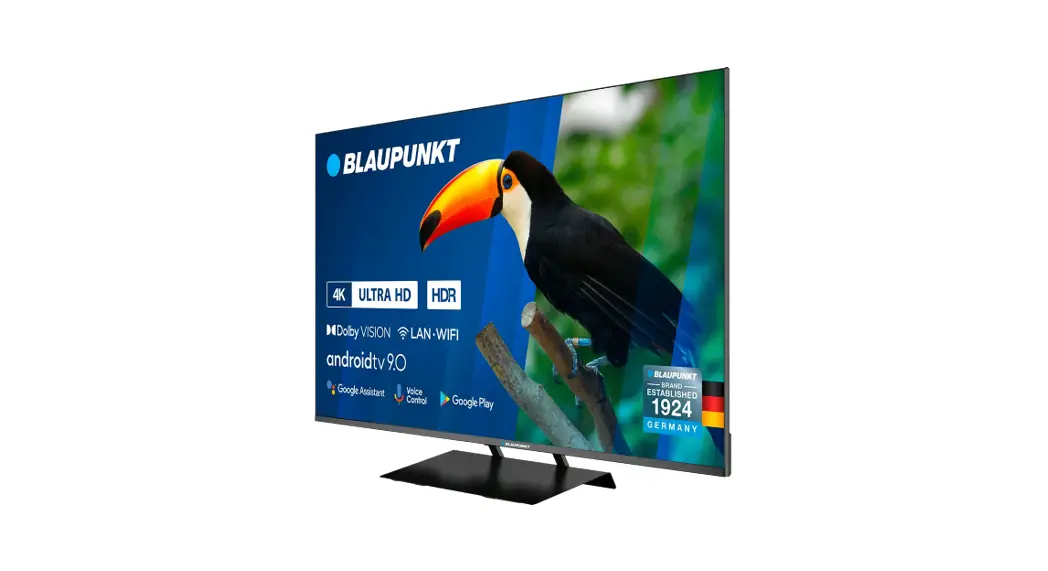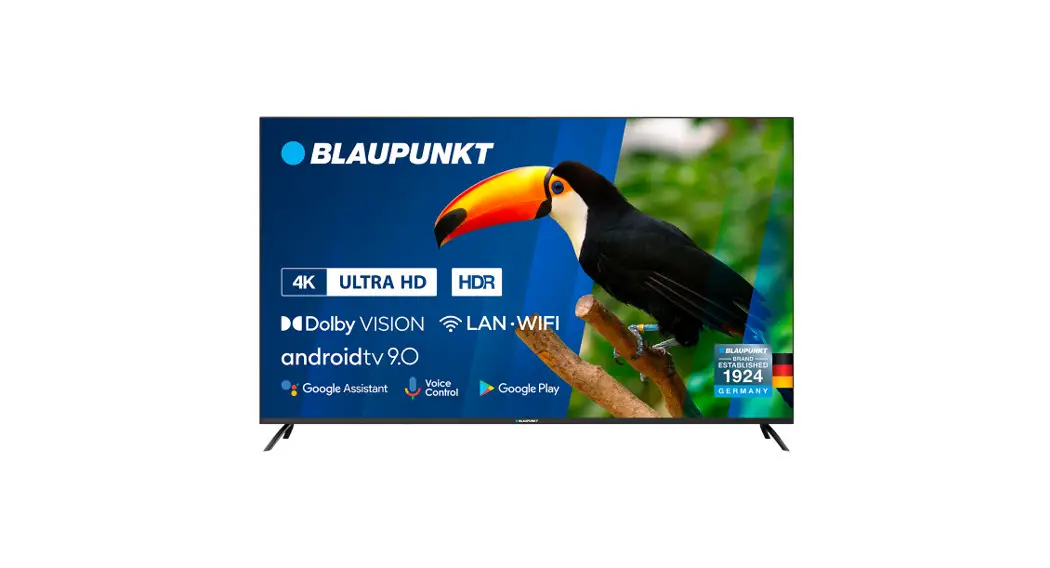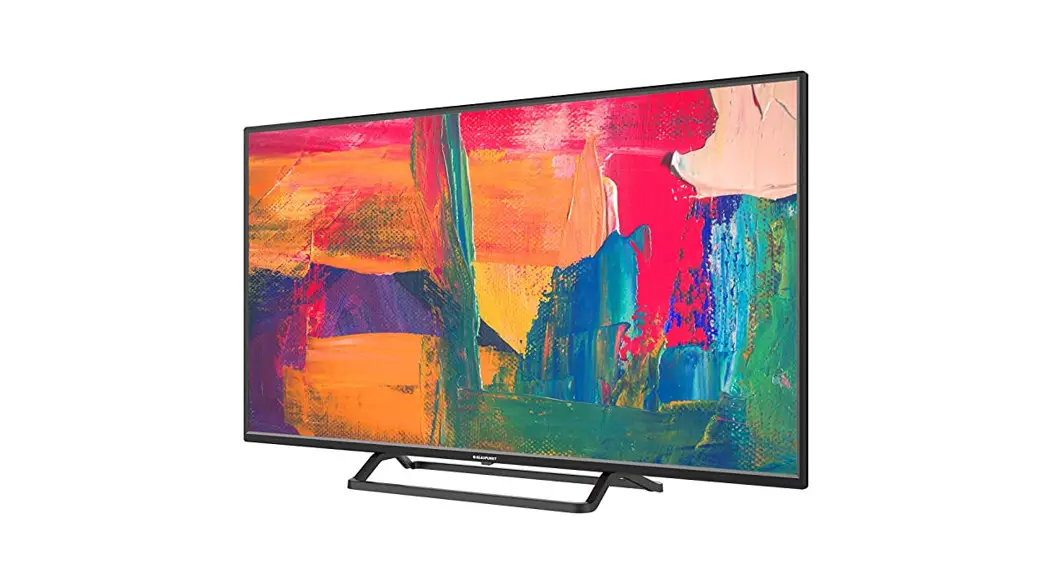
 BN24H1131BKB 24 Inch HD LED TV
User Guide
Model Numbers
BN24H1131BKB
Quick & easy guide for setting up your TV
What is included in the box Using the remote control Setting up the TV for the first time – including attaching the stand Connecting other devices to the Television
Need help setting up or using your TV?
Please contact the UK & ROI Helpline*
Telephone UK 0330 024 0802 or ROI 01443 3940
The online support at: www.umc-uk.co.uk
Email support at: [email protected]
‘Calls to 0330 numbers are charged at standard call rates and are included as part of any bundled minutes with your phone provider.
Calls to the ROI number are charged at the local call rate. The telephone opening hours are: Monday to Friday 8.30 am to 6 pm. Saturday 9am – 5pm. Bank Holidays – 10 am to 4 pm Closed Christmas and New Years’ day
Settingu p the TV set for the first time To obtain a copy of your Operating Instructions, please go to: wwimumc-uk.co.uk/instruction-manuals/blaupunkt
Using the remote control
Refer to the remote control picture on the second page of this user manual.
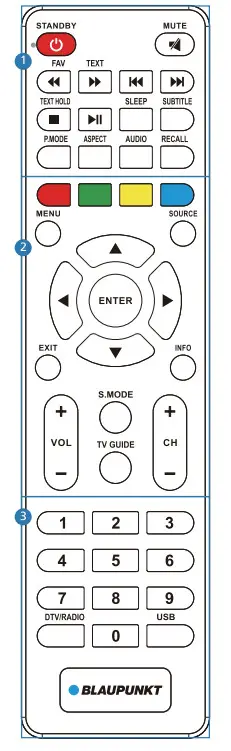
1
 STANDBY – Switch on the TV when on standby or vice versa.
 MUTE – Mute the sound or vice versa.
FAV – To display favorites menu.
TEXT – Teletext mode – To enter Teletext – To play in fast rewind mode.
 – To play in fast-forward mode.
– To restart the current chapter – To advance forward to the next chapter
TEXT HOLD – Teletext mode – Hold the current page which is displayed – To stop the playback
 – To play/pause
SLEEP – Press repeatedly to cycle through the sleep options.
SUBTITLE – To switch the dialogue at the bottom of the screen (on/off).
P.MODE – Scroll through picture mode options.
ASPECT – To switch the screen between the different picture formats.
AUDIO – To change the audio language (if available).
RECALL – To return to the previous channel viewed
2
COLOUR BUTTONS – Additional Teletext and OSD functions
MENU – To display the OSD menu.
SOURCE – To display the input/source menu.
( •/▼ /•/ ▶/ ENTER) – Allows you to navigate the on-screen menus and adjust the system settings to your preference. While watching TV, press ENTER to show the Channel list.
EXIT – To exit all menus.
INFO – Press once for now/next channel information. Press twice for program information about the current program.
VOL +/ – To increase/decrease the sound level.
S.MODE – Scrolls through sound mode options.
TV GUIDE – Opens the 7-Day TV Guide (Digital mode).
CH +/- – To increase or decrease the channel being watched.
3
0 – 9 – to select a tv channel directly
DTV/RADIO – Switch to a Digital TV source and switch between
TV and radio in Digital mode.
USB – Switch to the USB source.
What is included in the box
Accessories
Included with this TV are the following accessories
1 x Quick Start Guide
1 x Stand installation pack
1 x Safety Leaflet
1 x Remote Control and 2 x AAA Batteries
Additional Accessories
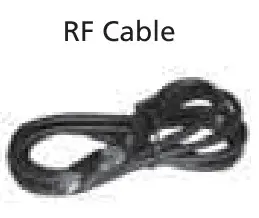
If you don’t have the RF cable shown below, then you can purchase one from www.umc-uk.co.uk/cables If you are intending to connect your TV to an RF socket in order to receive Freeview you will need this cable.
Please save your box/packaging as you will need this in the event of warranty/service repair or support. We are unable to carry out a warranty/service if you are unable to package it correctly. The safest way to package your item in the event of warranty/service repair is in its original box/packaging.
Fitting the stand
For stand installation, there are two screws provided as shown below. To complete the stand installation you will require a crosshead screwdriver.
Place the TV set on a flat and clean surface with the panel facing downwards to avoid damage.

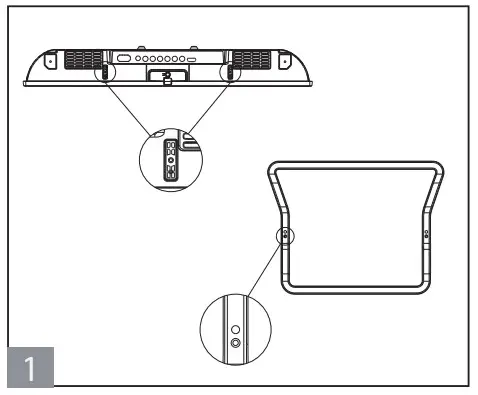 | 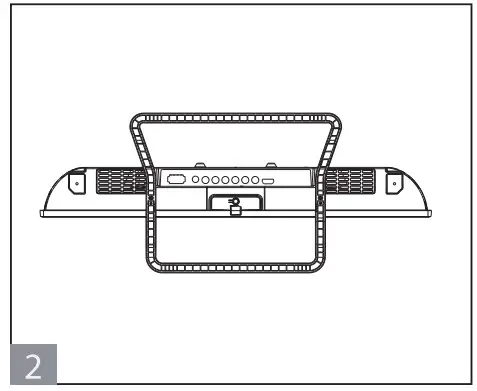 | 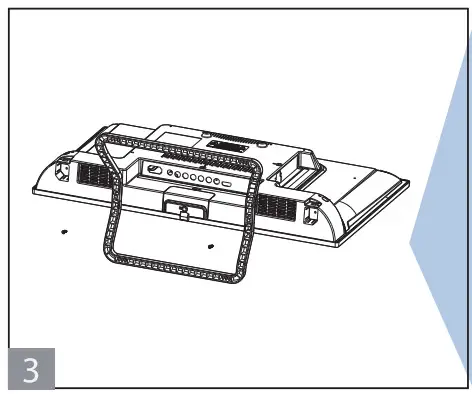 |
| Attach the stand neck to the rear of the TV set using the 2 x P8 (4×1 2) screws. | Peel off the protective plastic cover then attach the stand base to the bottom. | Secure the base to the neck by using the 2 x PB(4X12) screws provided. |
HELPFUL ADVICE FOR FIRST-TIME STAND INSTALLATION
When securing the Soft-taping instead of exact type 2xPB(4×12) screws into the base of the stand (on the first installation) the screw/s will be naturally tight as they create a thread in the plastic of the stand neck in order to support a TV of this size.
a) Ensure the cross-head screwdriver tip fits correctly into the head of the screw and that it is not too big or small.
b) Screw in all screws individually and partially before tightening all of the screws fully.
c) If they become very tight try loosening them slightly and then re-tightening them once again as this will continue the process of creating the thread for the screws.
Installing batteries
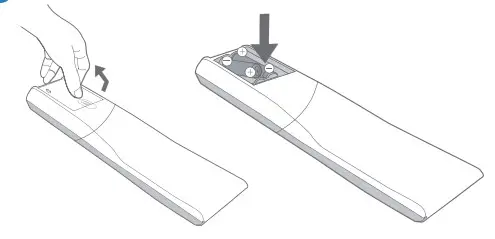
Remove the battery cover from the rear of the remote control and insert the AAA batteries which are supplied in the accessory pack.
Ensure that the polarity of the batteries is as shown in the battery compartment. Replace the battery cover. The remote control is ready for use.

To receive Freeview channels, in particular, Freeview HD channels, you will need a Digital TV aerial and be in a good Freeview coverage area.
You can check coverage for your postcode at www.freeview.co.uk.
Please note that any Freeview HD channels found during tuning will be placed in channel positions above 100. For example, 101 (BBC1 HD) 102 (BBC2 HD) etc.
Connecting your set
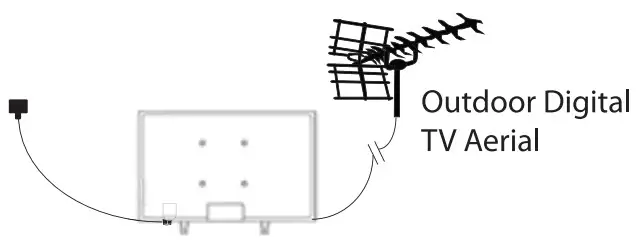
- Connect the TV to your power socket.
- If you wish to use the TV to receive Freeview/Saorview channels, connect the RF input from the TV to your outdoor Digital TV aerial. If you do not wish to receive Freeview/ Saorview, skip this step.
Powering on the TV
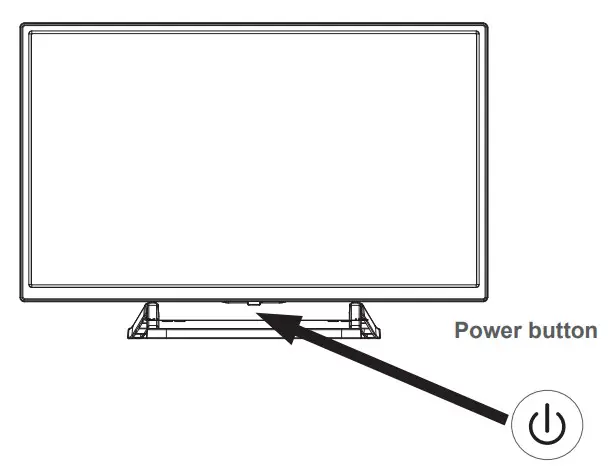
(Power on/Standby) LED Indicator: Press to turn on and off
| The indicator on(Red) | Standby mode |
| The indicator on(No light) | Power on mode |
First Time Installation
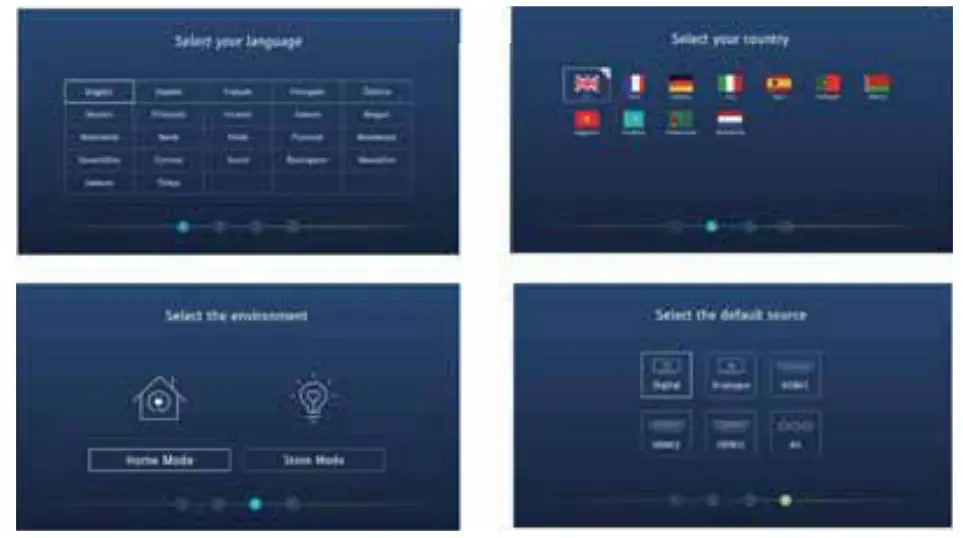
When you first turn on the set, you will be welcomed by the First Time Installation screen as shown above. Once you have decided on the options as described below, select Auto Tuning and press OK
Language: Select your preferred on-screen display language. This will change the language in which the menus and associated information are displayed.. When the setup has been completed, this can be changed by selecting Menu > Settings > Language.
Country: Select the correct country in which the set will be used. This will enable the TV to correctly install the functions applicable in the country of use.
Environment: Use this option to select either Home or Store mode.
HOME MODE is a power-saving mode that reduces the energy used by up to 25% (by reducing the power to the LED/LCD panel).
When in STORE MODE the picture will be brighter and you can personalize the settings within the picture settings menu (Contrast, Brightness, Colour, etc.
Note: In Home Mode, the TV will switch itself to standby mode after 4 hours in the event that the buttons on the remote control or TV are not used.
Connectivity
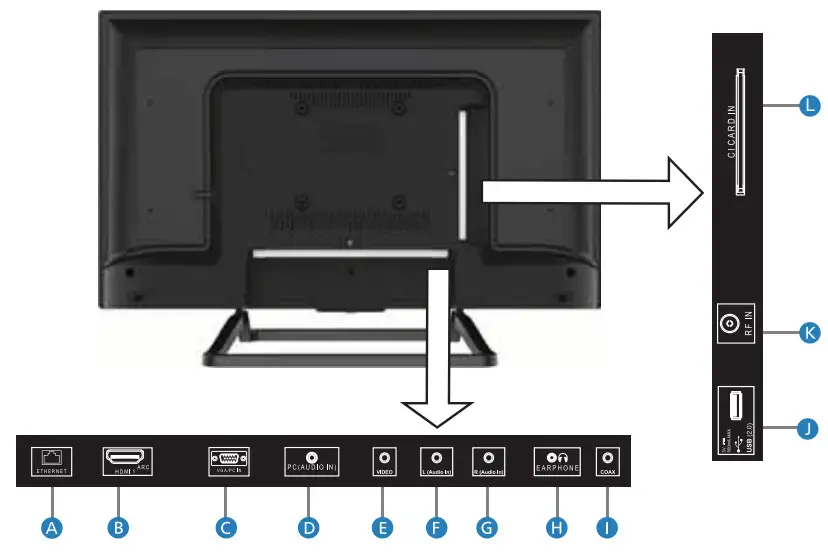
| A. ETHERNET/LAN* | Network Connection |
| B. HDMI 1 | HDMI input (ARC) |
| C.VGA/PC IN | VGA/PC INput |
| D. PC(AUDIO IN) | PC Audio |
| E. VIDEO | Composite/CVBS video input |
| F G. L/R Audio | Audio for composite video |
| H. EARPHONES | Earphone input |
| I. COAX | Digital Coaxial Audio Output |
| J. 1 x USB | USB port |
| K. RF In | RF/TV Aerial Input |
| L. CI CARD IN | Common interface module Input |
*The LAN/Ethernet port is used only for Pay TV services and Freeview HD (Freeview services are only available in the UK). It is not intended to be used for internet use.
Note: The key instructions are subject to below.

Display \ Hide key icon: When there is no button icon popping up, press the key, and the key icon will pop up like the picture shows above, the key icon will automatically turn off after 5 seconds of inactivity.
Icon selection: Short press the button, move the loop to the right, and select the icon.
Icon function selection: Long press the key to achieving the function of the selected icon.
Icon Description :
 : Power off Icon: Corresponding to the “POWER” button of the remote.
 : Menu Icon: Corresponding to the “MENU” button of the remote.
 : Source Icon: Corresponding to the “SOURCE” button of the remote.
 : CH+ Icon: Corresponding to the “CH+” button of the remote.
 : CH- Icon: Corresponding to the “CH-” button of the remote.
 : Volume+ Icon: Corresponding to the “VOL+” button of the remote.
 : Volume- Icon: Corresponding to the “VOL-” button of the remote.
Technical Specification
| Product fiche | |
| Trademark | Blaupunkt |
| Model ID | BN24H1131BKB |
| Energy efficiency class | A |
| Visible screen size (diagonal) | 61 cm / 24 inches |
| On-mode power consumption | 23,0 W |
| Annual energy consumption *1 | 34 kWh |
| Standby power consumption *2 | <0,50 W |
| Off-mode power consumption | not applicable |
| Screen resolution | 1366 (H) x 768 (V) |
| *1:Energy consumption XYZ kWh per year, based on the power consumption of the television operating 4 hours per day for 365 days. The actual energy consumption will depend on how the television is used. *2:When the TV is turned off with the remote control/standby button and no function is active. | |
Additional Technical Information
| BN24H113113KB | |
| RF | Antena 75 Ohm / Analog / DVB |
| Inputs | 1 x HDMI, 1 x USB, 1 x R145 LAN/Ethernet, Video & UR Audio VGA/PC input, PC Audio Input |
| Sound Outputs | 1 x 3.5mm Headphone, 1 x Digital Coaxial Audio Out |
| Speaker / Amplifier Watts (RMS) | 2 x 5/2 x 3 |
| Voltage and power consumption | AC 110-240V; 50/60Hz 23/31/40W/0.5W (Eco mode/Standard/Max/Standby) |
| Dimensions including stand (mm) | 551W x 225D x 372H |
| Net weight (Kgs) | 2. |
| Wall Mounting | VESA 100 x 100 (mm) |
HDMI®
HIGH-DEFINITION MULTIMEDIA INTERFACE
The terms HDMI, HDMI High Definition Multimedia interface,
and the HDMI logo are trademarks
of HDMI Licesing Administrator, Inc.
Register For YourManufacturers Warranty
Register your manufacturers guarantee online within 14 days
of the purchase at www.registertv.co.uk/blaupunkt
 MENU - Your ultimate digital restaurant ecosystem
 TCPDF
TCPDF