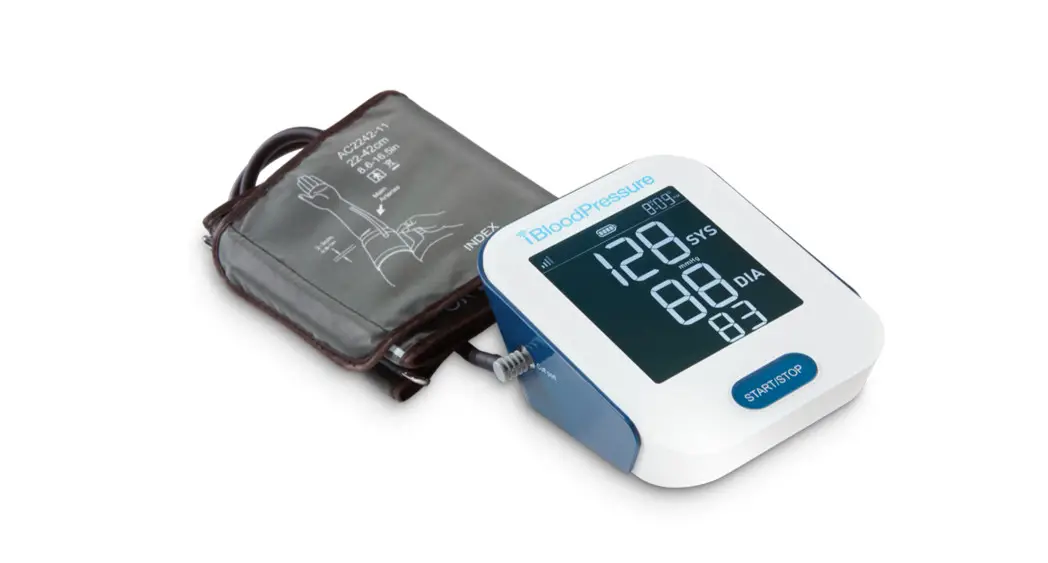
iBloodPressure®
Cellular Blood Pressure Monitor
Model SMBP802-GS-001
User Manual
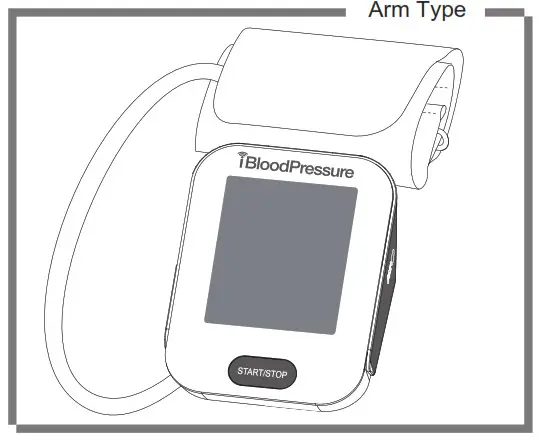
To use the monitor correctly and safely, please read the manual thoroughly.
Please keep this manual in order to reference in future.
INTRODUCTION
General Description
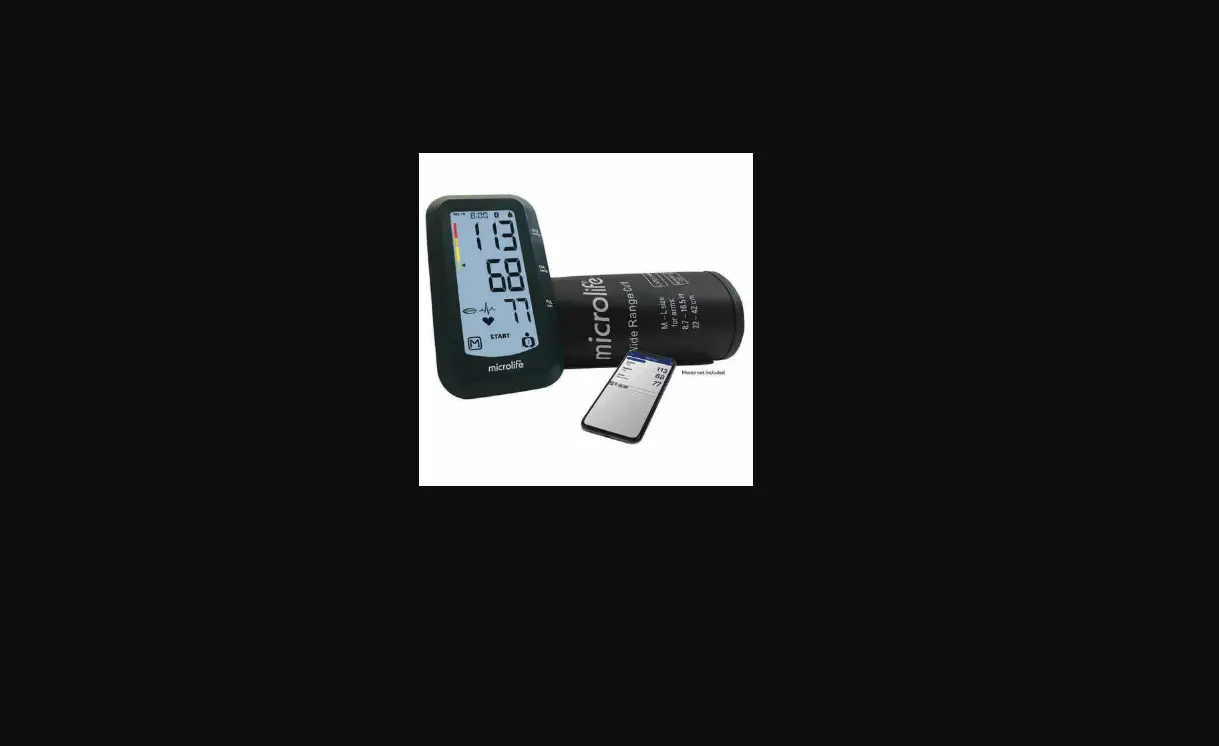
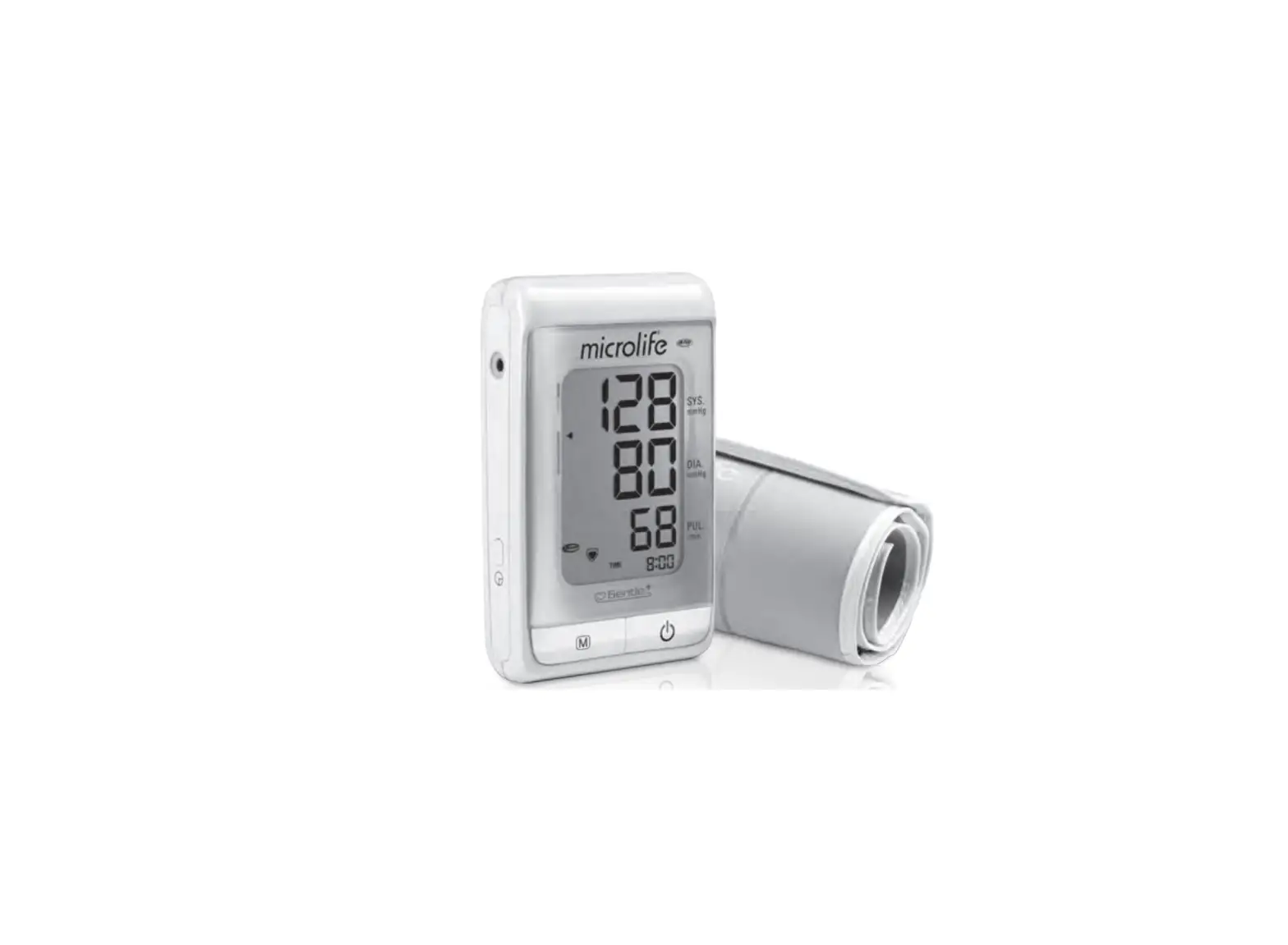
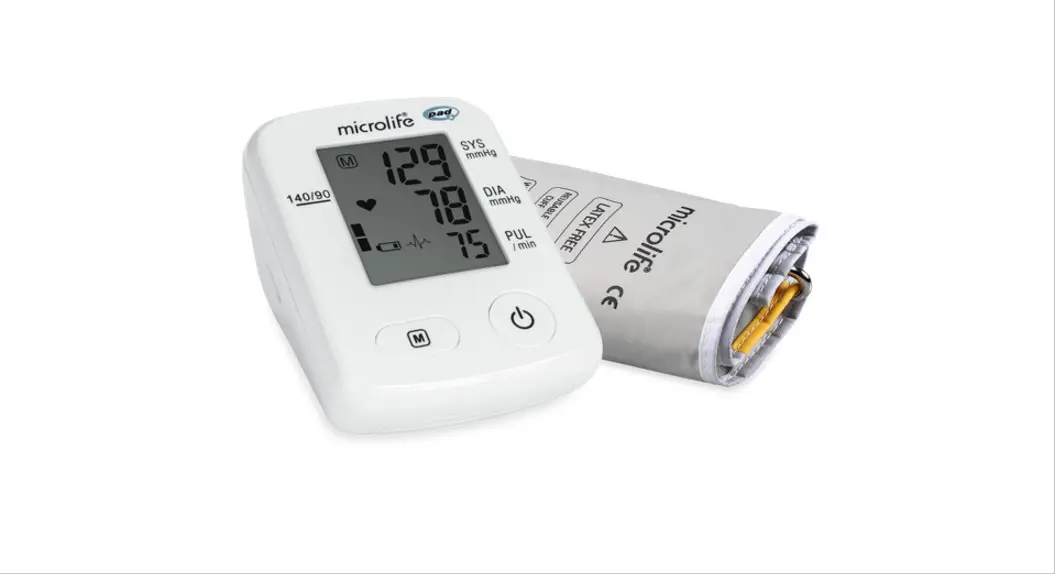
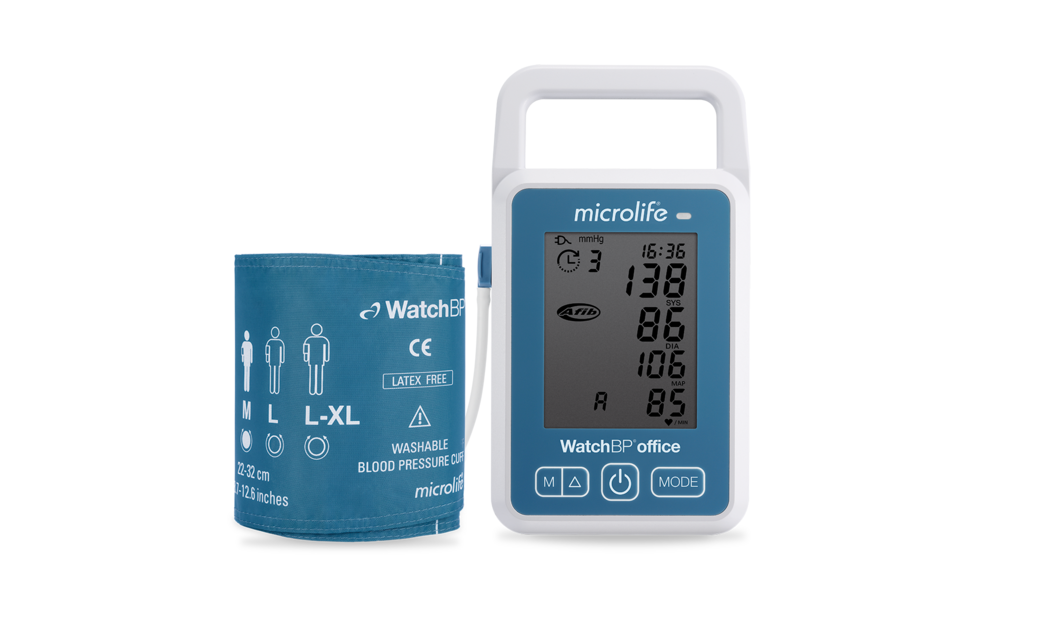
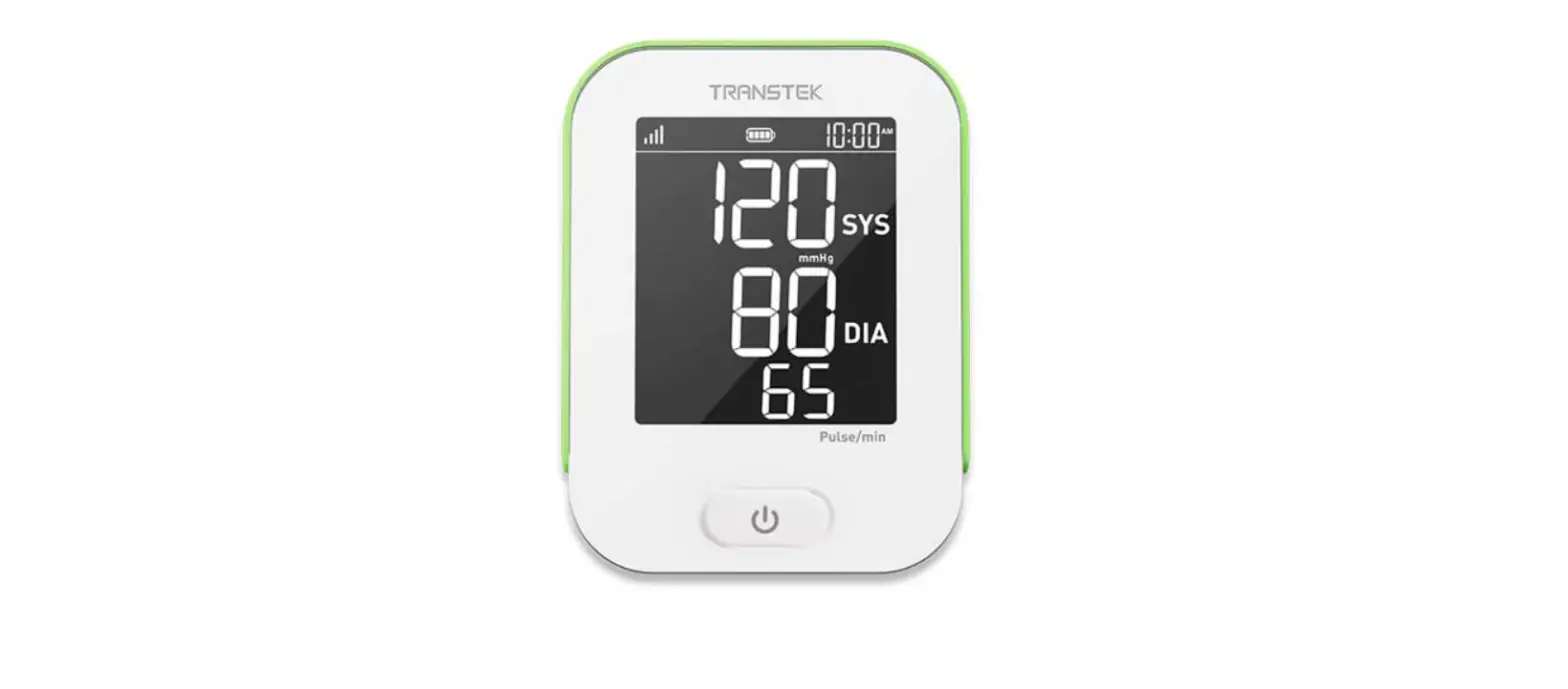
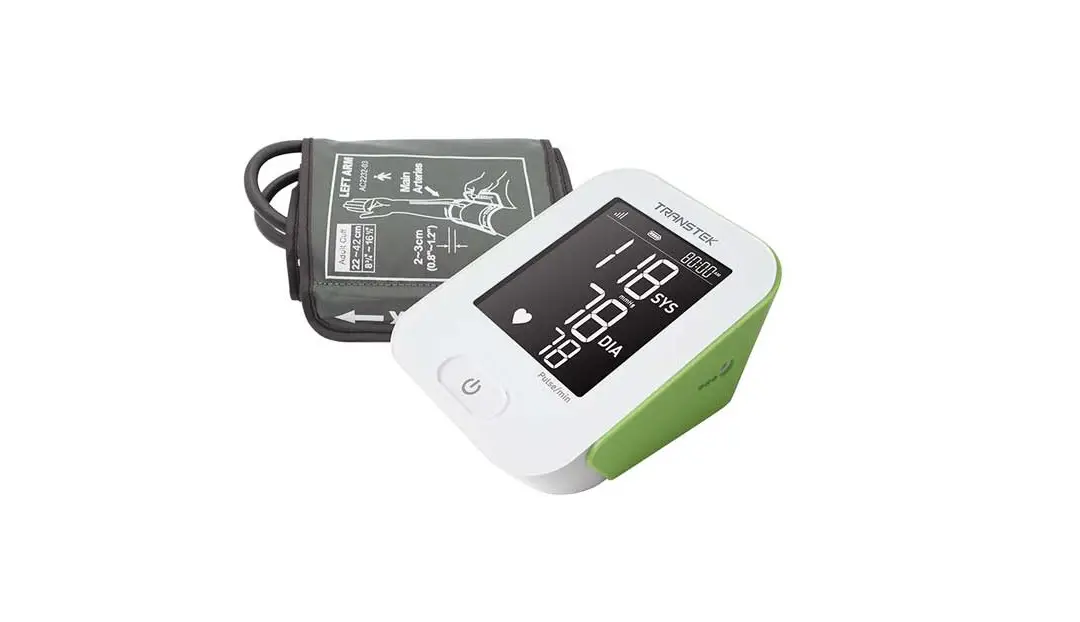
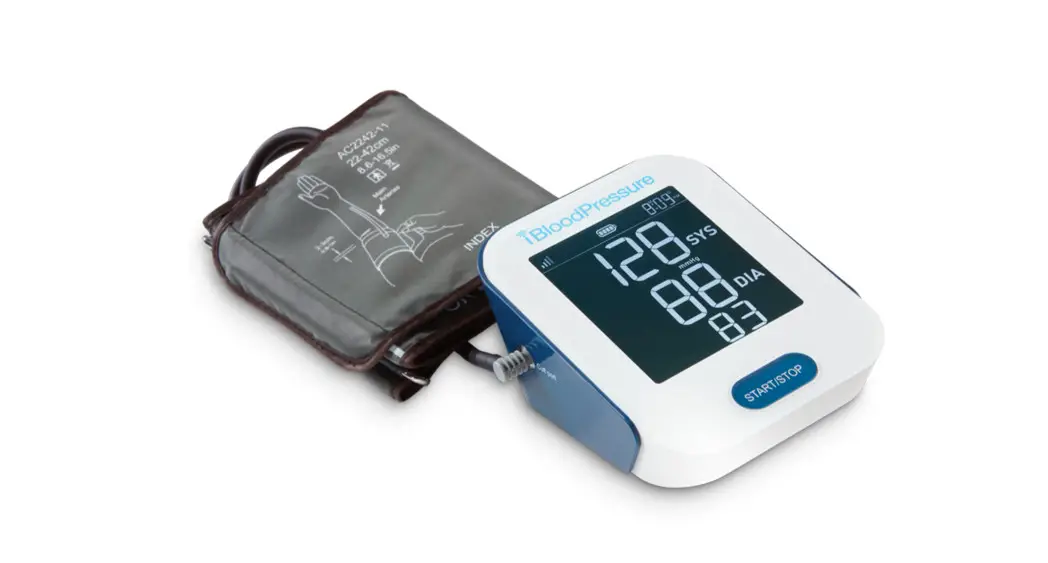
The iBloodPressure®monitor features blood pressure measurement, pulse rate measurement, and cellular result transmission to cloud storage. The design provides you with two years of reliable service. Readings taken are equivalent to those obtained by a trained observer using the cuff and stethoscope auscultation method. This manual contains important safety and care information and provides step-by-step instructions for using the product. Read the manual thoroughly before using the product.
Features:
78*92 mm Digital LCD display
Measuring during inflation technology
E-MTC wireless communication
Indications for Use
The blood pressure Monitor is a digital monitor intended for use in measuring blood pressure and heartbeat rate with an arm circumference ranging from 22 cm to 42 cm (about 8.6 in – 16.5 in) or 22 cm to 45 cm (about 8.6 in. – 17.7 in.).
It is intended for adult indoor use only.
Contraindications
- The device should not be used by any person who is or may be pregnant.
- The device is not suitable for use on patients with implanted electrical devices, such as cardiac pacemakers and defibrillators.
Warranty
Smart Meter LLC warrants that this product will be free from defects in materials and workmanship for two years from the date of purchase.
This warranty does not apply to the performance of a blood pressure ® Meter that has been altered, misused, tampered with, or abused in any way. This warranty applies only to the original purchaser of the blood pressure.
blood pressure is a trademark of Smart Meter LLC
Measurement Principle
This product uses the Oscillometric Measuring Method to detect blood pressure. Before every measurement, the unit establishes a “zero point” equivalent to the atmospheric pressure. Then it starts inflating the cuff. Meanwhile, the unit detects pressure oscillation generated by beat-to-beat pulsatile, which is used to determine the systolic pressure and diastolic pressure as well as pulse rate.
Safety Information
The signs below might be in the user manual, labeling, or other components. They are the requirement of the standard and use.
 | The symbol for “THE OPERATION GUIDE MUST BE READ” |
 | Symbol for “MANUFACTURER” |
SN | Symbol for “SERIAL NUMBER” |
 | Symbol for “DIRECT CURRENT” |
 | Symbol for “RECYCLE” |
 | Caution: These notes must be observed to prevent any damage to the device. |
 | The symbol for “TYPE BF APPLIED PARTS” |
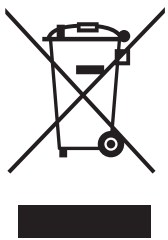 | The symbol for “ENVIRONMENT PROTECTION – Electrical waste products should not be disposed of with household waste. Please recycle where facilities exist. Check with your local authority or retailer for recycling advice” |
 | The symbol for “MANUFACTURE DATE” |
INTRODUCTION
CAUTION
- This device may be used only for the purpose described in this booklet. The manufacturer and Smart Meter cannot be held liable for damage caused by an incorrect application.
INTENDED USERS AND USES CAUTIONS
- This device is intended for adult home use only.
- This device is intended for non-invasive measuring and monitoring of arterial blood pressure. It is not intended for use on extremities other than the armor for functions other than obtaining a blood pressure measurement.
- The device is not suitable for use on neonatal patients, pregnant women, patients with implanted electronic devices, patients with pre-eclampsia, premature ventricular beats, atrial fibrillation, peripheral arterial disease, patients undergoing intravascular therapy, patients with an arterio-venous shunt, or mastectomy patients. Please consult your doctor before using the unit if you suffer from these or other illnesses.
- The device is not suitable for measuring the blood pressure of children. Ask your doctor before using it on older children.
- This device is contraindicated for any female who may be suspected of or is pregnant.
Besides providing inaccurate readings, the effects of this device on the fetus are unknown. - Do not confuse self-monitoring with self-diagnosis. This unit allows you to monitor your blood pressure. Do not begin or end medical treatment without asking a physician for treatment advice.
- If you are taking medication, consult your physician to determine the most appropriate time to measure your blood pressure. Never change prescribed medication without consulting your physician.
- Consult your doctor if you have any questions about your blood pressure.
- When the device is used to measure patients who have common arrhythmias such as atrial or ventricular premature beats or atrial fibrillation, the best result may occur with deviation. Please consult your physician about the result.
- Do not apply the cuff on an arm that has other medical devices, an intravenous drip, or a blood transfusion attached.
- Warning: Do not apply the cuff over a wound as it can cause further injury.
- This device was clinically investigated according to the requirements of ISO 81060-2:2013.
USE ENVIRONMENT CAUTIONS
- Please use the device in the environment described in this manual. Otherwise, the performance and lifetime of the device will be reduced.
- The device is intended for indoor home use.
- The device is not intended for use during patient transport.
- The device is not intended for public use.
- The device cannot be used with HF surgical equipment at the same time.
- The device is not AP/APG equipment and is not suitable for use in the presence of a flammable anesthetic mixture with air oxygen or nitrous oxide.
- This unit is not suitable for continuous monitoring during medical emergencies or operations.
CAUTION
- To avoid measurement errors, avoid electromagnetic field radiated interference signals or electrical fast transient/burst signals.
- Wireless communications equipment such as wireless home network devices, mobile phones, cordless telephones, and their base stations, and walkie-talkies may affect this equipment and should be kept at least 13 feet away from the device during use. The distance of 13 feet is calculated by the manufacturer from the 80 MHz to 5.8 GHz column of Table 4 and Table 9 of IEC 60601-1-2:2014, as appropriate.
- At least 30 minutes is required for the device to warm from the minimum storage temperature until it is ready for use. At least 30 minutes is required for the device to cool from the maximum storage temperature until it is ready for use.
- The blood pressure monitor and the cuff are suitable for use within the home environment. If you are allergic to polyester, nylon, or plastic, please don’t use this device.
- During use, the patient will be in contact with the cuff. The materials of the cuff have been tested and found to comply with the requirements of ISO 10993-5:2009 and ISO 10993-10:2010. The cuff should not cause irritation.
USE CAUTIONS
- Too frequent and consecutive measurements could cause disturbances in blood circulation and injuries.
- When using this device, please pay attention to the following situations which may interrupt blood flow influence blood circulation, and cause injury: connection tube kinking, too frequent and multiple consecutive measurements, the application of the cuff, and pressurization on any arm with intravascular access therapy, where an arteriovenous (A-V) shunt is present, and inflating the cuff on the side of a mastectomy.
- Don’t compress, restrict, or kink the connection tube during use, otherwise, the cuff pressure may continuously increase which can prevent blood flow and result in injury.
- Please check that operation of the device does not result in prolonged impairment of blood circulation.
- If you experience discomfort during measurement, such as pain in the arm, press any button to release the air immediately from the cuff. Loosen the cuff and remove it from your arm.
- If the cuff pressure reaches 40 kPa (300 mmHg), the unit will automatically deflate.
Should the cuff not deflate when the pressure reaches 40 kPa (300 mmHg), detach the cuff from the arm immediately and press any button to stop inflation. Prolonged high pressure (cuff pressure > 300 mmHg or constant pressure > 15 mmHg for more than 3 minutes) applied to the arm may lead to an ecchymosis. - The operator should not touch the power supply and the patient simultaneously.
CAUTION
MAINTENANCE AND STORAGE CAUTIONS
* This device contains sensitive components and must be treated with caution. Observe the storage and operating conditions described in this booklet.
* When not in use, store the device in a dry room and protect it against extreme moisture, heat, lint, dust, and direct sunlight. Never place any heavy objects on the storage case.
* Keep the unit out of reach of infants, young children, or pets to avoid inhalation or swallowing of small parts and possible strangulation from the hose or cable.
* Cleaning: Dusty environments may affect the performance of the unit. Please use a soft cloth to clean the whole unit before and after use. Don’t use abrasive or volatile cleaners.
* Do not wash the cuff in a washing machine or dishwasher.
* The service life of the cuff may vary by the frequency of washing, skin condition, and storage state. The typical service life is 10,000 uses.
* Before use, make sure the device functions safely and is in proper working condition.
Check the device and do not use the device if it is damaged in any way. The continuous use of a damaged unit may cause injury, improper results, or danger.
* It is recommended that the performance of the device be checked every 2 years.
* Please use only accessories and detachable parts specified/authorized by Smart Meter.
* Please dispose of the device and accessories according to local guidelines.
* Do not open or attempt to repair or service the device at any time.
* If you have any questions or problems with this device, please contact Smart Meter
Customer Service.
LCD Display Signal
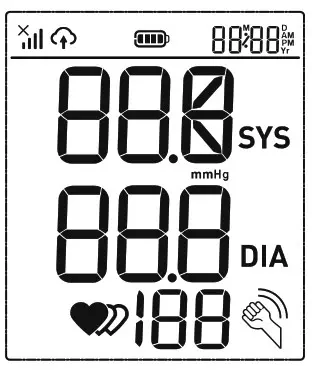
| SYMBOL | DESCRIPTION | EXPLANATION |
 | Systolic blood pressure | High-pressure result |
| Diastolic blood pressure | Low-pressure result | |
| Current Time | Time(year:month:day:hour:minute) | |
| Heartbeat | Heartbeat detection during the measurement | |
| mmHg | Measurement Unit of the blood pressure | |
| Battery Indicator | Indicate the current battery level | |
| Irregular heartbeat | Irregular heartbeat | |
| Data transmission indication | Blink to indicate that the data is being sent, the sending success will disappear. | |
| Shaking reminder | Shacking will result in inaccurate | |
| Signal indication | Indicates the signal situation in the communication process. |
Components of the Device
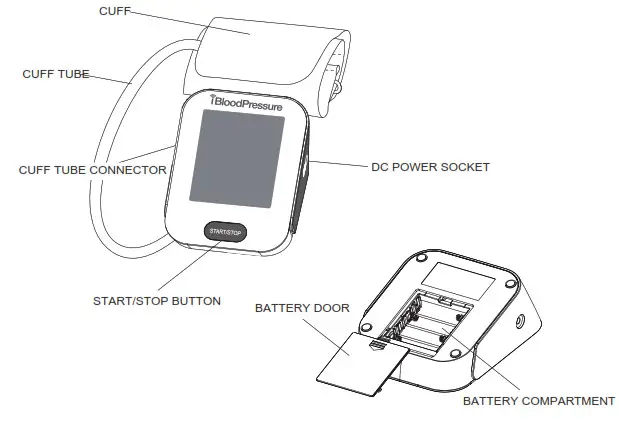
List
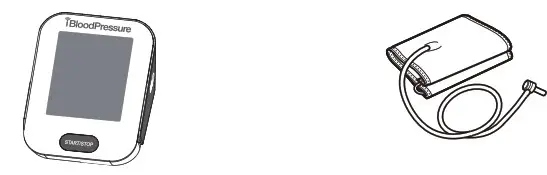
- Cellular Blood Pressure Monitor (SMBP802-GS-001)
- Cuff (22~42 cm or 22~45 cm) (Type BF applied part)

- User manual

- 4*AA batteries

BEFORE YOU START
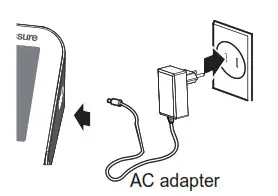
The Choice of Power Supply
- Battery-powered mode:
6VDC 4*AA batteries - AC adapter powered mode:
6V 1A (not included)
(Please use the AC adapter authorized by the manufacturer!)
 CAUTION
In order to get the best effect and protect your monitor, please use the right batteries and a special power adapter that complies with the local safety standards.
Installing and Replacing the Batteries
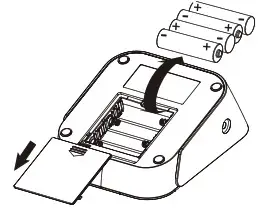
If this is your first time using the device:
- Slide open the battery door on the back of the device.
- Install the batteries provided with the device. Follow the diagram inside the battery compartment for correct polarity—the springs should align with the negative sign on the batteries.

- Slide the battery door closed.
Replace the batteries whenever the below happens
- The
 shows
shows - The display dims
- The display does not light up
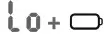 shows
shows CAUTION
- Do not use new and used batteries together.
- Do not use different types of batteries together.
- Do not dispose of the batteries in a fire. Batteries may explode or leak.
- Remove batteries if the device is not likely to be used for some time.
- Worn batteries are harmful to the environment. Do not dispose of daily garbage.
- Remove the old batteries from the device following your local recycling guidelines.
Tip:
Replace the battery or connect the AC adapter, the symbol  and
and will be shown on the LCD, indicating pair-up is proceeding alternatively. You can press the “ START/STOP ” button at any time to stop pair-up.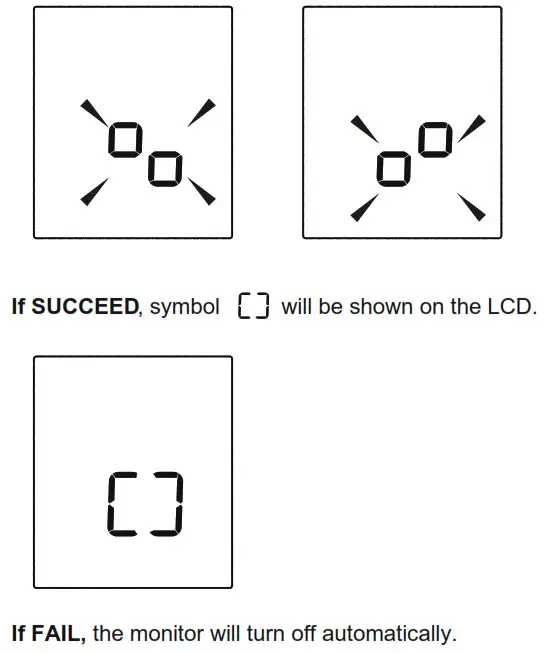
MEASUREMENT
Tie the Cuff
- Plug the connector on the cuff tube into the device.
- Expose your upper arm by removing or adjusting clothing and jewelry. Make sure blood flow is not constricted by a rolled-up sleeve.
- Open the cuff and loosen fully.
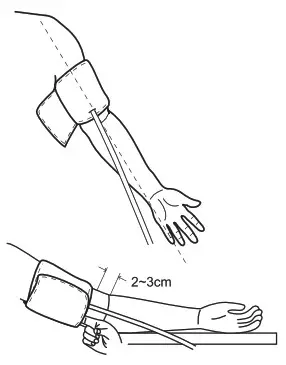
- Orient the cuff so that the tube exits towards the hand.
- Place your arm through the cuff loop, with your palm facing up.
- Position the cuff’s edge about an inch (2–3 cm) above the elbow.
- Align the Ф marker (located to the right of the tube exit) with the center of your arm.
- ++Tighten the cuff evenly around your arm by pulling on the end—make sure the Ф marker stays aligned with the center of
your arm.
- Wrap the end of the cuff over your arm to secure it in place. Don’t make it too tight—allow a finger to fit between the cuff and your arm.
- If possible, relax and rest for at least 5 minutes before taking a measurement.
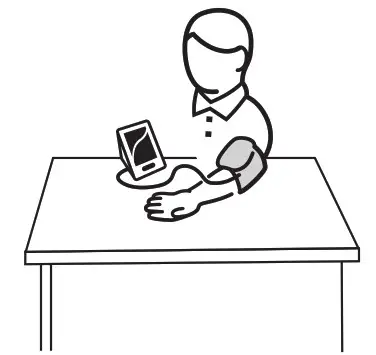
- Lay your arm on a table with your palm facing up. The cuff should be at the same height as your heart. Sit up straight and rest your feet flat on the ground. Make sure the tube is not kinked or pinched.

Taking a Measurement
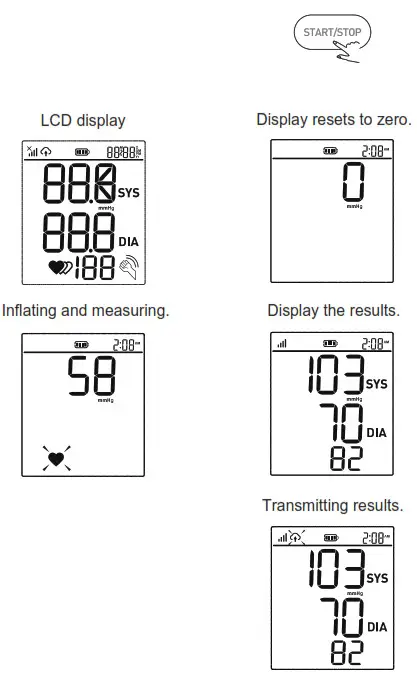
- When the monitor is off, press the “ START/STOP ” button to turn on the monitor. The cuff will automatically inflate, complete the measurement, and transmit the results.

- This device will proceed to data transmission after measurement. The symbol
 blinks on the LCD indicates data is transmitting.
 - If the data is successfully transmitted, the symbol will disappear the LCD will display Ok, and then the device will turn off automatically.

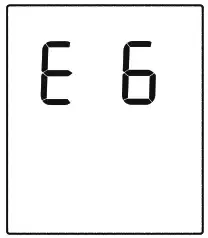
If the data transmission fails, an Error message will be shown (take E6 for example) on the display for several seconds then the device will turn off automatically.
Note: the result will be transmitted next time a cellular connection is made.
 blinks on the LCD indicates data is transmitting.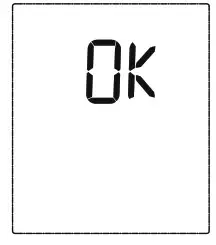
Tip:
You can press the “ START/STOP ” button at any time to stop measuring during the process.
INFORMATION FOR USER
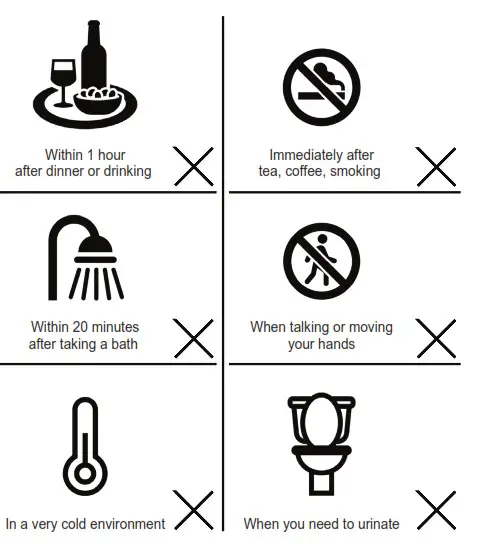
Tips for Measurement
Measurements may be inaccurate if taken in the following circumstances.
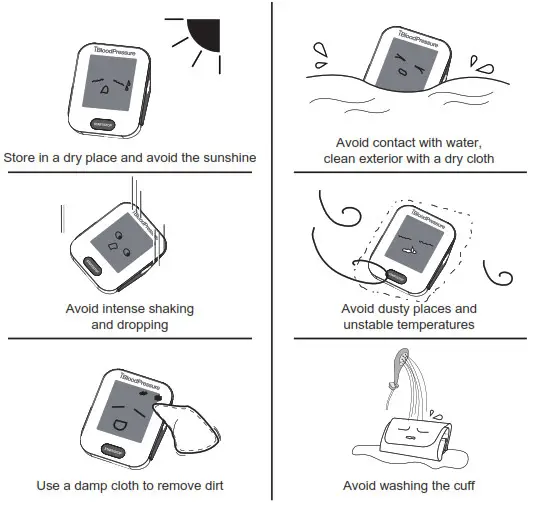
Maintenance
To get the best performance, please follow the steps below.
ABOUT BLOOD PRESSURE
What are systolic pressure and diastolic pressure?
When ventricles contract and pump blood out of the heart, the blood pressure reaches its maximum value in the cycle, which is called systolic pressure. When the ventricles relax, the blood pressure reaches its minimum value in the cycle, which is called diastolic pressure.
What is the standard blood pressure classification?
The chart on the right is the standard blood pressure classification published by American Heart Association (AHA).
| This chart reflects blood pressure categories defined by American Heart Association. | |||
| Blood Pressure Category | Systolic mmHg (upper#) | Diastolic mmHg (lower#) | |
| Normal | less than 120 | and | less than 80 |
| Prehypertension | 120-129 | and | less than 80 |
| High Blood Pressure (Hypertension) Stage 1 | 130-139 | or | 80-89 |
| High Blood Pressure (Hypertension) Stage 2 | 140 or higher | or | 90 or higher |
| Hypertensive Crisis (Consult your doctor immediately) ‘… | Higher than 180 | and/or | Higher than 120 |
CAUTION
Please consult a physician if your result falls outside the range. Please note that only a physician can tell whether your blood pressure value has reached a dangerous point.
Irregular Heartbeat Detector
An irregular heartbeat is detected when a heartbeat rhythm varies while the device is measuring systolic pressure and diastolic pressure. During each measurement, the blood pressure monitor will keep a record of all the pulse intervals and calculate their average value. If there are two or more pulse intervals with an average difference between each interval of more than ±25%, or if there are four or more pulse intervals, with an average difference between each interval of ±15%, then the irregular heartbeat symbol will appear on the display with the measurement result. CAUTION
The appearance of the IHB icon indicates that a pulse irregularity consistent with an irregular heartbeat was detected during measurement. Typically this is NOT a cause for concern. However, if the symbol appears often, we recommend you seek medical advice. Please note that the device does not replace a cardiac examination, but serves to detect pulse irregularities at an early stage.
Why does my blood pressure fluctuate throughout the day?
- Individual blood pressure varies throughout the day. It is also affected by the way you tie your cuff and your measurement position. It is recommended that you take your measurement under the same conditions.
- If you take medicine, your pressure may vary more.
- Wait at least 3 minutes between measurements.
Why do I get a different blood pressure at home compared to the hospital?
The blood pressure is different throughout the day due to weather, emotion, exercise, etc. Also, there is the “white coat” effect, which means blood pressure usually increases in clinical settings.
Is the result the same if measuring on the right arm?
It is okay to measure on either arm, however; there may be different results for some people. We suggest you measure the same arm every time.
Pay special attention to the following when you measure your blood pressure at home:
If the cuff is tied properly.
If the cuff is too tight or too loose.
If the cuff is tied on the upper arm.
If you feel anxious.
Take 2-3 deep breaths before you begin measuring.
Relax for 4-5 minutes until you are calm.
TROUBLESHOOTING
This section includes a list of error messages and frequently asked questions for issues you may encounter with your blood pressure monitor.
| PROBLEM | SYMPTOM | CHECK THIS | REMEDY |
| No power or Low batteries | Display will not light up or  shows shows | Batteries are exhausted. | Replace with new batteries. |
| Batteries are inserted incorrectly. | Insert the batteries correctly. | ||
| AC adapter is inserted incorrectly. | Insert the AC adapter tightly. | ||
| Error message | E 1 shows | The cuff Is not secure or has abnormal inflation. | Refasten the cuff and then measure again. |
| E 2 shows | The monitor detected motion. talking or the pulse is too weak while measuring. | Movement can affect the measurement. Relax for a moment and then measure again. | |
| E 3 shows | The measurement process does not detect the pulse signal. | Loosen the clothing on the arm and then measure again. | |
| E 4 shows | Not able to calculate. measurement failed. | Relax for a moment and then measure again. | |
| E 5 shows | Failed to communicate with the server. | Contact customer service. | |
| E 6 shows | No access to the network. | Contact customer service. | |
| EExx shows on the display. | A calibration error occurred. | Retake the measurement. If the problem persists, contact customer service for further assistance. Refer to the warranty for contact information and return instructions. | |
| Warning message | Out shows | Out of measurement range. | Relax for a moment. Refasten the cuff and then measure again. If the problem persists, contact your physician. |
SPECIFICATIONS
| Power supply | Battery-powered model: 6VDC 4*AA batteries AC adapter powered mode: 6V 1A (not included) (Please only use the recommended ACadapter model). |
| Display mode | Digital LCD V.A.78 mme92 mm |
| Measurement mode | Oscillographic testing mode |
| Measurement range | Rated cuff pressure: 0 mmHg – 299 mmHg (0 kPa – 39.9 kPa) Measurement pressure: SYS: 60 mmHg – 230 mmHg (8.0 kPa – 30.7 kPa) DIA: 40 mmHg – 130 mmHg (5.3 kPa – 17.3 kPa) Pulse value: (40-199)beat/minute |
| Accuracy | Pressure: within ±3 mmHg (0.4 kPa) Pulse value: ±5% |
| Normal working condition | A temperature range of +5°C to +40°C A relative humidity range of 15% to 90%, non-condensing, but not requiring a water vapor partial pressure greater than 50 hPa An atmospheric pressure range of 700 hPa to 1060 hPa |
| Storage & transportation condition | Temperature: -20°C to +60°C A relative humidity range of s 93%, non-condensing, at a water vapor pressure up to 50 hPa |
| Measurement perimeter of the upper arm | About 22 cm-42 cm or 22 an-45 cm |
| Weight | Approx.393g (Excluding the batteries) |
| External dimensions | Approx.154.3 mm*121.5 mm*68.1 mm |
| Attachment | 4XAA batteries, user manual |
| Mode of operation | Continuous operation |
| Degree of protection | Type BF applied part |
| Protection against water ingress | IP21. It means that the device could protect against solid foreign objects of 12.5 mm and greater, and protect against vertically falling water drops. |
| Device Classification | Battery Powered Mode: Internally Powered ME Equipment AC Adapter Powered Mode: Class II ME Equipment |
| Software Version | A01 |
WARNING: No modification of this equipment is allowed.
EMC GUIDANCE
Table 2
| Guidance and manufacturer’s declaration — electromagnetic Immunity | ||
| Immunity Test | IEC 60601-1-2 Test level | Compliance level |
| Electrostatic discharge (ESD) IEC 61000-4-2 | ±8 kV contact +2 kV. 34 kV. 38 kV. 315 kV air | ±8 kV contact 32 kV, ±4 kV, 38 kV, ±15 kV air |
| Electrical fast transient/burst IEC 61000-4-4 | 31 kV 32 kV.100 kHz repetition frequency | For AC power port: Power supply lines: +2 kV |
| Surge IEC61000-4-5 | ±1 kV (Line to ±0.5 kV line) +0.5 kV ±1 kV ±2 kV (Line to ground) ±2 kV Signal line (LAN line) | For AC pwer port: The line to lines: ±1 kV |
| Voltage dips. short interruptions and voltage variations on power supply input lines IEC 61000-4-11 | 0%. 70%,0% of UT | For AC power port: 0 % for 0,5 cycle,O’for 1 cycle 70 % for 25 cycles: Single-phase: 0% for 250 cycle |
| Power frequency magnetic field IEC 61000-4-8 | 30 Alm 50 Hz/60 Hz | 30 Alm 50 Hz160 Hz |
| Conducted RF IEC61000-4-6 | 0,15 MHz — 80 MHz 3V ISM and amateur radio bands between 0,15 MHz and 80 MHz 6V | For AC power port: 3 Vrms 6 Vrms(in ISM and amateur radio bands) 80% AM at 1 KHz |
| Radiated RF IEC61000-4-3 | 10 V/m 80 MHz — 2,7 GHz 80 % AM at 1 kHz | 10 V/m 80 MHz — 2,7 GHz 80% AM at 1 kHz |
| NOTE UT is the ac. mains voltage prior to application of the test level. | ||
Table 3
| Guidance and manufacturer’s declaration – electromagnetic Immunity | |||||||
| Radiated RF IEC61000-4-3 (Test specifications for ENCLOSURES ORTIMMUNITY to RF wireless communications equipment) | Test Frequency (MHz) | Band (MHz) | Service | Modulation | Modulation (W) | Distance (m) | IMMUNITY TEST LEVEL(V/m) |
| 385 | 380-390 | TETRA 400 | Pulse modulation b)18 Hz | 1.8 | 0.3 | 27 | |
| 450 | 430-470 | GMRS 460,FRS 460 | FM c) ± 5 kHz deviation 1 kHz sine | 2 | 0.3 | 28 | |
| 710 | 704-787 | LTE Band 13, 17 | Pulse modulation b) 217 Hz | 0.2 | 0.3 | 9 | |
| 745 | |||||||
| 780 | |||||||
| 810 | 800-960 | GSM 800/900, TETRA 00, iDEN 820, CDMA 850, LTE Band 5 | Pulse modulation b) 18 Hz | 2 | 0.3 | 28 | |
| 870 | |||||||
| 930 | |||||||
| 1720 | 1700- 1990 | GSM 1800; CDMA 900; GSM 1900; DECT; LTE Band 1, 3, 4,25; UMTS | Pulse modulation b) 217 Hz | 2 | 0.3 | 28 | |
| 1845 | |||||||
| 1970 | |||||||
| 2450 | 24002570 | ||||||
| 5240 | 51005800 | WLAN 802.11 a/n | Pulse modulation 217 Hz | 0.2 | 0.3 | 9 | |
| 5500 | |||||||
| 5785 | |||||||
FCC STATEMENT
contains FCC ID:XMR2020BG95M2
This device complies with Part 15 of the FCC Rules. Operation is subject to two conditions: (1) this device may not cause harmful interference, and (2) this device must accept any interference received, including interference that may cause undesired operation.
Caution: The user is cautioned that changes or modifications not expressly approved by the party responsible for compliance could void the user’s authority to operate the equipment.
NOTE: This equipment has been tested and found to comply with the limits for a Class B digital device, pursuant to Part 15 of the FCC Rules. These limits are designed to provide reasonable protection against harmful interference in a residential installation. This equipment generates, uses, and can radiate radio frequency energy and, if not installed and used in accordance with the instructions, may cause harmful interference to radio communications. However, there is no guarantee that interference will not occur in a particular installation.
If this equipment does cause harmful interference to radio or television reception, which can be determined by turning the equipment off and on, the user is encouraged to try to correct the interference by one or more of the following measures:
— Reorient or relocate the receiving antenna.
— Increase the separation between the equipment and receiver.
— Connect the equipment into an outlet on a circuit different from that to which the receiver is connected.
— Consult the dealer or an experienced radio/TV technician for help.
FCC Radiation Exposure Statement:
This equipment complies with FCC radiation exposure limits set forth for an uncontrolled environment. This transmitter must not be co-located or operating in conjunction with any other antenna or transmitter.
- Please use the blood pressure® authorized adapter (not included).

- blood pressure Cuff SL
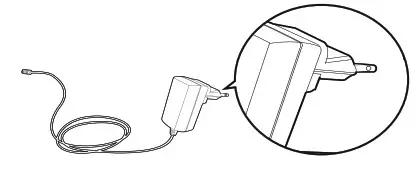
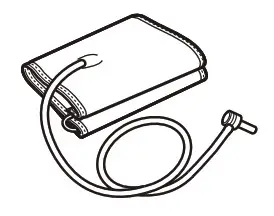
Adapter
Type: BLJ06L060100P-U
Input: 100-240 V 50-60 Hz, 0.2 A max
Output:  6V 1000 mA
Contact Information
Manufactured for: Smart Meter, LLC
Company: Smart Meter, LLC
Address: 201 East Kennedy Blvd. Suite 880
Tampa, FL 33602
www.smartmetercorporation.com
Toll-Free Customer Support:
1-844-445-8267
Mon-Fri 9am-9pm ET
Manufactured for:
Smart Meter, LLC
201 E. Kennedy Blvd., Suite 880
Tampa, FL 33602
B-O-UM-U-0521