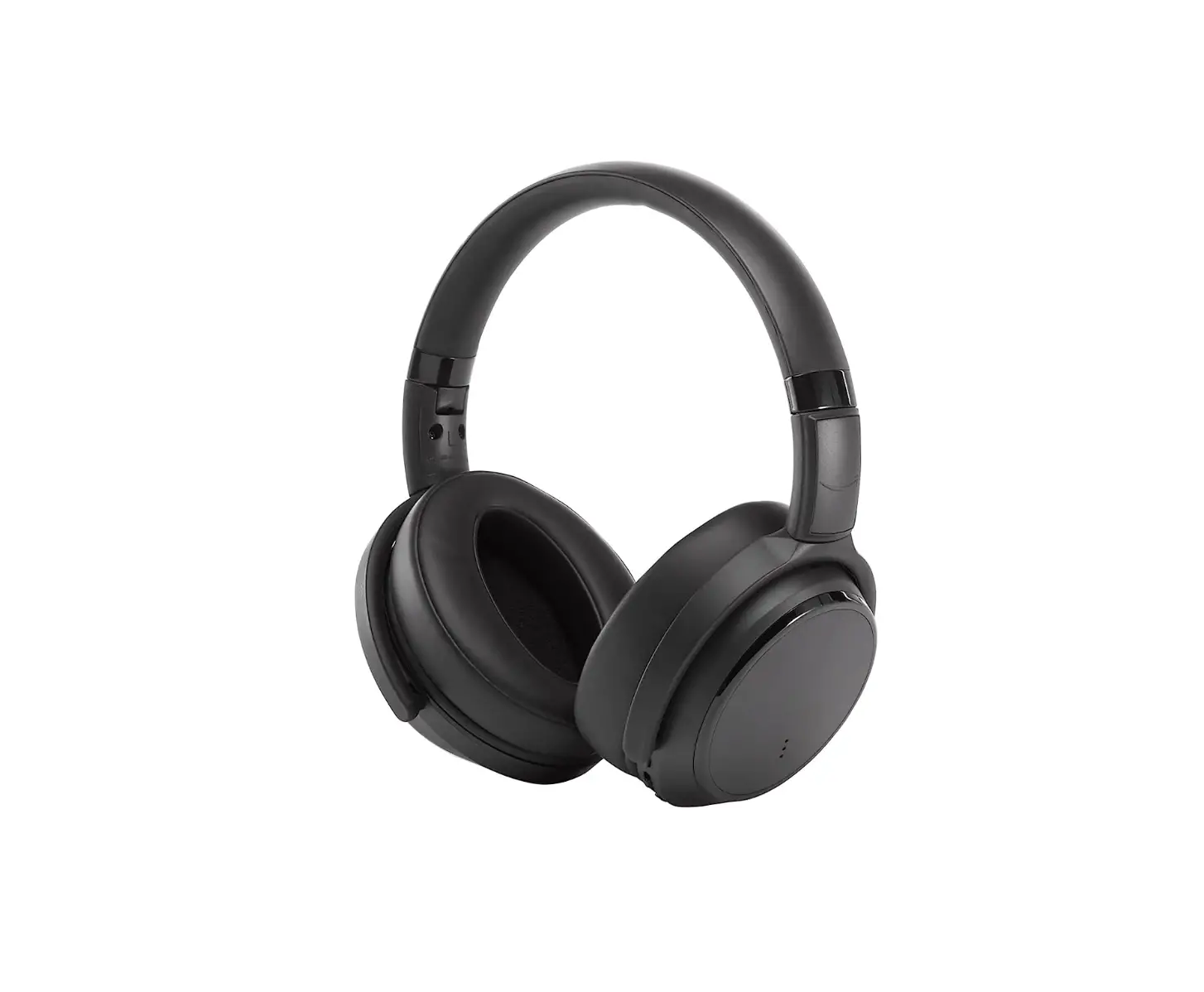
972MNTOR2B Monitor II Over Ear Wireless Bluetooth Noise Canceling Headphones
Product Information: Product Name: Monitor II A.N.C. Manufacturer:
Zound Industries International AB Website:
www.marshallheadphones.com Address: Centralplan 15, 111 20
Stockholm, Sweden Product Usage Instructions: 1. Getting Started: –
Download the Marshall Bluetooth app from Google Play or the App
Store. – It is recommended to charge the battery before using the
headphones for the first time. 2. Device Layout: – Customisable
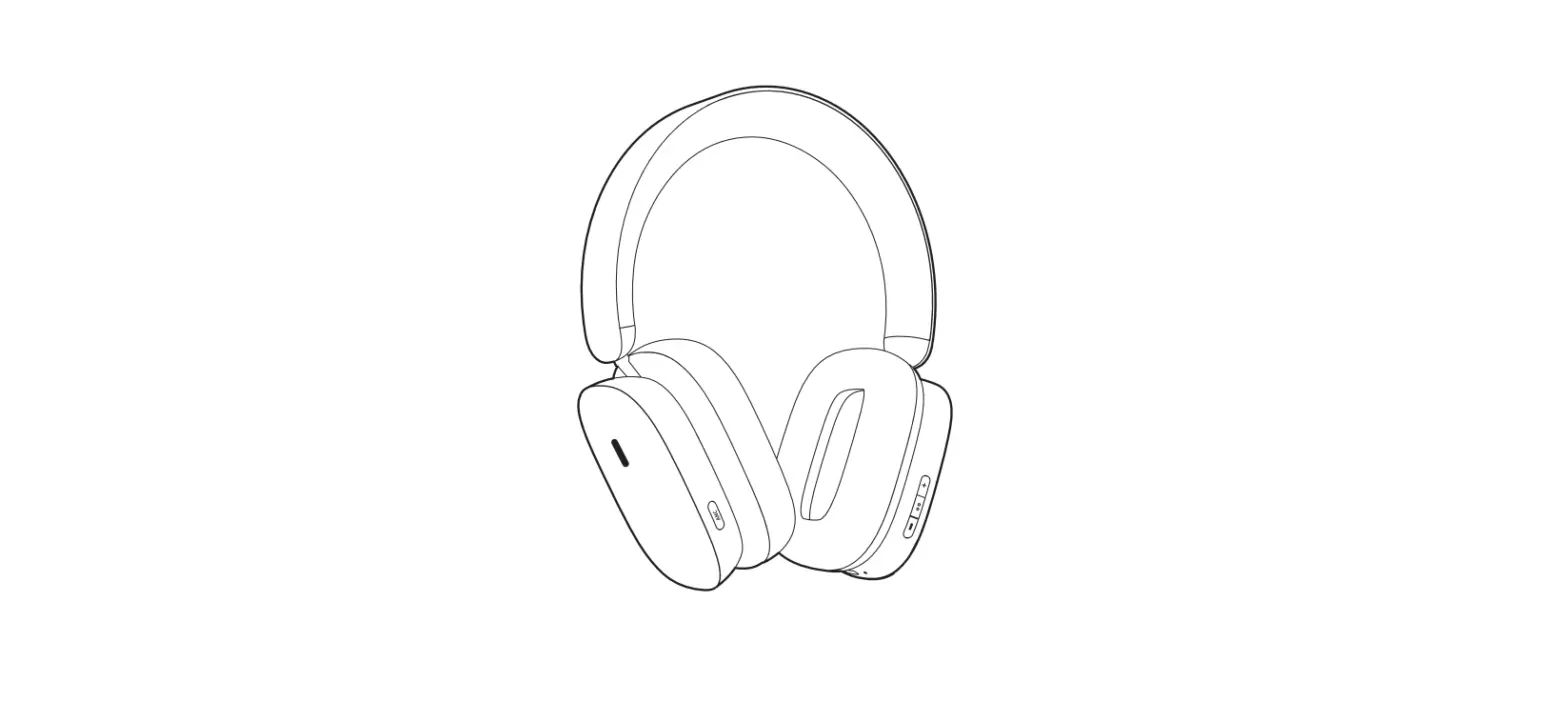
M-button – ANC mode button – LED indicator – 3.5 mm input – USB-C
port for charging – Multi-directional control knob 3. The Control
Knob: – Power On/Off: Push and hold for 2 seconds – Play/Pause:
Single-click – Skip Forward: Push to the right – Skip Back: Push to
the left – Fast Forward: Push to the right and hold – Rewind: Push
to the left and hold – Turn Up the Volume: Push upwards – Turn Down
the Volume: Push downwards – Handle Calls: Single-click to answer
or end call, double-click to reject an incoming call 4. The LED
Indicator: – The LED indicator is located on the left ear cap and
shows the headphones’ status. – LED Status: –
Red-Orange-Yellow-Green: Charging in progress – White Light
Blinking Every 5th Second: Charging complete – White Blinking:
Bluetooth pairing mode – Blue Blinking: Bluetooth connected – Off:
Bluetooth disconnected 5. Charging Your Headphones: – When the
battery charge is low, an alert will sound. – Plug your headphones
into a USB power source using the provided USB-C cable to charge
the battery. – A full battery recharge takes approximately 2 hours,
and 15 minutes of charging can provide up to 5 hours of wireless
playtime. 6. The ANC Mode Button: – Use the ANC button to quickly
change between Active Noise Cancelling and Monitoring mode. – Short
press toggles between the two modes. – Push and hold for 2 seconds
to turn ANC off or on. – Adjust the level of noise cancelling and
monitoring in the Marshall Bluetooth app. 7. The M-Button: – The
M-button can be set to switch between three different equaliser
presets or your phone’s voice assistant or the Google Assistant. –
Configure the M-button from the M-Button settings menu in the
Marshall Bluetooth app. – Note: Voice assistant availability may
vary by country and requires a separate account/agreement with the
third-party service. 8. The 3.5 mm Input: – To use the Monitor II
A.N.C. with a wired device, connect the included 3.5 mm cable. –
Once connected, Bluetooth will disconnect for audio streaming. –
ANC can still be used as long as the headphones are turned on. –
When the 3.5 mm cable is disconnected, the headphones will try to
reconnect with the last connected Bluetooth device. 9.
Troubleshooting: – Refer to the user manual for troubleshooting
steps and solutions.
MONITOR II A.N.C.
USER MANUAL
LEGAL AND TRADEMARK NOTICE
· Design of device and packaging are intellectual properties of Zound Industries International AB. © All Rights Reserved. Zound Industries International AB is hereinafter referred to as “Zound Industries”.
· MARSHALL, Marshall Amps, their respective logos, “Marshall” and “Marshall” trade dress are trademarks and intellectual property of Marshall Amplification Plc and may not be used without permission. Permission granted to Zound Industries.
· The Bluetooth® wordmark and logos are registered trademarks owned by the Bluetooth SIG, Inc. and any use of such marks by Zound Industries is under license.
· Google Play and the Google Play logo are trademarks of Google LLC. · Apple and the Apple logo are trademarks of Apple Inc. registered in the U.S. and other countries. App
Store is a service mark of Apple Inc., registered in the U.S. and other countries. · All other trademarks are the property of their respective owners and may not be used without
permission. For more legal information related to this product and to its use in your specific region, and for more detailed information about Zound Industries and partner & license information, please visit the website: www.marshallheadphones.com. The user is recommended to visit the website regularly for up-to-date information. Zound Industries International AB, Centralplan 15, 111 20 Stockholm, Sweden
R1
002
DISCLAIMER
Use of the Made for Apple badge means that an accessory has been designed to connect specifically to the Apple product(s) identified in the badge and has been certified by the developer to meet Apple performance standards. Apple is not responsible for the operation of this device or its compliance with safety and regulatory standards. The availability of third party services may need separate agreements between you and any third party and Zound Industries International AB do not take responsibility for the availability of such services. Stated play time is calculated using a random selection of music, played at medium volume. The information contained herein is correct at the time of publication, with reservation for editorial errors. This product is software dependent and its functions and compatibility can change when updating the software. Designed in Stockholm · Produced in China
003
INDEX
002. LEGAL AND TRADEMARK NOTICE 006. GETTING STARTED 006. DEVICE LAYOUT 007. THE CONTROL KNOB 008. THE LED INDICATOR 008. CHARGING YOUR HEADPHONES 009. THE ANC MODE BUTTON 010. THE M-BUTTON 010. THE 3.5 MM INPUT 011. TROUBLESHOOTING
004
GETTING STARTED
001. Push and hold the control knob until the LED indicator blinks blue. 002. Select MONITOR II from your audio device’s Bluetooth® list. 003. Download the Marshall Bluetooth app and follow the in-app instructions
to setup the M-button, adjust ANC, customise the EQ settings and more.
Get the Marshall Bluetooth app on Google Play or the App Store. It is recommended to charge the battery before using your headphones for the first time.
DEVICE LAYOUT
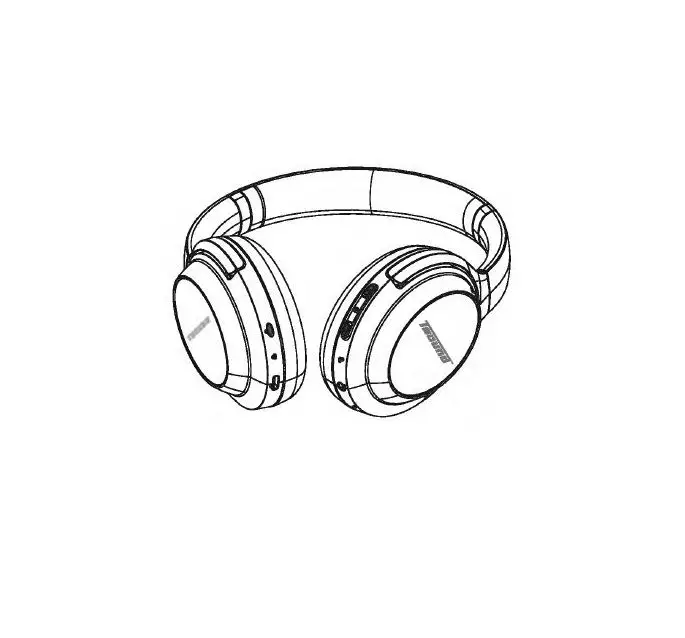
001. Customisable M-button 002. ANC mode button 003. LED indicator 004. 3.5 mm input 005. USB-C port for charging 006. Multi-directional control knob
005
006
THE CONTROL KNOB
Use the control knob on the right ear cap to control audio, start Bluetooth® pairing mode and turn the headphones on or off.
FUNCTION
POWER ON/OFF PLAY/PAUSE SKIP FORWARD SKIP BACK FAST FORWARD REWIND TURN UP THE VOLUME TURN DOWN THE VOLUME HANDLE CALLS
ACTION
Push and hold for 2 seconds Single-click Push to the right Push to the left Push to the right and hold Push to the left and hold Push upwards Push downwards Single-click to answer or end call Double-click to reject an incoming call
007
THE LED INDICATOR
The LED indicator is located on the left ear cap and shows the headphones status:
LED STATUS
RED-ORANGE-YELLOW-GREEN WHITE LIGHT BLINKING EVERY 5TH SECOND
WHITE BLINKING BLUE BLINKING OFF
HEADPHONES STATUS
Charging (0-100% battery level) Powered on, connected to a Bluetooth® device with audio paused Searching for previously paired devices Bluetooth pairing mode Power off or playing via Bluetooth
CHARGING YOUR HEADPHONES
When the battery charge is low, an alert will sound. Plug your headphones into a USB power source via the USB-C cable to charge the battery. A full battery recharge takes approximately 2 hours, and 15 minutes of charging can get you up to 5 hours of wireless playtime.
008
THE ANC MODE BUTTON
Monitor II A.N.C. utilise Active Noise Cancelling (ANC) technology that continuously pinpoints and measures ambient noise to control how much of the outside world you hear. There are two ANC modes. · Active noise cancelling – Block out the noise and focus on what is
playing. · Monitoring mode – Let the outside world in to engage in a conversation
or listen to an announcement.
Use the ANC button to quickly change between modes. 001. Short press toggles Active noise cancelling and Monitoring mode 002. Push and hold for 2 seconds to turn ANC off or on
The level of noise cancelling and monitoring can be adjusted in the Marshall Bluetooth app.
009
THE M-BUTTON
The M-button can be set to switch between three different equaliser presets or alternatively, your phones voice assistant or the Google Assistant. Go to the Marshall Bluetooth app and configure the M-button from the M-Button settings menu Note: Voice assistant may not be available in your country and requires a separate account/agreement between you and the third party service.
THE 3.5 MM INPUT
To use the Monitor II A.N.C. with a wired device, simply use the 3.5 mm cable included. Once connected, Bluetooth will disconnect for audio streaming. You can still use ANC, as long as your headphones are turned on. When the 3.5 mm cable is disconnected, the headphones will try to reconnect with the last connected Bluetooth device.
010
TROUBLESHOOTING
PROBLEM
CANNOT PAIR WITH A BLUETOOTH DEVICE
ANC IS NOT WORKING
CAUSE
ACTION
The headphones are not in pairing Make sure the headphones are
mode.
turned off. Push the control
knob for 4 seconds, until the
LED indicator blinks blue. Select
MONITOR II from your Bluetooth
device list.
Your headphones are connected to the 3.5 mm lead.
Disconnect the 3.5 mm cable from your headphones before Bluetooth pairing
Your headphones are not turned on.
Push the control knob for 2 seconds to turn on your headphones.
ANC is not on.
Push the ANC button for 2 seconds to turn ANC on.
Short-press the ANC button to toggle the ANC modes.
ANC level is turned down in the Marshall Bluetooth app.
Go to the Marshall Bluetooth app and set the level of the ANC in the ANC settings menu.
011
PROBLEM
CAUSE
ACTION
THERE ARE TWO INSTANCES OF MONITOR II IN THE BLUETOOTH DEVICE LIST
Monitor II A.N.C. uses two Bluetooth connections. One connection is for audio streaming and the other is a low energy Bluetooth connection for the app.
This is normal behaviour and no action is needed.
THE HEADPHONES ARE NOT RESPONDING
A software error has occurred.
Perform a hardware reset:
Push and hold the M-button while pushing the control button downwards.
If the problem persists, perform a factory reset.
Note: This will delete all user settings and after the factory reset, the headphones need to be set up again.
Push and hold both the M-button and the control knob for 7 seconds until the LED indicator turns purple.
012
MARSHALLHEADPHONES.COM
MONITOR II A.N.C. – OVER EAR
LEGAL & SAFETY
ENGLISH
IMPORTANT SAFETY INSTRUCTIONS
~ ~
Not suitable for children under age three. Contains small parts, which may be a
choking hazard.
Long-tenn exposure to loud music or sounds may cause hearing loss. To prevent possible hearing damage, do not listen at high volume levels for long periods.
–
Electrical products, cables, batteries, packaging, and the manual, should not be mixed with general household waste. For proper recycling, please take these products
to a designated collection point where they will be accepted free ofcharge or return them to your local retailer. Correct product disposal
saves resources and prevents negative effects on human health and the environment.
To prevent possible harm to the environment or human
health from uncontrolled waste disposal, dispose of defective rechargeable battery at special collection points or return them to your specialist dealer.
WARNINGS
Set your sound source to low volume before using the headphones. Do not use these headphones when operating a motor vehicle, a bicycle, machinery or where your inability to hear outside sounds may present a danger to you or others. Using these headphones limits your ability to hear noises around you, regardless of listening volume. Keep away from fire, water, and high voltage equipment. Do not modify, disassemble, open, drop, crush, puncture, or shred these headphones. Do not heat above 113°F (45°C). · Do not short-circuit the Internal battery or Its cells. In the event of cell leakage, do not allow the liquid to come in contact with the skin or the eyes. The internal battery is not end-user replaceable.
DISCLAIMER
The availability of third party services may need separate agreements between you and any third party and Zound Industries International AB do not take responsibility for the availability of such services.
Stated play lime Is calculated using a random selection of music, played at medium volume.
The information contained herein Is correct at the time of publication, with reservation for editorial errors. This product is software dependent and its functions and compatibility can change when updating the software.
Hereby, Zound Industries International AB, declares that this product is In compliance with 2014/53/EU and the UK The Radio Equipment Regulations 2017 (SI2017/1206).
Maximum RF transmit power: Bluetooth (2402-2480 MHz)< 20dBm
The full text of the EU and UKCA declaration of conformity is available at the following website: www.marshallheadphOnes.com/doc
Designed In Stockholm · Produced in China
6bnrAPCKM E3MK
BA>KHH YKA3AHHR 3A 6E300ACHOCT
He 8 no,IIXOAAUIO 38 ,11e4a no,11 TpMr0,IIMWH8 B’b3p8CT. C’b,ll’bp>Ka ManKM 48CTM, K0MTO M0rBT ,118 npM4MHAT 38,llywaeaHe.
npOA’bn>KMTBnHOTO H3naraHe Ha CMnHa
MY3HKa MnH 3BY4M M0>Ke ,118 ,11088,118 ,110 3ary6a HS cnyxa. 3a ,11a ce npe,110TepaTM eeBHTyBnH0 yep8>K,118He Ha cnyxa, ,118 HB CB cnywa CBHC0KH HHBa Ha 3BYK8 npO,ll’bn>KMTBnH0 epeMe.
–
EneKTpM48CKMTe npo,11yKTH, ·a6en11, liaTepHM, onaK0BKH “p’bKOBO,IICTBa HB TpAtiea AB CB CMBCBBT C 06UIHTe 6HT0BH 0Tn8A’b4H, MonA, C 4en nOAX0AAUI0 pe4MKn11paHe, npeAailTe Te3H np0AYKTH 8 C’btiHpaTeneH nyHKT, K’bAeTo Te UIB 6’bAaT npMeTM 6e3nnaTH0 HnM rH B’bpHeTe
Ha BaWMA MeCTBH T’bproee4 Ha APetiH0. npaBHnHOT0 YHMU>K888HB Ha 0Tn8A’b4HTB nBCTM pecypcM MnpBA0TBp8TA88 0TPM48TBnHMTe e<i,BKTM e’bpxy 408BWK0TO a,11paee 11 oKonHaTa cpeAa,
3a AB npBA0TBpaTMTe eeeHryanHa U1eTa 38 0KOnHBTB CPBAB MnM 408BWK0T0 3AP8BB OT HeKOHTp0nMpaH0 H3XB’bpnAH8 Ha 0TnaA’b4H, H3XB’bpneTe Ae<PeKTHSTa SKyMynaTOpHs tiaTBPMA 8 cne411anHM nyHKToee 38 C’b611paHe 11nH A
B’bpHBTB Ha cne4ManM3MpaH Al1n’bp.
OPE,QYnPE)l(,QEHIIUI
npe,1111 AB H3nonaeaTe cnywanKHTB. HBCTPOHTB H3T0′<HHK8 HS JByKa HS HHCKS c11na HS 3BYKB. He H3110113118KT8 Te3l1 cnywanKH l<OraTO ynpallllA88TB MOTOpHO npeB03HO cp8ACT80, 118/lOQ1ne,II, pa6oTMTe C M8WHK3 MnH l<OraTO H8CllOC:06HocTT BM ,118 4)’88TB B’bHWHM 38)’4H MO)l(8 ,118 nP9ACTaBnAea onacHOCT 38 eac MnM 38OCTIIH8J1MTe. illanonaeaHeTo Ha Te311 cnywanKH orpaHH4aea B’b3M0>KHOCTT8 BH AS ‘<YBSTB wyM0BeTe 0Kono sac, H838BHCHMO OT CHnaTa Ha 3BYK8. na38T8 OT 0foH, 80,118 HotiopyABSHB no,11 BHC0K0 Hanpe>KeHHe. He npoMeHAHTe, He pa3rnotiAeailre, HB 0TeapAiire, He H3nycK8HTe, HB CM84KB8HTe, He npotiHB8HTB H He pa3pA388HT8 cnywanKMTe. He HarpAS8HT8 HIUI 113″F (45″C). He C8’bp3BailTe H8K’bCO B’bTP8WH8T8 tiaTBpHA “””
H8MHHT8 Kn8TKH.
8 cny48H Ha np0TH48He H8 68TBPHAT8, He noaeonABSHTe T84H0CTT8 ,118 ene3e BKOHT8KT CKO>KaTa HnH 04MTe. B’bTpewHaTa 6aTBPHA He M0)1(8 ,Ila ce CMBHA OT KpaeH norpe611ren.
OTKA3 OT OTrOBOPHOCT
noco4eH0T0 epeMe 38 pal5ora 8 M34HCneHO KST0 8 H3non3B8H8 cny48HH8 cenBK4HA HS MY3HK8, B’b3npoH388)1(,118H8 C’bC cpe,11Ha CHna HS 3ByKa.
illH4’0pMa4HAT8, K0AT0 CB C’bA’bp>Ka TYK, B BApHa K’bM M0MBHTB HS nytinHKYBSHeT0 M, Cycnoe11eT0 38 A0nycKaHe Ha pe,11aKT0PCKM rpeWKM, T03M np0AYKT 38BHCM OT co4>yYepa H HBr0BHTB 4>YHK4MH II C’bBMBCTMMOCT MoraT AB ce npoMBHAT npH 8KyY8nH3HP8HB HS co4>Tyepa.
C HBCT0AUBT0 Zound Industries International AB ,11e1<11ap11pa, 48 T03H npo,11yKT e e C’b0TBBTCTBHB c A11peKTHaa 2014/53/EC Ha EeponeilcKHA napnaMeHT MHa C’bBeTa.
MaKCHM80H8 npe,11aeaTenHa M0UH0CT RF (p8,IIM048CT0T8): Bluetooth (2402-2480 MHz) < 20 dBm
3a ABKnapa4HAT8 38 C’b0TBeTCTBHB, M0nA, noceTBTB cneAHHA yeti cailT: www.marshallheadphones.com/doc
npoBKTHpSH0 B CTOKXOnM · npoH3BeAeH0 8 KMT8M
fE~TINA
DULtllTE BEZPECNOSTN( POKYNY
Nevhodne pro deti mladsf t1i let. Obsahuje male Msti, ktere mohou pfedstavovat nebezpetfudusenl.
Dlouhodobe vystavenf hlasite hudbb nebo zvukum mute mlt za nasledek ztratu
sluchu. Aby nedoslo k motnemu poskozeni sluchu, neposlouchejte na vysoke urovni hlasitostl dlouhou dobu.
–
Elektricke produkty, kabely, baterie, balenf a navod nevyhazujte spolu s betnym
komunalnfm odpadem. Radnou recyklaci t6chto produktu zajistite na oznacenych sbernych mistech, ktera je bezplatne pfijmou, pffpadne je vral’te mislnimu prodejci. Radne odstranenf produktu sew plfrodnf zdroje a snifoje negativni dopady na lidske
zdravi a zivotnl prostfedl.
Aby nedoslo k ujme na tivotnim prostredi nebo lidskem zdravi z duvodu nekontrolovaneho odstra~ovanl odpadu, odstraMe vadnou nabljecl baterii ve zvlMtnfch sbernych mlstech nebo ji vrafte specializovanemu prodejcl.
VAROVANI
Pfed poutltfm sluchatek nastavte zvukovy zdroJ na nfzkou hlasitost. Sluchatka nepouzivejte pfi fizeni motorovych vozidel, kol, stroju nebo tam, kde nemotnost slyset zvuky okolf mute predstavovat nebezpeci pro vas ci druhe. Pouzlvanl techto stuchatek omezuje vasi schopnost slyset zvuky kolem vas, bez ohledu na hlasitost pfi poslechu. Drzte vyrobek mimo dosah ohne, vody a zarrzenf s vysokym napetfm. Sluchatka neupravujte, nedemontujte, neotevfrejte,
nepoustejte na zem, nedrt’te, nepropichujte ani netrhejte.
Nezahffvejte nad 45· C.
Nezkratujte baterii ani jejf clanky.
v pflpadll uniku z clanku je tfeba zebranit, aby se
kapalina dostala do styku s pokotkou nebo oclma. Vestavena baterie nenl vymenitelna koncovym uzivatelem.
VYLOUCEN(ODPOV~ONOSTI
Uvedena doba pfehravanf Je vypocftana pomocl nahodneho vyberu hudby pfehravane pfi stfednl hlasltostl.
lnformace uvedene v tomto dokumentu Jsou spravne k okamziku vydanf s vyhradou redakcnfch chyb. Produkt zavisf na softwaru a jeho fungovanf a kompalibilita se muze po aktualizacl softwaru zmenit.
Tfmto spolecnost Zound Industries International AB prohlasuje, ie lento produkt je v souladu se smernicl 2014/53/EU.
Maximalnf vysflacf vykon: Bluetooth (2402-2480 MHz) < 20 dBm
Prohlaseni o shode naleznete na nasledujlcich webovych strankach: www.marshallheadphones.com/doc
Design vytvoren ve Stockholmu · Vyrobeno v Cine
LEGAL NOTICE
Design of device and packaging are intellectual properties of Zound industries International AB. l!l> All Rights Reserved.
MARSHALL, Marshall Amps, their respective logos, “Marshall” and “Marshall” trade dress are trademarks and Intellectual property of Marshall Amplification Pie and may not be used without permission. Permission granted to Zound Industries International AB.
The Bluetooth® wordmark and logos are registered trademarks owned by the Bluetooth SIG, Inc. and any use of such marks by Zound Industries is under license.
Google and Google Play are trademarks of Google LLC.
Apple, iPhone, and the Apple and AirPlay logos are trademarks of Apple inc. registered in the U.S. and other countries. App Store is a service mark of Apple Inc.. registered in the U.S. and other countries.
The trademark “iPhone” is used in Japan with a license from Aiphone K.K.
IOS is a trademark or registered trademark of Cisco in the U.S. and other countries and is used under license.
Use of the Made for Apple badge means that an accessory has been designed to connect specifically to the Apple product identified in the badge, and has been certified by the developer to meet Apple performance standards. Apple is not responsible for the operation of this device or its compliance with safety and regulatory standards.
All other trademarks are the property of their respective owners and may not be used without permission.
For more legal information related to this product and to its use in your specific region, and for more detailed information about Zound Industries and partner & license information, please visit the website: www.marshallheadphones.com. The user is recommended to visit the website regularly for up-to-date information.
Zound Industries International AB, Centralplan 15, 111 20 Stockholm, Sweden
FCC STATEMENT
FCC ID is located under the right ear cushion. To remove, gently part the ear cushion from the headphone, starting from one side.
WARNING: Any changes or modifications to this device not expressly approved by the party responsible for compliance could void the user’s authority to operate the equipment.
This device complies with part 15 of the FCC Rules. Operation is subject to the following two conditions: (1) This device may not cause harmful interference, and (2) this device must accept any interference received, including interference that may cause undesired operation. This equipment complies with the FCC radiation exposure limits set forth for an uncontrolled environment. This device must not be co-located or operated in conjunction with any other antenna or transmitter.
This equipment has been tested and found to comply with the limits for a Class B digital device, pursuant to part 15 of the FCC Rules. These limits are designed to provide reasonable protection against harmful interference in a residential installation. This equipment generates, uses and can radiate radio frequency energy and, if not installed and used in accordance with the instructions, may cause harmful interference to radio communications. However, there is no guarantee that interference will not occur in a particular installation. If this equipment does cause harmful interference to radio or television reception, which can be determined by turning the equipment off and on, the user is encouraged to try to correct the interference by one or more of the following measures:
Reorient or relocate the receiving antenna. Increase the separation between the equipment and receiver. Connect the equipment into an outlet on a circuit different from that to which the receiver is connected. Consult the dealer or an experienced radio/TV technician for help.
U.S. responsible party, contact information: Zound Industries USA. Inc. 260 W 39th Street Suite 1101 , New York, NY 10018, USA Telephone number: 646-214-1003
IFETEL
La operaci6n de este equipo esta sujeta a las siguientes dos condiciones: (1) es posible que este equipo o disposilivo no cause interferencia perjudicial y (2) este equipo o dispositivo debe aceptar cualquier interferencia, incluyendo la que pueda causar su operaci6n no deseada.
ANATEL
Este produto esta homologado pela ANATEL, de acordo com OS procedimentos regulamentados pela R ~ n·. 242/2000 e atende aos requisltos tecnicos aplicados. Esteequipamento nao tern direi1o aprote<;ao contra intelferlmcia pn!judicial e nao pode causarinterfe$1cia emsistemas
devidamente autorizados. Para maiores informa<;oes, consulte o site da ANATEL -www.anatel.gov.br.
IC STATEMENT
IC ID is located under the right ear cushion. To remove, gently part the ear cushion from the headphone, starling from one side. Les numeros d’identification IC 10 est situes juste sous le coussinet d’oreillette droit. Pour l’enlever, maintenez le coussinet d’oreillette et tournez dans le sens inverse des aiguilles d’une montre.
This device complies with Industry Canada licence-exempt RSS standard(s). Operation is subject to the following two conditions: (1) this device may not cause interference, and (2) this device must accept any interference, including interference that may cause undesired operation of the device.
a Cet appareil est conforme la norme RSS sans licence d’lndustrie Canada. Son
fonctionnement est soumis aux deux conditions suivantes : (1) eel appareil ne doit pas provoquer d’interference et (2) eel appareil doit supporter les Interferences, y compris les interferences susceptibles de provoquer un fonctionnement inattendu.
This Class B digital device complies with Canadian ICES-003.
a Ce! appareil numerique de classe B est conforme la norme ICES-003 au Canada.
CAN ICES-003 (B)/NMB-003(8)
J-·a~zJjM jJ·it·~JJ&ttz~lt&Jj# JII.. ~·.-em
m~Jj· . ttil!t·U ·#zem~·&T*: T·11&:n···em.
· ·u~
R~~~– .M~·-··~-~~·z······~~·MMB#~~·~~–JtI
·-M·a··m···M1t··&·ZT· .
R2.2
Complies with IMDA Standards
DA106056
UK
CR
 Anatel — Agência Nacional de Telecomunicações
 Official Marshall Headphones & Speakers Store | Marshall