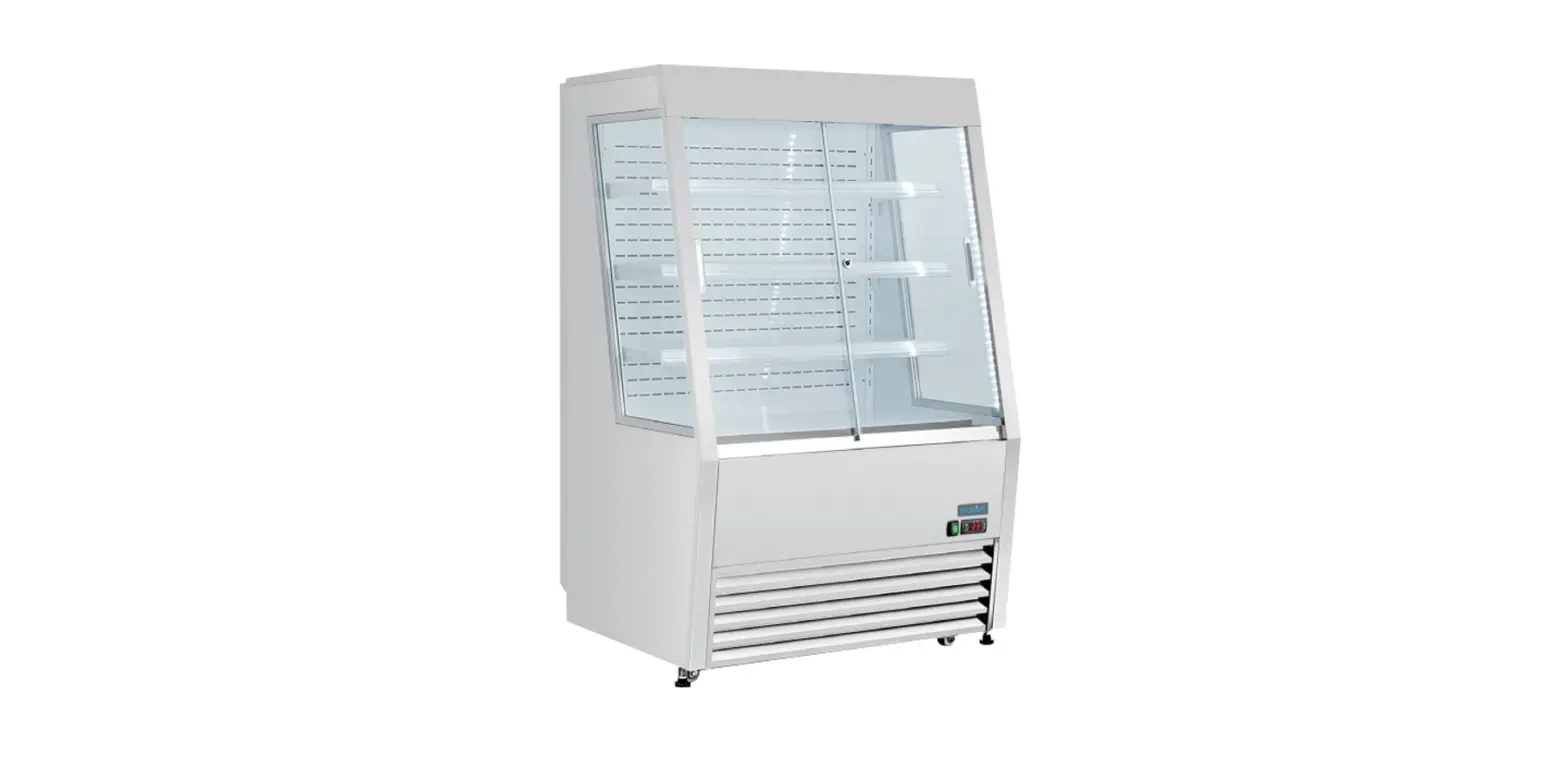
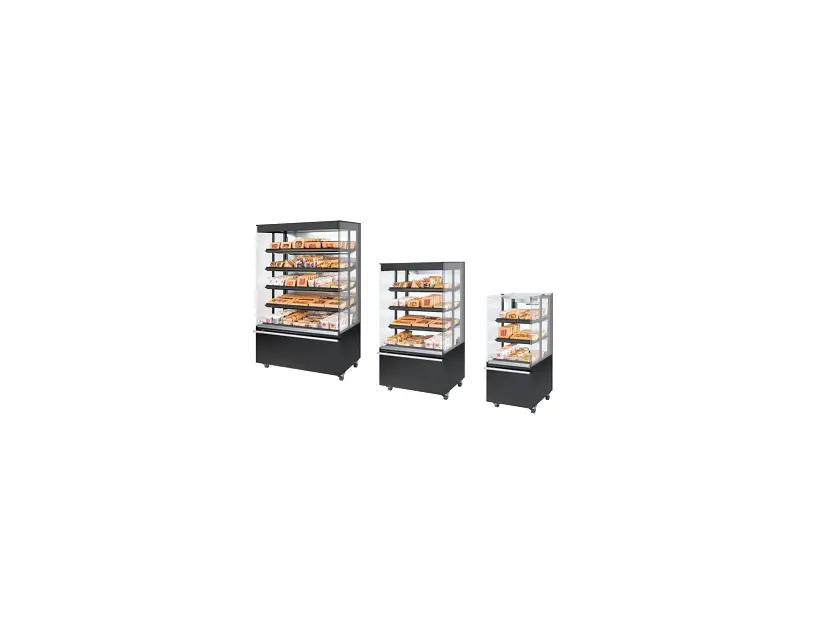
FMPRO900NG 446 Ltr Pro Multideck
Product Information:
The Foster Multideck is a versatile appliance available in
various models, including FMPRO900NG, FMSLIM900NG, FMPRO1200NG,
FMSLIM1200NG, FMPRO1200B, FMPRO1500NG, FMSLIM1500NG, FMPRO1800NG,
FMSLIM1800NG, FMPRO900RF, FMSLIM900RF, FMPRO1200RF, FMSLIM1200RF,
FMPRO1500RF, FMSLIM1500RF, and FMPRO1800RF.
Product Usage Instructions:
- Ensure that the appliance is installed in accordance with local
and municipal regulations and directives. If you have any doubts,
contact a Foster authorized dealer or the Foster Technical
Department. - Refer to the climate class indicated on the serial plate to
determine the ambient temperature and humidity conditions under
which the appliance has been tested. - Follow these general safety guidelines:
- Do not store explosive substances in the appliance.
- Keep all ventilation openings clear of obstructions.
- Avoid using electrical appliances inside the storage
compartment. - Avoid using steam cleaners, pressure washers, or water sprays
on or around the appliance. - Take caution when moving the appliance and do not move it over
uneven surfaces. - Ensure stability by placing the appliance on a flat, level
surface and loading it correctly. - Avoid using mechanical devices to defrost the appliance.
- Take care not to damage the refrigeration circuit and/or
system. - If the supply cord is damaged, it must be replaced by the
manufacturer, its service agent, or qualified persons. - Avoid prolonged contact with cold surfaces without proper
personal protective equipment (PPE).
- Dispose of the appliance properly by contacting a suitably
licensed waste contractor in accordance with national laws and
regulations. - Ensure electrical safety by connecting the appliance to an
electrical supply protected by a Residual Current Device (RCD). Use
the specified replacement fuse, if necessary. - Refer to the service manual for detailed instructions on
operating the appliance, including parameters, alarm indicators,
probe data, and wiring diagrams. - For maintenance and service, follow the three steps provided in
the Foster service manual.
For more information and support, visit the Foster Refrigerator
website at www.fosterrefrigerator.com.
Service Manual
Foster Multideck
FMPRO900NG, FMSLIM900NG, FMPRO1200NG, FMSLIM1200NG, FMPRO1200B, FMPRO1500NG, FMSLIM1500NG, FMPRO1800NG, FMSLIM1800NG, FMPRO900RF, FMSLIM900RF, FMPRO1200RF, FMSLIM1200RF, FMPRO1500RF, FMSLIM1500RF, FMPRO1800RF, FMSLIM1800RF.
Three Steps
to maintain and service your appliance
Welcome to your interactive Foster service manual.
Here’s how it works:
To return to the contents at any point, click on the Foster logo at the bottom of every page.
Operating Instructions
Service Function
– Parameters – Alarm Indicators – Probe Data – Wiring Diagrams
Maintenance
2
www.fosterrefrigerator.com
General Information
All installations must conform to local and municipal regulations and directives. In the case of doubt contact a Foster authorised dealer or the Foster Technical Department. The information contained in this manual is current at the time of publication and is subject to change without notice.
Climate Class
Climate class indicated on the serial plate shows the ambient temperature & humidity at which this appliance has been tested, for the purposes of establishing values in line with European standards.
Climate Class 3
Temperature 25°C
Relative humidity 60%
General Safety
– Do not store explosive substances such as aerosol cans with a flammable propellant in this appliance.
– Keep all ventilation openings in the appliance or in the structure of a built in unit clear of any obstructions.
– Do not use electrical appliances inside the storage compartment.
– Do not use steam cleaners, pressure washers or other jets/sprays of water on or around the appliance.
– This appliance is heavy. When moving the appliance care should be taken and correct safe practices followed. The appliance should not be moved over uneven surfaces.
– The emitted sound level of this appliance is not greater than 70dB(A).
– To ensure stability the appliance should be located on a flat, level surface, correctly loaded.
– Do not use mechanical devices to accelerate the defrost process.
– Care should be taken not to damage the refrigeration circuit and/or system.
– If the supply cord is damaged, it must be replaced by the manufacturer, it’s service agent or similarly qualified persons in order to avoid hazards.
– Care should be taken to avoid prolonged contact with cold surfaces with unprotected body parts, correct PPE to be used at all time.
Disposal Requirements
This appliance contains components and materials which can be harmful to the environment if not disposed of correctly. Disposal of this appliance should be carried out by a suitably licensed waste contractor in accordance with national laws and regulations which may be in force at the time.
Electrical Safety
This equipment shall be connected to an electrical supply protected by a Residual Current Device (RCD). This may include a residual current circuit breaker (RCCB) type socket, or through a Residual Current Circuit Breaker with overload protection (RCBO) supplied circuit.
Should it be necessary to replace the fuse, the replacement fuse must be of the value stated on the serial label for the appliance.
Multidecks – Service Manuall
3
Locating the appliance
After unpacking, clean (cleaning directions supplied within this manual) and allow the appliance to stand for 60 minutes before turning on.
Ensure the appliance is situated on a firm, level surface, away from both hot and cold air sources, as this will affect its performance.
Place the appliance in a location so as not to exceed the maximum rated ambient temperature. Areas where air is projected directly into the front of the appliance (for example from air conditioning units) should also be avoided.
The appliance produces warm air when operating normally and requires adequate ventilation. The dimensions indicated are a minimum.
Connect the appliance to a suitable power supply. Do not connect or disconnect the appliance with wet hands. The appliance will turn on automatically displaying the actual internal temperature of the appliance. If this does not happen and button 3 is `pulsing’ press and hold button 3 for 3 seconds to turn on the appliance (see controller operation for button identification).
As the operating temperature has been pre-set no adjustments are required. Allow the appliance to reach its normal operating temperature before loading with product.
25mm
500 mm
25mm
4
www.fosterrefrigerator.com
1
Operating Instructions
Display Icons and Buttons
Icon 1
+1.5°C
Button 1
Button 2
Button 3
Icon 2 Icon 3 Icon 4 Icon 5
Button 4
Icon 1 Alarm Warning
2
Thermostat Output Active
3 Fan Output Active
4 Defrost Output Active
Button
1 Info & Set Point
2
Manual Defrost & Decrease Value
3
Increase Value / Lights On – Off
4 Standby / Exit
5 2nd Parameter Set Active
Standby
Pressing button 4 for 3 seconds will turn the unit on or into standby. When in standby, the display will show `oFF’. When operating normally, the display will show the internal temperature.
Set Point
To display the appliance Set Point, with the display showing the temperature, press and hold button 1. To amend the Set Point press and hold button 1, then while keeping button 1 pressed use buttons 2 and 3 to set the desired value. If the Set Point cannot be adjusted to the value required please contact your authorised Foster dealer for advice When button 1 is released the new value will be stored automatically.
Multidecks – Service Manuall
5
Keypad Security Settings
We advise that this function is used to prevent unauthorised adjustment of the appliance and it’s operating temperature. Press and release button 1 until the display shows `Loc’. Then press and hold button 1 to show the current lock condition of the temperature controller. `Yes’ indicates locked, `no’ indicates unlocked. Using buttons 2 or 3 change the display to either lock or unlock the controller as required. Release button 1 and wait 10 seconds or press button 4 once to resume normal operation.
Defrost
The appliance has an automatic defrost function and will defrost periodically each day without any user intervention. This process is normal and does not affect product stored in the appliance. During defrost the appliance can be used as normal.
Shelves, Supports, Loading and Air Flow
The appliance is supplied with adjustable, removable shelves. Each shelf is capable of holding the weight corresponding to model below:
FMPRO900RF FMPRO900NG FMPRO1200RF FMPRO1200NG FMPRO1200B FMPRO1500RF FMPRO1500NG FMPRO1800RF FMPRO1800NG
61kg 61kg 79kg 79kg 79kg 103kg 103kg 126kg 126kg
FMSLIM700RF FMSLIM700NG FMSLIM900RF FMSLIM900NG FMSLIM1200RF FMSLIM1200NG FMSLIM1500RF FMSLIM1500NG FMSLIM1800RF FMSLIM1800NG
40kg 40kg 52kg 52kg 68kg 68kg 88kg 88kg 107kg 107kg
NOTE – In the event that this cabinet is intended to be tested against EN23953-2 it is strongly advised that additional reinforced shelf arms are to be used in place of the standard items. Please contact Foster U.K. for supply of these.
Do not block air vents with product. A minimum of 50mm should be maintained between the top of the product and the shelf above.
Always ensure air can circulate around/through the stored product. It is important that for optimal energy performance that adequate airflow is maintained around the perimeter of the shelves, and around all stored products.
Lockable Security Shutter
To lock the security shutter turn the key 90°, turn the opposite direction to unlock.
Internal Light
The light is operated using button 3. Press once to turn on the light and press again to turn off the light.
40 KG
6
www.fosterrefrigerator.com
2
Service Function
Controller Menu’s
The controller contains 2 menu levels, user level and service level.
User Level Menu
User level settings are accessed by pressing buttons 2 and 3. To view the selected parameter press and hold button 1. Where adjustment is required and is permitted use buttons 2 and 3 while continuing to hold button 1.
User Level Parameters
Mnemonic
Description
SP
Appliance Set Point
Loc
Keypad Lock State
t1
Actual air probe value
t2
Actual evaporator probe value
t3
Actual shelf temperature
tLo
Minimum air temperature
tHi
Maximum air temperature
Service Level Menu
To access the service menu press and hold button 4 followed by button 1. Both buttons should then be held for 5 seconds until the display indicates `SCL’
Multidecks – Service Manuall
7
Service Level Parameters
Mnemonic Setting
Description:
SCL SPL SPH SP C-H HYS CRT CT1 CT2 CSD DFM DFT DFB DLI DTO DTY DPD DRN DDM DDY FID FDD FTO FCM FDT FDH FT1 FT2 FT3 ATM ALA AHA ALR AHR ATI ATD ADO AHM AHT ACC IISM IISL IISH IISP IIHY IIFC HDS IIDF
2 Readout scale. -1 Minimum limit for Temperature Set Point (SP) 5 Maximum limit for Temperature Set Point (SP) 0 Temperature setpoint to be achieved. REF Temperature control mode. 3 Off / On thermostat differential. 2 Compressor rest time. 6 Compressor run time with faulty T1 probe. 2 Compressor off time with faulty T1 probe. 1 Compressor stop delay after door has been opened. (Only if DS = YES). TIM Defrost start mode. 4 Time interval between defrosts in hours YES Defrost timer clock. 10 Defrost end temperature (Only if T2 = YES). 15 Maximum defrost duration. OFF Defrost type. 0 Evaporator pump down. Timed pause at start of defrost. 1 Drain down period. SP Defrost display mode. 10 Defrost display delay period. YES Evaporators Fans operate in defrost. 5 Evaporator fan restart temperature following defrost. (Only if T2 = YES). 2 Maximum evaporator fan stop period following defrost. NON Evaporator fan mode during thermostatic control. -1 Te-Ta difference for fans to turn off after compressor stopped. (Only if T2 = YES and FCM = TMP). 3 Temperature differential for evaporator fan restart. (Only if T2 = YES and FCM = TMP). 15 Fan stop delay after compressor stop. 3 Timed fan stop following FT1. (With FT2 = 0 the fans remain on all the time). 2 Timed fan run following FT2. (With FT3 = 0 & FT2 > 0 the fans remain off all the time). REL Alarm threshold configuration. -2 Low temperature alarm threshold. 8 High temperature alarm threshold. -5 Low temperature alarm differential. (With ALR = 0 the low temperature alarm is excluded). 8 High temperature alarm differential. (With AHR = 0 the low temperature alarm is excluded). T3 Alarm probe. 90 Delay before alarm temperature warning. 8 Delay before door open alarm warning. ALR Operation in case of high condenser alarm. 65 Condenser alarm temperature (T3 = CND). 0 Condenser cleaning period. (With ACC = 0 condenser cleaning is disabled). NON Switchover method to ‘Mode 2’ 1 Minimum limit for Mode 2 Temperature Set Point 1 Maximum limit for Mode 2 Temperature Set Point 1 Temperature setpoint to be achieved in ‘Mode 2’. 4 Off / On thermostat differential in ‘Mode 2’. NON Evaporator fan mode during ‘Mode 2’ thermostatic control. 3 Controller sensitivity for switch over between ‘Modes’ 1 and 2. (1 = minimum, 5 = maximum). 6 Time interval between defrosts in ‘Mode 2′.
8
www.fosterrefrigerator.com
Mnemonic Setting
Description:
SB
YES Standby button operation.
DS
NO Door switch operation.
DI2 NON Configurable digital input operation.
LSM MAN Light control mode.
OA1 LGT Auxiliary relay 1 operation.
OA2 AL0 Auxiliary relay 2 operation.
2CD
0 Auxiliary compresor start delay.
INP
SN4 Temperature sensor(s) type.
OS1
0 Air temperature probe (T1) offset.
T2
YES T2 probe operation.
OS2
0 T2 probe temperature offset.
T3
DSP T3 probe function.
OS3
0 T2 probe temperature offset.
TLD
10 Delay for min. (TLO) and max. (THI) temperature logging.
SIM
5 Display slowdown.
ADR
1 AD2-28 address for PC communication
Multidecks – Service Manuall
9
Other Information
Alarms/Warnings:
During operation the current temperature inside the appliance will be displayed. At certain times this will change to indicate a particular appliance operation or fault. The indicators you may see are as follows:
The temperature alarms are either relative to the set point or an absolute value. This is controlled by the value of parameter `ATM’. Where the alarms are relative the low alarm is the set point minus parameter `ALR’ and the high alarm is the set point plus `AHR’. When the temperature has been outside this value for the value of `ATD’ the relevant indicator will be displayed.
hi – The internal temperature of the appliance is higher than described above. Ensure that the door is closed and that the air flow inside is not obstructed by excesive or poor loading of product. The alarm will reset if the temperature falls to a normal level. If this does not happen please contact your authorised dealer or Foster Service.
Lo – The internal temperature of the appliance is lower than described above. Check to ensure that the appliance has not been loaded with product at a lower temperature than the normal appliance operating temperature. If this is not the case please call your authorised dealer or Foster Service.
E1 – Air probe has failed.. Call your authorised dealer or Foster Service to arrange for this to be replaced. During this time the appliance cannot maintain an accurate temperature and all product should be removed and the appliance switched off.
E2 – Evaporator probe has failed. Call your authorised dealer of Foster Service to arrange for this to be replaced.
E3 – The shelf temperature probe has failed. Call your authorised dealer or Foster Service to arrange for this to be replaced.
dEF – Defrost in progress. This is normal and your appliance will carry out a defrost periodically through each 24 hours. The contents of the appliance will be unaffected by this operation.
While in an alarm condition icon 1 will also be illuminated.
(Some indications are only visible periodically during specific appliance operations such as defrost or when activated through use of the appliance).
Probe Function
T1 – Controls the compressor on/off cycle based on the Set Point value located in the air return close to the fans.
T2 – Evaporator probe for defrost control.
T3 – The temperature displayed on the controller. The response is delayed to prevent the display of large changes in the temperature. Over time the displayed temperature will move to align with the T1 temperature subject to product load and appliance use. The probe is located in front of the air duct at the top left corner.
10
www.fosterrefrigerator.com
Probe Information
The probe is a type 10k NTC. The probes are identical in characteristics with the T1 and T2 identification markings and different colours being for ease of identification and not for functional reasons. Please refer to the image below for probe identification.
Probe Indentification
Tx
LAEx x-xx
Sx xK xx Px
1 – Air probe 2 – Evaporator probe 3 – Condenser probe
Probe manufacturer
Manufacture Month – Year
N – NTC T – PTC
1 – 1K 2 – 2k 4 – 10k
Length in decimeters 15 = 1.5m 20 = 2m 35 = 3.5m
P1 – Probe 1 P2 – Probe 2 P3 – Probe 3
Probe Resistance
NTC10K Temperature Resistance Table
TEMP. (°C) R-low (KW) R-mid (KW)
-30
109.522
113.347
-25
84.823
87.559
-20
66.27
68.237
-15
52.229
53.65
-10
41.477
42.506
-5
33.147
33.892
0
26.678
27.219
5
21.63
22.021
10
17.643
17.926
15
14.472
14.674
20
11.938
12.081
25
9.9
10
30
8.217
8.315
35
6.854
6.948
40
5.745
5.834
SN4K R-high (KW)
117.294 90.374 70.255 55.104 43.557 34.651 27.767 22.417 18.21 14.877 12.224 10.1 8.413 7.043 5.923
Multidecks – Service Manuall
11
Refrigerant Charge
The refrigerant charge weight can be found on the serial label within the appliance. Where this is not available please refer to the table below. The information below is correct time of printing but is subject to change without prior notice.
FMSLIM700NG FMSLIM900NG FMSLIM1200NG FMSLIM1500NG FMSLIM1800NG FMSLIM700NG FMSLIM900NG FMSLIM1200NG FMSLIM1500NG FMSLIM1800RF
R134a R134a R134a R134a R134a R290 R290 R290 R290 R290
550gms 600gms 600gms 1100gms 600gms per system 150gms 150gms 150gms per system 150gms per system 150gms per system
Evaporator Fan Motors
The evaporator fan motors will continue to operate during defrost. This is normal and is required for the successful completion of the defrost operation.
Defrost Indication
During defrost icon 4 will be illuminated. The controller display will be determined by the value set in parameter `DDM’.
To start a defrost manually press and hold button 3 for 5 seconds. This will turn off the appliance. Continue to hold down button 3 after the appliance has turned off. After a further 2 seconds the display will indicate a defrost has commenced (icon 4 illuminated) and the button can be released. While the defrost function is operating the display will be determined by the value set in parameter DDM.
The defrost function will operate until either the time set in parameter DTO or the temperature set in parameter DLI is reached. Where parameter TE is set to NO defrost will function on a time basis only. Upon completion of the defrost cycle the appliance will resume normal operation with the current temperature displayed.
Note – On this appliance it is normal for the evaporator fans to continue to operate during a defrost cycle.
12
www.fosterrefrigerator.com
3
Maintenance
Condenser Cleaning
The condenser is a Stayclear condenser which does not require cleaning as regularly as a traditional finned condenser may. Care should be taken when cleaning the condenser. Never use a wire brush, abrasive or corrosive materials to clean the condenser.
Multidecks – Service Manuall
13
Wiring Diagrams
FMPRO700NG, FMSLIM700NG, FMPRO700NG, FMPRO900NG.
14
www.fosterrefrigerator.com
FMPRO1200NG, FMSLIM1200NG, FMPRO1500NG, FMPRO1500NG, FMPRO1800NG, FMSLIM1800NG
Multidecks – Service Manuall
15
FMPRO700NG, FMSLIM700NG, FMPRO700NG, FMPRO900NG with Undershelf Lighting
16
www.fosterrefrigerator.com
FMPRO1200NG, FMSLIM1200NG, FMPRO1500NG, FMPRO1500NG, FMPRO1800NG, FMSLIM1800NG with Undershelf Lighting
Multidecks – Service Manuall
17
By Appointment to Her Majesty Queen Elizabeth II Suppliers of Commercial Refrigeration Foster Refrigerator, King’s Lynn
For more information: +44 (0) 1553 698485 [email protected] fosterrefrigerator.com
Document ID code 00-570591 v2
For service and spares: For service +44 (0) 1553 780333 [email protected] For parts +44 (0) 1553 780300 [email protected]
18
www.fosterrefrigerator.com
 Foster Refrigerator - Commercial Refrigeration Manufacturer
 Gamko Are The Experts in Professional Drinks Cooling
 Foster Refrigerator - Commercial Refrigeration Manufacturer