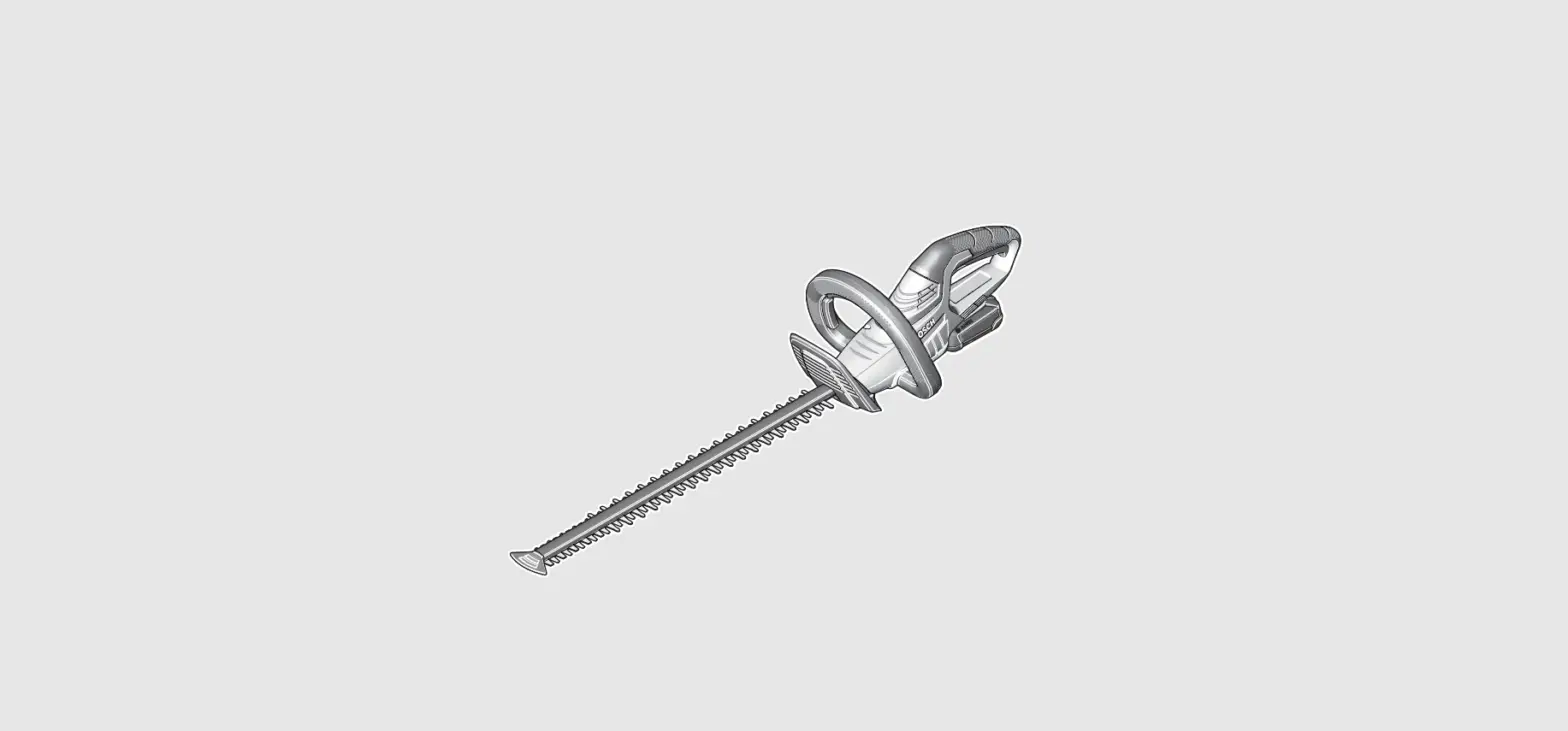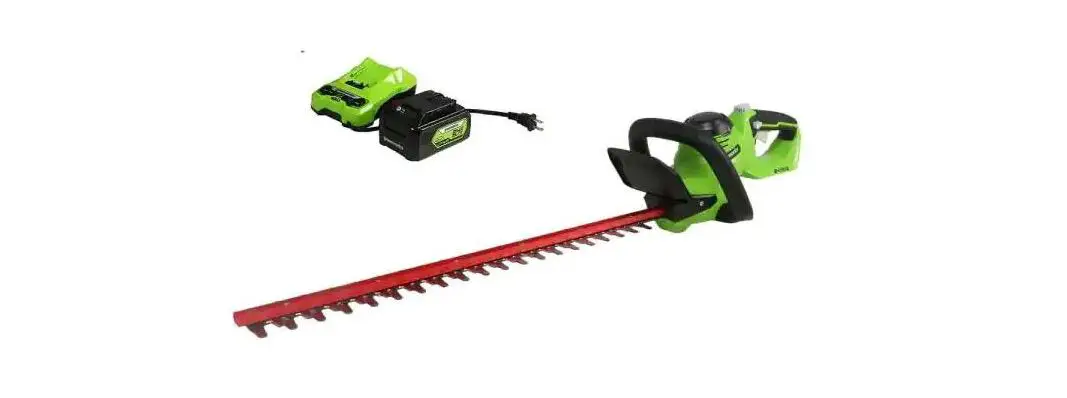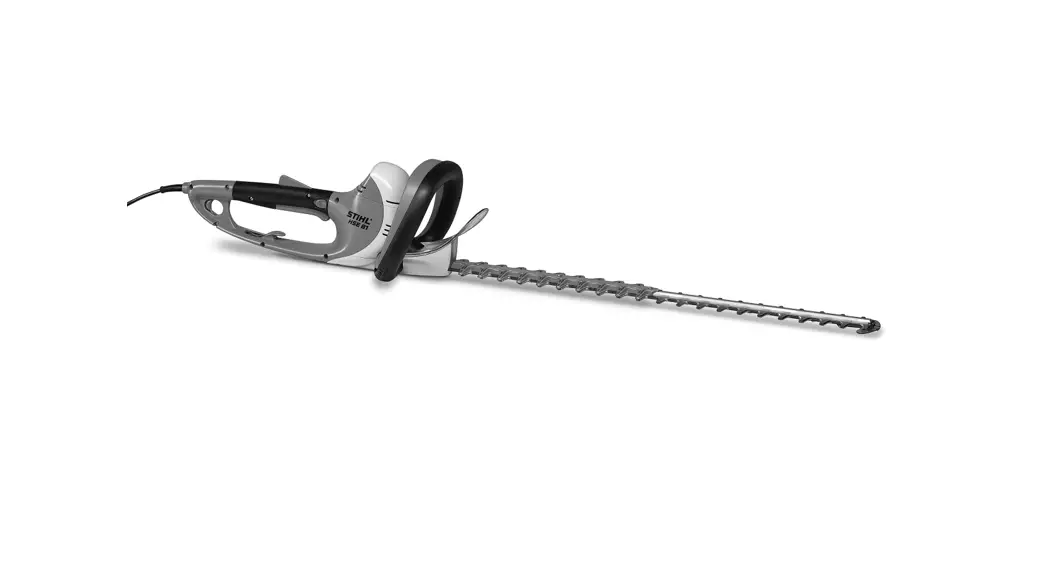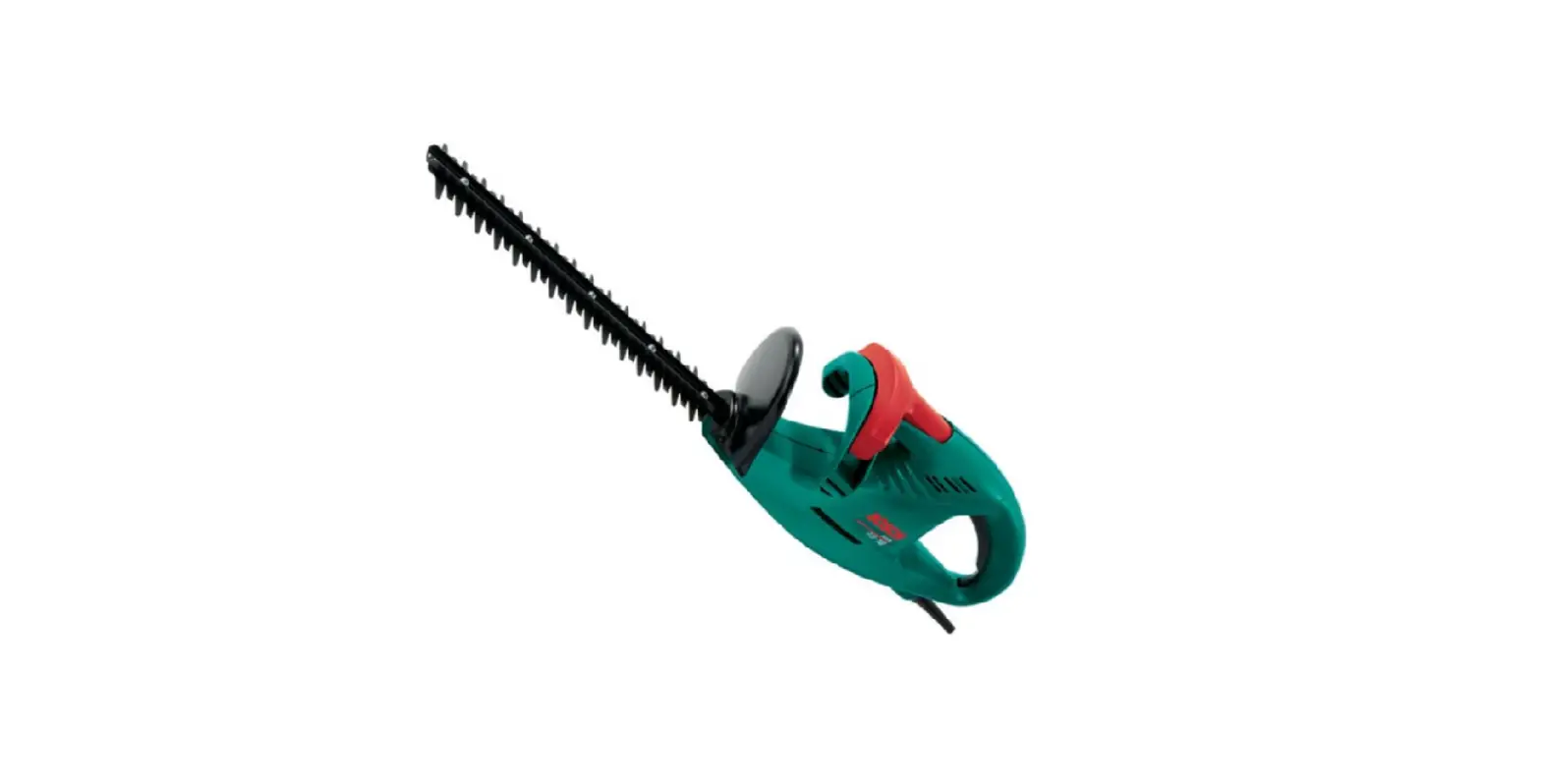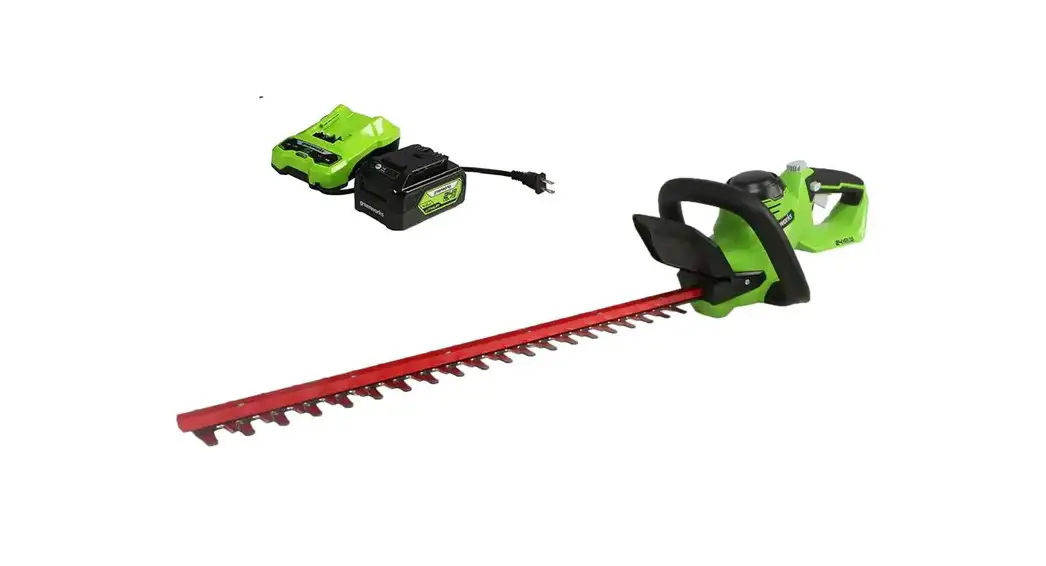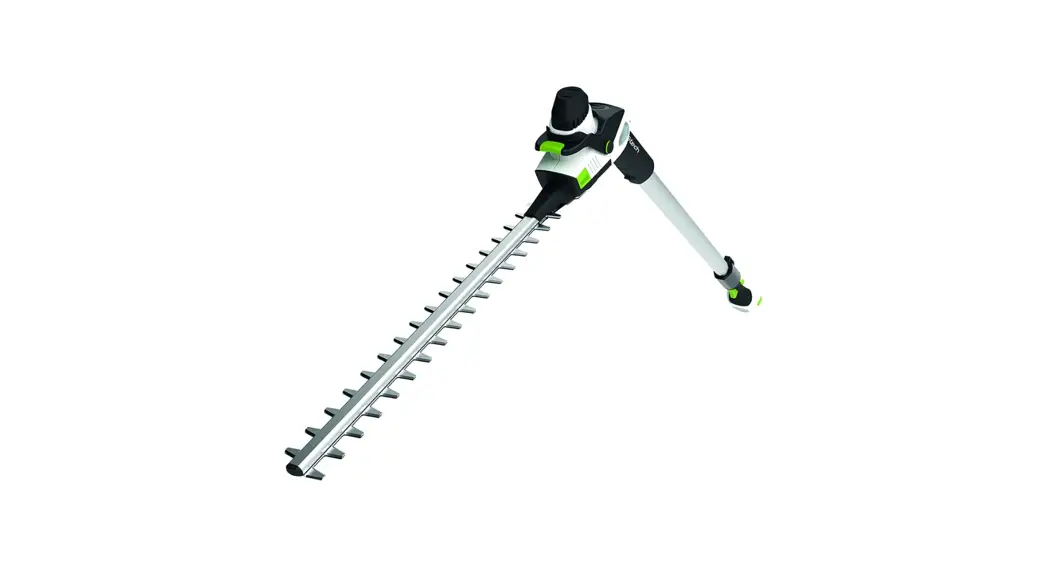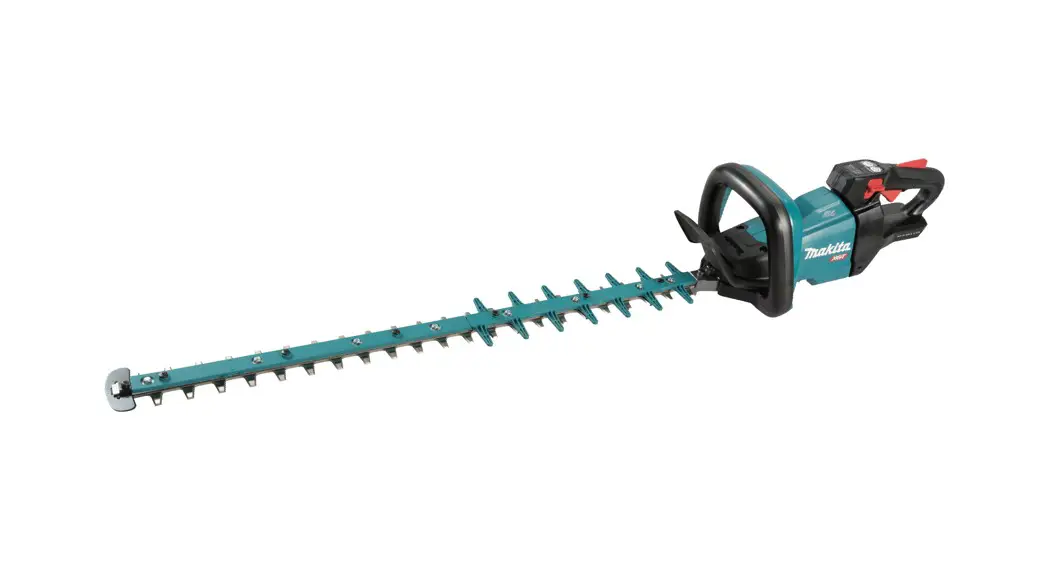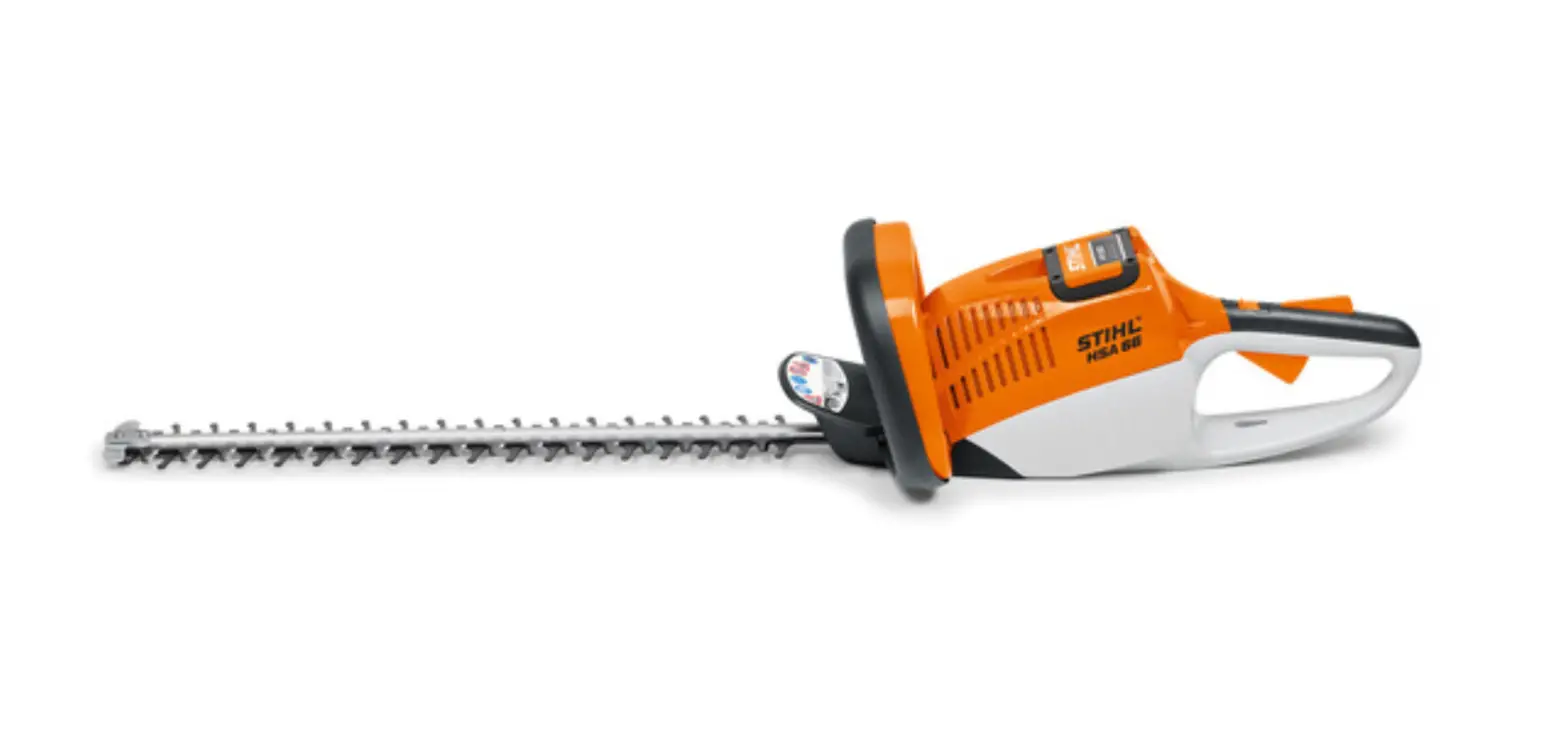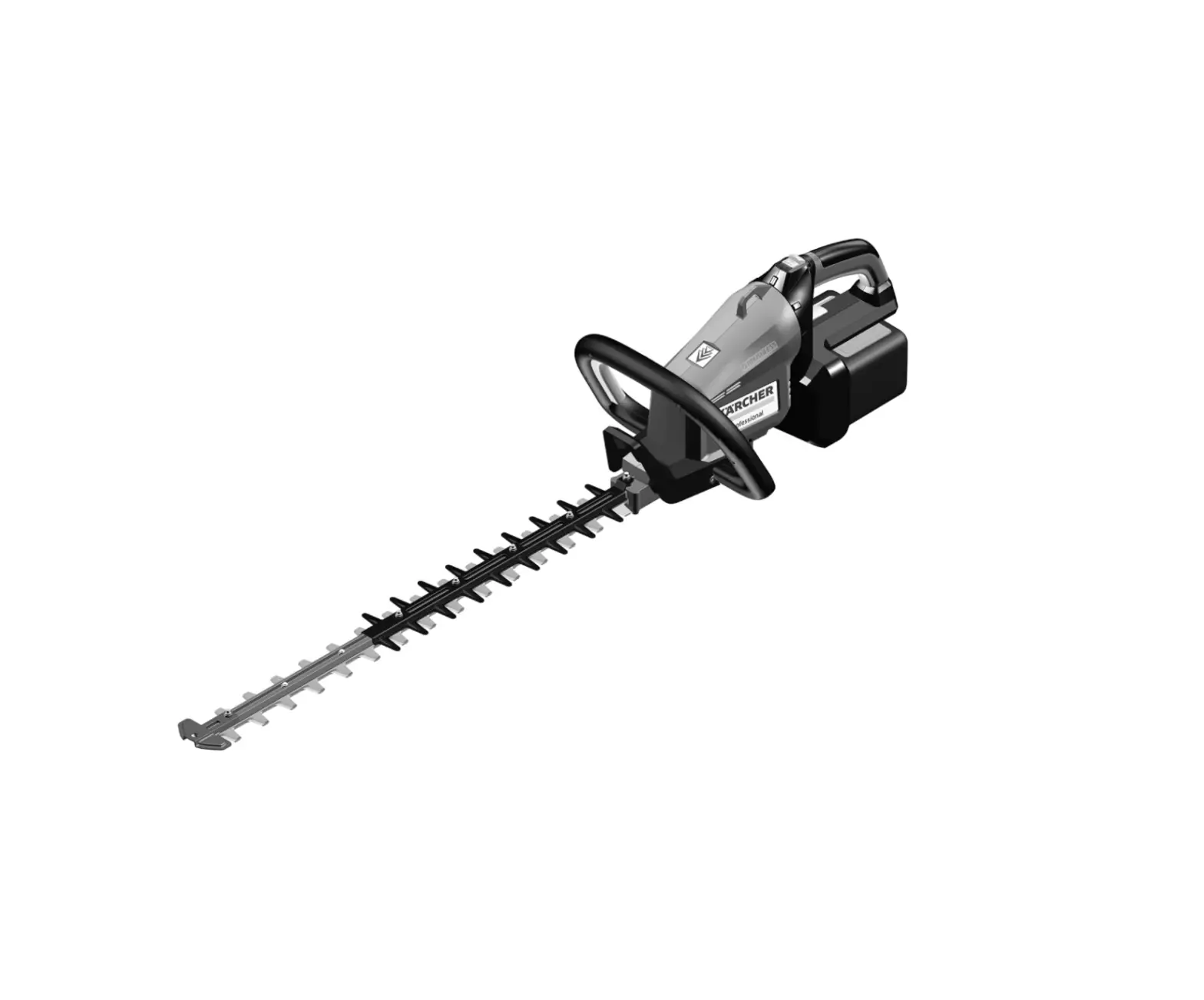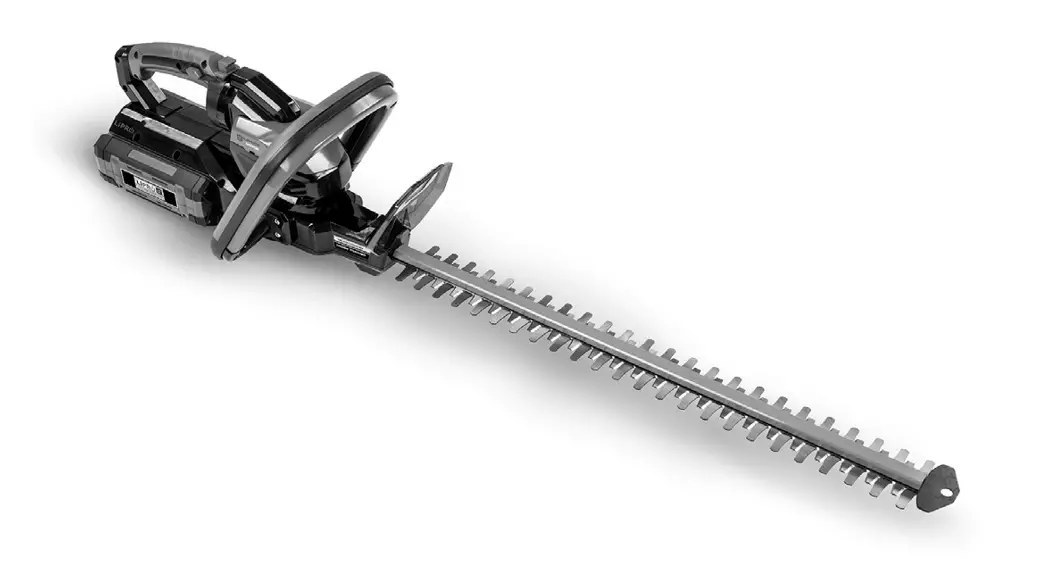

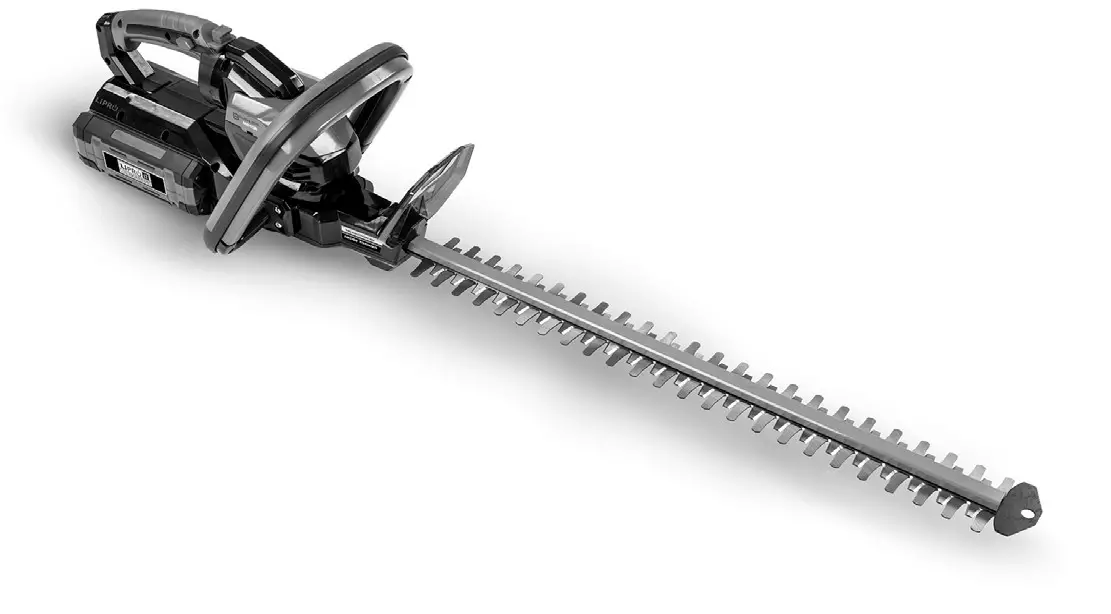
DR® PRO-62V HEDGE TRIMMER
SAFETY & OPERATING INSTRUCTIONS
Serial No…..
Order No……
DR® Power Equipment
Toll-free phone: 1-800-DR-OWNER (376-9637)
Fax: 1-802-877-1213
Website: www.DRpower.com

Read and understand this manual and all instructions before operating the DR®PRO-62V HEDGE TRIMMER.
This indicates a hazardous situation which, if not avoided, could result in death or serious injury.
This indicates a hazardous situation which, if not avoided, could result in minor or moderate injury.
This information is important in the proper use of your machine. Failure to follow this instruction could result in damage to
your machine or property.
Serial Number and Order Number
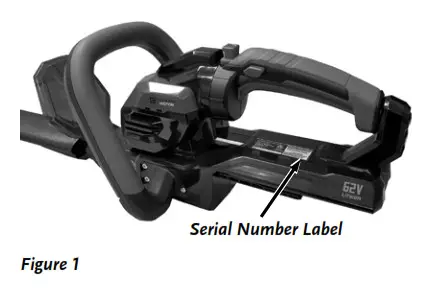
A Serial Number is used to identify your machine and is located on the Serial Number Label on your machine (Figure 1). An Order Number is used to check and maintain your order history and is located on your packing slip. For your convenience and easy reference, enter the Serial Number and Order Number in the space provided on the front cover of this manual.
Additional Information and Potential Changes
DR Power Equipment reserves the right to discontinue, change, and improve its products at any time without notice or obligation to the purchaser. The descriptions and specifications contained in this manual were in effect at printing. Equipment described within this manual may be optional. Some illustrations may not be applicable to your machine.
Chapter 1: General Safety Rules
Read this safety & operating Instructions manual before you use the DR PRO-62V HEDGE TRIMMER. Become familiar with the operation and service recommendations to ensure the best performance from your machine. If you have any questions or need assistance, please contact us at www.DRpower.com or call toll-free 1-800-DR-OWNER (376-9637) and one of our Technical Support Representatives will be happy to help you.
Labels
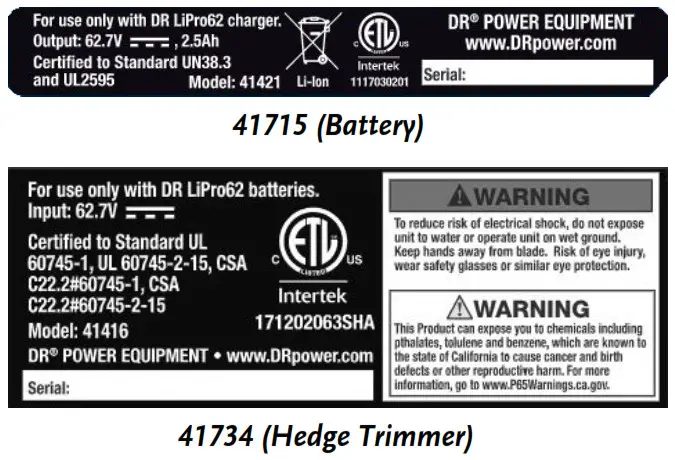
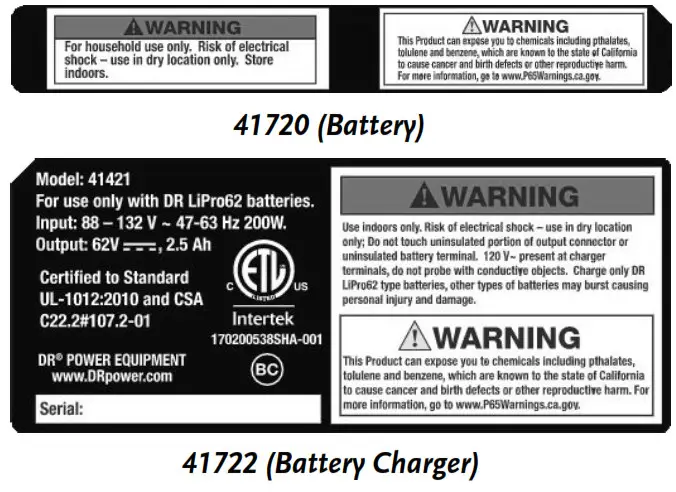
PRO-62V HEDGE TRIMMER carries prominent labels as reminders for its proper and safe use. Shown below are copies of all the Safety and Information labels that appear on the equipment. Take a moment to study them and make a note of their location on your DR® Your DR ® PRO-62V HEDGE TRIMMER as you set up and before you operate the unit. Replace damaged or missing safety and information labels immediately.
 Protecting Yourself and Those Around You
- Tragic accidents can occur if the operator is not alert to the presence of children. Children are often attracted to the HEDGE TRIMMER and the activity of Trimming. Never assume that children will remain where you last saw them.
- Be sure the area is clear of other people before blowing. Never allow bystanders, or pets in your work area when operating the HEDGE TRIMMER. Stop the tool if anyone enters the area. Keep bystanders at least 20 feet away from the work area.
- Only allow responsible individuals who have a thorough understanding of these instructions to operate the HEDGE TRIMMER. Never allow children to operate the tool.
- Use extra care when approaching blind corners, shrubs, trees, or other objects that may obscure your vision.
- If you are ever unsure about an action you are about to take, please do not do it.
Dressing Appropriately
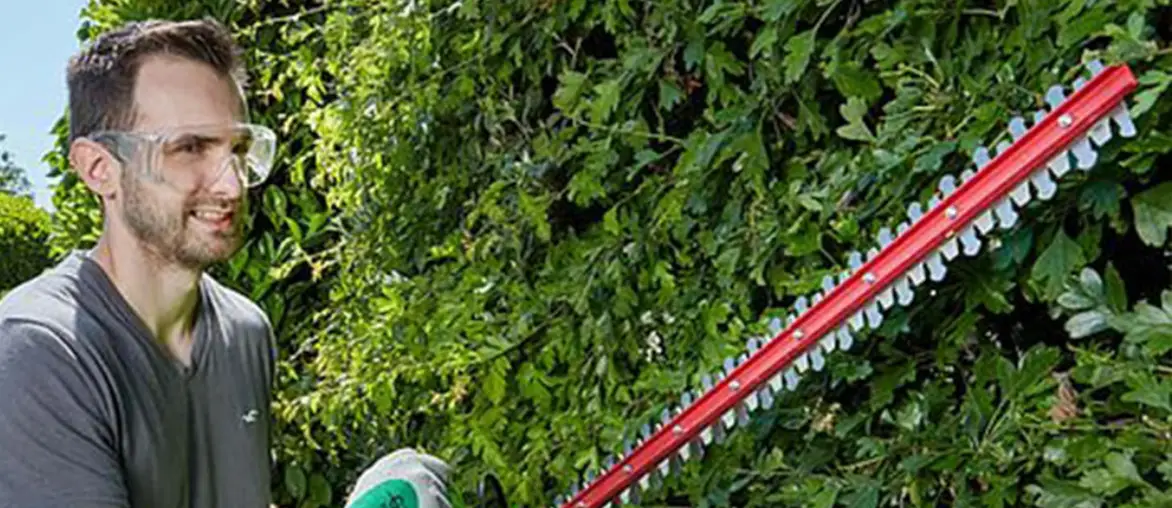
- Always wear protective goggles or safety glasses with side shields that are marked to comply with ANSI Z87.1 standard when using your DR ® PRO- 62V HEDGE TRIMMER to protect your eyes from possible thrown objects.
- We recommend the use of ear protectors or earplugs rated for at least 20 dB to protect your hearing.
- Wear shoes with non-slip treads when using the HEDGE TRIMMER. If you have safety shoes, wear them. Do not use the HEDGE TRIMMER while barefoot or wearing sandals with exposed toes or heels.
- Wear protective hair covering to contain long hair to prevent hair from getting caught in the Blades.
- We recommend wearing long pants and rubber gloves while using this tool to protect you from pieces of toxic plants such as poison ivy.
Preparing to Use Your HEDGE TRIMMER
- Read, understand, and follow all instructions on the HEDGE TRIMMER and in this manual. Be thoroughly familiar with the control and the proper use of the HEDGE TRIMMER before starting.
- Thoroughly inspect the area where you will be using the Trimmer, and remove all wire, sticks, and any other foreign objects which could become entangled in the Trimmer Blades. Operating Your HEDGE TRIMMER Safely
- Do not use your DR ®RO-62V HEDGE TRIMMER for any job other than the intended use. Never try to use an attachment not made specifically for the HEDGE TRIMMER.
- Avoid unintentional starting – do not carry the HEDGE TRIMMER with your finger on the ON/OFF Switch.
- Remove the Battery Pack when inspecting, cleaning, clearing any material from the HEDGE TRIMMER Air Inlet.
- Do not operate the HEDGE TRIMMER in gaseous or explosive atmospheres. The Motor normally sparks, and the sparks might ignite fumes.
- Never operate the HEDGE TRIMMER in rain or wet conditions.
- Never overreach and keep proper footing and balance at all times.
- Operate only in daylight or in an area well-lit by artificial light.
- Watch out for traffic when operating near roadways.
- Stay alert and watch what you are doing. Do not operate the HEDGE TRIMMER when you are tired or under the influence of medication, drugs, or alcohol.
- If the HEDGE TRIMMER vibrates abnormally, stop the Motor, remove the Battery Pack, and inspect the tool for any damage. Check for alignment of moving parts, binding of moving parts, breakage of parts, mounting and any other condition that may affect its operation. Repair the damage before restarting and operating the HEDGE TRIMMER. NOTE: Excessive vibration is generally a sign of trouble.
- Do not operate the HEDGE TRIMMER if it does not start normally or stop normally with the ON/OFF Switch. Handling the Battery Pack Safely
- Always charge the Battery Pack indoors, never charge it the rain or in wet conditions.
- Use only the DR 62V Charger with Battery Packs from other manufacturers or other DR ® 62V Chargers with DR ®62V Battery Packs. Do not use the DR ®products. The use of a different Charger may cause a fire or explosion.
- Never attempt to alter or open the Battery Pack or Charger. There re no customer serviceable parts inside.
- Use normal household voltage (110 volts) when charging the Battery Pack. Plug the Charger Power Supply directly into the electrical outlet.
- Exercise care in handling the Battery Pack in order not to short-circuit it with conducting materials such as rings, bracelets, and keys. When short-circuited, the Battery Pack or conductor may overheat and cause burns.
- Electrolyte leakage from the Battery Pack can be harmful causing serious chemical burns if on the skin or in the eyes. Remove contaminated clothing and wash skin with soap and water. If electrolyte gets in your eyes, flush with cold water for at least 15 minutes and seek medical attention.
- Inhalation of vapors from a ruptured Battery Pack can cause respiratory irritation. In case of Inhalation of fumes get fresh air and seek medical attention.
Handling the Battery Pack Safely (continued)
- Never dispose of the Battery Pack in a fire, as the Battery Pack may explode.
- Never open or mutilate the Battery Pack; released materials are flammable.
- If fire or explosion occurs, do not breathe the fumes. A burning Battery Pack will create toxic fumes. Fire fighters should use self-contained breathing apparatus.
- NEVER USE WATER on a burning Battery. If possible, separate the Battery Pack from other flammable materials and use ABC
rated fire extinguishers. Sand may be used to smother the fire if a fire extinguisher is not available. - Do not ship damaged Battery Packs and be sure to use the original packaging materials when shipping Batteries and tools back to DR
Power Equipment if you decide you do not want them. Special labeling on the packaging is required because the Batteries are considered hazardous materials. Check with airlines before trying to check Lithium batteries with your baggage.
New regulations are being considered that may restrict the packaging and shipping of these Batteries as well as tools with Batteries installed. - Please dispose of your used Battery Packs responsibly by recycling them, never throw away used Battery Packs in your household trash. Call your local Solid Waste Management District or your local waste handler to locate the collection site nearest you. Some collection sites recycle Battery Packs year-round; others collect them periodically.
California Proposition 65
This product can expose you to chemicals including phthalates, toluene, and benzene, which are known to the state of California to cause cancer and birth defects, or other reproductive harm. For more information, go to www.P65Warnings.ca.gov.
A Note to All Users
No list of warnings and cautions can be all-inclusive. If situations occur that are not covered by this manual, the operator must apply common sense and operate this DR® PRO-62V HEDGE TRIMMER in a safe manner. Contact us at www.DRpower.com or call 1-800-DR-OWNER (376-9637) for assistance.
Chapter 2: Setting Up the DR ® PRO-62V HEDGE TRIMMER
It may be helpful to familiarize yourself with the controls and features of your DR PRO®-62V HEDGE TRIMMER as shown in Figure 2 before beginning these procedures. If you have any questions at all, please feel free to contact us at www.DRpower.com.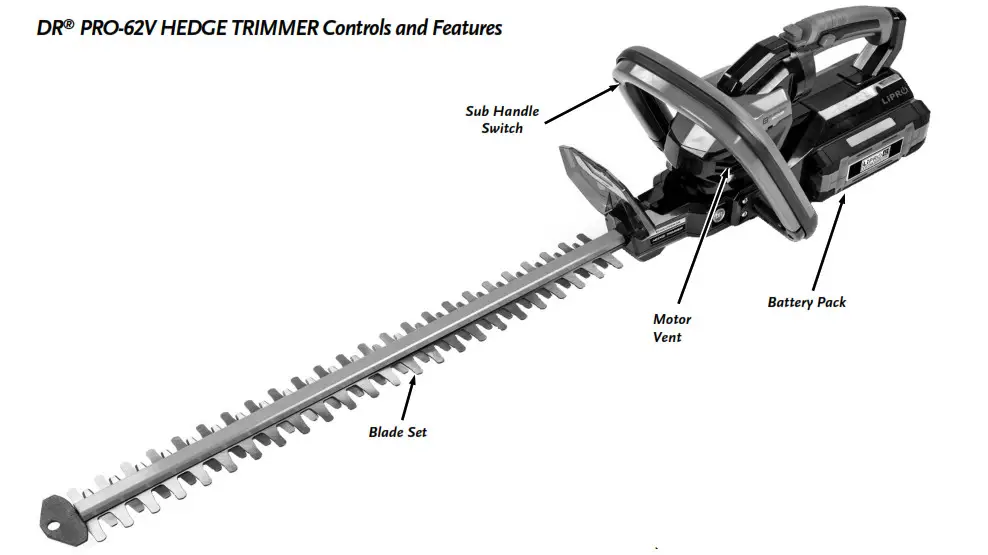
 Specifications
| Hedge Trimmer Model | DR® PRO-62V Hedge Trimmer, 41415/41416 |
| Motor | 400W Brushless |
| Rated Voltage | 54V DC, Max Voltage (Peak Voltage 62V) |
| Run Time | Up to 60 Min |
| Cutting Length | 24″ |
| Cutting Diameter | 3/4″ Max |
| Blade Brake | Electronic |
| Rotating Rear Handle | Left or Right 90 |
| Weight | 8.4 lbs. Tool Only. 11.2 lbs. with 2.5Ah Battery |
| 41423 Battery Charger | |
| Input: | 100-120VAC 50/60Hz MAX 3A |
| Output: | Auto-Sensing 62VDC 2.5A |
| Charge Time | 60 Minutes |
| 41421 Li-ion Battery Pack | |
| Voltage Per Cell | 3.6V |
| Number Of Cells | 15 |
| Battery Pack Voltage | 62V |
| Battery Power Level | LED Gauge |
| USB Port: | 1 |
| Capacity | 2.5Ah |
Package Contents
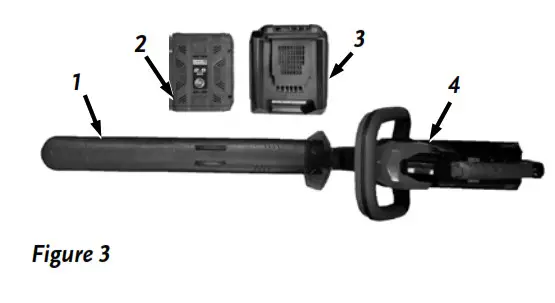
Main Parts (Figure 3 and Table below)
Item# Description Qty
1 …………….. Blade Cover …………………………… 1
2 …………….. 2.5AH Battery ………………………… 1
3 …………….. 2.5AH Battery Charger ……………. 1
4 …………….. Hedge Trimmer …………………….. 1
Use Figure 3 and the list above to check the parts you received in the package. If
you have any questions, please contact us at www.DRpower.com or call 1-800DR-OWNER (376-9637) for assistance
Charge the Battery Pack before your first use
The DR Battery-Powered Hedge Trimmer uses a sealed, Lithium-Ion Battery Pack. You MUST charge the Battery Pack for at least 60 minutes before you use the Trimmer for the first time. If you do not charge it before using the Trimmer, the Battery Pack’s charging capacity may decrease.
- Make sure the Charger Power Supply is plugged into a normal household voltage, 120volts, 60Hz, AC only.
- You should operate the Battery Charger in a dry place with temperatures between 50ºF (10ºC) and +100ºF (+37.8ºC).
Operating above +100 ºF can cause Battery Pack leakage, rust, or degradation of the Battery Pack performance.
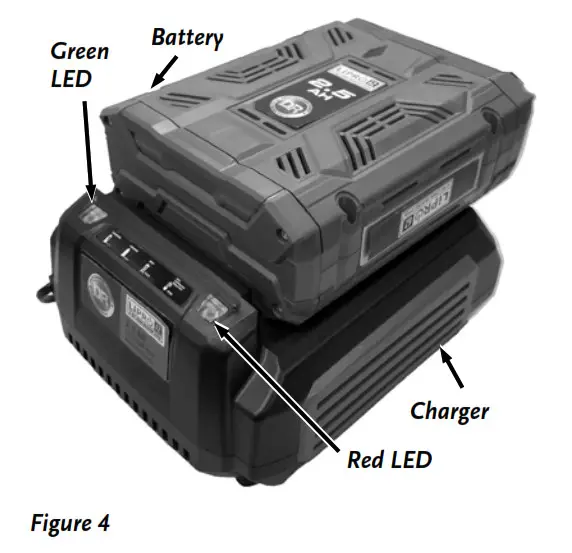
- Connect the Charger to a 120VAC outlet. When the Battery is not installed (no-load condition): the red LED will be lit.
- Insert the Battery into the Charger (Figure 4). Under Normal Charging the Green LED will Blink.
- When the Battery is fully charged, The Green LED will remain lit, indicating that the Charging is complete.
- Unplug the charger from the outlet and remove the Battery.
Note: There are more detailed instructions for charging and maintaining the Battery/Charger in Chapter 5.
Installing The Battery Pack
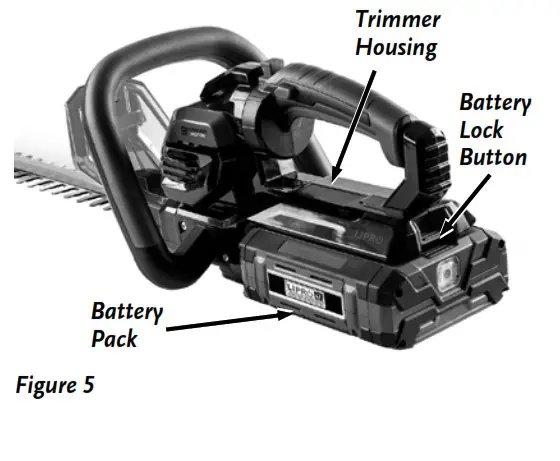
- Slide the Battery Pack into the Battery cradle on the Trimmer Housing, aligning the ribs in the cradle with the slots in the Battery until it is latched into place (Figure 5).
- Check that the Battery is securely locked into place.
Note: You can check the charge of your 62V battery by pushing the indicator button on the front of the battery. The number of Green LED indicators will tell you the % of power left in the battery. 1=25%, 2=50%, 3=75% and 4=100%.
Chapter 3: Operating the DR®PRO-62V HEDGE TRIMMER
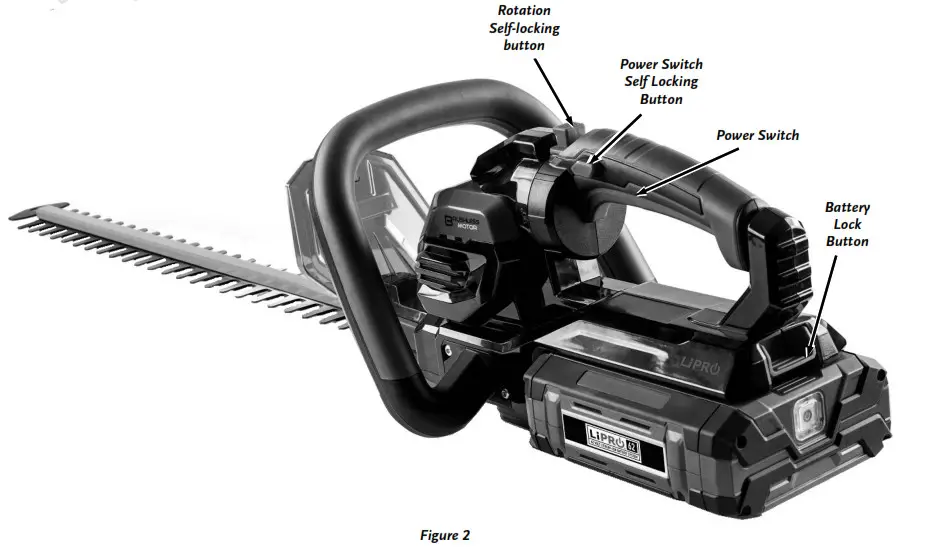
It may be helpful to better familiarize yourself with the features of your Hedge Trimmer by reviewing Figure 2 in Chapter 2 before beginning the steps outlined in this chapter.
Starting the Hedge Trimmer
- Remove the Protective Blade Cover and store in a safe place.
- Place one hand on the Sub-Handle Switch and place the other hand on the Power Switch Handle.
- To start the Trimmer, press the Switch Self-locking Button with your thumb and squeeze the Power Switch. The Trimmer will stay running as long as the Sub-Handle Switch and Power Switch are engaged. Once The trimmer has started, you may release the Self-Locking Button.
- To stop the Trimmer, release the Power Switch. The Trimmer will also stop if you release the Sub-Handle Switch in an emergency but letting go of the Power Switch is the preferred method.
Operating the Hedge Trimmer
Proper Trimming Position
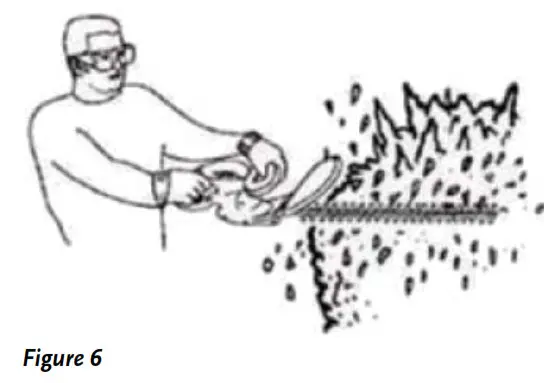
Hold the Hedge Trimmer firmly in both hands while keeping the unit below waist level (Figure 6).
Trimming New Growth
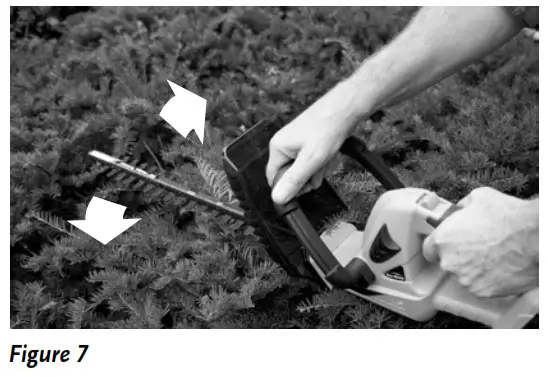
Use a wide, sweeping motion, while feeding the Blade Set through the twigs is most effective (Figure 7). A slight downward tilt of the Blade Set, in the direction of motion, gives the best cutting.
Side-Trimming Hedges
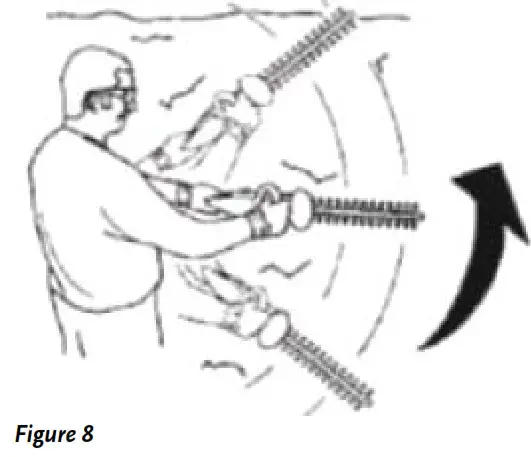
Begin at the bottom of the Hedge and sweep upward (Figure 8).
Rotating the Hedge Trimmer Handle
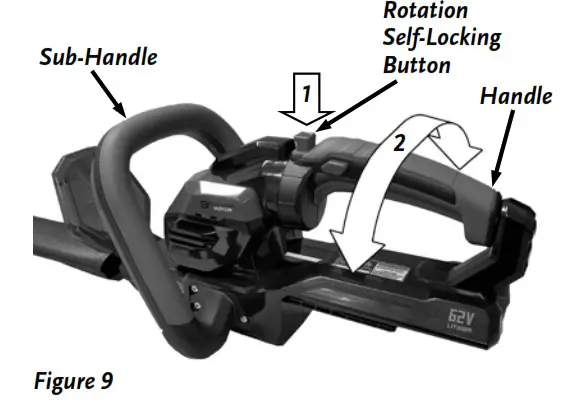
The Hedge Trimmer Handle can be rotated 90˚ left or right for a better ergonomic grip while in operation.
- Firmly grab the Sub-Handle with one hand (Figure 9). With the other hand, press the Rotation Self-Locking Button to release the Handle.
- Rotate the Handle 90˚ left or right depending on the direction you will be
Cutting. When fully rotated the Handle will lock into position.
Operating Tips
- The Hedge Trimmer is used for cutting in either direction in a slow, sweeping action from side to side.
- Stand so that you are stable and balanced on both feet. Do not overreach.
- Inspect and clear the area of any hidden objects.
- Never use the Hedge Trimmer near power lines, fencing, posts, buildings, or other immovable objects.
- Never use a Blade Set after hitting a hard object without first inspecting it for damage. Do not use if any damage is detected.
- Never touch the Blade Set or service the Hedge Trimmer with the Battery installed.
- Do not force the Hedge Trimmer through heavy shrubbery. This can cause the Blades to bind and slow down. If the Blades slow down, reduce the pace.
- Do not attempt to cut stems or twigs that are larger than 3/4″ in diameter, or those obviously too large to feed into the Blade Set. Use a non-powered Hand Saw or Pruning Saw to trim large stems.
- If the Blades do become jammed, stop the Motor and remove the Battery before attempting to remove the obstruction.
- If desired, you can use a string to help cut your hedge level. Decide how high you want the hedge. Stretch a piece of string along the hedge at the desired height. Trim the hedge just above the guideline of string.
- Trim the side of a hedge so that it will be slightly narrower at the top. More of the hedge will be exposed when shaped this way and it will be more uniform.
- Wear Gloves when trimming thorny or prickly growth. When trimming new growth, use a wide sweeping action, so that the stems are fed directly into the Blade Set.
- Do not use DR Hedge Trimmer for cutting stems greater than 3/4″. Use the Hedge Trimmer only for cutting normal shrubbery found around houses and buildings.
Additional features
USB Charge Port
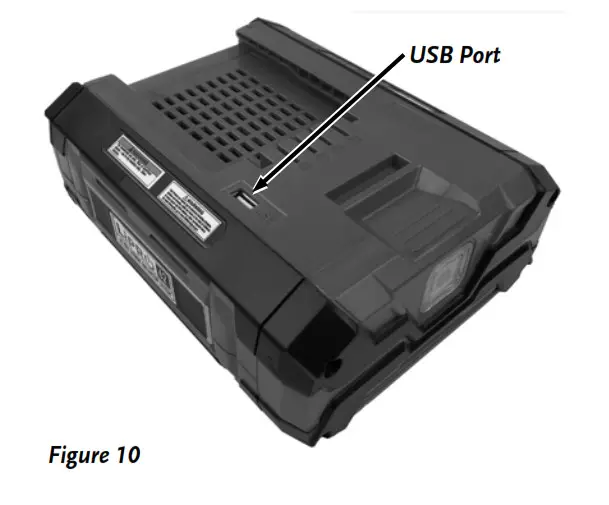
The Battery can be used to charge/operate phones or other electronic devices that use a USB cord.
- Remove the battery from the tool.
- Plug the device into the USB Port of the Battery (Figure 10).
Chapter 4: Maintaining The DR ®PRO-62V HEDGE TRIMMER
Regular maintenance is the way to ensure the best performance and long life of your machine. Please refer to this Chapter for maintenance procedures.
Always remove the Battery Pack before performing any maintenance, or repairs to your Hedge Trimmer.
Blade Lubrication
The Blade Set is made from high-quality hardened steel. With normal usage; they will not require re-sharpening. However, if you accidentally hit a wire fence, stones, glass, or other hard objects, you may put a nick in the Blade Set. There is no need to remove this nick as long as it does not interfere with the movement of the Blade Set. If it does interfere, make sure to remove the battery pack from the Hedge Trimmer and use a Fine- Toothed File or Sharpening Stone to remove the nick Supplies Needed:
• Light Weight Machine Oil
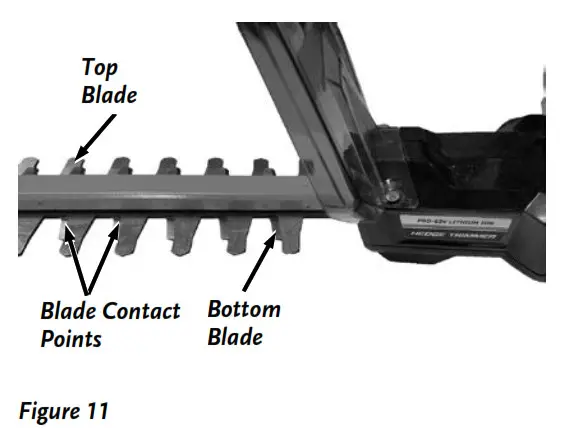
Before each use, remove any debris on the Blade Set and apply lightweight machine oil along the Contact Points of the Top and Bottom Blades (Figure 11). Make sure the Handles remain clean and dry of Oil.
 Battery LED Lights
Check the charge percentage of your 62V Battery by pushing the Indicator Button on the front of the Battery (Figure 12). The number of Green LED indicators will tell you the % of power left in the battery. 1-25%, 2-50%, 3-75% and 4-100%.
If you press the Indicator Button and only the fourth LED flashes, the Battery needs charging.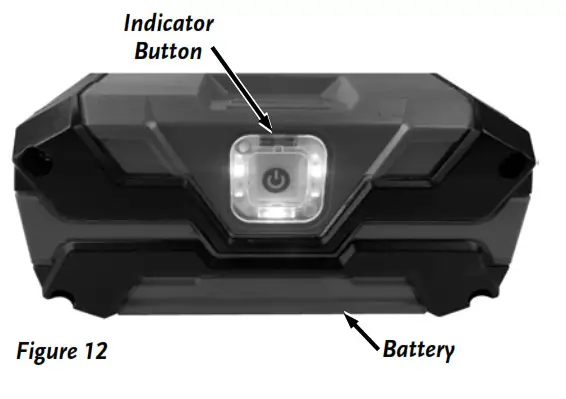
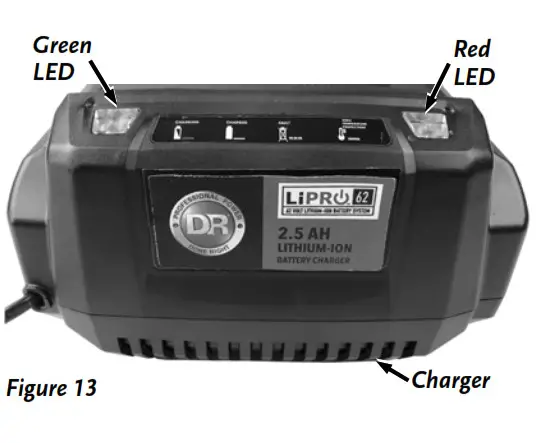
Charger indicator Lights (Figure 13)
Red LED Lit, green LED is not lit; The Charger is plugged in but the battery is not installed (no-load condition).
Green LED blinks, red LED is not lit; Battery is charging normally.
The green LED is on, red LED is not lit; Battery is fully charged.
Green LED is not lit, red LED blinks; There is a fault with the Battery or Charger.
Remove the Battery from the Charger and wait about 30 minutes, then reinsert the Battery into the Charger.
If the Battery does not hold its charge for very long under normal conditions or it simply won’t hold a charge, then replace it. You can purchase a replacement Battery directly from us at www.DRpower.com
Additional Battery Pack and Charger information
The Battery Pack should not leak, regardless of the position in which it is stored. Read “Handling the Battery Safely” in Chapter 1 for additional information. The Battery Pack is completely maintenance-free. You never need to add water. With all rechargeableBatteries, after years of use, they will eventually need replacement Use only the DR ®62V Charger with Battery Packs from other manufacturers or other DR ® 62V Chargers with DR ® 62V Battery Packs. Do not try to use the DR ® products.
- Make sure the Charger Power Supply is plugged into a normal household voltage, 20volts, 60Hz, AC only.
- You should operate the Battery Charger in a dry place with temperatures between 50ºF (10ºC) and +100ºF (+37.8ºC).
Operating above +100 ºF can cause Battery Pack leakage, rust, or degradation of the Battery Pack performance. - Disconnect Charger Power Supply from the household voltage power when not in use to prevent damage to the Charger during a power surge.
- Periodically inspect the Cord on the Charger unit for damage. If damage occurs, do not use the Charger until you have replaced or repaired the Cord. Do not abuse the Cord. Never carry the Charger by the Cord. Always pull the plug and not the Cord when disconnecting the Power Supply from the electrical outlet (wall outlet) and from the Charger. When using an extension Cord with your Charger, use a heavy-duty extension Cord of a type ‘suitable for outdoor use (although you should never charge the Battery Pack in the open outdoors).
- The Battery Pack requires 2-3 charging and discharging cycles before reaching full charge ability.
- A Battery Pack may last much longer if you charge it as soon as it starts to lose power and not let it completely discharge. Recharge the Battery Pack as soon as the trimming power of your DR Hedge Trimmer is no longer effective. This would be a good time to have a spare Battery Pack ready to go. Recharge the Battery Pack for up to 75 minutes or until fully charged and remove it from the Charger.
- A good time to consider purchasing a replacement Battery Pack is when it loses its power quickly.
Recycling a Used Battery
Please dispose of used batteries responsibly, according to your local hazardous materials regulations. Never throw away used batteries in your household trash.
Please dispose of your used Batteries responsibly by recycling them. Call your local Solid Waste Management District or your local waste handler to locate the collection site nearest you. Some collection sites recycle Batteries year-round; others collect them periodically.
You can also visit the Website of Earth 911 for more information (www.earth911.com). Once there, click Recycle Guide at the top of the page, then click the Municipal HHW link under Hazardous Household Waste, and enter your zip code. The site lists recycling centers located near you.
For a fee, you can recycle your Batteries with the International Metals Reclamation Company. Visit them at www.inmetco.com and click Services, then click Battery Recycling; or contact them at: INMETCO, One INMETCO Drive, Ellwood City, PA 16117, (724) 758-5515; fax (724) 758-2845.
To learn more about hazardous waste recycling, visit the Website for Battery Council International (www.batterycouncil.org) or for
the Environmental Protection Agency (www.epa.gov)
Chapter 5: Troubleshooting
Most problems are easy to fix. Consult the Troubleshooting Table below for common problems and their solutions. If you continue to experience problems, contact us at www.DRpower.com or call toll-free 1-800-DR-OWNER (376-9637) for support. Always remove the Battery Pack before performing any adjustments, maintenance, or repairs to your Trimmer.
Troubleshooting Table
| SYMPTOM | POSSIBLE CAUSE |
| The Trimmer Motor fails to start. | Check that you installed the Battery Pack correctly and that the Battery Pack is fully charged. Make sure that you fully push in the Self-Locking Button before squeezing the ON/OFF Power Switch. |
| The Battery Pack will not charge. |
|
| The Hedge Trimmer runs slow and the blades are hot and noisy. |
|
| The Motor doesn’t have much power when you use the Hedge Trimmer for the first time. |
|
| The Battery loses its charge quickly. |
|
Chapter 6: Parts Lists, Schematic Diagrams and Warranty
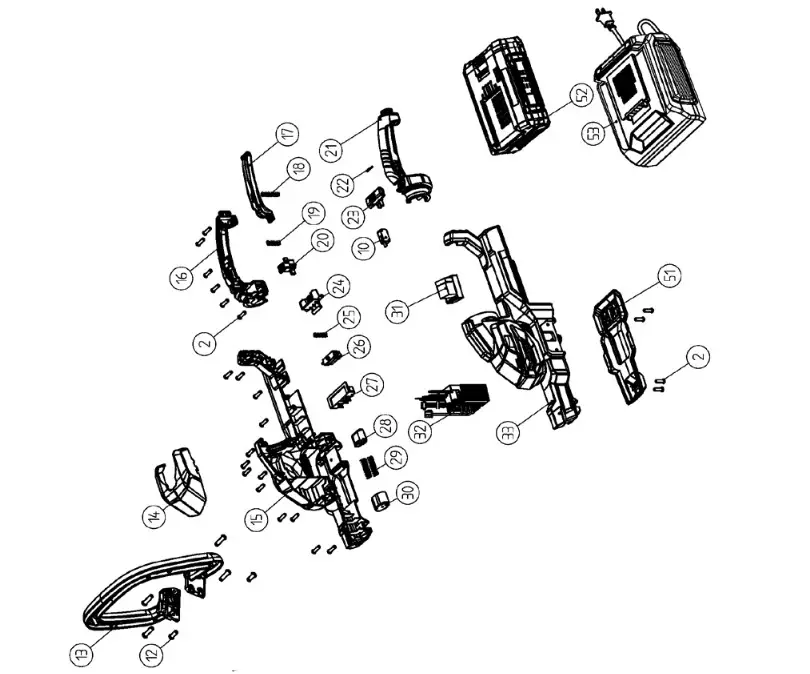
Parts List – DR PRO 62V HEDGE TRIMMER
NOTE: Part numbers listed are available through DR Power Equipment.
| Re tt | Part* | Description |
| 1 | 41916 | Protective Cover |
| 2 | 41800 | Hexalobular Socket Pan Head Tapping |
| Screws | ||
| 3 | 41918 | Sub-Handle Right Pressing Plate |
| 4 | 41919 | Sub-Handle Left Pressing Plate |
| 5 | 41920 | Flat Washer |
| 6 | 41921 | Sub-Handle Switch Board |
| 7 | 41922 | Switch Pressing Spring |
| 8 | 41923 | Hexalobular Socket Pan Head Tapping |
| Screws | ||
| 9 | 41924 | Switch Pressing Plate |
| 10 | 42283 | Micro switch |
| 11 | 41926 | Inner Wire |
| 12 | 41927 | Hexalobular Socket Pan Head Tapping |
| Screws | ||
| 13 | 41928 | Sub-Handle |
| 14 | 41929 | Decorative Cover |
| 15 | 41930 | Right Shell |
| 16 | 41931 | Right Handle |
| 17 | 41932 | Switch Board |
| 18 | 41895 | Push Rod Spring |
| 19 | 41934 | Rotation Self-Locking Button Spring |
| 20 | 41935 | Rotation Self-Locking Button |
| 21 | 41936 | Left Handle |
| 22 | 41937 | Switch Self-Locking Spring |
| 23 | 41938 | Switch Self-Locking Button |
| 24 | 41939 | Battery Lock Button |
| 25 | 41940 | Battery Lock Spring |
| 26 | 41941 | Battery Lock Catch |
| Ref# | Part# | Description |
| 27 | 41810 | Plug Set |
| 28 | 41943 | Battery Pop-Up Button |
| 29 | 41944 | Battery Pop-Up Spring |
| 30 | 41945 | Battery Pop-Up Base |
| 31 | 41946 | Relay |
| 32 | 41947 | Controller |
| 33 | 41948 | Left Shell |
| 34 | 41949 | Brushless Motor |
| 35 | 41950 | Spring Washer |
| 36 | 41951 | Hexagon Socket Head Cap Screws |
| 37 | 41952 | Motor Pinion |
| 38 | 42365 | Hexagon Check Nut |
| 39 | 41954 | Blade Cover |
| 40 | 41955 | Central Holder |
| 41 | 41956 | Deep Groove Ball Bearing |
| 42 | 42348 | Flat Washer |
| 43 | 41958 | Duplicate Gear |
| 44 | 41959 | Blade Set |
| 45 | 41960 | Duplicate Gear Shaft |
| 46 | 41961 | Large Gear Shaft |
| 47 | 41962 | Positioning Slide Block |
| 48 | 41963 | Flat Washer |
| 49 | 41964 | Hexagon Socket Head Cap Screws |
| 50 | 41965 | Central Holder Top Cover |
| 51 | 41966 | Shell Baseboard |
| 52 | 41421 | 62V 2.5AH Battery |
| 53 | 41423 | 2.5AH Battery Charger |
Schematic – DR PRO 62V HEDGE TRIMMER
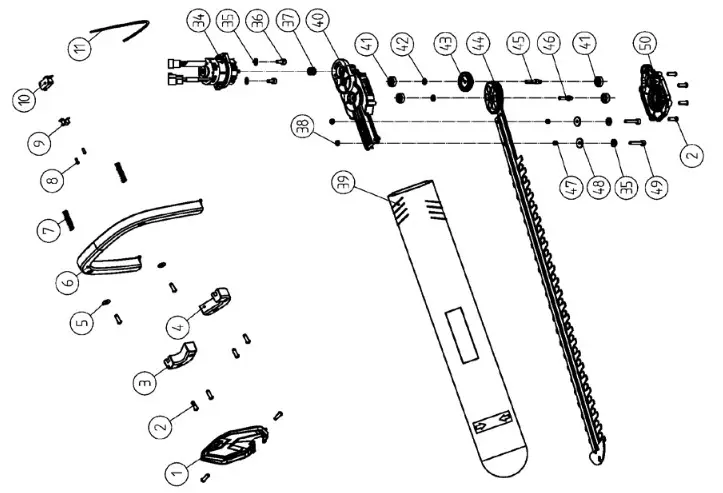
DR® PRO-62V HEDGE TRIMMER
2-Year Limited Warranty
Terms and Conditions

The DR® PRO-62V HEDGE TRIMMER is warranted for two (2) years (except for the Battery, which carries a one (1) year warranty) against defects in materials or workmanship when put to ordinary and normal personal residential use.
For the purposes of all the above warranties, “ordinary and normal personal residential use” refers to non-commercial residential use and further excludes misuse, accidents or damage due to inadequate maintenance.
DR Power Equipment certifies that the DR PRO-62V HEDGE TRIMMER is it for ordinary purposes for which a product of this type is used. DR Power Equipment, however, limits the implied warranties of merchantability and fitness in duration to a period of two (2) years in personal residential household use.
The 2-Year Limited Warranty on the DR®PRO-62V HEDGE TRIMMER starts on the date the machine ships from our factory. The 2-Year Limited Warranty is applicable only to the original owner.
The warranty holder is responsible for the performance of all the required maintenance as defined by the manufacturer’s owner’s manuals.
The warranty holder is responsible for the replacement of normally wearing parts such as the Battery Pack and Blade Set.
During the warranty period, the warranty holder is responsible for the machine transportation charges, if required.
During the warranty period, warranty parts will be shipped by standard method at no charge to the warranty holder.
Expedited shipping of warranty parts is the responsibility of the warranty holder.
SOME STATES DO NOT ALLOW LIMITATIONS ON THE LENGTH OF IMPLIED WARRANTIES, SO THE ABOVE LIMITATIONS MAY NOT APPLY TO YOU.
DR Power Equipment shall not be liable under any circumstances for any incidental or consequential damages or expenses of any kind, including, but not limited to, cost of equipment rentals, loss of profit, or cost of hiring services to perform tasks normally performed by the DR ®PRO-62V HEDGE TRIMMER. SOME STATES DO NOT ALLOW THE EXCLUSION OR LIMITATION OF INCIDENTAL OR CONSEQUENTIAL DAMAGES, SO THE ABOVE LIMITATIONS MAY NOT APPLY TO YOU.
THIS WARRANTY GIVES YOU SPECIFIC LEGAL RIGHTS, AND YOU ALSO HAVE OTHER RIGHTS, WHICH VARY FROM STATE TO STATE.
Daily Checklist for The DR ®PRO-62V HEDGE TRIMMER
To help maintain your DR®PRO-62V HEDGE TRIMMER for optimum performance, we recommend you follow this checklist each time you use your DR ® PRO-62V HEDGE TRIMMER.
- Remove the Battery Pack and allow the Trimmer to cool for at least five (5) minutes before servicing or storing.
- If you drop the Trimmer, carefully inspect it for damage. If the Battery is damaged, Blade is bent, Safety Guard is broken,
Housing cracked or Handles broken or if you see any other condition that may affect the Trimmer’s operation, visit our website at www.DRpower.com or call 1-800-DR-OWNER (376-9637) for assistance before putting it back into use. - Do not insert the Battery Pack until you have completed all of the daily checks.
[ ] BATTERY PACK: Make sure the Battery Pack has a full charge.
[ ] INSPECT: Before inserting the Battery Pack, inspect for any visible damage to the Blade Set or Motor Housing. Inspect the Safety Guard and remove any debris from the Trimmer. Inspect the Vents around the Motor and make sure they are clear of Debris.
[ ] LUBRICATE: Apply lightweight machine oil along with the Contact Points of the Top and Bottom blades. See Chapter 5.
[ ] NOISES: If you notice anything unusual, such as a vibration or odd sound, shut the Trimmer OFF immediately. Remove the Battery Pack and check the Trimmer for any damage. If you cannot find the cause of the problem or are uncertain what to do, then have the Trimmer inspected by a qualified repair shop before using it.
End of Season and Storage
Do not store the Battery Pack near children or pets, with metal objects that could short circuit the terminals, or close to a source of heat, sparks, open flame or on the floor as it may be damp or subject to accidental flooding. In addition, never expose the Battery Pack to abnormal shaking or shocks. Regularly observe the external appearance of the Battery Pack. Never use a Battery Pack that shows cracks, changes shape, or is obviously damaged.
- Clean/Wipe off the Trimmer. Use only mild soap and a damp cloth to clean the Trimmer. Never let any liquid get inside
the Trimmer Housing and NEVER immerse any part of the Trimmer Housing into a liquid. - Always, store the Trimmer with a full Battery Pack charge.
- When not in use, your DR PRO-62V HEDGE TRIMMER should be stored indoors in a dry and high or locked-up place, out of reach of children. Do not store the Trimmer near chemicals, such as fertilizers, organic or other solvents. Do not expose brake fluids, gasoline, petroleum-based products, penetrating oils, etc., to the plastic parts of the Trimmer. These products are often highly corrosive and may cause permanent damage, weaken, or destroy the plastic to your Trimmer
- For superior Battery Pack performance, always store the Battery Pack and Charger in a DRY environment with temperatures between 50ºF (10ºC) and +100ºF (+37.8ºC). Storing above +100 ºF can cause Battery Pack leakage, rust, or degradation of the Battery Pack performance. The lower the storage temperature is within the specified range, the better. The Battery Pack will discharge more slowly at low temperatures. Charge the Battery Pack for 30-60 minutes, until fully charged, prior to storage and then every one to two months; and then again prior to the first season’s use. To prevent permanent damage to the Battery Pack, never store it in a discharged condition. Be sure to remove the Battery Pack from the Charger after charging. In addition, you can safely keep the Battery Pack in your tool when storing for the long term.
75 MEIGS ROAD, P.O. BOX 25, VERGENNES, VERMONT 05491
©2018 Country Home Products, Inc. All rights reserved
42368
 Home
Home Homepage | DR Power Equipment
 Earth911 - More Ideas, Less Waste
 U.S. Environmental Protection Agency | US EPA
 INMETCO - INMETCO
 P65Warnings.ca.gov