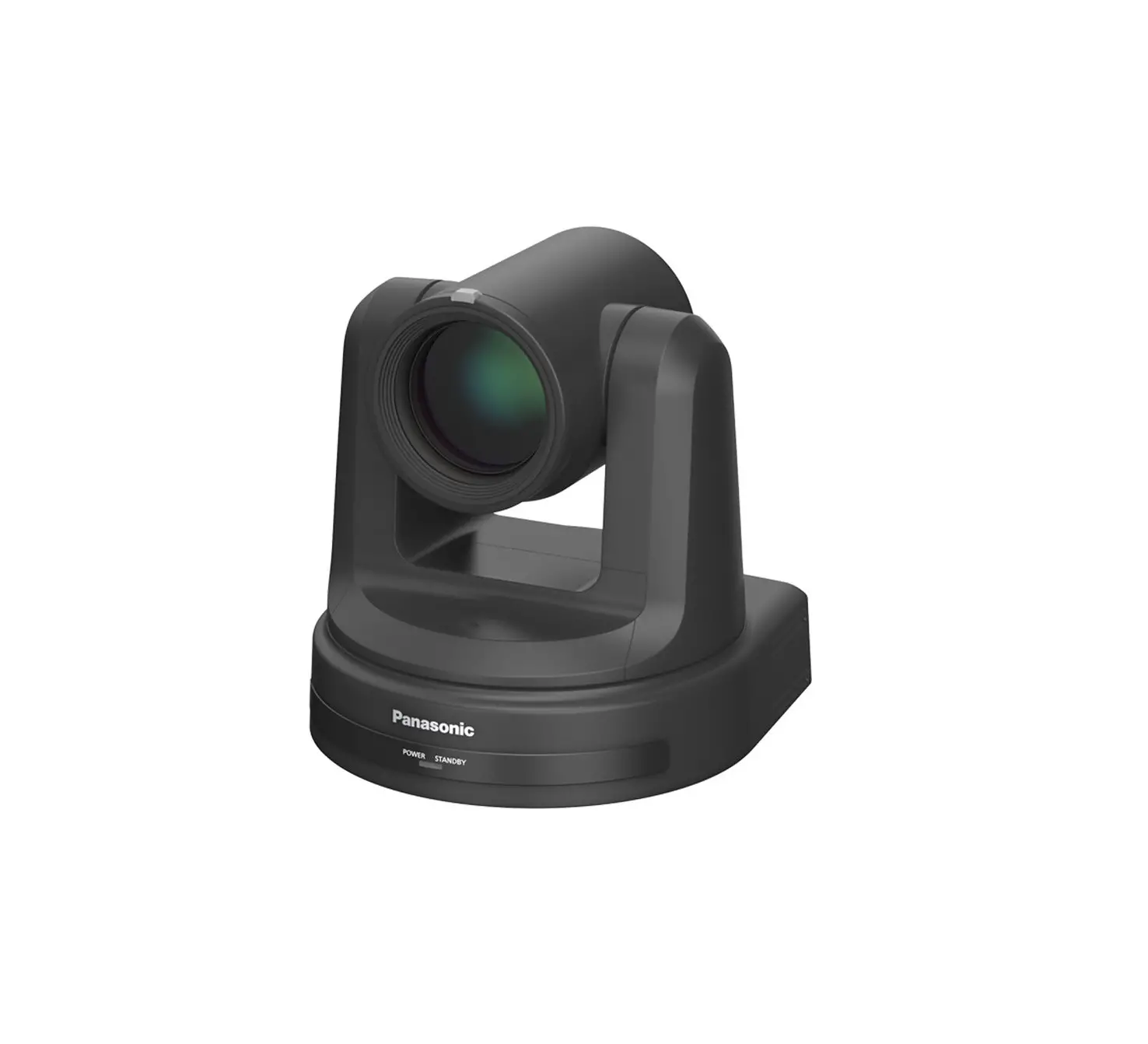
AW-UE160W, AW-UE160K 4K Integrated Camera
Product Information
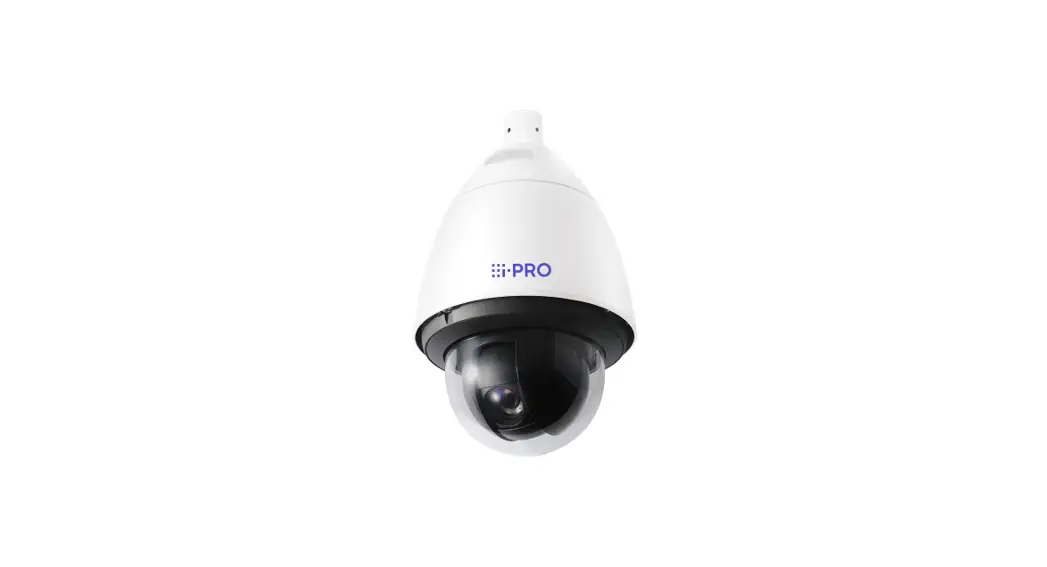
The AW-UE160W and AW-UE160K are 4K integrated cameras designed
for indoor use. These PTZ cameras offer uncompromising shooting
performance and operability, making them ideal for enhanced
creativity and visual expression. With high sensitivity, advanced
image processing, and phase detection auto focus (PDAF), the
AW-UE160 ensures high-precision video production. It supports
various shooting methods and functions, allowing for
next-generation video production. The camera also features support
for the SMPTE ST2110 standard and 5G mobile router, making it
suitable for IP transmission in the broadcasting industry.
Additionally, the AW-UE160 is designed for ease of use and
versatility, reducing stress during on-site shooting. It supports a
variety of interfaces and protocols, and offers features such as
scene files, color matrix control, and Panasonic’s free software
and Remote Operation Panel (ROP) for batch management of multiple
cameras.
The AW-UE160W/K has a compact body with impressive PTZ
mechanisms, ensuring silent operation and high static accuracy for
high-quality productions. It also supports 2x high-speed shooting,
allowing for smooth and beautiful slow-motion videos. Other
features include a waveform display function and improved
scalability and convenience with support for the SMPTE ST2110
standard and various interfaces and protocols. The camera is
equipped with tally lamps on the front and rear, making it easy to
check the camera’s status from any direction. It also has a return
input function, which can be used as a return video or prompter for
performers to check the video/broadcast on the spot.
Product Usage Instructions
- Connect the camera to power using the provided power
cable. - Position the camera in the desired location for shooting.
- Connect the camera to a monitor or recording device using the
appropriate interface (HDMI, SDI, etc.). - If using the return input function, ensure that the camera is
operating under the SMPTE ST2110 standard. - Configure the camera settings using Panasonic’s free software
or Remote Operation Panel (ROP). This includes adjusting scene
files and color matrix control. - If using multiple cameras, use the batch management feature of
the software or ROP to control and manage them simultaneously. - Check the camera’s status from any direction by observing the
tally lamps on the front and rear. - To capture high-quality images in dark conditions, adjust the
sensitivity settings to F14/2000 lx. - For capturing fast-moving subjects, utilize the phase detection
auto focus (PDAF) for high-speed and precise focusing. - To achieve smooth and beautiful slow-motion videos, activate
the 2x high-speed shooting feature.
Note: Some features and functions may require the separately
sold software key AW-SFU60. Please refer to the product
documentation for more information on compatibility and
activation.
Accessories
- SMPTE ST2110 Supported Optional Software Keys: NEW
AW-SFU60 - Remote camera controllers: AW-RP150, AW-RP60, AK-HRP1010,
AK-HRP250G (Only IP connection available with AW-UE160W/K)
Preliminary
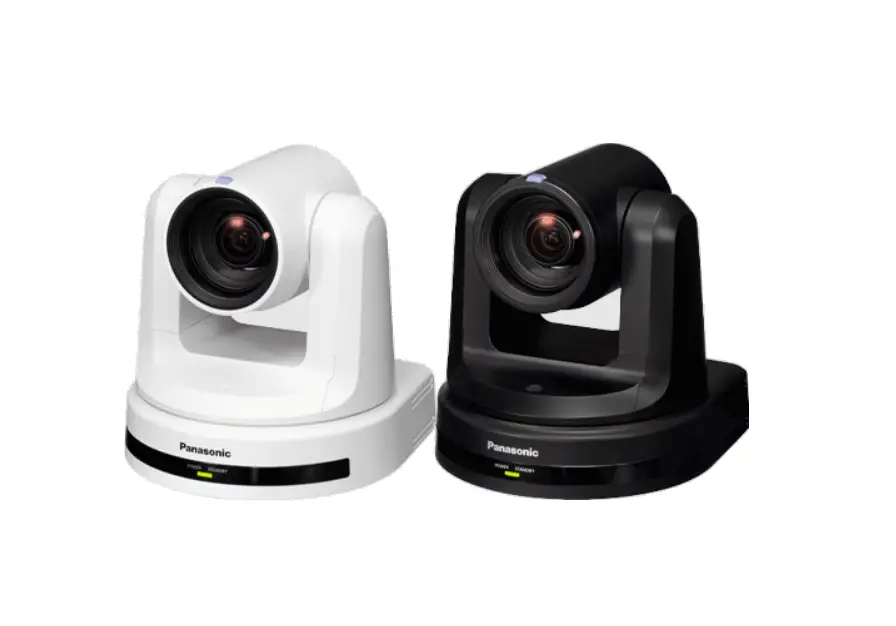
AW-UE160W [Pearl White] AW-UE160K [Black]
4K Integrated Camera For Indoor Use
4K PTZ Camera for an era of enhanced creativity and the pursuit of visual expression.
Uncompromising shooting performance and operability.
In addition to the high sensitivity F14/2000 lx and the latest-generation image processing found in LUMIX, the AW-UE160 features an phase detection auto focus (PDAF). The new PTZ has a variety of functions that enable you to carry out high-precision video production.
Realize next-generation video production with various shooting methods and functions.
The AW-UE160 supports return input and high-speed output, which is vital for building a combined camera system. This camera is the first to support the SMPTE ST2110 standard1 and 5G mobile router (USB tethering compatible) – the standard for IP transmission in the broadcasting industry.
1 Activation with the separately sold software key AW-SFU60 (released at the same time as AW-UE160) is required.
Ease of use and versatility reduces stress of shooting on-site.
Support for a variety of I/Fs and protocols reduces the burden of introducing the camera into existing systems. Support for scene files, color matrix control and Panasonic’s free software and Remote Operation Panel (ROP) for batch management of multiple cameras makes mixed operation with system cameras even easier.
1 1 Separately sold software key AW-SFU60 (released at same time as AW-UE160) is required.
The latest features for next-generation video production.
High sensitivity F14/2000 lx1
Produce high-quality images – even in dark conditions – with system camera-level high sensitivity.
1 F11/2000 lx under normal mode. 1 Minimum illumination 2 lx (conditions: f/2.8, 59.94 p, 50 IRE, +42 dB, no accumulation)
Newly developed image processing engine
With the same processing engine used as LUMIX, improved S/N is realized processing of high pixel video data.
New Image Phase Detection Auto Focus (PDAF)
The camera detects phase differences and focuses on moving subjects with high speed and precision.
Compact body with impressive PTZ mechanisms
Silent operation1 and high static accuracy add to your high-quality productions.
1 NC25 or less at pan/tilt standstill
2x high-speed shooting
Smooth and beautiful slow-motion video can be captured to focus on key elements, such as sports and Esports moments.
Other features
· Cropping (+ Zoom) function · Moiré reduction (with optical low-pass filter) · HDR/SDR (HLG/BT.2020 compatible,
SDR/BT.709 compatible) · Hybrid image stabilization with 2-axis O.I.S.
and roll direction correction (E.I.S.) · Updated scene file functions · Renewed color matrix control · Horizontal level gauge display function,
waveform display function, etc.
Improved scalability and convenience
Supports SMPTE ST2110 standard1 and various I/Fs and protocols. Simultaneous output from multiple terminals (simultaneous operation).
1 Separately sold software key AW-SFU60 (released at same time as AW-UE160) is required.
I/F: Fiber (SFP+), 12G-SDI, 2 x 3G-SDI, HDMI, 2 x XLR jacks, USB 3.0 (5G mobile router with USB tethering support), G/L IN Protocols: NDI ® 1,2, NDI ®|HX1,2, SRT, FreeD, RTMP/RTMPS, etc. 1 NDI® is a new live video production workflow support protocol developed by NewTek, Inc. 2 NDI® is a registered trademark of NewTek, Inc. in the United States and other countries.
Tally lamps equipped on the front and rear
Quickly check the status of the camera from any direction.
Return input function1
Use as a return video or prompter so performers can check the video/broadcast on the spot.
1 Available only when operating SMPTE ST2110.
Accessories
SMPTE ST2110 Supported Optional Software Keys
NEW AW-SFU60
Remote camera controller
AW-RP150 / AW-RP60
Remote camera controller1
AK-HRP1010 / AK-HRP250G
1 Only IP connection is available with AW-UE160W/K.
Software
AW-SF100/200 / AW-SF300
AW-UE160W/K Specifications1
Comprehensive
Power Requirements
12VDC±10% (10.8V to 13.2V)
PoE++
IEEE802.3bt standard: DC 42V to 57V (Camera Input) 2 (Software authentication (LLDP) is supported).
Current Consumption
5.0A (XLR Input), 1.5A (PoE++ power supply)
Mass
Approx. 4.6kg (10.14lbs) (excluding mount bracket)
Dimensions (W x H x D)
213.0 mm × 277.0 mm × 240.0 mm(8.39 inches × 10.91 inches × 9.45 inches) [excluding protrusions, ceiling mount bracket]
Camera Unit
Image Sensors
1-type (1″) 4K MOS×1(Effective type) Effective Pixels: Approx.9,620,000 pixels
Lens
Motorized 20x optical zoom F2.8 to F4.5 f=8.8 mm (11/32 inches) to 176.0 mm (6-15/16 inches), 35 mm (1-3/8 inches) equivalent: 24.5 mm (31/32 inches) to 490.0 mm (19-9/32 inches) i.Zoom, D.Extender
Angle of View Range
Horizontal: 75.1°(wide) – 4.0°(tele) Vertical: 46.7°(wide) – 2.3°(tele) Diagonal: 82.8°(wide) – 4.6°(tele)
Horizontal Resolution
1,600 TV Typ (center area, UHD Mode, Wide)
Output Format (UHD/FHD SDI and HDMI, Fiber (video only), ST2110 3)
4K 4 2160/59.94p, 2160/50p, 2160/29.97p (Native), 2160/25p (Native), 2160/24p(Native), 2160/23.98p (Native)
HD 1080/119.88p (SDI and HDMI only) 5, 1080/100p (SDI and HDMI only) 5, 1080/60p, 1080/59.94p, 1080/50p, 1080/29.97p (Native), 1080/25p (Native), 1080/24p (Native), 1080/23.98 p(Native), 1080/59.94i (SDI and Fiber, ST2110 only), 1080/50i (SDI and Fiber, ST2110 only), 720/59.94p, 720/50p
Input terminal
G/L IN
BBS (Black Burst Sync) and 3-value synchronization compatible.
AUDIO INPUT1/2
XLR (2ch) or Mic/Line input compatible (SDI/HDMI/IP) AAC compatible (IP only)
Output
12G SDI OUT 6
SMPTE2082-1, SMPTE424M/SMPTE292M/75(BNC×1)
3G SDI OUT1/2/PM 6
S MP TE424 M / S MP TE 292M / 75 (BNC ×1)
SFP+
SFP+ compliant (Single Fiber) 7
USB
USB3.0 HOST(5G mobile router (USB tethering support)) 8
Input/output terminal
LAN
LAN connector for IP controlRJ-45
RS-422
CONTROL IN RS422ARJ-45
SFP+(ST2110 3)
Compatible protocol: -ST2110-10/-20/-21/-30, -PTP ST2059-2, -NMOS IS-04/IS-05 Number of outputs: Video x 3 (Main line, Crop, Monitor), audio x 2 Number of inputs: Video x1 (RETURN) Video format: FHD 9
JPEG (MJPEG), H.264, H.265
Image resolution
3840×2160, 1920×1080, 1280×720, 640×360
Frame rate
60(50)fps, 30(25)fps, 24fps
Distribution settings
6OJDBTU.VMUJDBTU
NDI|HX Version 2High Bandwidth NDI
Image resolution
3840×2160 10, 1920×1080, 1280×720
Frame rate
60(50)fps, 30(25)fps, 24fps 10
Distribution settings
36%16%15$1
6OJDBTU.VMUJDBTU
1 These ratings are provisional and subject to change at the time of release. These ratings are only a partial list, please check our website for details. 2 Limited functionality when using PoE. 3 Separately sold software key AW-SFU60G (released at same time as AW-UE160) is required. 4 ST2110 does not output 4K. 5 1080/119.88p and 1080/100p use two 3G/SDI OUTPUT1/2 systems. No output from 12G/SDI. 6 Compatible with Level-A/Level-B. 7 Optical signal input not supported. 8 Limited power supply to 5G mobile router. 9 Follows the system format. 10 High Bandwidth NDI only.
For more information, please visit Panasonic web site
https://pro-av.panasonic.net/en/products/ptz_camera_systems.html
Panasonic Connect Co., Ltd.
2-15 Matsuba-cho, Kadoma, Osaka 571-8503 Japan SP-UE160WEB 202210SP
 PTZ Camera Systems Line-up | Broadcast and Professional AV | Panasonic Global