
Douk Audio M3 HiFi Bluetooth 5.0 Digital
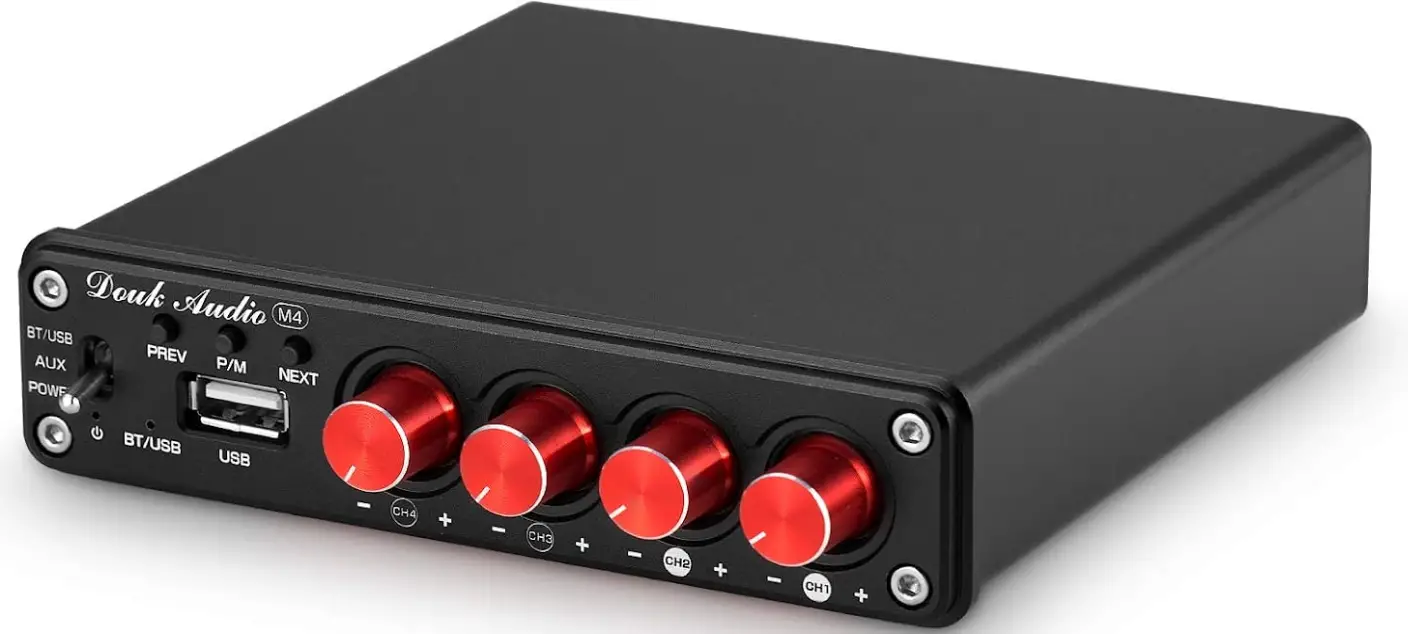
Introductions
Thank you very much for choosing our products! Please read this manual carefully before using the product.
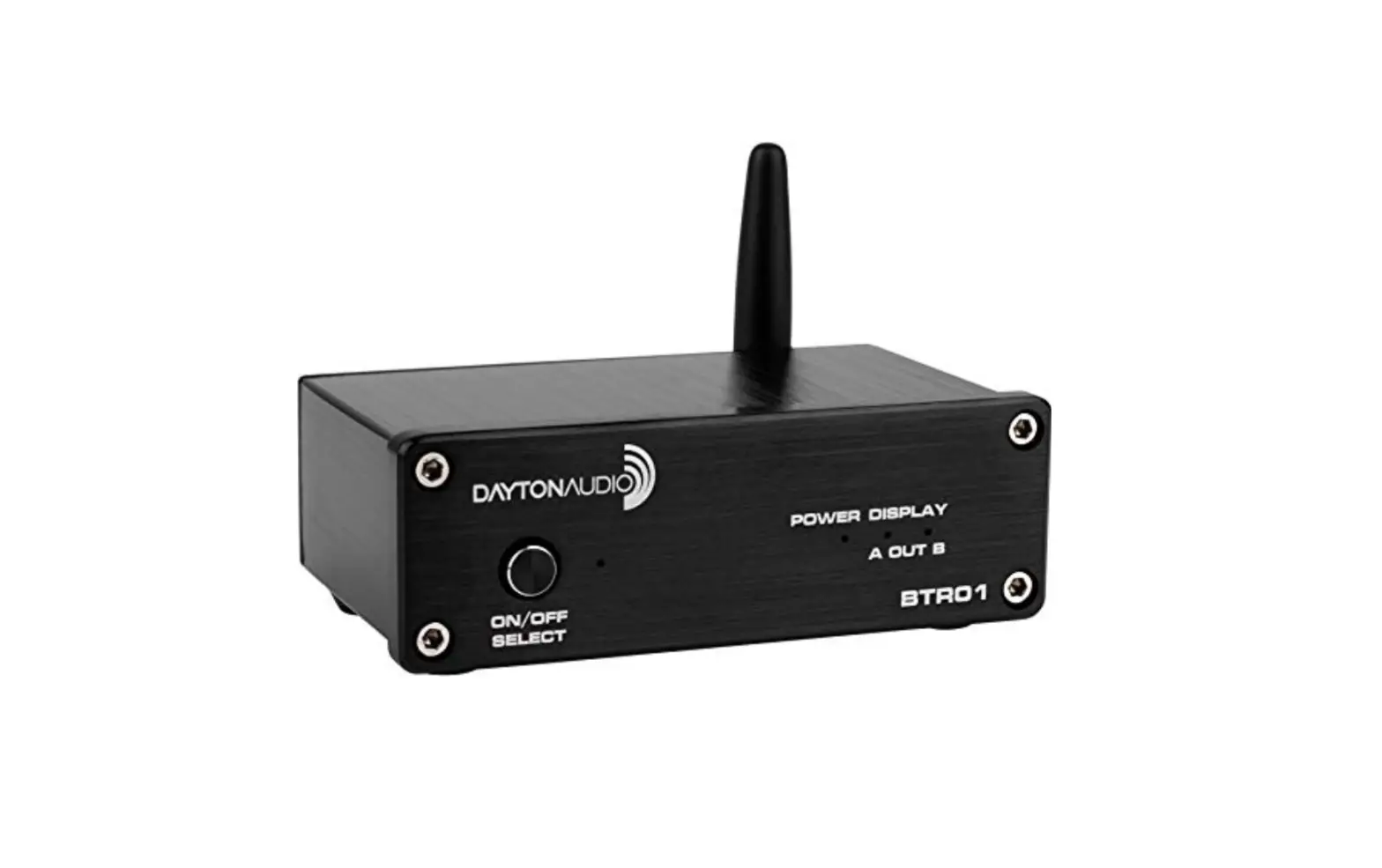
Front & Back panel interface function description
- AUX working light
- Bluetooth working light
- U disk working indicator light
- USB interface
- IR
- Bass cut-off frequency adjustment knob
- Bass volume adjustment knob (increase clockwise, decreaseCH4 independent volume knob (clockwise increase, counterclockwise decrease)
- Left and right channel bass frequency adjustment knob
- High pitch frequency control knob for left and right channel
- Switch/input channel switch/volume adjustment knob (press the button to turn on, press the button to switch channel when working, press the button to turn off for 3 seconds, rotate the volume clockwise to increase, rotate the volume counter clockwise to decrease) CH3 audio source input or cascade output
- CH3 working mode switch key (CH3&CH4 is the input mode of sound source when the switch is pressed, and the output mode of sound source when the switch is pressed)
- Speaker interface (connect 4 speakers according to the product instructions)
- Power interface(DC power shall not exceed 24V)
Operation Steps
- Make sure the VOL button to the minimum.
- Connect the speakers according to the rear panel interface, pay attention to distinguish between positive and negative.
- Connect the sound source that needs to be used(Optional RCA/Bluetooth, U disk)
- If the current playback state, inserting a U-disk will automatically jump to the U-disk mode.
- connect the power adapter.
- turn on the power and switch to the current input audio source.
- USB working indicator will flash continuously when the volume is at maximum
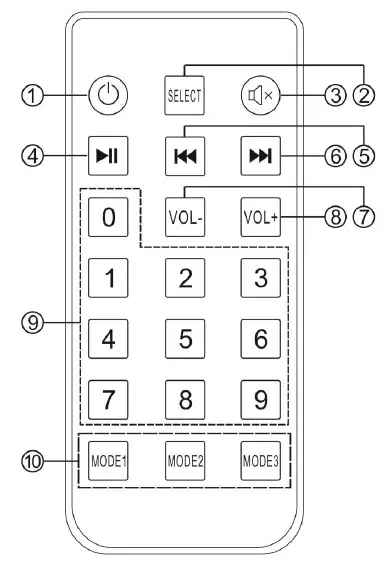
- Standby
- Enter the channel selection key
- Mute
- Play/pause
- PREV
- NEXT
- VOL-
- VOL+
- Number keys area
- The mode1-mode3 reserved key for function, this product has no
Specifications
| Maxpower output | 50W*2+100W 4Ωload | THD | 1W 0.05% |
| Speaker matching
impedance |
4-8Ω |
SNR |
≥98dB |
| Working voltage | 12-24V | Bare metal size | L133*W128*H33mm |
| Input sensitivity | 0.775V | Total Weight | 0.7kg |
| Bass cutoff frequency range adjustment |
40-300Hz |
Package Dimension |
L240*W210*H60mm |
| Frequency response | 20Hz-20kHz(±3dB) | Support music format | MP3,WMA,APE,FLAC,WAV |
Warning
- Please do not open the shell without permission. Improper operation may cause the danger of electric shock.
- Please use the power supply of the regular manufacturer; otherwise it will damage the machine.
- Please do not use the machine in a high temperature and humidity environment.
Frequently Asked Questions
I have some powerful ceiling speakers that are 35 watts each. You can always try it again or return it if it doesn’t work. Excellent amp for the money and a very small footprint.
No, it silently pairs and has OSM experience! highly esteemed
Hello. In fact, this is possible.
This issue could occur if the speaker power is set to a high level.
Hello. It can’t be done again right away. CH3/4 must be wired for audio input.
This issue arises and is not specific to this device; it affects many Bluetooth devices. Forgetting this device on your phone or other source audio device is, in my opinion, the simplest fix.
My equipment is indoors, and I have four speakers mounted in the outer ceiling of a patio. I have moved up to 50 feet away from the device while carrying my phone without losing a Bluetooth signal. I own four of these fantastic gadgets.
Hello. Through its USB interface, only U-Disk is supported.
Hello. Please press the key on the rear panel. It may output concurrently to 4 channels.
1. Cut the ten-meter AC cord off.
2. Go to Bluetooth settings on your source device and remove any previously installed amplifiers.
3. Perform another scan.
Hello. Output through Bluetooth is not supported; only input is. It is capable of capturing Bluetooth signals from your phone, computer, etc. and transmitting them to speakers via wires.
Hello. It is not compatible with ceiling speakers.
I recently received a different remote with the device that requires two AAA batteries.
Hello. It can indeed regulate both.
Hello. Only U-Disk can use the USB port. We offer amplifiers that can function as a PC sound card if you choose to use one, such as
Hello. Our 2-CH amplifier has an optical input, therefore