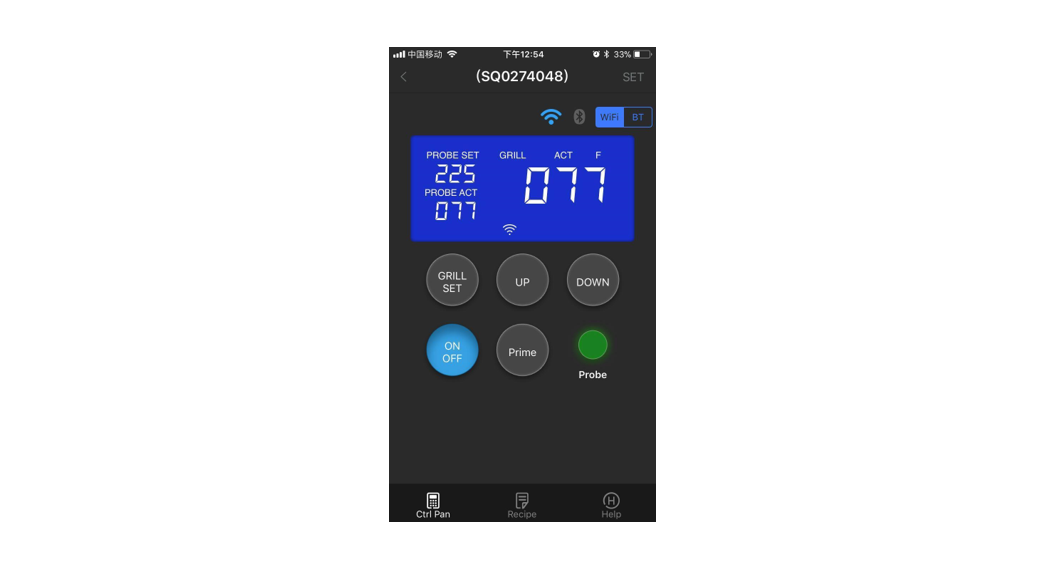

Apps Smokey Bandit App Instructions

Apps Smokey Bandit App Instructions

SMOKEY - Logo

SMOKEY BANDIT APP
Manual
WIFI Board APP Operational Steps

Android APP:
http://47.100.254.34/grill/SmarterGrill20200121.apk

Apps SMOKEY BANDIT - Or

Apple APP:
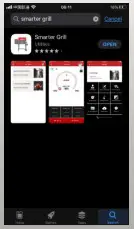
App Store-> Search-> Type in “Smarter Grill” > Smarter Grill

Apps SMOKEY BANDIT - App view

Prerequisites:
Apple device: iPhone 6S above with IOS 13; Android device: available for all versions

2.4G Internet available; Bluetooth is on;
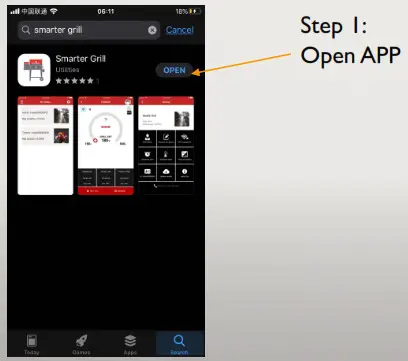
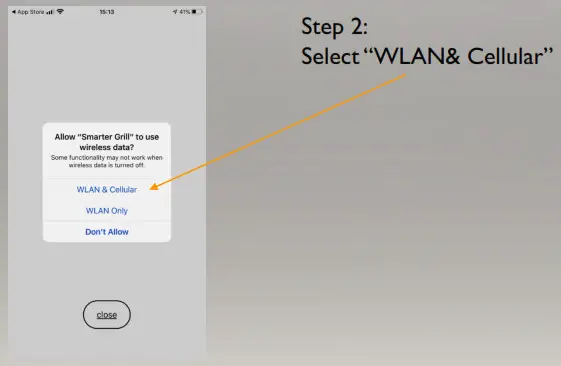
Apps SMOKEY BANDIT - App view 2Apps SMOKEY BANDIT - WLAN& Cellular
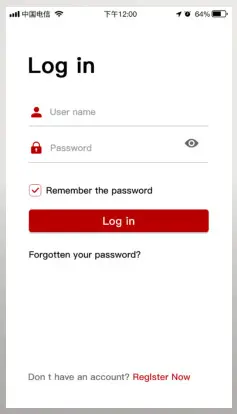
Apps SMOKEY BANDIT - Log inStep 3 login:
Fill in “account name”;
Fill in “Password”;Note: If you have no account name yet, go to “Register Now” at the bottom of the page

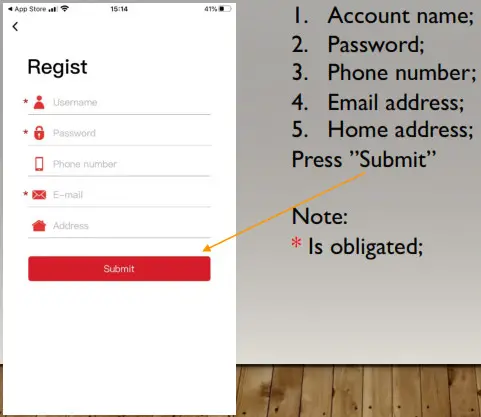
Step 3.1 Register process:Apps SMOKEY BANDIT - Register process

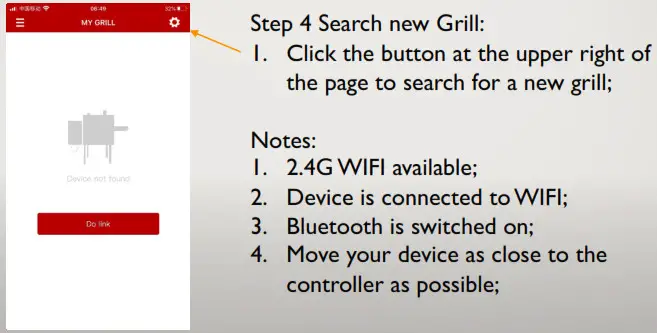
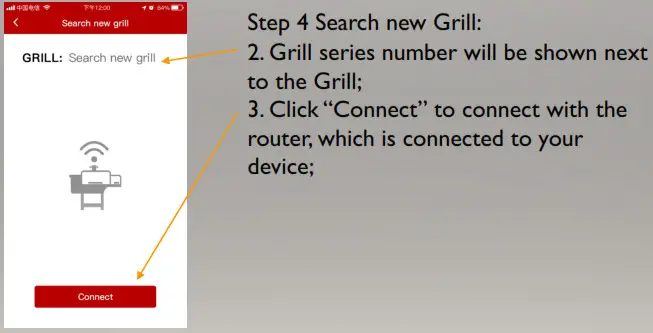
Apps SMOKEY BANDIT - Search new GrillApps SMOKEY BANDIT - Search new Grill 2
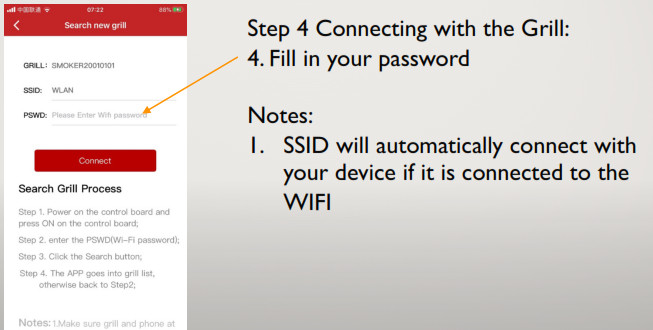
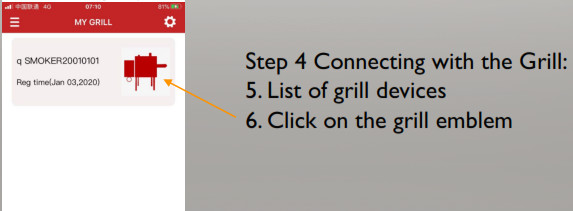
Apps SMOKEY BANDIT - Connecting with the GrillApps SMOKEY BANDIT - Connecting with the Grill 2

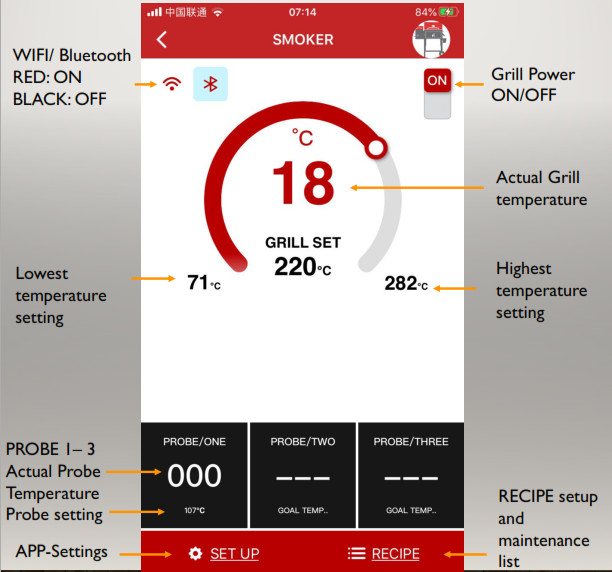
Step 4 Connecting with the grill: 7. The main control panel is loading Apps SMOKEY BANDIT - Connecting with the Grill 3Grill Settings:Apps SMOKEY BANDIT - Grill Settings
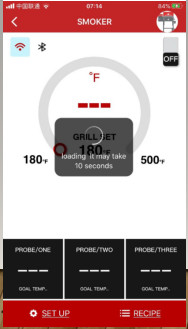
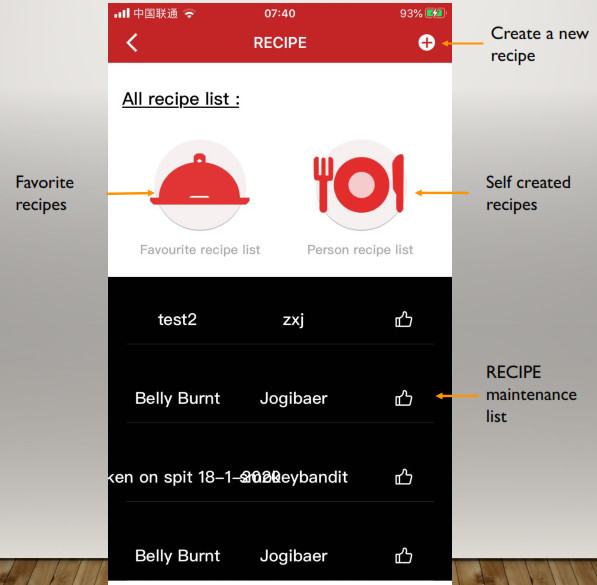
Recipe SettingsApps SMOKEY BANDIT - Recipe Settings

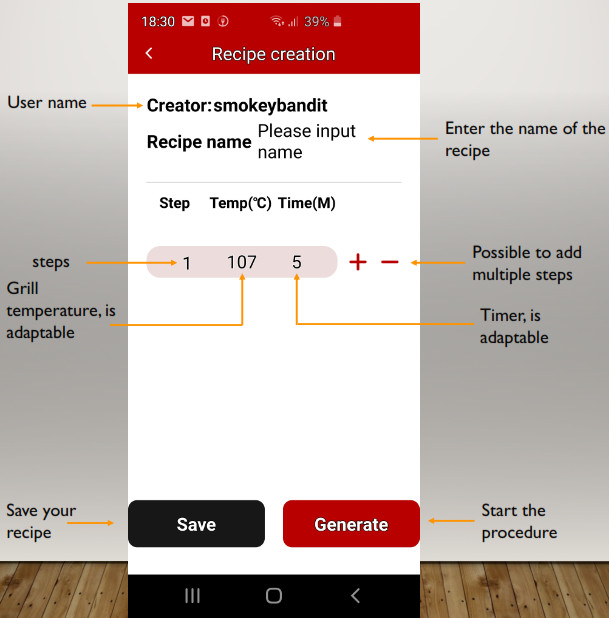
Create a new recipe:

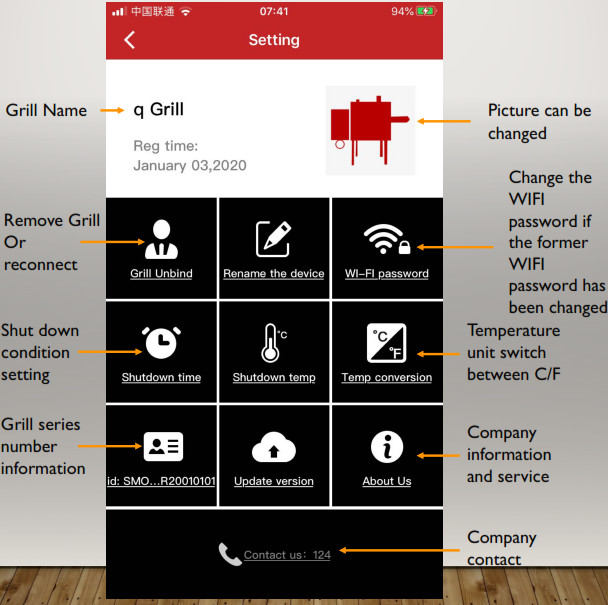
Setup Setting:Apps SMOKEY BANDIT - Setup Setting

Documents / Resouces

Download manual
Here you can download full pdf version of manual, it may contain additional safety instructions, warranty information, FCC rules, etc.


Related Manuals