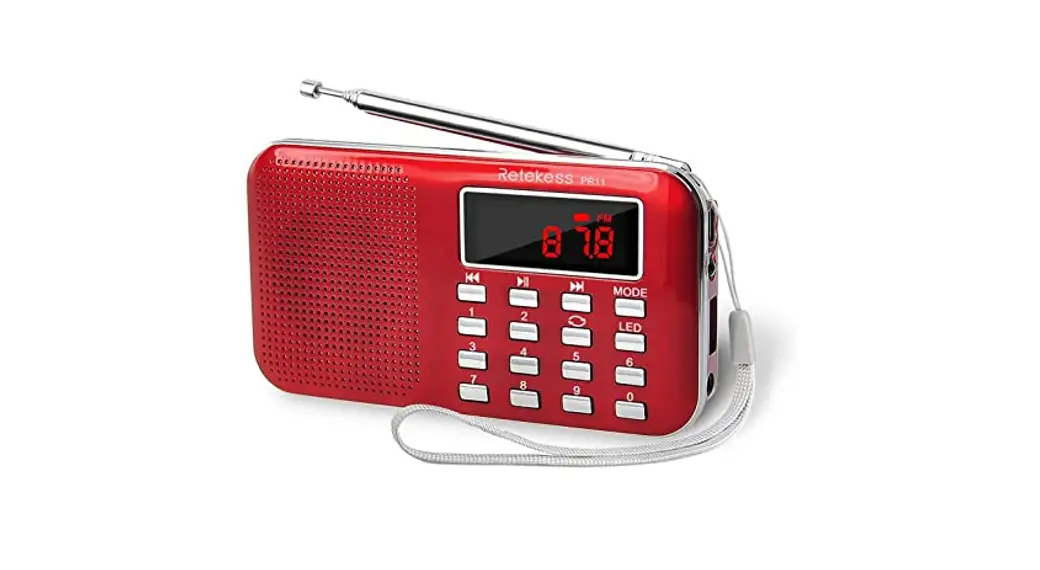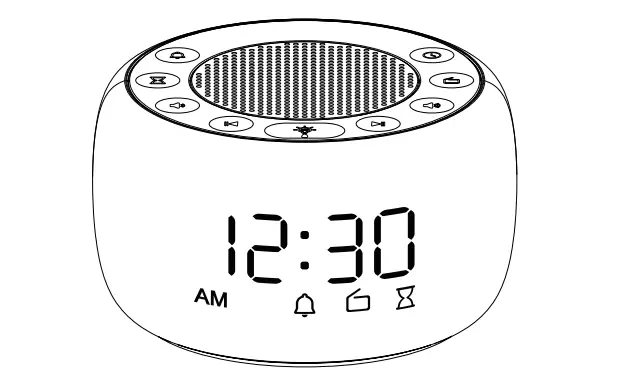

Dongguan Shunlang Electronics RS11 FM Radio
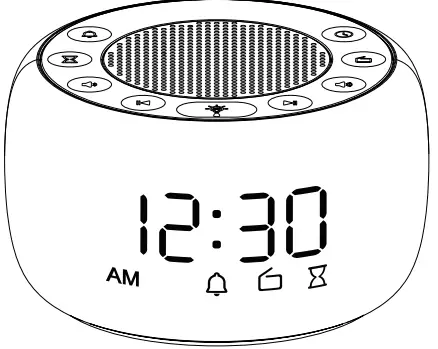
If a faulty product is found when setting up please email us at [email protected]
TIPS: Battery backup is for saving TIME and ALARM settings only.
FCC
This device complies with Part 15 of the FCC Rules. Operation is subject to the following two conditions:
- This device may not cause harmful interference, and
- This device must accept any interference received, including interference that may cause undesired operation.
Note: This equipment has been tested and found to comply with the limits for a Class B digital device, pursuant to Part 15 of the FCC Rules. These limits are designed to provide reasonable protection against harmful interference in a residential installation. This equipment generates, uses, and can radiate radio frequency energy, and if not installed and used in accordance with the instructions, may cause harmful interference to radio communications. However, there is no guarantee that interference will not occur in a particular installation. If this equipment does cause harmful interference to radio or television reception, which can be determined by turning the equipment off and on, the user is encouraged to try to correct the interference by one or more of the following measures:
- Reorient or relocate the receiving antenna.
- Increase the separation between the equipment and receiver.
- Connect the equipment into an outlet on a circuit different from that to which the receiver is connected.
- Consult the dealer or an experienced radio/TV technician for help.
Thank you for purchasing on BUFFBEE!Please read these instructions carefully and keep the user manual in safe place for future reference.
Instructional Video
Please scan the QR code here to access the instructional video of this product.

Features
- FM Radio
- 7 Colorful Night Light
- 12/24H Mode
- 9 Minutes Snooze
- 0-100% of the Display Dimmer
- 0-16 Level Adjustable Volume
- Sleep Timer
- Battery Backup (Only Memory Function)
Power Specifications
AC100-240V, 50/60Hz. Output: 5V/1A
Front View
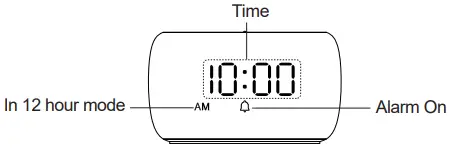
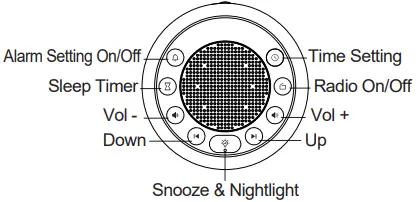
Top View
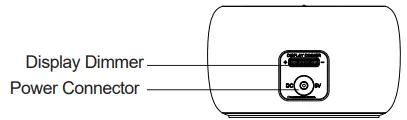
Back View
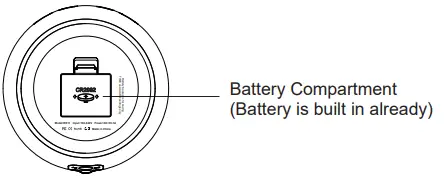
Bottom View
Getting Started
- Plug the adaptor into a standard household outlet, you will see 12:00 on the display and the clock is ready to be set.
- Please remove the battery tab before use.
Notice:
- If the display is “blank” after plugging in, please check whether the DISPLAY DIMMER on the back is at the HIGH position.
- Under the battery power, the display will go blank and preset alarm will not go off. Battery backup is for saving TIME and ALARM settings only.
- Please extend the FM antenna on the back of the clock.
- If you press any button, all the buttons will light up and then turn off automatically after 5 seconds.
Time Setting
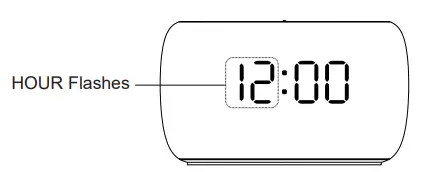
- Press the “
 ” button to enter HOUR setting. The HOUR digits will flash on the display. Press “
 ” or “
  ” button to advance to the correct hour.
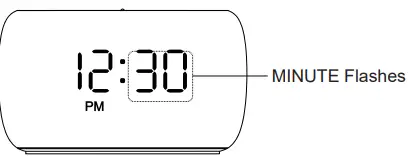
- Press the “ ” button to confirm and enter MINUTE setting. When the MINUTE digits flash, press “ ” or “ ” button to advance to the correct minute.

- Press the “ ” button to confirm and enter time format (12/24H) setting. Press “ ” or “ ” button to select time format. When using the 12-hour time format, AM/PM icon will appear on the display to suggest morning/afternoon time.
- Press the “ ” button to confirm and exit the time setting mode.
Notice:
The clock will exit automatically from the TIME setup mode if no action is taken within 5 seconds. (Action refers to pressing the desired button for setup)
Alarm Setting
- Press the “
 ” button to enter ALARM HOUR setting. The HOUR digits will flash on the display. Press the “ ” or “ ” buttons to advance to the desired hour.
- Press the “ ” button to confirm and enter ALARM MINUTE setting. The MINUTE digits will flash on the display. Press the “ ” or “ ” buttons to advance to the desired minute.

- Press the “ ” button to confirm and enter WAKE UP SOUND setting. The icon of alarm will flash on the display. Press the “ ” or “ ” buttons to choose from Bird chirping sound, Piano sound, Beep sound or FM radio which is the last tuned in radio station or the station you set in WAKE UP RADIO ALARM (Page 13).
- Press the “ ” ALARM button to confirm and exit the alarm setting mode.
Notice:
The clock will exit automatically from the ALARM setup mode if no action is taken within 10 seconds. (Action refers to pressing the desired button for setup)


Alarm Volume Setting
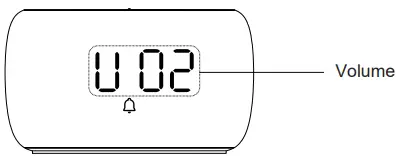
When radio is OFF, press the “  ” or “
  ” buttons to select the volume level. (0-16 adjustable) A number will be shown on the display.
Alarm Pause & Snooze
When the alarm goes off, you have two options:
- Press “ ” button to stop the alarm when it’s ringing. Alarm will go off on the next day.
- Press “
 ” button to snooze, the indicator “ ” will flash on the display. The alarm will go off again 9 minutes later.

Alarm On/Off
- Press the “ ” button to turn on alarm.
- Press and hold the “ ” button for 2 seconds to completely turn off alarm and the indicator “ ” will disappear on the display. The alarm will NOT go off on the next day.
Nightlight Setting
- Press the “ ” button to turn on the nightlight. Then press the “ ” button to change the color of the night light.
- Press and hold the “ ” button for 2 seconds, the night light will be turned off.
FM Radio Setting
Please extend the FM antenna on the back of the clock.
- Press the “
 ” button, FM radio will be ON/OFF.
 - Press and hold “ ” button for 2s, FM radio will scan and auto-store the scanned stations. Once the station search is completed, the first station will be played automatically. Press the “ ” or “ ” buttons to tune from auto-store stations.

- Use the “
 ” or “
 ” buttons to adjust the volume of FM radio. 0-16 level adjustable.


Wake Up Radio Alarm Setting
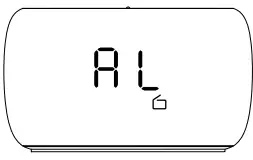
When radio is on, press the “  ” or “
  ” button to tune radio stations you like, then press and hold “
  ” button until icon “AL” appear on the display screen. The clock immediately saves this station as Wake Up Radio Alarm Sound.
Sleep Timer
You can use sleep timer to turn off nightlight and radio automatically when the preset sleep timer comes.
- Press repeatedly the “
 ” button to select the sleep timer ranging from OFF, 15, 30, 60, 90,to120minutes. The sleep timer will be seen on display.
 - To turn off the sleep timer, press “ ” button to select “OFF” and wait for 3 seconds for it to work or hold “ ” button for 2seconds to turn it off directly.
- When sleep timer is on, press “ ” button to see the sleep timer remained.

Brightness Setting
Slide the DISPLAY DIMMER slider at the back of the clock to adjust the display brightness. (It can be adjusted from 0 to 100%)
Battery Operated Setting
Install 1* CR2032 battery into Battery Compartment. (Battery is built in already).
Notice: Battery backup is for saving TIME and ALARM settings only.
Support
The radio alarm clock comes with one year warranty. If you have any issue with this radio alarm clock, please contact us at [email protected]. We will address your issue within 24 hours.