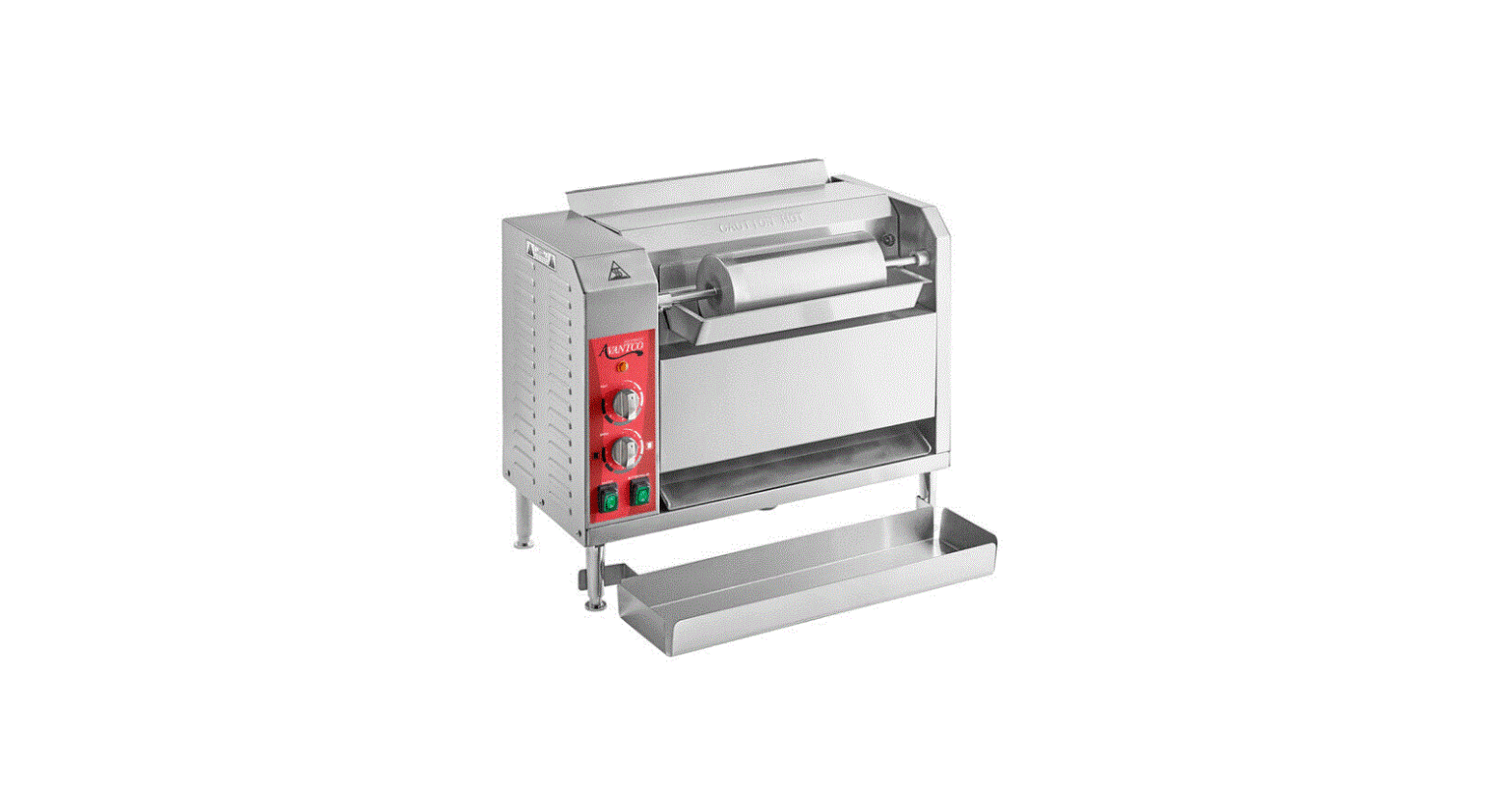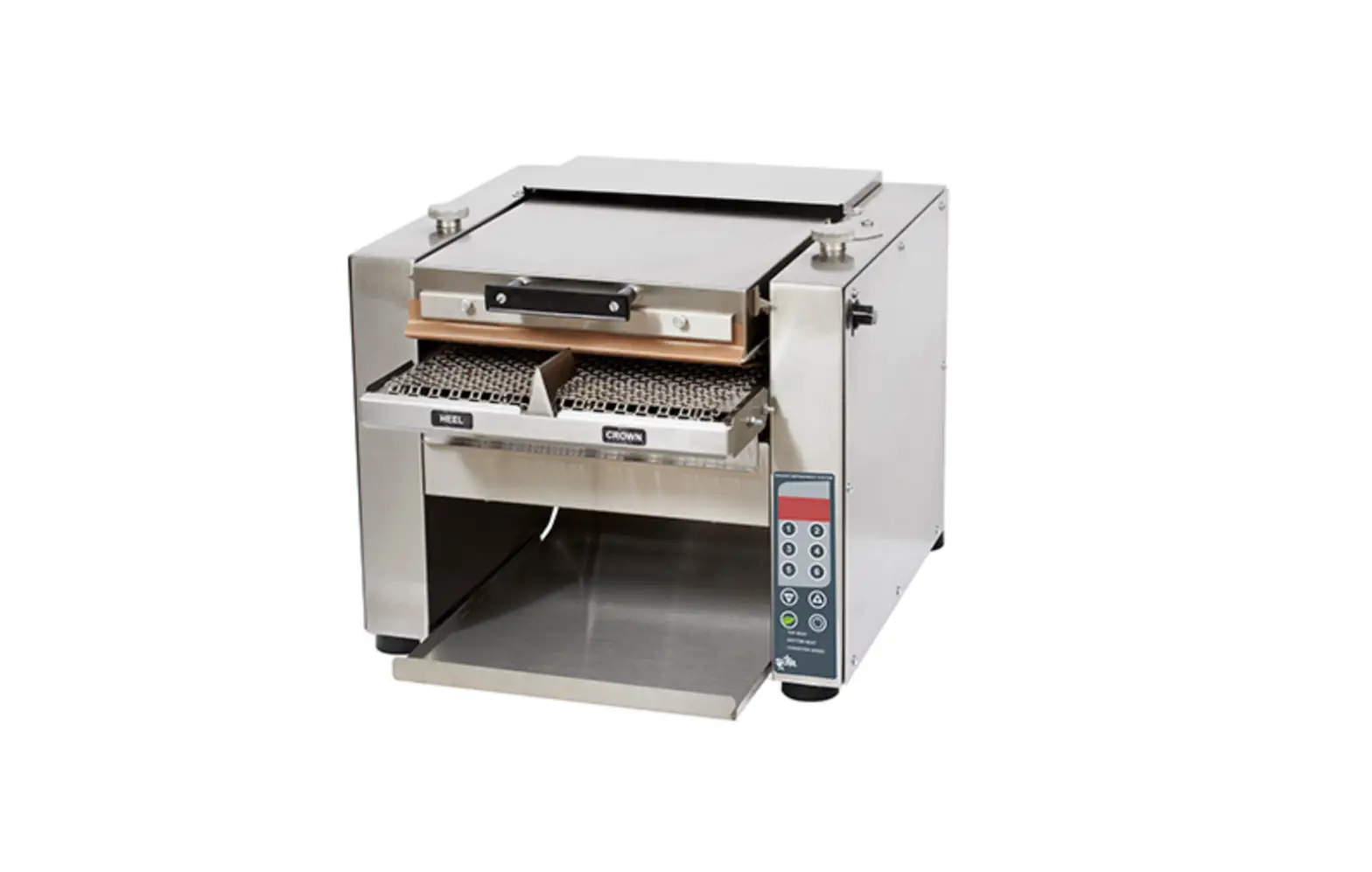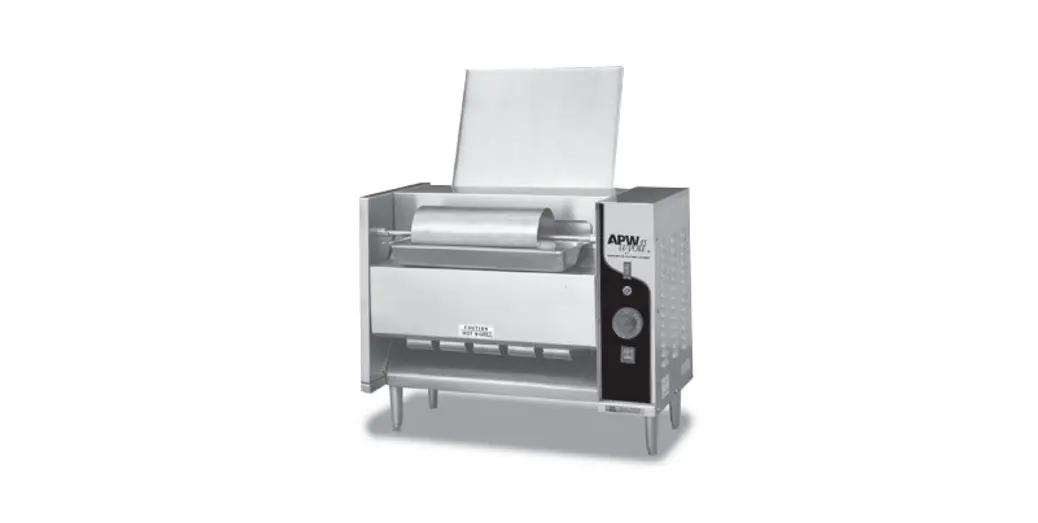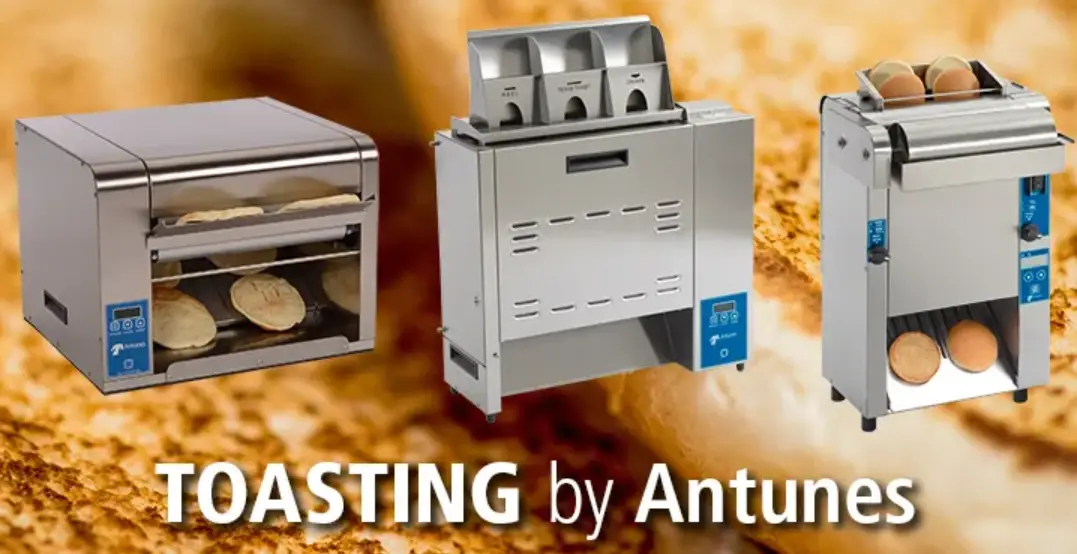

Antunes EXPECT SUCCESS VCTM-2 Vertical Contact Toaster
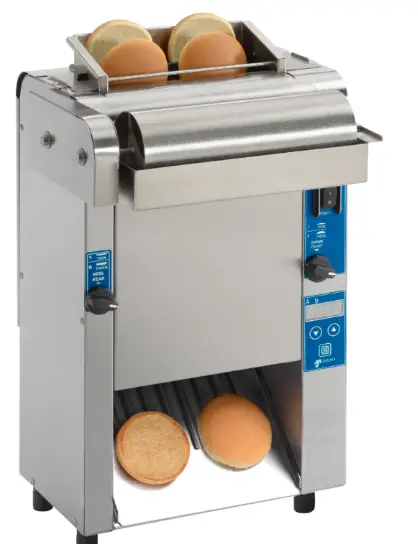
Vertical Contact Toaster
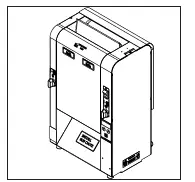
With its small footprint, the VCTM-2 is a perfect fit for any operation where high-quality bun toasting is the objective.
The VCTM-2 also features a variable speed motor that provides operations with flexibility for future menu items and allows for light/dark adjustments. It toasts two buns simultaneously and features an individual heel and crown compression knobs that allow operations to easily adjust toast quality.
With a smaller footprint than the standard Vertical Contact Toaster, the VCTM-2 is a perfect fit for any operation where space is limited.
RECOMMENDED SETTINGS
Bun Thickness Settings
Crowns – #3
Heels – #2
Temperature Settings
Platen Heater – 560°F (293°C) Auxiliary Heaters – 400°F (204°C)
New Equipment – VCTM-2 Mini Toaster
Settings
- Bun Thickness Settings
Crown #3
Heel #2 - Temperature Settings
Platen – 560F
Auxiliary Heaters – 400F - Speed Settings
14 seconds
Recommended Maintenance
- Replace Teflon every 3-5 weeks
Note: As a best practice, rotate sides of the Teflon sheet daily to prolong use. - Replace silicon belt every 2-4 months.
- Reference VCTM-2 Mini Toaster when reordering parts
Teflon Sheets(3pk) – P/N 7001168
Silicon Belt – P/N 7002037
Overview
This unit is intended to be used for commercial applications, for example: in kitch-ens of restaurants, canteens, hospitals and in commercial enterprises such as bakeries, butcheries, etc., But not for continuous mass production of food.
Before Use
This manual contains safety, installation, and operating procedures for the unit. Read and understand it completely before installing or operating the unit. Keep this document for reference. If the unit changes ownership, this manual must accompany it.
In Case of Damage
If the unit arrives damaged, file a claim with the carrier immediately. Save all packing materials when filing a claim. Freight damage claims are the responsibility of the purchaser and are not covered under warranty.
Website www.antunes.com
Service/Technical Assistance
In Case of Damage
If any parts are missing or damaged, problems with the installation or operation of this product contact Antunes Customer Service immediately at +1-877-392-7856 (toll free).
Fill in the information in the next section and have it ready when calling for assistance. The serial number is on the specification sticker located on the system. Equipment Information to Save
- Purchased from:
- Date of purchase:
- Model number:
- Serial number:
- Manufacturing number:
Authorized Service Agency
- Name:
- Phone No:
- Address:
Safety Information
Installation
- Read and understand all instructions before installing or using the unit.
- Install this unit to comply with the basic plumbing code of the Building Officials and Code Administrators, Inc. (BOCA) and the Food Service Sanitation Manual of the Food and Drug Administration (FDA).
- Install and locate the equipment only for its intended use as described in this manual.
WARNING
ELECTRICAL SHOCK HAZARD. Failure to follow the instructions in this manual could result in serious injury or death.
Do not modify the power supply cord plug. If it does not fit the outlet, have a proper outlet installed by a qualified electrician.
Electrical ground is required on this appliance.
Check with a qualified electrician if you are unsure if the appliance is properly grounded.
Do NOT use an extension cord with this product.
The unit should be grounded accord-ing to local electrical codes to prevent the possibility of electrical shock. It requires a grounded receptacle with separate electrical lines, protected by fuses or circuit breaker of the proper rating.
NEVER unplug the power cord while the unit is running. Use the proper shutdown procedure before unplugging the power cord.
Operation
- The unit is furnished with a properly grounded cord connector. Do not attempt to defeat the grounded connector.
- Do not operate the unit if it has been damaged or dropped, if it has a damaged cord or plug, or if it is not working properly.
- Do not block or cover any openings on the equipment.
- Do not immerse the cord, unit, or plug in water.
- Keep the cord away from heated surfaces.
- Do not allow the cord to hang over the edge of a table or counter.
- This appliance is not to be used by persons (including children) with reduced physical, sensory or mental capabilities, or lack of experience and knowledge unless they have been given supervision or instruction.
- Children being supervised are not to play with the appliance.
- Bread may burn. Therefore toasters must not be used near or below curtains or other combustible walls and materials. Failure to maintain safe operating distances may cause discoloration or combustion.
Maintenance
- Do not use abrasive materials; they can damage the unit’s stainless steel finish.
- Do not use corrosive chemicals in this equipment.
- Chlorides or phosphates in cleaning agents (e.g., bleach, sanitizers, degreasers, and detergents) can permanently damage stainless steel equipment. The damage is usually in the form of discoloration, dulling of the metal surface finish, pits, voids, holes, or cracks. This damage is permanent and is not covered by warranty.
- Always use a soft, damp cloth for cleaning. Rinse with clear water and wipe dry. When required, always rub in the direction of metal polish lines.
- Routine cleaning should be performed daily with soap and water.
- Rub off finger marks and smears using soap and water.
- Do not clean unit or components in a dishwasher unless specifically specified in the cleaning instructions.
- Do not clean the unit with a water jet or steam cleaner.
Service
- Inspection, testing, and repair of electrical equipment be performed only by qualified service personnel.
- To avoid possible personal injury and/or damage to the unit, all inspections, tests, and repair of electrical equipment should be performed by qualified personnel ONLY. Contact Antunes Technical Service for adjustment or repair.
Turn the power off, unplug the power cord, and allow unit to cool to room temperature before performing any service or maintenance. - If the supply cord is damaged, it must be replaced by the manufacturer, its service agent, or a similarly qualified person in order to avoid an electrical hazard.
- Cleaning and user maintenance shall not be made by children without supervision.
Specifications
Electrical Ratings
| Model & Mfg. No. | Volts | Watts | Amp | Hertz | Plug Description |
| VCTM-2 9210918 | 208-230 | 3100 | 14.9/136.4 | 50/60 | NEMA 6-20P, 20 Amp., 250 VAC Right Angle |
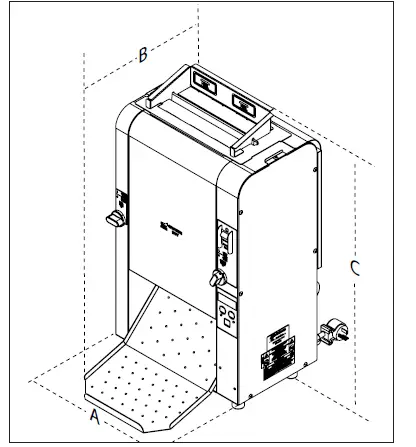
Dimensions
| Model & Mfg. No. | Width (A) | Depth (B) | Height (C) |
| VCTM-2 9210918 | 14.01” (355.8 mm) | 16.29” (413.7 mm) | 25.66” (651.8 mm) |
Installation
Unpacking
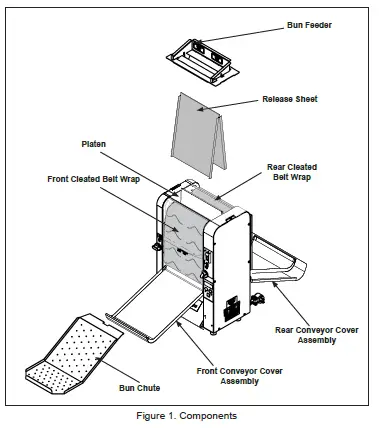
- Remove unit and all packing materials from shipping carton.
- Open the included large box. It should contain the following (Figure 1):
- Bun Chute
- Bun Feeder
- Two guttered Release Sheets
- Owner’s Manual
- Remove all shipping tape and protective coverings from the unit and parts.
NOTE: Missing or damaged parts?
Contact Antunes Customer Service at +1-877-392-7856 (toll free).
Equipment Setup
Before placing the toaster into service, pay attention to the following guidelines:
- Make sure power to the unit is off and the toaster is at room temperature.
- Do NOT block or cover any openings on the unit.
- Do NOT immerse cord or plug in water.
- Keep cord away from heated surfaces.
- Do NOT allow cord to hang over edge of table or counter.
- Connect the unit to the proper power supply. Refer to the specification plate for proper voltage.
NOTE: The factory has pre-installed a Release Sheet over the Platen (Figure 2). Verify that it is properly in place before proceeding.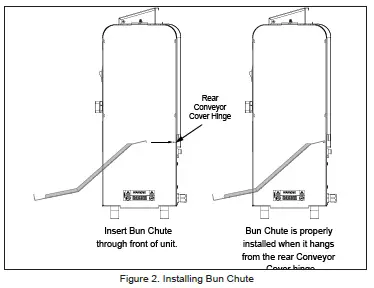
Installing the Bun Chute
- If the unit is on, be sure to put on heat resistant gloves.
- Insert the Bun Chute through the front of the unit according to Figure 1.
- Hang the back of the Bun Chute on the rear Conveyor Cover hinge. When properly installed, the Bun Chute supports will be flush against the front of the unit (Figure 2).
NOTE: You may need to stand to the side of the unit to guide the Bun Chute into place from the front and rear using both hands.
Operation
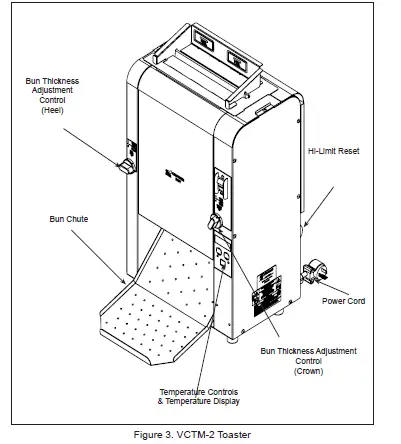
- Set the Bun Thickness Adjustment Controls (Figure 3).
NOTE: The default Bun Thickness settings are 3 for Crown/Front and 2 for Heel/Rear. Settings are adjustable from 1-6. It is acceptable to adjust the Bun Thickness setting as needed to achieve the desired quality toast and bun compression. - Turn the power on and wait until the display reads USE before proceeding.
NOTE: The display (Figure 3) flashes “LO” during warm-up. “USE” appears when the toaster is ready for use. - Drop buns into the Bun Feeder. Insert buns so they face the center platen. The cut sides of heel and crown must face each other and slide against the Release Sheet with Crowns inserted in the front and Heels inserted in the rear.
- Toasted buns drop onto the Bun Chute (Figure 3).
- Test at least 4 buns before putting the toaster into service.
Default Settings
Recommended Temperatures
The default and recommended temperature setting for the platen heater is 560° F (293° C).
The default and recommended temperature setting for the Aux heater is 400° F (204° C).
Recommended Seconds Setting
The default and recommended seconds setting is a 14 second pass-through time (plus or minus 2 seconds).
Light/Dark Setting
The toaster has a Light/Dark adjustment setting that allows you to adjust the toast quality as the toaster is running.
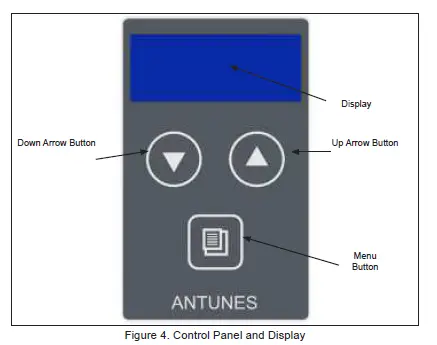
While the toaster is in USE mode, press the UP or Down arrow buttons to adjust the Light/Dark setting.
The default setting is D0.
Light 10 is the lightest setting
Dark 10 is the darkest setting.
Hi-Limit Reset Button
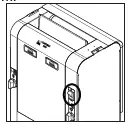
A Hi-Limit Control turns off power to the unit if it overheats. To reset the control, al-low the unit to cool, then locate the Reset Button at the rear of the unit. Remove the black protective cap, press the Reset Button, and reinstall the protective cap (Figure 3).
NOTE: If the Hi-Limit requires continuous resetting, contact Antunes Technical Service.
Viewing Settings
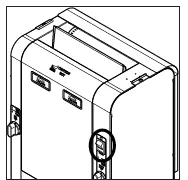
To view the toaster settings press and hold the Menu button (Figure 4) for approximately 5 seconds. The unit beeps and shows the settings in the following order, displaying the value in column 1 first, then the actual setting.
| Display Shows | Setting Description |
| ºA – ° F | Platen current temperature* |
| bº – ° F | B Auxiliary heater current temperature* |
| SEC | Seconds setting |
| Unit | Current temperature Unit |
| Er | Error Code |
| Et – d | Elapsed Time of toaster usage |
| Int ° F | Internal toaster Temperature |
| PL | Power Line Voltage |
* The first circles shown in these values represent the Platen indicator lights. The temperature unit will be shown as °F or °C depending on the Unit setting.
NOTE: Seconds are displayed and adjusted in 0.5 second increments.
Changing Settings
The only settings that can be changed on the toaster are:
- Platen setpoint temperature
- Auxiliary setpoint temperature
- Speed
- Unit
To change these settings:
- With the toaster turned off, press and hold the Menu button and turn the toaster on. Continue holding the Menu button until the unit beeps and EnA appears on the display. Release the Menu button.
- Press the Menu button again. The toaster shows ºA – ° F (Platen) and then shows the current Platen setpoint value. Use the ▲ and ▼ buttons to change the value as needed.
- Press the Menu button to move to the Auxiliary setting. Edit as needed.
- Press the Menu button to move to the SEC (Seconds setting). Edit as needed.
- Press the Menu button to move to the Unit setting. Edit as needed.
The settings are saved each time you press the Menu button and move to the next value. The toaster exits programming mode after 30 seconds of inactivity.
Factory Reset
To reset the toaster to the original factory settings:
- Turn the toaster off.
- Press and hold both the ▲ and ▼ buttons and turn the toaster on, continuing to hold the ▲ and ▼ buttons until the unit beeps and FR (Factory Reset) appears on the display.
- Release the buttons.
Maintenance
Daily Cleaning
WARNING
Turn the power off, unplug the power
cord, and allow the unit to cool to room temperature before performing any service or maintenance.
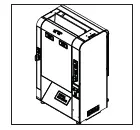
- Turn the power OFF, unplug the power cord, and clean the release sheet and belts wraps while they are warm.

- Put on heat-resistant gloves. Remove the Bun Feeder and Bun Chute.

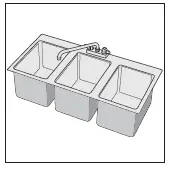
- Take the Bun Feeder and Bun Chute to the sink and wash, rinse, and sanitize.

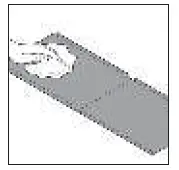
- Remove the release sheet and place it on a clean, flat dry surface.
- Inspect the release sheet and belt wraps. Replace if they are torn, damaged, or have excessive buildup.
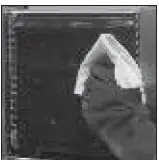
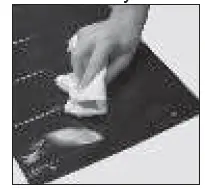
- Spray the silver side of the release sheet with Sink Detergent Solution and wipe with a clean, sanitizer-soaked towel. Rinse the silver side of the Release Sheet with a separate, clean sanitizer-soaked towel.

- Flip the release sheet over and spray the black side with Sink Detergent Solution and wipe with a clean, sanitizer-soaked towel. Rinse the black side of the release sheet with a separate, clean sanitizer-soaked towel. Discard the soiled towel into the soiled towel bucket after use. Allow to air dry.
- Open the front conveyor cover and firmly wipe the belt wrap from left to right and top to bottom with a clean, sanitizer-soaked towel sprayed with an approved Degreaser solution. Rinse the belt wrap from left to right and top to bottom with a separate, clean sanitizer-soaked towel.

- Close the front conveyor cover, open the rear conveyor cover and clean the belt wrap following step 9. Discard the soiled towels into the soiled towel bucket after use.
- Close the rear conveyor cover. Plug in the power cord, turn the unit, count 40 seconds, then turn the unit OFF and unplug the unit.
- Open the rear conveyor cover again and clean the newly exposed section of the belt wrap from left to right and top to bottom with a clean, sanitizer-soaked towel sprayed with an approved Degreaser solution. Rinse the belt wrap from left to right and top to bottom with a separate, clean, sanitizer-soaked towel.
- Close the rear conveyor cover, open the front conveyor cover and clean the belt wrap following step 11. Discard the soiled towels into the soiled towel bucket after use. Close the front conveyor cover.
- Wipe down the exterior of the toaster with a clean, sanitizer-soaked towel sprayed with an approved Degreaser solution. Rinse the exterior toaster with a separate, clean sanitizer-soaked towel. Discard the towel into the soiled towel bucket after use.
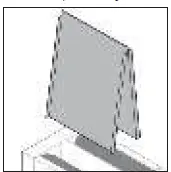
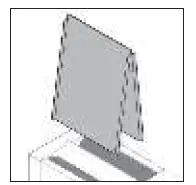
- Prior to installing the sheet, fold the gutters 90 degree if needed. Install the release sheet by draping it over both sides of the platen with the black side facing out.

NOTE: The release sheet is not reversible, the black side should always be facing out. - Reinstall the Bun Chute through the front of the toaster. Hang the back of the Bun Chute on the rear Conveyor Cover hinge. See Figure 2 on page 5. Reinstall the Bun Feeder.
- Plug the toaster in and turn the power switch to ON.
Quarterly Cleaning
- Turn the power OFF, unplug the power cord, and allow the unit to cool before proceeding.

- Put on heat-resistant gloves and remove the Bun Feeder and set the bun thickness compression knobs to 6 & 6.

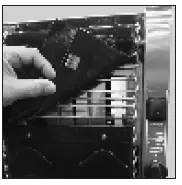
- Open both conveyor covers (rear and front). Disconnect the clips on the inside part of the Belt Wraps from the Conveyor Belt Chain.
- Remove the belt wraps and inspect both sides of the belt wraps for damage to the flap, ribs, or silicone surface. Replace any damaged belts.

- Clean both conveyor belt chains (rearand front) with a non-scratch scouring pad sprayed with an approved Degreaser solution. Rinse with a separate, clean, sanitizer-soaked towel.
NOTE: Do not spray the toaster with water or cleaning product. This can damage electrical components. - Close both conveyor covers. Plug in the power cord, turn the unit on, count 22 seconds, then turn the unit OFF and unplug the unit.
- Open both conveyor covers again and clean the newly exposed section of the conveyor belt chains from left to right and top to bottom with a non-scratch scouring pad sprayed with an approved Degreaser solution. Rinse the belt wrap from left to right and top to bottom with a separate, clean, sanitizer-soaked towel. Wipe down the belt wraps with a clean, sanitizer-soaked towel and allow to air dry before installing.

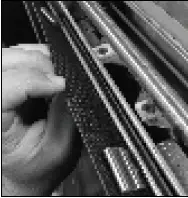
- Install the belt wraps around the conveyor belt chains under the support rods, making sure the flap is pointing down.
NOTE: Make sure the Belt Wraps are installed under the yellow support rods.
- Close the conveyor covers and reinstall the Bun Feeder.

- Set the bun thickness compression knobs back to their normal settings. It is acceptable to adjust the bun thickness setting as needed to achieve the desired quality toast and bun compression.
- Plug the toaster in and turn the power switch to ON.
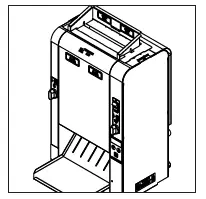
Replacing the Belt Wraps
WARNING
Turn the power off, unplug the power cord, and allow the unit to cool to room temperature before performing any service or maintenance.
NOTE: Depending on toaster usage and how well they are cleaned daily will determine the lifespan of the Belt Wraps
- Turn the unit off, unplug the power cord, and allow the unit to cool down.
- Put on the heat-resistant gloves. Remove the Bun Feeder, Release Sheet, and Bun Chute (Figure 1).
- Set Bun thickness Compression Knobs to 6. Next, open both Conveyor Covers.
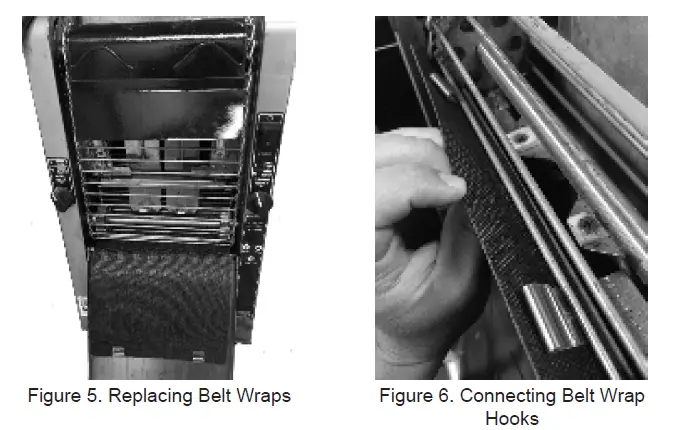
- If necessary, remove both existing Belt Wraps. Lift the flap on the Belt Wrap and disconnect the Belt Wrap hooks from the Conveyor Belt Chain. Discard used Belt Wraps.
- Wipe the belts with a clean, sanitizer-soaked towel.
- Install the new Belt Wraps onto the toaster under the support rods, making sure the flap is pointing down (Figure 6).
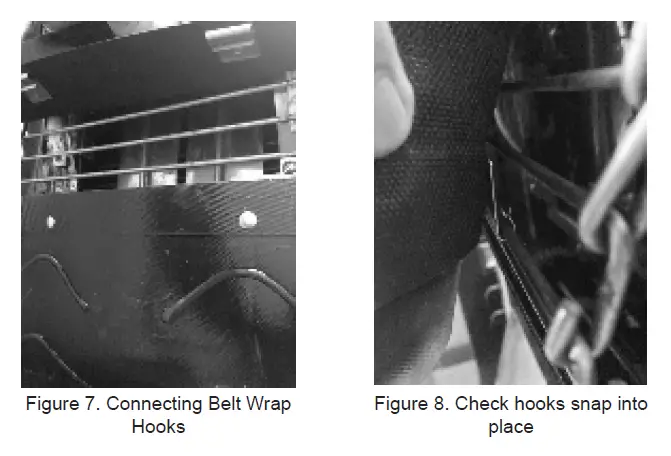
- Connect the Belt Wrap hooks to the Conveyor Belt Chain, ensuring all hooks snap into place (Figure 6, Figure 7, Figure 8).
NOTE: Make sure the Belt Wraps are installed under the support rods.
NOTE: Install the hooks on a smaller link/gap on the conveyor chain belt to ensure better performance. - Close the Conveyor Covers.
- Reinstall the Release Sheet, Bun Chute, and Bun Feeder and return the toaster to operation.
Checking the Conveyor Belt Chains
Measuring conveyor belt Chains
- Turn the unit off, unplug the power cord, and allow the unit to cool.
- Remove the Bun Feeder and Bun Chute (Figure 2). Set the Bun Thickness Compression Knobs to 6 & 6.
- Open both Conveyor Covers.
- Remove the Belt Wraps and set aside.
- Facing the toaster, locate the approximate center-point of the Conveyor Belt Chain.
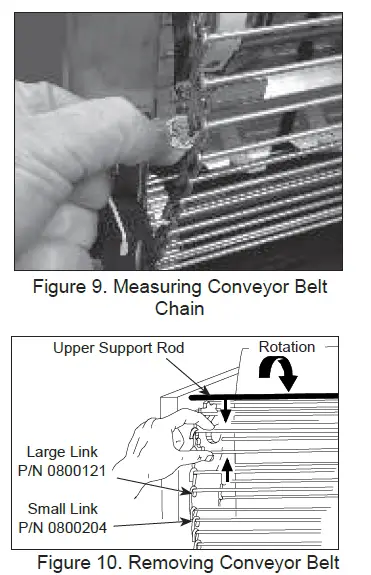
- Pull the chain away from the edge of the toaster (Figure 9).
- Measure the distance from the frame of the unit and the chain. A U.S. Dime (1.8 cm) can be used for the measurement (Figure 9).
- If the gap is 2 times wider than the coin or larger than 3.6 cm, remove one 1/2” link as described below.
- Disconnect the chain by squeezing any two links together and unhook the links from each other (Figure 10). Needle-nose pliers may be used.
NOTE: There are two small 1/2” links on each side of the Conveyor Belt Chain. The rest are large 3/4” links. - Remove one 1/2” link from the chain.
- Reassemble the chain onto the sprockets as described in the Replacing Conveyor Belt Chains section of this manual.
- Measure the gap again with the coin. The coin should fit snuggly between the chain and frame.
- Check the opposite side of the toaster using the same steps.
- When finished, reassemble the unit and return to operation.
NOTE: If the ends of the Conveyor Belt Chain cannot be connected, remove an additional small 1/2” link and install a large 3/4” link in its place.
Replacing Conveyor Belt Chains
- Turn the power off, unplug the power cord, and allow the unit to cool before proceeding.
- Remove the Bun Chute and set the Compression Control Knobs to 6 & 6.
- Open both Conveyor Covers.
- Remove both Belt Wraps and set aside.
- Disconnect the Conveyor Belt Chain by squeezing any two links together and unhook both ends of one link (Figure 10). Repeat on other side.
- Place the new chain on the top sprockets with hook ends down. (Figure 10)
- Wrap the chain around the top and lower sprockets. Hook both ends together. Repeat on other side.
NOTE: Install the Conveyor Belt Chains under the upper and lower Support Rods. - If the Belt Wraps are in good condition, reinstall. Otherwise install new Belt Wraps.
- Close the Conveyor Covers, set the Bun Thickness Compression Knobs back to their
normal settings and reinstall the Bun Feeder and Bun Chute.
Fault Codes
The table below describes error codes and the corrective action.
| Error # | Cause/Description | Corrective Action |
| 1 | Cannot communicate with thermocouple A/D converter (U3). Potentially failed PC Board Component. |
Turn unit off and back on again. If error persists, this may indicate a failed PC Board component. Contact Antunes Technical Service for assistance 877-392-7854. |
| 2 | Cannot detect power line zero cross. Potentially failed PC Board Component. | |
| 3 | Calibration check sum. Potentially failed PC Board Component. | |
| 4 | Microprocessor I2C buss communications error. Potentially failed PC Board Component. | |
| 5 | Microprocessor I2C buss communications error. Potentially failed PC Board Component. | |
| 6 | Cannot communicate with Fram (U9). Potentially failed PC Board Component. | |
| 7 | Cannot communicate with TMP75 (board temp sensor) (U4). Potentially failed PC Board Component. | |
| 8 | On-board voltage reference in thermocouple circuit failed (U1). Potentially failed PC Board Component. | |
| 9 | Not used. | Not Used |
| 10 | Board temp sensor exceeds 158° F. | Verify vents on toaster are unblocked and not near other heated appliances. If error persists, contact Antunes Technical Service for assistance 877-392-7854. |
| 11 | Hi Limit tripped. | Reset Hi Limit, turn unit off and back on again. Check Auxiliary Thermocouple. If error persists, contact Antunes Technical Service for assistance 877-392-7854. |
| 12 | Cannot measure power line voltage Failed on-board transformer used for power control (T1). | Turn unit off and back on again. If error persists, contact Antunes Technical Service for assistance 877-392-7854. |
| 13 | USB port voltage below 4.5V – Something plugged into USB port. | Remove anything connected to the USB port, turn unit off and back on again. Turn unit off and back on again. If error persists, contact Antunes Technical Service for assistance 877-392-7854. |
| 14 | Main platen has not reached set point within 20 minutes. | Turn unit off and back on again. If error persists, contact Antunes Technical Service for assistance 877-392-7854. |
| 15 | Main platen has exceeded 650° F. | |
| 16 | Main platen has fallen 50°F below set point after Ready state. | |
| 17 | Main thermocouple failed (open). | |
| 18 | Aux has fallen 50°F below set point after Ready state; will clear from display if temperature recovers; error is logged into memory. | Make sure front and rear covers are in proper position. Turn unit off and back on again. If error persists, contact Antunes Technical Service for assistance 877-392-7854. |
| 19 | Auxiliary Heater exceeds 525° F. | |
| 20 | Auxiliary Heater does not reach set point within 20 minutes. | |
| 21 | Auxiliary thermocouple failed (open). | Turn unit off and back on again. If error persists, contact Antunes Technical Service for assistance 877-392-7854. |
| 22 | Auxiliary Hi Limit (hardware circuit trips at 550°F which turns off contactor; ER22 then shows within 2 seconds). | Turn unit off and back on again. If error persists, contact Antunes Technical Service for assistance 877-392-7854. |
| 23 | Cannot communicate with motor microprocessor (U13). | Turn unit off and back on again. If error persists, this may indicate a failed PC Board component. Contact Antunes Technical Service for assistance 877-392-7854. |
| 24 | Motor stopped. | Make sure no buns are stuck in conveyors or any obstructions around conveyors. Turn unit off and back on again. If error persists, contact Antunes Technical Service for assistance 877-392-7854. |
Troubleshooting
| Problem | Possible Cause | Corrective Action |
|
No Control Display | Power cord not plugged in | Plug power cord into the proper electrical outlet. |
| Circuit breakers turned off or tripped. Damaged electrical outlet, plug, or cord. Power switch damaged | Reset circuit breakers. If they trip again, check the power cord,plug, and outlet for damage. Contact Antunes Technical Service for assistance 877-392-7854. | |
| Power Switch not turned on or is faulty. | Turn the unit off and then on again. If the problem persists, contact Antunes Technical Service for assistance 877-392-7854. | |
| Faulty Transformer | ||
|
Conveyor does not rotate | Conveyor Belt/Chain has stretched. Chain skipping on sprockets. | Measure and adjust the conveyor belt chains as described in the Maintenance section of this manual. |
| Loose setscrew on one of the drive sprockets | Contact Antunes Technical Service for assistance 877-392-7854. | |
| Motor Drive Chain loose | Contact Antunes Technical Service for assistance 877-392-7854. | |
| Internal part /object interfering within conveyor system | Check for interference & clear up as necessary. | |
|
Conveyor(s) skips or hesitates | Conveyor chains loose. | Measure and adjust the conveyor belt chains as described in the Maintenance section of this manual. |
| Belt wrap clip not attached. | Verify both clips on each belt wrap are attached, reattach if necessary. | |
| Loose or misaligned sprocket | Contact Antunes Technical Service for assistance 877-392-7854. | |
| Motor drive chain loose or stretched | Contact Antunes Technical Service for assistance 877-392-7854. | |
| Drive motor(s) have failed | Contact Antunes Technical Service for assistance 877-392-7854. | |
|
Buns not toasting adequately | Compression settings are incorrect. | Use recommended setting or adjust compression knobs as needed to achieve desired toast quality. |
| Release sheet is worn or needs cleaning. | Inspect release sheet for cleanliness, worn spots, wrinkles , or tears. Clean or replace release sheet as described in the Maintenance section of this manual. | |
| Platen has butter/debris buildup. | Clean Platen as described in the Maintenance section of this manual. | |
| Light/Dark setting needs to be adjusted. | Adjust light/dark setting. See Operation section of this manual. | |
|
Crowns and/or Heels must be forced into the toaster. Buns sticking and burning. | Belt wraps are dirty, worn or damaged. | Clean or replace Belt Wraps as described in the Maintenance section of this manual. |
| Platen has butter/debris buildup. | Clean Platen as described in the Maintenance section of this manual. | |
| Release sheet is dirty, worn or damaged. | Clean both sides or replace release sheet as described in the Maintenance section of this manual. | |
| Conveyor Chains loose. | Adjust the conveyor belt chains as described in the Maintenance section of this manual. | |
| Drive motor stalls intermittently. | Contact Antunes Technical Service for assistance 877-392-7854. | |
| Compression settings are incorrect. | Use the recommended settings or adjust as needed to achieve desired toast quality. | |
| Buns are not inserted into the toaster properly. | Insert Crowns in front conveyor with and Heels in rear conveyor. Cut side of buns need to face the platen. | |
|
Toaster making unusual sounds | Fan needs to be cleaned or replaced. | Clean fan as described in the Maintenance section of this manual or contact Antunes Technical Service for assistance 877-392-7854. |
| Conveyor belt chains have stretched or adjusted incorrectly. | Adjust the conveyor belt chains as described in the Maintenance section of this manual. | |
| Motor Drive chain needs lubrication. | Lubricate chain. | |
| Conveyor shaft bearing is binding. | Contact Antunes Technical Service for assistance 877-392-7854. | |
| Buns getting caught in bun chute area | Bun chute installed incorrectly | Reinstall Bun chute correctly. |
| Toaster Displays ERR 10 | Internal temperature of control compartment exceeded 106°F | Verify fan intake on back of toaster is clean, not blocked and has proper spacing. Clean cooling fan if needed. If |
Replacement Parts
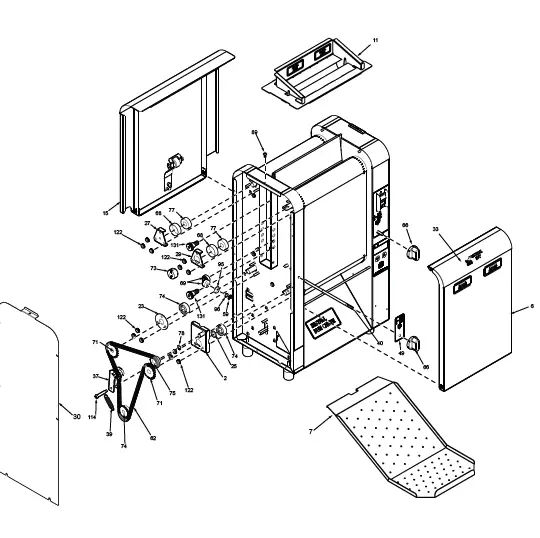
Exploded Diagram 1
Exploded Diagram 2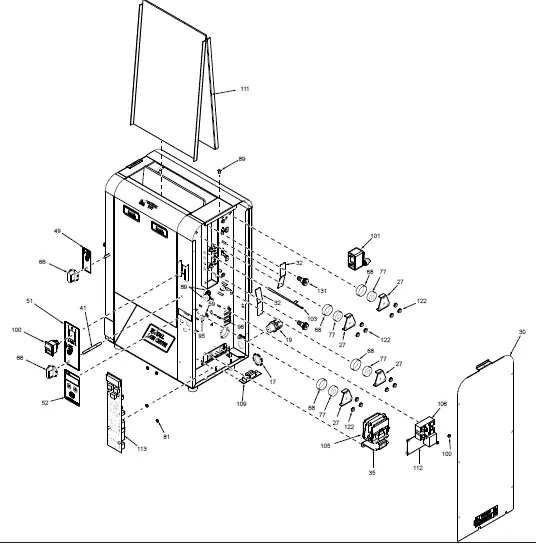
Exploded Diagram 3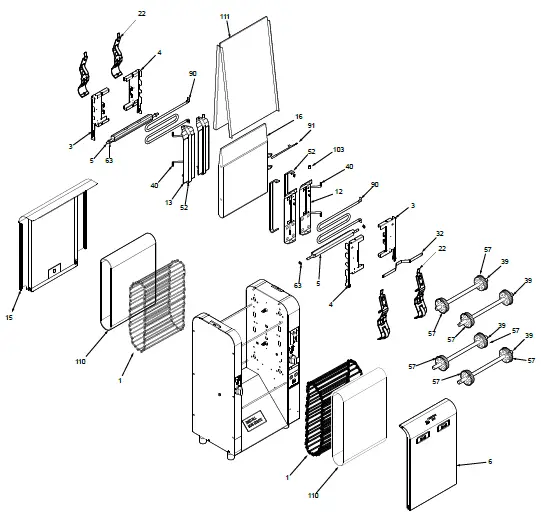
Exploded Diagram 4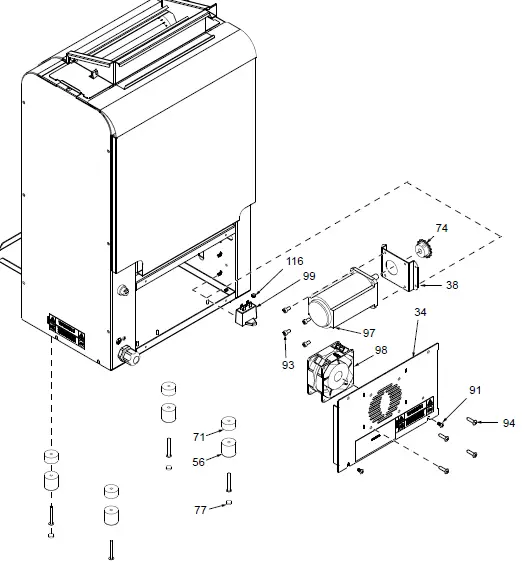
Parts List
(See Exploded Views for more information)
| Item No. | Part # | Description | Qty. | ||
| 1 | 0012982 | Conveyor Belt Assembly 37/2 | 2 | ||
| 3 | 0021951 | Tensioner Bracket Weldment – Right | 2 | ||
| 4 | 0021952 | Tensioner Bracket Weldment – Left | 1 | ||
| 5 | 0021959 | Cam Weldment | 2 | ||
| 6 | 0021961 | Conveyor Cover Weldment | 1 | ||
| 7 | 0510289 | Bun Chute | 1 | ||
| 8 | 0022194 | End Hsg Weldment | 1 | ||
| 9 | 0022195 | Control Housing Weldment | 1 | ||
| 10 | 0022295 | Base Weldment | 1 | ||
| 11 | 7001262 | Bun Feeder Kit | 1 | ||
| 12 | 0022297 | Weldment, Slide Shield – Crown | 2 | ||
| 13 | 0022298 | Weldment, Slide Shield – Heel | 2 | ||
| 15 | 0022300 | Weldment , Conveyor Cover Rear | 1 | ||
| 16 | 0100295 | Platen, Grill 200V/1900W | 1 | ||
| 17 | 0400138 | Lock-Nut, Conduit-1/2” Npt | 1 | ||
| 18 | 0400265 | Bushing, Shorty 3/8” | 4 | ||
| 19 | 0400315 | Strain Relief-Cord Connector | 1 | ||
| 20 | 0400432 | Bushing, Open/Closed | 1 | ||
| 21 | 0502199 | Spacer | 2 | ||
| 22 | 0503495 | Bracket, Retainer Right | 2 | ||
| 23 | 0503497 | Bracket, Tensioner-Left | 1 | ||
| 24 | 0503507 | Bracket, Retainer Left | 2 | ||
| 25 | 0504321 | Spacer 0.503 X 0.69 X 0.06” | 1 | ||
| 26 | 0505968 | Spring, Inner Tensioner | 4 | ||
| 27 | 0506755 | Retainer, Bearing | 5 | ||
| 29 | 0507500 | Retainer, Bearing | 1 | ||
| 30 | 0507507 | Panel, Control | 1 | ||
| 31 | 0507508 | Panel, End Housing | 1 | ||
| 32 | 0507509 | Aux. Heater Retainer Clip | 2 | ||
| 34 | 0507556 | Panel, Electrical | 1 | ||
| 35 | 0507557 | Bracket, Contactor | 1 | ||
| 36 | 0507558 | Bracket, Thermocouple | 1 | ||
| 37 | 0507559 | Chain Tensioner Bracket | 1 | ||
| 38 | 0507560 | Motor Mounting Bracket | 1 | ||
| 39 | 0600143 | Spring, Compression Setting | 1 | ||
| 40 | 0800455 | Rod, Knob (Heel) | 1 | ||
| 41 | 0800457 | Rod, Knob (Crown) | 1 | ||
| 42 | 0800458 | Rod, Support | 4 | ||
| 43 | 0800459 | Rod, Bun Feeder | 1 | ||
| 44 | 0800460 | Shaft, Drive | 2 | ||
| 45 | 0800900 | Rod, Pivot, 3/16 O.d. | 2 | ||
| 46 | 1000900 | Label – Warning | 1 | ||
| 47 | 1001181 | Label, Crown | 2 | ||
| 48 | 1001551 | Label, Install | 1 | ||
| 49 | 1001552 | Label, Cam (Heel) | 1 | ||
| 50 | 1002843 | Label, Wiring Diagram | 1 | ||
| 51 | 1002654 | Label, Crown Compression | 1 | ||
| 52 | 1002655 | Label, Control | 1 | ||
| 55 | 2070135 | Coupler | 4 | ||
| 56 | 2100230 | Bumper, Recess W/Washer | 4 | ||
| 57 | 2100259 | Rail, Slide | 4 | ||
| 58 | 2100359 | Rail, Slide | 2 | ||
| 59 | 2110127 | Ring, Retaining | 4 | ||
| 60 | 2120210 | Spacer 0.503 X 0.690 X 0.532 | 1 | ||
| 61 | 2150179 | Sprocket, 25B14 1/2” Bore | 1 | ||
| 62 | 2150187 | Chain, Drive | 1 | ||
| 63 | 2150190 | Sprocket, 25B28 1/2”Bore Stepped | 8 | ||
| 64 | 2150212 | Sprocket, 25B12 1/2” Bore | 1 | ||
| 65 | 2150214 | Sprocket, 25B30, 1/2” Bore | 1 | ||
| 66 | 2150250 | Bearing, Flanged | 1 | ||
| 67 | 2150251 | Sprocket, 25B14 3/8” Bore | 1 | ||
| 68 | 2150260 | Bearing Sleeve | 6 | ||
| 69 | 2150368 | Miter Gear, 20° Pressure Angle | 4 | ||
| 70 | 2150401 | Chain, Drive (64 Links) | 1 | ||
| 71 | 2150413 | Sprocket, 25B20 1/2” Bore | 2 | ||
| 72 | 2150414 | Shaft, Idler | 1 | ||
| 73 | 2150415 | Coupler | 1 | ||
| 74 | 2150418 | Sprocket, 25B16 3/8” Bore | 1 | ||
| 75 | 2150419 | Assembly , Idler Shaft | 1 | ||
| 76 | 2150420 | Shaft, Drive | 1 | ||
| 77 | 2180145 | Cover, Bumper | 4 | ||
| 78 | 300P124 | Ring, Retaining 3/8” | 1 | ||
| 79* | 303P115 | Cotter Pin-1/16” | 1 | ||
| 80* | 303P133 | Pin, Clevis | 1 | ||
| 81* | 304P105 | Nut, Hex ‘Keps’ #4-40 | 4 | ||
| 82* | 306P102 | Washer, Int. Tooth #6 | 8 | ||
| 83* | 306P105 | Screw, Mach. #6-32 X 1/2” | 8 | ||
| 84* | 308P102 | Washer, Int. Tooth #8 | 4 | ||
| 85* | 308P115 | Screw, Mach. #8-32 X 3/8” | 2 | ||
| 86* | 308P124 | Screw, Mach One-Way #8-32 | 1 | ||
| 87* | 308P143 | Nut, Hex ‘Keps’ #8-32 | 6 | ||
| 88* | 308P145 | Nut, Hex Acorn #08-32 Low Crown | 2 | ||
| 89* | 308P157 | Screw, Tap 8-32 X 3/8”Lg | 2 | ||
| 90* | 308P181 | Scr, Mach #8-32 X 3/8” Phflthd | 4 | ||
| 91* | 308P203 | Screw, Tap 8-32 X 3/8”Int. Washer | 7 | ||
| 92* | 310P180 | Screw, Mach. #10-32 X 1-3/4” | 4 | ||
| 93* | 310P199 | Scr, #10-32 X 3/8 Lg Socket Cap | 4 | ||
| 94* | 310P213 | Screw, Phpnhd #10-16 X 3/4” | 4 | ||
| 95* | 325P104 | Washer, Flat 1/4” S/S | 4 | ||
| 96* | 325P203 | Washer, Spring Steel Single-Wave | 4 | ||
| 97 | 4000186 | Motor, 230V | 1 | ||
| 98 | 7001440 | Fan, Axial – 230V | 1 | ||
| 99 | 4010265 | Cap-Mp, Motor Run | 1 | ||
| 100 | 4010245 | Switch, Rocker | 1 | ||
| 101 | 4030352 | Thermostat, Hi-Limit 700°F | 1 | ||
| 102 | 4030455 | Aux Heater, 200Vac, 550W | 2 | ||
| 103 | 4051042 | Thermocouple Type “K” (Open End) | 1 | ||
| 105 | 4050236 | Contactor, 2 Pole No | 1 | ||
| 106 | 4050240 | Relay, Solid State Dual Pole | 1 | ||
| 107 | 4060234 | Wire Strap – 3/8” | 1 | ||
| 108 | 4060466 | C-Clip | 4 | ||
| 109 | 4070154 | Varistor Board | 1 | ||
| 110 | 7002037 | Black Wavy Silicone Belt | 1 | ||
| 111 | 7000989 | Platen Cover Sheet (3 pack) | 1 | ||
| 112 | 4070238 | Asy-PCB, VCT Mini Power Board | 1 | ||
| 113 | 4070391 | Asy-PCB, VCT Mini Control Board | 1 | ||
| 114 | 3100228 | SCR, SHLDR #10-32 x 1.125 | 1 | ||
| 115 | 0013313 | End Housing Cover Assembly | 1 | ||
| 116 | 306P130 | Nut, Hex Keps #06-32 Steel | 1 | ||
| 117 | 0600179 | Spring Extension | 4 | ||
| * Items available in packages of 10 (ten) | |||||
NOTICE
Use only genuine Antunes replacement parts in this unit. Use of parts other than those supplied by the manufacturer will void the warranty.
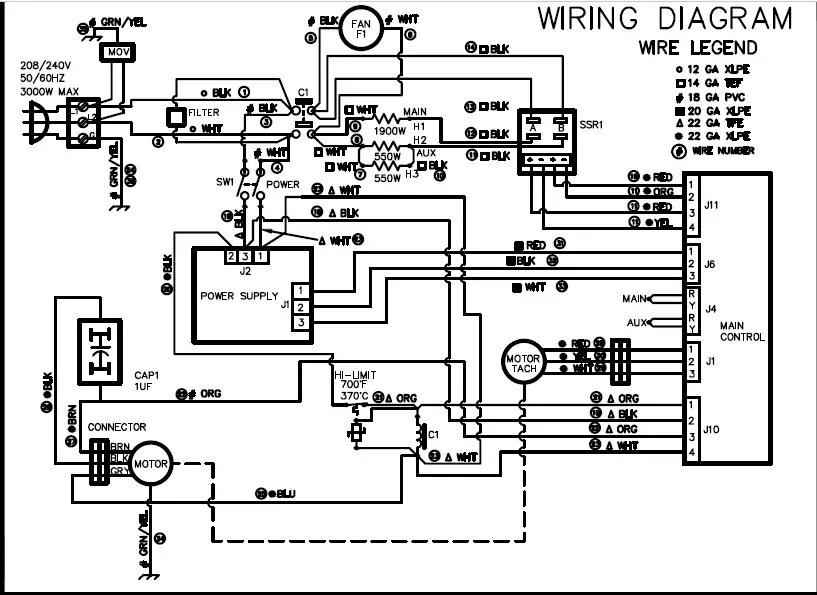
Wiring Diagram
Limited Warranty
Equipment manufactured by Antunes has been constructed of the finest materials available and manufactured to high quality standards. These units are warranted to be free from electrical and mechanical defects for a period of one (1) year from date of purchase under normal use and service, and when installed in accordance with manufacturer’s recommendations. To insure continued operation of the units, follow the maintenance procedures outlined in the Owner’s Manual. During the first 12 months, electromechanical parts, non-overtime labor, and travel expenses up to 2 hours (100 miles/160 km), round trip from the nearest Authorized Service Center are covered.
- This warranty does not cover cost of installation, defects caused by improper storage or handling prior to placing of the Equipment. This warranty does not cover overtime charges or work done by unauthorized service agencies or personnel. This warranty does not cover normal maintenance, calibration, or regular adjustments as specified in operating and maintenance instructions of this manual, and/or labor involved in moving adjacent objects to gain access to the equipment. This warranty does not cover consumable/wear items. This warranty does not cover damage to the Load Cell or Load Cell Assembly due to abuse, misuse, dropping of unit/shock loads or exceeding maximum weight capacity (4 lbs). This warranty does not cover water contamination problems such as foreign material in water lines or inside solenoid valves. It does not cover water pressure problems or failures resulting from improper/incorrect voltage supply. This warranty does not cover Travel Time & Mileage in excess of 2 hours (100 miles/160 km) round trip from the nearest authorized service agency.
- Antunes reserves the right to make changes in design or add any improvements on any product. The right is always reserved to modify equipment because of factors beyond our control and government regulations. Changes to update equipment do not constitute a warranty charge.
- If shipment is damaged in transit, the purchaser should make a claim directly upon the carrier. Careful inspection should be made of the shipment as soon as it arrives and visible damage should be noted upon the carrier’s receipt. Damage should be reported to the carrier. This damage is not covered under this warranty.
- Warranty charges do not include freight or foreign, excise, municipal or other sales or use taxes. All such freight and taxes are the responsibility of the purchaser.
- THIS WARRANTY IS EXCLUSIVE AND IS IN LIEU OF ALL OTHER WARRANTIES, EXPRESSED
OR IMPLIED, INCLUDING ANY IMPLIED WARRANTY OR MERCHANTABILITY OR FITNESS FOR A PARTICULAR PURPOSE, EACH OF WHICH IS HEREBY EXPRESSLY DISCLAIMED. THE REMEDIES DESCRIBED ABOVE ARE EXCLUSIVE AND IN NO EVENT SHALL ANTUNES BE LIABLE FOR SPECIAL CONSEQUENTIAL OR INCIDENTAL DAMAGES FOR THE BREACH OR DELAY IN PERFORMANCE OF THIS WARRANTY.
The warranty does not extend to:
- Damages caused in shipment
- Installation of electrical service
- Installation, calibration, or adjustment
- Normal maintenance outlined in this manual
- Consumable parts such as egg rings, gaskets, rubber feet, labels, O-rings, light bulbs, etc.
- Malfunction resulting from improper service or maintenance
- Damage caused by improper installation, improper use, abuse, or careless handling
- Damage from moisture coming in contact with electrical components
- Damage from tampering with, removal of, or changing preset controls or safety devices
- Damage caused by parts or components not provided by Antunes
Corporate Headquarters Carol Stream, IL,
USA Phone: +1.630.784.1000 Toll
Free: +1.800.253.2991
Fax: + 1.(630).784-1650
China Facility Suzhou,
China Phone: +84.512.6841.3637
Fax: +86.512.6841.3907
India Facility Chennai, India
Phone: +91.44.25532212
Fax: +91.44.25532415
 Antunes: High Quality Cooking Equipment & Water Treatment Solutions