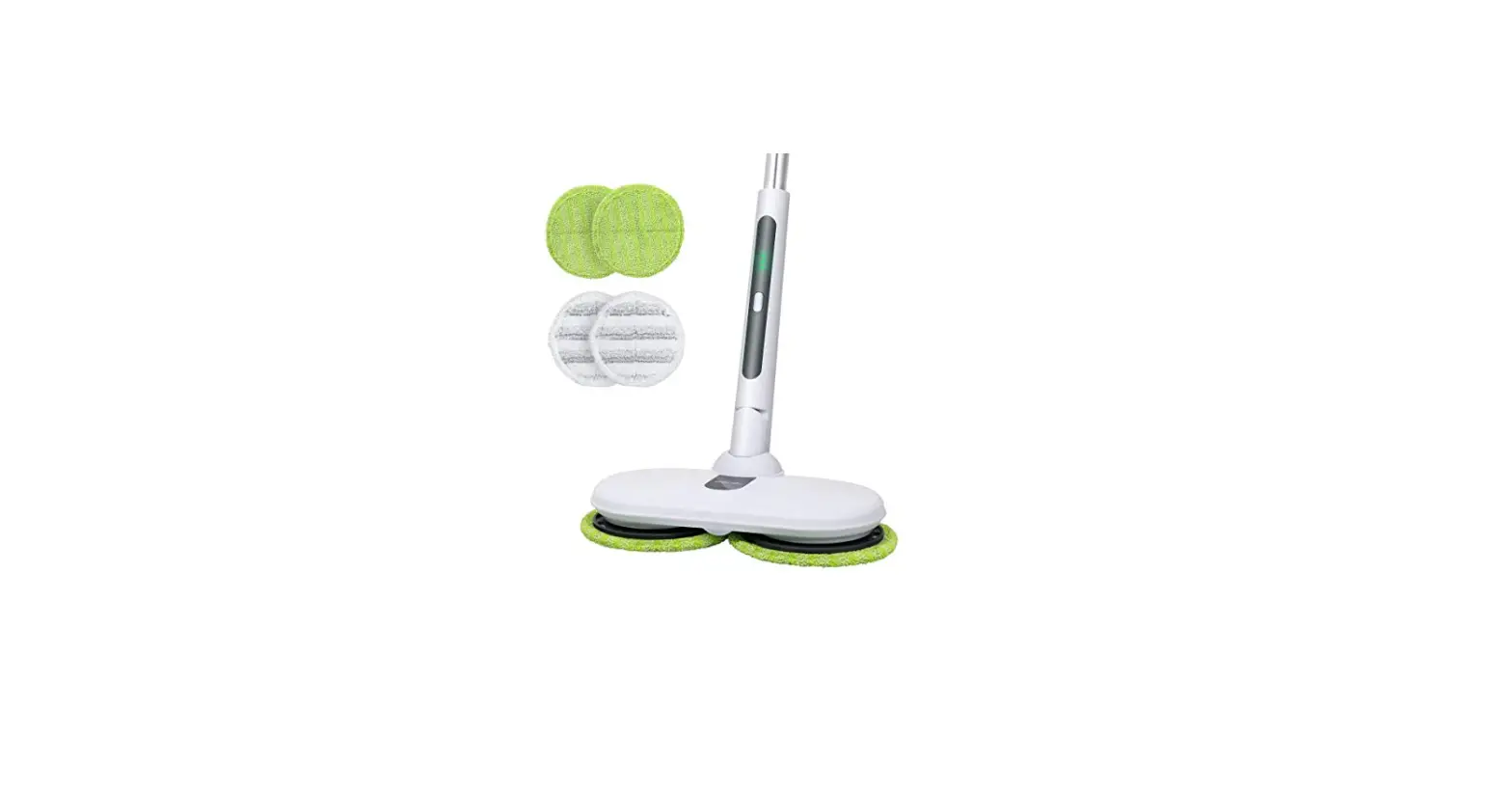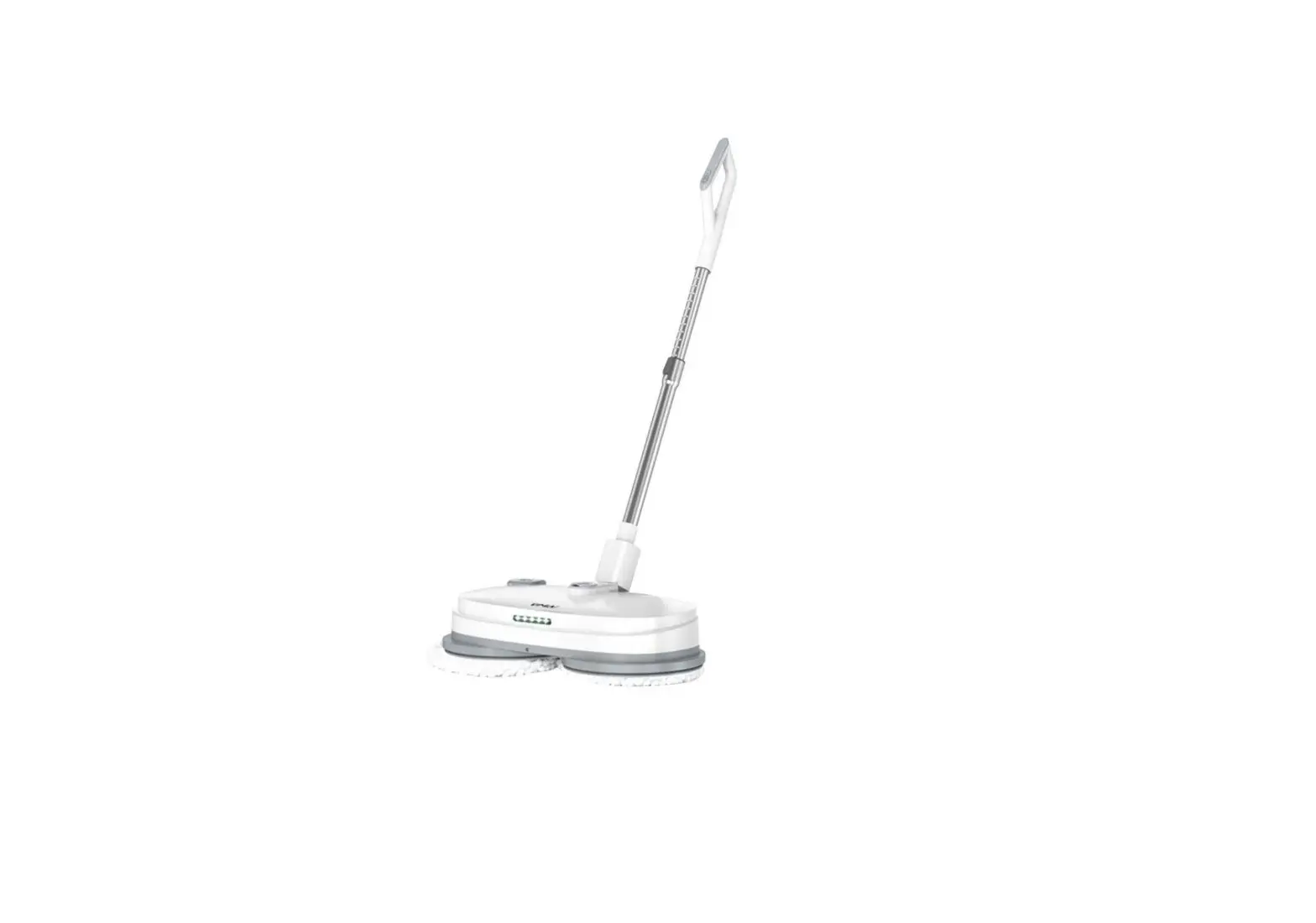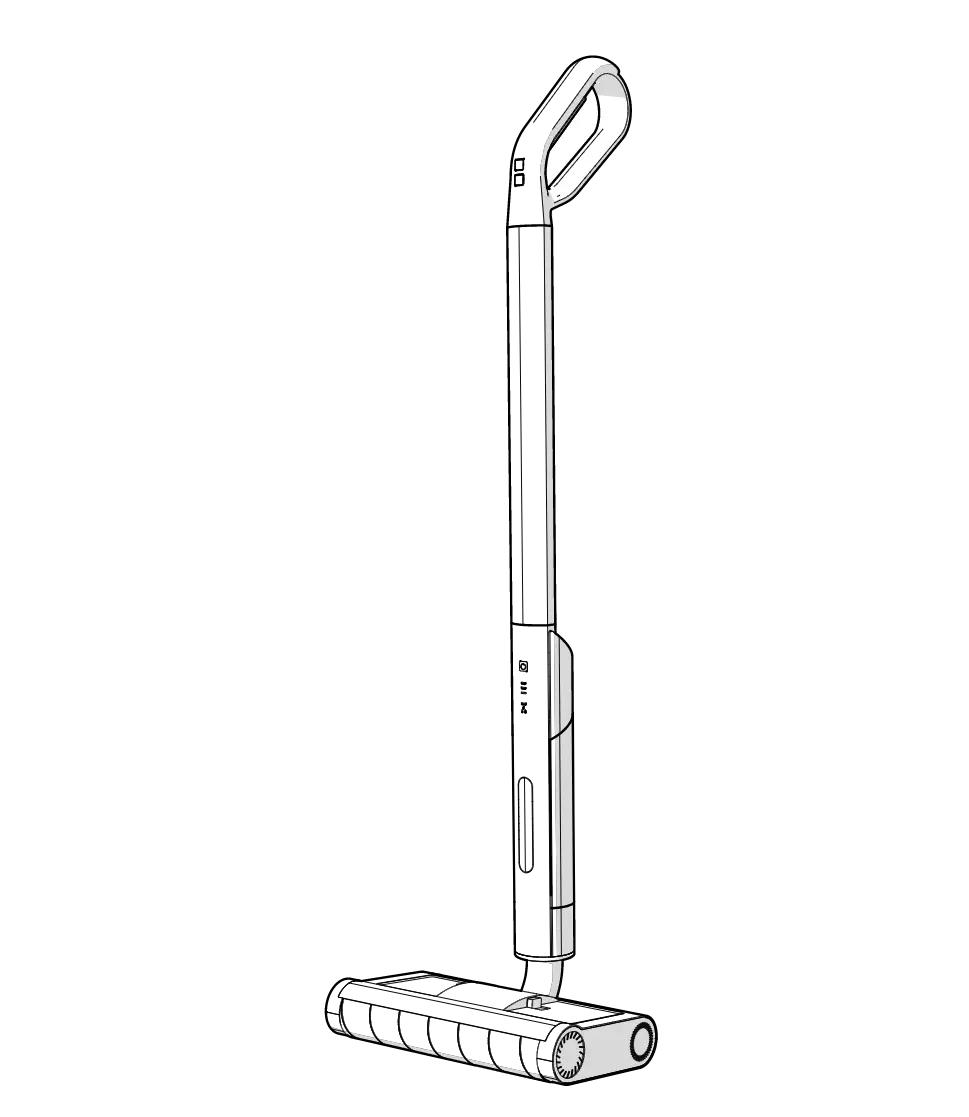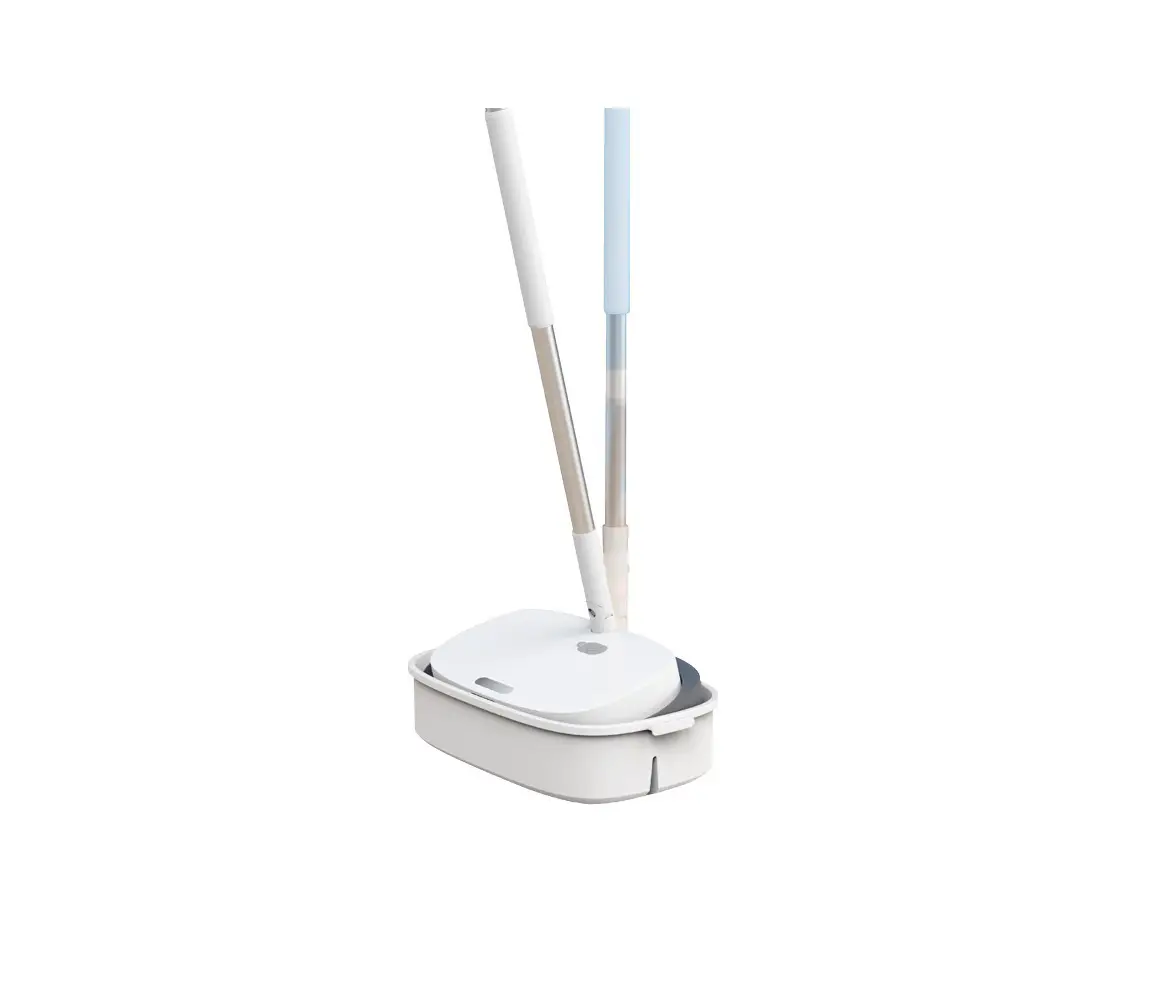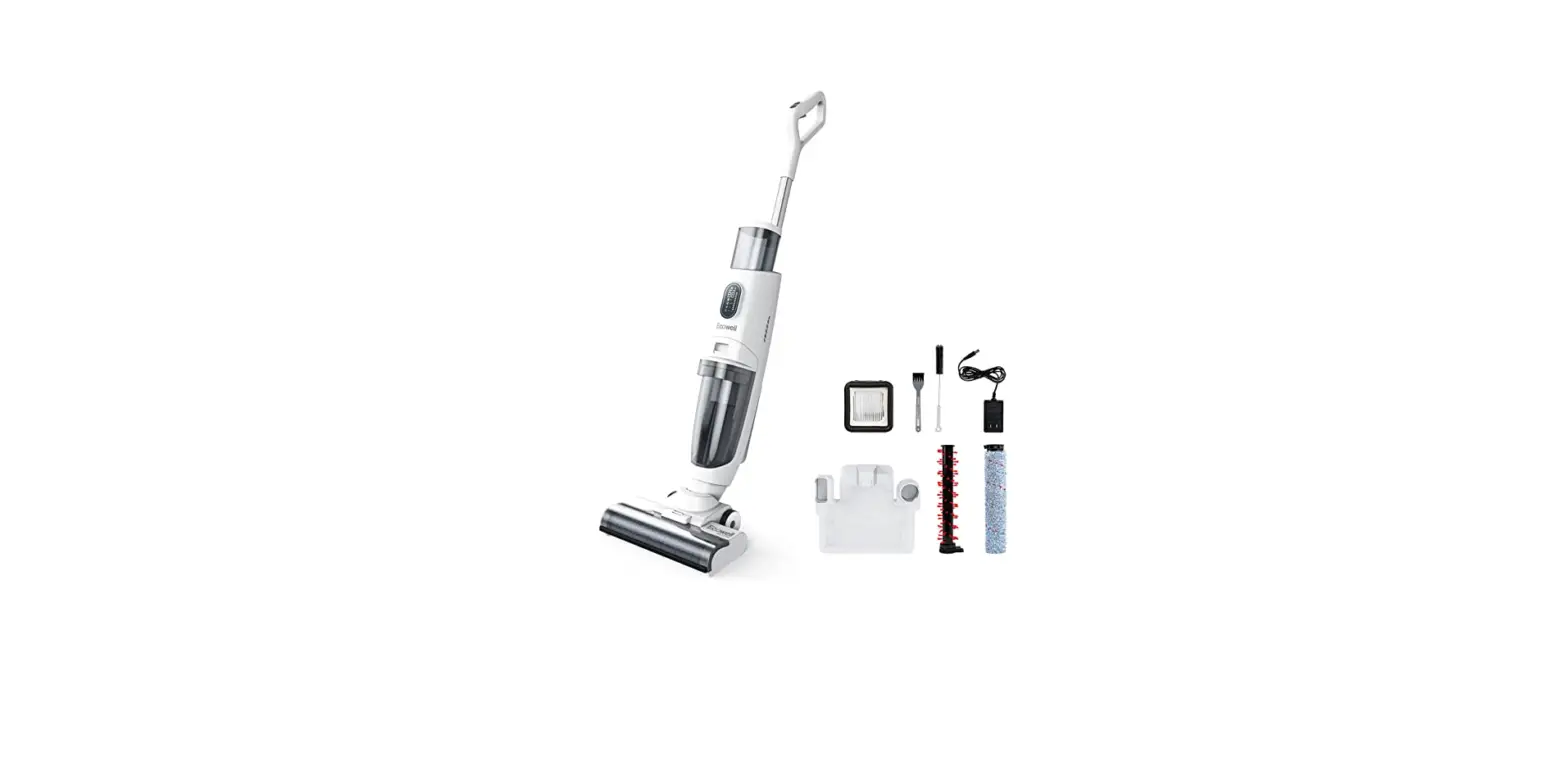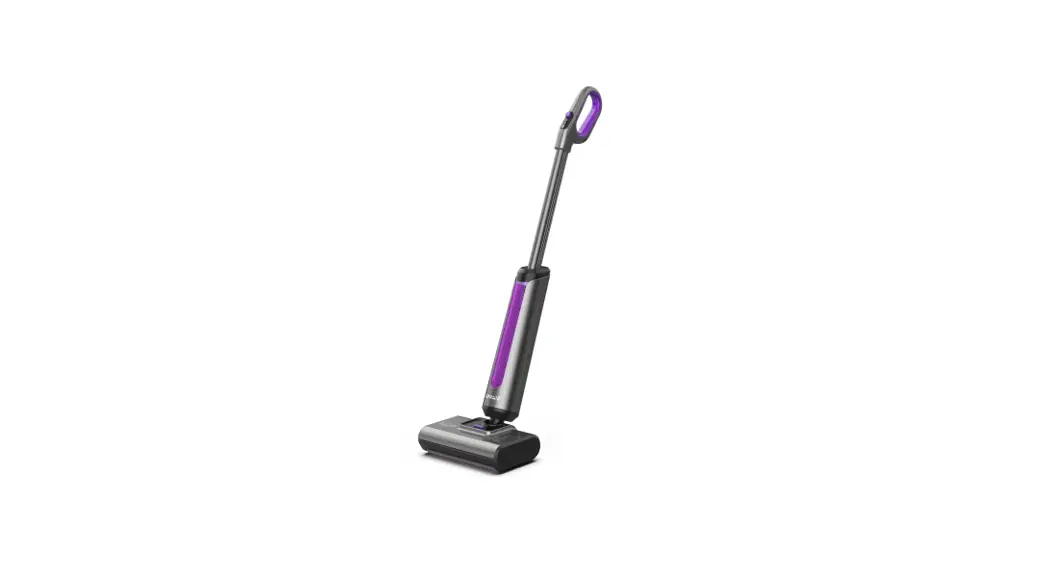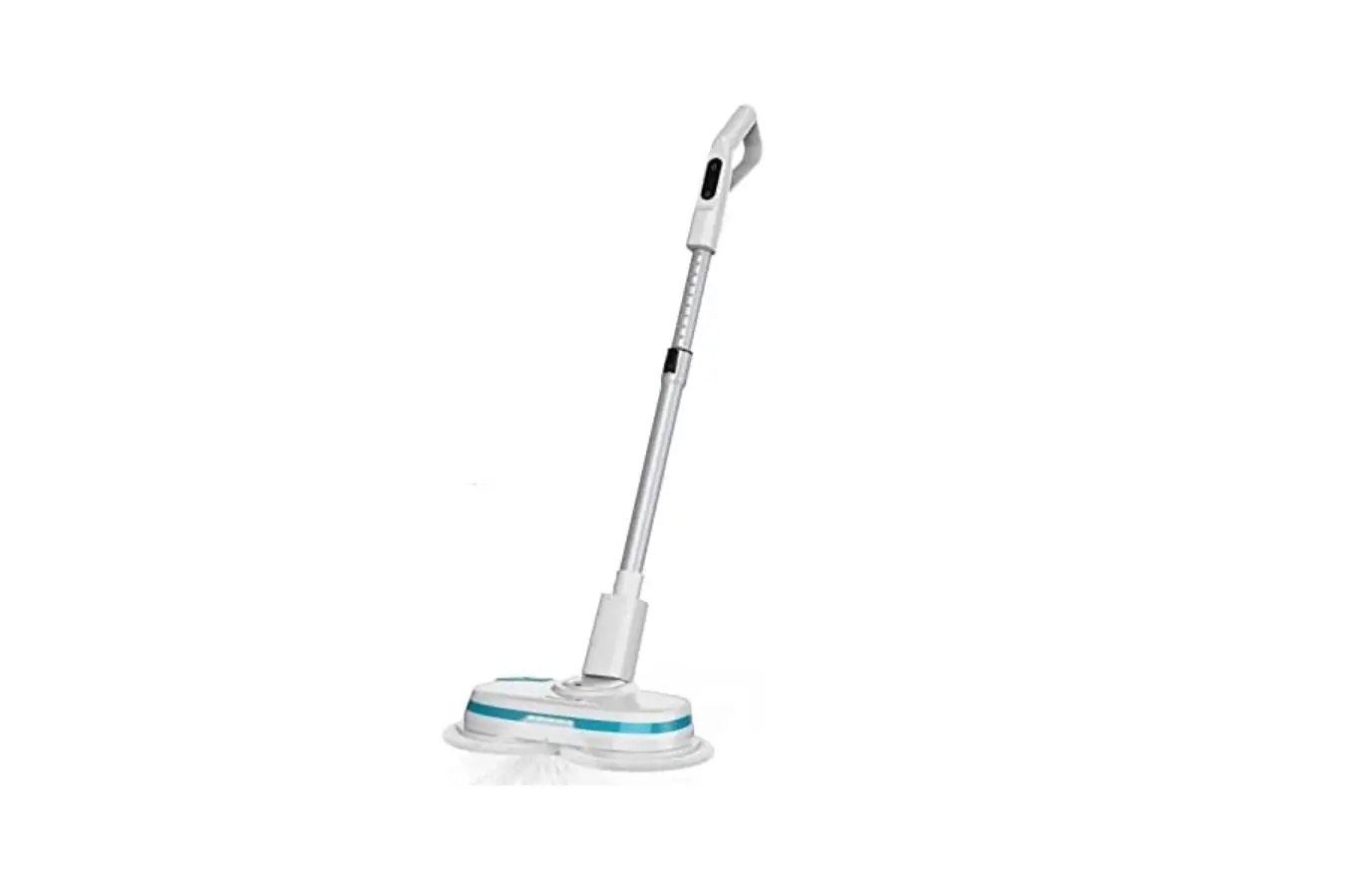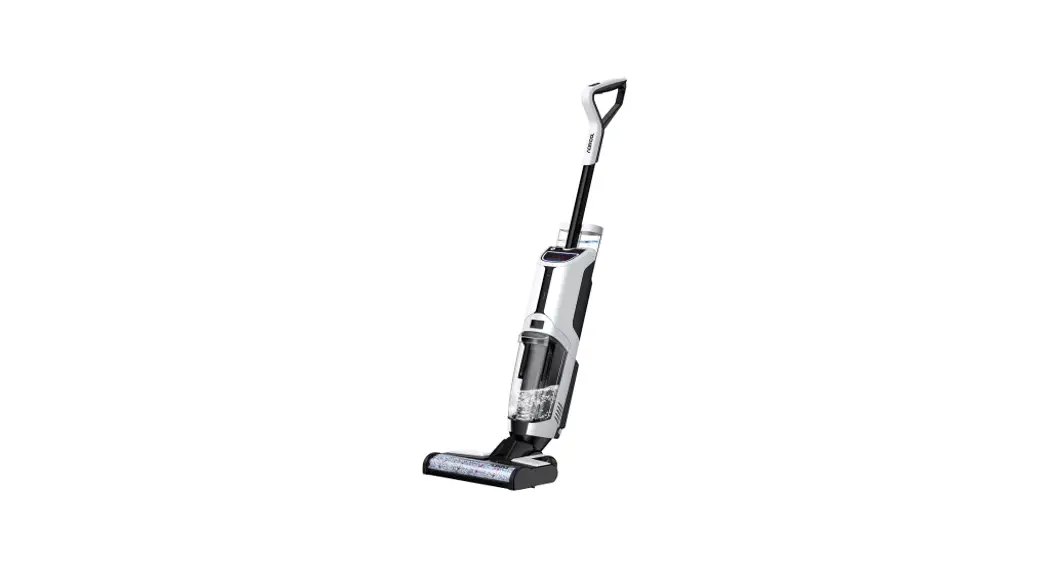
 VU1 Cordless Wet Dry Electric Floor Mops
Instruction Manual
For your safety and continued enjoyment of this product, always read the instruction manual carefully before using it.
Configuration
- This product is for home use. Please do not use it outdoors.
- Do not disassemble, repair, or refit cleaner without authorization.
- Do not modify or attempt to repair the cleaner except as indicated in the manual for use and care.
- Do not use the product in an environment with a risk of fire or explosion.
- Do not use cleaner to pick up flammable materials, such as gasoline, and lighter fluid.
- Do not use cleaner to pick up toxic material.
- Do not use cleaner to pick up foam liquids.
- Do not use cleaner to pick up the paint, pigments, and corrosive liquids.
- Do not use cleaner to pick up hard or sharp objects, such as nails, screws, or glass.
- Do not use cleaner to pick up the things that are burning or smoking, such as hot ashes, or cigarettes.
- Do not put any object into openings, keep openings free of dust, hair, and anything that may reduce airflow.
- Do not wash or soak the main body and electronic accessories in water.
- Do not allow metal and conductive materials to contact the battery.
- Do not allow it to be used as a toy. Close attention is necessary when used by or near children.
- Do not touch the charging plug and docking station with wet hands.
- Always should be protected from long-term exposure to sunlight.
- Do not place cleaner near cigarette butts, lighters, or other open fires.
- Keep hair, fingers, and other parts of the body away from openings and moving parts of the appliance.
- Only the original power adapter can be used.
- When the metal part of the power plug is dusty, please wipe it with a dry cloth.
- The power adapter is applied to a 100-240V AC voltage. Please plug into the socket properly and keep away from the children.
- The operating temperature of the product ranges from 0°C-40°C; please do not use it in a high-temperature environment
- Plastic film can be dangerous, please keep it away from babies and children.
- Please unplug the charger from the electrical socket when not in use or before cleaning.
- Please keep cleaner away from the metal objects, such as coins, and paper clips when the battery pack is not in use.
- Do not use a battery pack that is damaged.
- Do not block the air inlet or air outlet in case of overheating.
- Do not shake the cleaner hard in case the dirty water goes into the vacuum motor.
- The battery pack and charging station output terminals are not to be short-circuited.
- Please remove the battery from cleaner I before the cleaner is scrapped.
- Please empty it in time when the dirty water box is full.
- Please ensure the cleaner is upright when moving cleaner in case the dirty water goes into the vacuum motor.
Packing List
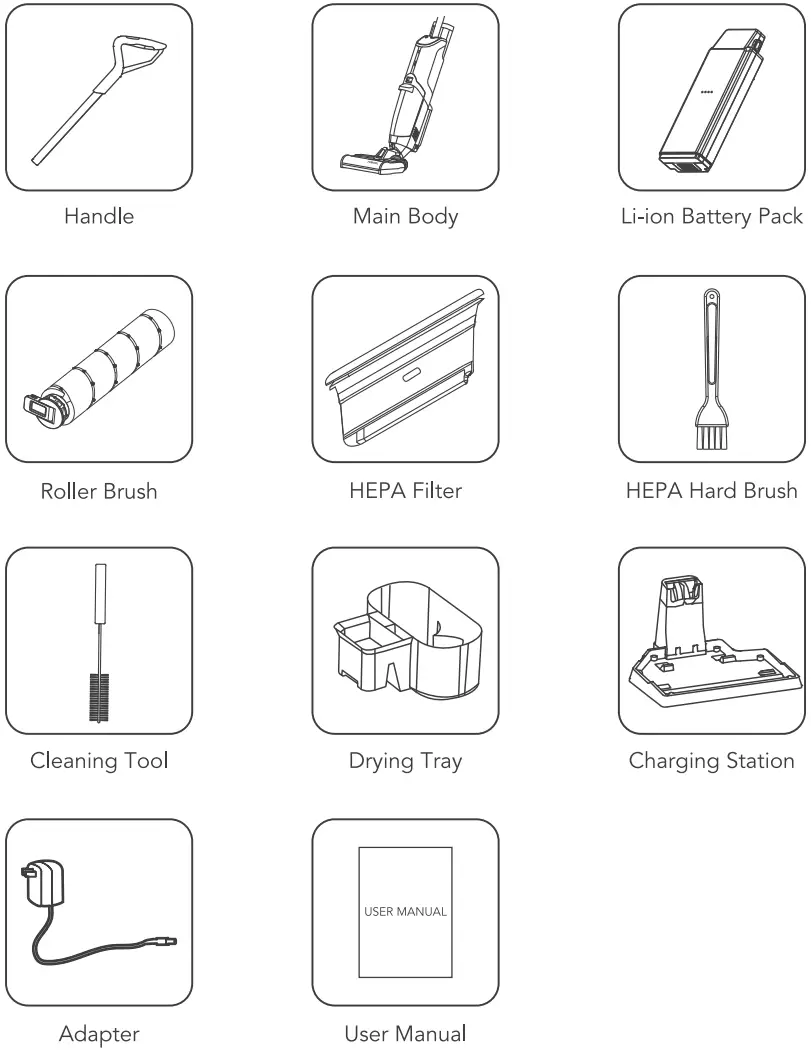
Accessories may be slightly different, the pictures are for reference, please subject to the received products or confirm with the seller.
Product View
Front View 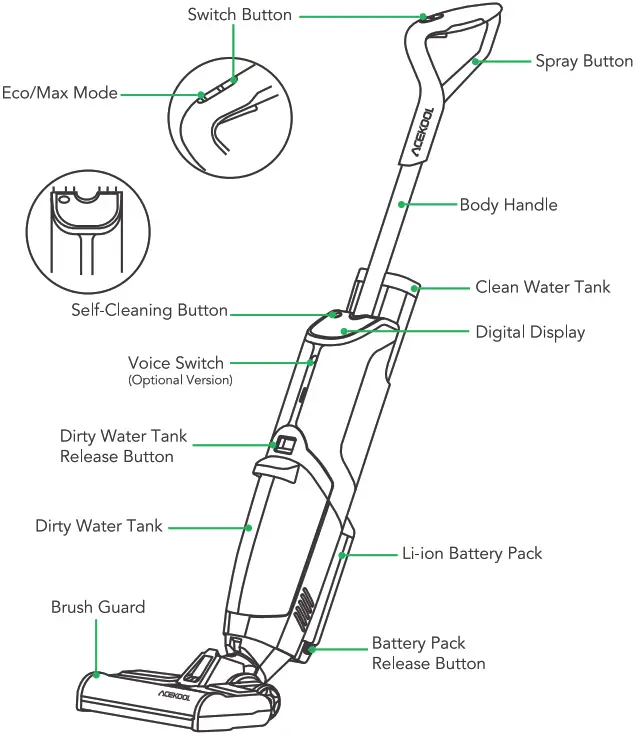 Back View & Clean Water Tank
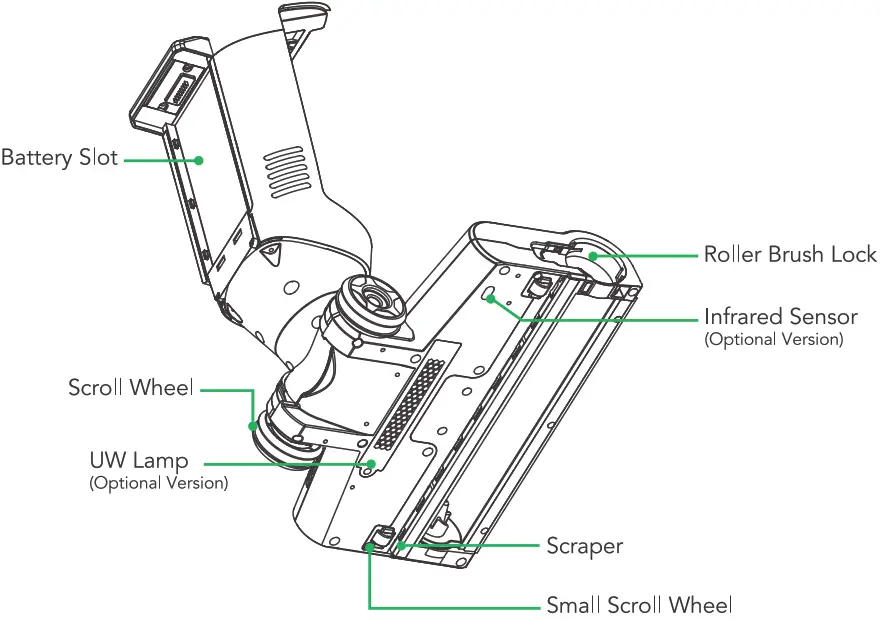
 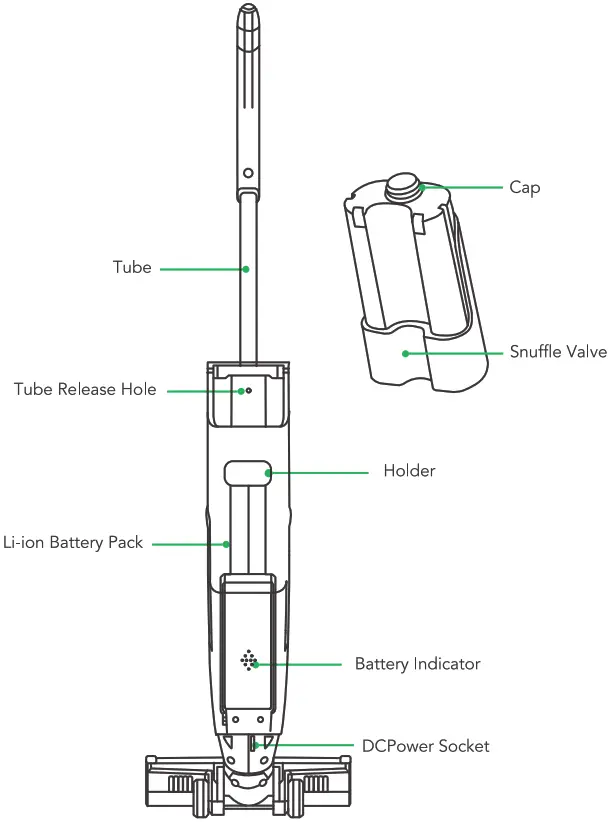 Brush Base
  Charging Station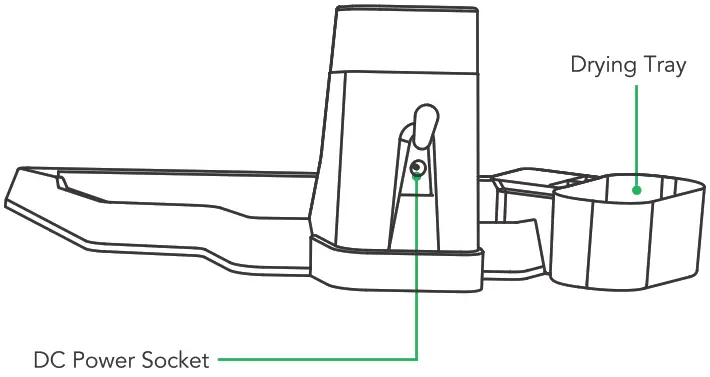
Digital Display
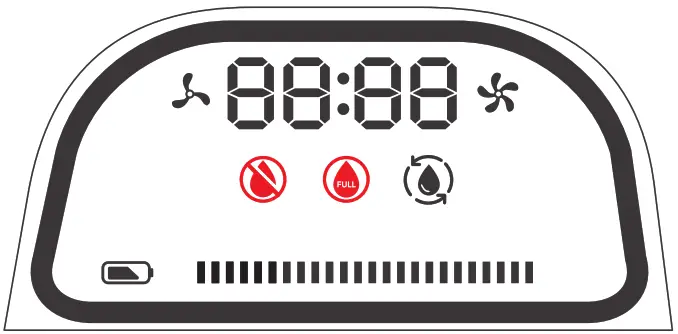
 The indicator will light up white when the cleaner is in Eco Mode.
 The indicator will light up white when the cleaner is in Max Mode.
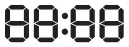 It shows the Working Time from “Switch on” to “now”.
 The indicator will flash RED slowly when Clean Water Tank is short of water, please fill up with clean water.
 The indicator will flash RED slowly when Dirty Water Tank is full, please empty the Dirty Water Tank in time.
 Press the Self-Cleaning Button, and the indicator will flash white slowly, and the cleaner will enter the self-cleaning mode.
 Battery Indicator, the indicator will flash white slowly when charging, it will stop flashing after fully charged.
The indicators and the display may be slightly different from the final product, please subject to the actual product.
Operations
Assemble
- Take out the Handle, Main Body, Li-ion Battery Pack, Clean Water Tank, Dirty Water Tank Set, Roller Brush, Charging Station, Drying Tray, and Cleaning Tool from the package.

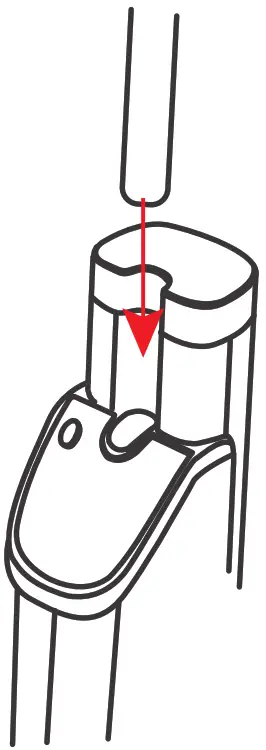
- Insert the handle into the main body of the cleaner until you hear a click.
- Turn over the clean water tank, and insert it into the main body along with the clean water tank slot until you hear a click.

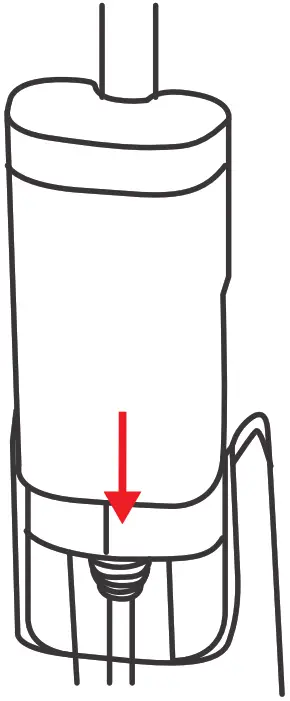
- Press the release button of the Li-ion battery pack, then put the battery pack into the battery slot, and push it up slightly until you hear a click.

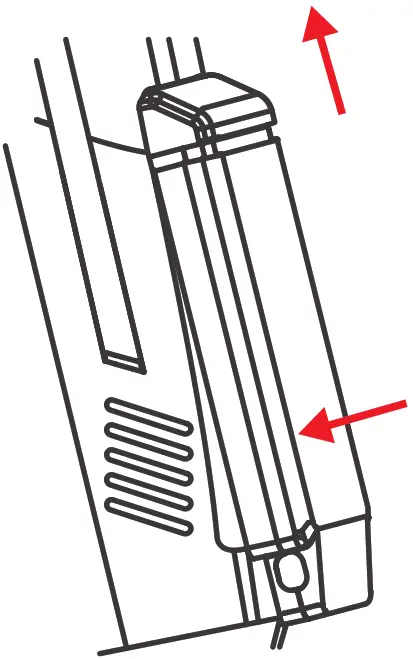
- Align the bottom of the dirty water tank with the inlet, then push it inwards until you hear a click.

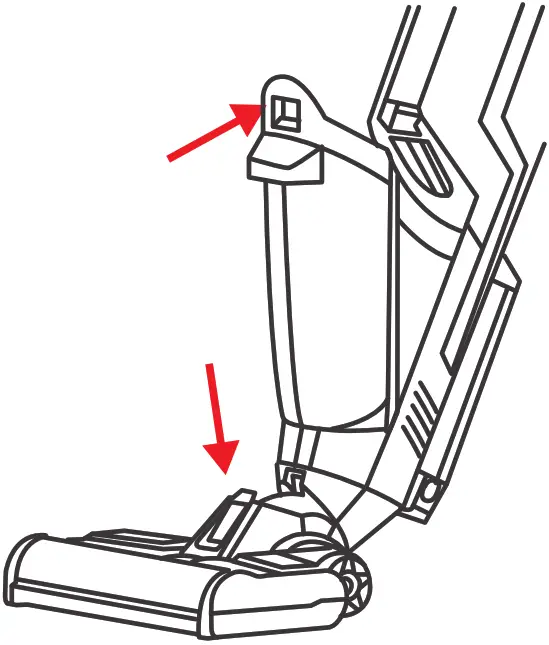
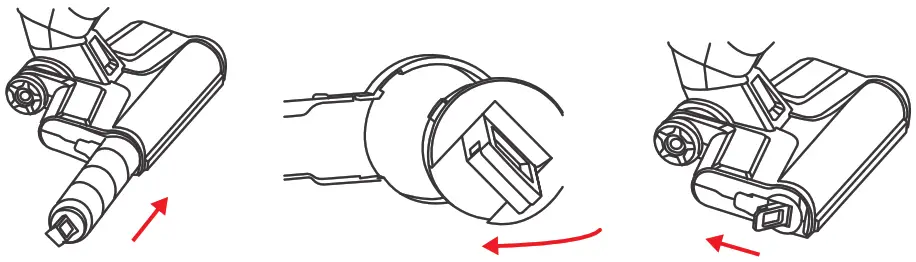
- Insert the roller brush into the base of the brush, rotate the roller brush so that the brush can align with the brush, meanwhile, make sure that the lock can align with the lock hole, then lock the roller brush.

Filling up the Clean Water Tank
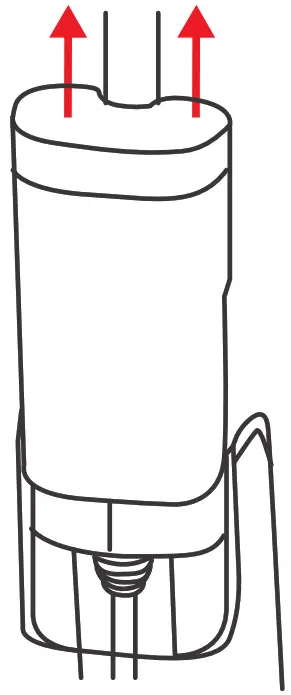
- The cleaning water tank is located on the back of the main body. Grasp the top of the water tank with your fingers and pull it upwards to remove it.

- Unscrew the water cap counterclockwise as below and add some water, then screw it and insert the clean water tank into the cleaner.

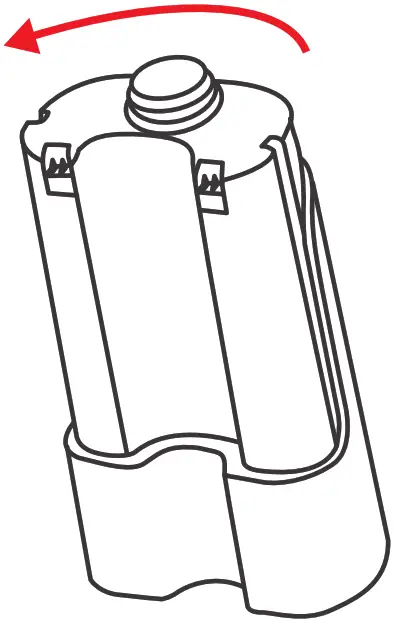
Do not tighten the cover too tightly or too loosely, otherwise the cover may be damaged or the water tank may leak.
- The user can also add some non-corrosive or flammable liquid cleaning solutions to clean the floor, do not add dirty water to the cleaning water tank.

- It is normal if there is water in the water tank at the first use, tests and inspections proceed before products leave the factory.
Charging the Cleaner
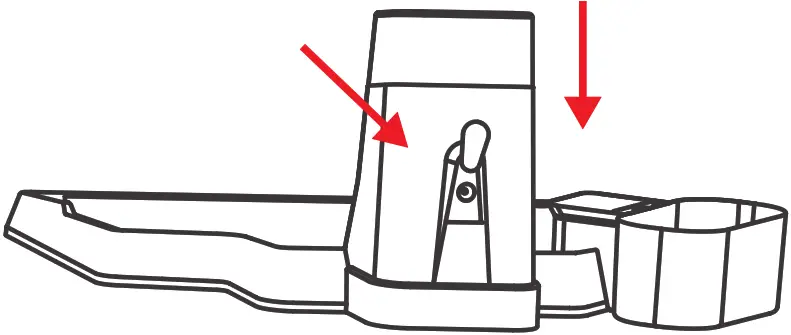
- Insert the drying tray into the charging station as follows.
- Place the charging station near the wall, plug the DC power socket of the adapter into the DC power socket of the charging station, and then plug the adapter into the power socket.
- Charging:
Put the cleaner on the charging station and insert the adapter, then start charging. Remove the Li-ion battery pack from the main body and charge it directly. Note: Please charge the cleaner for 12 hours for the first time. Please ensure the 4 hours are fully charged for max running time.
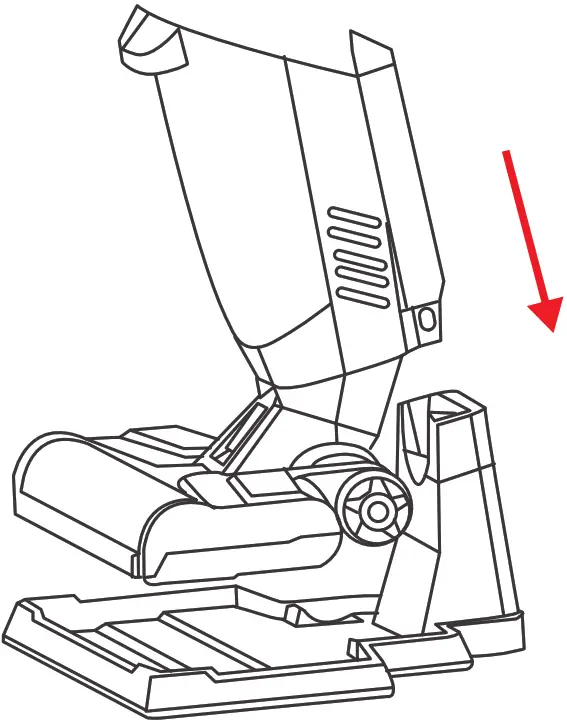 Note: Please charge the cleaner for 12 hours for the first time. Please ensure the 4 hours are fully charged for max running time.
Cleaning Floor with the Cleaner
- Check the Handle, the clean water tank, the dirty water tank, the Li-ion battery pack, and the roller brush, and make sure all of them are installed correctly and tightly.
- Press the switch button on the handle to turn on the cleaner. Press the Eco/Max Mode button to switch the suction power.
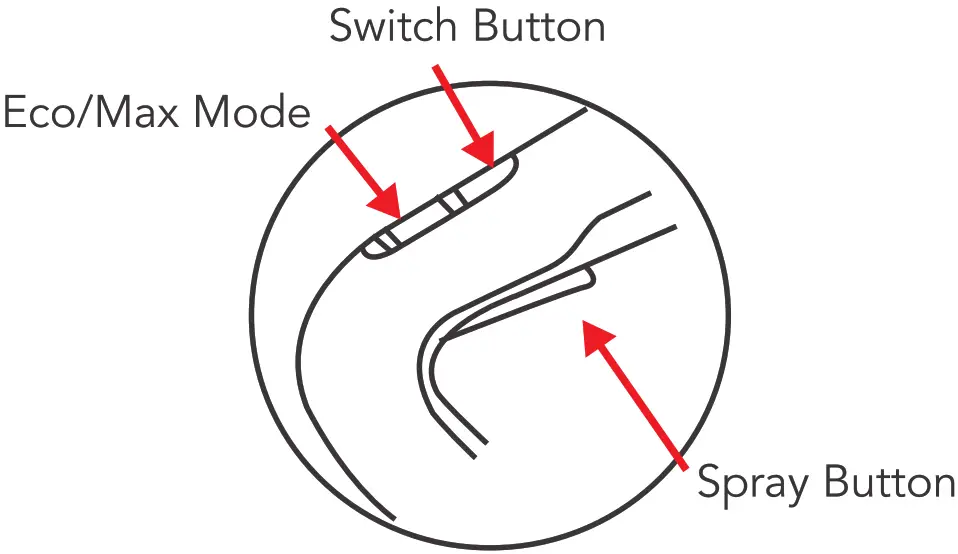
Important tips:
- Please choose the hard roller brush for areas with a short rug.
- Please DO NOT use cleaner in the LONG rug areas.
- Please DO NOT use cleaner on the delicate rugs, silk, or similar floors.
- Please DO NOT SPRAY on the rugs.
3. There will be Voice Assistance providing operation support. This function can be switched off by pressing the voice switch button.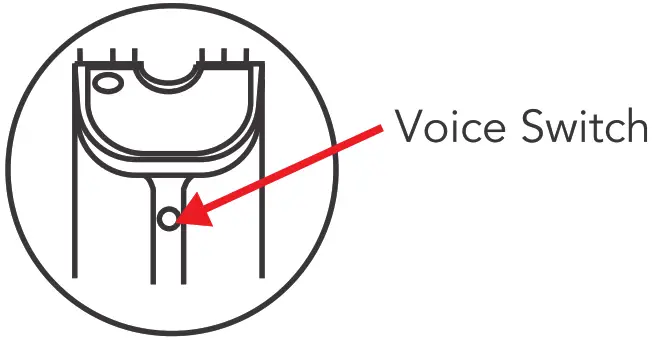 4. Hold the spray button for 8 seconds to prime the cleaning water/solutions before each use. Spray the water according to your personal use during the cleaning.
5. Hold the handle and pull the cleaner forward and backward to clean your floors.
6. The angle range of handle tilt must be within 60.5 degrees (up and down), please do not shake it in use.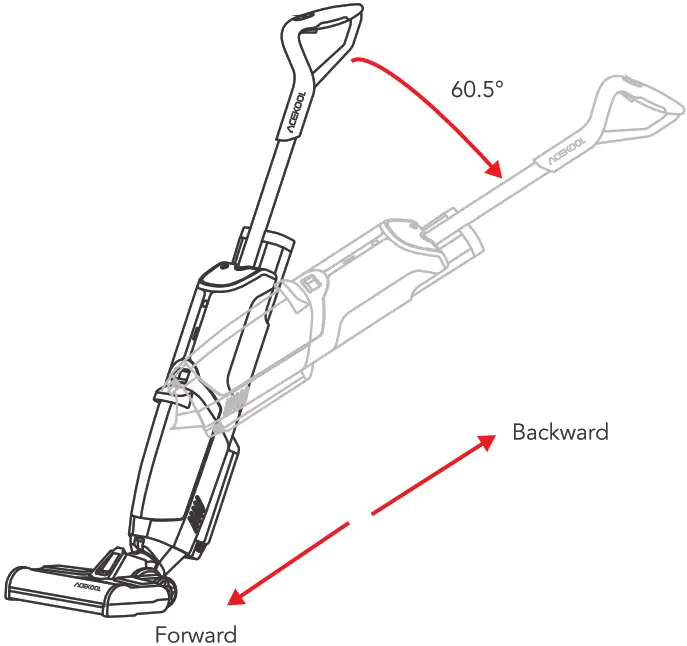 6. Please clean the dirty water tank after each use of cleaning.
Important tips:
- Please DO NOT run over the edges of the rugs.
- The dirty Water Tank must be cleaned as soon as the cleaning work is finished, or it will be stinky.
- DO NOT turn the main body over before cleaning the dirty water tank, or the dirty water will flow into the vacuum motor and damage the cleaner.
- Please clean and dry the HEPA and Filter after each use.
Self-Cleaning
The cleaner can clean the roller brush and pipeline automatically on Self-Cleaning Base:
- Please make sure there is enough clean water in the clean water tank, and empty the dirty water tank before self-cleaning.
- Place cleaner on the charging station (I), and plug in the power supply well.
- Press the Self-Cleaning button(2), the indicator (I) will be white and flash slowly, and the cleaner will spray the clean water, and clean the roller brush and pipeline automatically, meanwhile, it will vacuum the dirty water into the dirty water tank.
- Please unplug the power supply and clean the dirty water tank once the self-cleaning mode is finished to avoid getting stinky.
Note: Self-Cleaning can only be applied when charging on the charging station.
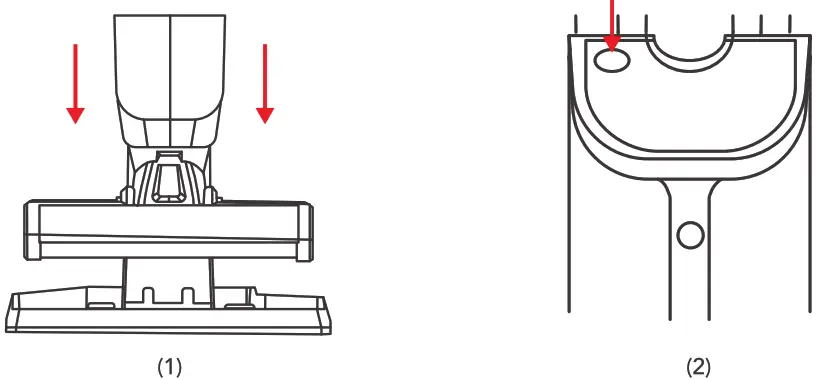
Care and Maintenance
Please unplug the power supply, turn off the switch, and remove the battery pack out before care and maintenance.
- For daily care and maintenance Use a soft dry mop to wipe the main body, and the charging station; use a soft moist cloth to wipe the brush base, scraper, and infrared sensor.
- Roller Brush Cleaning Release the lock button of the roller brush, rotate the brush counterclockwise, then pull the brush out, clean the brush, and brush guard with a cleaning tool.

- Dirty Water Cleaning
• Press the release button of the dirty water tank, and take the dirty water tank out. Take out the HEPA and the cap. • Pour the debris into the dustbin, and pour the dirty water into the washbasin. Clean the dirty water tank, the cap, and the HEPA with clean water.
- Charging Station & Drying Tray Cleaning
• Unplug the power supply and take the main body out before cleaning.
• Pour out the dirty water of the Charging Station, and use a soft dry mop to wipe the charging station and Drying Tray.
- Storage
• Please dry the main body, clean water tank, dirty water tank, brush base, HEPA, Charging Station, drying tray, then store them.
• The roller brush can be stored in the drying tray.
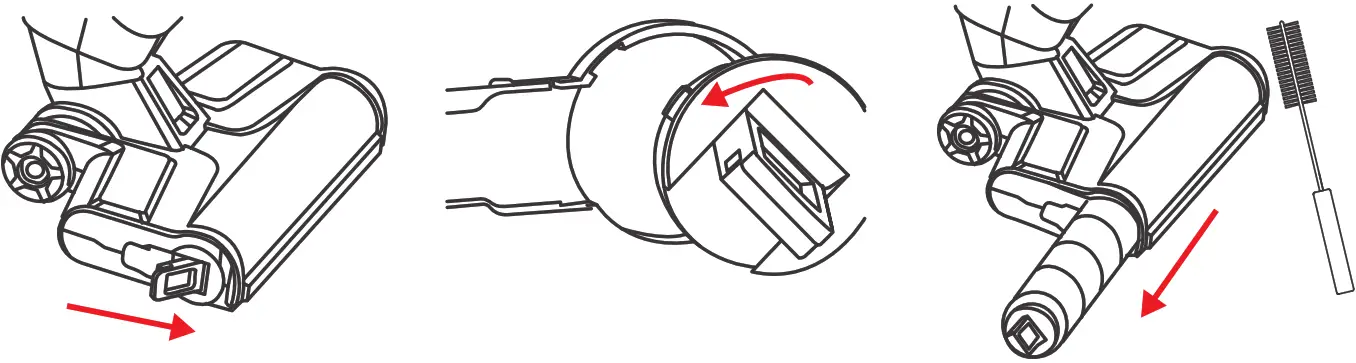
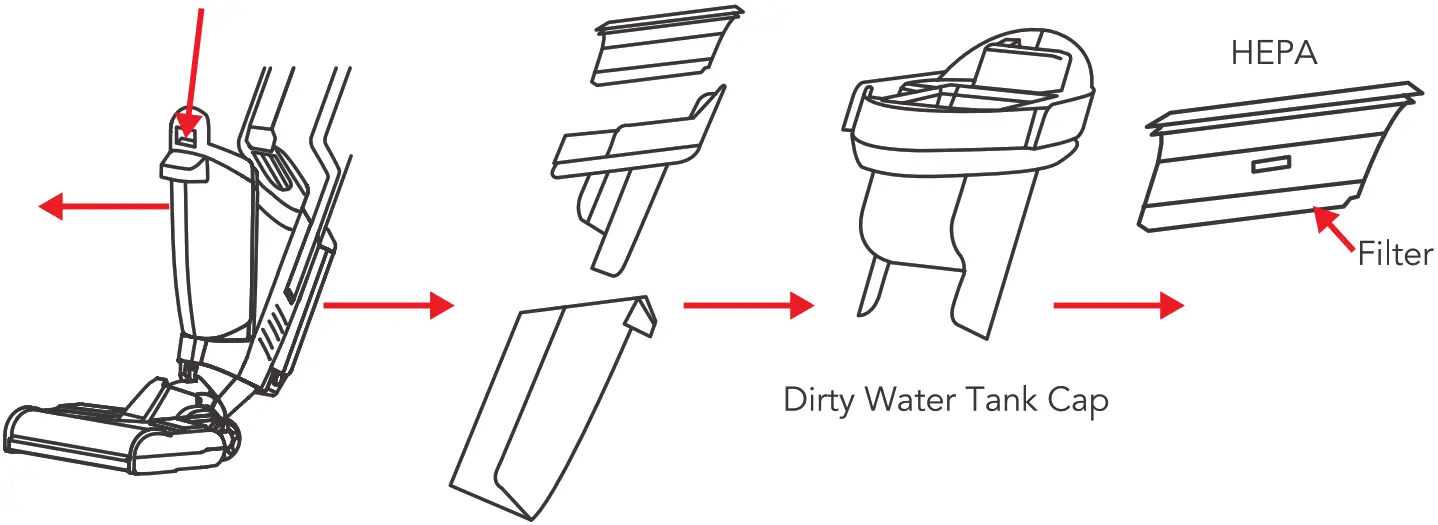 • Pour the debris into the dustbin, and pour the dirty water into the washbasin. Clean the dirty water tank, the cap, and the HEPA with clean water.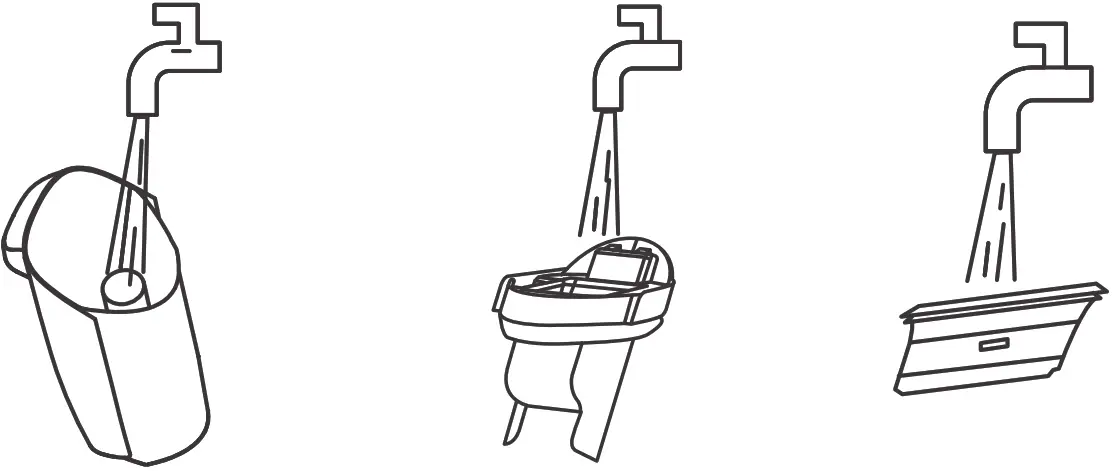
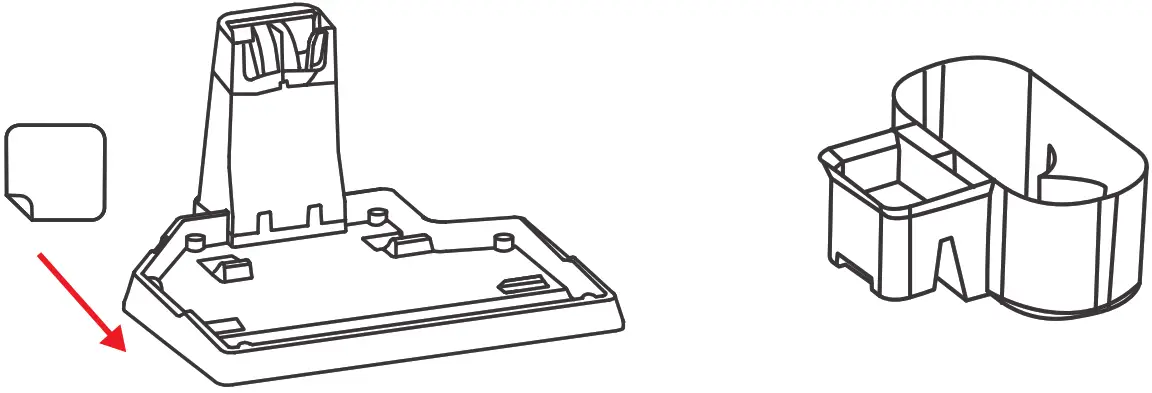
Notice:
- The Dirty Water Tank must be cleaned and dried after every single cleaning to avoid mildew or smell.
- The machine must be stored in a dry and ventilated place without heat sources.
- Please keep the machine away from direct sunlight.
- The battery pack should be fully charged every 3 months at least to avoid battery damage.
Cleaning
| Part | Cleaning / Replacement Frequency Recommended |
| Clean Water Tank | Cleaning after each use. |
| Dirty Water Tank | Cleaning after each use. |
| HEPA | Cleaning after each use; Replacement every 3-6 months |
| Floater | Cleaning after each use. |
| Brush Guard | Cleaning after each use. |
| Roller Brushes | Cleaning after each use; Replacement every 3-6 months. |
Note: Above frequency is only for your reference. The final cleaning/replacement frequency should depend on the usage.
Specifications
Output Voltage: 30V/0.8A
Power Consumption: 150 W
Adapter: 100-240VAC 60Hz
Battery Type: Li-ion Battery
Battery Capacity: 2600 mAh
Battery Voltage: 25.2 V
Clean Water Tank Capacity: 680 ml
Dirty Water Tank Capacity: 450 ml
Working Time: About 30 mins
Charging Time: About 4 hours
Working Mode: Eco Mode/Max Mode
Trouble Shooting
| Problems | Possible Reasons | Solutions |
| The cleaner cannot be charged | The power supply does not connect well | Please check the connection of the power supply |
| The cleaner isn’t connected well with the charging station. | Please replace the cleaner on the charging station | |
| The handle control doesn’t work | The battery capacity is low | Please check the battery capacity and fully charge it |
| The handle doesn’t connect well | Please re-install the handle | |
| The cleaner doesn’t work | The dirty water tank is full | Please empty the dirty water tank |
| The dirty water tank is not installed | Please check the water and install the dirty er tank | |
| The roller brush is not installed | Please check and install the roller brush | |
| The indicator display of dean water tank is incorrect | Uncalibrated | Take off the Clean Water tank, then start to clean and spray, turn cleaner off until draining the pipe. Then press the ‘Switch Bolton’ and *Eco/Max Button” for seconds until the digital display flashes two times, then check again. |
| The vacuum is getting weaker | The HEPA is blocked | Please check and clean the HEPA |
| The HEPA is wet | Please dry the HEPA first. | |
| The Scraper is not installed well | Please check and re-install the scraper | |
| The clean water tank is leaking | The clean water volume is higher than snuffle valve | Pour out water until the volume is lower than snuffle valve |
| The clean water tank is not installed well | Please re-install the water tank | |
| The cap is not screwed well | Please screw the cap well | |
| No water comes out when spraying | The clean water tank is empty | Please fill up the Clean Water Tank |
| The clean water tank is not installed well | Please re-install the water tank | |
| No voice assistance | The voice function is switched off | Turn on the voice switch |
| The version excludes voice. | Please check and confirm with a local seller |
| Problems | Possible Reasons | Solutions |
| The cleaner doesn’t work in self-cleaning mode | The cleaner isn’t connected to the power supply | Please check and connect with the power supply well |
| The dirty water tank is full | Please empty the dirty water tank | |
| Lack of water | Please fill up the clean water tank | |
| There are water drops at air outlet | The HEPA isn’t installed | Please check and install the HEPA |
| The cleaner was tilted hard | Use the machine correctly | |
| Cleaner vacuums the foam liquid | Empty the dirty water tank in time | |
| Cleaner moves hard | The roller brush isn’t installed well | Please check and re-install the Roller Brush as a guide |
| Error Code | Causes | Solutions |
| FF:01 | Charging overvoltage | Replace the adaptor |
| FF:02 | Charging overcurrent | Replace the adaptor |
| FF:03 | NTC open/short circuit | Replace the battery pack |
| FF:04 | Internal disconnection of the battery pack | Replace the battery pack |
| FF:05 | Rechargeable battery voltage is too low | Replace the battery pack |
| FF:06 | Rechargeable battery voltage the difference is too large | Replace the battery pack |
| FF:07 | High discharging temperature | The battery pack temperature is high, please assure battery pack temperature returns to normal before reuse |
| FF:O8 | High charging temperature | The battery pack temperature is high, please assure battery pack temperature returns to normal before charging |
| FF:09 | Low charging temperature | The battery pack temperature is low, please assure the battery pack temperature returns to normal before charging |
| FF:10 | Roller brush overcurrent | Check if there is any dirt (like pet hair) on the roller brush to be cleaned, then make it clean |
| FF:12 | No dirty water tank installed | Install dirty water tank |
— Make Life Easier —
Model: B61
Email: [email protected]
Website: https://www.acekool.vip
Made in China