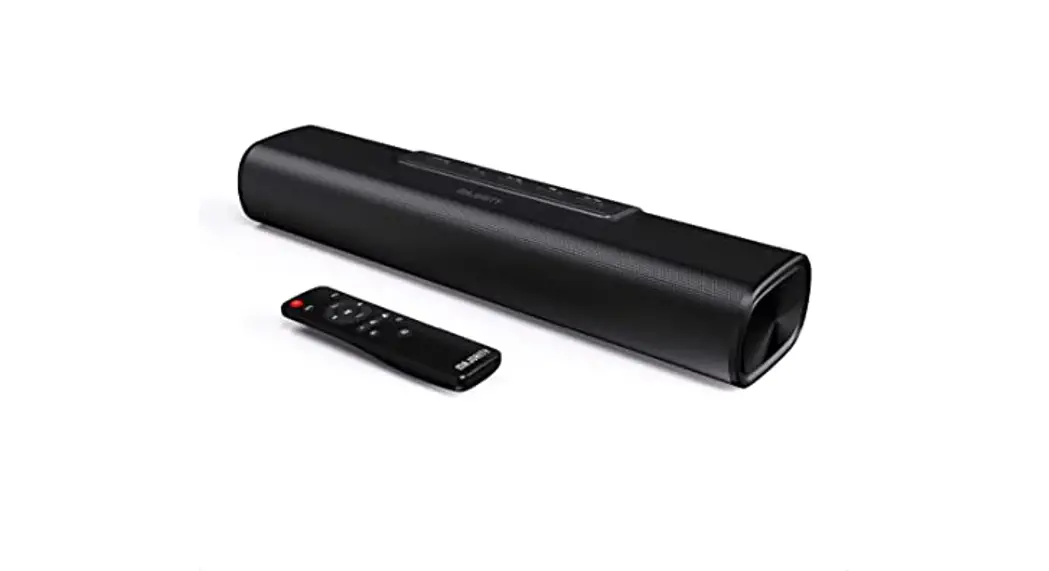
 SAXON
SAXON
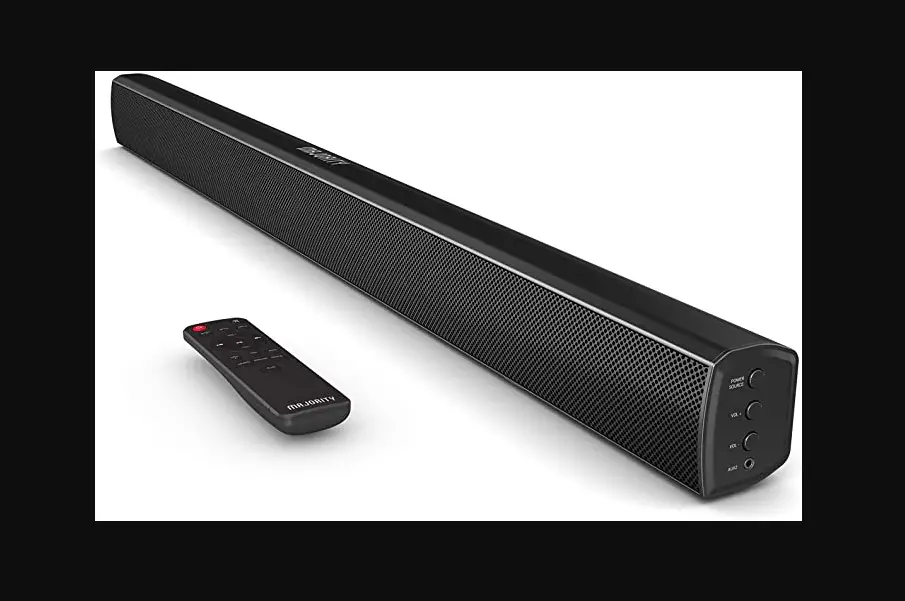
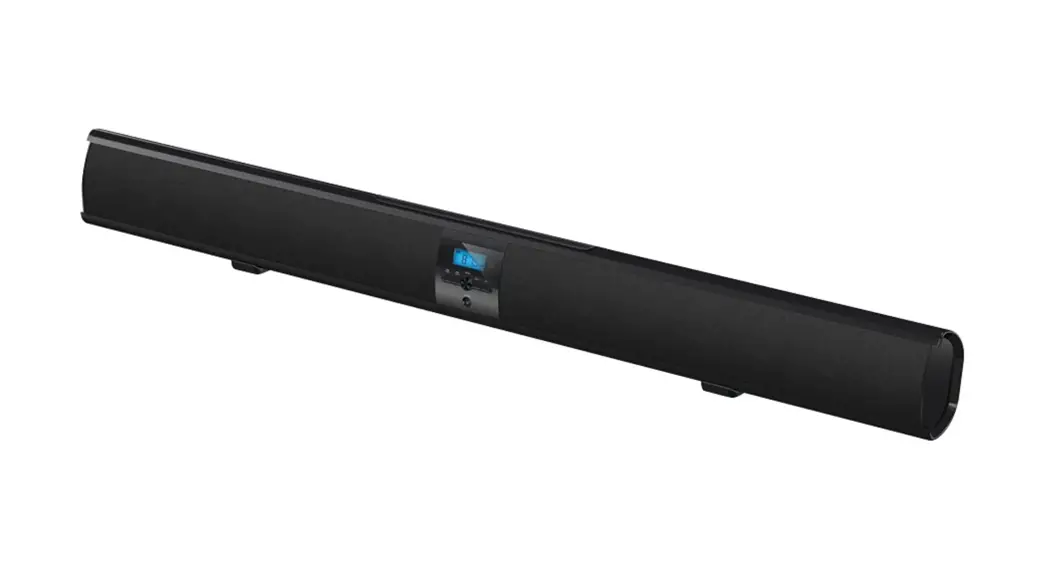
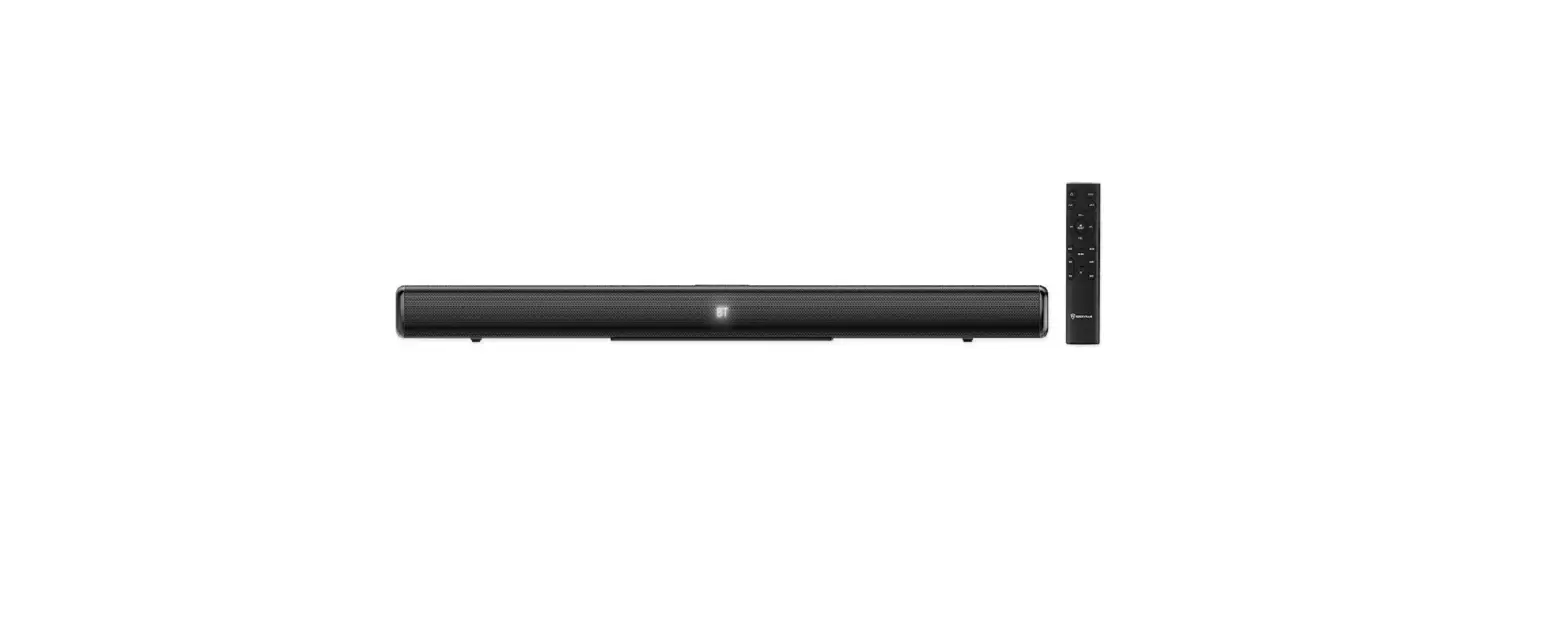
BLUETOOTH SOUNDBAR
BAR-SAX-BLK
3 YEAR WARRANTY
Register your product online for a FREE 3 year extended warranty at: www.majority.co.uk
Controls And Functions
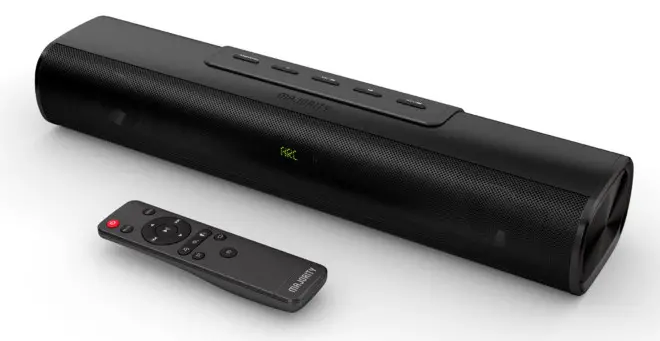
Front, Top & Back View

1. LED Display
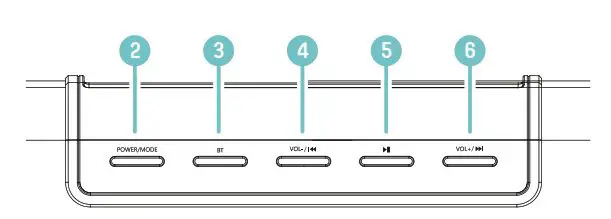
| 2. Power/Mode 3. Bluetooth 4. Vol – / ⏮ | 5. Play/Pause 6. Vol+ / ⏭ |
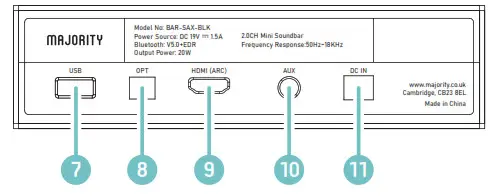
| 7. USB input 8. Optical input 9. HDMI (ARC) input | 10. AUX input 11. DC – Power in |
Remote Control
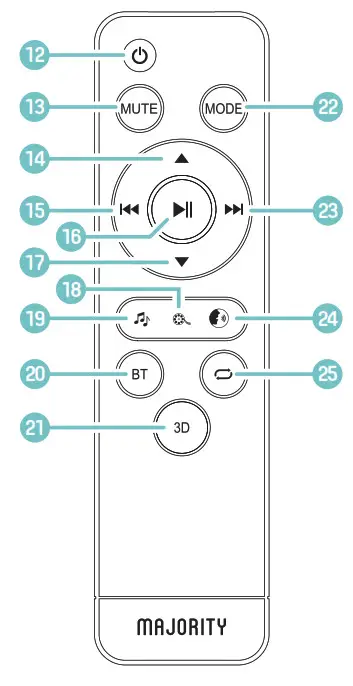
12.  Power Power13. Mute 14. ▲ Vol + 15. ⏮ Previous track 16. ⏯ Play/Pause 17. ▼ Vol – 18. Film sound effects 19. Music sound effects | 20. Bluetooth mode 21. 3D ON/OFF 22. Mode 23. ⏭ Next track 24. News sound effects 25. Repeat track (USB only) |
What’s In The Box?
Box Contents
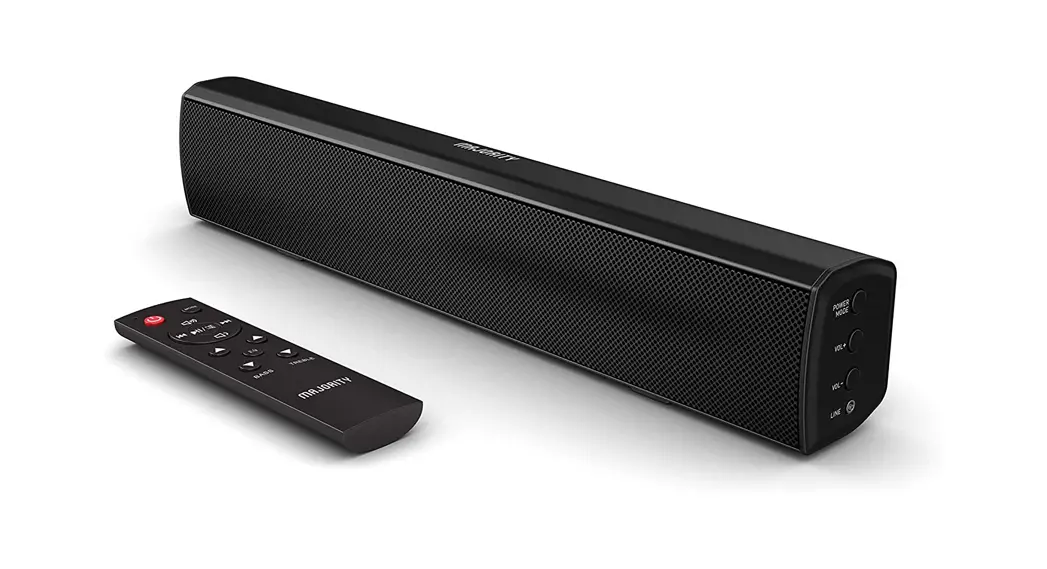
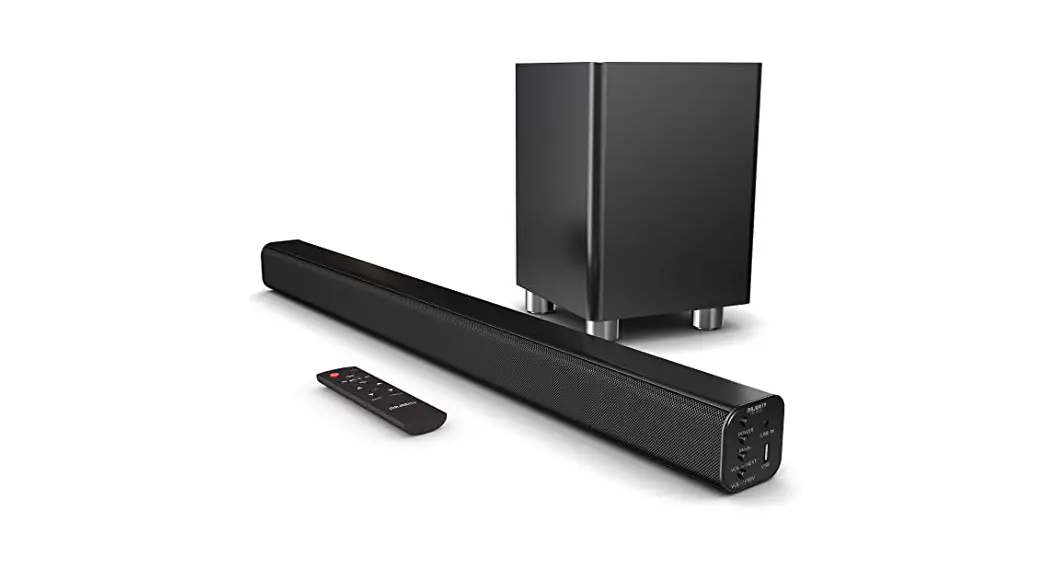
Majority Saxon Soundbar
3.5mm to 3.5mm Audio Cable
Power Adapter
Instructions Guide
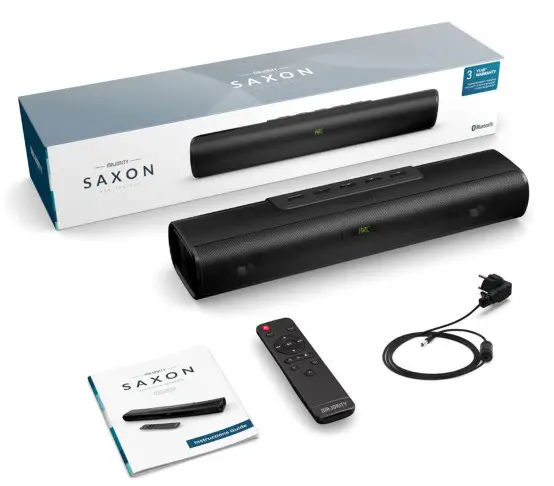
Instructions Guide
Basic Operation
Basic controls
Use the ▲/Vol+ (Ref.14)/(Ref.6) and ▼/Vol- (Ref.17)/(Ref.4) buttons to control the volume. Press MUTE (Ref.13) to mute the audio.
Press MODE (Ref.22) to change between modes (Bluetooth/USB/AUX/ Optical/HDMI(ARC)).
See below for a more detailed summary of controls and functions.
Note 1: Next/Previous track navigation functions only apply in USB and Bluetooth mode. Repeat function applies in USB mode only.
Note 2: in the table below, (H) = ‘Press and hold’.
| Remote | Soundbar | Function |
| ⏮ ⏭ | Vol-/⏮ Vol+⏭ | Previous/next track |
| ▼ | Vol-/⏮ (H) Vol+⏭ | Volume up/down |
| ⏯ | ⏯ | Play/Pause |
 | n/a | Activate music/film/ news sound effects |
| BT | BT ((H) to disconnect) | Select Bluetooth mode |
| 3D | n/a | Activate |
| n/a | Repeat (USB mode only) |
Sound Settings/Bluetooth Mode
Sound Settings
Use the EQ settings buttons ((Ref.19), (Ref.18) and (Ref.24)) to switch between music (EQ1), film (EQ2) and news (EQ3) EQ settings. The ‘music’ setting is best suited for listening to music, ‘film’ is best suited for watching films, and ‘news’ is best suited for vocal audio such as news or speech.
For a richer, deeper room-filling sound, select 3D mode (Ref.21).
Bluetooth Mode
To connect an external device to the Majority Saxon, ensure that the soundbar is in ‘Bluetooth’ mode. Select ‘Bluetooth’ mode manually by using the ‘BT’ button (Ref.3)/(Ref.20) or the ‘Mode’ button (Ref.22)/ (Ref.2) until ‘bt’ is displayed on the Soundbar LED display (Ref.1). The LED display will flash to indicate that the soundbar is in Bluetooth pairing mode.
Switch Bluetooth on for your external device. Select ‘Majority Saxon’ from the list of devices.
When your external device is connected, the soundbar will make a short sound to indicate a successful connection, and the LED display will no longer flash. You can now play audio through the soundbar. When Bluetooth is disconnected, the soundbar will make a short sound to indicate successful disconnection.
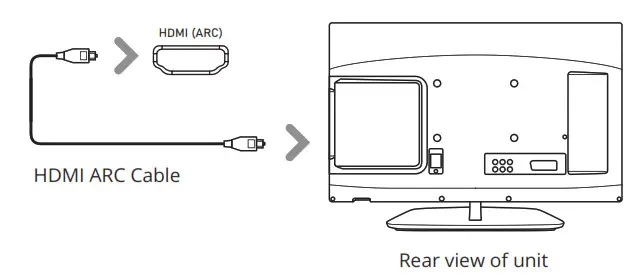
Using the ARC Input
You will need an audio source with an ARC audio output and an HDMI cable (not included).
Connect an HDMI ARC compatible device to the ARC port on the soundbar (Ref.9) by using a standard HDMI cable.
Press the MODE button on the remote control (Ref.22) or on the unit (Ref.2) until ARC mode is displayed on the LED screen (Ref.1).
Using the native controls on your connected device, ensure the audio output settings are set to ARC or HDMI Audio.
Using the Optical Input
You will need An audio source with an Optical Audio Output and a Digital Optical Audio cable (not included).
Connect the Optical cable from the soundbar (Ref.8) to your audio source.
Press the MODE button on the remote control (Ref.22) or on the unit (Ref.2) until OPTICAL mode (‘OPT’) is displayed on the LED screen (Ref.1).
Using the native controls on your connected device, make sure the audio settings are set to PCM, Optical SPDIF, or Optical Audio.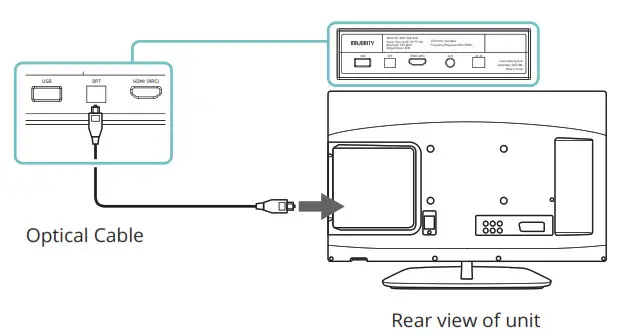
Using the AUX Connection
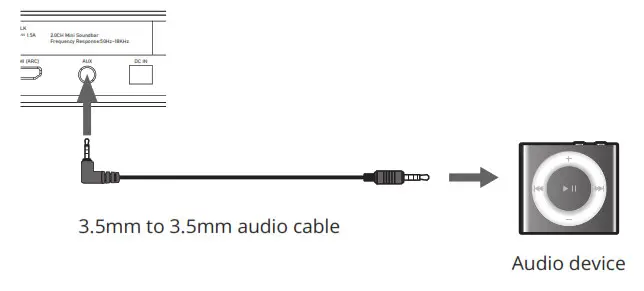
Plug one end of a 3.5mm audio input cable (included) into the AUX input on the unit (Ref.10).
Plug the other end of the cable into the audio output/headphone output on your audio source.
Press the Mode button (Ref.2)/(Ref.22) until AUX mode is displayed on the soundbar LED display (Ref.1).
USB Mode
To use USB mode, insert a USB drive into the USB port at the back of the soundbar (Ref.7). The soundbar will automatically switch to USB mode and begin playing the first compatible track. If necessary, you may need to select ‘USB’ mode using the ‘Mode’ button (Ref.22)/(Ref.2).
Press repeat (Ref.25) once to enable single track repeat, and twice to repeat all tracks.
Due to the soundbar’s inbuilt memory function, a USB flash drive that has previously been used with the soundbar will resume from the last played track position when inserted.
Please note that USB drives must be formatted in FAT32 format to be compatible with the Majority Saxon. Guidance on how to format your USB drive in FAT32 format can be found at: https://www.wikihow.com/Format-FAT32
Troubleshooting
If you encounter an issue with your soundbar, please refer to the following checklist.
| Observation | Potential Cause/Solution |
| No power/function | Check that the power is switched on at the wall. Check that the power adaptor is properly connected to the power outlet. |
| No sound | Check that cables are properly installed. Check unit is switched on and incorrect model. |
| No sound in Bluetooth mode | Check that your Bluetooth device is paired. |
| Function disturbance | Switch off and unplug the unit. Leave for 2 minutes and switch on again. |
| Remote control function issues | Check whether the battery needs replacing, and replace if necessary. Check whether there are obstacles blocking the soundbar from connecting to the remote. |
Support
If you require further assistance with your new soundbar, please contact our support team on the Majority website:
www.majority.co.uk/support
Specifications
| Power Supply | DC 19V 1.5A |
| Mode: | Bluetooth 3.5mm AUX-in USB reader OPTICAL HDMI ARC |
| Output Power | 20W |
| Frequency Response | 50Hz~18KHz |
| Dimensions | 51 x 9.5 x 6.5 cm |
| Weight | 1.1kg |
| Speakers | 2.0” / 10W full range speakers * 2 bass diaphragm * 2 |
| Bluetooth Version | 5.0 + EDR (Enhanced Data Rate) |
| Bluetooth range | up |
| Compatible | MP3, |
| Maximum compatible USB storage | 32GB |
| S/N (Signal/Noise ratio) | >=80dB |
Warranty
All products come with a standard 12-month warranty. All items must be registered on www.majority.co.uk for the warranty to be valid. Once on the web page, use the menu to find “Register Your Product”. You will also be given the chance to extend your warranty for an additional 24 months, free of charge.
Safety Information
- Read these instructions.
- Keep these instructions. Instructions are also available for download at www.majorityradios.co.uk
- Heed all Warnings
- Follow all instructions
- Do no clean the apparatus near or with water
- Do not block any ventilation openings. Install in accordance with the manufacturer’s instructions
- Do not install near any heat sources such as radiators, heat registers, stoves, or other apparatus (including amplifiers) that produce heat.
- Protect the power from being walked on or pinched particularly at plugs, convenience receptacles, and the point where they exit from the apparatus.
- Only use attachments/accessories specified by the manufacturer.
- Unplug this apparatus during light storms or when unused for long periods of time.
- Refer all servicing to qualified service personnel. Servicing is required when the apparatus has been damaged in a way, such as power-supply cord or plug is damaged, liquid has been spilled or objects have fallen into the apparatus, the apparatus has been exposed to the rain or moisture, does not operate normally or has been dropped.
- No naked flame sources, such as lit candles, should be placed on the apparatus.
- Dispose of used electrical products and batteries safely according to your local authority and regulations.
ADDITIONAL WARNINGS
The apparatus shall not be exposed to dripping or splashing and no objects filled with liquid, such as vases, shall be placed on the apparatus. The mains plug is used to disconnect the device and it should remain readily operable during intended use. In order to disconnect the apparatus from the main mains completely, the mains plug should be disconnected from the main socket outlet completely. The battery shall not be exposed to excessive heat such as sunshine, fire or the like.
RECYCLING ELECTRICAL PRODUCTS You should now recycle your waste electrical goods and in doing so help the environment.
This symbol means an electrical product should not be disposed of with normal household waste.
Please ensure it is taken to a suitable facility for disposal when finished with.
IMPORTANT: Please read all instructions carefully before use and keep them for future reference. Risk of electric shock.
Do not open Read all instructions carefully before use and keep them for future reference
 When servicing, use only identical replacement parts

IMPORTANT: Please read all instructions carefully before use and keep for future reference