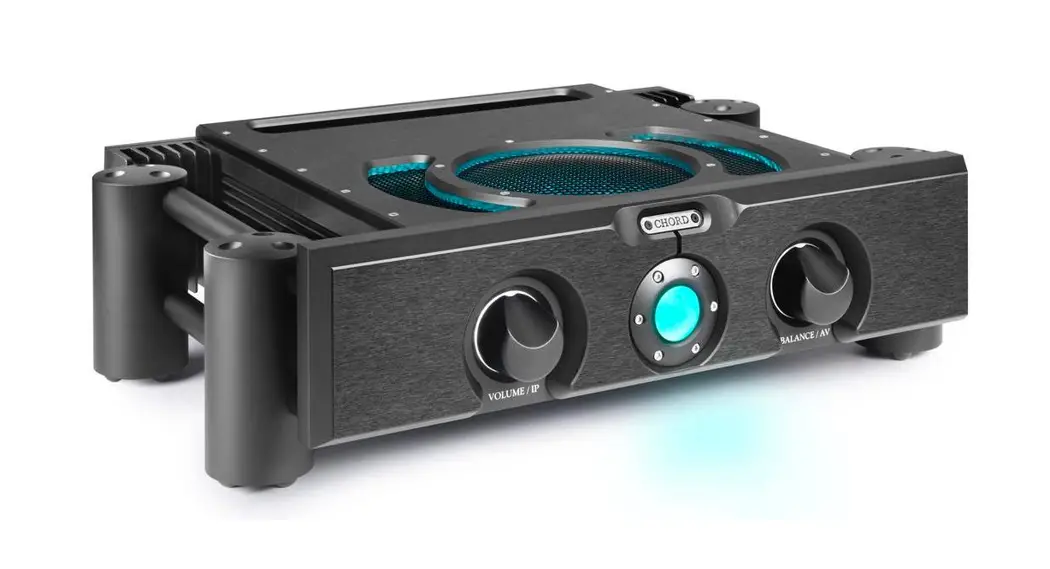
 ULTIMA PRE 3
Manual
V.1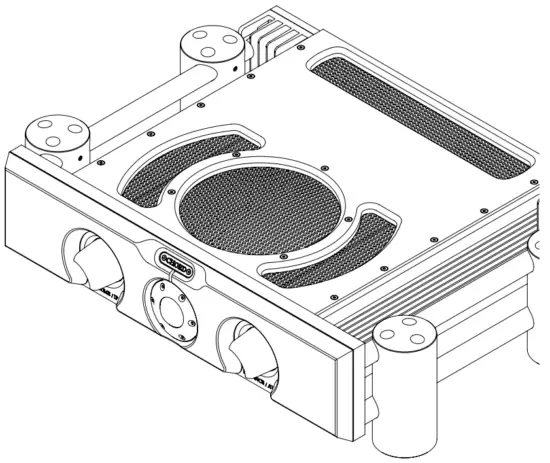
Safety
Introduction
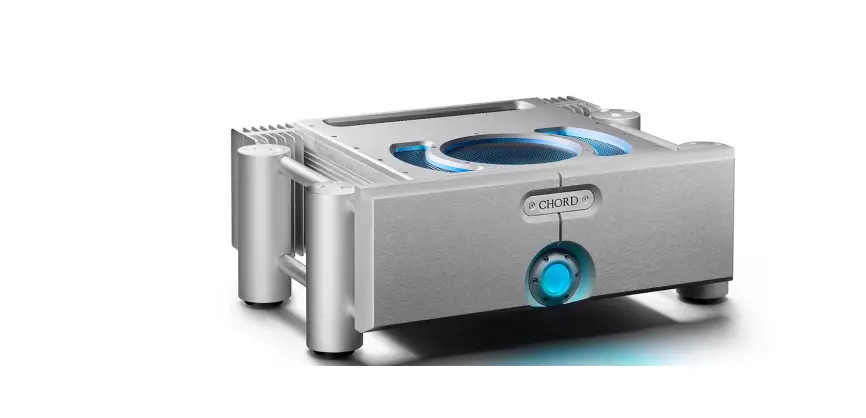
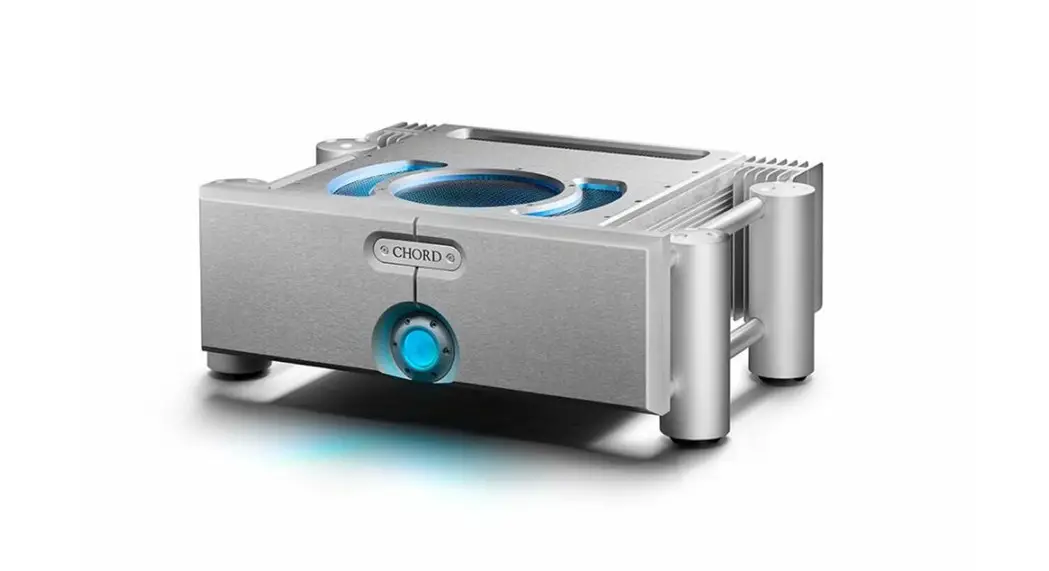
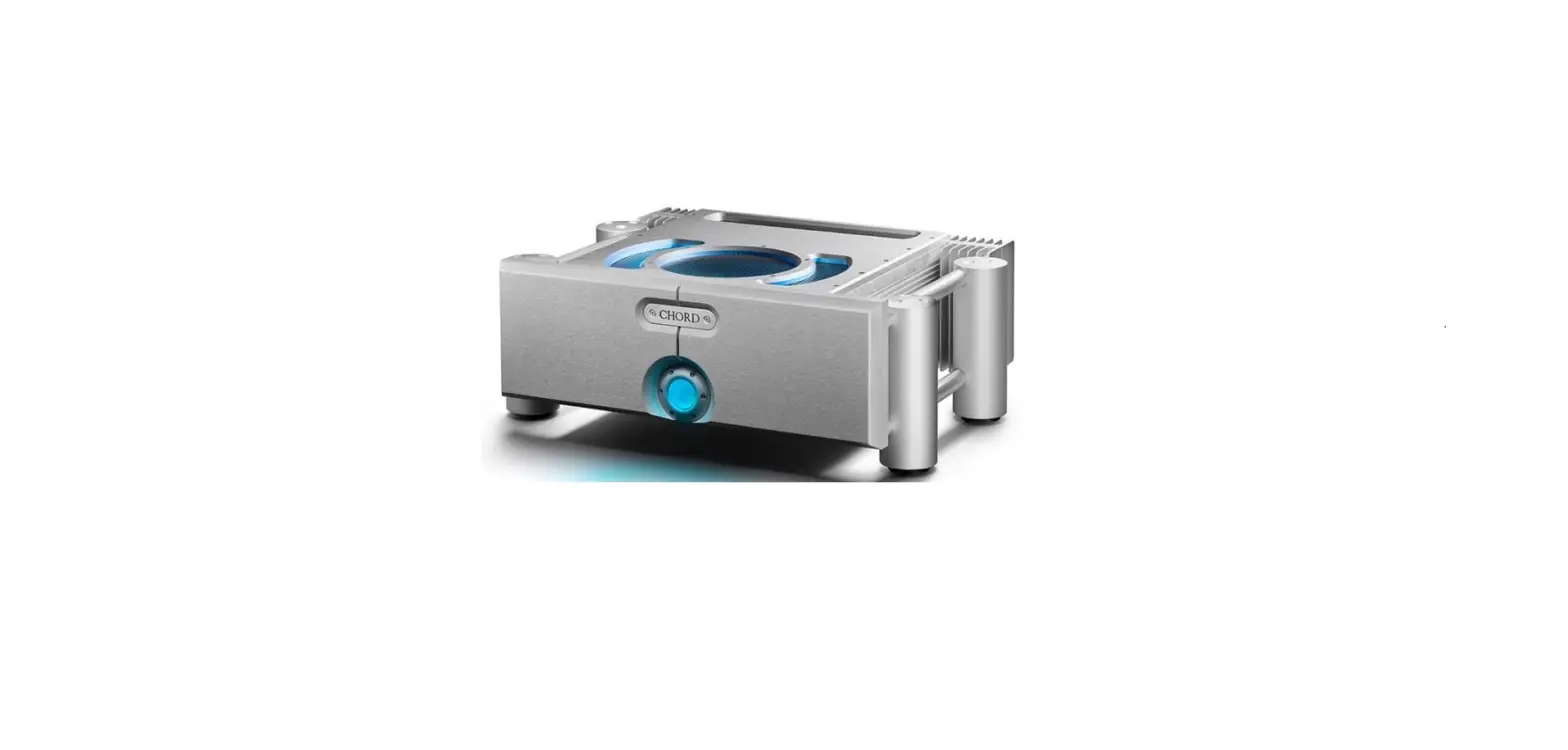
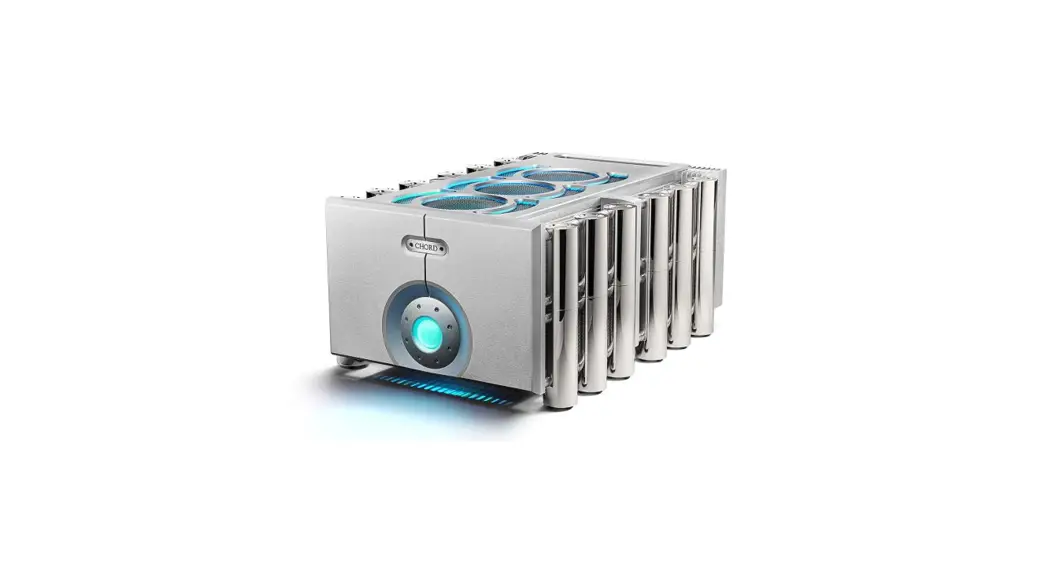
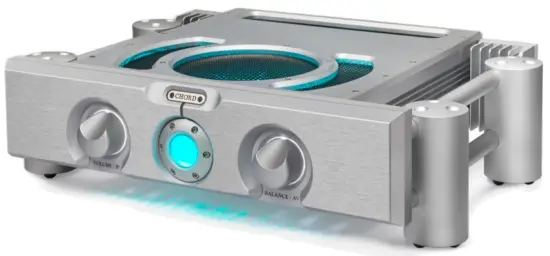
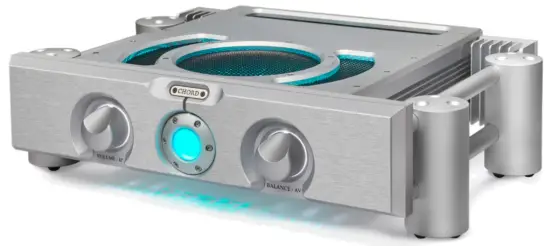
 The ULTIMA PRE 3 is an advanced, ground-up design preamplifier built to complement ULTIMA amplification.
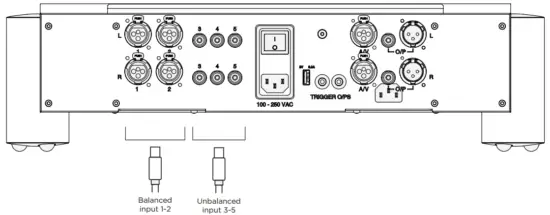
It benefits from five inputs: two stereo pairs of XLRs for balanced connections, plus three RCA pairs for unbalanced connections. An XLR AV bypass is also included for use with compatible AV processors and receivers. Outputs include XLR and RCA connections, a 5 V/ 3 A USB power output (for Qutest and Hugo 2 DACs, plus general USB charging), and a 12 V trigger for powering other compatible devices.
Protection against liquids and heat
 The ULTIMA PRE 3 is not protected against liquids of any kind. Never place containers of liquid on the unit, or allow it to come into contact with moisture or liquids, doing so could result in electrocution or damage.
Be aware that liquids, including water that has dried, can leave minerals that can affect the PCB and other components, which could eventually lead to oxidization and short-circuiting.
If the ULTIMA PRE 3 comes into contact with moisture or liquids, immediately disconnect it from the power supply and connected equipment, and contact Chord Electronics for further advice.
 The device has internal thermal protection which will shut the unit down in the event of excessive temperatures being reached. Never operate the device near sources of heat or naked flames, as this will decrease the lifespan of the internal components. Avoid operating the device in an area of direct sunlight, or on top of significant heat-producing devices.
Note: it is entirely normal for the device to become warm during use, particularly if stacked. If necessary, switch the unit off or consider a different placement.
Dismantling and radio frequency interference
 There are no user-serviceable components within the ULTIMA PRE 3 or its power supply. Dangerous voltages/currents exist within the ULTIMA PRE 3 and its power supply, potentially posing a severe risk of electrocution and/ or fire.
 Never attempt to open, dismantle or apply internal third-party devices to it, or insert anything other than appropriate interconnects or power cables suggested within this user manual.
If the device develops a fault, or the casework becomes damaged, immediately disconnect from the power supply and connected equipment, and contact Chord Electronics or the supplying dealer for further advice.
With a thick, solid aluminum chassis, the ULTIMA PRE 3’s casework protects the sensitive internal circuitry from radio frequency interference. However, for optimal performance, it is recommended that the following points are observed:
 Consider placing the ULTIMA PRE 3 away from wireless routers.
 Operate mobile phones at a distance to avoid interference.
 Consider placing the ULTIMA PRE 3 away from wireless routers.
 Operate mobile phones at a distance to avoid interference.
Connecting other equipment
Before connecting the device to other equipment, consult the respective manufacturer’s user guide to confirm compatibility.
When connecting the ULTIMA PRE 3 to other equipment, make sure that all devices are switched off. A 10-amp IEC mains lead is supplied.
Once fully connected, switch all equipment on, starting with the source and ending with the amplification.
Initially, operate any connected equipment at the lowest volume, gently increasing to a comfortable level.
Never operate the device or connected equipment at excessive sound levels: permanent hearing damage and loss could occur.
If the power supply is prematurely disconnected, the device may still remain active for up to 15 seconds.
 Never disconnect the power cable during operation.
Only disconnect when the ULTIMA PRE 3 is off. If the power cable is disconnected during operation, there is a risk of damage to connected equipment.
Warranty
Warranty and registering
At the point of sale, Chord Electronics Ltd. provides the ULTIMA PRE 3 with a comprehensive five-year warranty* that covers defects in materials and workmanship through fair wear and tear. Note: the warranty will be void if a power supply other than that supplied is used.
*The warranty is transferable with proof of purchase, however, the warranty on ex-demonstration units begins from the retailer‘s date of purchase.

 Use the form below to record details.
Purchases should be registered at: chordelectronics.co.uk/registerproduct/
| RETAILER: | |
| PURCHASE PRICE: | |
| UNIT COLOUR: | |
| DATE OF PURCHASE: | |
| TRANSACTION ID: |
Claims and exclusions
In the unlikely event of a claim, purchase details and the serial number will be needed in order to validate the warranty status and any possible repair/s.
Upon receipt of the device, Chord Electronics will make an assessment within 30 days and provide resolution options.
All warranty repairs must be carried out by Chord Electronics, or an approved service center to guarantee the quality and safety of the repair.
WARRANTY EXCLUSIONS: The warranty does not cover connected equipment, personal injury, or the development of a natural patina of the metalwork and will be null and void if the following is applied: wilful neglect; modification or tampering; improper use of the product; acts of God; damage caused by a connected device; mechanical shock; fire or application of excessive heat or repair/modification by a nonauthorized third-party vendor.
Panels and remote control
Familiarisation
The ULTIMA PRE 3 is a five-input preamp with both balanced and unbalanced inputs and outputs. Its contemporary design makes it the ideal ‘hub’ for a Chord Electronics audio system.
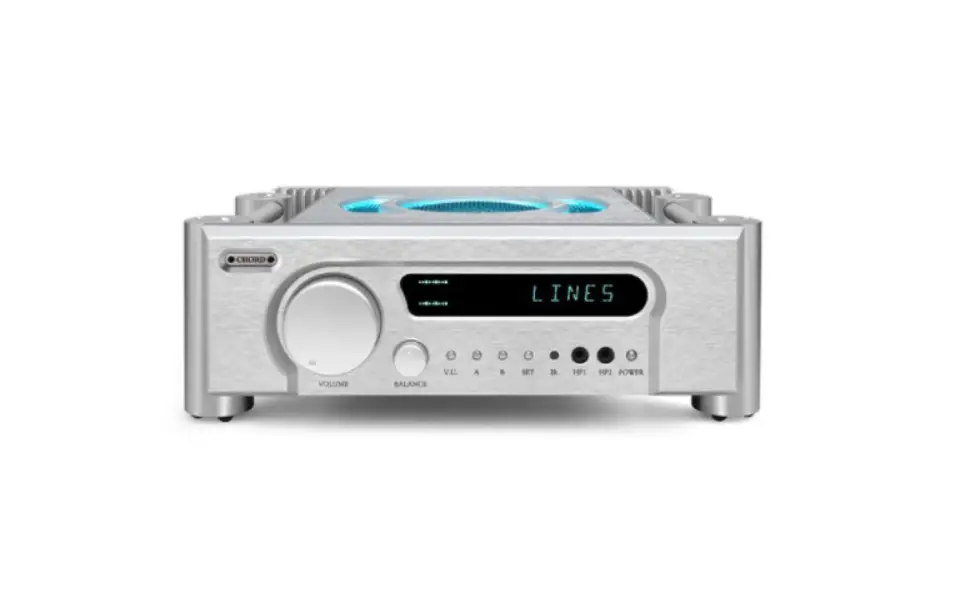
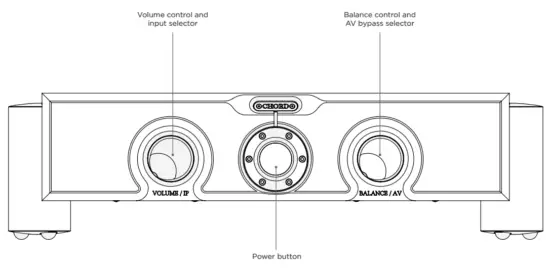
The front panel
The front panel features the volume/input-selector control, power button, and balance/AV bypass control.
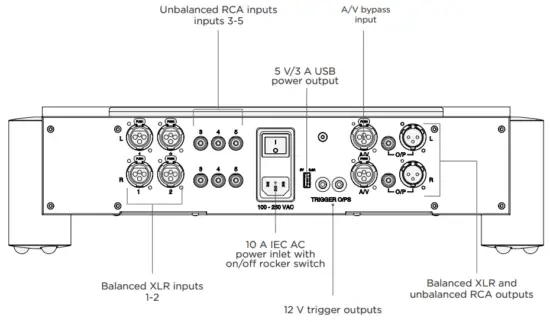
The back panel
The rear panel houses the device’s wide-ranging connectivity.
WARNING: Do not use any other power supplies other than that supplied. Doing so will invalidate the warranty.
The remote control
The remote control offers control over the ULTIMA PRE 3, plus selected Chord Electronics devices. The top section is reserved for the BLU MKII CD digital transport, while the bottom section is used for the ULTIMA PRE 3.
As the infra-red remote control requires a direct line of sight to the preamp’s power button, avoid placing objects in front of either device.
NOTE: The remote will need to be in hi-fi mode to work with the Pre 3. Press the hi-fi button to enter this mode. The annotated image (right) provides a key to button operation.
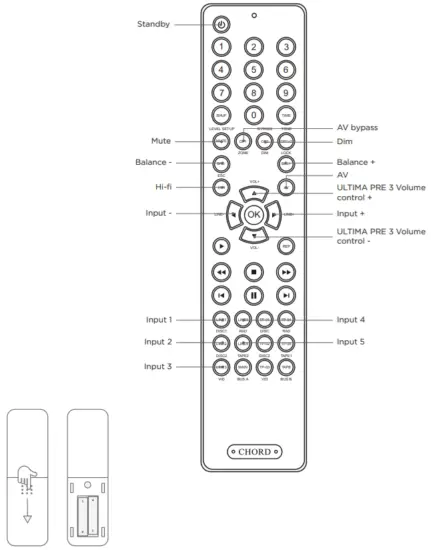
NOTE: Only insert AAA batteries into the remote control and observe the correct orientation as indicated.
Set up and installation
Placement
When positioning the device, allow a minimum of 15 cm all around for convection-cooling. Avoid placement inside cabinets etc.
Connecting to power and inputs
Up to five source components can be connected using balanced (XLR) and unbalanced (RCA) interconnects. Ensure that all units are switched off before connections are made and all are securely attached.
The AV bypass XLR input is located to the right of the 12 V trigger outputs.
Each input is arranged as a stereo pair, L (left top), and R (right bottom).
The outputs (XLR and RCA) for connection to power amps and active speakers etc. can be found on the right of the unit.
Connect the supplied 10 A power cable to the IEC inlet socket and then to a power supply at the wall. Note: only when all connections are made and the volume set to a minimum, should the preamp be switched on.
Connecting to a power amplifier
Using the XLR or RCA outputs shown in the illustration, connect the ULTIMA PRE 3 to the power amplifier’s corresponding inputs.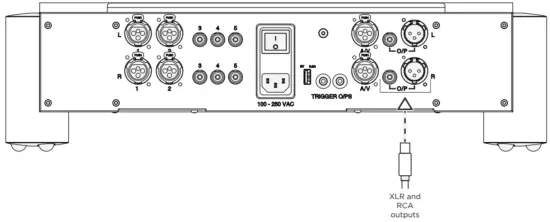
AV bypass
The AV bypass feature allows the output of an AV processor or receiver to directly connect to the preamp’s output. The preamp’s volume control and signal processing are then bypassed so that the signal from the AV device reaches connected power amplifiers as if it were connected directly.
This can be useful for watching videos with high-quality two-channel audio.
To connect the preamp to an AV device using AV bypass:
- Locate the XLR AV bypass input shown below and connect to the corresponding output on the partnering AV device, checking the device’s manual if required.
- Select the appropriate output on the connected AV device and ensure the AV bypass mode has been selected on the preamp (see page 24).
WARNING: The volume control on the preamp will be bypassed, so check the connected AV device’s volume has been turned down before increasing the volume.
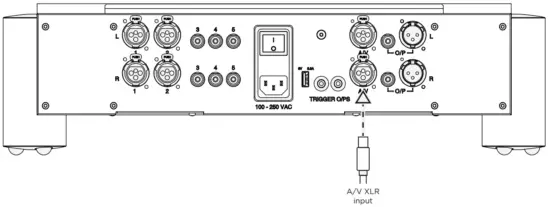
Other rear panel connections
The ULTIMA PRE 3 features three additional connections: a 5 V/ 3 A USB power output, 12 V trigger output, and a grounding post.
5 V/ 3 A USB power output:
The 5 V/ 3 A USB power output is a convenient feature allowing a range of compatible devices, including the Chord Electronics Mojo and Mojo 2, Qutest and Hugo 2 DACs, etc., to be powered directly via a USB-A to MicroUSB cable from the ULTIMA PRE3, negating
the need for individual power supplies.
The USB power output can also be used to power/charge other compatible USB devices, such as smartphones and tablets.
12 V trigger output:
The ULTIMA Pre 3 can be used to ‘wake’ other units from (and return them to) standby when connected via a 12 V trigger.
Connect the ULTIMA PRE 3’s 12 V trigger output to other 12 V-trigger-compatible devices with an appropriate 3.5mm minijack cable, in order to use the feature.
Grounding post (device earthing):
In some European countries, hum or buzz may occur if the amplifier is connected to power sockets that do not have earth or adequate earth. The ULTIMA PRE 3 has a grounding post, situated above the 12 V trigger input/ output.
To ground the device, unscrew the locking earth pin (we recommend three turns) and attach a suitable earthing wire before screwing back the locking earth pin thumb-tight.
Operation
Basic operation
The preamp has an on/off rear-mounted rocker switch. When switched on, the unit enters standby mode, indicated by a red color from the fascia power button. Pressing the power button on the fascia or remote control ‘wakes‘ the preamp from standby into operation mode. The two-second boot-up sequence turns the power button from red to green. Once ready for playback, the power button will click and display teal.
The ULTIMA PRE 3 can be used with the remote control or front panel.
Volume and input select
The volume/IP control knob can be used to adjust the volume and select between the preamp’s five inputs.
The volume is conventionally increased/decreased by turning the volume/IP knob clockwise/ anticlockwise, respectively.
Note: The output can be muted/ unmuted using the remote control only, the power button will change to green accordingly.
This can only be un-muted using the remote control. When unmuted the power button will return to teal.
Note: Ensure the volume is set to the minimum level (fully anticlockwise) before slowly increasing to a comfortable level. Inputs can be selected by pushing the volume knob inwards repeatedly to sequentially select between inputs 1-5. Each input is indicated by a click and a colored light around the volume control as follows:
| Input | Button color |
| Input 1: Balanced XLR |  |
| Input 2: Balanced XLR |  |
| Input 3: Unbalanced RCA |  |
| Input 4: Unbalanced RCA |  |
| Input 5: Unbalanced RCA |  |
Balance and AV bypass
Balance and AV bypass adjustments are combined on one control knob. The balance control enables fine adjustments between left and right channels and is factory-set to neutral/ equal when the Balance/AV control is set to the 12 o’clock position. Rotating the knob clockwise or anticlockwise will adjust the bias to the right or left channels, respectively.
To active the AV bypass mode, ensure that all relevant connections have been made (see page 20) and press the Balance/AV control knob inwards to click (the light around the control knob will change from white to purple and the volume control knob lights will extinguish). Pressing Balance/ AV a second time will deactivate AV bypass mode and the light around the control will return to white.
Note: When selecting AV bypass mode, the ULTIMA PRE 3 volume control is bypassed. Therefore, check that the volume of the connected AV device is either at the minimum or at a low level before increasing to a comfortable level. When deselecting AV bypass mode, also ensure the ULTIMA PRE 3’s volume control is either at the minimum or at a low level before increasing to a comfortable level.
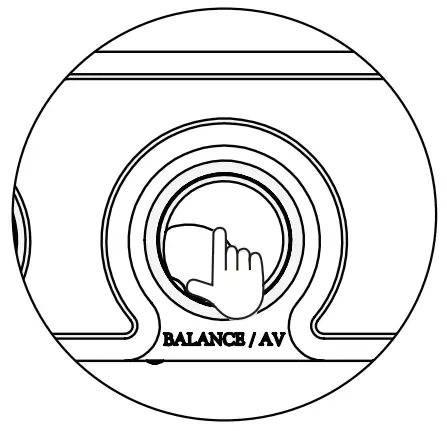
Dimmable lighting
The lighting level of the front panel and top panel LED ring can be dimmed using the remote control. Press ‘DIM’ to reduce the brightness, pressing again to restore.
Technical specifications
Technical specifications
| Frequency response | 10 Hz-200 kHz +/- 3 dB |
| THD | 0.002 % 20 Hz-20 kHz |
| Signal to noise ratio | -105 dB on all inputs |
| Input impedance | 100 kΩ |
| Output impedance | 560 Ω |
| Input maximum voltage | 10 V RMS |
| Output maximum voltage | 17 V RMS |
| Gain | x1 |
| Channel separation | 100 dB |
| Operation voltage | 80-250 V AC auto-switching |
| Power consumption | 40 W |
| Dimensions | 355 mm (L) x 485 mm (W) x 130 mm (H) |
| Net Weight | 12.7 kg |

Chord Electronics
Product Communication
The Pumphouse, Farleigh Lane, East Farleigh, Kent, ME16 9NB. Great Britain.
+44 (0) 1622 721 444
[email protected]
chordelectronics.co.uk

 Register Your Product | Chord Electronics