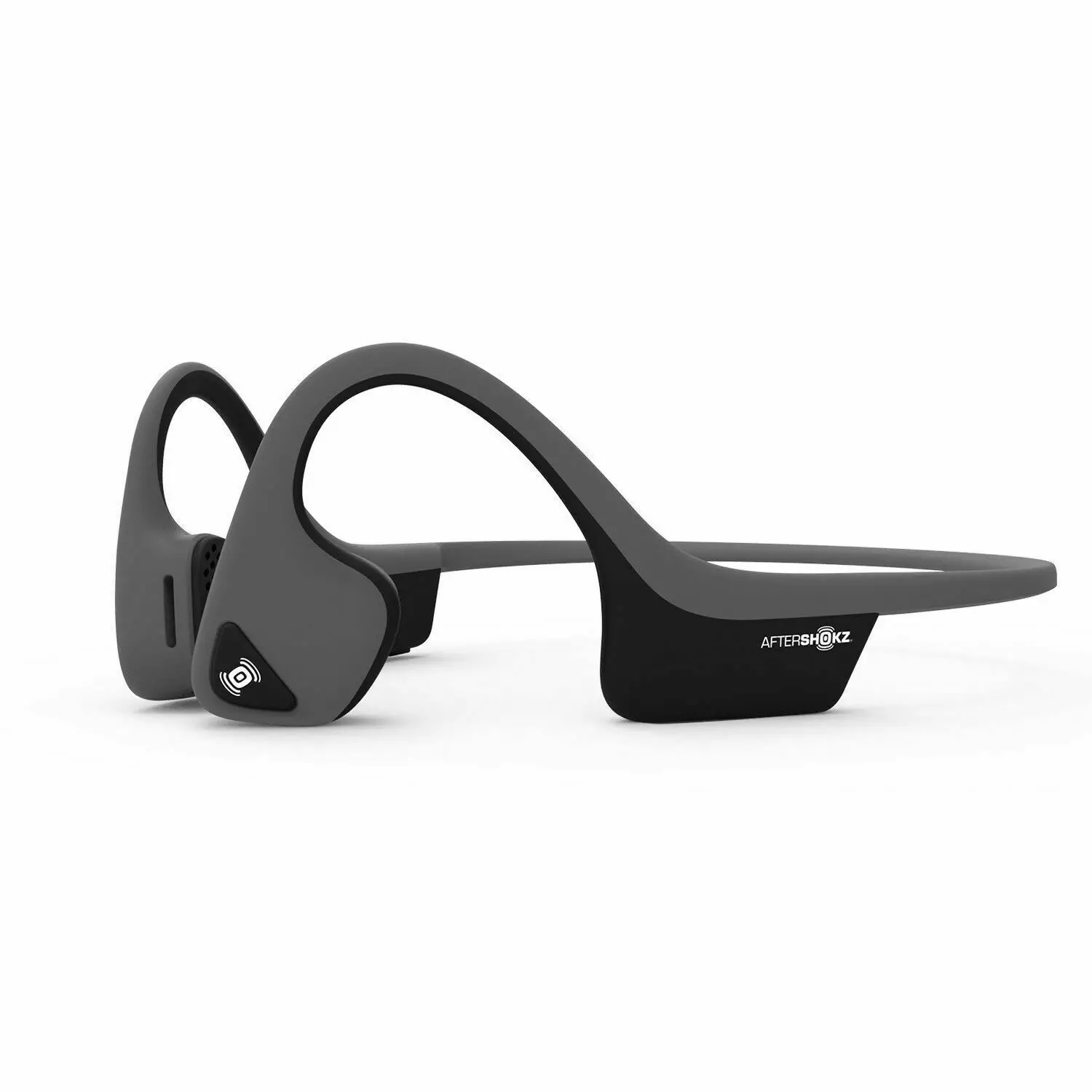

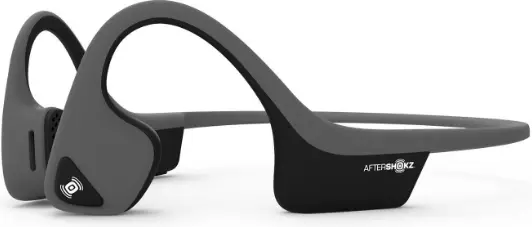
Aftershokz trekz air open Ear
How To Set Up Trekz Air
- Charge
- Charge the headphones with the included micro-USB cable. The LED light will turn from red to blue when charging is complete
- Pair
- Start with your headphones off. Enter pairing mode by pressing and holding volume+ until Audrey says “pairing” and the LED light flashes red and blue.
- Connect
- Open your device’s Bluetooth® menu and select “Trekz Air By AfterShokz.” Audrey says “Connected” and the LED light will flash blue one time
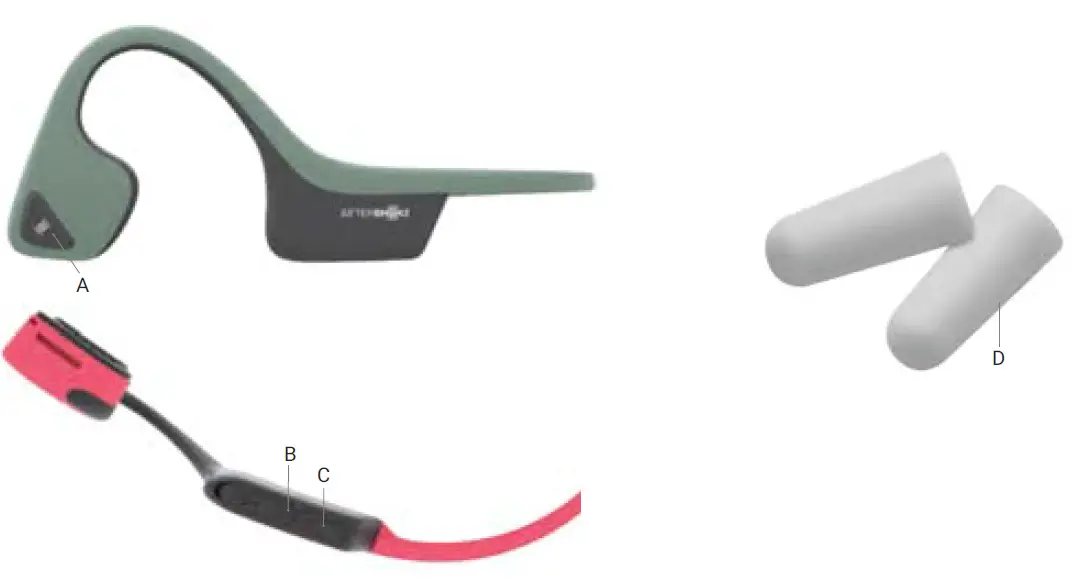
PRODUCT PARTS
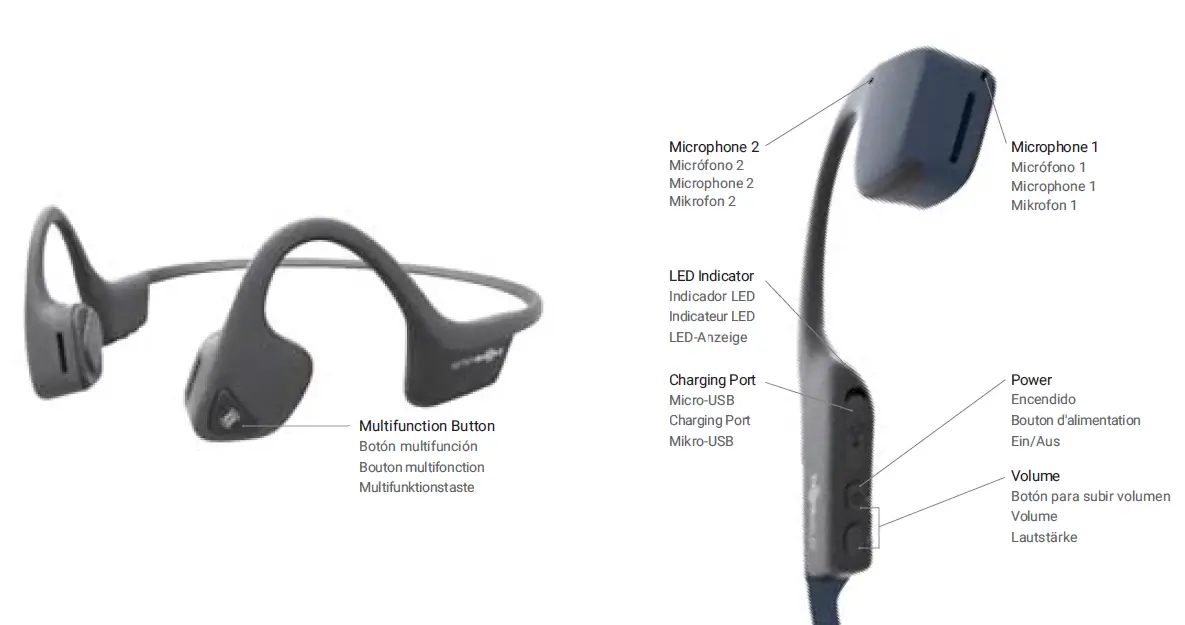
SPECIFICATION


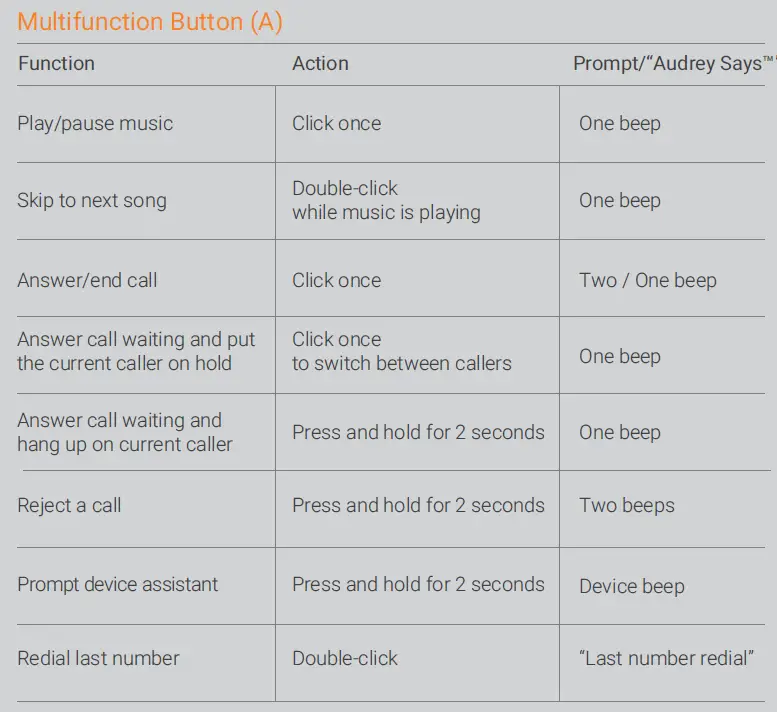
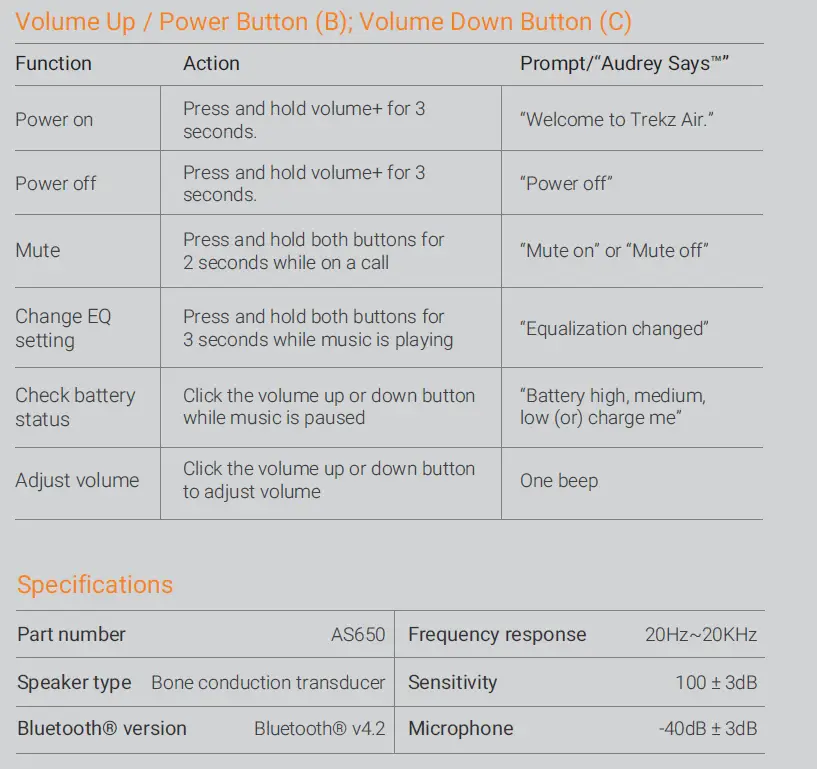
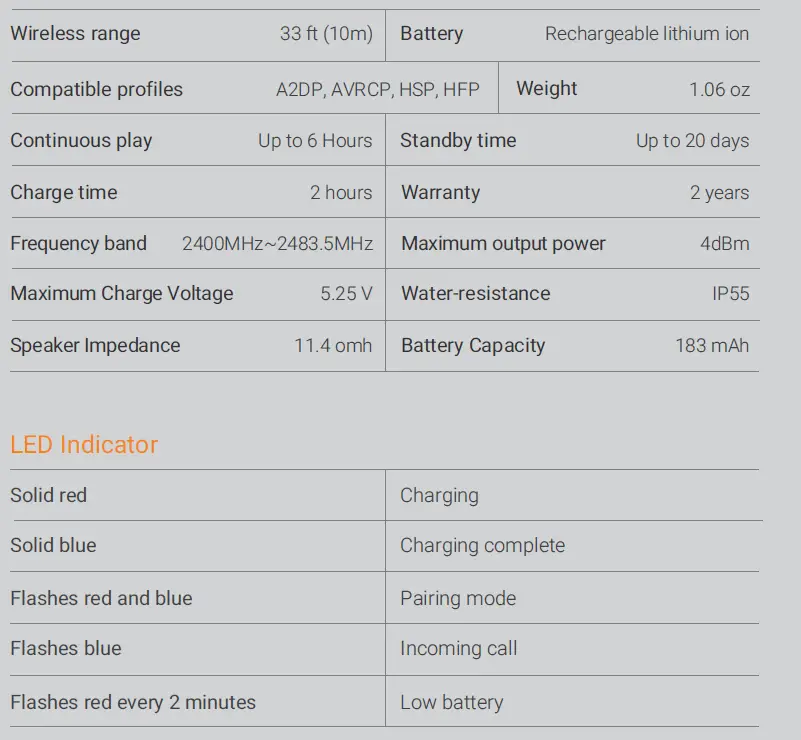
Muiltipoint Pairing
- Multipoint pairing allows Trekz Air to be connected to two devices at once, allowing users to seamlessly transition between the two.
- Start with your headphones off.
- Press and hold volume+ until Audrey says “Pairing” and the LED light flashes red and blue.
- Press and hold the multifunction button and volume+ button for 3 seconds. Audrey says “Multipoint Enabled.”
- Open your first device’s Bluetooth menu and select Trekz Air by AfterShokz. Audrey says “Connected”
- Turn your headphones off.
- Re-enter pairing mode by pressing and holding volume+ until Audrey says “Pairing” and the LED light flashes red and blue.
- Open your second device’s Bluetooth menu and select Trekz Air by AfterShokz. Audrey says “Connected.”
- Turn your headphones off.
- Turn your headphones on, Your headphones are now connected to both devices.
How To Reset Your Headphones
- Start with your headphones off
- Enter pairing mode by pressing and holding volume+ until Audrey says “Pairing” and the LED light flashes red and blue.
- Press and hold the multifunction button, volume+ button and volume- button (all three buttons) simultaneously for 3-5 seconds, until you hear two beeps or feel vibrations.
- Turn your headphones off. Trekz Air is now reset and can be re-paired to your device.
Optional Accessories
Earplugs (D)
Use with headphones in environments where it is safe to block out ambient noise, such as on a train or airplane.
- Roll earplugs firmly between fingers and place in ears.
- To adjust EQ settings to reduce or enhance bass while wearing earplugs, press and hold volume up and down buttons simultaneously.
- Switch EQ to normal condition when you take out the earplugs.
Manufacturer
AfterShokz LLC,1 Adler Drive,East Syracuse, NY 13057