TE 03.0254
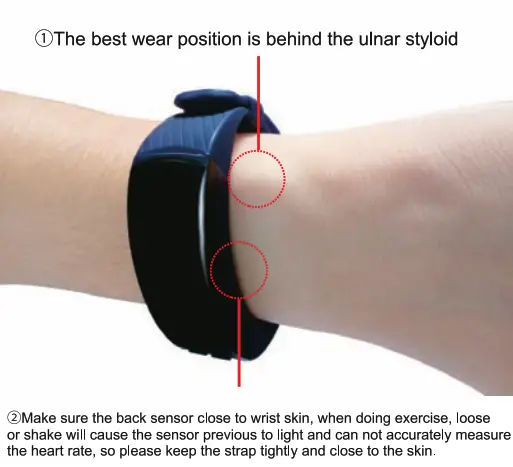
Wear instruction
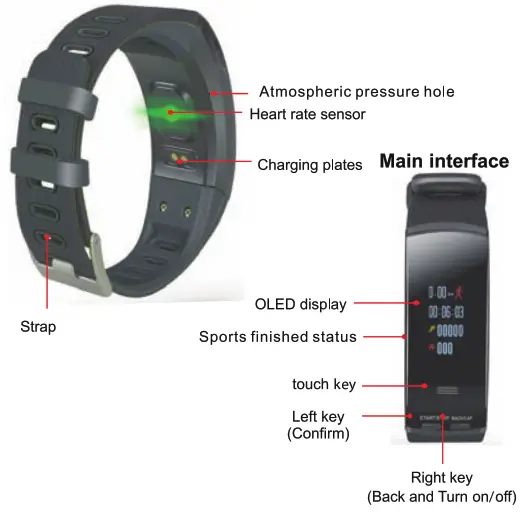
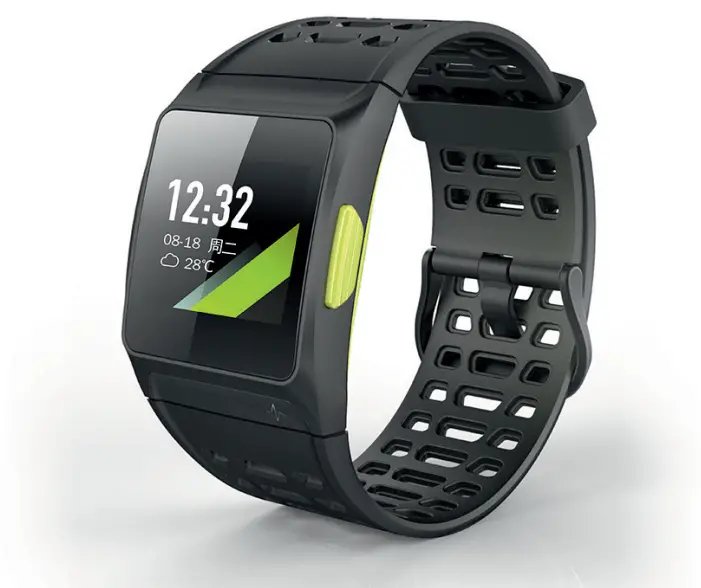
Main Interface “touch key”
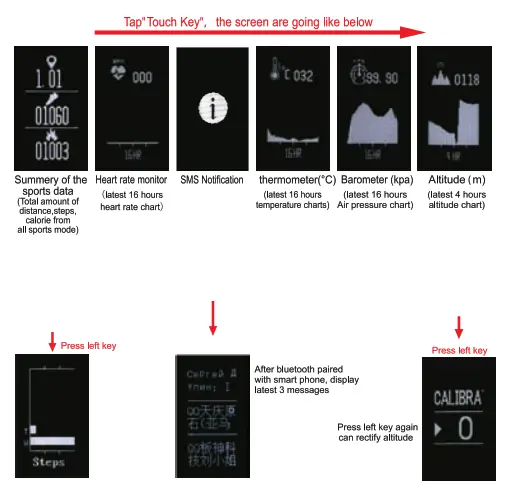
Tap confirm (left key) on the main interface
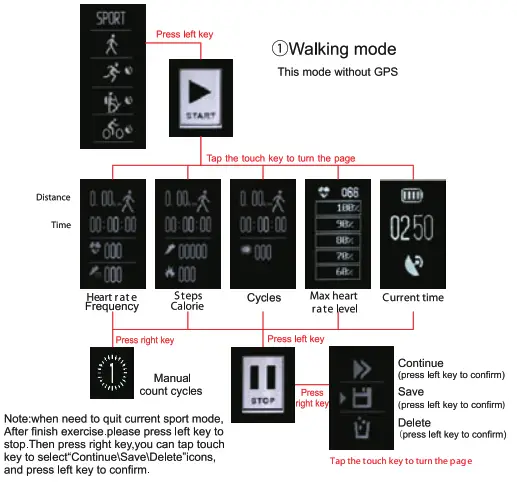
Running Mode
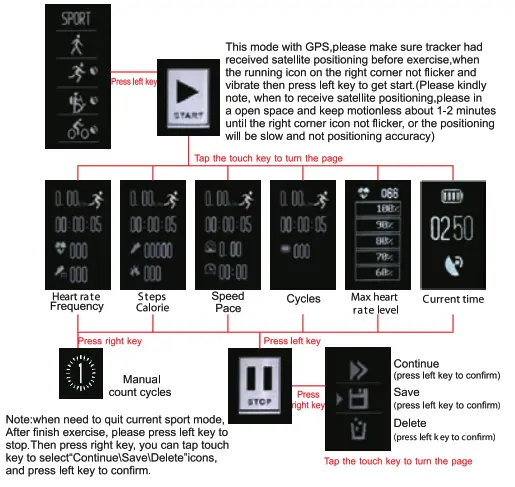
Mountain- climbing mode
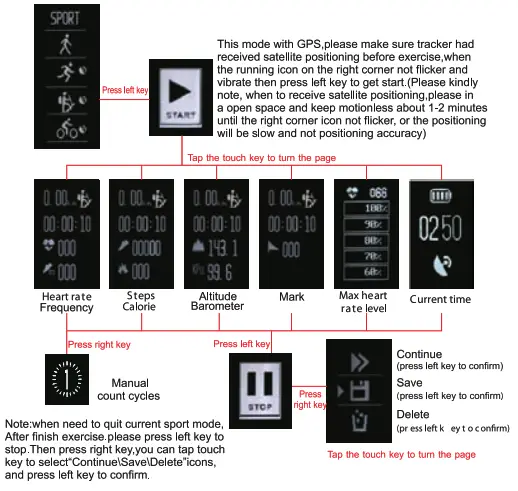
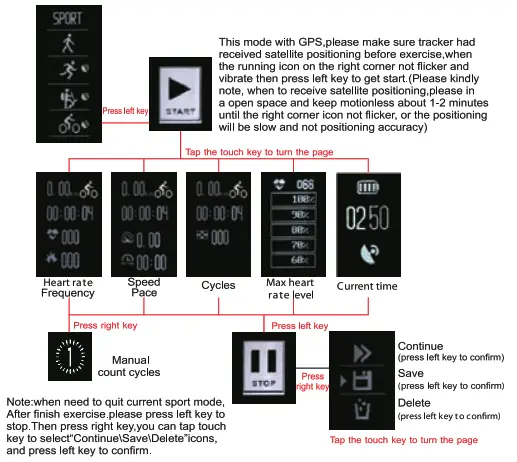
Cycling Mode
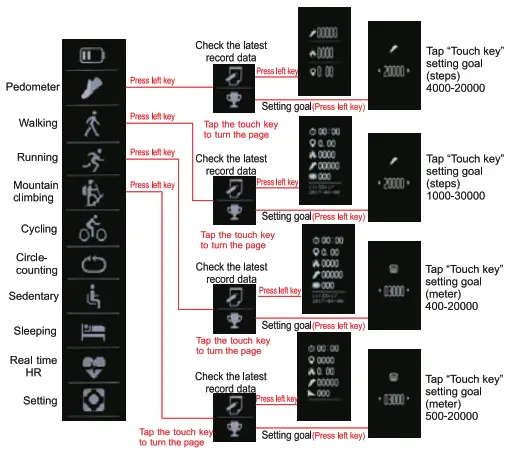
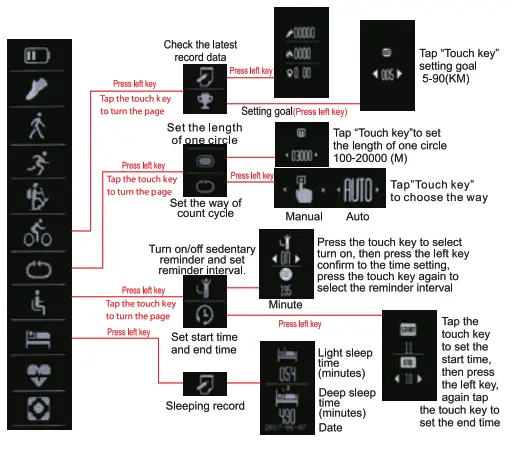
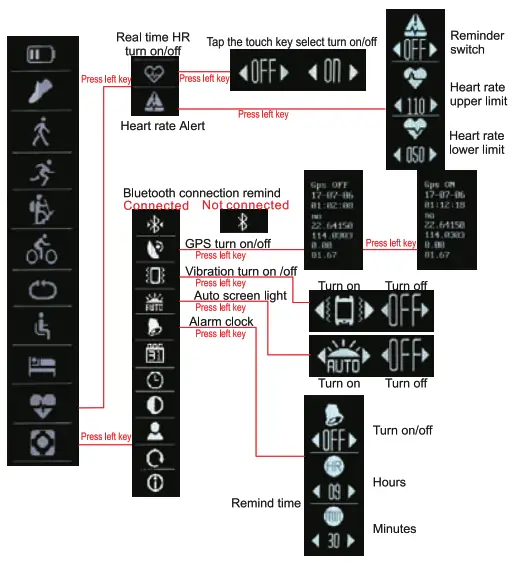
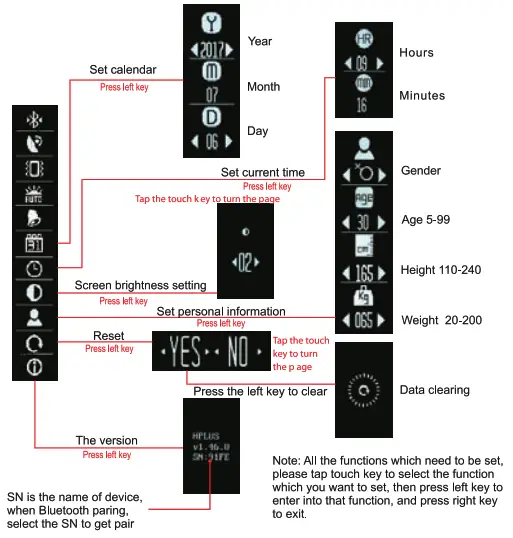
At the main interface, Press “right key” and tap “touch key” to turn the page you can find functions as below
How to get Max. HR Level
Max HR level will reflect whether your exercise reaches the standard level or reach your goal. you can calculate your max. heart rate according to your age, condition of your body, and sports goal. Also, you can ask the coach and doctor to give you some advice. Only reasonable exercise will help to achieve desired exercise goals.
Max. HR=220-Age
Keep health: Max. HR X 50%-60%
Burnt calorie: Max. HR X 60%-70%
Endurance training : Max. HR X 70%-80%
Speed training: Max. HR X 80%’90%
Competitive training: Max. HR X 90%-100%
For example, Kris is 40 years old, and he wants to lose weight, the level can be calculated as follows 2
20-40=180 (MAX. HR)
180X60%=108(Min. HR)
180X70%=126 (Max. HR)
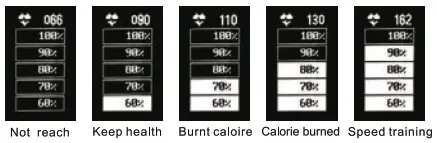
Only when his heart rate reaches 108-126, then Kris will lose weight. When doing exercise, the heart rate results will show your exercise level, you can check the following pictures, the white background means reached level.
Main interface heart rate specifications
when turning to the main interface of heart rate, the band will automatically start testing heart rate, it takes about 30 seconds to get the result, after that, if you want to test again, then press the left key. The graph shows the real-time heart rate of the recent 16 hours. (Realtime heart rate was tested by every 10 minutes, you need to open real-time head rate or start exercise mode.)
Connect with APP
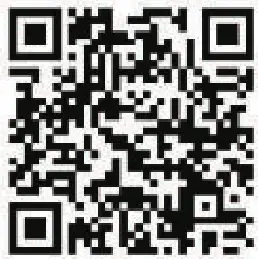
Scan the following QR code to download and install the APP. Or you can search “Plus watch”from google play store or Apple store.
http://play.google.com/store/apps/details?id=com.richtechie.hplus

http://itunes.apple.com/us/app/hplus-watch/id1021512165?1=zh&1s=1&mt=8

Open smartphone Bluetooth, open APP, turn to APP Settings-Bluetooth-search relative Bluetooth name (SN code), select to pair. it will send pair reminders to smartphones, click”allow” to pair, the smart bracelet will sync time and date from the phone. After synchronized, you can check all activity data from APP, for example, total distance steps, calories, and check the sleep and sports report from “yesterday’s report”. Review history report from Data summary.
Real-time HR
It will test by every 10 minutes and you can check the all-day heart rate on the dashboard.
Settings
you can make APP settings here and sync call, message reminder by open notification.
Exercise
You can track GPS exercise and check exercise records, The default map is Amap and google map.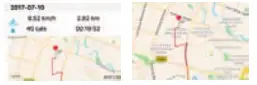
CAUTION :
Thermometer
The thermometer detection of the bracelet refers to the ambient temperature, but the test results are affected by the body temperature, so in order to more accurately measure the ambient temperature, you will need to place the bracelet on the desktop for about 10 minutes before testing. Please upwards the atmospheric pressure hole and make sure no influencing factor from external temperature. The role of the atmospheric pressure hole is the induction of ambient temperature, so directly impact on barometer and temperature. Please do not block the atmospheric pressure hole when testing.
Attitude
Altitude is affected by barometer, you can rectify altitude before the test, set it as 0, please refer to details on page 3.
GPS
Before starting the exercise mode (except for walking mode), please confirm that the bracelet has received satellite positioning, in order to be positioned accurately, please go to an open space without shelter and moveless for 1-2 minutes, when it vibrates the icon will no longer flicker, then you can start the exercise. The battery will run out easily when open GPS, so it is recommended to turn off GPS when not use.
Do not throw the bracelet Into the fire or water, the fire will cause the battery to explode, water will enter from the pressure hole and causing the circuit board to burn.
Parameter
Chip Nordic NRF52832 GPS IC Ublox
Sensor Kx023 Display 0 96″OLED
Battery 200mAh Weight 30g
Bluetooth 4.0 Stand by 7-10days
Material Silicone
Support system Android 4.4 or above, 10S8.0 or above
TECHNICAL SERVICE: http://www.imperiielectronics.com/contactenos
Importado por:
B85947513
www.imperiielectronics.com
Pol. Ind. Neisa Sur
Avd. Marconi, Bloque 1, Nave 13
28021 Madrid
Made in PRC
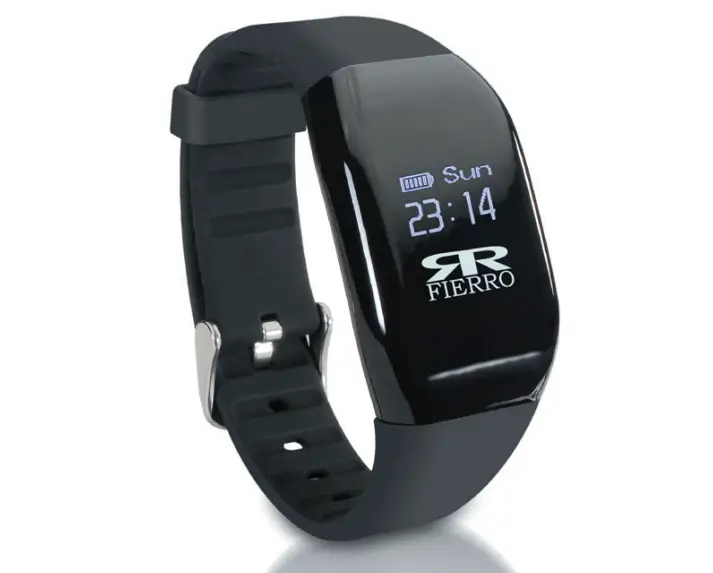
imperii RR FIERRO GPS Professional Sport Bracelet Instruction Manual – Download [optimized]
imperii RR FIERRO GPS Professional Sport Bracelet Instruction Manual – Download
imperii RR FIERRO GPS Professional Sport Bracelet Instruction Manual – OCR PDF