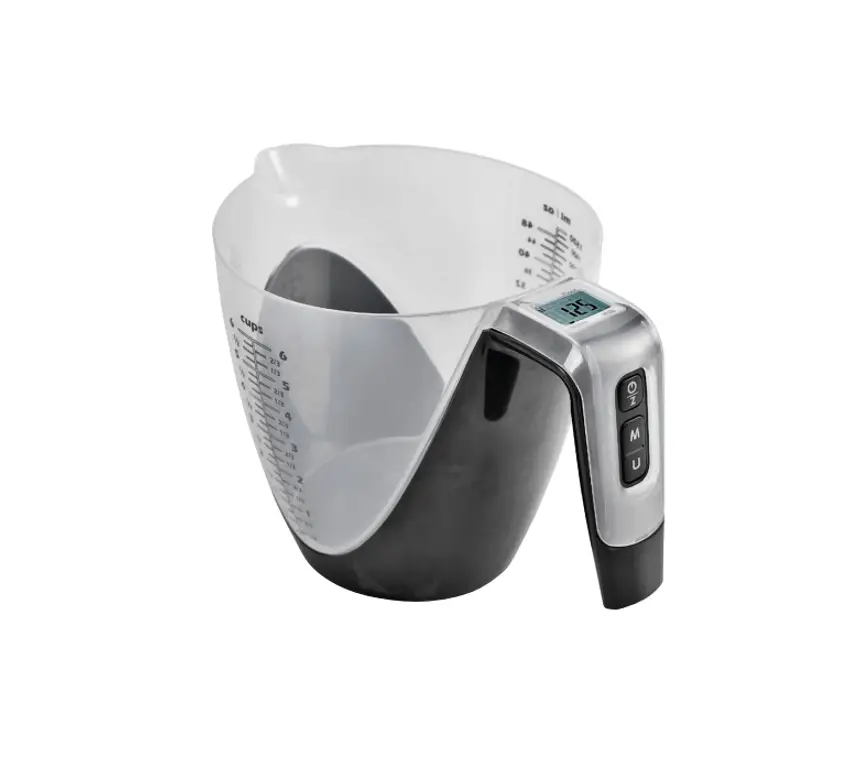

OPERATING INSTRUCTIONS
Important! Read the user instructions carefully before use. Save them for future reference.
(Translation of the original instructions).
SAFETY INSTRUCTIONS
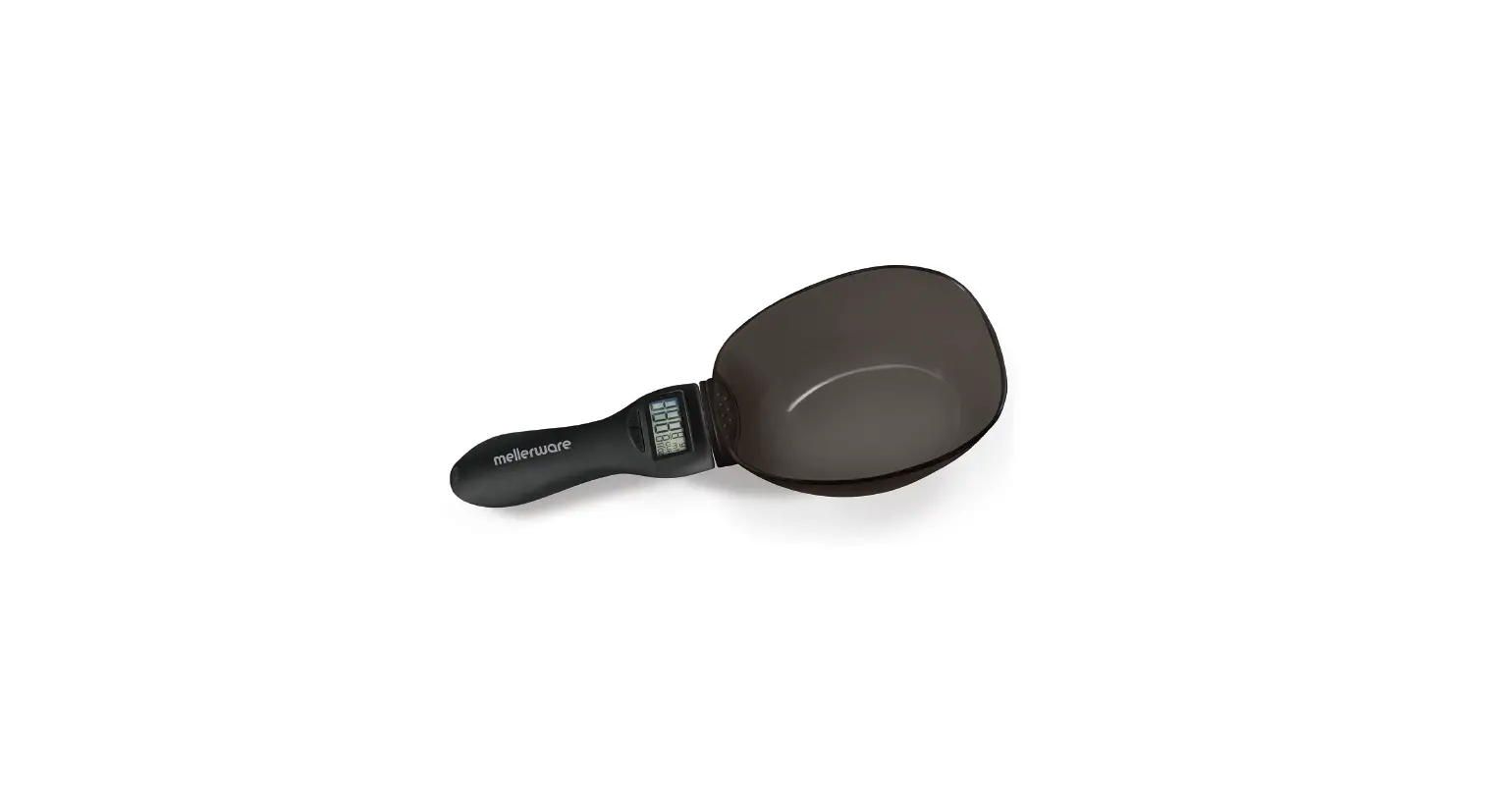
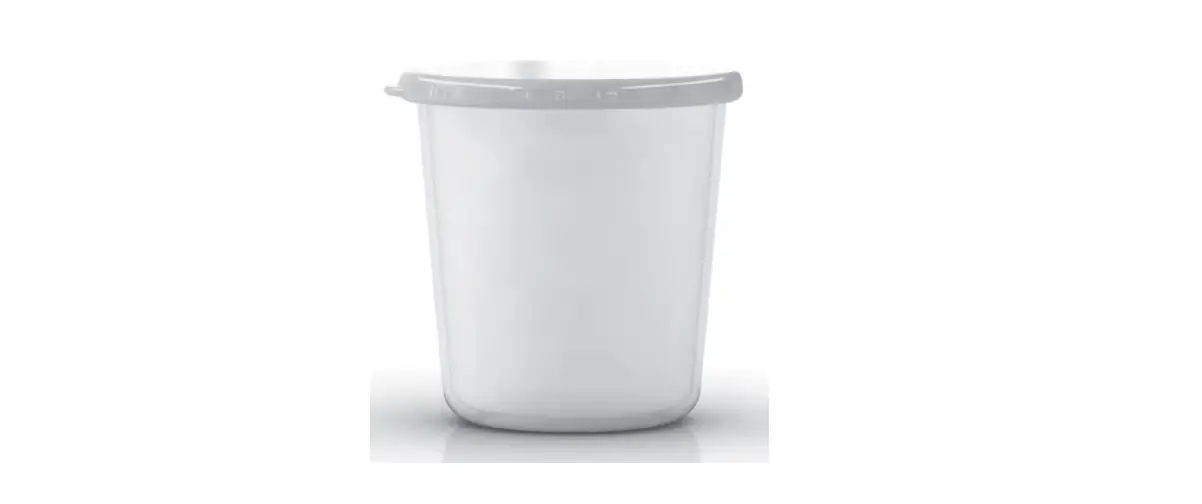
- The measuring jug is only intended for household use and is not suitable for commercial purposes.
- The measuring jug is a precision instrument and should be handled with care.
- Avoid dropping the jug and do not subject it to knocks and blows – risk of material damage.
SYMBOLS
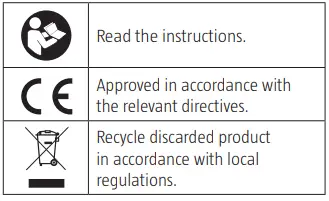
TECHNICAL DATA
- Size: L156 x W158 x H238 mm
- Battery: 3 V, CR2032
DESCRIPTION
FEATURES
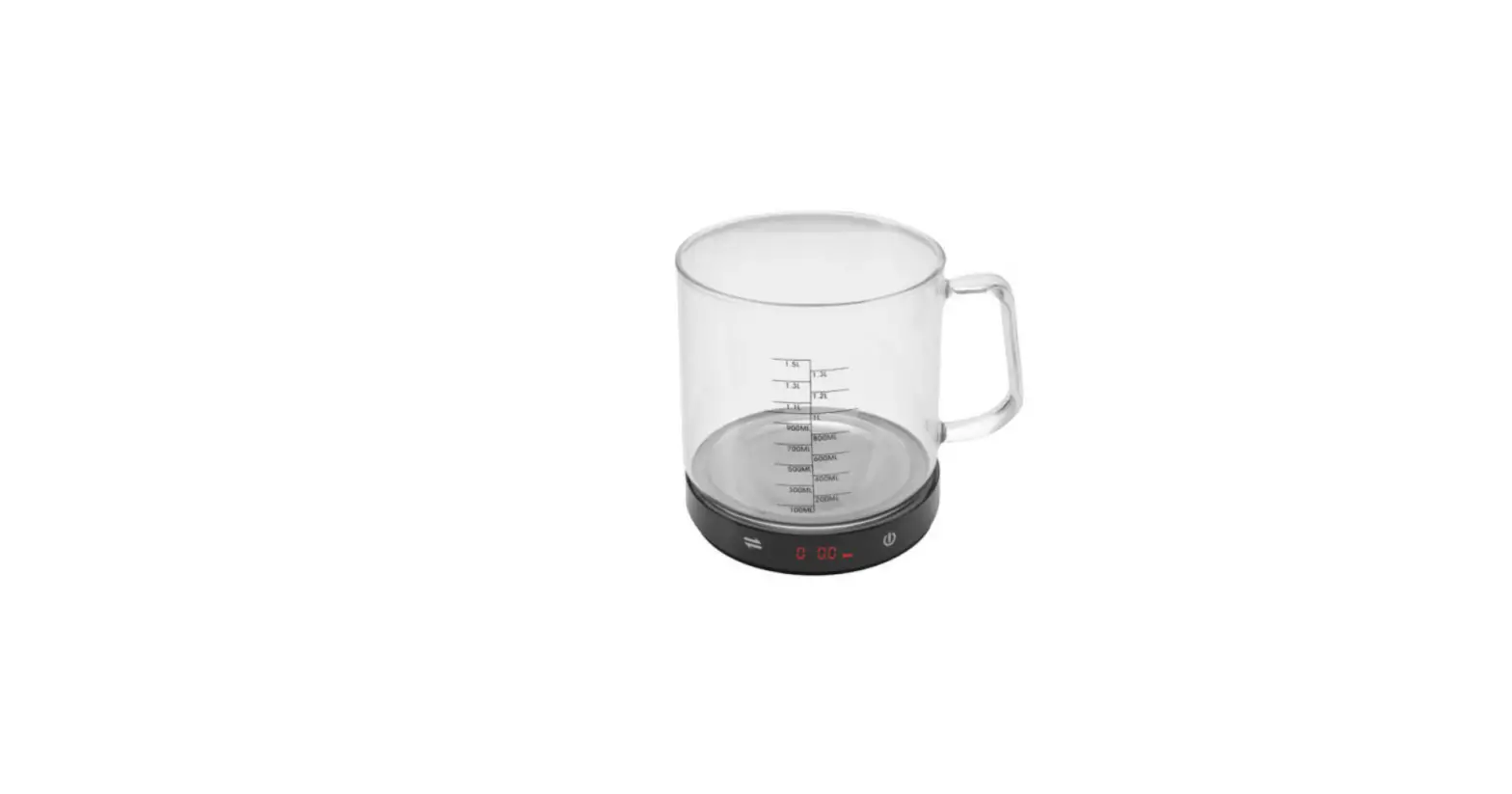
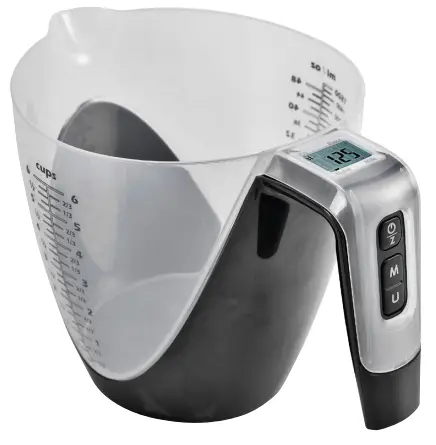
- Beaker
- Indication of volume for water, milk, oil and flour
- Weight in g or lb:oz
- Volume in ml, fl’oz, CUP
PARTS
- Beaker
- Display
- On/off
- Menu/mode
- Unit
- Battery

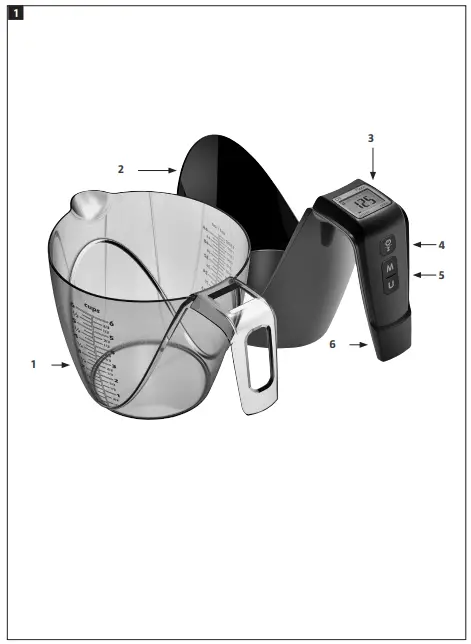
IMPORTANT:
- Remove the beaker from the base before pouring liquid from the measuring jug.
- If the base needs to remain on when pouring liquid, press your thumb against the edge of the beaker to prevent it falling off.

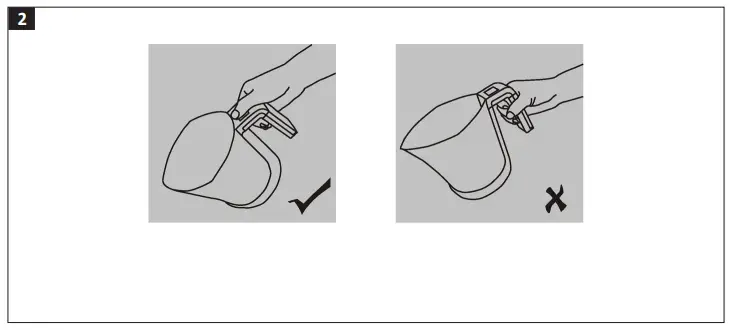
USE
INSERTING THE BATTERY
1 lithium battery included.
- Remove the insulation before use.
- Open the battery compartment.
- Remove the battery with a pointed utensil.
- Put one end of the new battery under the battery holder and press down the battery in place. Make sure to put in the battery with the correct polarity.

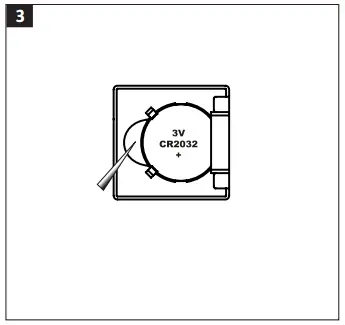
BUTTONS
- M = mode: Switching between modes.
- U = unit: Switching between units.

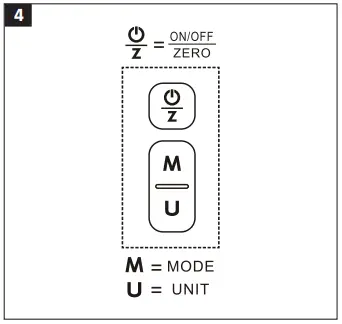
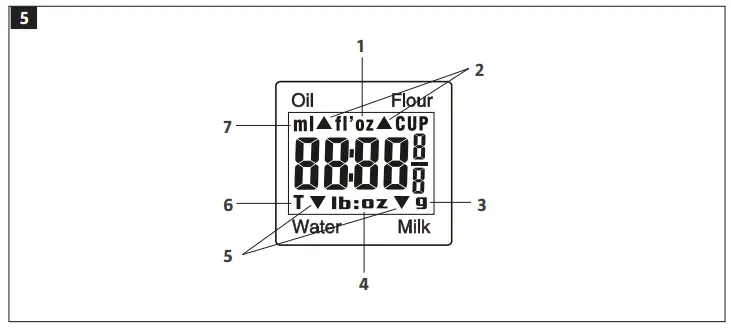
DISPLAY
- Volume unit (fl’oz)
- Mode selector (arrow buttons)
- Weight unit (g)
- Weight unit (lb:oz)
- Mode selector (arrow buttons)
- Calibration
- Volume unit (ml)

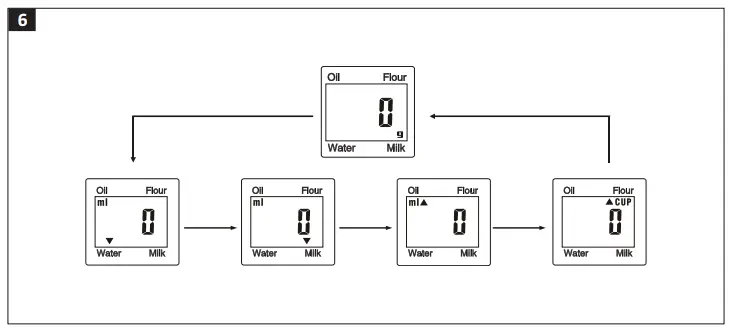
SWITCHING BETWEEN WEIGH MODES
Weigh mode is enabled when the product starts.
- Press the MODE button to switch modes (weigh, volume water, volume milk, volume oil and volume flour).
- Press the UNIT button to select the required unit.
- Switch between the modes Water – Milk – Oil – Flour by pressing MODE.

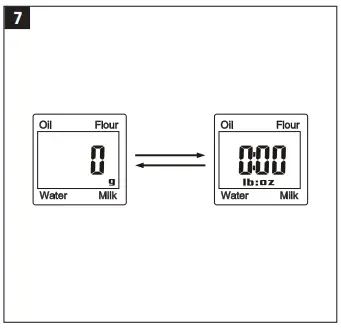
SWITCHING BETWEEN UNITS
Follow the instructions below to switch between metric units (kg, g) and imperial units (lb, oz).
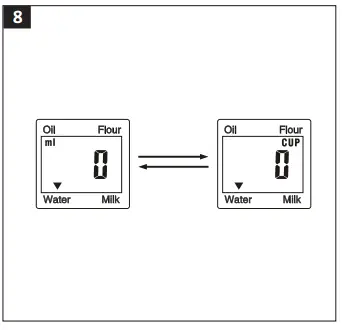
SWITCHING BETWEEN VOLUME UNITS
- Press the UNIT button to switch between ml, fl’ oz and CUP in volume measuring mode. Follow the instructions for measuring the volume of water.
- Press the UNIT button.

HOW TO USE
WEIGH MODE
- Place the product on a level, stable surface.
- Press
 to start.
 - Wait until the display shows 0.
- Place the item to be weighed on the scale and read off the weight on the display.

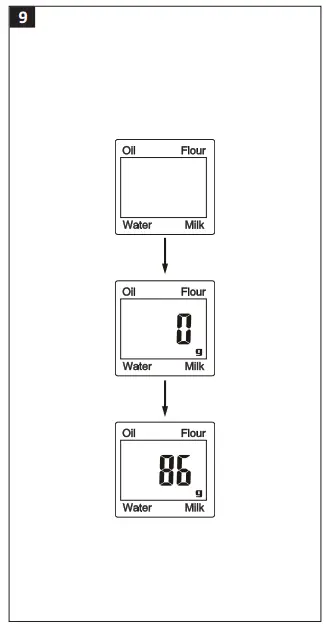
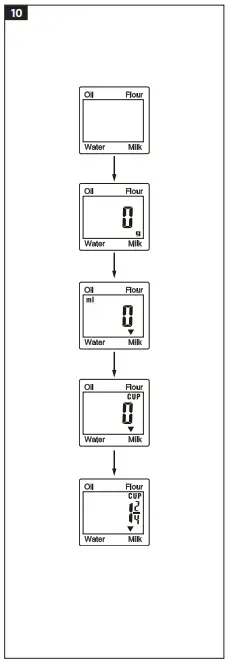
VOLUME MEASURING MODE
Follow the instructions in the example below for measuring milk with the CUP unit.
The same principle applies for oil, flour and water.
- Put the beaker on the base. Place the product on a level, stable surface.
- Press to start.
- Wait until the display shows 0. Press the MODE button to select MILK mode.
- Press the UNIT button to select the CUP unit.
- Pour milk into the beaker. The volume is shown on the display.

RESETTING/CALIBRATION
Do as follows to weigh several items after each other without removing them from the scale.
- Place the first item on the scale and read off the weight.
- Press the button to reset the reading on the display before putting the next item on the scale. Repeat as many times as necessary.
WHEN THE TOTAL WEIGHT ON THE SCALE IS > 0 G
- The display shows —– or 0 g when pressing .
- —– indicates that data is being processed – wait a moment.
- 0 g and T are shown in the bottom left corner of the display to indicate that the taring function is on.
- The capacity is reduced with the total weight of the weighed articles.
- Press

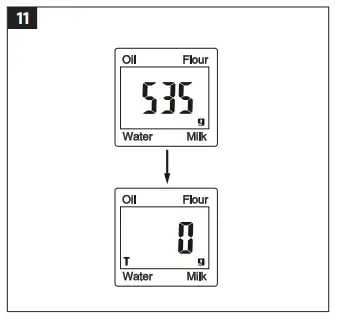
WHEN THE TOTAL WEIGHT ON THE SCALE IS < 0 G
- The display shows —– or 0 g when pressing
- —– indicates that data is being processed –
- Wait for a moment. The display shows 0 g
- show that the reset function is on.
- The total capacity remains unchanged.
- Press .

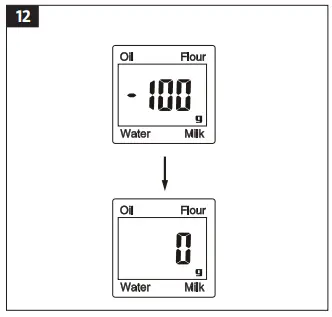
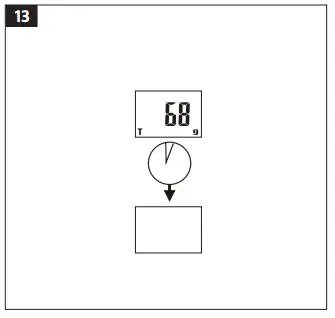
AUTOMATIC POWER-OFF
The measuring jug also switches off if the measured weight does not change within about 30 seconds.
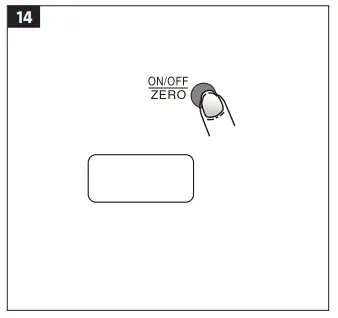
MANUAL SWITCHING OFF
To save the batteries the product can also be switched off manually by pressing the button  for 3 seconds.
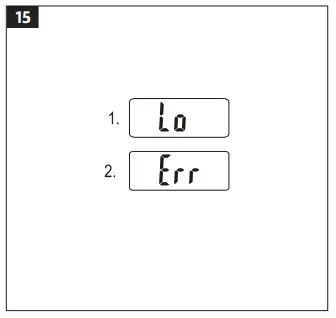
WARNINGS
- Replace battery.
- The scale is overloaded. Remove the articles from the scale to avoid damaging it. The max permitted weight is shown on the scale.

MAINTENANCE
- Clean the measuring jug with a damp cloth. Remove the beaker from the scale before cleaning. Check that the beaker is empty before removing it. Do not immerse the scale in water or any other liquid. The scale is not waterproof.
- Clean the plastic parts on the measuring jug immediately on contact with fat, spices, vinegar and strong flavored or colored food. Avoid contact with acid and lemon juice, etc.
- Place the measuring jug on a hard, flat surface. Do not put it on a soft surface.
- Store the measuring jug in cool, dry place.
- If the measuring jug does not start, check that the battery is inserted and not discharged
 Jula – products for home and garden