High Level Synthesis Compiler Pro Edition
Product Information
| Product Name | Intel High Level Synthesis Compiler Pro Edition |
|---|---|
| Version | 22.4 |
| Release Date | December 19, 2022 |
| Deprecation Notice | The Intel High Level Synthesis Compiler is planned to be deprecated after Version 23.4. |
Product Usage Instructions
Getting Started Guide
1. Initialize your compiler environment.
2. Review the various design examples and tutorials provided
with the Intel HLS Compiler.
User Guide
The User Guide provides instructions on:
– Synthesizing, verifying, and simulating intellectual property
(IP) designed for Intel FPGA products.
– Going through the entire development flow of your component
from creating your component and testbench up to integrating your
component IP into a larger system with the Intel Quartus Prime
software.
Best Practices Guide
The Best Practices Guide provides techniques and practices that
you can apply to improve the FPGA area utilization and performance
of your HLS component. Apply these best practices after verifying
the functional correctness of your component.
Reference Manual
The Reference Manual provides reference information about the
features supported by the Intel HLS Compiler. Find details on Intel
HLS Compiler command options, header files, pragmas, attributes,
macros, declarations, arguments, and template libraries.
Intel® High Level Synthesis Compiler Pro Edition
Version 22.4 Release Notes
Updated for Intel® Quartus® Prime Design Suite: 22.4
Online Version Send Feedback
RN-1146
ID: 683682 Version: 2022.12.19
Contents
Contents
1. Intel® High Level Synthesis Compiler Pro Edition Version 22.4 Release Notes……………. 3 1.1. Pending Deprecation of the Intel HLS Compiler…………………………………………………. 4 1.2. New Features and Enhancements…………………………………………………………………..5 1.3. Changes in Software Behavior……………………………………………………………………… 5 1.4. Intel High Level Synthesis Compiler Pro Edition Prerequisites…………………………………5 1.5. Known Issues and Workarounds…………………………………………………………………… 6 1.6. Intel High Level Synthesis Compiler Pro Edition Release Notes Archives…………………..10 1.7. Document Revision History for Intel HLS Compiler Pro Edition Version 22.4 Release Notes……………………………………………………………………………………………….. 10
Intel High Level Synthesis Compiler Pro Edition: Version 22.4 Release Notes 2
Send Feedback
683682 | 2022.12.19 Send Feedback
1. Intel® High Level Synthesis Compiler Pro Edition Version 22.4 Release Notes
The Intel® High Level Synthesis Compiler Pro Edition Release Notes provide latebreaking information about the Intel High Level Synthesis Compiler Pro Edition Version 22.4.
Pending Deprecation of the Intel HLS Compiler
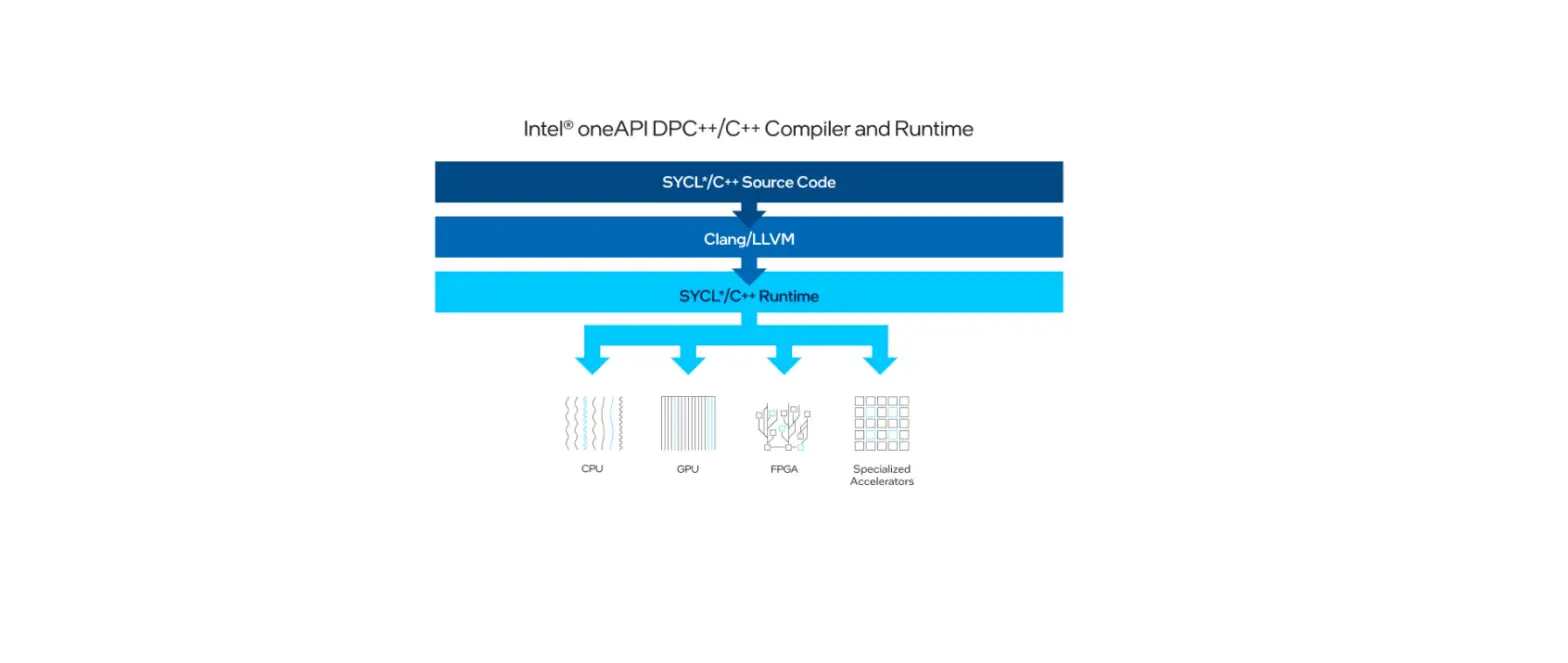
To keep access to the latest FPGA high-level design features, optimizations, and development utilities, migrate your existing designs to use the Intel oneAPI Base Toolkit.
The Intel High Level Synthesis (HLS) Compiler is planned to be deprecated after Version 23.4.
Visit the Intel oneAPI product page for migration advice, or go to the Intel High Level Design community forum for any questions or requests.
Table 1.
About the Intel HLS Compiler Pro Edition Documentation Library
Documentation for the Intel HLS Compiler Pro Edition is split across a few publications. Use the following table to find the publication that contains the Intel HLS Compiler Pro Edition information that you are looking for:
Intel High Level Synthesis Compiler Pro Edition Documentation Library
Title and Description
Release Notes Provides late-breaking information about the Intel HLS Compiler.
Getting Started Guide Get up and running with the Intel HLS Compiler by learning how to initialize your compiler environment and reviewing the various design examples and tutorials provided with the Intel HLS Compiler.
User Guide Provides instructions on synthesizing, verifying, and simulating intellectual property (IP) that you design for Intel FPGA products. Go through the entire development flow of your component from creating your component and testbench up to integrating your component IP into a larger system with the Intel Quartus Prime software.
Best Practices Guide Provides techniques and practices that you can apply to improve the FPGA area utilization and performance of your HLS component. Typically, you apply these best practices after you verify the functional correctness of your component.
Reference Manual Provides reference information about the features supported by the Intel HLS Compiler. Find details on Intel HLS Compiler command options, header files, pragmas, attributes, macros, declarations, arguments, and template libraries.
Link Link Link
Link Link
Intel Corporation. All rights reserved. Intel, the Intel logo, and other Intel marks are trademarks of Intel Corporation or its subsidiaries. Intel warrants performance of its FPGA and semiconductor products to current specifications in accordance with Intel’s standard warranty, but reserves the right to make changes to any products and services at any time without notice. Intel assumes no responsibility or liability arising out of the application or use of any information, product, or service described herein except as expressly agreed to in writing by Intel. Intel customers are advised to obtain the latest version of device specifications before relying on any published information and before placing orders for products or services. *Other names and brands may be claimed as the property of others.
ISO 9001:2015 Registered
1. Intel® High Level Synthesis Compiler Pro Edition Version 22.4 Release Notes 683682 | 2022.12.19
1.1. Pending Deprecation of the Intel HLS Compiler
To keep access to the latest FPGA high-level design features, optimizations, and development utilities, migrate your existing designs to use the Intel oneAPI Base Toolkit.
The Intel High Level Synthesis (HLS) Compiler is planned to be deprecated after Version 23.4.
Visit the Intel oneAPI product page for migration advice, or go to the Intel High Level Design community forum for any questions or requests.
Intel High Level Synthesis Compiler Pro Edition: Version 22.4 Release Notes 4
Send Feedback
1. Intel® High Level Synthesis Compiler Pro Edition Version 22.4 Release Notes 683682 | 2022.12.19
1.2. New Features and Enhancements
The Intel High Level Synthesis Compiler Pro Edition Version 22.4 includes the following new features: · Maintenance release.
No new features or enhancements for Intel HLS Compiler Pro Edition Version 22.4.
1.3. Changes in Software Behavior
This section documents instances where Intel HLS Compiler Pro Edition Version 22.4 features have changed from earlier releases of the compiler.
· Maintenance release. No changes in software behavior for Intel HLS Compiler Pro Edition Version 22.4.
1.4. Intel High Level Synthesis Compiler Pro Edition Prerequisites
The Intel HLS Compiler Pro Edition is part of the Intel Quartus® Prime Pro Edition Design Suite. You can install the Intel HLS Compiler as part of your Intel Quartus Prime software installation or install it separately. It requires Intel Quartus Prime and additional software to use.
For detailed instructions about installing Intel Quartus Prime Pro Edition software, including system requirements, prerequisites, and licensing requirements, see Intel FPGA Software Installation and Licensing.
The Intel HLS Compiler requires the following software in addition to Intel Quartus Prime:
C++ Compiler
On Linux, Intel HLS Compiler requires GCC 9.3.0 including the GNU C++ library and binary utilities (binutils).
This version of GCC is provided as part of your Intel HLS Compiler installation. After installing the Intel HLS Compiler, GCC 9.3.0 is available in <quartus_installdir>/ gcc.
Important: The Intel HLS Compiler uses the <quartus_installdir>/gcc directory as its toolchain directory. Use this installation of GCC for all your HLS-related design work.
For Windows, install one of the following versions of Microsoft* Visual Studio* Professional: · Microsoft Visual Studio 2017 Professional · Microsoft Visual Studio 2017 Community
For the most up-to-date C++17 support, ensure that you are using the latest version of Visual Studio 2017.
Important: The Intel HLS Compiler software does not support versions of Microsoft Visual Studio other than those specified for the edition of the software.
Send Feedback
Intel High Level Synthesis Compiler Pro Edition: Version 22.4 Release Notes 5
1. Intel® High Level Synthesis Compiler Pro Edition Version 22.4 Release Notes 683682 | 2022.12.19
Siemens* EDA Questa® Simulation Software
On Windows and RedHat Linux systems, you can install the Questa® simulation software from the Intel Quartus Prime software installer. The available options are as follows: · Questa Intel FPGA Edition · Questa Intel FPGA Starter Edition
Both Questa Intel FPGA Edition and Questa Intel FPGA Starter Edition require licenses. The license for Questa Intel FPGA Starter Edition is free. For details, refer to Intel FPGA Software Installation and Licensing.
Alternatively, you can use your own licensed version of Siemens* EDA ModelSim* SE or Siemens EDA Questa Advanced Simulator software.
On Linux systems, Questa – Intel FPGA Edition and Questa – Intel FPGA Starter Edition require the Red Hat* development tools packages.
For information about all the ModelSim and Questa software versions that the Intel software supports, refer to the EDA Interface Information section in the Software and Device Support Release Notes for your edition of Intel Quartus Prime Pro Edition.
Related Information · Intel High Level Synthesis Compiler Getting Started Guide · Supported Operating Systems · Software Requirements in Intel FPGA Software Installation and Licensing · EDA Interface Information (Intel Quartus Prime Pro Edition)
1.5. Known Issues and Workarounds
This section provides information about known issues that affect the Intel HLS Compiler Pro Edition Version 22.4.
Description
Workaround
When you use the deprecated class mm_master, the compiler emits a warning message like the following:
Avoid this warning message by using the class mm_host, which replaces the deprecated class mm_master.
‘operator[]’ has been explicitly marked deprecated here [[deprecated(“Use mm_host instead.”)]] This message does not indicate which part of your code needs needs to change.
(Windows only) Compiling a design in a directory with a long path name can result in compile failures.
Check the debug.log file for “could not find file” errors. These errors can indicate that your path is too long.
Compile the design in a directory with a short path name.
(Windows only) A long path for your Intel Quartus Prime installation directory can prevent you from successfully compiling and running the Intel HLS Compiler tutorials and example designs.
Check the debug.log file for “could not find file” errors. These errors can indicate that your path is too long.
Move the tutorials and examples to a short path name before trying to run them.
continued…
Intel High Level Synthesis Compiler Pro Edition: Version 22.4 Release Notes 6
Send Feedback
1. Intel® High Level Synthesis Compiler Pro Edition Version 22.4 Release Notes 683682 | 2022.12.19
Description
Workaround
Libraries that target OpenCL* and are written in HLS cannot N/A use streams or pipes as an interface between OpenCL code and the library written in HLS.
However, the library in HLS can use streams or pipes if both endpoints are within the library (for example, a stream that connects two task functions).
Applying the ihc::maxburst parameter to Avalon®
N/A
Memory-Mapped host interfaces can cause your design to
hang in simulation.
In some uncommon cases, if you have two classes whose constructors each require instances of the other class as input, the compiler might crash.
For example, compiling the following code snippet causes the compiler to crash:
Avoid creating a circular definition. Instead, use a pointer or reference in your copy constructor.
For example, transform the earlier code snippet into the following code and pass in the struct as a reference to the constructor:
struct foo;
struct bar { int a, b, c; bar() : a(0), b(0), c(0) {}; bar(const foo x);
};
struct foo { int a, b, c; foo() : a(0), b(0), c(0) {}; foo(const bar x) {};
};
bar::bar(const foo x) {};
struct bar { int a, b, c; bar() : a(0), b(0), c(0) {}; bar(const foo &x);
};
struct foo { int a, b, c; foo() : a(0), b(0), c(0) {}; foo(const bar &x) {};
};
bar::bar(const foo &x) {};
Libraries that target OpenCL and are written in HLS might cause OpenCL kernels that include the library to have a more conservative incremental compilation.
When developing a library, if you have a #define defining a value that you use later in a #pragma, the fpga_crossgen command fails. For example, the following code cannot be compiled by the fpga_crossgen command:
#define unroll_factor 5
int foo(int array_size) { int tmp[100]; int sum =0;
//pragma unroll unroll_factor #pragma ivdep array(tmp) safelen(unroll_factor)
for (int i=0;i<array_size;i++) { sum+=tmp[i];
} return sum; }
N/A
Use __pragma instead of #pragma. For example, the following compiles successfully with the fpga_crossgen command:
#define unroll_factor 5
int foo(int array_size) { int tmp[100]; int sum =0;
//pragma unroll unroll_factor __pragma ivdep array(tmp) safelen(unroll_factor)
for (int i=0;i<array_size;i++) { sum+=tmp[i];
} return sum; }
When you use the -c command option to have separate compilation and linking stages in your workflow, and if you do not specify the -march option in the linking stage (or specify a different -march option value), your linking stage might fail with or without error messages.
Ensure that you use the same -march option value for both the compilation with the -c command option stage and the linking stage.
continued…
Send Feedback
Intel High Level Synthesis Compiler Pro Edition: Version 22.4 Release Notes 7
1. Intel® High Level Synthesis Compiler Pro Edition Version 22.4 Release Notes 683682 | 2022.12.19
Description
Applying the hls_merge memory attribute to an array declared within an unrolled or partially unrolled loop causes copies of the array to be merged across the unrolled loop iterations.
#pragma unroll 2 for (int I = 0; I < 8; i++) {
hls_merge(“WidthMerged”, “width”) int MyMem1[128]; hls_merge(“WidthMerged”, “width”) int MyMem2[128]; … hls_merge(“DepthMerged”, “depth”) int MyMem3[128]; hls_merge(“DepthMerged”, “depth”) int MyMem4[128]; … }
Workaround
Avoid using the hls_merge memory attribute in unrolled loops. If you need to merge memories in an unrolled loop, explicitly declare an array of struct type for width merging, or declare a deeper array for depth merging.
struct Type {int A; int B;}; #pragma unroll 2 for (int I = 0; I < 8; i++) {
Type WidthMerged[128]; // Manual width merging … int DepthMerged[256]; // Manual depth merging … }
In the Function Memory Viewer high-level design report, some function-scoped memories might appear as “optimized away”.
Some high-level design reports fail in Microsoft Internet Explorer*.
The Loop Viewer in the High-Level Design Reports has the following restrictions: · The behavior of stall-free clusters is not modeled in the
Loop Viewer. The final latency shown in the Loop Viewer for a stall-free cluster is typically more pessimistic (that is, higher) than the actual latency of your design. For a description of clustering and stall-free clusters, refer to Clustering the Datapath in the Intel High Level Synthesis Compiler Pro Edition Best Practices Guide. · Stalls from reads and writes from memory or print statements are not modeled. · High-iteration counts (>1000) cause slow performance of the Loop Viewer. · You cannot specify an iteration count of zero (0) in the Loop Viewer.
Links in some reports in the High-Level Design Reports generated on Windows systems do not work.
Using a struct of a single ac_int data type in steaming interface that uses packets (ihc::usesPackets<true>) does not work. For example, the following code snippet does not work:
// class definition class DataType {
ac_int<155, false> data; … } // stream definition typedef ihc::stream_in<DataType,
ihc::usesPackets<true>, ihc::usesEmpty<true> > DataStreamIn;
None. When a file contains functions that are components and functions that are not components, all function-scoped variables are listed in the Function Memory List pane, but only variables from components have information about them to show in the Function Memory View pane. Use one of the following browsers to view the reports: · Google Chrome* · Microsoft Edge* · Mozilla* Firefox* None.
Generate the High-Level Design Reports (that is, compile your code) on a Linux system. To use this combination in your design, obey the following restrictions: · The internal ac_int data size must be multiple of 8 · The stream interface type declaration must specify
ihc::bitsPerSymbol<8> For example, the following code snippet works:
// class definition class DataType {
ac_int<160, false> data; // data width must be multiple of 8 … } // stream definition typedef ihc::stream_in<DataType,
ihc::usesPackets<true>, ihc::usesEmpty<true>, ihc::bitsPerSymbol<8> > DataStreamIn; // added ihc::bitsPerSymbol<8>
continued…
Intel High Level Synthesis Compiler Pro Edition: Version 22.4 Release Notes 8
Send Feedback
1. Intel® High Level Synthesis Compiler Pro Edition Version 22.4 Release Notes 683682 | 2022.12.19
Description
Workaround
When running a high-throughput simulation of your component using enqueue function calls, if you do not use the ihc_hls_component_run_all function to run the enqueued component calls after all of the ihc_hls_enqueue calls for that component, the following behaviors occur:
· In emulation, the enqueued component functions are run.
· In simulation, the enqueued component functions are not run, with no error or warning messages provided.
Ensure that you use the ihc_hls_component_run_all function after all of the ihc_hls_enqueue calls for that component to run enqueued component function calls.
Launching a task function with ihc::launch_always_run strips away optimization attributes applied to the task function. In the following code example, the attribute applied to the function is ignored. The High-Level Design Reports show an II of 1 for this task instead of the requested II of 4.
hls_component_ii(4) void noop() {
bool sop, eop; int empty; auto const data = data_in.read(sop, eop, empty);
data_out.write(data, sop, eop, empty); }
component void main_component() {
ihc::launch<noop>(); }
To avoid stripping away the optimization, add a while(1) loop to the affected function apply the corresponding control pragma to the while(1) loop instead of the function. The following code example show how you can implement this change for the earlier code example:
void noop() { #pragma ii 4
while (1) {
bool sop, eop; int empty; auto const data = data_in.read(sop, eop, empty);
data_out.write(data, sop, eop, empty); } }
component void main_component() {
ihc::launch_always_run<noop>(); }
For Cyclone® V projects that contain multiple HLS components, when you use the i++ command to compile your project to hardware (i++ -march=CycloneV), you might receive an error.
While the error text differs depending on your project, the error signature is an Intel Quartus Prime compilation failure due to bad Verilog syntax. A module tries to use a function that the Intel Quartus Prime compiler cannot find.
Compiling some designs that contain multiple components generates an error about stream reuse.
If you encounter this issue, put each HLS component in a separate project.
If you encounter this issue, compile each component in the design separately. You might need to add macros to your code to enable each component to compiled separately. Consider the following example:
ihc::stream<…> s1; ihc::stream<…> s2;
#if USE_COMP1 component #endif void comp1(…) {
// code s1.write(); }
#if USE_COMP2 component #endif void comp2(…) {
// code s2.read(); }
To compile the components in the example design individually, use the following commands:
i++ … -DUSE_COMP1=1 i++ … -DUSE_COMP2=1
Send Feedback
Intel High Level Synthesis Compiler Pro Edition: Version 22.4 Release Notes 9
1. Intel® High Level Synthesis Compiler Pro Edition Version 22.4 Release Notes 683682 | 2022.12.19
1.6. Intel High Level Synthesis Compiler Pro Edition Release Notes Archives
For the latest and previous versions of this user guide, refer to Intel HLS Compiler Pro Edition Release Notes. If a software version is not listed, the release notes for the previous software version applies.
1.7. Document Revision History for Intel HLS Compiler Pro Edition Version 22.4 Release Notes
Document Version 2022.12.19
Intel Quartus Prime Version
22.4
· Initial release.
Changes
Intel High Level Synthesis Compiler Pro Edition: Version 22.4 Release Notes 10
Send Feedback
References
 Intel® High Level Design - Intel Communities
 oneAPI: A New Era of Heterogeneous Computing
-
1. Intel® HLS Compiler Pro Edition Best Practices Guide
-
3.3.2.2. Clustering the Datapath
-
1. Intel® HLS Compiler Pro Edition Best Practices Guide
-
1. Intel® HLS Compiler Pro Edition Reference Manual
-
1. Intel® High Level Synthesis Compiler Pro Edition User Guide
-
1. Answers to Top FAQs
-
2. Introduction to Intel® FPGA Software Installation and Licensing
-
3.3. Software Requirements
-
1. Intel® High Level Synthesis (HLS) Compiler Pro Edition Getting...
-
1. Intel® High Level Synthesis (HLS) Compiler Pro Edition Getting...
-
1. Intel® High Level Synthesis Compiler Pro Edition Version 23.1...
-
1. Intel® Quartus® Prime Pro Edition Version 23.1 Software and Device...
-
Software Operating System (OS) Support List Information | Intel
-
Intel ISO 9001:2015 Registrations
 Intel® High Level Design - Intel Communities
 oneAPI: A New Era of Heterogeneous Computing