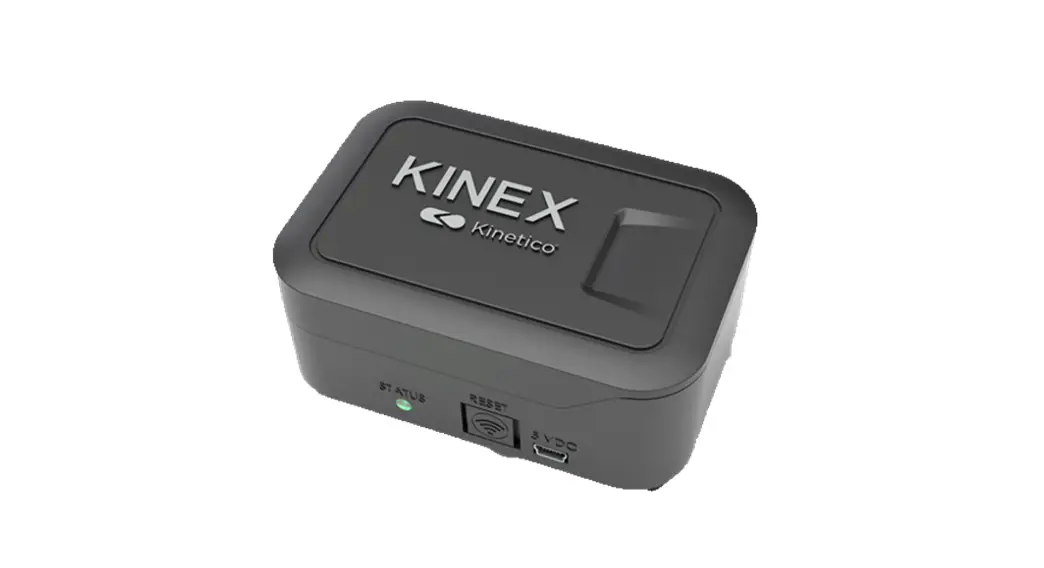

Kinex Salt Monitor
Owner’s Manual
Kinex Salt Monitor
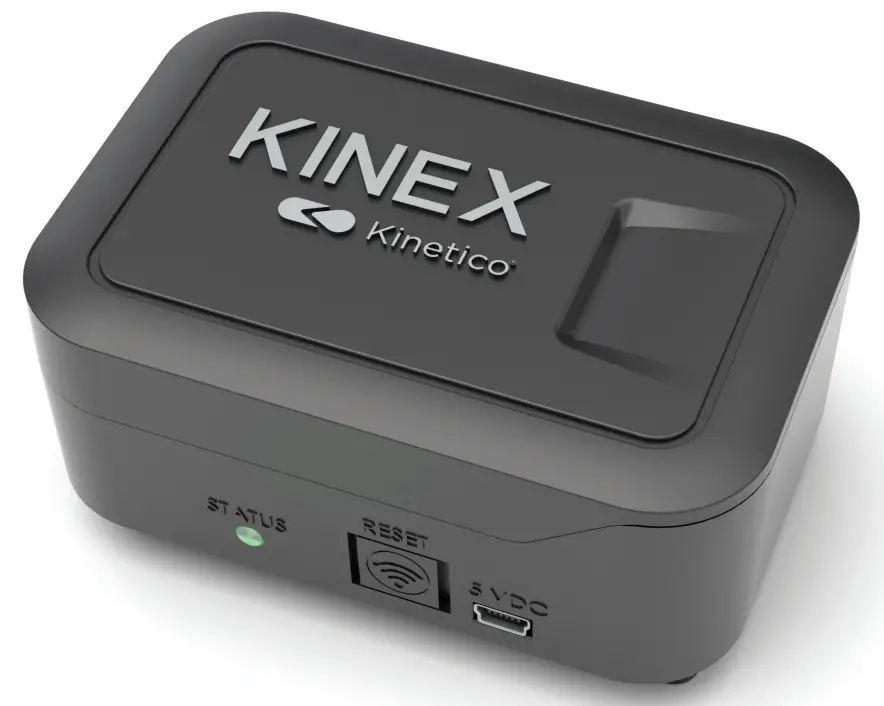 Salt Monitor
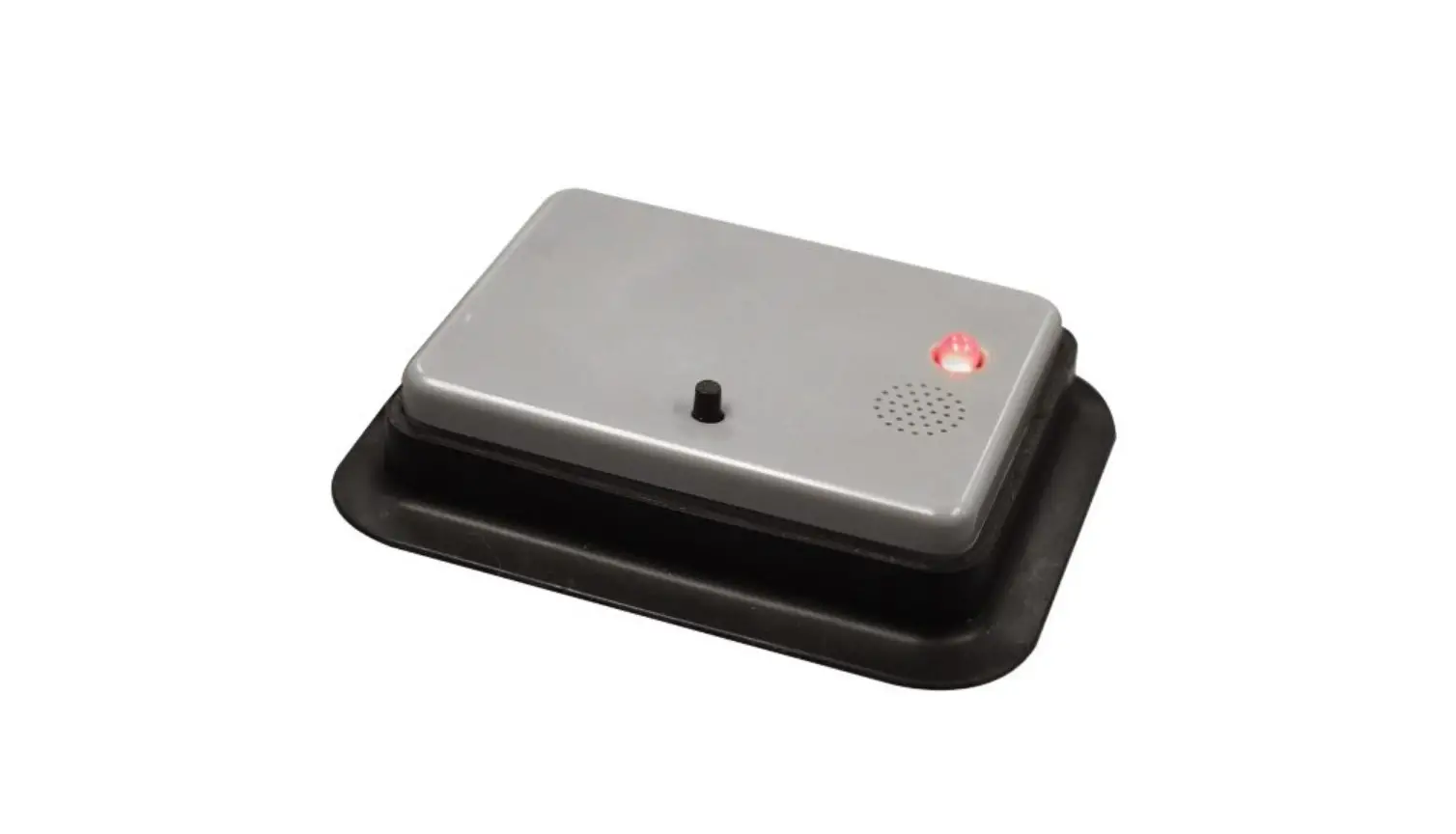
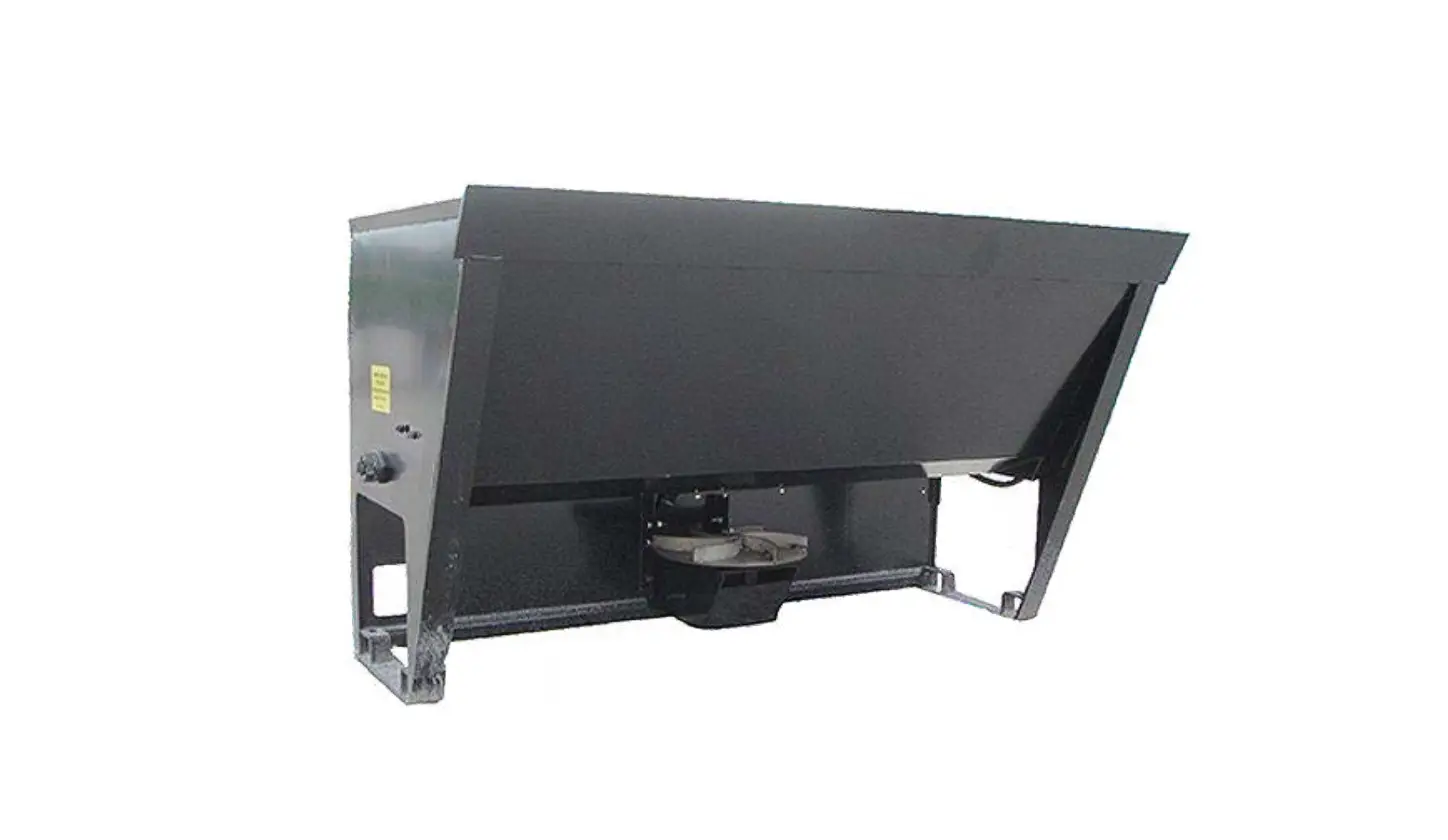
The Kinex Salt Monitor saves countless trips to the basement or utility closet by providing remote monitoring of the salt level in your water softener system. Now checking your salt levels and contacting your dealer for salt is as simple as opening the Kinetico app on your smartphone.
What’s Included
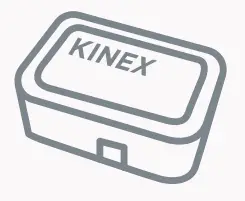 | Kinex Salt Monitor |
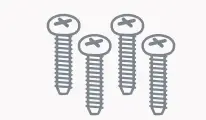 | Mounting Hardware Part No. 10463 |
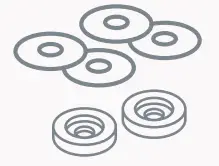 | #6×3/4” Screws (4) #6 Fender Washers (4)Leveling Spacers (2) |
 | Instructions |
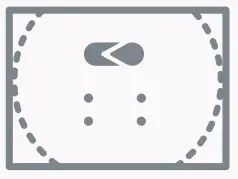 | Installation Template Part No. 10466 |
 | Batteries (4) Batteries (4) |
Tools Required
 | Drill |
 | Phillips Screwdriver |
 | 1/4” Drill Bit |
 | 1” Spade Bit, Step Drill or Hole Saw |
 | Tape Measure |
 | Awl or Sharp Knife |
 | Silver/White Permanent Marker or Paint Marker (Required for install on Kinetico 12×40 drum only. See page 2.) |
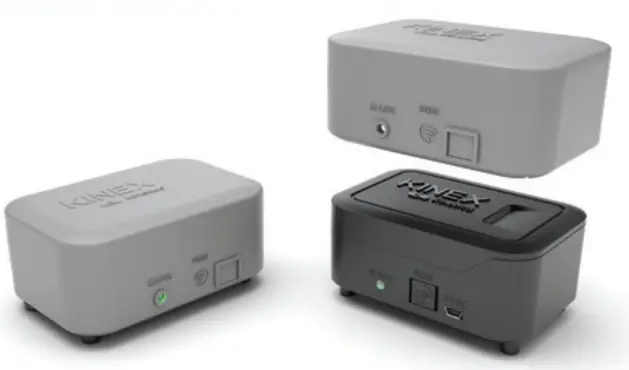
FOR OUTDOOR INSTALLATION
The Kinetico Kinex Outdoor Installation Kit is recommended and sold separately (Part No. 17588). Each kit includes the weather-proof cover for the monitor itself and a foam gasket to install between the salt drum lid and the monitor laser hole.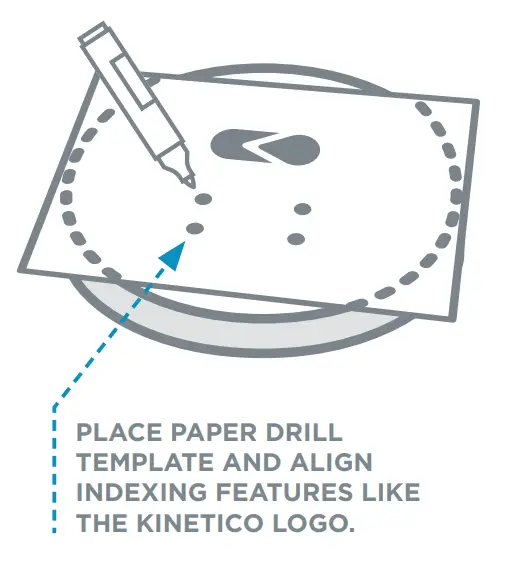
Physical Installation:
- Unpack Kinex Salt Monitor System and inspect components.
- Place included paper drill template on Kinetico salt drum lid and align indexing features (i.e. Kinetico logo).
Note: The installation drilling template indexes all 4 Kinetico drums separately. (Check both sides to find your indexing features.) - Mark locations for mounting screws and laser bore by punching an awl or sharp knife through the template. Do not drill holes directly over salt drum to avoid plastic chips contaminating the salt.
- Place lid over trash can or bucket and drill holes.
• (4) 1/4” holes for mounting screws
• 1” hole for laser - Clean burrs from the drilled holes using a sharp knife or deburring tool.
- Attach Salt Monitor body to drum lid using provided mounting hardware.
• Kinetico 18×35 does not require leveling spacers.
• All flat drum lids require spacers. The leveling spacers go on the front 2 legs.
Note: For outdoor installs only, attach the foam gasket from the weather resistant cover kit (Part No. 17588) prior to attaching the salt monitor to the salt drum lid. See cover kit installation instructions for details. USING SCREWS, WASHERS AND LEVELING SPACERS, ATTACH SALT MONITOR BODY TO TOP OF SALT DRUM LID (APPROXIMATE PLACEMENT SHOWN).
 - Install included AA batteries or connect to USB mini, 550mA power supply (not included). Power Supply specification for purchase: Connection: Mini-USBVoltage: 5 Volts Amperage: 550 mA Wattage: 3W

- Optional: For outdoor installation, install the weatherresistant cover. Follow package instructions.
Additional Installation Steps (12×40 Drum Only):
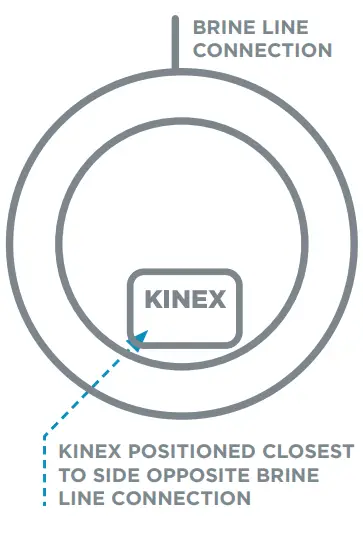
- Align the placement of the salt monitor enclosure with the location of the brine well as shown on the drilling template.
- Using a paint marker or permanent marker, place indexing marks on the lid and drum to allow proper alignment after the lid is replaced following salt refills.
Note: Properly aligning the lid and drum is important for proper sensor operation.
Do not store salt bags, or any other items, on top of the device once installed.
 USING SCREWS, WASHERS AND LEVELING SPACERS, ATTACH SALT MONITOR BODY TO TOP OF SALT DRUM LID (APPROXIMATE PLACEMENT SHOWN).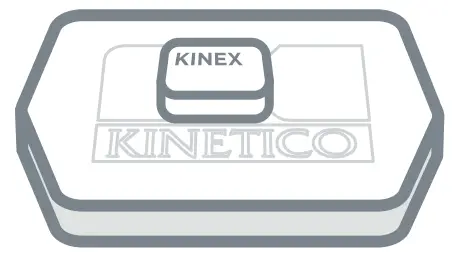
App Setup:
- Download the Kinetico App (not “Kinetico Monitoring”).

- Create account, if you don’t already have one.
a. Tap on the profile icon in the top right corner.
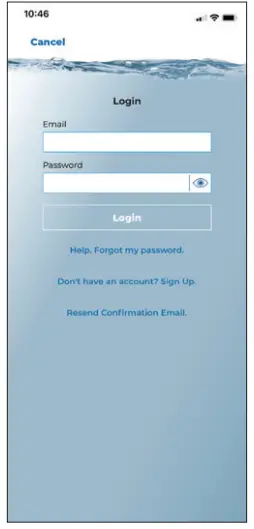
b. Tap “Don’t Have an Account? Sign Up.”
c. Enter the profile information, then tap, “Sign Up.”
d. A confirmation email will be sent to the email address used at sign-up.
e. Navigate to the inbox of the email address used for sign-up. Find the “[email protected]” confirmation email and open. Note: Some security settings may receive the confirmation email in Spam, Junk, or Clutter folders.
f. Tap “Activate your Account.”
g. After confirming the account, the Kinetico App can now be accessed. Navigate to the Kinetico App and tap the profile icon in the top right corner.
h. Enter your email address and password.
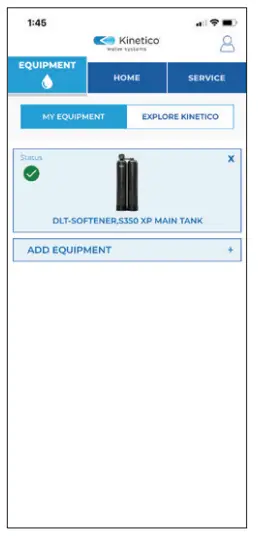
- Add Kinex Salt Monitor to your account under the Equipment tab.
a. Tap “ADD EQUIPMENT.” b. Enter the Kinex Salt Monitor Serial Number in both fields and then tap “Confirm.”
 c. Tap on the KINEX SALT MONITOR Tile.
 d. Follow in app instructions to connect the Salt Monitor to a Wi-Fi network. Note: Some Wi-Fi mesh networks, such as eero™, may require a temporary disable of the 5G network within the Wi-Fi network’s mobile application or admin settings.
Note: For best results with Wi-Fi pairing, remove the salt drum lid with the monitor installed and position it near the router for steps 3-8. e. Now that the device has been located and put into connection mode, the device must be connected to the home Wi-Fi network. Tap “Join.”
• iOS/Apple device will identify the Kinex-SM-XXXX. Select join.
• Android/Samsung device will identify the Kinex-SM-XXXX. Select it when it appears.
IOS/APPLE ANDROID/SAMSUNG
 f. Select the 2/2.4 G Wi-Fi network you would like to connect Salt Monitor to and enter the Wi-Fi password. Tap “Confirm.”
• If the Wi-Fi password is not known, it can often be found on the Wi-Fi router itself or the internet service provider can reset when needed.
• If only one access point is visible on the Wi-Fi network list, the internet service provider may need contacted. The internet service provider can create a dedicated 2/2.4 GHz and a dedicated 5 GHz network connection.ANDROID/SAMSUNG g. Enter the Wi-Fi network password and tap “Connect.”
h. Once the device is successfully connected to the WiFi network, the LED on the device will be solid blue in color. Tap “Continue Setup” to finish installation.

Kinex Salt Monitor Setup:
- To calculate salt levels properly, more information must be collected about the softener the salt monitor will be monitoring. First, select the softener brand, either Kinetico or Non-Kinetico. If selecting a Kinetico Softener, proceed to step 4a. If selecting Non-Kinetico Softener, proceed to page 7, step 4d.
 Kinetico Softener Setup:
a. Select the Kinetico softener model number. b. Select the Kinetico salt drum size.
 c. Select the current salt dose. Continue with setup on page 8, step 5.
Note: It is important to choose an accurate salt dose as this will affect the accuracy of the salt level calculations. Please consult your Kinetico dealer.Non-Kinetico Softener Setup:
d. Select the salt drum type used on the softener system.
Note: Cabinet softener models, regardless of manufacturer, are not supported. e. If the cylinder is selected, measure the width of the salt drum and enter inch measurements in the app. Round to the nearest 0.25 inches. Tap “Next.”
f. Repeat for height. g. If the box is selected, follow prompts on screen to enter measurements. Input in inches to the nearest 0.25 inch. Select “Next” to continue.
 h. Enter your softener’s salt dose in lbs.
Note: It is important to choose an accurate salt dose as this will affect the accuracy of the salt level calculations.
- Continuing with set up, please select the installation location for the salt monitor and softener system it is monitoring.

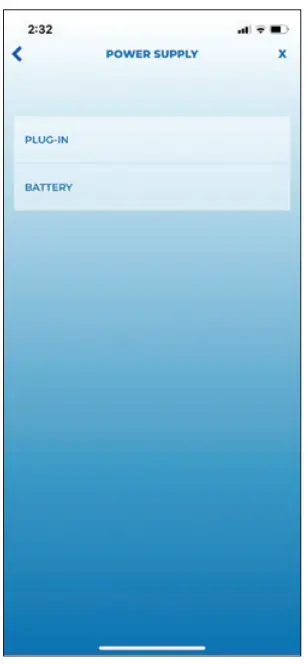
- Tap “PLUG-IN” or “BATTERY” as the primary power source for the salt monitor device.

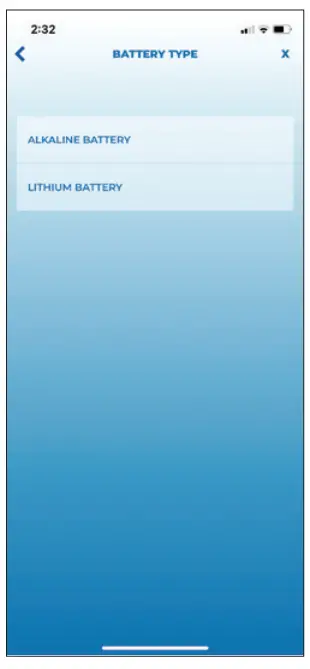
- Indicate battery type, “ALKALINE BATTERY” or “LITHIUM BATTERY,” for the primary power or back-up power (if installed).
Note: Batteries installed as back-up will expire sooner than expected.
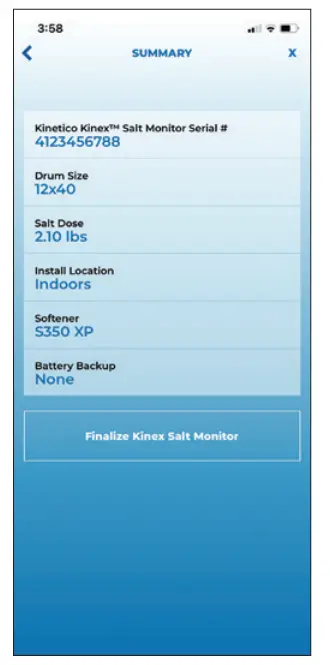
- Review summary details. If correct, tap “Finalize Kinex Salt Monitor.”

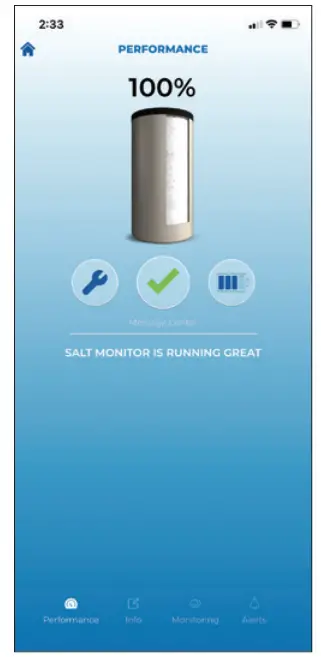
- You will now see your device’s first salt level reading and current status. Place Salt Monitor on the brine drum, and press the reset button one time to see the brine drum’s current salt level.
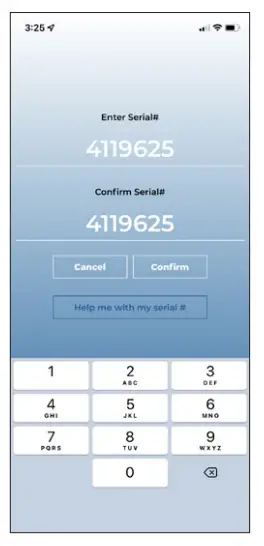 b. Enter the Kinex Salt Monitor Serial Number in both fields and then tap “Confirm.”
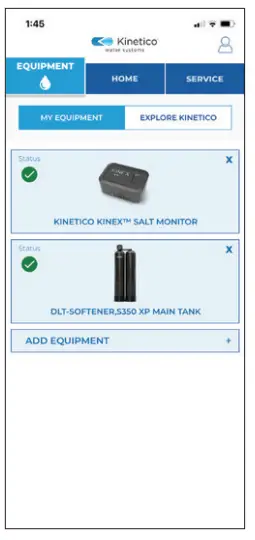 c. Tap on the KINEX SALT MONITOR Tile.
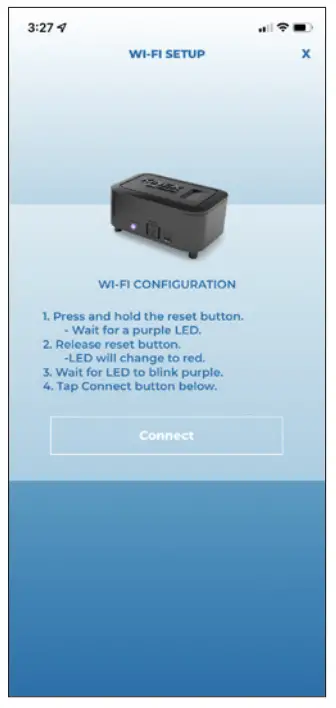 d. Follow in app instructions to connect the Salt Monitor to a Wi-Fi network. Note: Some Wi-Fi mesh networks, such as eero™, may require a temporary disable of the 5G network within the Wi-Fi network’s mobile application or admin settings.
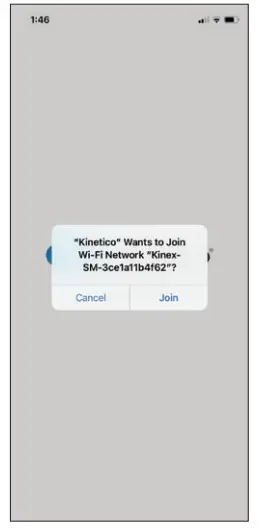 e. Now that the device has been located and put into connection mode, the device must be connected to the home Wi-Fi network. Tap “Join.”
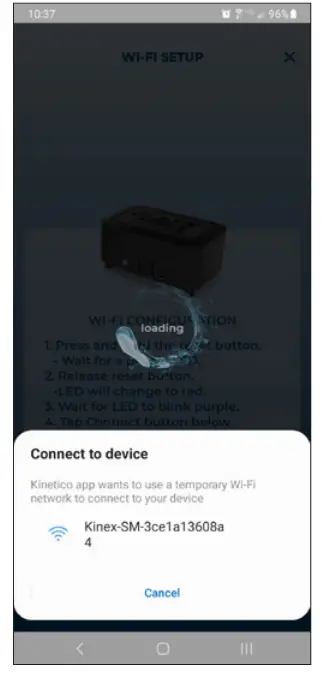 ANDROID/SAMSUNG
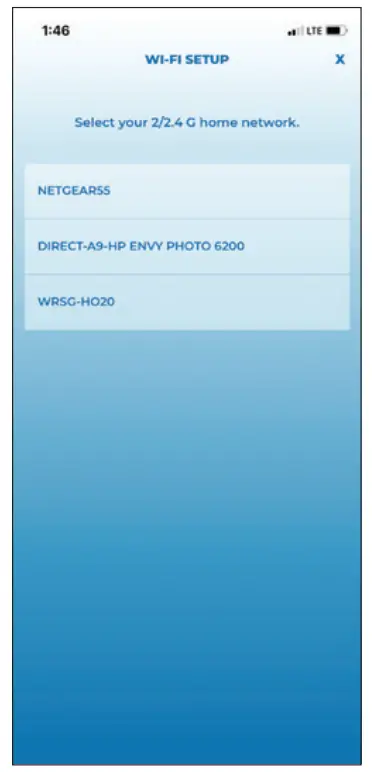 f. Select the 2/2.4 G Wi-Fi network you would like to connect Salt Monitor to and enter the Wi-Fi password. Tap “Confirm.”
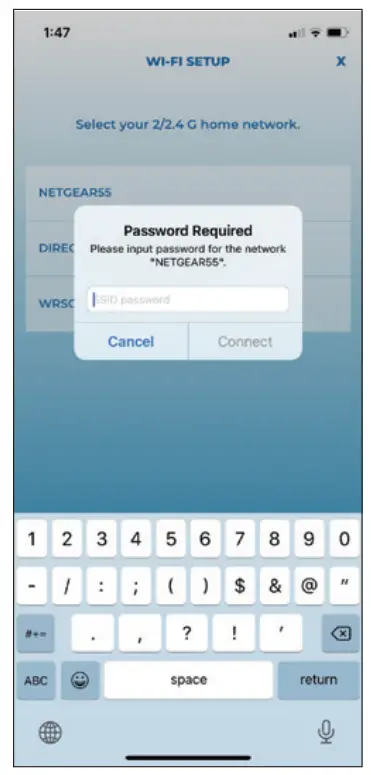 g. Enter the Wi-Fi network password and tap “Connect.”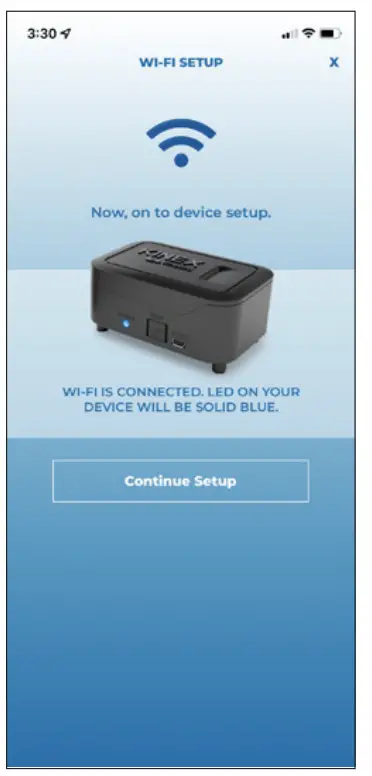
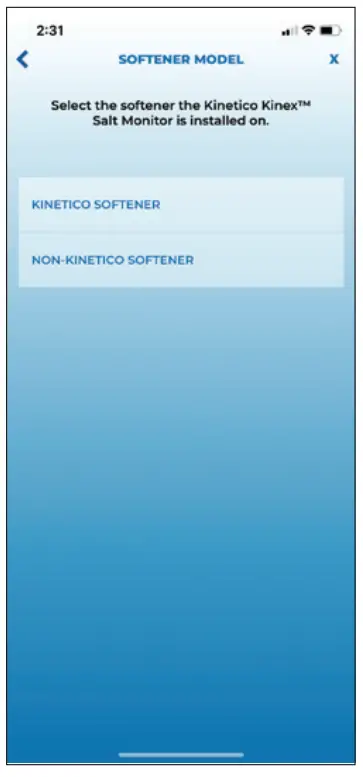
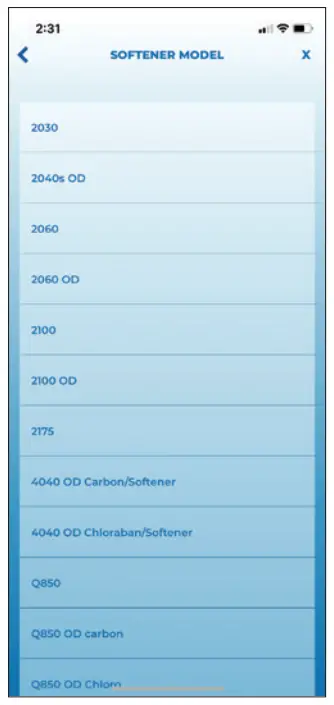 Kinetico Softener Setup:
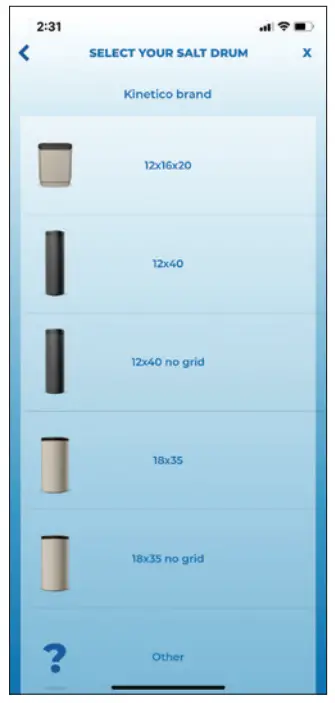 b. Select the Kinetico salt drum size.
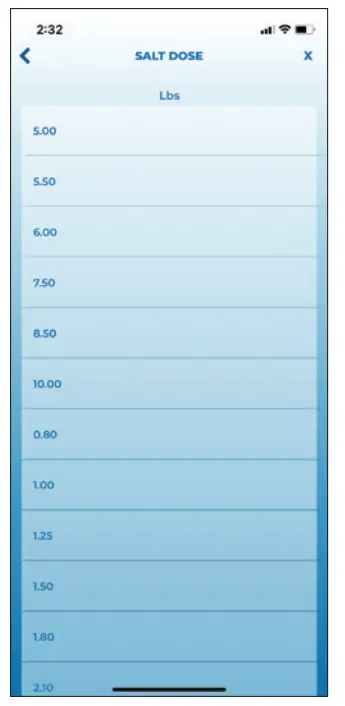 c. Select the current salt dose. Continue with setup on page 8, step 5.
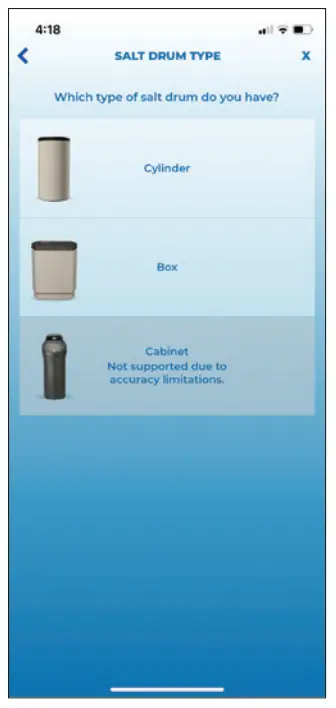 Non-Kinetico Softener Setup:
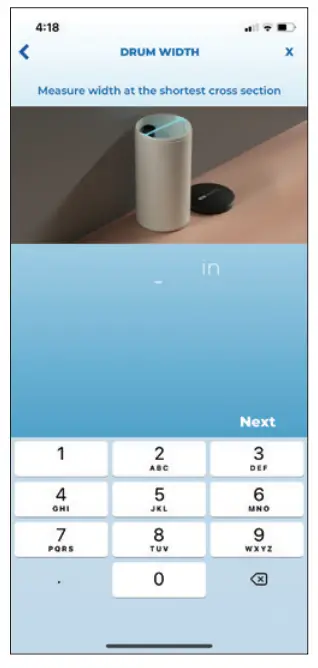 e. If the cylinder is selected, measure the width of the salt drum and enter inch measurements in the app. Round to the nearest 0.25 inches. Tap “Next.”
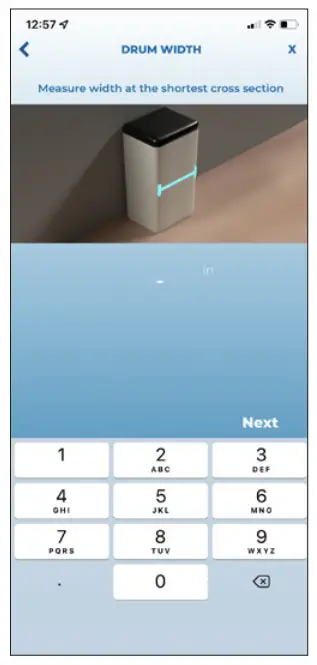 g. If the box is selected, follow prompts on screen to enter measurements. Input in inches to the nearest 0.25 inch. Select “Next” to continue.
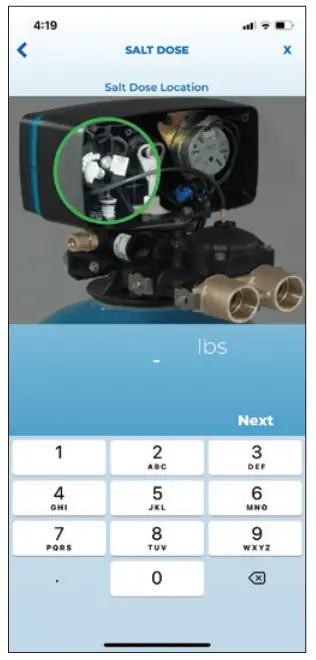 h. Enter your softener’s salt dose in lbs.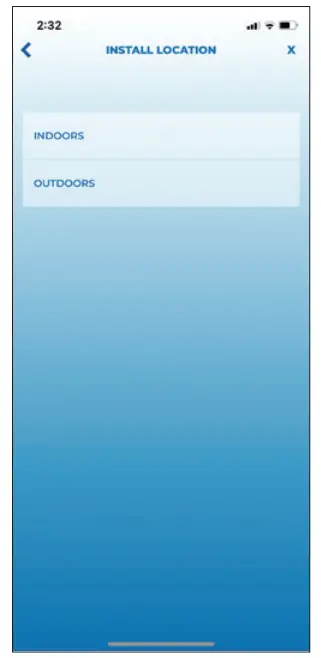
Additional Setup:
Managing Alert Preferences.
- Tap on the Equipment tab.
- Tap on the Kinex Salt Monitor Device.
- Tap Alerts in the bottom right corner.
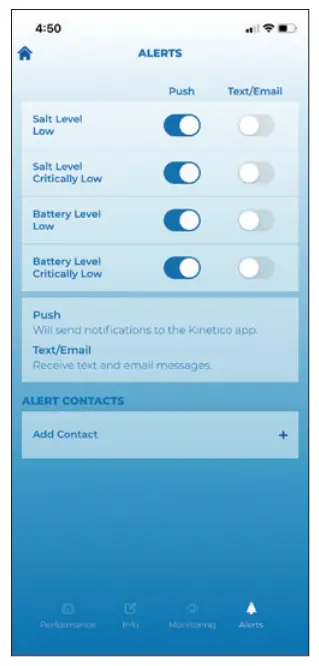
- Toggle alerts and alert types you would like to receive.
 Note: Alerts toggled ON will automatically send to the email address or phone number entered in the “ALERT CONTACTS” list. ON is blue; OFF is grey.
ALERT DESCRIPTION Salt Level Low Notifies user when salt level in the salt drum is low. Salt should be added soon
to keep the softener system working properly.Salt Level Critically Low Notifies user when salt level in the salt drum is critically low. Salt should be
added immediately to keep softener system working properly.Battery Level Low Notifies user when the battery level is nearing depletion. The battery will need
to be changed soon.Battery Level Critically Low Notifies user when battery level is critically low. The battery should be
changed immediately to keep the monitor functioning.Battery Change Recommended Notifies user when battery has been in use for longer than 12 months. Kinetico
recommends changing the battery annually, regardless of usage to protect from battery leakage. This alert cannot be turned off.
- To allow additional people to receive alerts, tap “Add Contact” and enter their contact information.
- To edit contacts previously set up, tap the pencil/edit icon to the right of the contact name. Make changes and then tap “UPDATE.”
 Note: Alerts toggled ON will automatically send to the email address or phone number entered in the “ALERT CONTACTS” list. ON is blue; OFF is grey.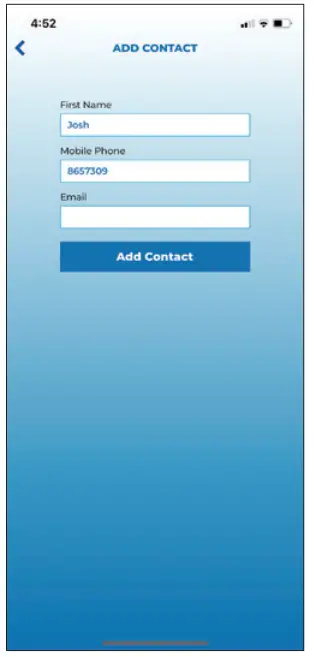
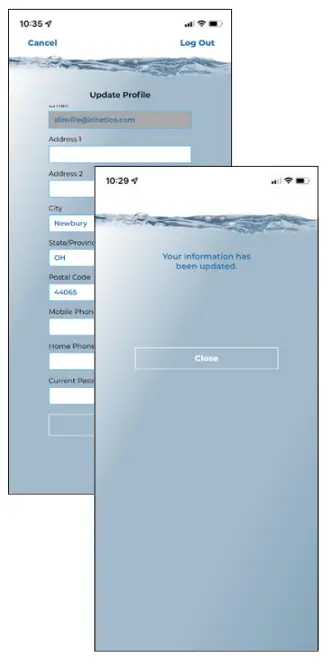 Update Account Profile.
- Tap on the profile icon in the top, right-hand corner.
- Log in with email and password.
- Updated profile details.
- To save changes, enter Kinetico App password into “Current Password” field. Tap “UPDATE”.
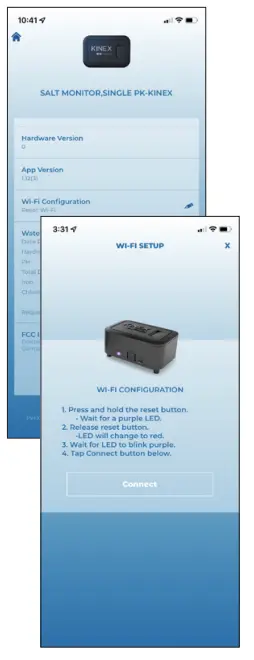 Change Wi-Fi Network after initial installation.
- Tap the Equipment tab.
- Tap on Kinex Salt Monitor.
- Tap on Info tab.
- Scroll down to “Wi-Fi Configuration” and tap on the Pencil/Edit icon.
- Refer to Wi-Fi instructions on page 4-5.
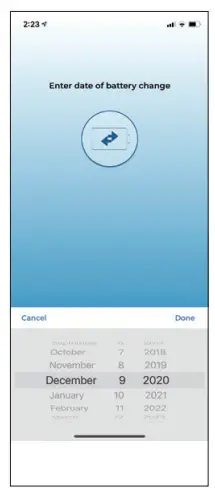 Updating battery replacement date.
- Tap the Equipment tab.
- Tap on Kinex Salt Monitor.
- Tap on the Monitoring tab.
- Scroll down and tap on the pencil/edit icon next to “Battery Changed.”
- Select the date the batteries were replaced and then tap “Done” to update.
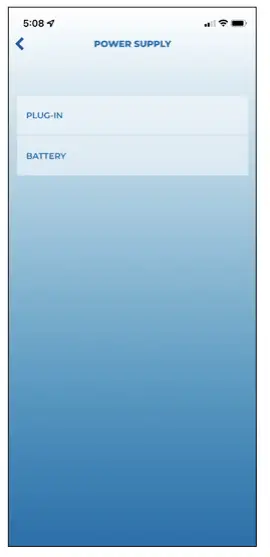
Note: Kinetico recommends replacing batteries with Energizer brand. This brand performed best in performance testing.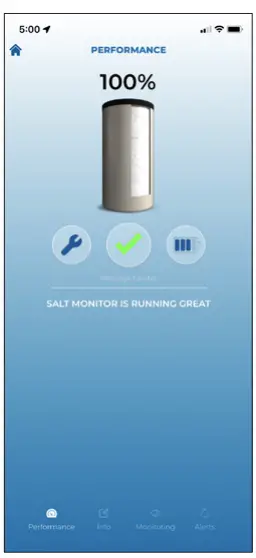 Add/change power type.
- Tap the Equipment tab.
- Tap on the Kinex Salt Monitor.
- Tap on the plug/battery level icon.
- Choose your power type.

LED INDICATORS
| LED INDICATION | FUNCTION |
| Solid White | Powering on and initializing. |
| Solid Red | Wi-Fi is not connected. |
| Blue Blinking | Wi-Fi connection in progress. |
| Solid Blue | Wi-Fi is connected. |
| Solid Green | Firmware update in progress, data moving from cloud to board. |
| Green Blinking | Data transmitting from board to cloud. |
| Solid Purple | Wi-Fi reset complete, Wi-Fi credentials have been cleared successfully. |
| Purple Blinking | Salt Monitor is ready for pairing, visible on Wi-Fi connections list in smart device settings. |
| Solid Yellow | Battery level critically low. |
FCC/IC INFORMATION
Part Number: 10453A
Reference: PR124068
Contains FCC ID: COF-WMNBM30
Contains IC ID: 10293A-WMNBM30
Manufacturer: Henway Technologies
Address: 5685 Hudson Industrial Parkway STE 3, Hudson, Ohio 44236
Telephone: 330-227-4857
FCC/IC Information: This device complies with Part 15 of the FCC Rules and with Industry Canada license exempt RSS standard(s). Operation is subject to the following
two conditions: (1) This device may not cause harmful interference, and (2) This device must accept any interference received, including interference that may cause undesired
operation. This radio transmitter COF-WMNBM30 and 10293A-WMNBM30 has been approved by Innovation, Science and Economic Development Canada to operate with the antenna types listed below, with the maximum permissible gain indicated. Antenna types not included in this list that have a gain greater than the maximum gain indicated for any type listed are strictly prohibited for use with this device. This device contains license-exempt transmitter(s)/receiver(s) that comply with Innovation, Science and Economic Development Canada’s license-exempt RSS(s). Operation is subject to the following two conditions: (1) This device may not cause interference. (2) This device must accept any interference, including interference that may cause undesired operation of the device. FCC / IC RF Radiation Exposure Caution Statement: To maintain compliance with FCC / IC’s RF exposure guidelines, place the product at least 20cm from near persons.
Assembled in the US of both domestic and foreign components
kinetico.com
800-944-9283
Part No 10464B
11/2022
 Kinetico Water Systems