UNILYNX-10 Grow3 Mesh Module
Grow3 Mesh Module User Manual
Descriptions
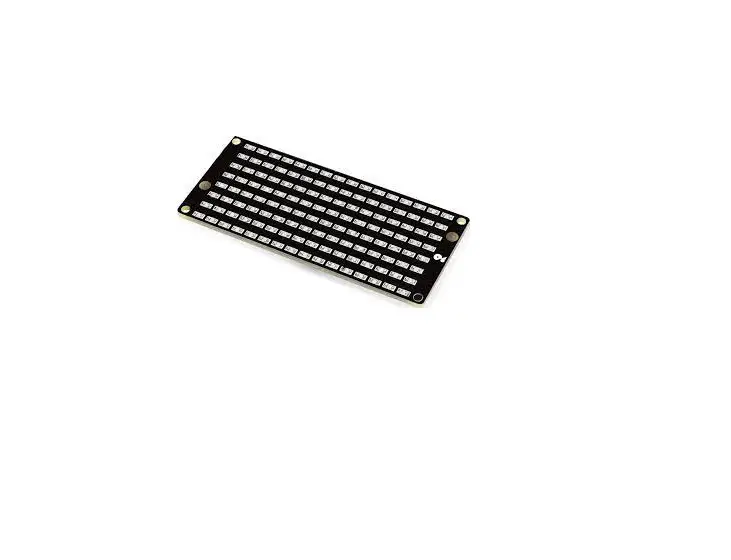
The Grow3 Mesh Module is designed for controlling Grow3 lights
for LED Smart Inc. It operates through a Bluetooth mesh
network.Requirements
- A phone with Android Operating System.
- One or more BLE and Mesh modules.
Installation
To install the module, follow these steps:
1. Search nRf Connect in the APP store and install it.Scan Access Point
To scan for the access point, follow these steps:
1. Turn on Bluetooth on your phone.
2. Open the nRf Connect APP.
3. Click the Scan button on the top-right.
4. Use the filter function to show only the correct access point,
which is named “grow3 Mesh Access Point”.
Note: Other Bluetooth points will not be displayed on the
screen.Connect
To connect to an access point, follow these steps:
1. Choose one of the access points from the list.
2. Click the connect button.
3. Wait for a moment until it has connected to the BLE module
successfully.
4. Set the configuration as shown in the picture:
– Untick “Parse known characteristics”.
5. Click the two arrow images on the right to edit commands for
controlling the lights:
– The up arrow is used for editing and sending commands.
– The down arrow is for turning on/off the notification function,
which indicates if the command has been sent successfully.Sending commands
To send commands, follow these steps:
1. Enter the command “0x0002FFFF000000000000” to set the intensity
of all channels to 0.
2. Confirm the command and send it.
Note: Another command, “0x0202FFFF00”, can be used to turn off the
lights.
3. To set the intensity of all channels to 100, enter the command
“0x0002FFFF646464646464”.
4. Confirm the command and send it.
Note: Another command, “0x0202FFFF00”, can be used to turn on the
lights.
5. After sending the commands, switch to the app page (swipe right)
to check if the commands were sent successfully.Cautions
Please read and follow the cautions below:
– This device complies with part 15 of the FCC Rules. It must not
cause harmful interference.
– The device must accept any interference received, including
interference that may cause undesired operation.
– This equipment should be installed and operated with a minimum
distance of 20cm between the radiator and your body.
– If experiencing interference, try reorienting or relocating the
receiving antenna, increasing the separation between the equipment
and receiver, or connecting the equipment to a different
circuit.
– Consult the dealer or an experienced radio/TV technician for
help, if needed.FCC Radiation Exposure Statement
This equipment complies with FCC radiation exposure limits set
forth for an uncontrolled environment. It should be installed and
operated with a minimum distance of 20cm between the radiator and
your body.Appendix A
A.1. Requirement of FCC KDB 996369 D03 for module
certification:
1.1 List of applicable FCC rules: The module complies with FCC Part
15.247
1.2 Summarize the specific operational use conditions: This
transmitter must not be co-located or operating in conjunction with
any other antenna or transmitter.
Grow3 Mesh Module User Manual
1. Descriptions
This module is used for controlling Grow3 lights for LED Smart Inc. through Bluetooth mesh network
2. Requirement
1) A phone with Android Operating System 2) One or more BLE and Mesh modules
3) Power supply 3.3V 5V
3. Installation
Search nRf Connect in the APP store and install it.
4. Scan Access Point
Turn on the Bluetooth on the phone and open this APP. Click the “Scan” button on the top-right. And it will be quicker if use the filter function. In the filter, input “point” to only show the correct access point because the name of the BLE module is “grow3 Mesh Access Point”. In this way, other Bluetooth point can not show on the screen.
5. Connect
Choose one of the access points and click the “connect” button. Wait for a moment until it has connected to the BLE module successfully. Then, it’s necessary to set the configuration like the following picture. Untick “Parse known characteristics”. After that, click the two arrow images showing in the right pictures to edit commands to control the lights.
The up one is used for editing and sending commands. And the other one is for turn on/off the notification function, which means that when it is on, user can check whether the command has been sent out successfully or not.
6. Sending commands
There are two examples of commands for testing. Input “0x0002FFFF000000000000” like the following picture to set the intensity of all channels to 0. Confirm it and send it. There is another command, “0x0202FFFF00”, which is used for turning off the lights.
Input “0x0002FFFF646464646464” like the following picture to set the intensity of all channels to 100. Confirm it and send it. There is another command, “0x0202FFFF00”, which is used for turning on the lights.
After sending the commands, switch the app page (swipe right) to check whether these commands are sent successfully.
7. Cautions
This device complies with part 15 of the FCC Rules. Operation is subject to the following two conditions:
(1) This device may not cause harmful interference,
(2) this device must accept any interference received, including interference that may cause undesired operation.
This equipment complies with FCC radiation exposure limits set forth for an uncontrolled environment. This equipment should be installed and operated with minimum distance 20cm between the radiator & your body.
This manual for an intentional or unintentional radiator shall caution the user that changes or modifications not expressly approved by the party responsible for compliance could void the user’s authority to operate the equipment. In cases where the manual is provided only in a form other than paper, such as on a computer disk or over the Internet, the information required by this section may be included in the manual in that alternative form, provided the user can reasonably be expected to have the capability to access information in that form.
NOTE: This equipment has been tested and found to comply with the limits for a Class B digital device, pursuant to Part 15 of the FCC Rules. These limits are designed to provide reasonable protection against harmful interference in a residential installation. This equipment generates, uses and can radiate radio frequency energy and, if not installed and used in accordance with the instructions, may cause harmful interference to radio communications. However, there is no guarantee that interference will not occur in a particular installation. If this equipment does cause harmful interference to radio or television reception, which can be determined by turning the equipment off and on, the user is encouraged to try to correct the interference by one or more of the following measures:
– Reorient or relocate the receiving antenna. – Increase the separation between the equipment and receiver. – Connect the equipment into an outlet on a circuit different from that to
which the receiver is connected. – Consult the dealer or an experienced radio/ TV technician for help.
FCC Radiation Exposure Statement:
This equipment complies with FCC radiation exposure limits set forth for an uncontrolled environment. This equipment should be installed and operated with minimum distance 20cm between the radiator & your body.
This device complies with Industry Canada licence-exempt RSS standard(s). Operation is subject to the following two conditions: (1) This device may not cause interference, and (2) This device must accept any interference, including interference that may cause undesired operation of th e device. The antenna(s) used for this transmitter must be installed to provide a separation distance of at least 20 cm from all persons and must not be collocated or operating in conjunction with any other antenna or transmitter, End-Users must be provided with transmitter operation conditions for satisfying RF exposure compliance.
– French: Le présent appareil est conforme aux CNR d’Industrie Canada applicables aux appareils radio exempts de licence. L’exploitation est autorisée aux deux conditions suivantes: (1) l’appareil ne doit pas produire de brouillage, et (2) l’utilisateur de l’appareil doit accepter tout brouillage radioélectrique subi, même si le brouillage est susceptible d’en compromettre le fonctionnement.
Cet équipement est conforme aux directives d’exposition RF. l’utilisateur peut obtenir des informations canadiennes sur l’exposition aux RF et la conformité. La distance minimale entre le corps et l’utilisateur de l’appareil est de 20 cm
A. Appendix A
A.1. Requirement of FCC KDB 996369 D03 for module certification:
1.1 List of applicable FCC rules: The module complies with FCC Part 15.247
1.2 Summarize the specific operational use conditions: This transmitter must not be co – located or operating in conjunction with any other antenna or transmitter.
1.3 Limited module procedures: Not applicable.
1.4 Trace antenna designs: Not applicable.
1.5 RF exposure considerations: This equipment complies with FCC’s RF radiation exposure limits set forth for an uncontrolled environment. The antenna(s) used for this transmitter must not be collocated or operating in conjunction with any other antenna or transmitter.
1.6 Antennas: Type PCB
Gain 1.4dBi
Frequency Bands 2402-2480MHz
Modulation Mode GFSK
1.7 Label and compliance information See 7. Cautions for details The system integrator must place an exterior label on the outside of the final product housing the 2A3WHUNILYNX Modules. Below is the content that must be included on this label.
1.8 Information on test modes and additional testing requirements: When testing host product, the host manufacture should follow FCC KDB Publication 996369 D04 Module Integration Guide for testing the host products. The host manufacturer may operate their product during the measurements. In setting up the configurations, if the pairing and call box options for testing does not work, then the host product manufacturer should coordinate with the module manufacturer for access to test mode software
1.9 Additional testing, Part 15 Subpart B disclaimer: The modular transmitter is only FCC authorized for the specific rule parts (FCC Part 15.247) list on the grant, and that the host product manufacturer is responsible for compliance to any other FCC rules that apply to the host not covered by the modular transmitter grant of certification. The final host product still requires Part 15 Subpart B compliance testing with the modular transmitter installed when contains digital circuity.
1.10 Information on test modes and additional testing requirements:
When testing host product, the host manufacture should follow FCC KDB Publication 996369 D04 Module Integration Guide for testing the host products. The host manufacturer may operate their product during the measurements.