
N1021 User Manual
N1021 Oem Odm Mini Computer
For your personal safety and to avoid property damage, you must pay attention to the tips in this manual. The warning is indicated as follows, depending on the level of risk.
 Warning
Indicates that if no action is taken, the PC may be damaged beyond repair. Attention
Indicates that an undesirable result or state may occur if the prompt is not followed.
The products/systems covered by this document are only permitted to be operated by qualified personnel who meet all work requirements. Warning
Yanling industrial PC products are only allowed to be used for the specified conditions of the catalogue and related technical documents. If you want to use other company’s products and components, you must get the recommendation and permission from Iwill Technology (HongKong) LTD. Proper transportation, storage, assembly, installation, commissioning, operation and maintenance are the premise of product safety and normal operation. Permissible environmental conditions must be ensured.
You must pay attention to the prompts in the relevant files.
Iwill Technology (HongKong) LTD reserves the right to change this manual and the products are subject to change without prior notice. We are not responsible for any direct, indirect, intentional or accidental damage or hidden dangers caused by improper installation or use.
Before ordering the product, please ask the dealer to know whether the product performance meets your requirements.
All rights reserved. It may not be reproduced mechanically, electronically or in any other way without permission.
Warranty:
Three years. If the customer has other requirements, the contract signed by both parties shall prevail.
For more information, please visit:
Website:www.iwilltech.cn
TEL:86-755-83291730
Product Introduction
1.1 Product overview
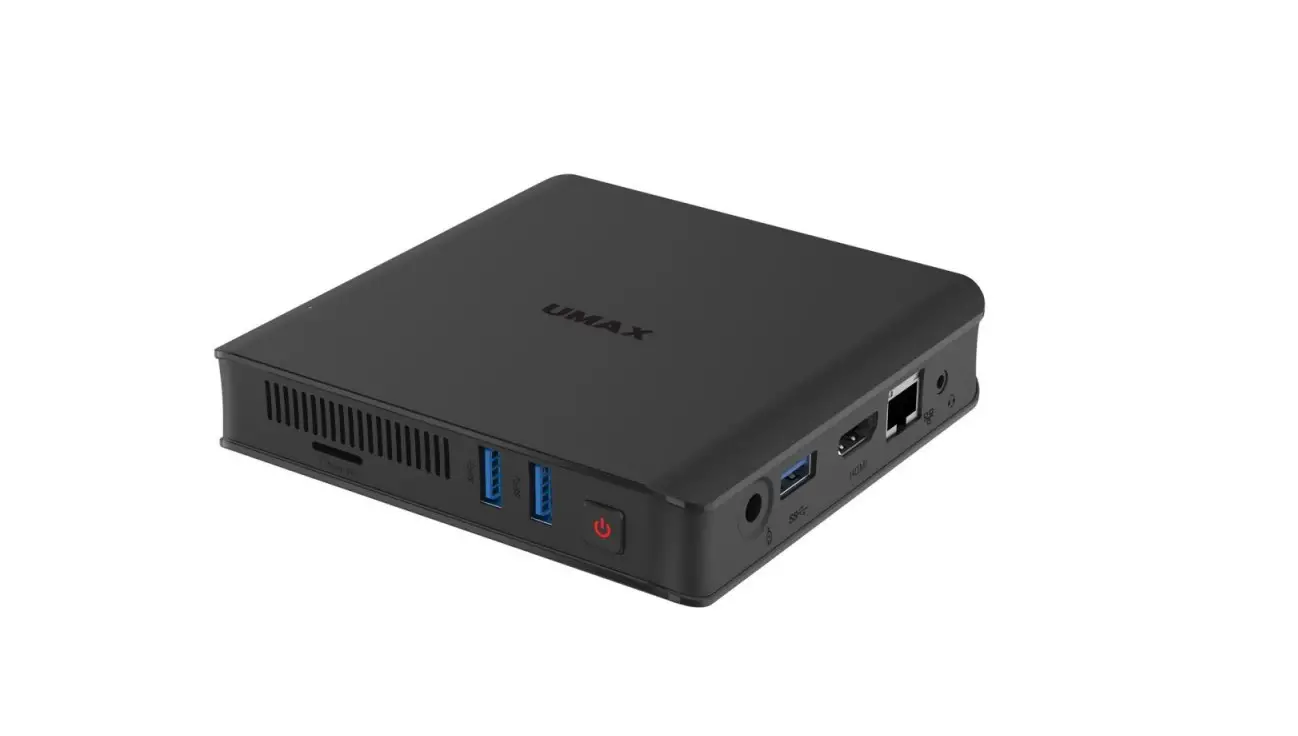
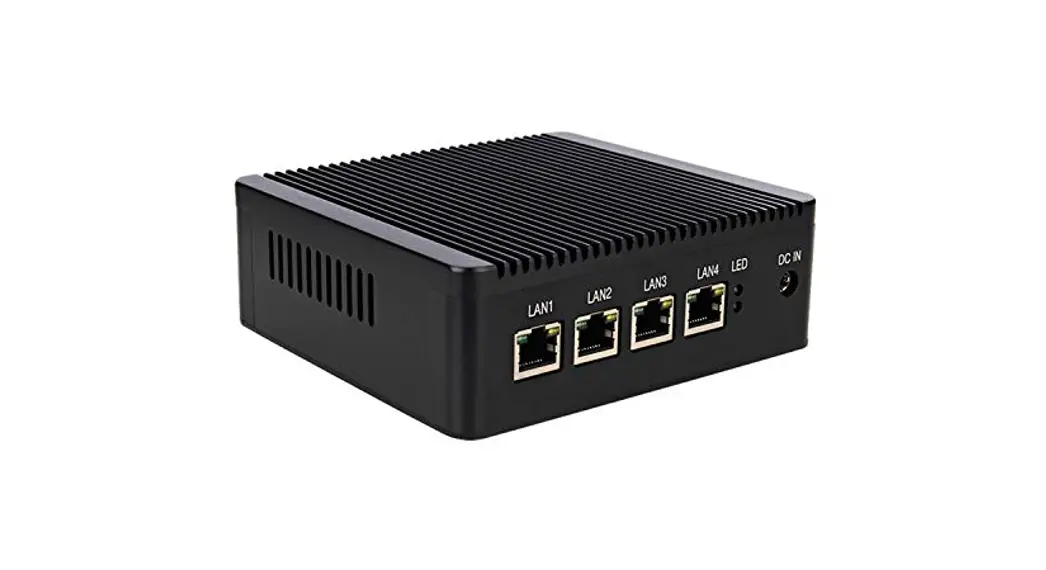
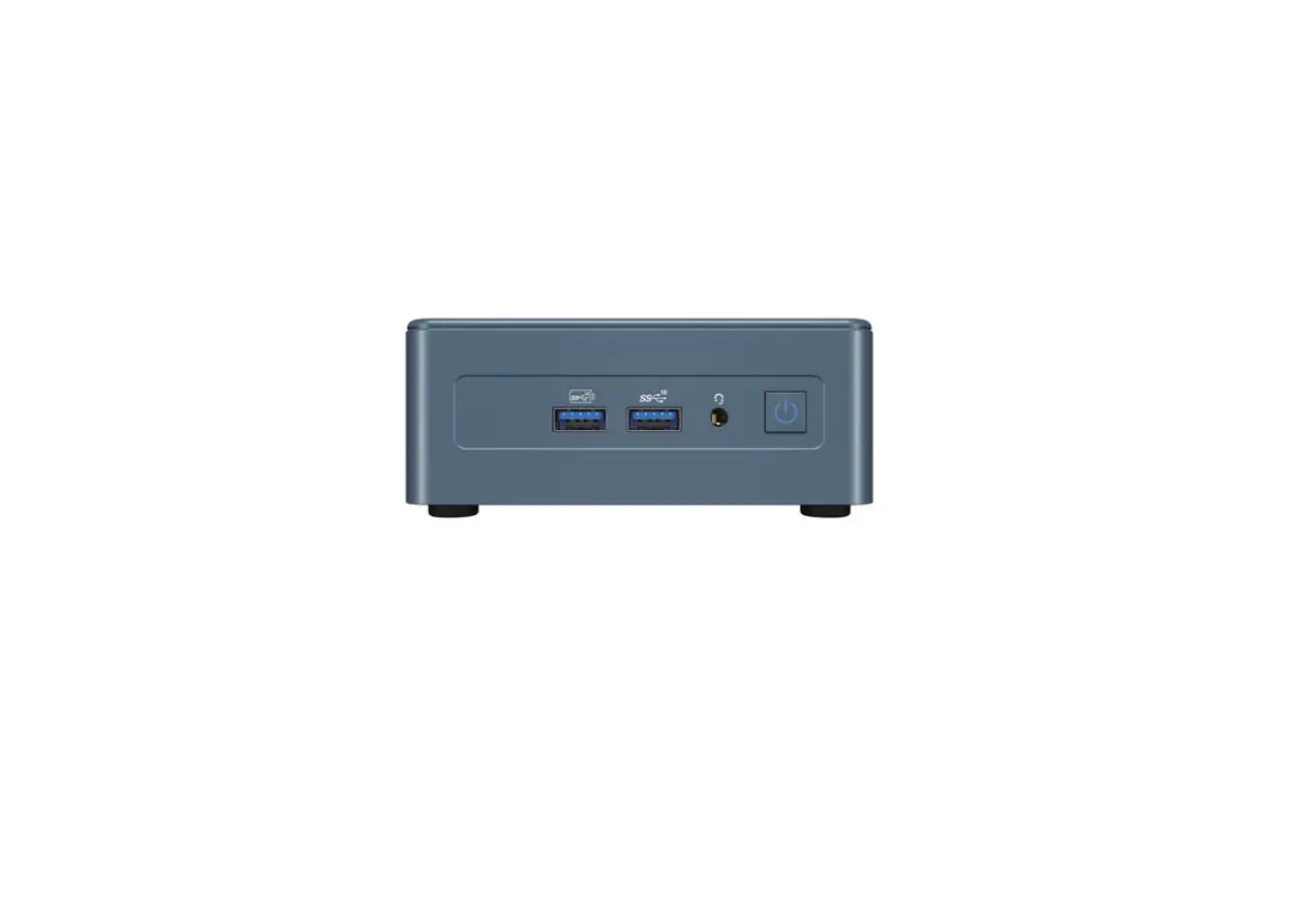
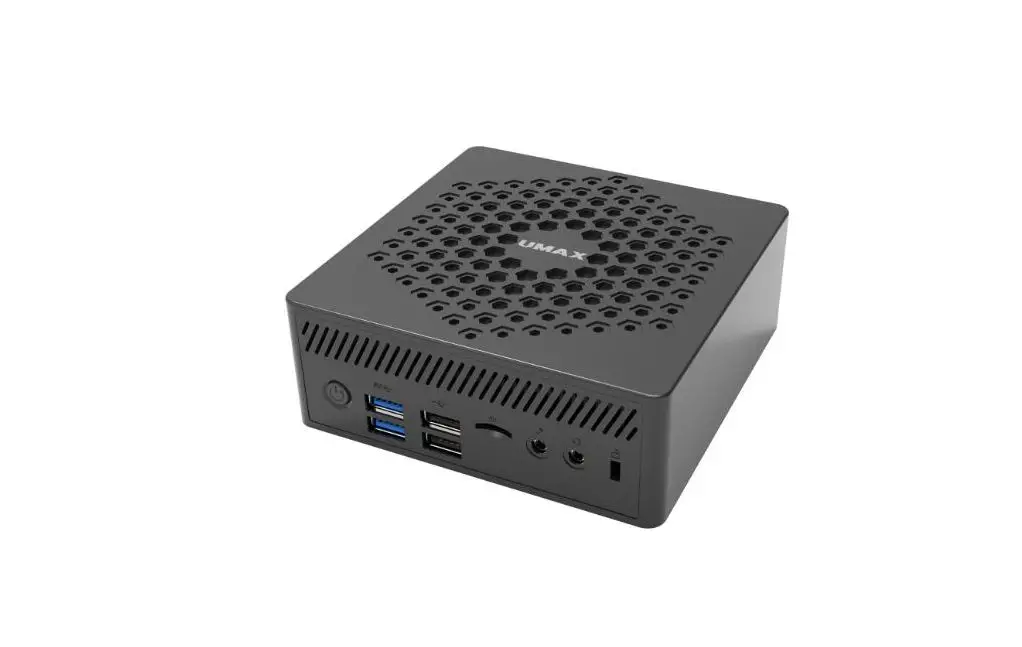
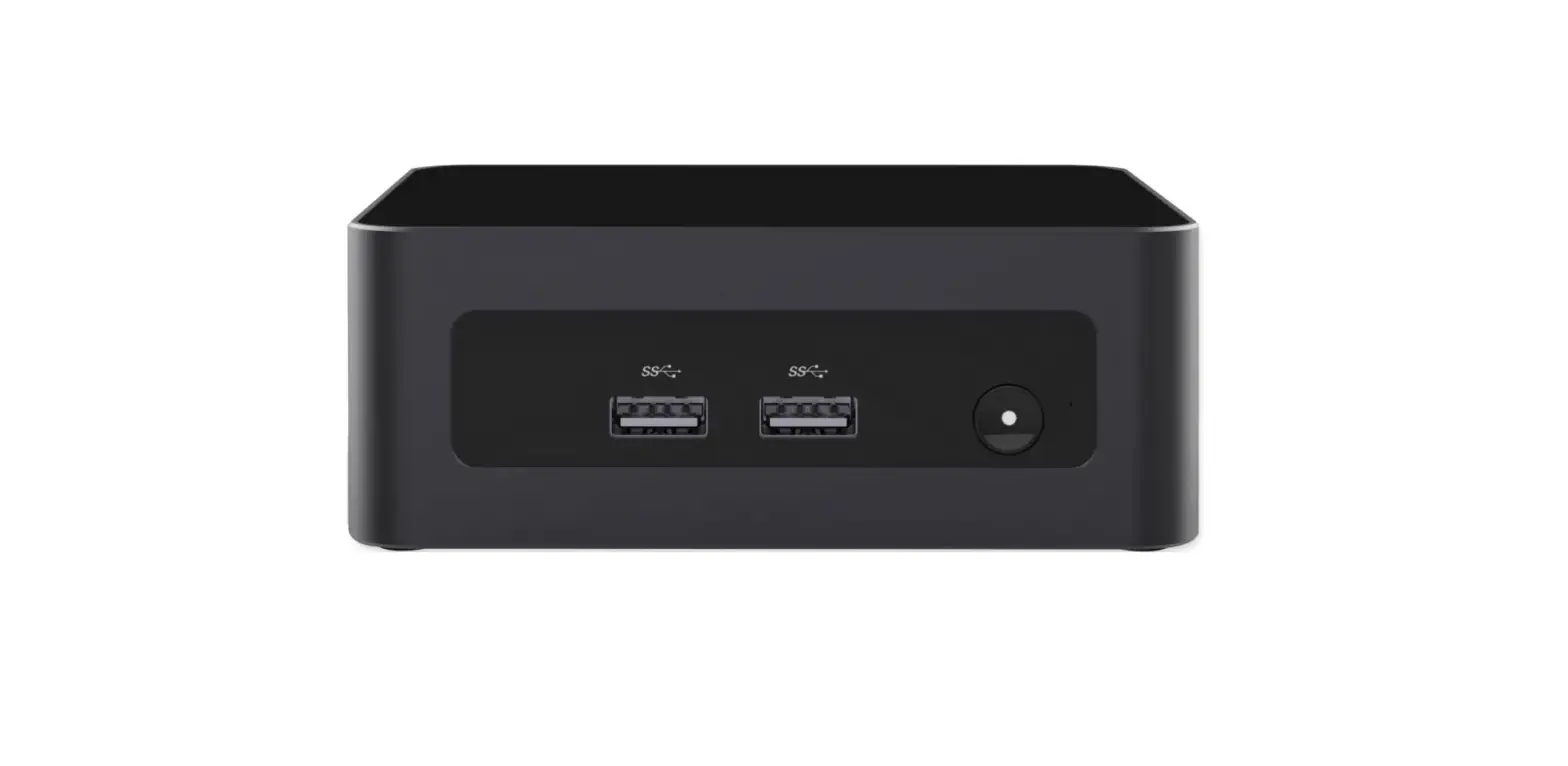
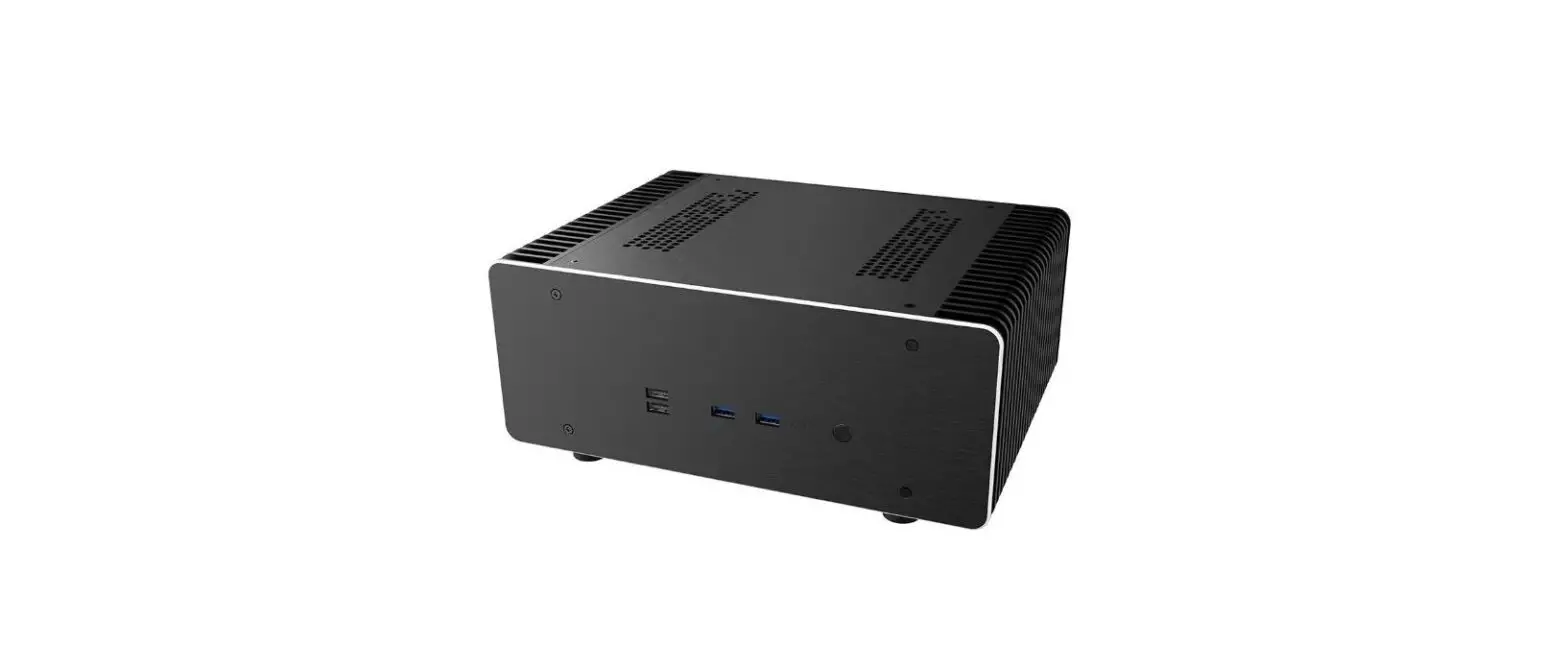
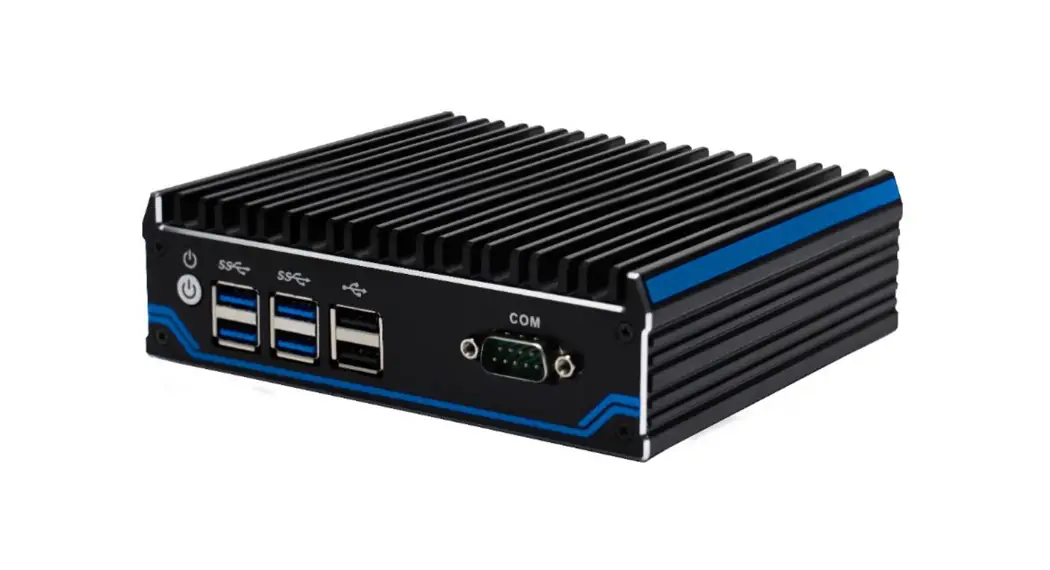
Nano N1021 is low power fanless mini pc,It is with Intel Celeron J4125 quad core processor,support Windows 10、Linux etc. OS,support 1*M.2 and 1*2.5” SATA HDD,very convenient to use.
The whole machine adopts aluminum alloy mold forming, simple structure, with good dustproof, heat dissipation, anti-vibration and EMC performance, high reliability, strong environmental applicability.
1.2 product specification (Main parameter)
| Processor | Intel Celeron J4125 (Quad core quad threading, 2.0GHz, Max turbo2.7GHz) |
| RAM | Support 1*DDR4 2400 SODIMM RAM Slot,Max support 8GB |
| BIOS | AMI UEFI BIOS |
| Display Chip | Integrated Intel ® UHD Graphics 600 |
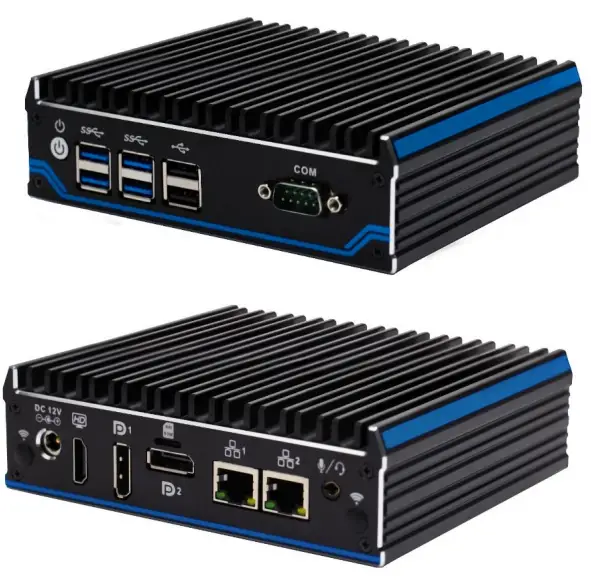
| Display Port | 1*HDMI,2*DP(Support synchronous and asynchronous three display,Max Resolution support 4096×2160 @ 60Hz) 1*Power Switch,4*USB3.0,2*USB2.0,1*COM |
| Front I/O | 1*DC,1*HDMI,2*DP,2*lan |
| Rear I/O | 1*SIM slot,1*Audio (support Mic and Speaker at the same time) |
| Expansion Slot | Support 1*M.2 2280 M-key slot(Support SATA) Support 1*M.2 2242 B-key Slot (Support 4G function), embedded 1*SIM slot Support 1*M.2 2230 E-key Slot(Support WIFI、Bluetooth Optional) Optional expansion function:TPM Pin(Support TPM 1.2 / 2.0 security module), 1*COM ( (Standard version doesn’t have these function) |
| Network | 2*10/100/1000M RTL8111H LAN |
| Network | 1*M.2 2280 slot,Onboard 1*2.5” SATA HDD |
| Input Voltage | Support DC 12V Input |
| Other Function | Auto power on when there is electricity、Timing boot、Wake on LAN、PXE boot |
| Work Temp | 0℃~ +50℃(Commercial HDD),-20℃ ~ +60℃(Industrial SSD), |
| Work Humidity | 0% ~ 95% non-condensing |
| Dimension | 144 * 126.5 * 42 mm |
| Application | 0.8 kg |
Application Planning
2.1 Transportation
Well packaged products can by any means of transport, to any place, in the long-distance transportation shall not be installed in the open cabin and carriages, midway transshipment shall not be stored in open-air warehouse, not allowed to be transported with inflammable, explosive, corrosive goods together.
And products are not allowed to get wet by rain, snow or liquid substances and mechanical damage.
2.2 Storage
The products should be stored in the original packaging box, the storage environment temperature of the products is 0℃ ~ 40℃, the relative humidity is 20% ~ 85%. All kinds of harmful gases, inflammable and explosive products and corrosive chemicals are not allowed in the warehouse, and there is no strong mechanical vibration, impact and strong magnetic field effect. The packing case should be placed at least 10cm away from the ground and at least 50cm away from the wall, heat source, cold source, window or air inlet.
Beware of the risk of damaging the equipment! Extreme temperature variations should be noted when transporting products in cold weather. In this case, make sure no water droplets (condensation) form on or inside the device. If condensation forms on the device, please wait at least 12 hours before connecting the device.
2.3 Open and inspection of delivered equipment
Please note the following points when unpacking the equipment:
- It is recommended that you do not discard the original packaging materials. Please keep the original packaging materials for use in the transportation of equipment again.
- Please store the document in a safe place, for initial debugging of the equipment need to use it.
- Inspect the delivered equipment to see whether there is any significant damage in transit.
- Verify that the shipment contains the complete equipment and accessories that you ordered separately.
If there is any discrepancy or exist shipping damage, please contact customer service.
2.4 Installation
□ 19 inch Rack Mount
■ Desktop
□ Embedded
■ VESA □Portable
Device Connection
3.1 Precautions before device connection Warning
Connected or built-in peripherals shall not be connected to devices of opposite polarity. Warning
This device can only be operated on the grounding power network. It is forbidden to operate on the ungrounded or impedance grounded power network. Warning
The rated voltage of the equipment used must conform to the power supply characteristics of the product. Attention
Connect the peripherals that are approved for industrial use. When the machine is running, it can be connected to hot-plug I/O module (USB). I/O devices without hot-plug function can only be connected after the power is disconnected.
3.2 Connect the device to the power supply
| Steps of connect the device to the power supply | Diagrammatic drawing |
| Connect DC 12V power adapter to the power input port ①, then press the front panel power switch button, PC start with blue power LED on. | 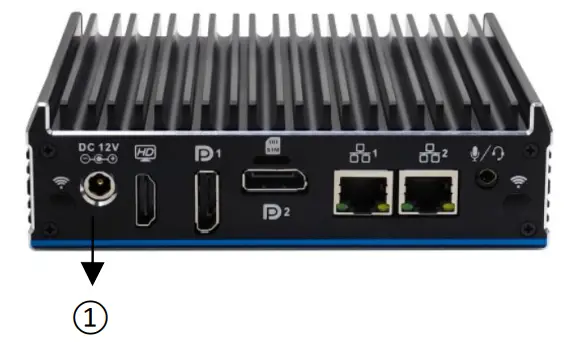 |
Warning
The on/off button signal will not cut off the PC power! Warning
Long press the power switch for 4 seconds to turn off the pc, you need to turn off the power, then it can be turned on normally.
Application specification
4.1 Product Photos
4.2 Product size drawing
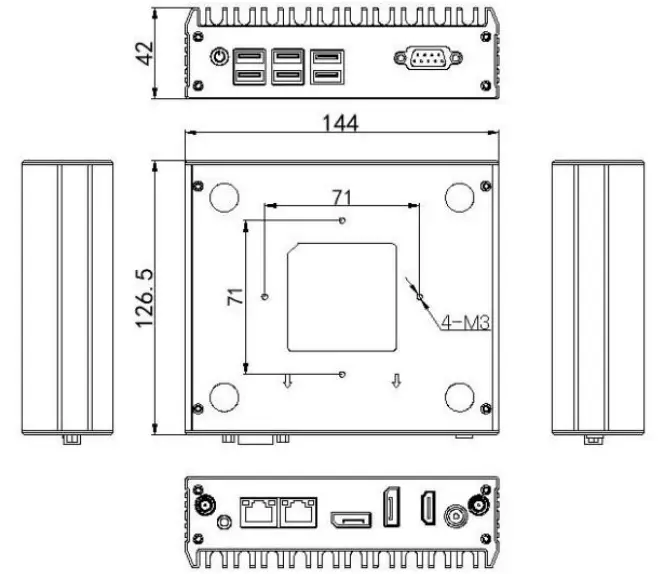
4.3 I/O Port
| Back Plate | NO | Port Name |
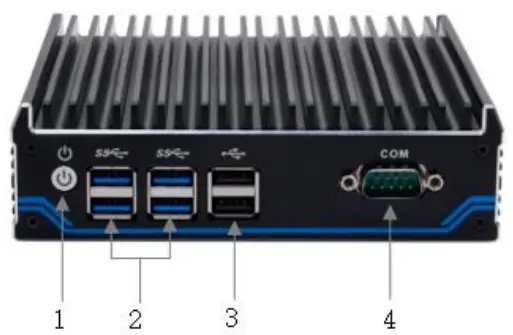 | 1 | Power Switch |
| 2 | 4*USB3.0 | |
| 3 | 2*USB2.0 | |
| 4 | 1*COM |
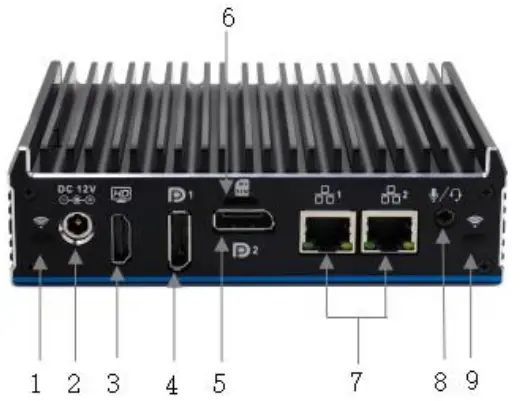
| Front Plate | NO | Port Name |
|
| 1 and 9 | Antenna hole |
| 2 | DC 12V | |
| 3 | HDMI | |
| 4 | DP1 | |
| 5 | DP2 | |
| 6 | SIM | |
| 7 | 2*1000M LAN | |
| 8 | Audio | |
| Remark: 1、HDMI Max Resolution:4096×2160@30Hz; 2、DP1 Max Resolution:4096×2160@60Hz; 3、DP2 Max Resolution:4096×2160@60Hz;(Can’t support Audio and Can’st support hot plug in or hot plug off) | ||
4.4 Internal expansion port
Internal expansion port
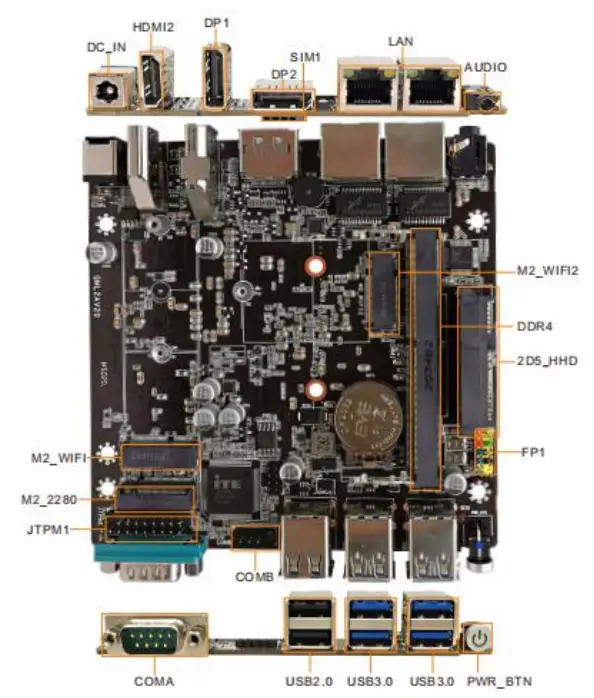
4.5 Status indicator LED
| Name | Description | LED | Meaning |
| POWER | PC boot up | Not Light | Power off or no electricity |
| Light | Running |
4.6 Install the internal parts
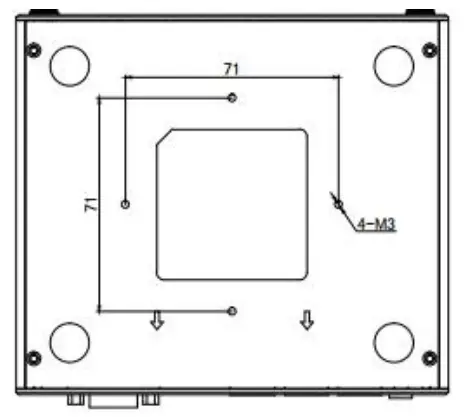
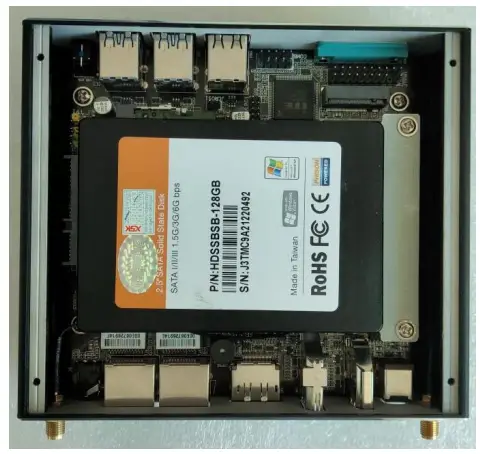
- Remove four M2.5*6 screws from the bottom plate (see below), remove the bottom plate , then please install the RAM, WIFI module, MSATA or 2.5” HDD and other accessories.

- After finish installing the internal parts(see below), then install the bottom plate,then install the four M2.5*6 screws.
Warning
This operation is only suitable for customers who purchase N1021 barebone PC. Customers who have installed internal accessories should not disassemble the machine at will.
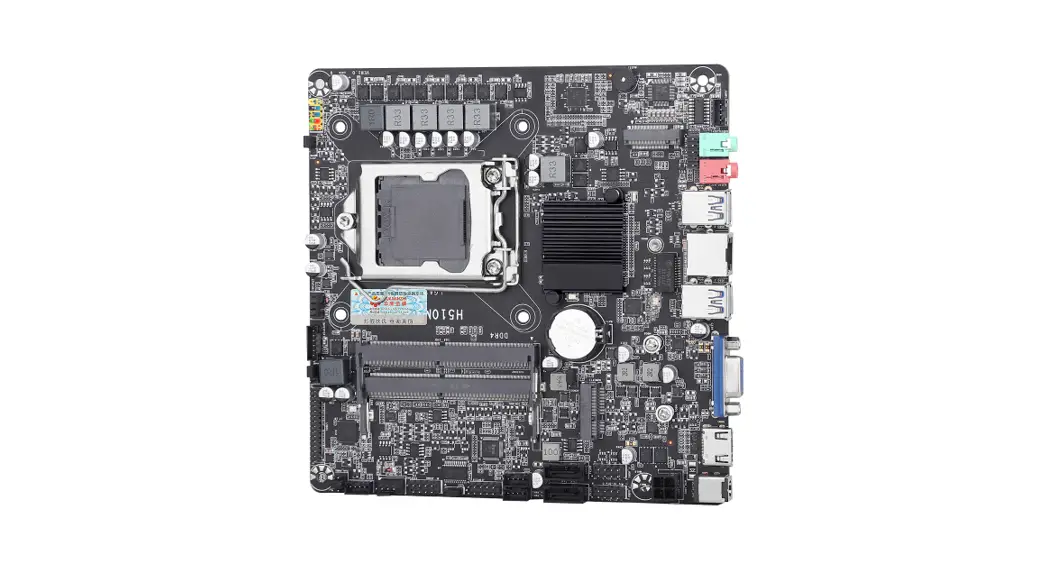
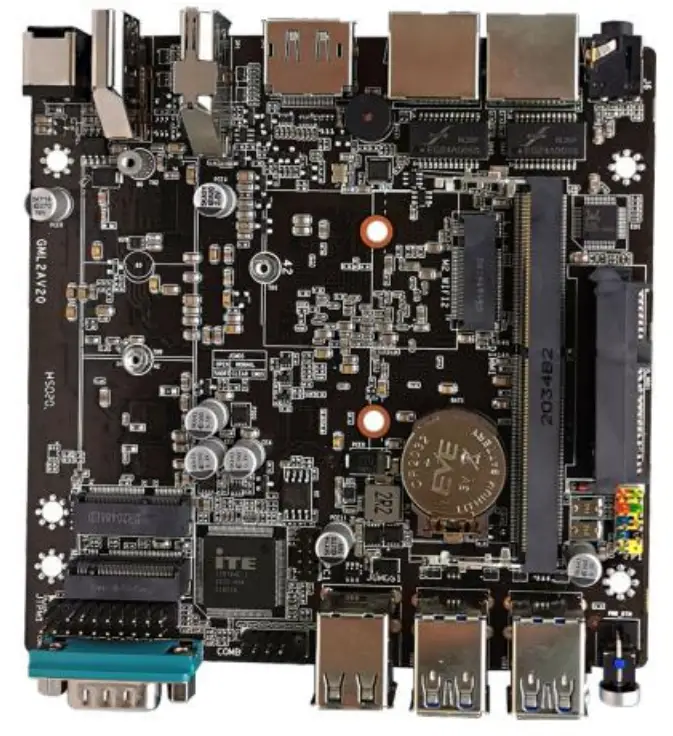
4.7 Mainboard
 | 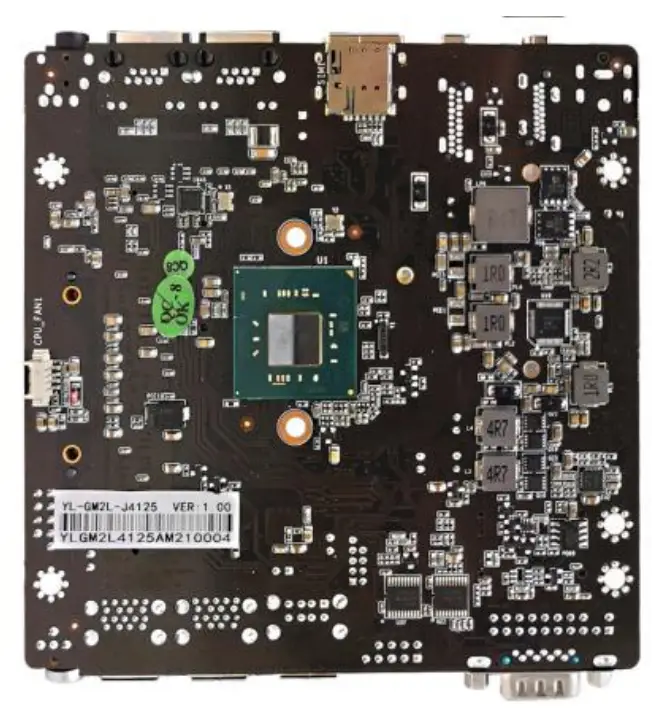 |
4.8 Definition of Pins
| Symbol | Pin | Specification | Remark | |
| CMOS | 1-2 | Clean up COMS | Default no jump cap | |
| 1 | HDD_LED+ | |||
| 2 | PWR_LED+ | |||
| 3 | HDD_LED- | |||
| 4 | PWR_LED- | |||
| 5 | RST_GND | |||
| 6 | PW_ON | |||
| 7 | RST | |||
| 8 | PWON_GND | |||
| 9 | Empty | |||
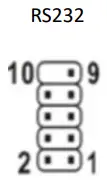 | 1 | DCD | Built-in RS23 pin | |
| 2 | RXD | |||
| 3 | TXD | |||
| 4 | DTR | |||
| 5 | GND | |||
| 6 | DSR | |||
| 7 | RTS | |||
| 8 | CTS | |||
| 9 | RI | |||
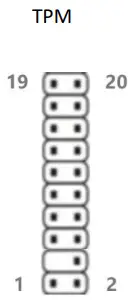 | 1 | CLK | 2 | GND |
| 3 | LFRAME | 4 | / | |
| 5 | RESET | 6 | NO USE | |
| 7 | LAD3 | 8 | LAD2 | |
| 9 | 3V3 | 10 | KAD1 | |
| 11 | LAD0 | 12 | GND | |
| 13 | NO USE | 14 | NO USE | |
| 15 | NO USE | 16 | SERIRQ | |
| 17 | GND | 18 | NO USE | |
| 19 | NO USE | 20 | NO USE | |
Warning
The internal wiring of the PC has been installed, and the wire plug and screw have been fixed with glue.
Please do not disassemble and install the motherboard, jumpers and other operations at will to avoid damage to the motherboard.
BIOS Setting
BIOS settings menu is divided into the following options:
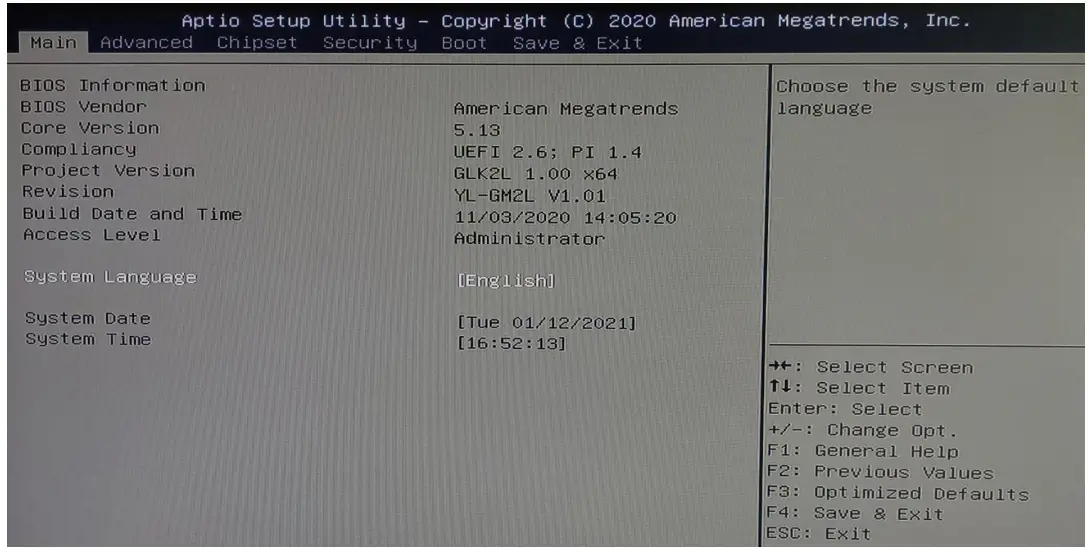
Main:Check BIOS information
Advanced:Main Settings of BIOS options
Chipset:Display setting and Audio setting
Security:Security setting
Boot:Boot up options Settings
Save & Exit:Save & Exit BIOS setting Warning
Do not change the BIOS Settings at will, or it will cause the pc can’t work normally.
- Setting the function of auto power on when there is electricity
Boot up the pc, then press “DELETE” to enter the BOIS setting , choose“Advanced”→“System power Management” → “Restore On AC Power Loss”→“Power On”,See picture as below;
- Setting of closing the LOGO when PC booting up
Boot up the pc, then press “DEL” to enter the BIOS settings, then do the white options as below,choose“Boot” → “Quiet Boot” → “Disabled”,then press“F4” → “YES”then exit.
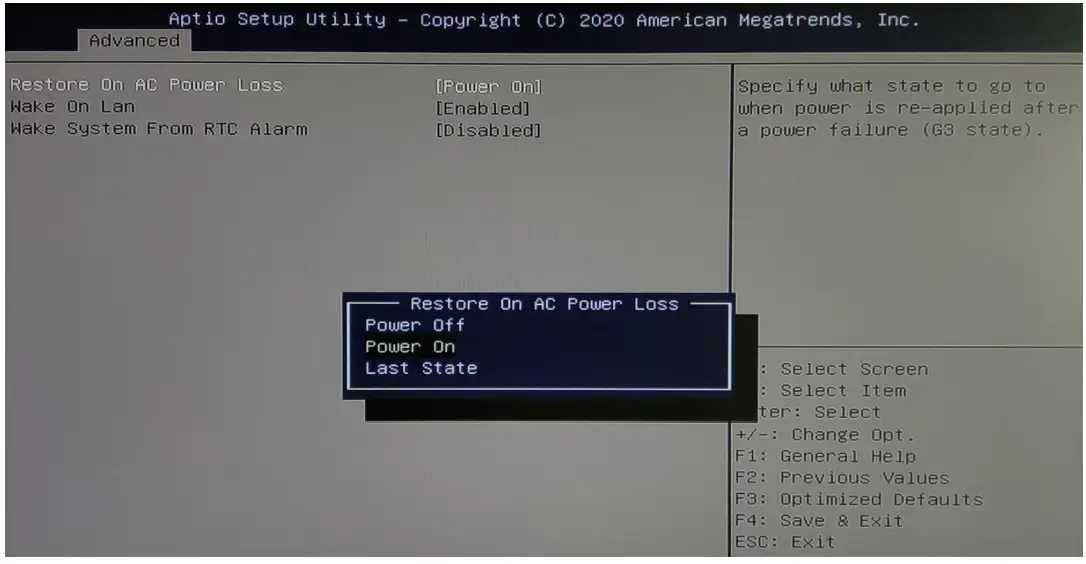
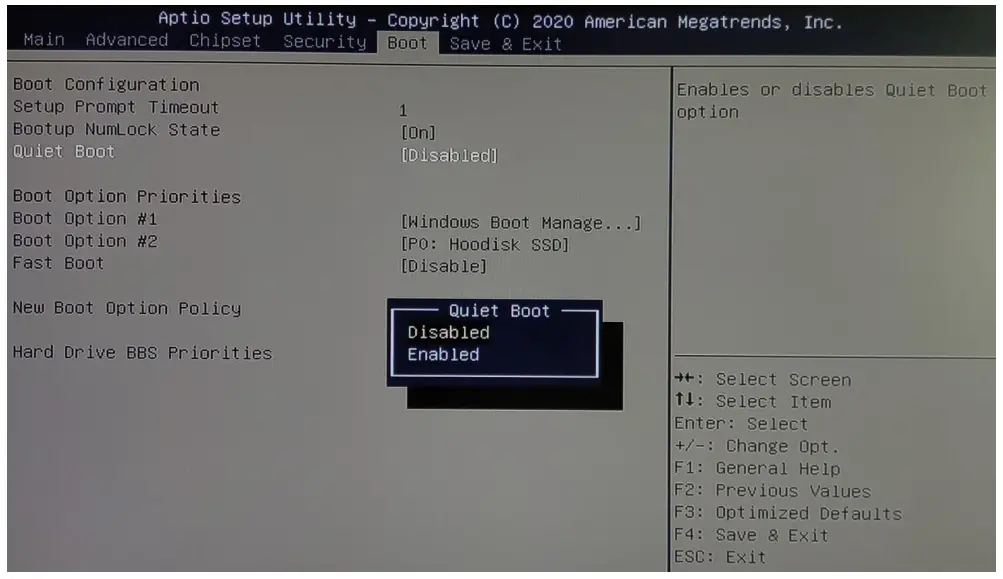
Daily maintenance
- When the PC is in normal use, please ensure that the PC is working in a non-vibration environment to avoid damaging the hard disk and internal accessories.
- When using the PC, please pay attention that the environmental temperature should between -10℃ and 55℃.
- This PC uses the PC case for heat dissipation. In order to ensure the heat dissipation effect of the PC, we strongly recommend that you clean the PC surface regularly every three months.
- In order to ensure the efficient and reliable operation of the PC, we recommend you to clean and defragment the hard disk regularly every three months.
- When using the internal slot of the PC, we strongly advise you not to plug and unplug with electricity to avoid electrostatic damage. When the PC encounters power failure due to non-human reasons, in order to ensure the normal and reliable operation of the PC, we strongly recommend that you disconnect the power supply of the PC immediately, please confirm the stability of the power grid before power on.
Troubleshooting for Common hardware failure
| No | fault phenomenon | analysis of causes | repair method |
| 1 | The PC doesn’t boot up after press the power switch | The power adapter is work or not | Suggest to plug tighten the power cord or change the socket; Change the power adapter; |
| Motherboard damage | Return back for repair; | ||
| 2 | No image on the monitor | Maybe the signal input is not connected properly | Check whether the PC starts up normally; Check whether the LED of monitor is on or not; Check whether VGA cable or HDMI cable is connecting right or not; |
| The monitor is in a “power-saving” state | Press any key of the keyboard | ||
| 3 | Can’t enter the OS | BIOS Setting mode not allow | Boot up the PC, then press the “DEL”, enter BIOS,change the OS mode to WIN7/WIN8.X, then press “F4” save and exit. |
| Hard disk power cord or data cable is damaged | Check HDD(The hard disk must be installed the OS and bootable)power cord or data cable is loose or not | ||
| The hard disk OS file is corrupted | Enter the OS with a bootable disc (Usual use WINPE OS). Check the hard disk OS is damage or not and reinstall the OS if necessary. | ||
| 4 | Keep beeping after PC turn on | No memory detected | Open PC case to re-plug the RAM |
| Warning When you need to open the case or enter the BIOS Settings, non-professionals should follow the steps under the guidance of technicians. | |||
IWILL TECHNOLOGY (HONGKONG) LTD www.iwilltech.cn
 Shenzhen Iwill Technology Co., Ltd. - Mini PC, Industrial PC