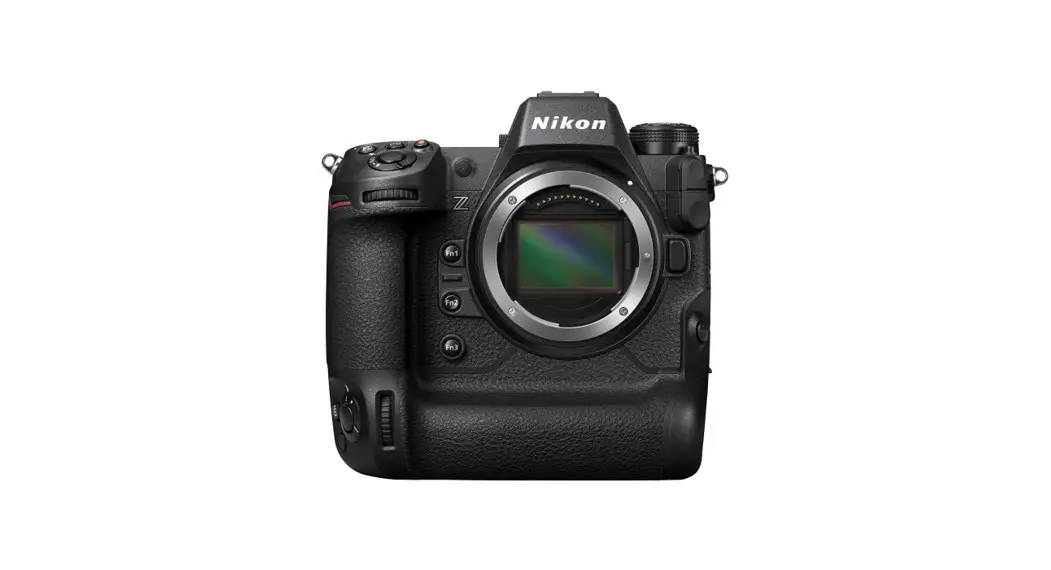
 Z9
Z9
Professional
Setting Guide
Sports AF Edition
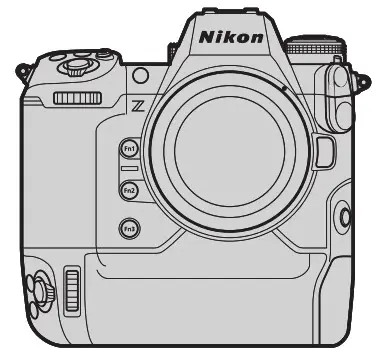
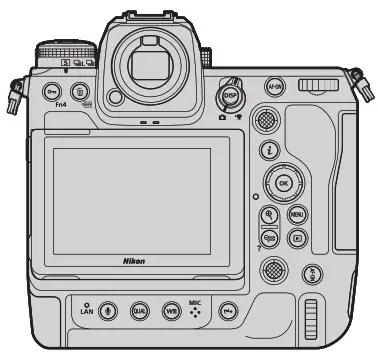
Sports AF: Autofocus Basics
The following settings are suitable for most sports:
| Focus mode | AF‑C | |
| F-area mode | • Solo events: 3D‑tracking • Team events: Dynamic‑area AF (S) | |
| hoot shooting menu | ||
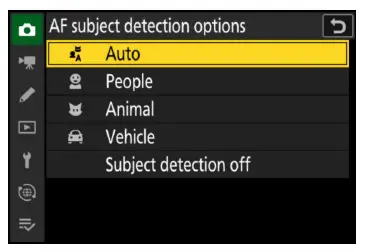
| AF subject detection options | [Auto] | |
| ustom Settings | ||
| a1 AF‑C priority selection | [Release] | |
| a3 Focus tracking with lock‑on | Blocked shot AF response | [2] |
| Subject motion | [Steady] | |
| a9 Focus mode restrictions | [Continuous AF] | |
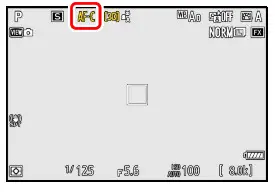
Focus Mode: AF‑C
The camera adjusts focus continuously while the AF‑ON button is pressed or the shutter-release button is pressed halfway.
AF-Area Mode: 3D-Tracking (Solo Events)/Dynamic-Area AF (S) (Teams)
We recommend 3D-tracking as the AF-area mode for solo events. The focus point can be made to track a selected subject.
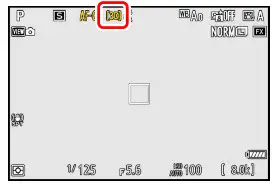
For team events, we recommend dynamic-area AF (S). You can quickly adjust focus as you switch from one player to another.
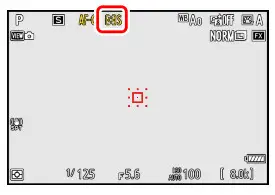
AF Subject Detection Options: Auto
The camera will detect humans, animals, and vehicles and choose a sub- Ject for focus automatically.
- Subject detection is available when wide-area AF (S), wide-area AF (L), 3D-tracking, or auto-area AF is selected for AF-area mode
 Focus Tracking with Lock-On-
Custom Setting a3 [Focus tracking with lock-on] controls how autofit- cues responds to changes in the distance to the subject.
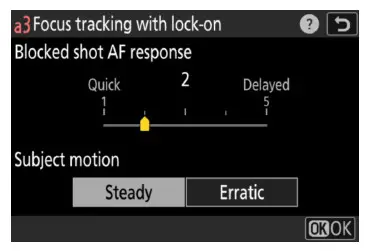
- Blocked Shot AF Response: [2] Increasing the speed with which the autofocus system reacts to blocked shots ensures that focus responds quickly to frequent subject changes.
- Subject Motion: [Steady] [Steady] is suited to a wide variety of subjects.
 Recommended Settings by Event
See “Recommended AF Settings by Event” (page 17) for the recommended AF settings for different sporting events.
AF-Area Mode
The following eight AF-area modes are available in focus mode AF-C.
| AF-area mode | Description | Monitor | |
 | Single‑point AF | The camera focuses on a point selected by the user. | 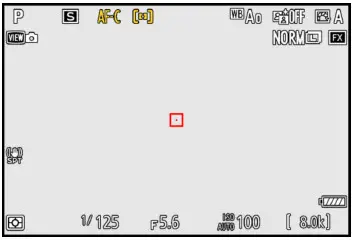 |
 | Dynamic‑area AF (S) | The focus point is selected manually. The camera focuses on the subject in the selected focus point when autofocus is initiated, but if the subject later briefly leaves the selected point, the camera will focus based on information from surrounding points. Choose if the camera has difficulty focusing, or for active subjects that are hard to keep framed in a single point, and choose an option with broader coverage if the subject is moving unpredictably or occu‑ pies a large area of the frame. | 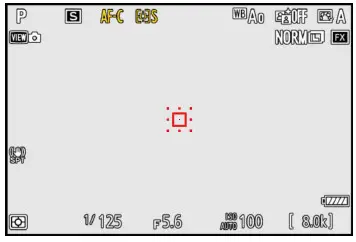 |
 | Dynamic‑area AF (M) | 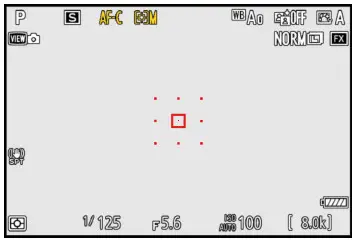 | |
 | Dynamic‑area AF (L) | 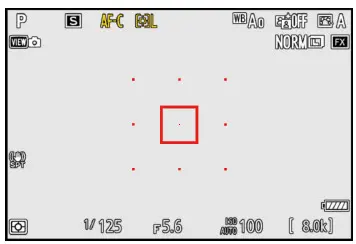 | |
 | Wide‑area AF (S) | As for single‑point AF, except that the camera focuses on a wider area. | 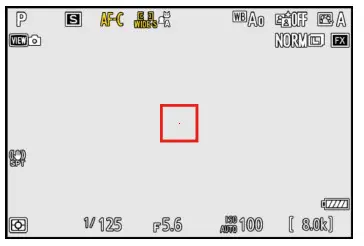 |
 | Wide‑area AF (L) | 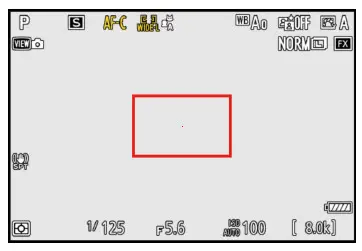 | |
| AF-area mode | Description | Monitor | |
 | 3D‑tracking | The camera tracks focus on a selected subject. This option is avail‑ able only in photo mode. • Position the focus point over your subject and start tracking by pressing AF‑ON or by pressing the shutter‑release button halfway; focus will then track the selected subject as it moves through the frame. • To end tracking and restore the previously‑selected focus point, release the AF‑ON or shutter‑release button. • If the subject leaves the frame, remove your finger from the shut‑ ter‑release button and recompose the photograph with the sub‑ ject in the selected focus point | 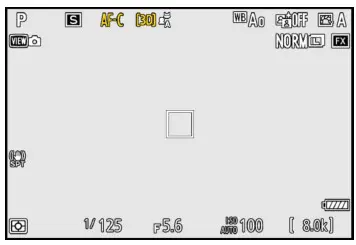 |
 | Auto‑area AF | The camera automatically detects the subject and selects the fo‑ cus point. | 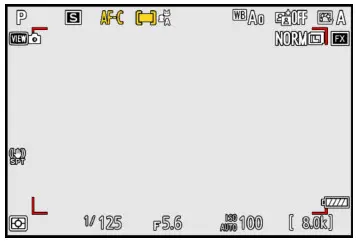 |
Caution: 3D-Tracking
The camera may be unable to track subjects that are obscured by other objects or leave the frame. Quick Focus-Point Selection
- For quicker focus-point selection, choose [Alternating points] for Custom Setting a4 [Focus points used] (page 9).
- If you prefer to use the sub-selector for focus-point selection, you can choose [Select center focus point] for Custom Setting f2 [Custom controls (shooting)] > [Sub-selector center] to allow the cen- ter of the sub-selector to be used to quickly select the center focus point (page 15).
Sports AF: Custom Settings
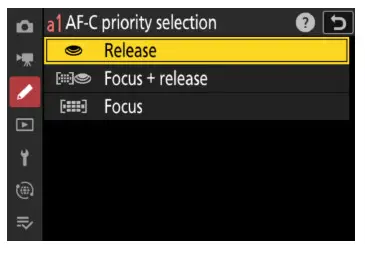
a1: AF‑C Priority Selection
Custom Setting a1 [AF-C priority selection] controls whether the cam- era gives priority to focus or shutter release.
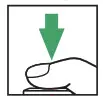 Shutter-release button pressed all the way down
 : Subject not in focus
 : Subject in focus
 : Photo taken (frame number shown in top left corner)
 Release: Pictures can be taken whether or not the camera is in focus. Frame rates do not slow during burst photography. Release: Pictures can be taken whether or not the camera is in focus. Frame rates do not slow during burst photography. |  |
 Focus + release: In burst mode, priority is given to focus for the first frame and to release for later frames, ensuring that the first frame Focus + release: In burst mode, priority is given to focus for the first frame and to release for later frames, ensuring that the first frameis in focus and that no subsequent frames are missed. Frame rates do not slow. |  |
 Focus: Pictures can only be taken when the camera is in focus. Focus: Pictures can only be taken when the camera is in focus. |  |
Note: Release timing not exactly as shown.
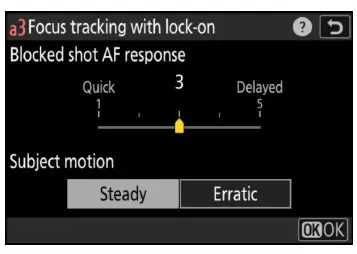
a3: Focus Tracking with Lock-On-
This menu contains two options: [Blocked shot AF response] and [Subject motion].
Blocked Shot AF Response
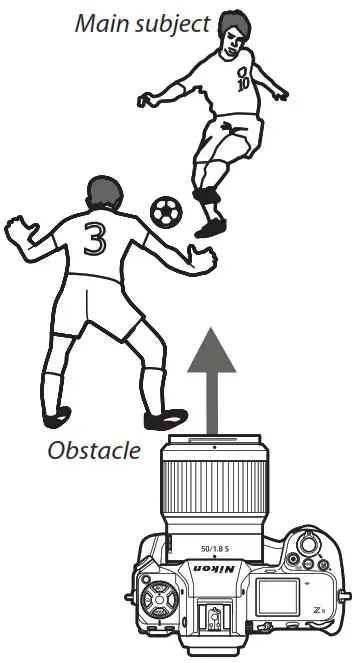
If AF‑C is selected for focus mode, focus tracking with lock-on will prevent the camera refocusing when your subject is briefly obscured by another object, ensuring that it will continue to track the main subject once the obstacle has moved away. Choose the length of time before the camera refocuses from [1 (Quick)], [2], [3], [4], and [5 (Delayed)]. Lock-on applies only while the camera is focusing; to focus at a new distance without waiting for lock-on to end, re-initiate autofocus.
The camera will track and focus on objects at the same distance as the main subject. High values (slow response) make the camera slow to re- focus on obstacles when the shot is blocked. Select low values (quick response) to quickly refocus on subjects passing in front of the camera and for improved response when switching rapidly from one subject to another.
Subject Motion
Choose how the camera tracks subjects in motion. Choose [Steady] for subjects approaching the camera at a steady pace, like sprinters or race cars on a track, [Erratic] for long or triple jumpers and other subjects prone to sudden stops and starts.
a4: Focus Points Used
Choose number of focus points available for manual focus-point selection.
- Choosing [Alternating points] reduces the number of focus points to roughly a quarter of to- tal available, speeding focus-point selection. The number of points available for the pinpoint AF AF-area mode is not affected.
- Manual focus-point selection is available in all AF-area modes except auto-area AF.
a5: Store Points by Orientation
This option lets you concentrate on shooting without having to worry about focus-point selection. Choose whether the camera uses the same focus point and AF-area mode in all orientations, or stores separate fo- cus points and/or AF-area modes for use in “wide” (landscape) orienta- tion, “tall” (portrait) orientation with the camera rotated 90° clockwise, or “tall” orientation with the camera rotated 90° counterclockwise. The options are [Focus point], [Focus point and AF-area mode], and [Off].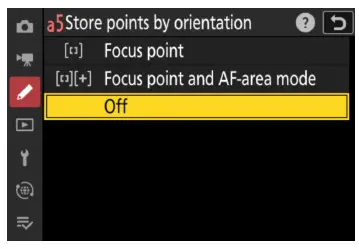
- [Focus point]: Rotating the camera restores the focus point last selected in the chosen orien- tation. If you select [Off] after choosing this option, the camera will select the center focus point for all orientations.
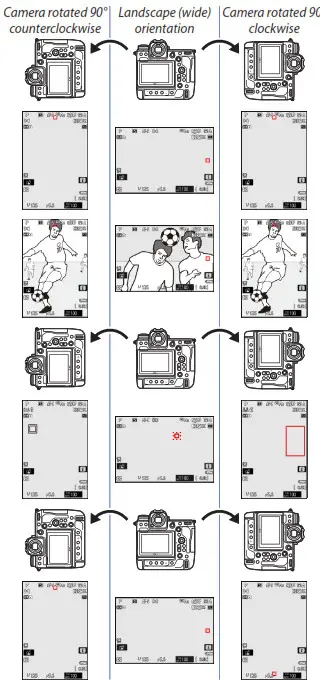
- [Focus point and AF-area mode]: Rotating the cam- era restores the focus point and AF-area mode last selected in the chosen orientation. In the example shown here, dynamic-area AF (S) is selected when the camera is in landscape ori- entation, 3D-tracking when it is rotated 90° counterclockwise, and wide-area AF (L) when it is rotated 90° clockwise.
- [Off]: The same focus point and AF-area mode will be used regardless of camera orientation.
a6: AF Activation
Choose [AF‑ON only] to split the functions of the AF‑ON button (or the control to which [AF-ON] has been assigned using Custom Setting f2 [Custom controls (shooting)]) and the shutter-release button so that the former is used for focus while the latter is used only to release the shutter. Lift your thumb from the AF‑ON button to lock focus and take more shots at the current focus distance or prevent the camera refocus- ing when an object passes between you and your subject.
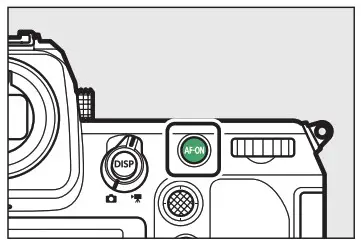
Highlighting [AF‑ON only] and pressing  displays an [Out-of-focus release] option; for sports pho- tography, confirm that [Enable] is selected. Focusing with Lens Function Buttons
To focus using the L‑Fn or L‑Fn2 buttons found on certain lenses, select [AF-ON] for Custom Setting f2 [Custom controls (shooting)] > [ Lens Fn button] or [
 Lens Fn2 button] (page 15). Mount Lenses with Focus Function Selectors
If an F mount lens with a focus function selector is mounted on the camera via a mount adapter, the focus function buttons on the lens will perform the same role as the camera AF‑ON button when the focus function selector is in the AF-ON position. As of November, 2021, the list of lenses featuring focus function selectors is as follows:
- AF‑S NIKKOR 800 mm f/5.6E FL ED VR
- AF‑S NIKKOR 600 mm f/4G ED VR
- AF‑S NIKKOR 600 mm f/4E FL ED VR
- AF‑S NIKKOR 500 mm f/4G ED VR
- AF‑S NIKKOR 500 mm f/4E FL ED VR
- AF‑S NIKKOR 500 mm f/5.6E PF ED VR
- AF‑S NIKKOR 400 mm f/2.8G ED VR
- AF‑S NIKKOR 400 mm f/2.8E FL ED VR
- AF‑S NIKKOR 300 mm f/2.8G ED VR II
- AF‑S NIKKOR 200 mm f/2G ED VR II
- AF‑S NIKKOR 70–200 mm f/2.8E FL ED VR
- AF‑S NIKKOR 120–300 mm f/2.8E FL ED SR VR
- AF‑S NIKKOR 180–400 mm f/4E TC1.4 FL ED VR
- AF‑S NIKKOR 200–400 mm f/4G ED VR II
a7: Focus Point Persistence
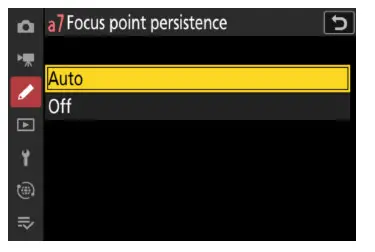
If you have assigned [AF-area mode] or [AF-area mode + AF‑ON] to a control using Custom Setting f2 [Custom controls (shooting)], you can hold the control to switch temporarily from the current AF-area mode to a second, pre-selected mode. Selecting [Auto] for Custom Setting a7 [Focus point persistence] lets you do so without changing focus points.
Using Focus-Point Persistence: An Example
In this example, we will assign [AF-area mode] to the Fn1 button and hold it to switch temporarily from the current AF-area mode (auto-area AF in this case) to a second, pre-selected mode (here dy- manic-area AF (S)).
- Enable focus-point persistence.
Select [Auto] for Custom Setting a7 [Focus point persistence].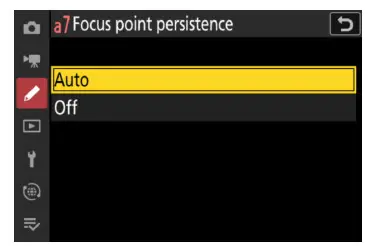
- Select the default AF‑area mode.
For this example we will choose [Auto-area AF] and a focus mode of AF‑C.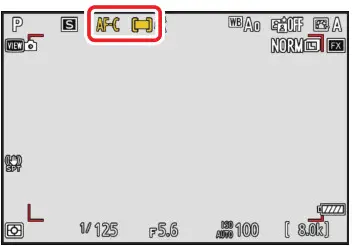
- Assign [AF‑area mode] or [AF-area mode + AF-ON] to a control.
Select Custom Setting f2 [Custom controls (shooting)] and choose the desired control and role (in this case, the Fn1 button and [AF-area mode]). To choose the AF-area mode activated while the button is pressed, highlight [AF-area mode] and press. This example as- sums that [Dynamic-area AF (S)] is selected.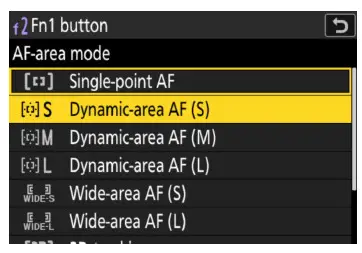
- Focus using the default AF-area mode.
Press the shutter-release button halfway or press the AF‑ON button to focus using the default AF-area mode. In the case of auto-area AF, the camera will automatically detect the subject and choose the focus area.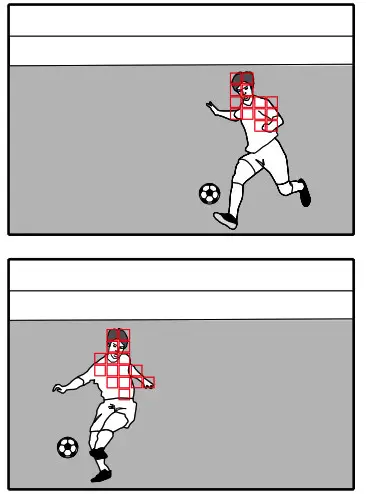 At the settings selected in this example, focus will track subject mo- tion while the shutter-release button is pressed halfway or the AF‑ON button is pressed.
 - Switch AF-area modes.
Hold the selected control (the Fn1 button) to switch to the AF-area mode selected in Step 3 (dynamic-area AF (S)). Because we selected [Auto] for Custom Setting a7 [Focus point persistence] in Step 1, the camera will focus on the subject in the current focus point using dy- namic-area AF (S).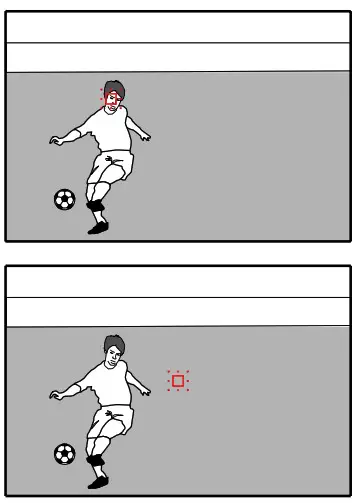 Had we selected [Off], the camera would not have maintained focus on the subject in the point chosen by auto-area AF but would have instead switched to a different focus point.
a8: Limit AF-Area Mode Selection
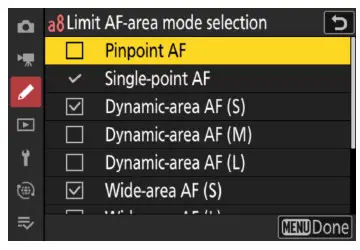
Limiting the choice of AF-area modes speeds AF-area mode selection and prevents your accidentally selecting an undesired option. For ex- ample, you can limit the choice of AF-area modes to dynamic-area AF (S) and wide-area AF (S) by selecting only these options in the AF-area mode list. Note that [Single-point AF] cannot be deselected.
a9: Focus Mode Restrictions
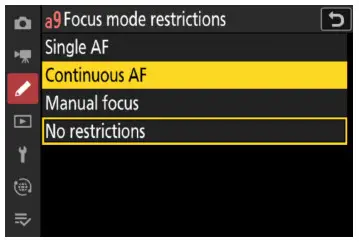
Limiting the choice of available focus modes prevents accidental selec- tion of an undesired option. For sports photography, you may find it convenient to choose [Continuous AF] to stop you accidentally select- ing AF‑S or MF.
a10: Focus Point Wrap-Around
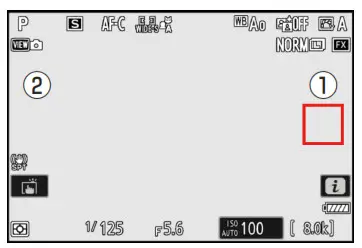
Select [ON] if you frequently switch between widely-separated focus points. Focus-point selection will “wrap around” from top to bottom, bottom to top, left to right, and right to left so that, for example, press- ing when a focus point on the right edge of the display is highlighted (1) selects the corresponding focus point on the left edge of the dis- play (2).
Sports AF: Custom Controls
Custom Setting f2 [Custom controls (shooting)] can be used to assign different roles, including fo- cus-related functions, to camera controls such as the Fn and AF-ON buttons
Focus-Related Control Assignments
Camera controls can be assigned the following focus-related functions:
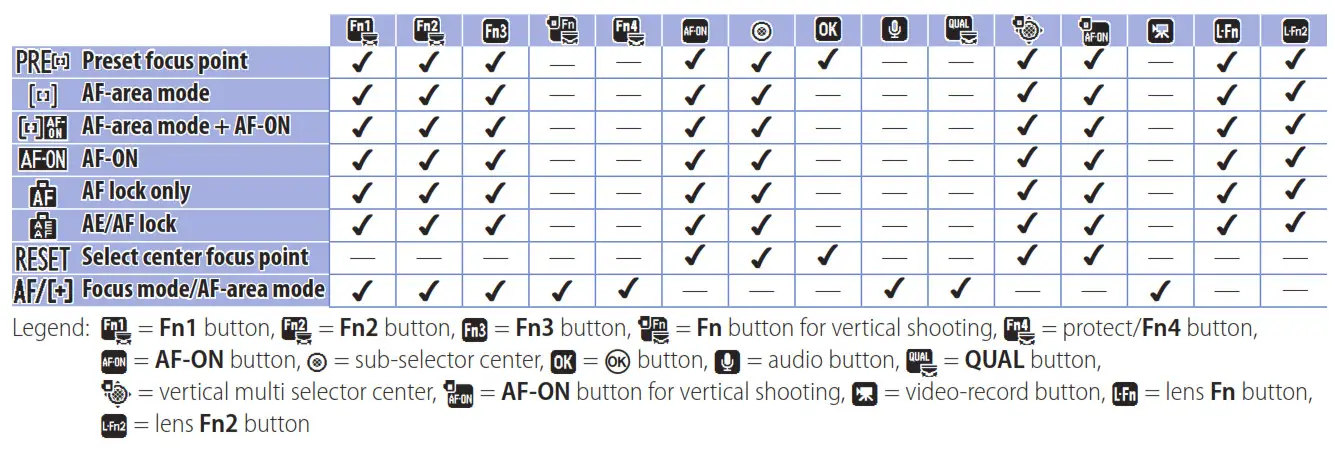
These functions are described below.
- PRE Preset focus point: Pressing the control selects a preset focus point. To choose the point, highlight it and hold the control while pressing the focus-mode button; the focus point will flash when the operation is complete. If an option other than [Off] is selected for Custom Setting a5 [Store points by orientation], you can choose separate focus points for “wide” (landscape) orientation and each of the two “tall” (portrait) orientations. Pressing when [Preset focus point] is highlighted dis-
plays a sub-menu where you can choose how the control behaves:
⁃ [Press to recall focus point]: Pressing the control selects the preset focus point.
⁃ [Hold to recall focus point]: The camera switches to the preset focus point only while the control is pressed and restores the previously-selected point when the control is released. - AF-area mode: Highlight this option and press to select an AF-area mode. The selected mode will take effect while the control is pressed; releasing the control restores the original AF-area mode.
 AF-area mode + AF‑ON: As for [AF-area mode], except that pressing the control also initiates autofocus.
 AF‑ON: The control performs the role normally performed by the AF‑ON button. Pressing the control initiates autofocus.
 AF lock only: Focus locks while the control is pressed.
 AE/AF lock: Focus and exposure lock while the control is pressed.
- RESED Select center focus point: Pressing the control selects the center focus point.
- AF/+ Focus mode/AF-area mode: The control performs the role normally performed by the focus-mode button. Hold the control and rotate the main command dial to choose the focus mode, the sub-command dial to choose the AF-area mode.
Lens Function Buttons
The roles played by the L‑Fn and L‑Fn2 buttons can be chosen using [ Lens Fn button] and [ Lens Fn2 button], respectively. As of November, 2021, the following Z mount lenses are equipped with function buttons:
- L‑Fn Only
⁃ NIKKOR Z 14–24 mm f/2.8 S
⁃ NIKKOR Z 24–70 mm f/2.8 S
⁃ NIKKOR Z 50 mm f/1.2 S
⁃ NIKKOR Z 58 mm f/0.95 S Nocte
⁃ NIKKOR Z MC 105 mm f/2.8 VR S - L‑Fn and L‑Fn2
⁃ NIKKOR Z 70–200 mm f/2.8 VR S
⁃ NIKKOR Z 100–400 mm f/4.5–5.6 VR S
Recommended AF Settings by Event
This section offers some advice on adjusting autofocus-related settings for different sporting events.
Overview: Settings by Event
The settings for different events are summarized in the table below. For all events listed, we recom- mend that you select a focus mode of AF‑C, choose [Release] for Custom Setting a1 [AF‑C priority selection], and select [Auto] for [AF subject detection options] in the photo shooting menu.
| Event | AF-area mode | Custom settings | |||
| a3 | a5 | ||||
| Blocked shot AF response | Subject motion | ||||
| Soccer (page 18) | Dynamic‑area AF (S or M) | 2 | Steady | Focus point | |
| Gymnastics | Floor exercises, rhythmic gymnastics (page 18) | Auto‑area AF | — | — | — |
| Balance beam (page 19) | 3D‑tracking | Focus point and AF‑area mode | |||
| Vault (page 19) | Auto‑area AF | — | |||
| Rings and horizontal and uneven bars (page 19) | 3D‑tracking | ||||
| Athletics | Sprints (hand‑held shots focusing on a single runner approaching the camera, page 20) | 3D‑tracking | — | — | Focus point |
| Hurdles (page 21) | |||||
| Marathons (from a vehicle, page 21) | Dynamic‑area AF (S) | 3 | Steady | ||
| Shot put, discus, hammer throw, and javelin (from the front, at a distance), page 21) | Auto‑area AF | — | — | — | |
| Long jump, triple jump, and pole vault (facing oncoming jumpers), page 22) | |||||
| High jump (page 22) | Wide‑area AF (L) | ||||
| Aquatics | Swimming (page 23) | Dynamic‑area AF (S) | 2 | Steady | — |
| Diving (page 24) | Auto‑area AF | — | — | ||
| Artistic swimming (page 24) | Wide‑area AF (S or L) | ||||
| Table tennis (page 25) | 3D‑tracking | — | — | — | |
| BMX and skateboarding (page 25) | Auto‑area AF | — | — | Focus point | |
| Motor sports (page 25) | 3D‑tracking | — | — | Focus point | |
Custom Settings: a3 [Focus tracking with lock-on] (page 9); a5 [Store points by orientation] (page 10) Vibration Reduction
Selecting [Sport] for [Vibration reduction] in the photo shooting menu stabilizes the image in the display and makes it easier to track your subject. Mount Lenses with Vibration Reduction Switches
If an F mount lens with a vibration reduction switch is mounted on the camera using a mount adapter, the [Vibration reduction] item in the photo shooting menu will be grayed out and unavailable. Use the controls on the lens for vibration reduction.
Soccer
Photographing soccer matches involves quick changes of focus and subjects that may be briefly obscured by foreground objects. The fol- lowing autofocus settings are recommended:
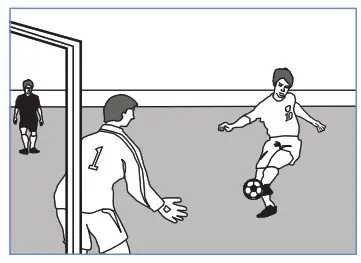
| Focus mode | AF‑C | |
| F-area mode | Dynamic‑area AF (S or M) | |
| custom Settings | ||
| a1 AF‑C priority selection | [Release] | |
| a3 Focus tracking with lock‑on | Blocked shot AF response | [2] |
| Subject motion | [Steady] | |
| a5 Store points by orientation | [Focus point] | |
Dynamic-area AF (S) is recommended if you want to focus on a single athlete in a group of players.
Gymnastics
This section lists some suggested settings for gymnastics events.
Floor Exercises and Rhythmic Gymnastics
Auto-area AF is recommended if composition is a priority.
| Focus mode | AF‑C |
| F-area mode | Auto‑area AF |
| custom Settings | |
| a1 AF‑C priority selection | [Release] |
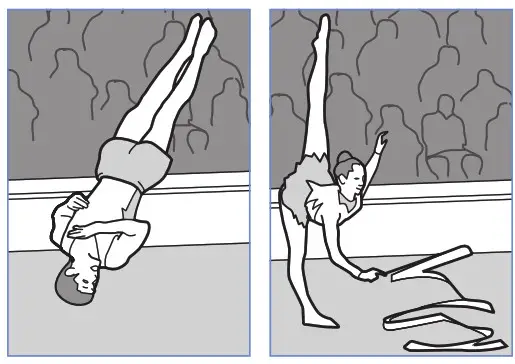
Select [Focus point and AF-area mode] for Custom Setting a5 [Store points by orientation] to automatically switch focus points and AF-area modes as you rotate the camera
(page 10). Choose [Alternating points] for Custom Set- ting a4 [Focus points used] to reduce the number of focus points for quicker selection (page 9).
Balance Beam
To automatically switch focus points and AF-area modes as you rotate the camera from “wide” to “tall” orientation, select [Focus point and AF-area mode] for Cus-
tom Setting a5 [Store points by orientation] (page 10).
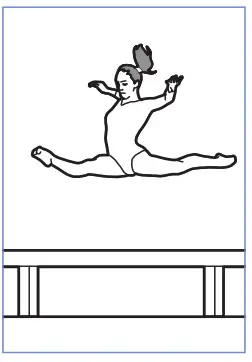
| Focus mode | AF‑C |
| F-area mode | 3D‑tracking |
| ustom Settings | |
| a1 AF‑C priority selection | [Release] |
| a5 Store points by orientation | [Focus point and AF‑area mode] |
Vault
If you find the subject hard to frame, selecting auto-area AF will allow you con- cent rate on composition while leaving the camera in charge of choosing the focus point.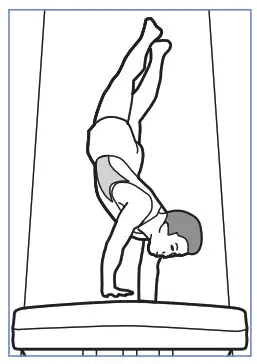
| Focus mode | AF‑C |
| F-area mode | Auto‑area AF |
| custom Settings | |
| a1 AF‑C priority selection | [Release] |
Rings and Horizontal and Uneven Bars
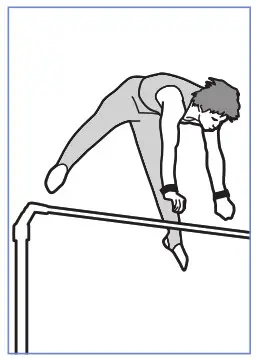
3D-tracking is recommended for subjects that change posture and position fret- queenly and often are near apparatus such as bars or rings.
| Focus mode | AF‑C |
| F-area mode | 3D‑tracking |
| ustom Settings | |
| a1 AF‑C priority selection | [Release] |
Athletics
You may find these settings useful when photographing road-running or track-and-field events.
Sprints (Hand-Held, Single Runner, from the Front)
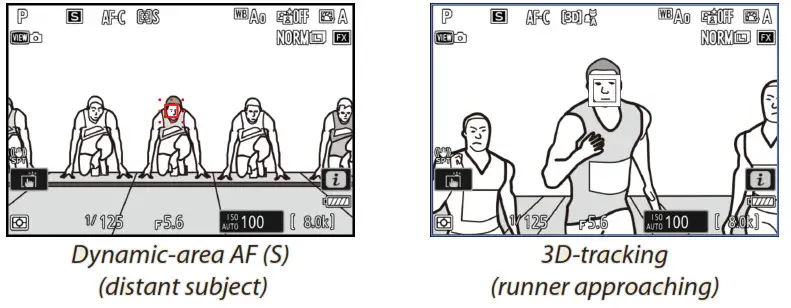
Dynamic-area AF (S) is recommended for photos of runners on a distant starting line.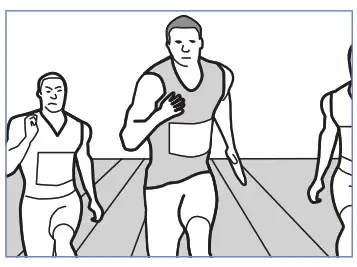
| Focus mode | AF‑C |
| F-area mode | 3D‑tracking |
| ustom Settings | |
| a1 AF‑C priority selection | [Release] |
| a5 Store points by orientation | [Focus point] |
When photographing runners after they have crossed the finish line, select [Focus point and AF-area mode] for Custom Setting a5 [Store points by orientation] to automatically switch focus points and AF-area modes as you rotate the camera between “tall” (portrait) orientations and “wide” (landscape) orientation (page 10). Instant AF-Area Mode Selection
For flexible AF-area mode selection when photographing approaching run- nears, select 3D-tracking with the camera and assign [Dynamic-area AF (S)] to the lens L‑Fn or L‑Fn2 buttons using Custom Setting f2 [Custom con‑ troll’s (shooting)] > [ Lens Fn button]/[ Lens Fn2 button] > [AF-area mode] (page 15). You can then press a lens function button to select dynamic-area AF (S) when your subject is far away and release the button to instantly switch to 3D-tracking as the runners approach.
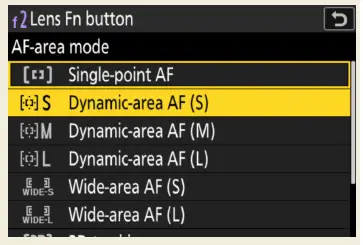
AF-area mode can also be assigned to the Fn1, Fn2, Fn3, or AF-ON button, to the center of the sub-se- lector or vertical multi selector, or to the AF-ON button for vertical shooting (page 15).
Hurdles
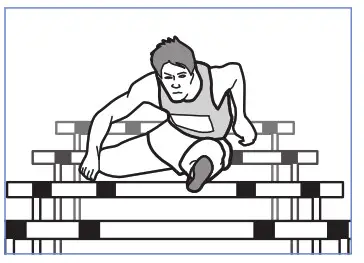
The settings below let you refocus as needed if the camera focuses on the hurdles in the foreground while the race is being run. When photo- graphing hurdlers who have crossed the finish line, select [Focus point and AF-area mode] for Custom Setting a5 [Store points by orientation] to automatically switch focus points and AF-area modes as you rotate the camera between “tall” (portrait) orientations and “wide” (landscape) orientation (page 10).
| Focus mode | AF‑C |
| F-area mode | 3D‑tracking |
| custom Settings | |
| a1 AF‑C priority selection | [Release] |
| a5 Store points by orientation | [Focus point] |
Marathons (from a Vehicle)
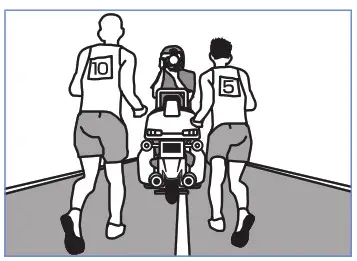
When shooting from a moving vehicle, choose dynamic-area AF (S) to keep specific runners in focus as they change position in the pack.
| Focus mode | AF‑C | |
| F-area mode | Dynamic‑area AF (S) | |
| ustom Settings | ||
| a1 AF‑C priority selection | [Release] | |
| a3 Focus tracking with lock‑on | Blocked shot AF response | [3] |
| Subject motion | [Steady] | |
| a5 Store points by orientation | [Focus point] | |
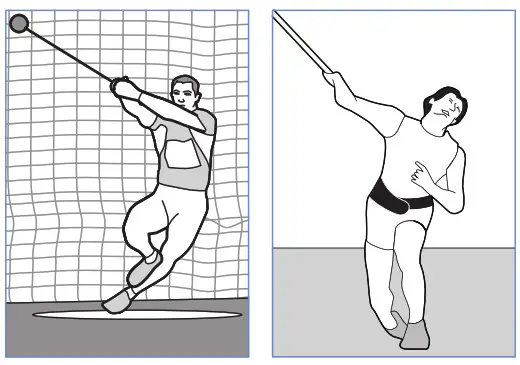
Shot Put, Discus, Hammer Throw, and Javelin (from the Front, at a Distance)
If you find the subject hard to frame, selecting auto-area AF will allow you concentrate on composition while leaving the camera in charge of choosing the focus point.
| Focus mode | AF‑C |
| F-area mode | Auto‑area AF |
| custom Settings | |
| a1 AF‑C priority selection | [Release] |
Long Jump, Triple Jump, and Pole Vault (Facing Oncoming Jumpers)
Auto-area AF is recommended for subjects that rapidly change posture and position.
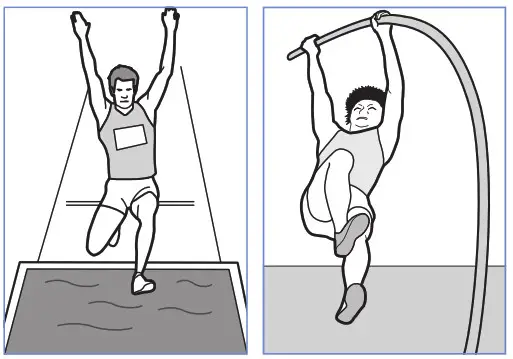
| Focus mode | AF‑C |
| F-area mode | Auto‑area AF |
| ustom Settings | |
| a1 AF‑C priority selection | [Release] |
High Jump
Wide-area AF (L) is recommended for events in which the subject’s face may be momentarily hidden from view. In the case of the high jump, focus will continue to track subjects without being affected by bars or poles in the foreground, even if the jumpers briefly turn away from the camera.
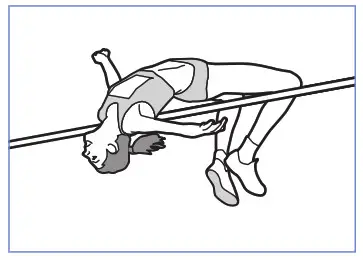
| Focus mode | AF‑C |
| F-area mode | Wide‑area AF (L) |
| ustom Settings | |
| a1 AF‑C priority selection | [Release] |
Aquatics
Here are some settings you may find helpful when photographing aquatic events.
Swimming
Choosing dynamic-area AF (S) helps prevent the camera focusing on splashes while letting you instantly refocus on the main subject as need- ed. To quickly switch focus from one swimmer to another, choose lower values for Custom Setting a3 [Focus tracking with lock-on] > [Blocked shot AF response].
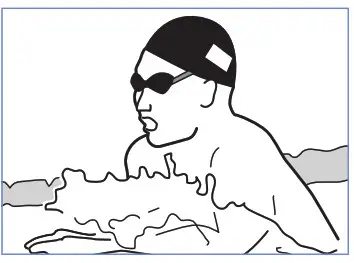
| Focus mode | AF‑C | |
| F-area mode | Dynamic‑area AF (S) | |
| ustom Settings | ||
| a1 AF‑C priority selection | [Release] | |
| a3 Focus tracking with lock‑on | Blocked shot AF response | [2] |
| Subject motion | [Steady] | |
Instant AF-Area Mode Selection
For flexible AF-area mode selection when photographing the start of a race, select dynamic-area AF (S) with the camera and assign [Auto-area AF] to the lens L‑Fn or L‑Fn2 buttons using Custom Setting f2 [Custom controls (shooting)] > [ Lens Fn button]/[ Lens Fn2 button] > [AF-area mode] (page 15). You can then press a lens function button to select auto-area AF when your subject is diving from the starting block and release the button to instantly switch to dynamic-area AF (S) once the swimmer is in the water.
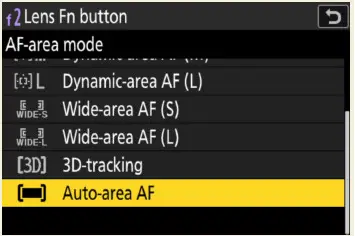
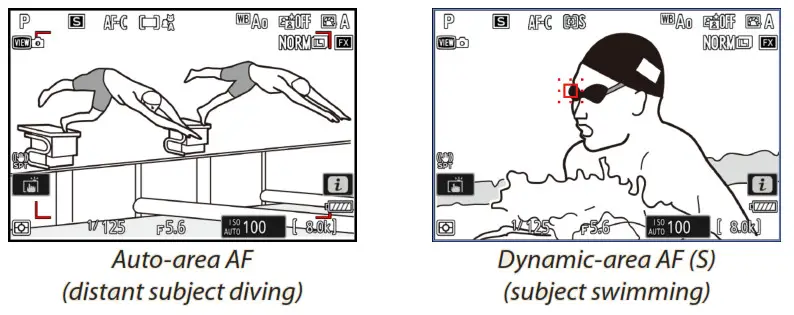
AF-area mode can also be assigned to the Fn1, Fn2, Fn3, or AF-ON button, to the center of the sub-se- lector or vertical multi selector, or to the AF-ON button for vertical shooting (page 15).
Diving
Choosing auto-area AF lets you concentrate on composition when pho- to graphing divers and other hard-to-frame subjects. Focus will automate- calmly track the subject while the AF-ON button is pressed or the shutter-re- lease button is pressed halfway.
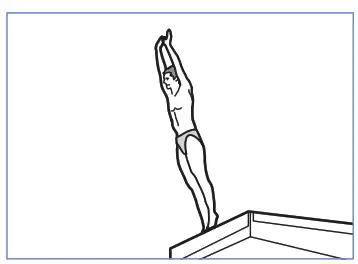
| Focus mode | AF‑C |
| F-area mode | Auto‑area AF |
| ustom Settings | |
| a1 AF‑C priority selection | [Release] |
Artistic Swimming
For events such as artistic swimming (also known as synchronized swimming), where your subjects change pose with dizzying speed and focus constant- ly switches from one subject to another, we recommend the ever-adaptable wide-area AF (S).
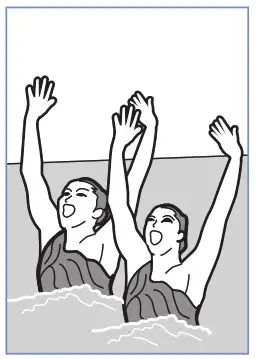
| Focus mode | AF‑C |
| F-area mode | Wide‑area AF (S or L) |
| ustom Settings | |
| a1 AF‑C priority selection | [Release] |
Table Tennis
Using 3D-tracking helps you frame shots with the net in the foreground.
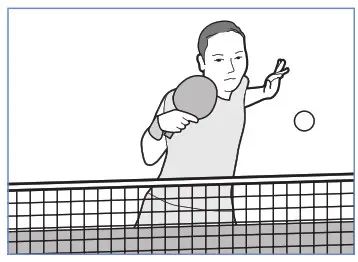
| Focus mode | AF‑C |
| F-area mode | 3D‑tracking |
| ustom Settings | |
| a1 AF‑C priority selection | [Release] |
BMX and Skateboarding
If you find the subject hard to frame, selecting auto-area AF will allow you concentrate on composition while leaving the camera in charge of choosing the focus point. To focus on the rider when photographing BMX events, select [People] for [AF subject detection options] in the photo shooting menu.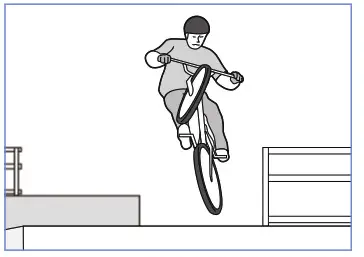
| Focus mode | AF‑C |
| F-area mode | Auto‑area AF |
| ustom Settings | |
| a1 AF‑C priority selection | [Release] |
| a5 Store points by orientation | [Focus point] |
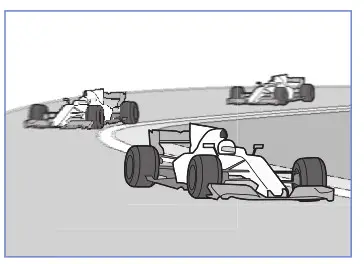
Motor Sports
To focus on drivers or riders near the vehicles, select [People] for [AF subject detection options] in the photo shooting menu.
| Focus mode | AF‑C |
| F-area mode | 3D‑tracking |
| ustom Settings | |
| a1 AF‑C priority selection | [Release] |
| a5 Store points by orientation | [Focus point] |
© 2021 Nikon Corporation